
Zapier Integration
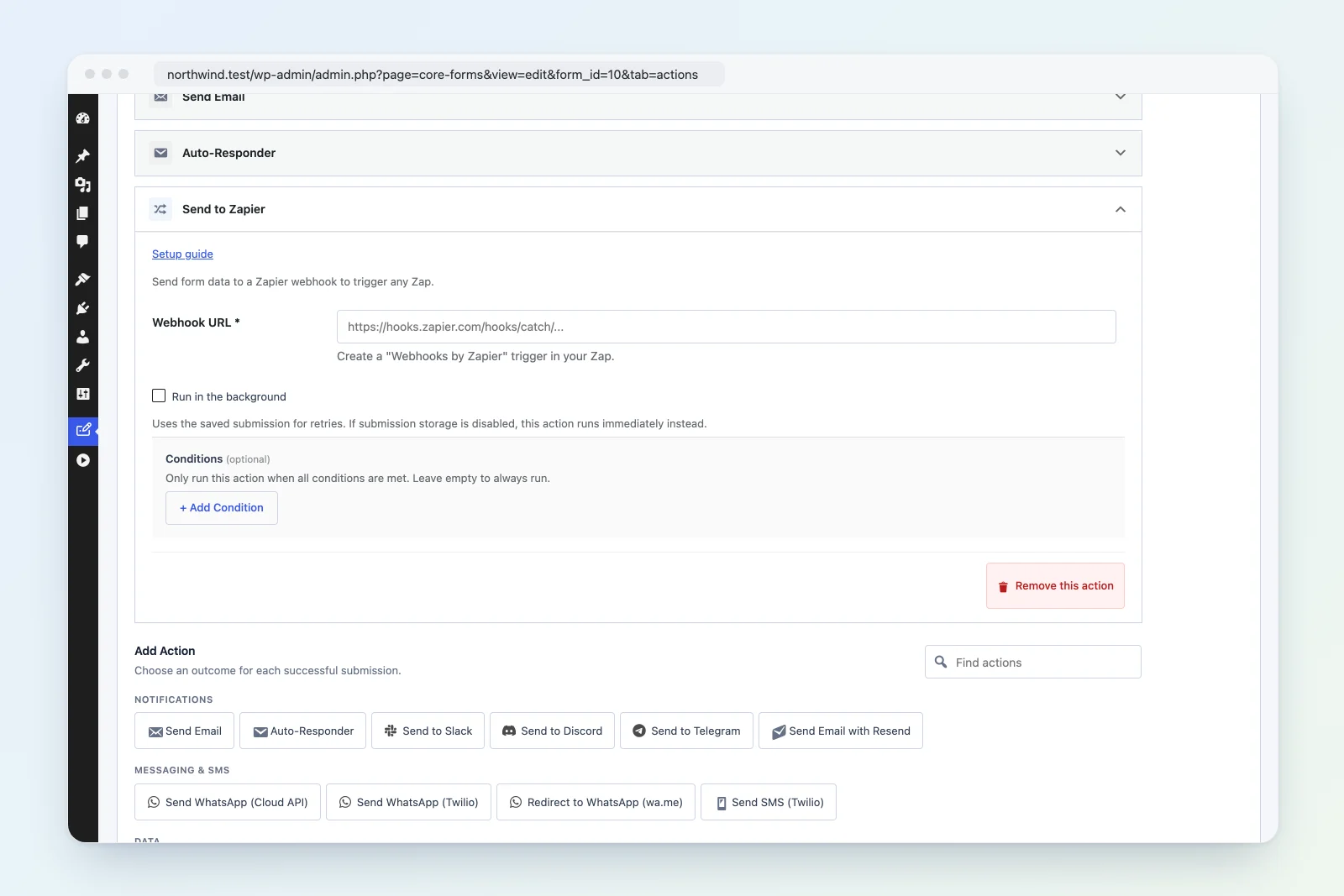
Send form data to a Zapier webhook to trigger any Zap.
Action type: zapier Class: Core_Forms\Actions\Zapier Source: src/actions/class-zapier.php
Setup
- In Zapier, create a new Zap.
- Choose Webhooks by Zapier as the trigger.
- Select Catch Hook as the event.
- Copy the Webhook URL (starts with
https://hooks.zapier.com/hooks/catch/...). - In WordPress, edit your form > Actions tab > Add Action > Send to Zapier.
- Paste the Webhook URL.
- Submit a test form entry, then return to Zapier to map the fields in your Zap.
Settings Reference
| Setting | Required | Default | Description |
|---|---|---|---|
| Webhook URL | Yes | — | Zapier Catch Hook URL |
Payload Format
All form fields are sent as a flat JSON object, plus metadata fields:
{
  "name": "Jane Smith",
  "email": "jane@example.com",
  "message": "Hello",
  "_form_title": "Contact Form",
  "_form_id": 42,
  "_submitted_at": "2026-04-09 10:30:00",
  "_ip_address": "192.168.1.1"
}
Metadata Fields
| Field | Description |
|---|---|
_form_title |
Title of the form |
_form_id |
WordPress post ID of the form |
_submitted_at |
Submission timestamp |
_ip_address |
Submitter’s IP address |
Array values (checkboxes, multi-select) are flattened to comma-separated strings.
How It Works
- Collects all form submission data.
- Flattens array values to comma-separated strings.
- Appends metadata fields (
_form_title,_form_id,_submitted_at,_ip_address). - POSTs as JSON to the webhook URL with
Content-Type: application/json. - The request times out after 15 seconds.
- Returns
trueon success.
Example: Send to Google Sheets via Zapier
- Create a Zap: Webhooks by Zapier (trigger) > Google Sheets (action).
- Paste the webhook URL in Core Forms.
- Submit a test entry.
- In Zapier, map the form fields to spreadsheet columns.
- Turn on the Zap.
Troubleshooting
- Zap not triggering: Verify the webhook URL is correct. Test by submitting a form and checking the Zap history.
- Missing fields: Submit a test entry after setting up the webhook so Zapier can detect the field structure.
- Metadata prefix: All metadata fields start with
_to avoid conflicts with form field names.