
Rehearsal
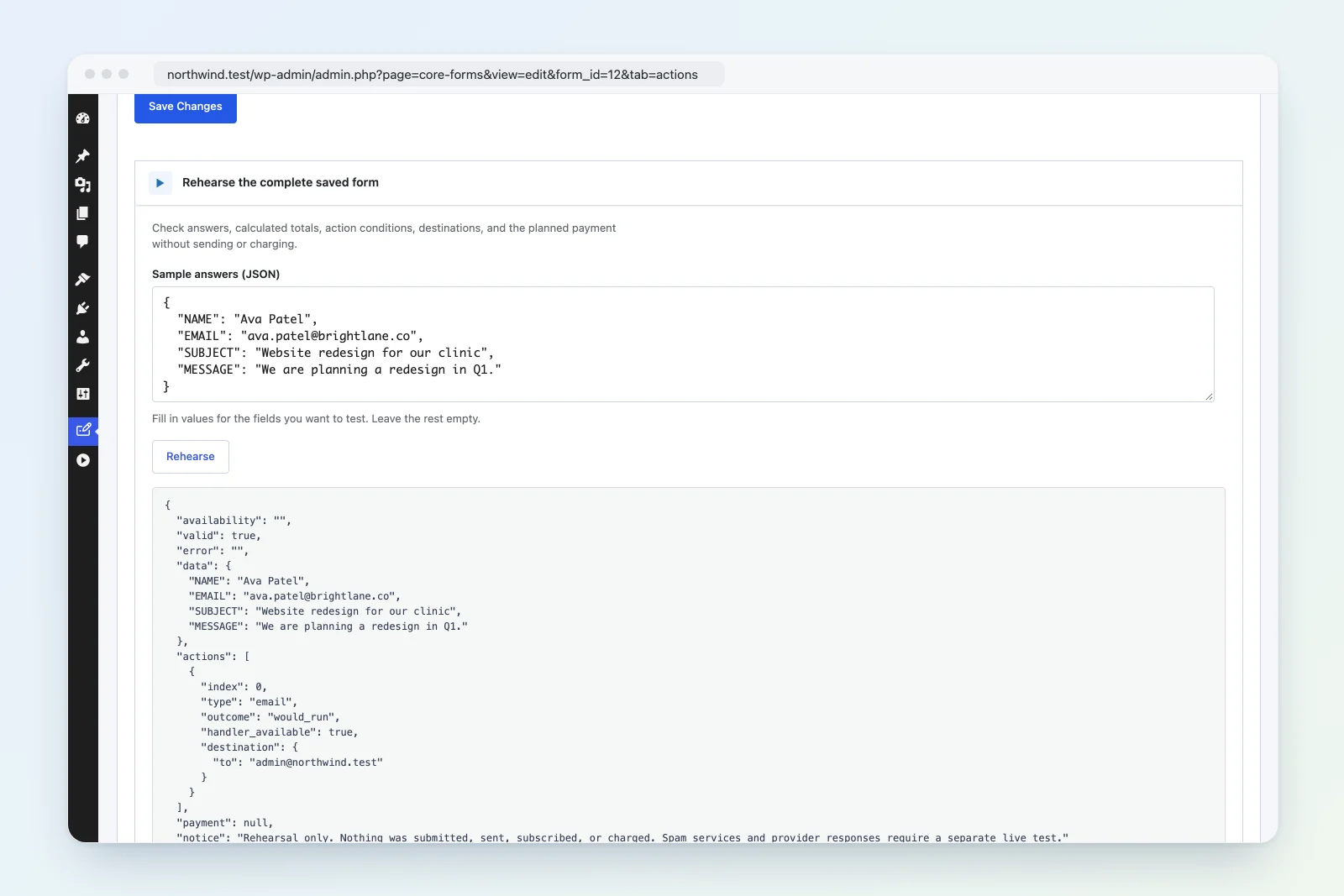
Rehearsal runs a saved form against sample answers and shows you what a real submission would do, without doing any of it. You see whether the answers pass validation, what the calculations come to, which actions would run and where they’d send data, and how much a payment would charge.
Nothing is stored, sent, subscribed or charged during a rehearsal.
Rehearse from the Actions tab
- Save the form. Rehearsal uses the saved form, not unsaved edits.
- Open the form’s Actions tab and expand Rehearse the complete saved form at the bottom.
- Under Sample answers (JSON), fill in values for the fields you want to test. The box starts with every field name in the form and empty values, so you only type the answers. Leave the rest empty.
- Click Rehearse.
{
  "NAME": "Ada Lovelace",
  "EMAIL": "ada@example.com",
  "PLAN": "Pro",
  "QUANTITY": "3"
}
The result appears under the button.
Rehearse from a preview
Form previews submit to rehearsal too. Open a preview from the Fields tab (Preview or Save & preview), or click Preview on a revision in the Revisions tab. Fill in the form as a visitor would and submit it. The Rehearsal preview section under the form shows the result.
A rehearsal preview also turns off save and resume, partial entries, analytics tracking and the form’s custom JavaScript, and uses the hosted payment flow.
Previewing a revision rehearses that revision’s fields, settings and actions, so you can check an older version before you restore it.
What a rehearsal checks
- Availability: whether the form is open right now. This reports a closed form (not published, or outside its schedule) or a reached submission limit.
- Validation: required fields, email addresses, allowed choices, URLs, numbers and dates within their limits, minimum and maximum lengths, and the size limit for a submission. Conditional logic applies, so a required field that’s hidden by a condition isn’t required.
- Calculations: calculated fields are worked out from your sample answers and returned with the rest of the data.
- Action conditions: each action is marked as one that would run or would be skipped, based on its conditions and your answers. When validation fails, every action is marked as skipped.
- Destinations: where each action would send data, with data variables filled in from your answers. This covers recipients, email addresses, chat IDs, list IDs, database IDs and board IDs. URLs are shortened to their scheme and host, so secret paths or tokens in a webhook URL aren’t shown.
- Planned payment: on forms that take payments, the gateway, whether it’s configured, and the amount and currency that would be charged.
Answers for names that aren’t fields in the form are dropped before the rehearsal runs.
Reading the result
The result is a JSON object:
| Key | What it tells you |
|---|---|
availability |
Empty when the form is open, or a reason such as form_closed or submission_limit_reached. |
valid |
true when the answers pass validation. |
error |
The first problem found, such as required_field_missing, invalid_email, invalid_field_value or calculation_failed. Empty when valid. |
data |
The answers the form accepted, including calculated values. |
actions |
One entry per action: its position (index), type, outcome (would_run or would_skip), handler_available, and destination. |
payment |
provider, configured, amount_minor and currency, or null when the form doesn’t take payments. |
notice |
A reminder that nothing was submitted, sent, subscribed or charged. |
handler_availableisfalsewhen the plugin behind an action isn’t active, so the action couldn’t run on a real submission.amount_minoris in the currency’s smallest unit, so4900in USD means $49.00. An amount that can’t be worked out returns the errorpayment_amount_invalid.- The error codes match the keys on the form’s Messages tab, so you can see which message a visitor would get.
What a rehearsal doesn’t do
A rehearsal only plans. It doesn’t:
- create an entry or a draft
- send emails, webhooks or integration requests, or run any action
- subscribe anyone to a list or CRM
- create a payment or charge anyone
- upload files
- run spam checks: the honeypot, the global blocklist, reCAPTCHA, Turnstile and Akismet are skipped
- run custom
cf_validate_formfilters - tell you how a provider will answer, such as an API key being wrong or a list ID not existing
To check those, run a real test submission with test recipients and payment test mode, or use Test action inside an action’s settings.
Field types registered with cf_register_field_type() run their validation callback during rehearsal, just as they do on a real submission. Keep those callbacks free of side effects, such as sending requests or writing data.
Who can rehearse
Anyone who can edit the form can rehearse it. Team members limited to certain forms can only rehearse forms in their access.
Developers can call the same check with POST /wp-json/cf/v1/forms/{id}/rehearsal and a body of { "data": { … } }. Add "revision_id" to rehearse a saved revision.