
Field Drop-off Analysis
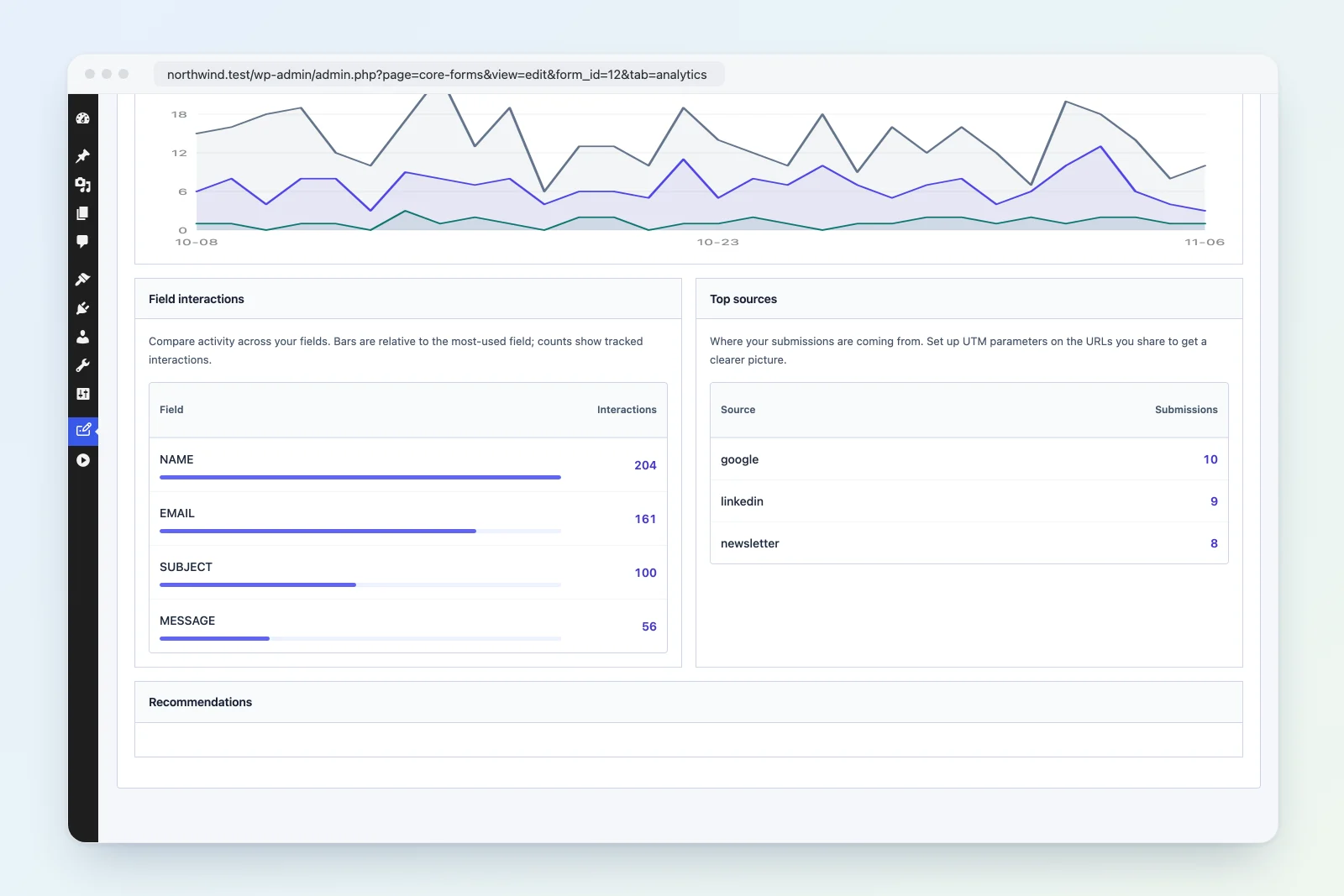
Field drop-off tracking shows which form fields users interact with and where they stop. This helps identify friction points that cause abandonment.
How It Works
When a user focuses on or changes a form field, a field_interaction event is recorded with the field’s name attribute. By comparing interaction counts across fields, you can see exactly where users drop off.
REST API
Get Field Drop-off Data
GET /wp-json/cf/v1/analytics/{form_id}/field-dropoffResponse:
[
    { "field_name": "name", "interactions": "450" },
    { "field_name": "email", "interactions": "420" },
    { "field_name": "phone", "interactions": "310" },
    { "field_name": "company", "interactions": "280" },
    { "field_name": "budget", "interactions": "150" },
    { "field_name": "message", "interactions": "140" },
    { "field_name": "submit", "interactions": "130" }
]
Results are sorted by interaction count (descending), giving you a natural funnel view.
PHP Usage
use Core_Forms\Analytics\Dashboard;

$dropoff = Dashboard::get_field_dropoff( $form_id );

foreach ( $dropoff as $field ) {
    printf(
        "%s: %d interactions\n",
        $field['field_name'],
        $field['interactions']
    );
}
Reading the Data
Drop-off Rate Between Fields
Calculate the percentage of users who proceed from one field to the next:
name:    450 interactions (100%)
email:   420 interactions (93% of name)
phone:   310 interactions (69% of name)  <- 24% drop here
company: 280 interactions (62% of name)
budget:  150 interactions (33% of name)  <- 29% drop here
message: 140 interactions (31% of name)
In this example, the biggest drop-offs occur at phone (24% drop) and budget (29% drop).
Common Patterns
Steep early drop-off: The form loads but users leave quickly. The first field may be too personal (e.g., asking for phone number first).
Drop at a specific field: A particular field is causing friction. Common culprits: – Phone number fields (users reluctant to share) – Budget/salary fields (too personal too soon) – Long textarea fields (too much effort) – File upload fields (users don’t have files ready)
Gradual decline: Normal attrition across a long form. Consider splitting into multi-step or removing optional fields.
Client-Side Tracking
The JavaScript tracker sends field_interaction events when users interact with fields:
// Tracked via AJAX
POST /wp-admin/admin-ajax.php
action=cf_track_event
form_id=123
event_type=field_interaction
field_name=email
page_url=https://example.com/contact
The tracker records each field focus/change, subject to the 30-events-per-minute rate limit per IP per form.
Optimizing Based on Data
- Move high-friction fields later — Put easy fields first (name, email) before harder ones (budget, upload).
- Make drop-off fields optional — If users abandon at a field, consider making it optional.
- Add help text — Fields with high drop-off may benefit from a description explaining why the data is needed.
- Remove unnecessary fields — If a field has very low interaction, users may be abandoning before reaching it. Consider removing it entirely.
- Use conditional fields — Show advanced fields only when relevant using
data-show-ifattributes.