
 by
by
WordPress.com Commerce is the plan people reach for when they want a WooCommerce store without picking a host, installing WooCommerce and buying a handful of store extensions one by one. The name makes it sound like the obvious choice for anyone selling online, and that’s where it goes wrong for a lot of stores.
My short WordPress.com Commerce review is this: for a store that will use its bundled extensions, the plan is fair value, because the $240 a year it costs over Business on annual billing is roughly what 3 of those extensions cost when you buy them separately. For a simple store, a digital-product shop or a business that needs subscriptions or a local payment gateway, it can be the wrong purchase. So my answer is to shortlist it for a physical-product store that wants managed hosting and will use the merchandising tools, and to compare the alternatives first for everything else.
WordPress.com Commerce is WordPress.com’s store plan: the Business plan’s managed hosting with WooCommerce and a set of paid store extensions included. This review is built on WordPress.com’s documentation and pricing and WooCommerce.com’s extension prices rather than a live store I’ve run on the plan.
What WordPress.com Commerce Is
Commerce combines WordPress.com hosting with WooCommerce, the store plugin, and selected WooCommerce extensions. You don’t buy a separate hosting account for the store, and you don’t buy those extensions one at a time.
The names matter here. WordPress.com is the hosting service, and WooCommerce is the store software. So Commerce and a self-hosted WooCommerce store run the same cart on 2 different arrangements: one where Automattic hosts it and bundles the extras, and one where you choose the host and buy what you need.
Managed hosting takes the servers off your plate, and the store itself stays with you. Product data, payment setup, shipping rules, tax settings, refund policies and customer service still need an owner.
What the Plan Includes

Commerce includes everything in the Business plan: SFTP, SSH, WP-CLI, staging, GitHub deployments, (starting with) 50 GB of storage and automatic backups with one-click restores. On top of that it comes with WooCommerce and a suite of extensions preinstalled, which WordPress.com groups like this in its Commerce plan documentation:
- Products: Product Add-Ons, Product Bundles, Gift Cards, Min/Max Quantities, Back In Stock Notifications and Product Recommendations
- Payments: WooPayments, In-Person Payments in the US and Canada, and EU VAT Number
- Marketing: Google for WooCommerce, WooCommerce Google Analytics, AutomateWoo, MailPoet, Facebook, Pinterest and TikTok for WooCommerce, and Blaze Ads
- Shipping: Shipment Tracking, UPS, USPS, FedEx, Canada Post, Royal Mail and Australia Post integrations, label printing and WooCommerce Shipping & Tax
- Tax: TaxJar, Avalara AvaTax and automated taxes through WooCommerce Shipping & Tax
- Themes: store themes such as Storefront, plus any theme you upload
That’s a long list, and most stores won’t use all of it. The product tools are the part to judge it on, because they’re what you’d otherwise buy separately.
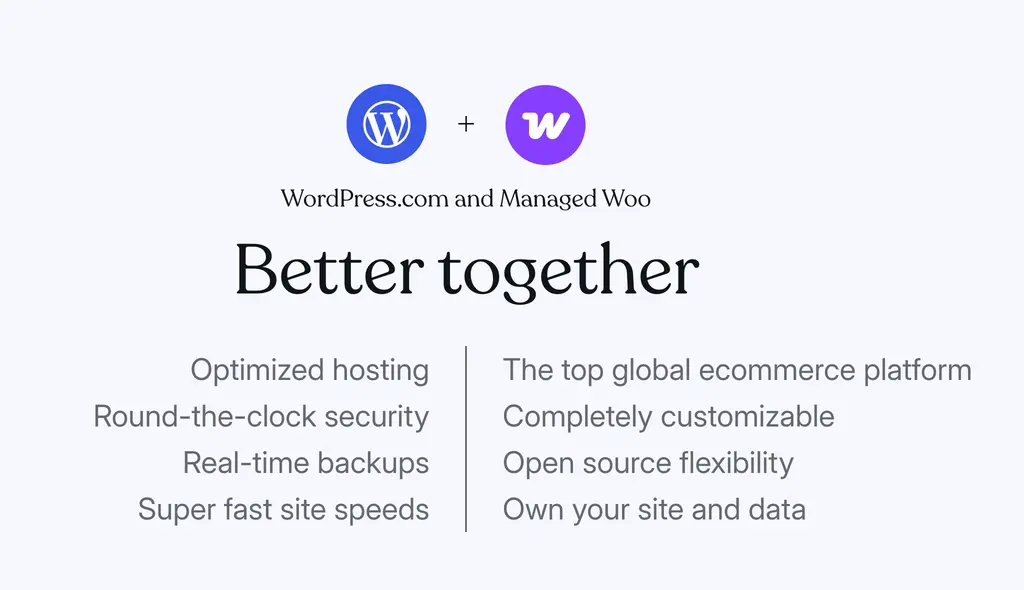
WordPress.com’s store landing page now calls this offer Managed Woo, and the support documentation still calls it the Commerce plan. They’re confusing but the same thing.
Pricing
Commerce costs $70 on monthly billing, $45 a month on annual billing and $31.50 a month on a 3-year term, in USD before tax. Local prices vary by country, and countries like India get lower purchasing-power prices.
Here’s what each term charges:
| Billing term | Monthly equivalent | Charged upfront |
|---|---|---|
| Monthly | $70 | $70 each month ($840 a year) |
| Annual | $45 | $540 for the year |
| 3 years | $31.50 | $1,134 for 3 years |
WordPress.com shows local prices in many countries, so check the current pricing page in your currency and the renewal amount at checkout.
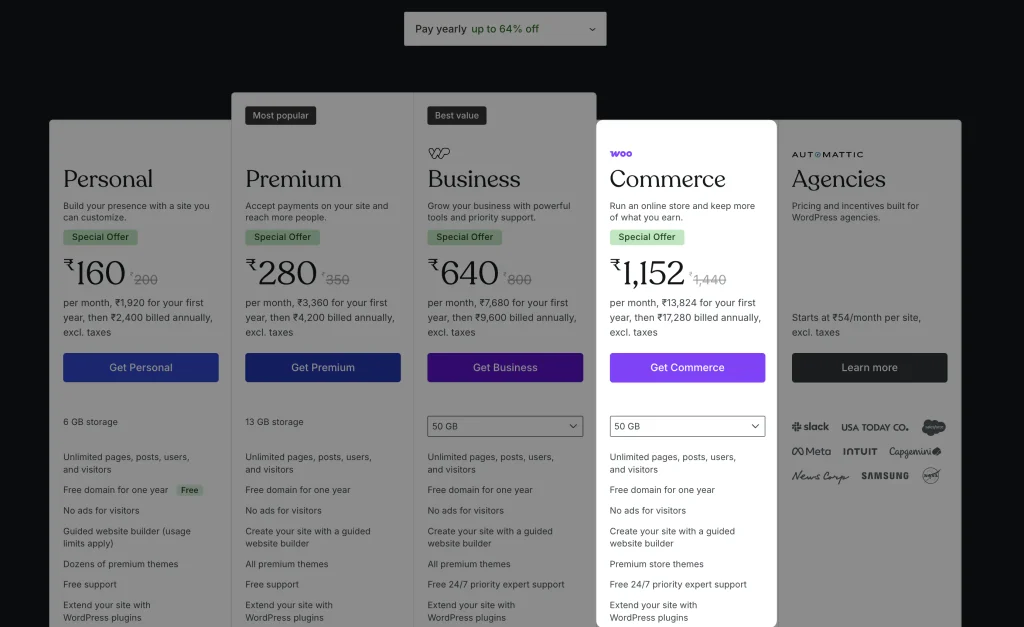
WordPress.com charges no transaction fee of its own on Commerce, either on its payment blocks or on standard WooCommerce payments. Your payment processor still takes its cut, so a 0% platform fee doesn’t mean free card payments.
Commerce vs Business Plus Extensions
The fairest way to judge Commerce is against the plan right below it. Business includes the same managed hosting and developer tools, and it can run WooCommerce. The difference on annual billing is $240 a year ($540 versus $300).
WooCommerce.com sells Product Bundles, Product Add-Ons and Gift Cards for $79 a year each in USD. If your store needs those 3, here’s how the first year compares on annual billing:
| Setup | Plan | Those 3 extensions | First-year total |
|---|---|---|---|
| Business plus extensions | $300 | $237 | $537 |
| Commerce | $540 | Included | $540 |
Buying the 3 separately costs almost exactly the Commerce premium. Commerce also includes more than those 3, so for a store that would use several of the bundled extensions, it comes out ahead.
The math flips for a store that needs none of them. A shop selling a few products with a standard checkout pays $240 a year for tools it never opens. That store should start on Business, or compare a separately hosted WooCommerce setup.
There’s a cheaper route still for very small stores. WooCommerce can be installed on any paid WordPress.com plan, including Personal. The pricing table lists a 0% WooCommerce transaction fee only for Business and Commerce, though, and doesn’t state the figure for Personal or Premium, so confirm that before you build a store on a lower plan.
Payments and Gateways
Commerce includes WooPayments, Woo’s own payment gateway, and that’s where a lot of stores outside the US and Europe hit their first problem. WooCommerce’s documentation lists 38 supported countries for WooPayments, including the US, Canada, the UK, most of the EU, Australia, Japan, Singapore and the UAE. India isn’t one of them.
An India-based store on Commerce needs a different gateway:
- Razorpay for WooCommerce: the official, free Razorpay extension, built for Indian merchants
- PayU India: another India-focused gateway extension
- PayPal Payments: supports merchants operating from India, with currency limits to check
- Stripe: invite-only for Indian businesses, so a new Indian merchant can’t sign up through its website
Check the gateway before you design a single product page. Confirm it supports your business location, your settlement currency, the products you sell and the payment methods your customers expect, such as UPI in India. A platform that supports your currency doesn’t automatically support your business as a merchant.
What the Free Trial Can and Can’t Prove
WordPress.com offers a 14-day free trial of Commerce. It creates a new site rather than upgrading an existing one, and it’s designed for exploring the store builder before you start trading. These are the restrictions in the trial:
- The store stays in Coming Soon mode, so customers can’t see it.
- You can’t install plugins beyond the ones the plan comes with.
- Third-party themes need the paid plan, though you can use themes from WordPress.com’s own showcase.
- SFTP, SSH and phpMyAdmin aren’t available.
- Site admins can test the full purchase flow, but taking real payments needs the paid plan.
That makes the trial useful for checking product setup, options, bundles, page layout and the admin test order. It can’t tell you how your full plugin stack behaves, whether your gateway account gets approved or how the store performs with real traffic.
I’d go into the trial with a short requirements sheet. Set up one representative product with the options that make it awkward, run a test order and look at what the person packing the order would see. If that order screen is confusing in the trial, it’ll be confusing at 50 orders a day.
Where Commerce Falls Short
Commerce is a well-built bundle, and it still has edges that matter for stores:
- Subscriptions and bookings cost extra. WooCommerce Subscriptions and Bookings aren’t in the included suite, so a membership box or a booking business adds those licenses on top.
- Staging won’t protect your orders. Pushing a staging database to production can overwrite orders placed in the meantime. WordPress.com warns you, but the safeguard is your own process: pause orders or push files only.
- Restores can repeat renewals. Restoring a database backup on a store with subscriptions can trigger renewal charges again, according to WordPress.com’s restore notes.
- One plan per store. Running 3 stores means 3 Commerce plans.
- Managed-platform limits. Read-only core files, PHP 8.3 or 8.4 only, no custom PHP modules, an incompatible-plugin list, and Jetpack and Akismet must stay active.
- The gateway question. Outside WooPayments’ 38 countries, you’re relying on a third-party gateway extension from day one.
Alternatives Worth Comparing
Commerce is one way to run WooCommerce, and it competes with a few routes that suit different stores:
- WordPress.com Business with the extensions you need: the same hosting, and cheaper when your store uses only 1 or 2 paid extensions.
- WooCommerce on a host you choose: more control over the server and the stack, and often cheaper per store if you run several. My WooCommerce hosting comparison covers the hosts I’d look at.
- WooCommerce with Stackless for WooCommerce: Stackless is a plugin I built that covers product add-ons, min/max quantities, back-in-stock alerts and subscriptions in one $39-a-year license on unlimited sites, so a self-hosted store can skip most of the extension bill that Commerce bundles.
- FluentCart for digital products: a lighter cart for downloads, licenses and subscriptions. My FluentCart vs WooCommerce comparison explains when it’s the better fit.
- Shopify: a fully hosted store builder outside WordPress, with its own app costs and transaction fees. My Shopify review covers that route.
Who Should Buy It
Commerce fits a specific store well. I’d buy it when:
- the store sells physical products and will use bundles, product options or gift cards from day one
- the merchant wants one provider for hosting, security and backups and would rather not assemble the stack
- the payment gateway the business needs works on the platform in its country
I’d skip it when:
- the store is small and needs no paid extensions, because Business or a separate host costs less
- the shop sells digital products, where a lighter cart is simpler
- the business depends on an extension Commerce doesn’t include, such as subscriptions or bookings, and the total no longer makes sense
- the store already runs well on another host, and moving would mostly change who sends the hosting bill
Final Remarks
WordPress.com Commerce is a reasonable managed WooCommerce bundle for a physical-product store that will use its extensions, and the price stacks up against buying those extensions separately on Business. A simple store or a digital shop would be paying for a toolkit it won’t open.
Before you commit, run your most important product through the trial: the options, the bundle, the cart total and the order screen. Then price the full setup, including the gateway fees and any extension the plan doesn’t include.
FAQs on WordPress.com Commerce
What is WordPress.com Commerce?
Commerce is WordPress.com’s store plan. It combines Business-plan hosting, with SFTP, SSH, staging and backups, with WooCommerce and a suite of preinstalled store extensions such as Product Bundles, Product Add-Ons and Gift Cards. WordPress.com’s store page also calls it Managed Woo.
How much does WordPress.com Commerce cost?
$45 a month on annual billing ($540 a year), $70 on monthly billing or $31.50 a month on a 3-year term ($1,134 upfront), in USD before tax. Prices are shown in local currency in many countries, and payment processing fees are extra.
Can I accept real payments during the Commerce trial?
No. The 14-day trial keeps the store in Coming Soon mode. Site admins can test the purchase flow, but accepting payments from customers needs the paid plan.
Does WooPayments work in India?
No. WooPayments supports 38 countries, and India isn’t one of them. An India-based store on Commerce can use Razorpay, PayU India or PayPal instead. Stripe is invite-only for Indian businesses.
Does Commerce include WooCommerce Subscriptions?
No. Subscriptions and Bookings aren’t part of the included extension suite, so you buy them separately if your store needs them.
Can I run WooCommerce on a cheaper WordPress.com plan?
Yes. WooCommerce can be installed on any paid plan, including Personal and Business. Commerce makes sense when you’ll use its bundled extensions, which would otherwise cost $79 a year each for tools such as Product Bundles and Product Add-Ons.
Tell Google you want more of this.
Add Gaurav Tiwari as a preferred sourceOne tap, and this site shows up more often in your own Top Stories, AI Overviews and AI Mode. Remove it any time.
Disclaimer: This site is reader-supported. If you buy through some links, I may earn a small commission at no extra cost to you. I only recommend tools I trust and would use myself. Your support helps keep gauravtiwari.org free and focused on real-world advice. Thanks. - Gaurav Tiwari