
 by
by
You want a Halloween version of your own photo, so you paste a prompt someone shared on Instagram into an AI app. The costume looks great, but the face belongs to a stranger, or the app refuses because the prompt asks for a movie character.
These 18 Halloween AI prompts are written to avoid both problems. Each photo prompt carries a line that tells the model to keep your face, features, skin tone and hair the same, and none of them depends on a trademarked character. Copy one, upload a clear photo and you have a Halloween portrait in a minute or two.
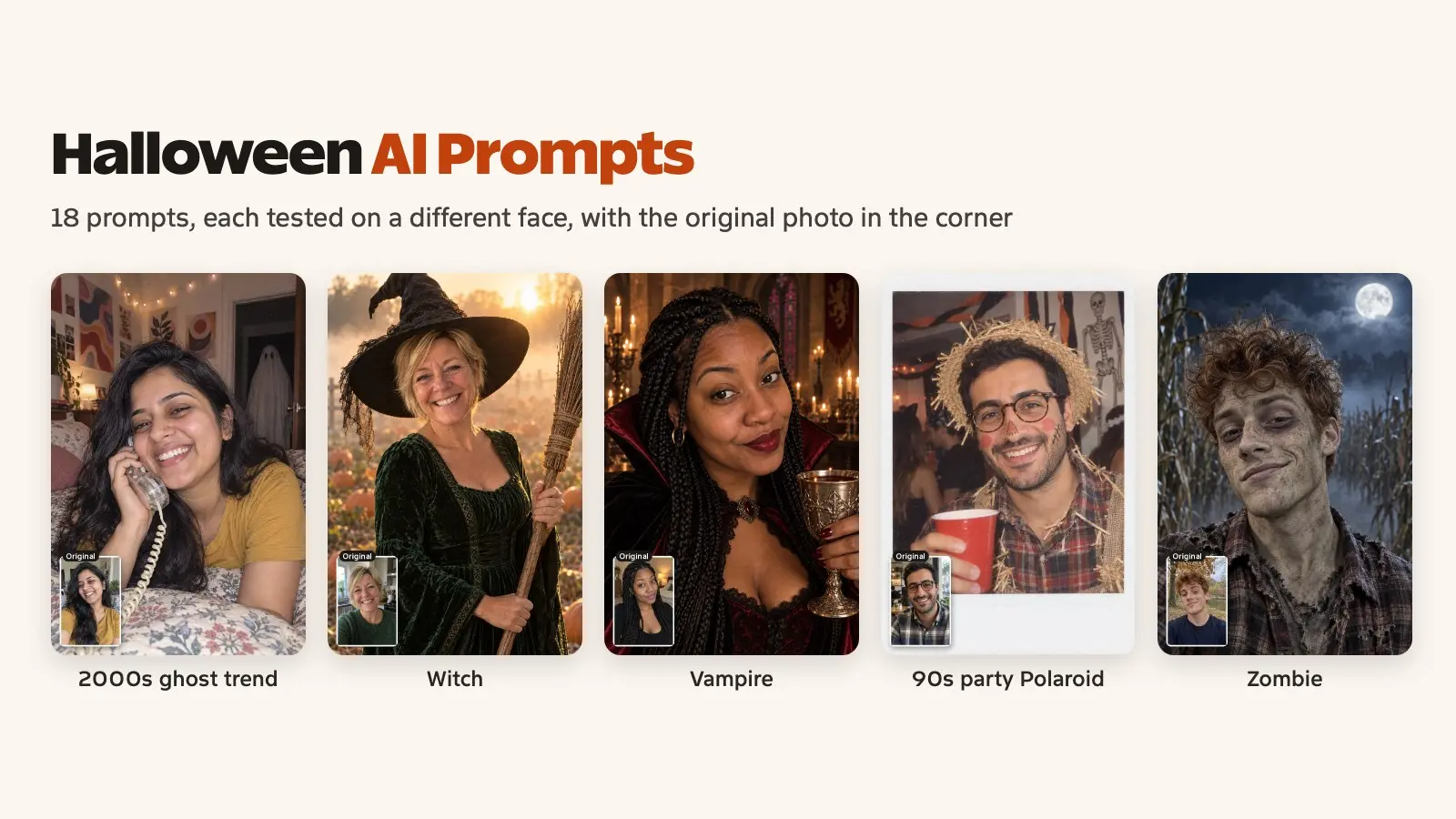
Every example below came from the exact prompt printed under it, run once with OpenAI’s image model on a photo of a different person. None of these people exist, and the small inset in the corner of each example shows the photo that went in. The prompts are plain-language photo edits, so you can paste them into Gemini, which runs Google’s Nano Banana 2 image model, or into ChatGPT, which runs ChatGPT Images 2.5. Both have free plans.
How to Use These Prompts
The steps are the same in Gemini and ChatGPT. The photo you upload matters more than the app you pick:
- Open Gemini or ChatGPT and sign in. Gemini doesn’t make images when you’re signed out, and it asks you to be 18 or older to edit a photo.
- Upload 1 clear, front-facing photo in good light. Skip sunglasses, hats and heavy filters, because the model copies what it can see, including your expression, so pick a photo whose mood suits the costume.
- Paste the prompt. If you need a specific shape, add it at the end: 9:16 for Stories and Reels, 4:5 for an Instagram feed post, 1:1 for a profile picture. ChatGPT also has an aspect ratio picker.
- Fix one thing per follow-up message, such as “make the hat smaller” or “keep my original smile”. Stacking 5 changes in one reply is how a face drifts.
- Download the version you like. Gemini gives free users a 1K image and paid plans a 2K image.
A 1K download is fine for Instagram but soft for a print. If you want to print one, run it through one of the free AI image enhancers first.
Halloween AI Prompts for Selfies
These 10 Halloween AI photo prompts start from one photo of you. Replace “the person in this photo” with “me” if that reads more naturally to you. Both work.
2000s Bedroom With a Ghost in the Doorway
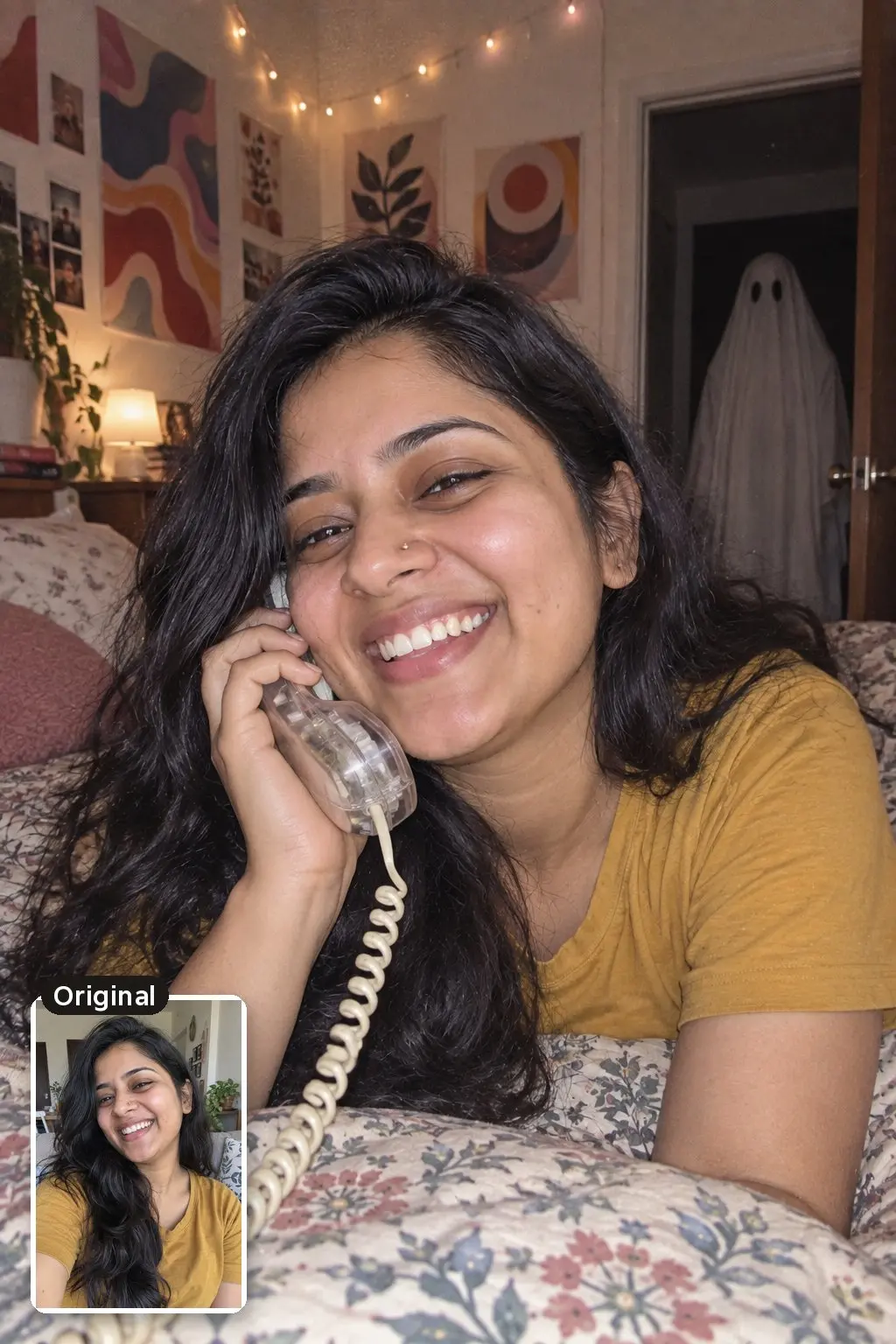
This is the prompt behind last October’s biggest Halloween AI trend. The viral version put the masked killer from Scream in the doorway, and the apps often refuse trademarked characters, so this one uses a bedsheet ghost instead. Google’s own Halloween prompts made the same swap.
Turn this photo into a 2000s-style bedroom snapshot. Keep the person's face, facial features, expression, skin tone and hair exactly the same. They lie on their stomach on a bed with a patterned comforter, laughing into a clear corded phone, with abstract art posters and fairy lights on the walls. No real bands, celebrities or brand names anywhere. Behind them, a tall figure in a white bedsheet ghost costume stands silently in the dark open doorway. Direct on-camera flash, slightly grainy early digital camera look, eerie but playful. Make it look like a real photo: natural skin texture with visible pores, realistic light and shadows, true-to-life colors, no airbrushing, no plastic or waxy skin.
1950s Vintage Halloween Portrait
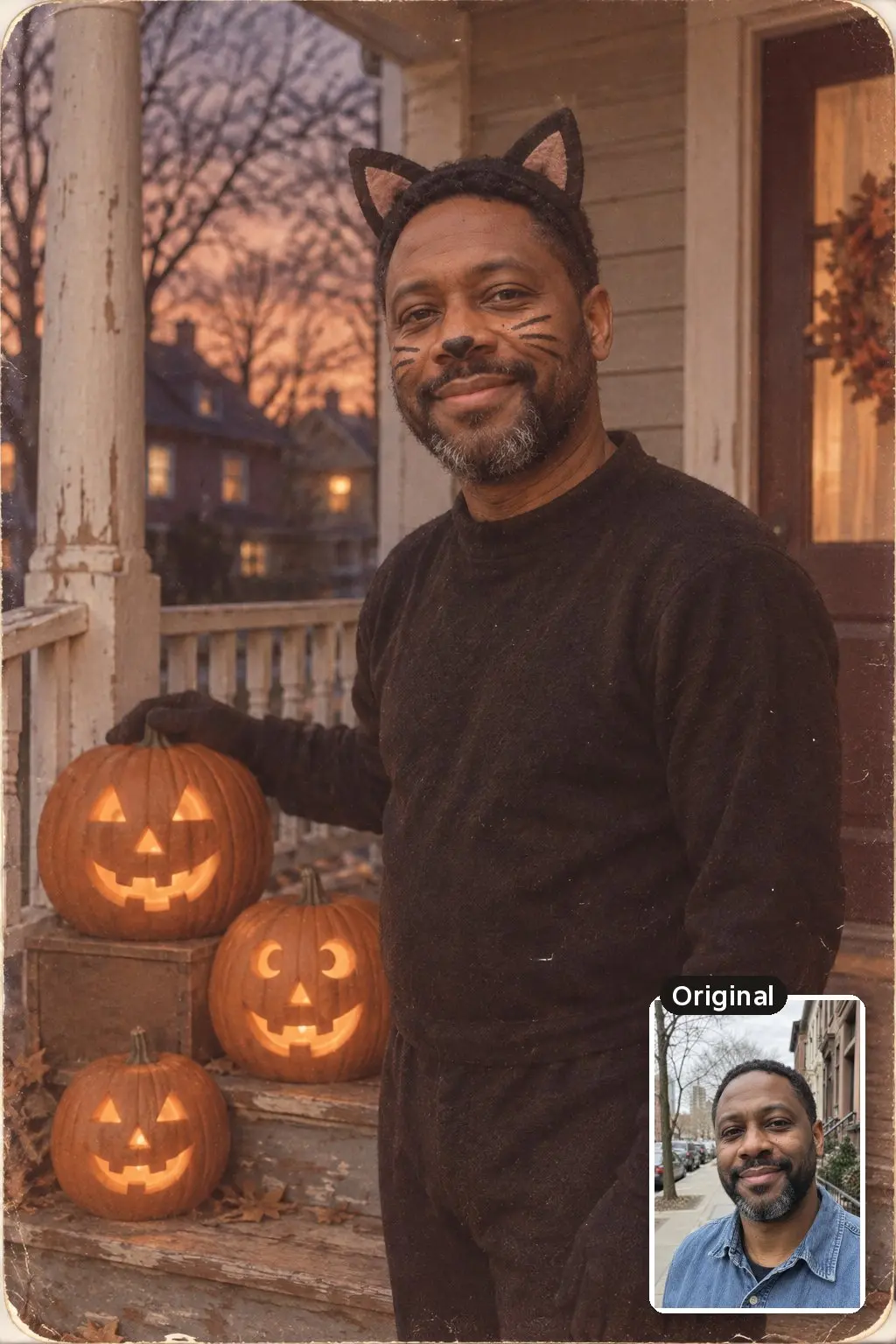
A soft, nostalgic look that works well for a profile picture. Faded colors and film grain tend to hide small likeness errors that a sharp modern photo would show.
Turn the person in this photo into a 1950s vintage Halloween photograph. Keep their face, facial features, expression, skin tone and hairstyle exactly the same. Dress them in a homemade black cat costume with felt ears and drawn-on whiskers, standing on a wooden front porch next to three carved jack-o'-lanterns at dusk. Faded Kodachrome colors, soft film grain, slightly rounded photo corners. Make it look like a real old photo: natural skin texture, realistic light and shadows, no airbrushing, no plastic or waxy skin.
Witch in a Pumpkin Patch
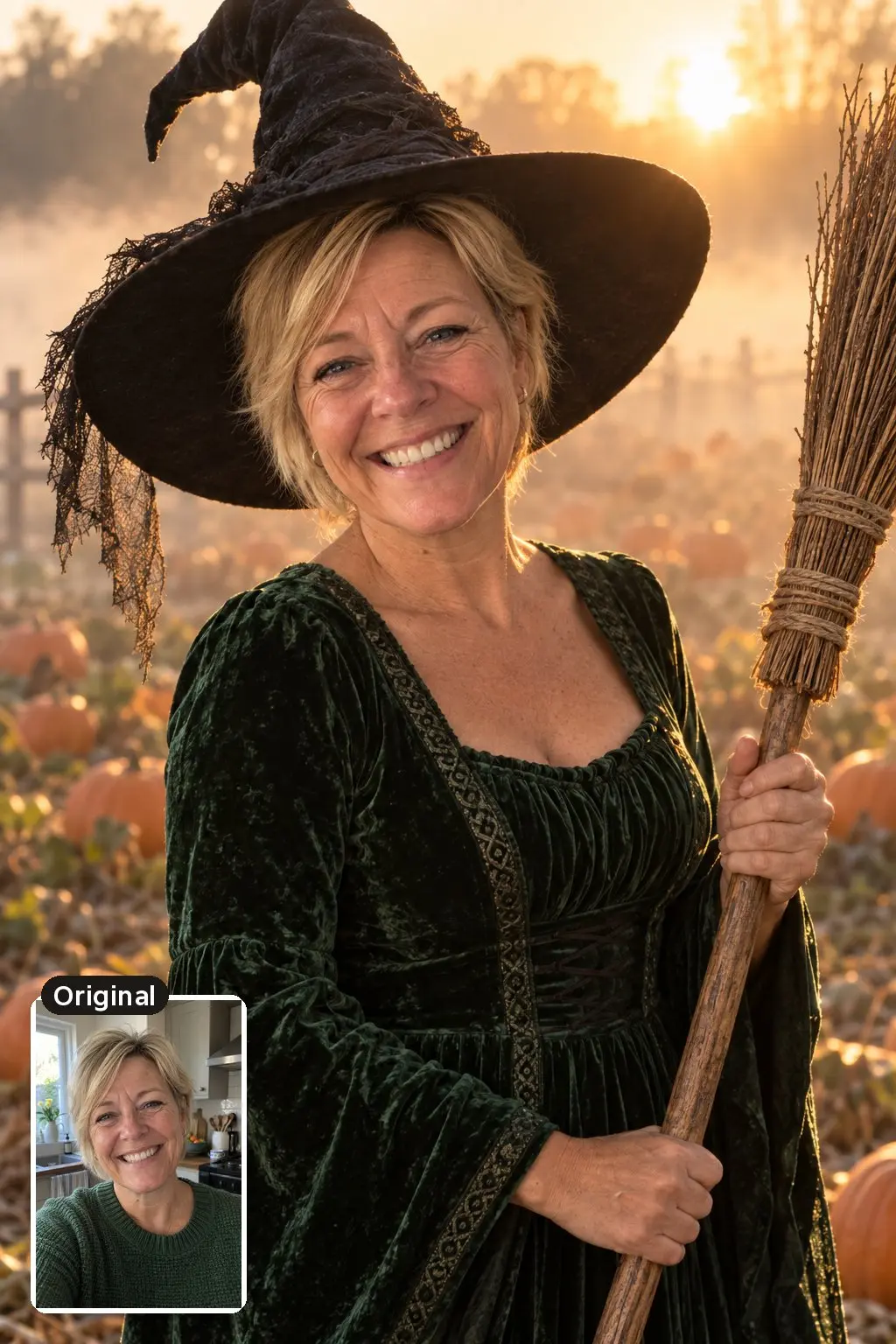
Golden hour light and a shallow background make this one look like a real outdoor shoot. Swap the green dress for black or purple if you want a classic witch.
Transform the person in this photo into a witch standing in a misty pumpkin patch at golden hour. Keep their face, facial features, expression, skin tone and hair exactly the same. Wide-brimmed black witch hat, long dark green velvet dress, a woven straw broom in one hand. Warm backlight through the fog, shot on a 50mm lens with a softly blurred background. Make it look like a real photo: natural skin texture with visible pores, realistic light and shadows, true-to-life colors, no airbrushing, no plastic or waxy skin.
Vampire in a Candlelit Castle
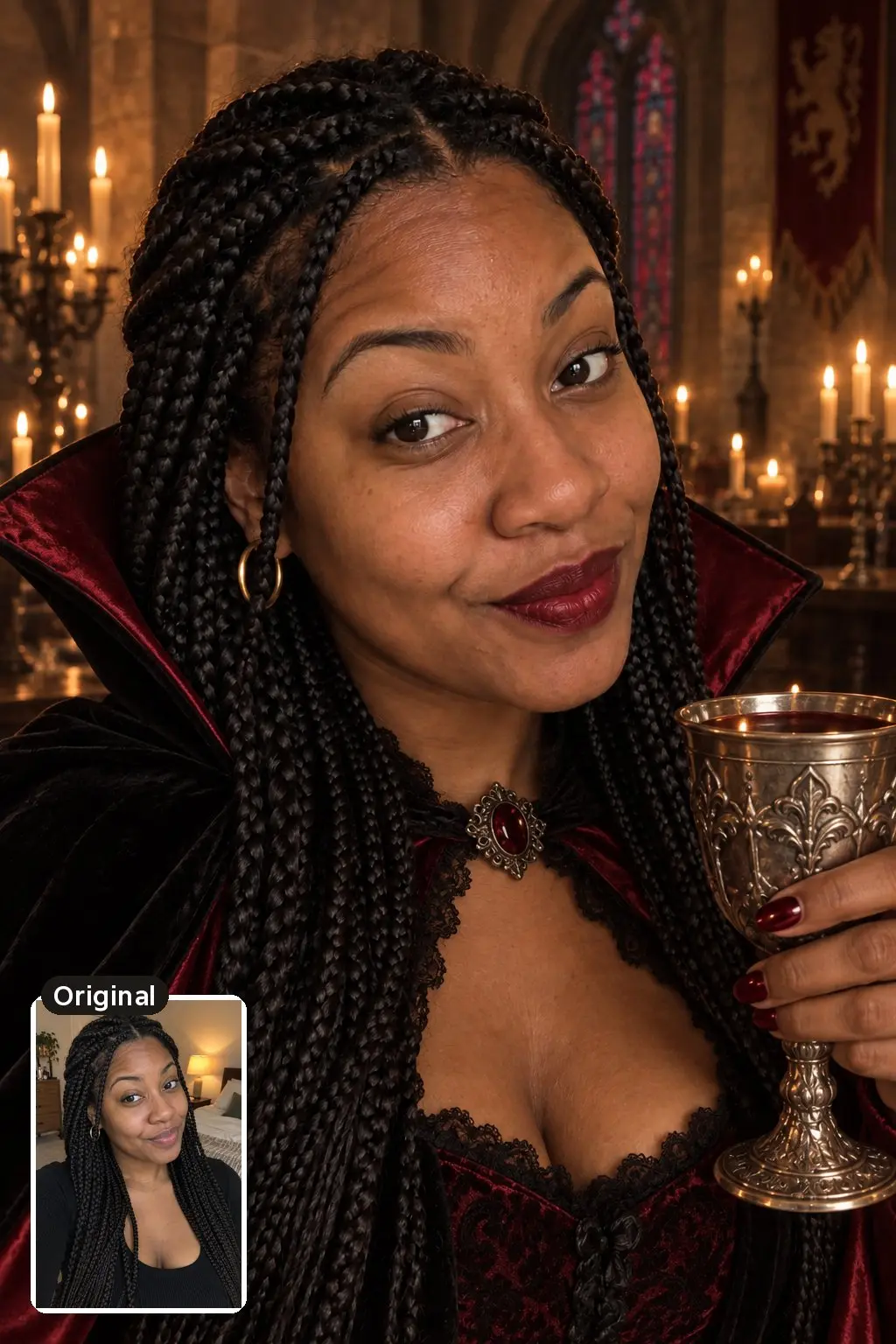
The candlelight and stained glass carry the mood here, so the face can stay natural. If you want pale vampire skin, say so, but expect the face to drift more.
Make the person in this photo an elegant vampire in a candlelit gothic castle hall. Keep their face, facial features, expression, skin tone and hairstyle exactly the same. High-collared black cape with a deep red satin lining, dark red lipstick, a silver goblet in one hand. Candles, stone arches and stained glass behind them, warm low candlelight like a film still. Make it look like a real photo: natural skin texture with visible pores, realistic light and shadows, true-to-life colors, no airbrushing, no plastic or waxy skin.
Retro Sheet Ghost Photoshoot
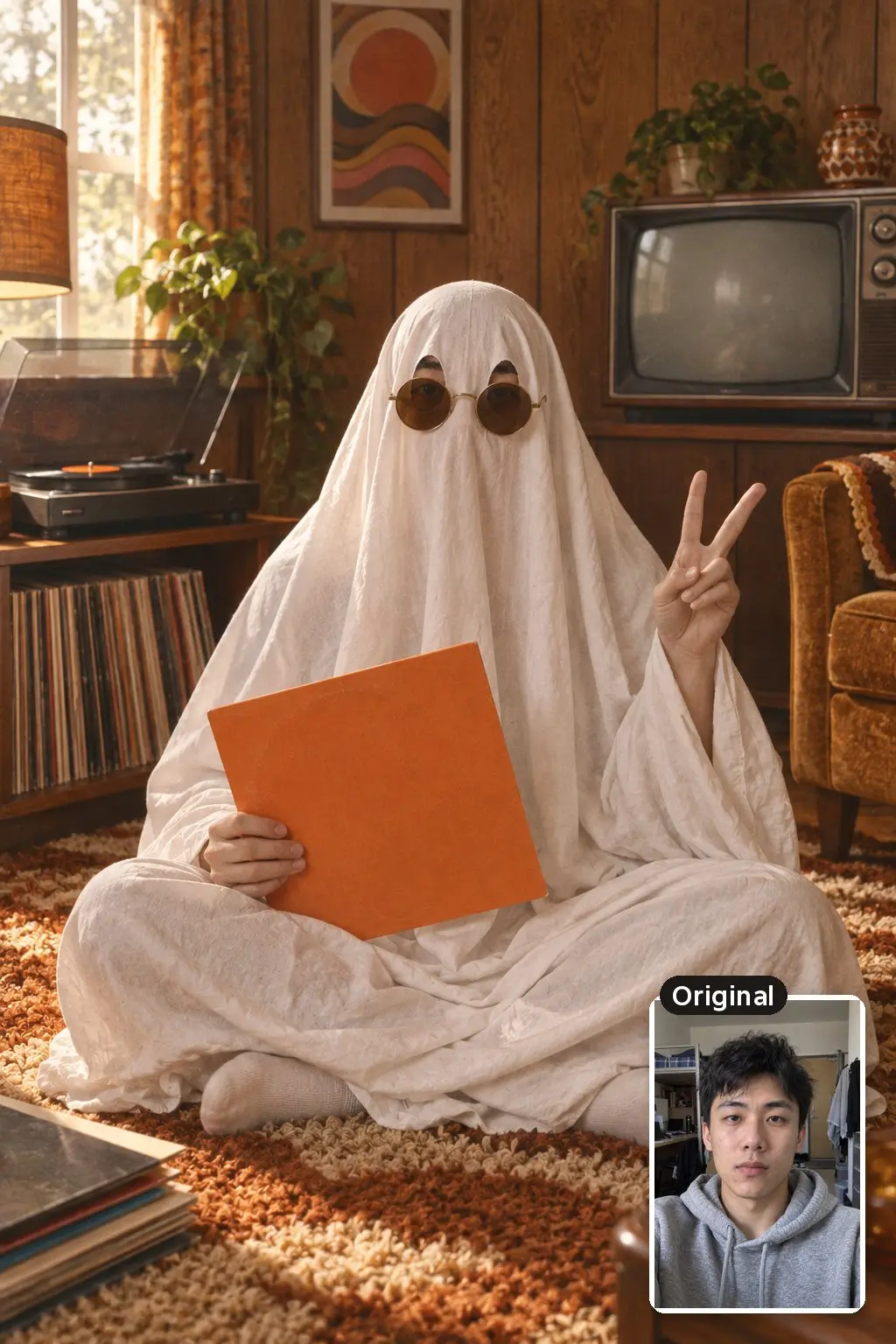
The sheet ghost photoshoot is a classic fall photo idea, and the AI version saves you the sheet and the props. Your face is hidden, so this one also works when you don’t want to share a clear selfie online.
Recreate this person as the subject of a retro sheet ghost photoshoot. They wear a classic white bedsheet ghost costume with two cut-out eye holes and round 1970s sunglasses over the sheet, sitting cross-legged on a shag rug in a 1970s living room with wood paneling, a vintage TV and a record player. Holding a vinyl record in a plain orange sleeve with no text or band art. Warm 35mm film look with soft grain, natural window light, a slightly wrinkled real cotton sheet, playful mood.
Haunted Victorian Oil Portrait
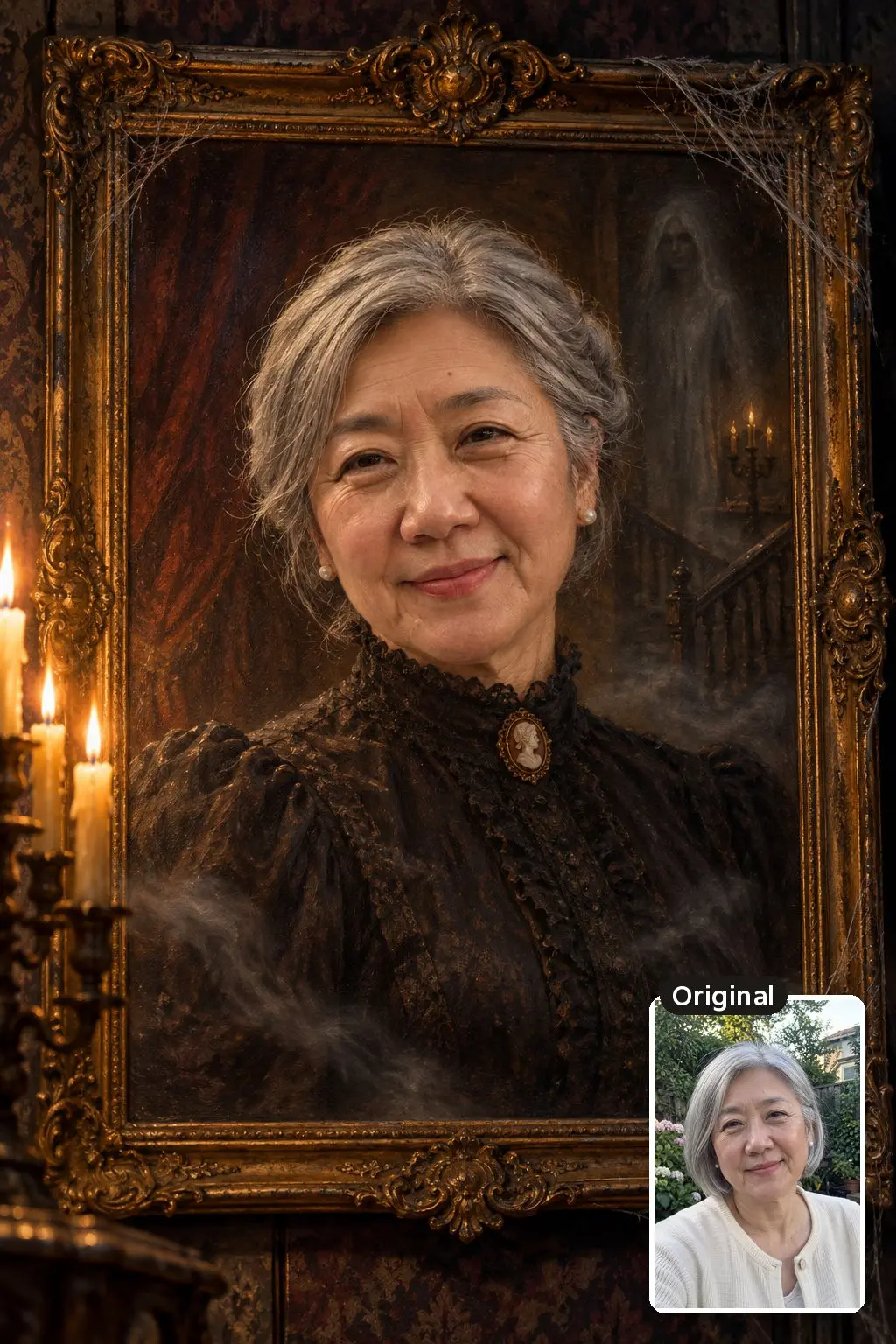
A painted style forgives small likeness errors and looks great as a framed print. The ghostly mist is what makes it Halloween rather than a museum portrait.
Turn the person in this photo into a Victorian oil painting portrait hanging in a haunted mansion. Keep their face, facial features, expression and skin tone exactly the same and clearly recognizable. Dark high-necked Victorian dress, hair pinned up, an ornate gilded frame, faint ghostly mist drifting across the canvas, cobwebs in the frame corners. Rich dark varnished colors, visible brushstrokes, candlelight from one side. Paint the face with real skin texture and natural features, not a smooth digital look.
Movie-Style Zombie (No Gore)
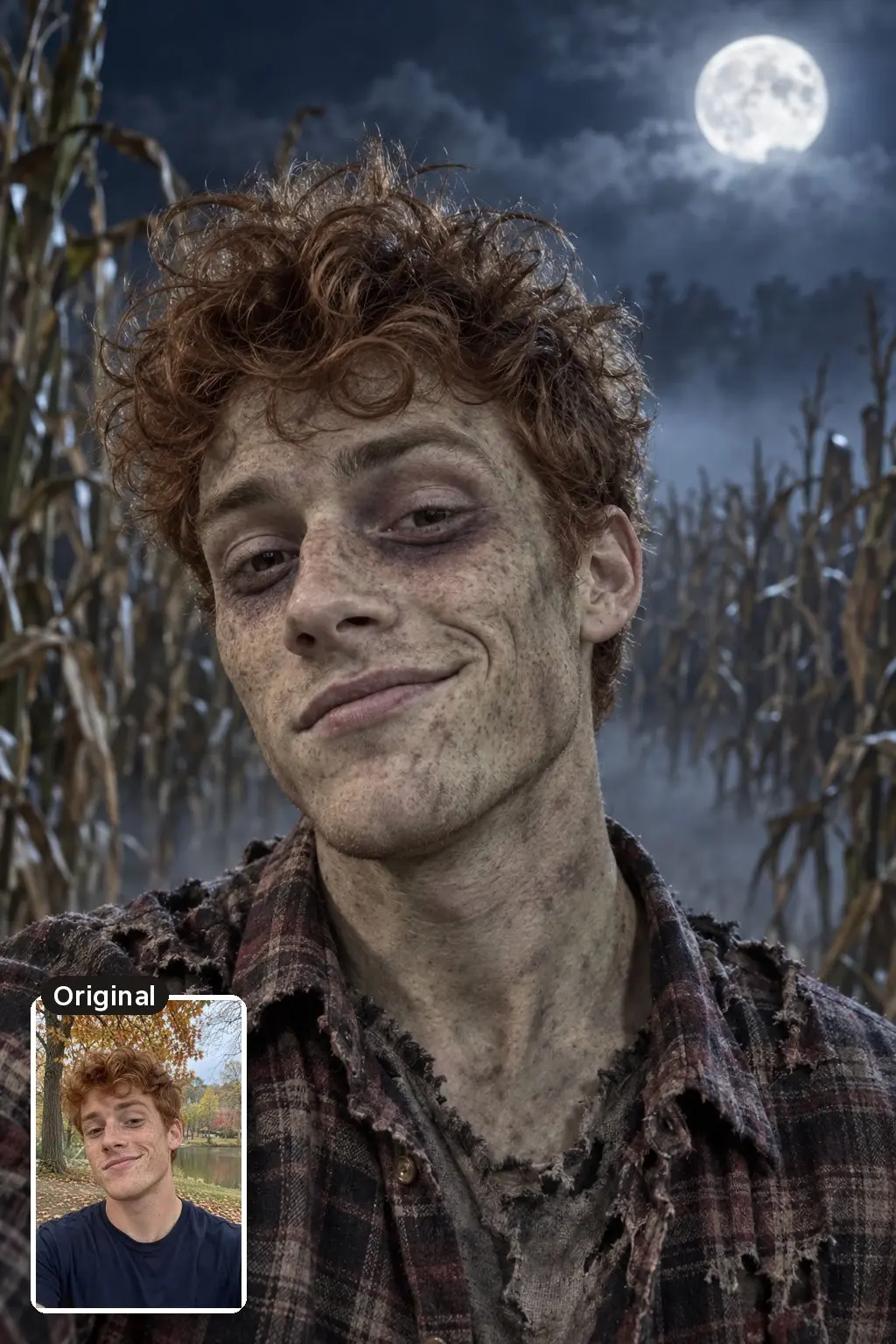
Keep the “no blood, no wounds, no gore” line. Gore is the quickest way to get a zombie prompt refused, and the result looks better without it anyway.
Give the person in this photo movie-style zombie makeup while keeping their face shape, features, expression and hairstyle recognizable. Slightly gray-green skin, dark shadows under the eyes, messy hair, a torn plaid flannel shirt. Standing in a foggy cornfield at night under a full moon. Spooky but fun, no blood, no wounds, no gore. It should look like real prosthetic makeup on a real person, photographed on a film set.
1990s Halloween Party Polaroid
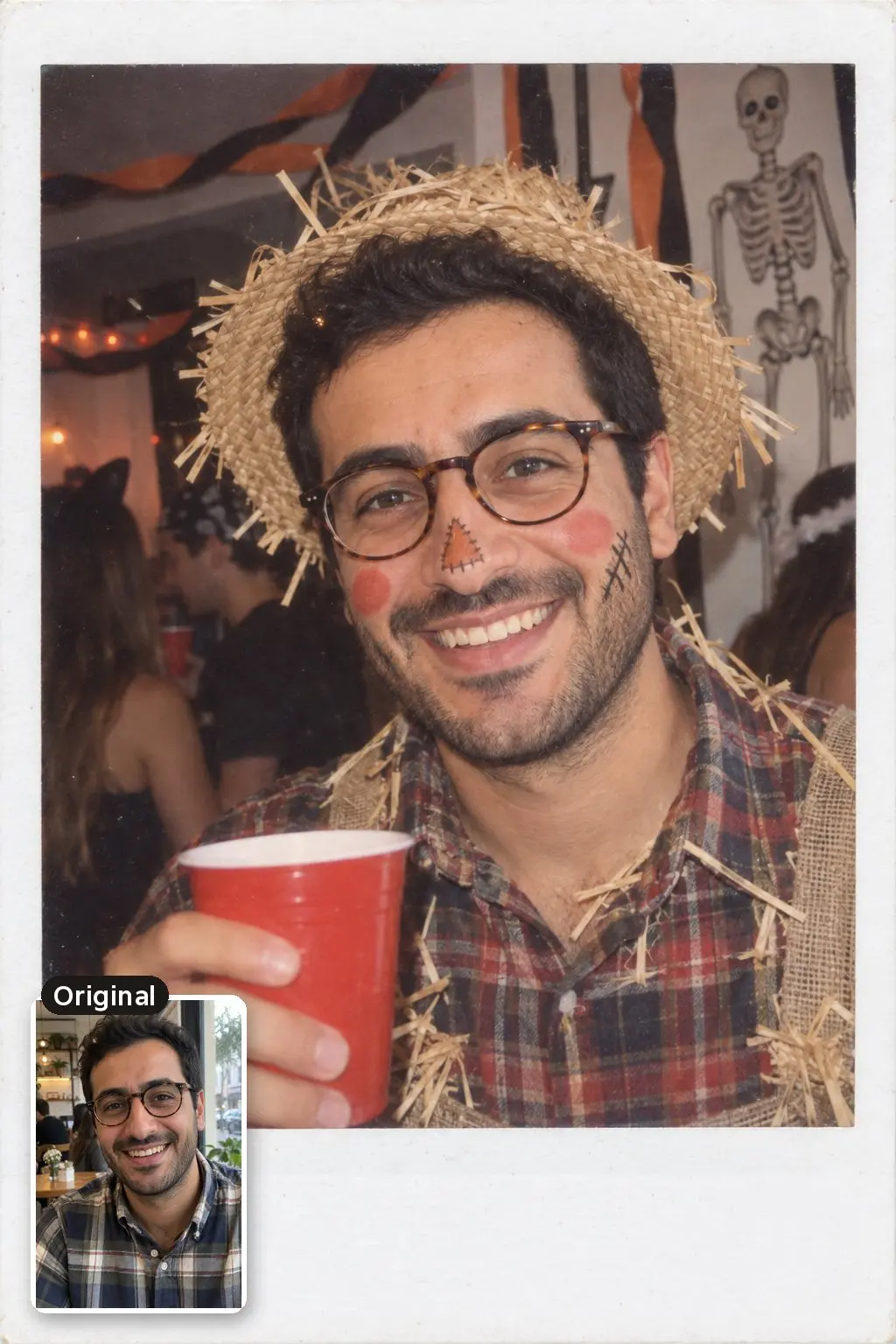
Direct flash and the white Polaroid border do most of the work. Change “scarecrow” to any costume you actually wore that year.
Make this look like a Polaroid photo from a 1990s Halloween house party. Keep the person's face, facial features, expression, skin tone and hair exactly the same, including glasses if they wear them. They are dressed as a scarecrow with a straw hat, flannel shirt and painted rosy cheeks, holding a red plastic cup. Direct on-camera flash, orange and black streamers, a plastic skeleton on the wall, other partygoers blurred in the background, slightly washed-out instant film colors with a white Polaroid border. Natural skin, no airbrushing.
1980s Horror Movie Poster
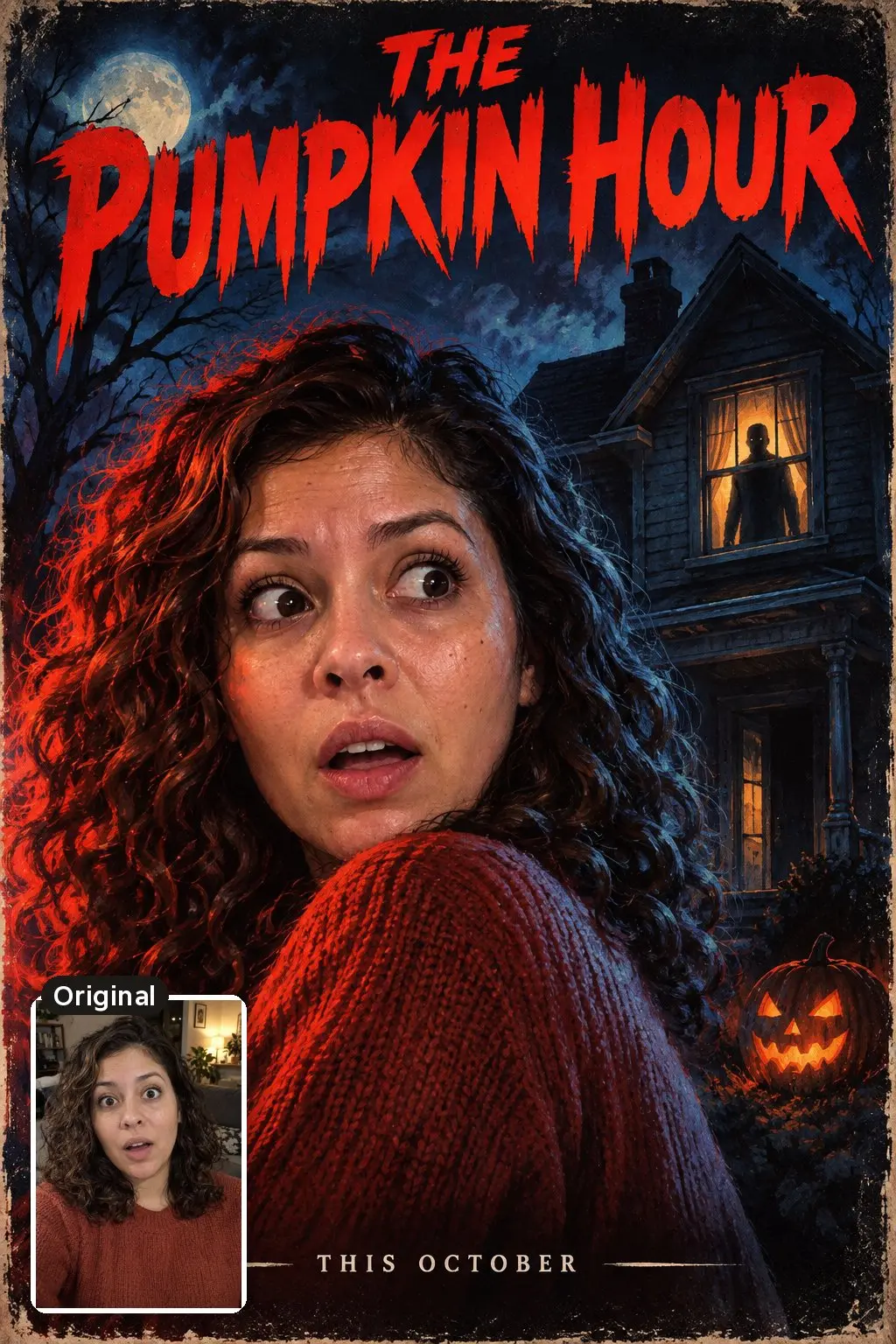
Keep the title to 2 or 3 words and put it in quotes exactly as you want it printed. Longer text is where image models still make spelling mistakes.
Turn the person in this photo into the star of a 1980s horror movie poster. Keep their face and facial features exactly the same, with a frightened expression. They look over their shoulder while a shadowy figure appears in a lit window of an old house behind them. Painted poster art style, dramatic red and blue lighting, the title "THE PUMPKIN HOUR" in bold retro letters at the top and "THIS OCTOBER" in small letters at the bottom. Paint the face realistically, with natural skin texture.
Half-Face Skeleton Makeup
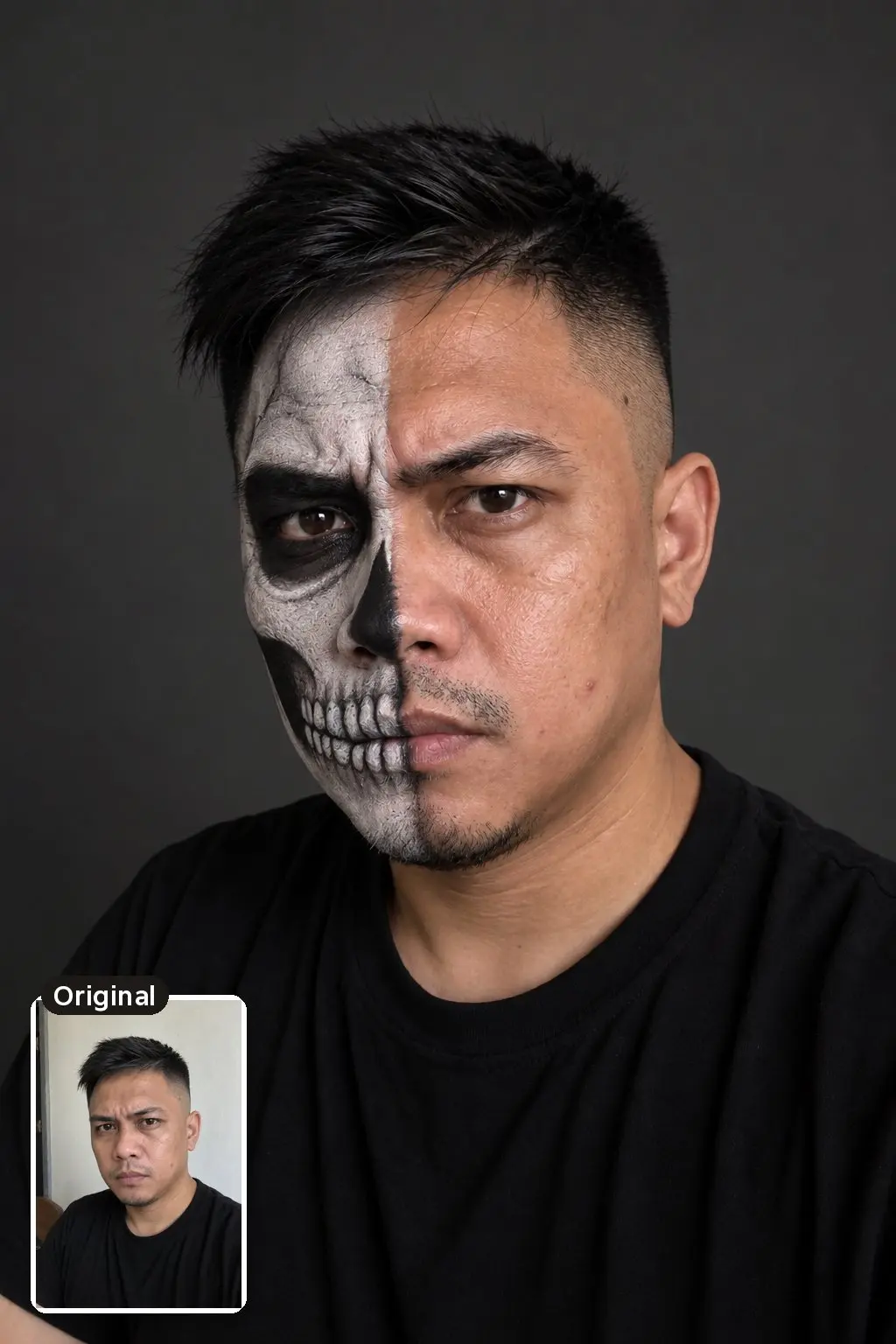
A clean studio background keeps the attention on the makeup. This one doubles as a reference picture if you plan to paint the look for real.
Add realistic half-face skeleton makeup to the person in this photo: the left half of the face painted as a white skull with black eye socket and teeth details, the right half unchanged. Keep their face, features, expression and hair exactly the same. Black t-shirt, plain dark gray background, soft side light like a makeup artist's portfolio photo. Real face paint texture on real skin, visible pores, no airbrushing.
Couple Halloween AI Prompts
Use a photo where both faces are clear and roughly the same size. If one person is half-turned away, the model has less of that face to keep.
Victorian Vampire Couple
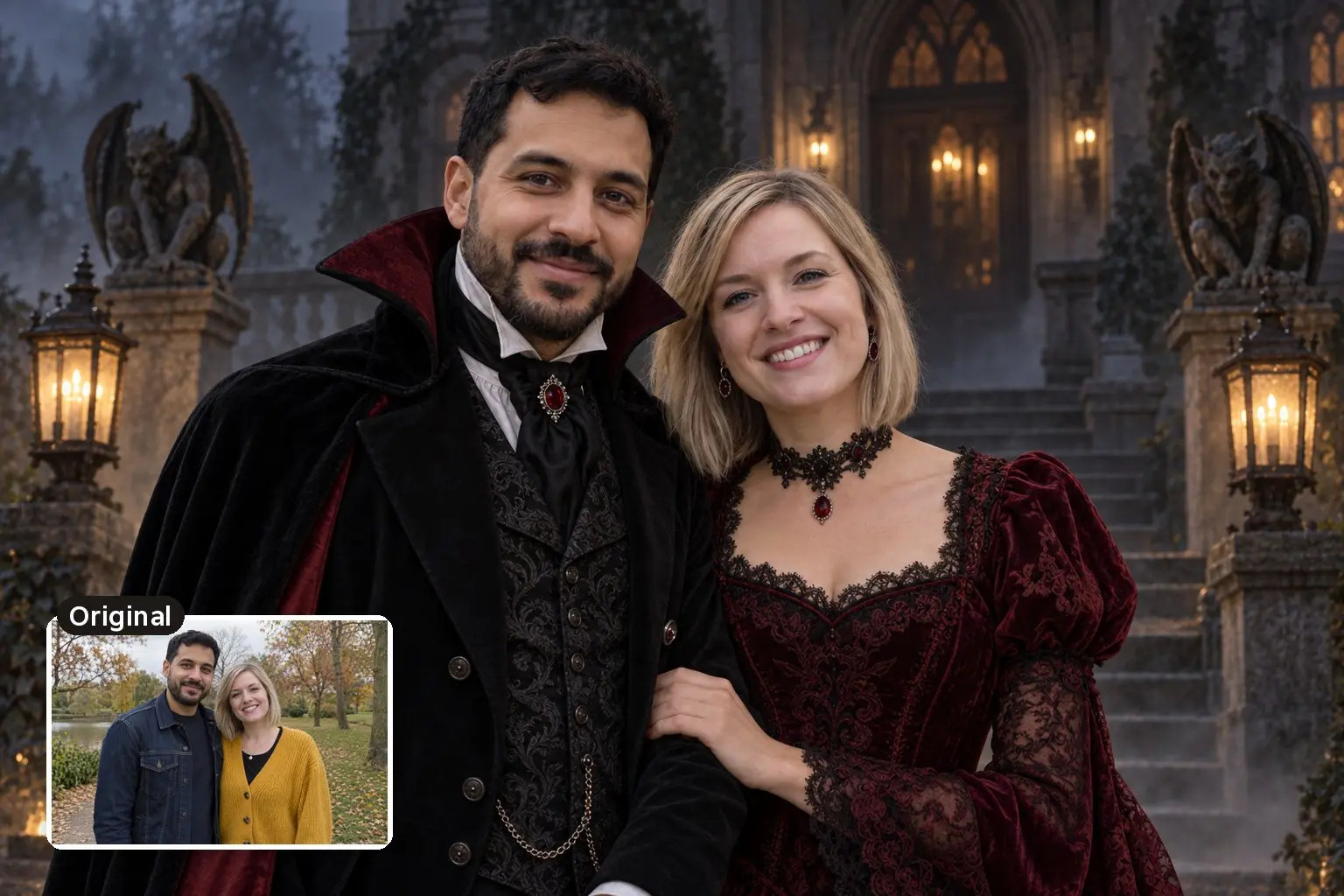
The prompt names both people by position rather than by gender, so it works for any couple, and asking to keep their positions gives the model a clear job for each face.
Dress the two people in this photo as a Victorian vampire couple. Keep both faces, facial features, expressions, skin tones and hairstyles exactly the same and keep their positions. The person on the left wears a black tailcoat with a high-collared cape, and the person on the right wears a deep burgundy lace gown. They stand arm in arm on the steps of a foggy gothic mansion at night, lit by iron lanterns. Make it look like a real photo: natural skin texture with visible pores, realistic light and shadows, true-to-life colors, no airbrushing, no plastic or waxy skin.
Sheet Ghost Date Night
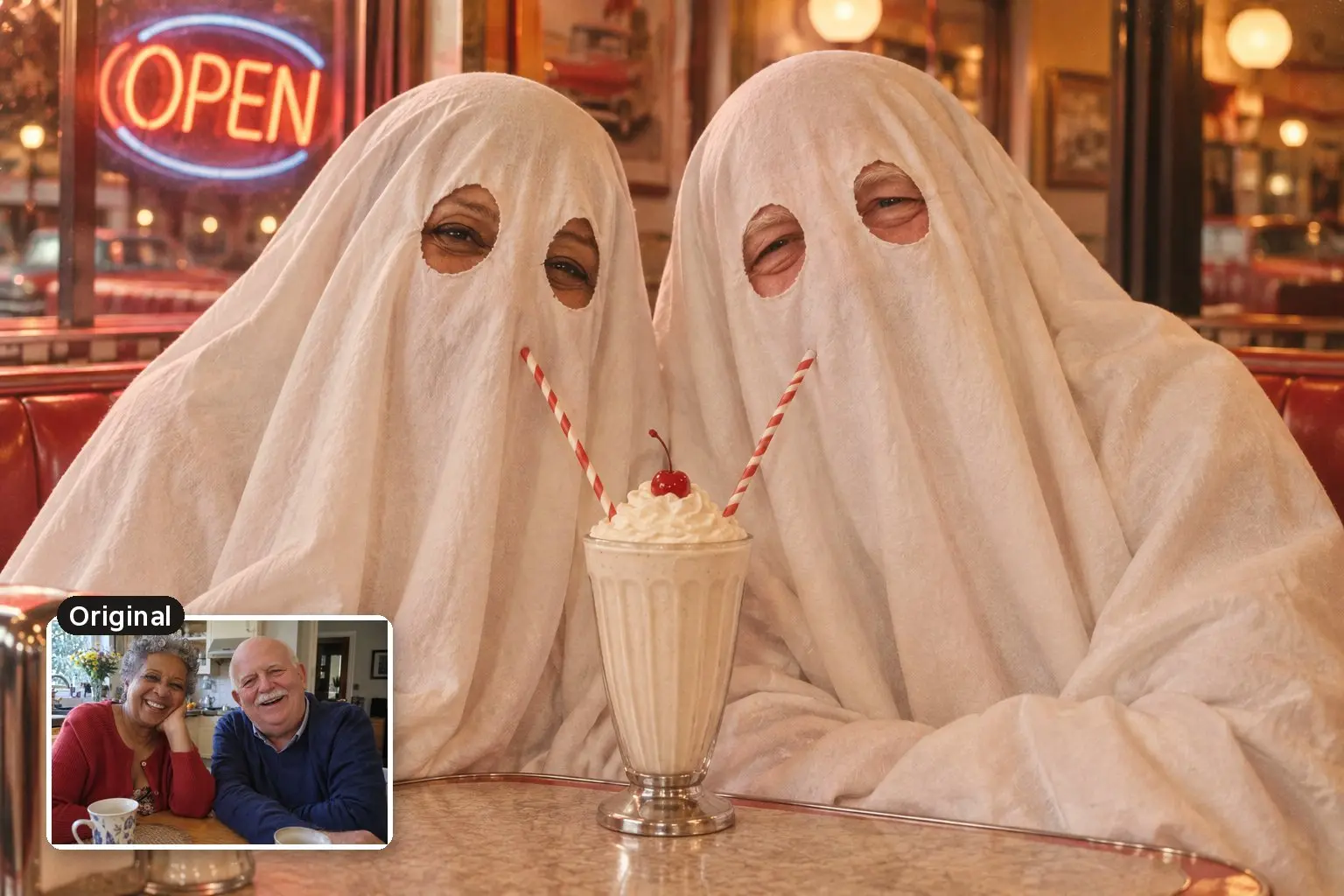
The sheet ghost works for couples too, and it’s the easy choice when one of you doesn’t want a face in the picture.
Put both people in this photo under classic white bedsheet ghost costumes with cut-out eye holes, keeping their heights and positions. They sit at a small retro diner booth sharing a milkshake with two straws, with a neon OPEN sign in the window. Warm 1970s film photo look with soft grain, real cotton sheets with natural folds, cute and funny.
Pet Halloween AI Prompts
Pet photos are the easiest edits to get right, and nobody has to think twice about posting the result.
Dog in a Pumpkin Costume
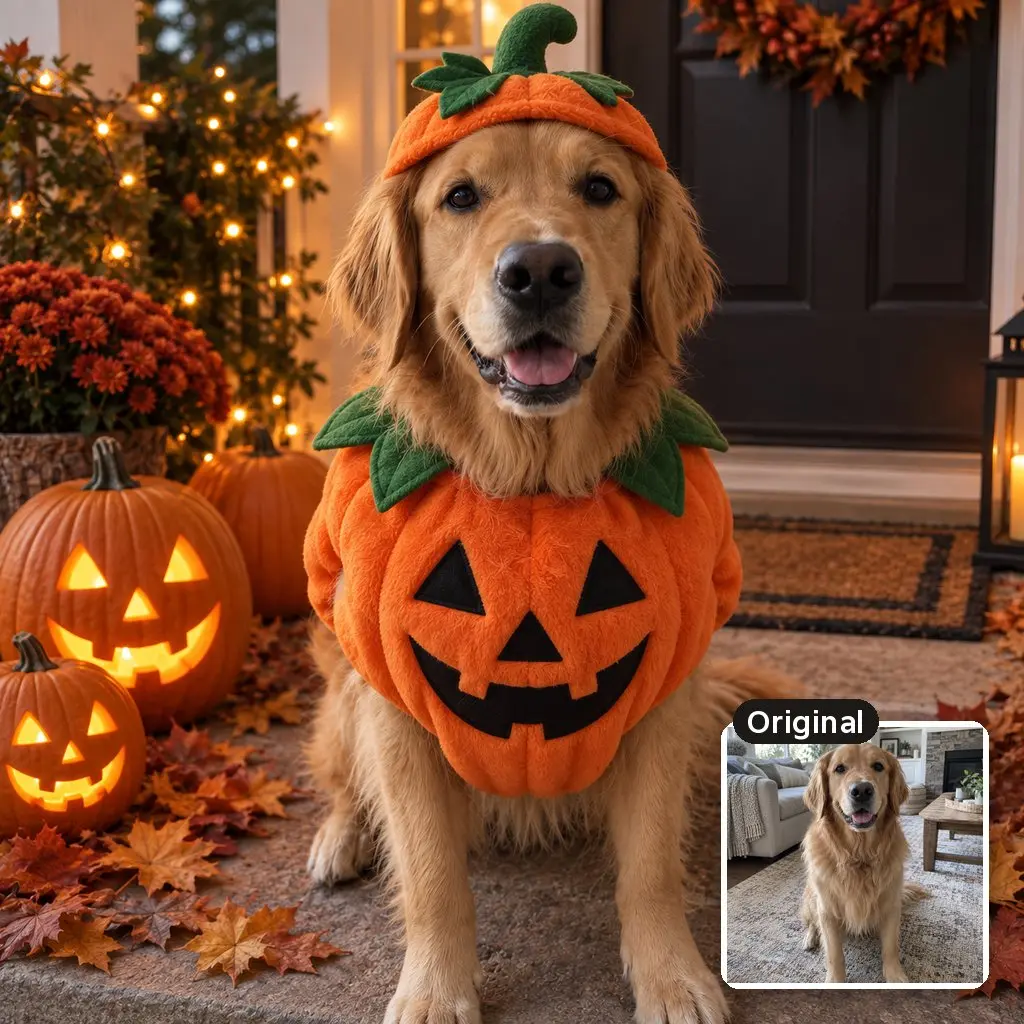
The prompt asks for the dog’s markings and expression by name, and the example kept both. Change “dog” to “cat” or “rabbit” and it works the same way.
Dress the dog in this photo in a cozy orange pumpkin costume with a little green stem hat. Keep the dog's face, fur color, markings and expression exactly the same. The dog sits on a front porch beside carved jack-o'-lanterns and fallen autumn leaves at dusk, fairy lights in the background. Make it look like a real photo: natural fur texture, realistic light and shadows, true-to-life colors.
Cat as a Tiny Witch
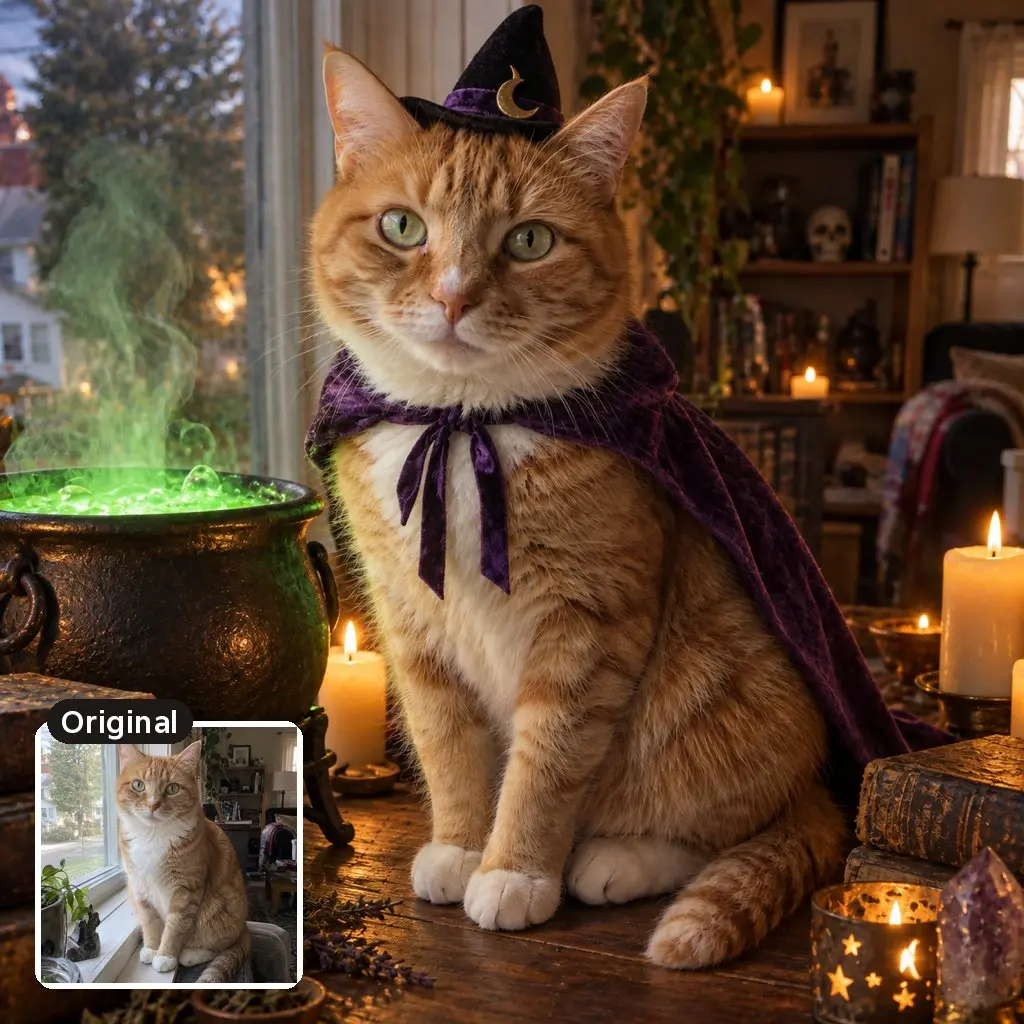
Name the eye color and markings for a cat, so the model has every detail it needs to keep while it adds props around the face.
Put a tiny black witch hat and a purple cape on the cat in this photo. Keep the cat's face, fur color, markings and eye color exactly the same. It sits next to a bubbling cauldron with green glowing steam on a wooden table full of old books and candles. Make it look like a real photo: natural fur texture, realistic candlelight and shadows.
Family and Kids Photos
Group photos work, with two limits. Google says Nano Banana 2 keeps the resemblance of 4 to 5 people in one image, so a family of 8 will come back with a few new relatives. And everyone in the photo should be happy for it to be uploaded.
Family Costume Portrait
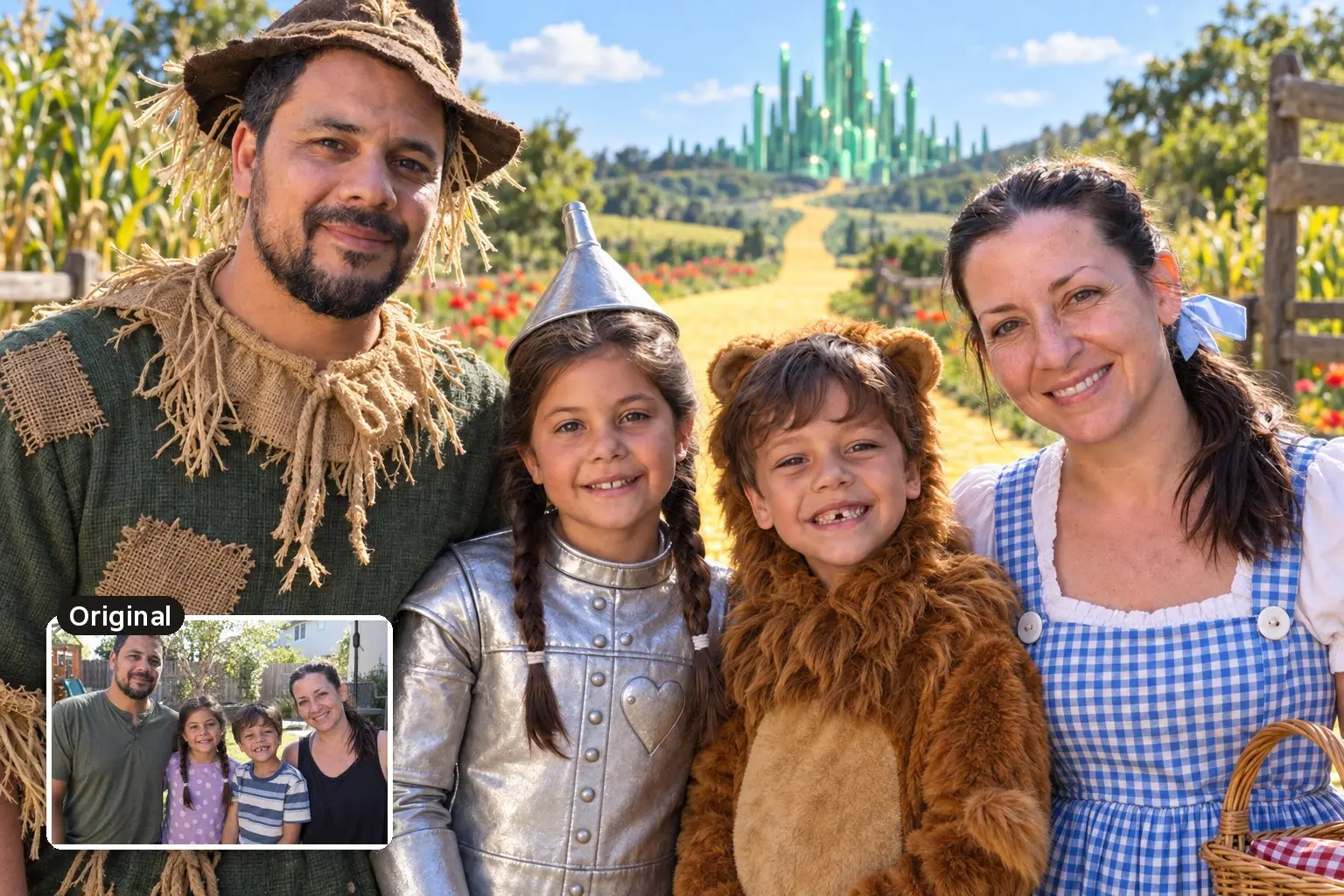
Assigning the costumes “from left to right” stops the model from guessing who gets what. Swap in any group theme your family likes.
Dress everyone in this family photo in a matching Wizard of Oz-style group costume theme: a scarecrow, a tin man, a cowardly lion and Dorothy in a blue gingham dress, assigned from left to right. Keep every face, facial feature, expression, skin tone and hairstyle exactly the same. Yellow brick road and a green city in the distance, bright sunny colors, sharp group photo. Make it look like a real photo: natural skin texture with visible pores, realistic light and shadows, true-to-life colors, no airbrushing, no plastic or waxy skin.
Children’s photos need more thought than adults’ photos. Google asks you to get permission before using anyone’s face, and OpenAI’s usage policies ban using someone’s likeness without consent in ways that could confuse people about what’s real. Neither company has a separate rule for photos of kids, so the choice is yours. I’d turn off training first, as described in the privacy section below, or use the pet prompts for the kids’ version.
Halloween AI Prompts Without a Photo
These 3 prompts make Halloween art from text alone, so you don’t need to upload anything.
Printable Pumpkin Carving Stencil
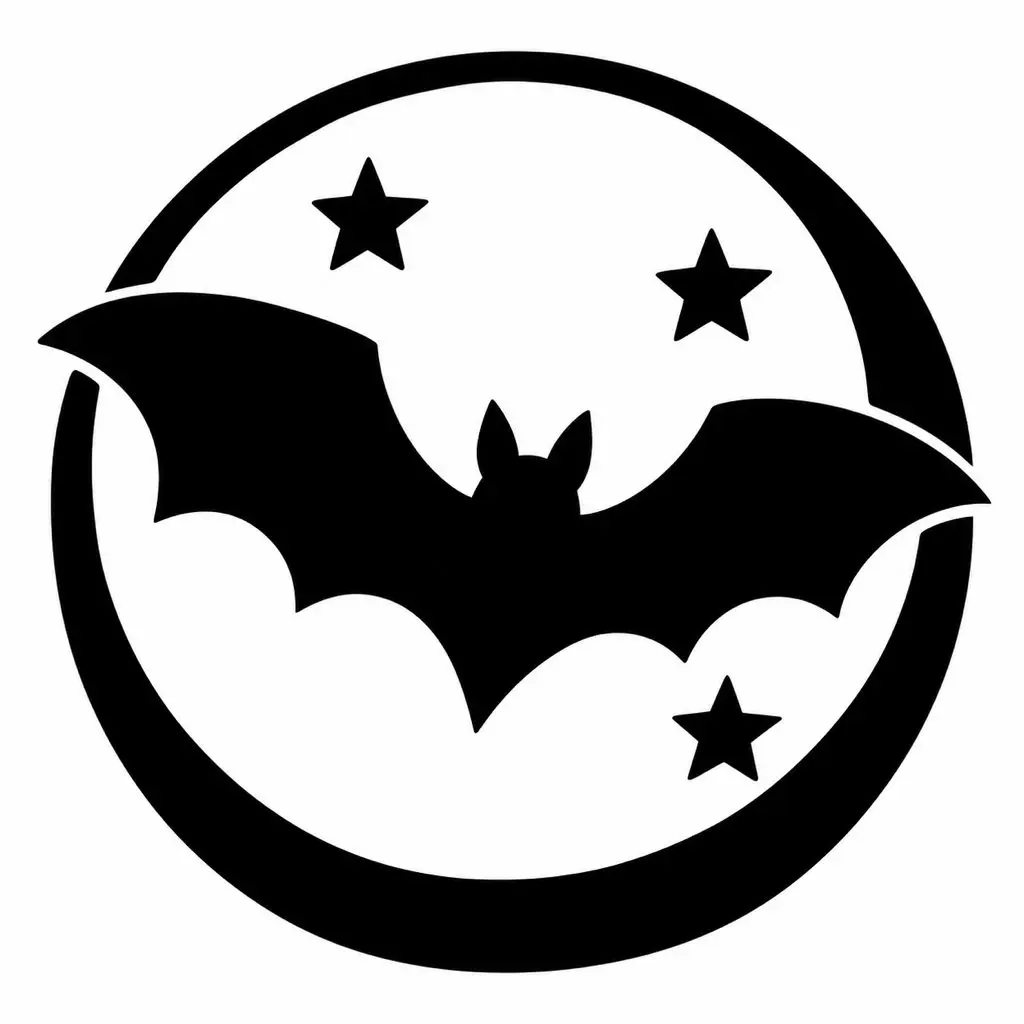
Print it, tape it to the pumpkin and trace it before you carve. The line about connected white areas matters, or you get pieces that fall out of the pumpkin.
Create a printable pumpkin carving stencil of a flying bat in front of a full moon with three small stars. Pure black shapes on a pure white background, bold simple shapes with no thin lines, every white area connected so it can be cut out of a pumpkin, no shading, no gray, no text.
Halloween Party Invitation Background
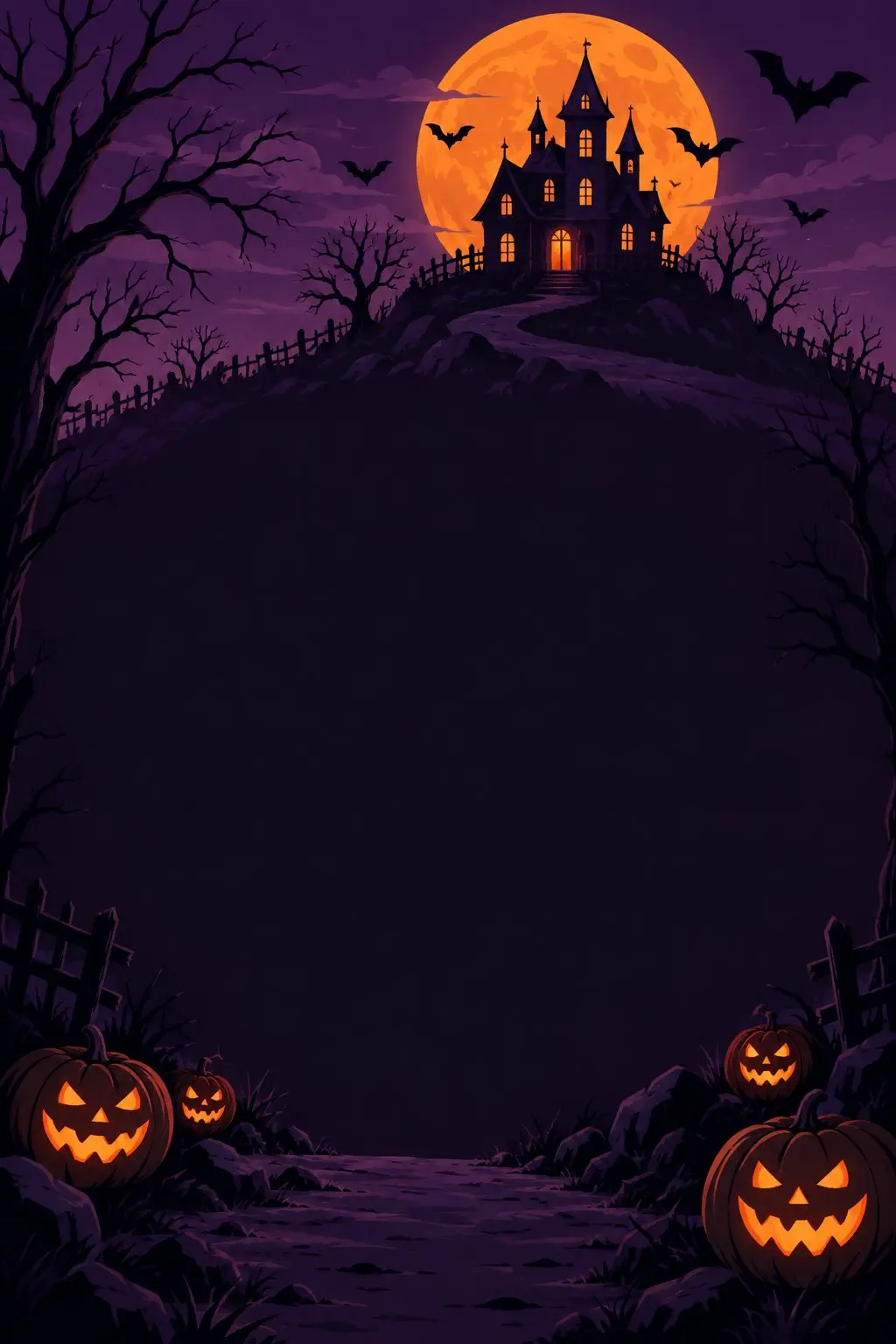
Generate the background here, then add your party details in Canva or any design app. Image models still misspell longer text like dates and addresses.
Design a Halloween party invitation background in portrait orientation: a haunted house on a hill under a big orange moon, bats, bare trees and glowing jack-o'-lanterns along the path. Leave a large empty dark area in the middle for text. Flat illustration style, deep purple and orange palette, no text.
Costume Idea Mood Board
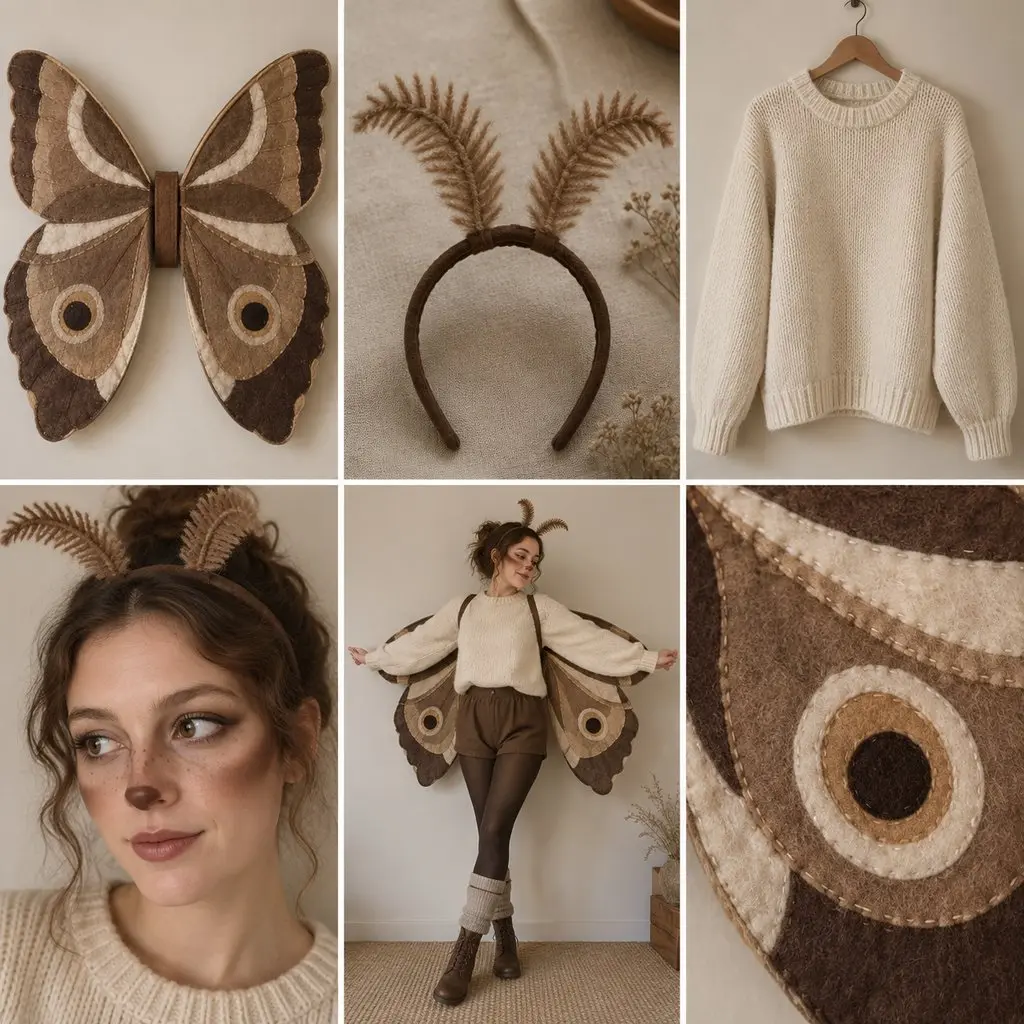
Useful before you buy anything. Replace “moth” with your costume idea and the grid shows the pieces you need.
Make a mood board for a homemade moth costume: 6 natural-looking photos in a clean grid showing the soft brown felt wings, a fuzzy antennae headband, a cream sweater, face makeup with soft brown shading, the full outfit on a person and a close-up of the wing pattern. Neutral beige background, real fabric textures, no text.
How to Write Your Own Halloween AI Prompt
Every photo prompt above follows the same 7-part order. Once you see it, you can build a prompt for any AI Halloween costume:
- The edit: what happens to the photo. “Transform the person in this photo into a witch.”
- The face lock: “Keep their face, facial features, expression, skin tone and hair exactly the same.” Google’s own sample prompts use a similar line, “Mimic my real face”.
- The costume: 2 or 3 specific pieces, such as a wide-brimmed black hat, a green velvet dress and a straw broom.
- The setting: one place with one detail, such as a misty pumpkin patch.
- The light and camera: golden hour backlight, direct flash, 35mm film or an oil painting. This line decides the mood more than the costume does.
- The limits: anything the model must not add, such as “no gore” or “no text”.
- The realism line: “Make it look like a real photo: natural skin texture with visible pores, realistic light and shadows, true-to-life colors, no airbrushing, no plastic or waxy skin.” This is what keeps the result from looking like a doll.
Specific nouns beat adjectives. “A torn plaid flannel shirt” gives the model something to draw, and “a scary outfit” leaves it to guess.
How to Make AI Halloween Photos Look Real
Most AI Halloween photos give themselves away through plastic-looking skin, light that comes from nowhere and a face that has lost its expression. These habits fix most of it:
- Start from an ordinary photo: a sharp, unfiltered phone photo in daylight gives the model real skin and real light to copy. A beauty-filtered selfie gives it the filter to copy.
- Ask for texture: every photo prompt above ends with a realism line asking for natural skin texture, visible pores and no airbrushing.
- Name a real camera and light: direct on-camera flash, a 50mm lens, 35mm film or candlelight gives the model a real kind of photo to imitate.
- Keep your expression: a laugh, a smirk or a raised eyebrow is a big part of what makes the result look like you, so the face lock asks for the expression by name.
- Skip the beauty words: I’d leave out flawless, perfect skin, 8K and ultra detailed, because they ask for exactly the glossy finish that makes AI photos look fake.
- Ask for a real face inside a painted style: the Victorian portrait prompt asks for real skin texture and natural features, not a smooth digital look.
When the Face Comes Out Wrong
A changed face is the most common complaint about AI Halloween photos. These are the usual causes and fixes:
- The face drifts after a few edits: start a new chat with the original photo and the full prompt. Each follow-up edit works on the last result, so small changes add up.
- The face looks generic from the start: use a sharper, front-facing photo, and keep the face lock line. A side profile or a group crop gives the model too little to copy.
- Pale or zombie skin changes the whole face: ask for makeup on top of your features, as the zombie prompt does, rather than a new skin tone.
- The photo looks plastic or airbrushed: add the realism line, name a camera look such as flash or 35mm film, and remove words like flawless or perfect.
- One person in a group changes: name the number of people, ask to keep their positions and stay at 5 people or fewer.
- Gemini won’t edit your photo: check that the model menu is set to Flash or Pro. Nano Banana 2 Lite, which runs on Flash-Lite, isn’t designed for multiple edits, and photo editing needs an account holder aged 18 or older.
- The app refuses the prompt: remove blood, wounds, real celebrities and named movie characters. Describe an original look instead, such as “a figure in a black hooded cloak and a plain white mask”.
Gemini or ChatGPT for Halloween Photos
Both apps make good Halloween portraits on their free plans. The differences that matter for this job are the watermark, the age rules and how you control the shape:
| Gemini | ChatGPT | |
|---|---|---|
| Image model | Nano Banana 2, with “Redo with Pro” on paid plans | ChatGPT Images 2.5 |
| Free plan | Yes, with usage limits | Yes, with usage limits |
| Visible watermark | Yes, with a switch to turn it off (Ultra plan only in India) | None |
| Hidden marks | SynthID and Content Credentials | SynthID and Content Credentials |
| Aspect ratio | Type it in the prompt | Picker or prompt |
| Age to edit photos | 18+ | 13+, with a parent’s permission under 18 |
I’d start with Gemini if you plan to make a lot of looks from the same face. Its new avatar feature lets you record your face once and call yourself into prompts with your @username, though it needs you to be 18+ and isn’t available in the EEA, Switzerland or the UK. ChatGPT is the easier choice in India if you want a clean image, because Gemini’s visible watermark switch only appears for Ultra subscribers there.
Neither app lets you remove the hidden marks. Both add SynthID and Content Credentials to every image, so anyone can check that a picture was made with AI, and that’s a good thing for a Halloween photo of you that ends up on someone else’s feed.
Other Apps for Halloween Photos
Gemini and ChatGPT cover most of what you need. These apps help when you want templates, filters or video:
- OpenArt has a Halloween filter that turns an uploaded photo into a costume portrait, and it runs several image models, including Nano Banana 2, in one place.
- Canva is where I’d finish a party invitation: generate the background with a prompt above, then add the text on one of its Halloween templates. The free plan includes 20 AI uses.
- CapCut has one-tap Halloween photo filters and an AI costume generator. It’s blocked in India, so it won’t work there.
- InVideo turns a Halloween photo into a short video or a promo for a party or a shop.
If you want to compare the bigger image tools, my list of the best AI image generators covers them in detail, and the SaaS Halloween deals page tracks which paid apps actually discount this month.
Privacy Before You Upload a Photo
Your selfie is a prompt like any other, so it follows each app’s data rules. These are the settings worth checking before you upload a face:
- Gemini, Keep Activity on (the default): your chats and uploaded photos can be used to improve Google’s services, including training its AI models. Activity auto-deletes after 18 months unless you change it.
- Gemini human review: some chats are read by trained reviewers, and reviewed chats are kept for up to 3 years even if you delete your activity.
- Gemini, Keep Activity off or a temporary chat: chats are kept for 72 hours and aren’t used for training unless you send feedback.
- ChatGPT training: turn off “Improve the model for everyone” under Settings, then Data controls. A thumbs up or down can still send that conversation for training.
- ChatGPT Temporary Chat: it isn’t used for training and is kept for up to 30 days.
- ChatGPT deletion: a deleted chat is removed within 30 days, but files saved to your Library stay until you delete them there too.
You should treat the upload like a public post. If you wouldn’t post the original photo, don’t upload it with training switched on.
FAQs on Halloween AI Prompts
What is the AI Halloween trend?
The biggest one started in late September 2025: a 2000s-style bedroom selfie with a horror character standing in the doorway, mostly made with Gemini. The original used the killer from Scream. The bedroom prompt in this guide uses a bedsheet ghost, which apps don’t refuse.
Are these Halloween AI prompts free to use?
Yes. Copy and paste them as often as you like. Gemini and ChatGPT both make images on their free plans, with usage limits that reset over time.
Why does the AI change my face?
The model redraws the whole picture, so your face is an instruction it can lose. Use a clear front-facing photo, keep the face lock line in the prompt and start a new chat when small changes start to add up.
How do I make AI Halloween photos look realistic?
Start from a sharp, unfiltered photo, ask for natural skin texture, realistic light and no airbrushing, and name a real camera look such as direct flash or 35mm film. Words like flawless, perfect or 8K push the model toward a glossy, fake finish.
Can I use these prompts on photos of my kids?
You can, but think about the upload first. Neither Google nor OpenAI has a separate rule for children’s photos beyond consent, and both may use chats for training unless you turn it off. Gemini also needs the account holder to be 18 or older to edit a photo.
Can I remove the Gemini watermark?
You can turn off the visible watermark in Settings in most countries. In India, South Korea and Vietnam the switch only appears on the Ultra plan. The hidden SynthID mark stays on every image.
Do these prompts work in other AI apps?
Yes. Any app that accepts a photo and a written instruction can use them, including OpenArt, Adobe Firefly and Leonardo. Results vary by model, so expect to run a prompt twice.
Final Remarks
Start with the bedroom ghost or the witch prompt, because both work on almost any clear selfie. Keep the face lock line, change one thing at a time and switch off training before you upload a face you care about.
Tell Google you want more of this.
Add Gaurav Tiwari as a preferred sourceOne tap, and this site shows up more often in your own Top Stories, AI Overviews and AI Mode. Remove it any time.
Disclaimer: This site is reader-supported. If you buy through some links, I may earn a small commission at no extra cost to you. I only recommend tools I trust and would use myself. Your support helps keep gauravtiwari.org free and focused on real-world advice. Thanks. - Gaurav Tiwari