
 by
by
Most free Halloween invitation templates are a pretty background and not much else. You still have to squeeze in the date, the address and the RSVP yourself, and the ones that look finished usually want you to sign up for an app before you can change a single word.
The 4 templates on this page come two ways: as Canva templates where you can change every line, font and color, and as print-ready PDFs. There is a kids party, an adult costume party, a low-ink design for classrooms and offices and a family movie night, and each one also has a write-in version you can print and fill in by hand without any account.
Choose a Halloween Invitation
Pick the design by the party, then pick how you want to fill it in. Every template already has made-up sample details, so you can see how a finished invitation reads before you change anything.
| Design | Best for | Fonts |
|---|---|---|
| Kids Halloween Party | Birthdays and kids parties, ages 4 to 10 | Luckiest Guy and Nunito |
| Adult Costume Party | Grown-up costume nights and house parties | Cinzel Decorative and Lora |
| Classroom and Office Party | School parties, office lunches and black-and-white copiers | Fredoka and Nunito |
| Family Movie Night | Movie nights, sleepovers and small family get-togethers | Abril Fatface and Oswald |
Each design comes as a Canva template plus these files:
- Canva template: your own copy to edit, then download as a PDF for printing or a PNG for your phone.
- 5×7 PDF: the finished sample card at exactly 5 x 7 inches, handy for a test print on your card stock.
- Letter or A4 sheet: two sample cards side by side with trim marks. Pick the paper your printer uses: US Letter in the US and Canada, A4 almost everywhere else, including India and the UK.
- Write-in sheet: the same two-card layout with blank lines under When, Where and RSVP, so you can print it and write the details by hand.
- Phone image: the sample card as a 1080 x 1512 JPG, the size that reads well in WhatsApp or a text message.
Kids Halloween Party
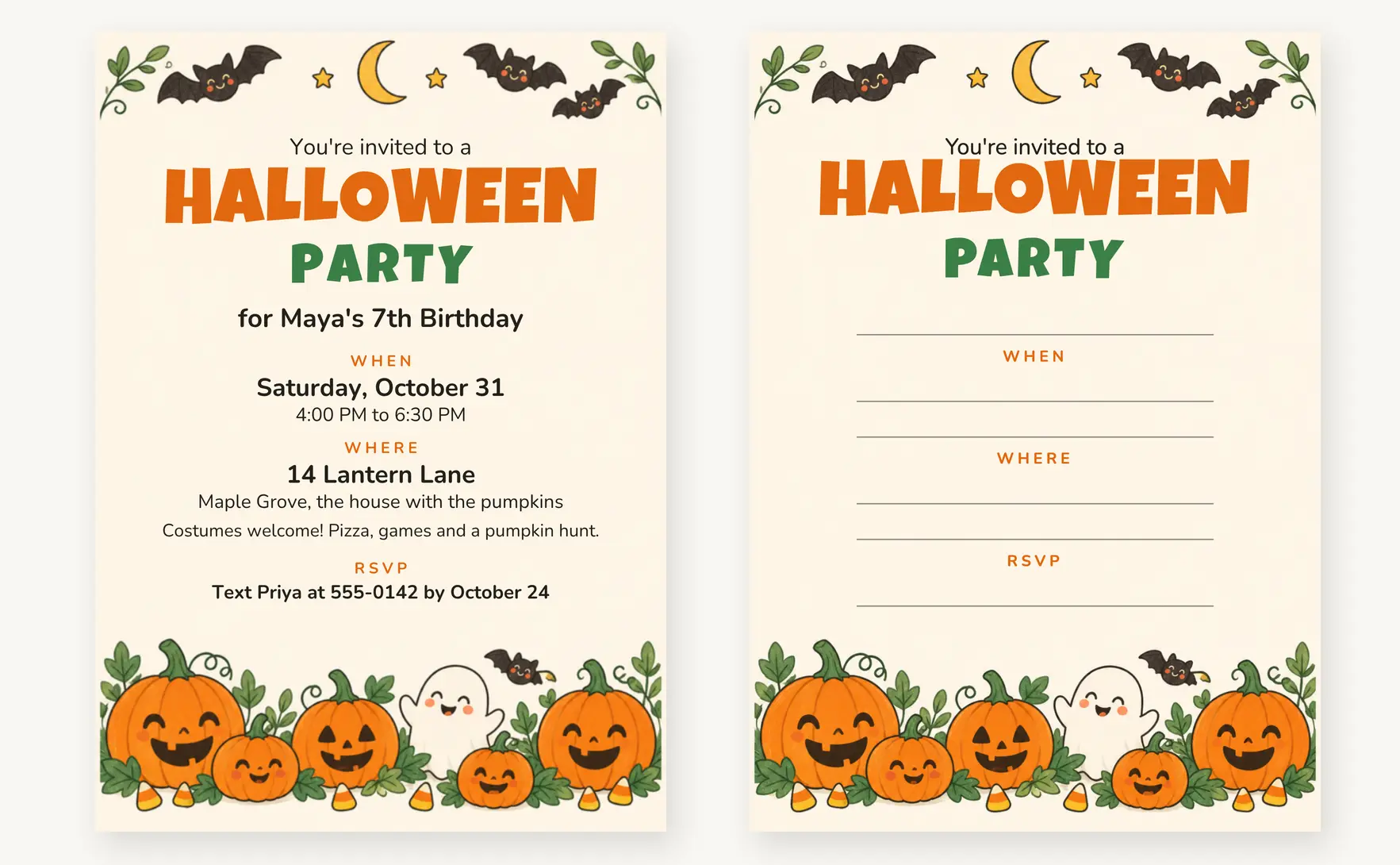
This is the friendly one: smiling jack-o’-lanterns, a little ghost and cartoon bats on warm cream, with nothing that will scare a 4-year-old. The headline is set in Luckiest Guy and the details in Nunito. The line under the headline takes a name, so it works for a birthday (“for Maya’s 7th Birthday”) as well as a plain Halloween party.
A kids invitation should always have an end time. Parents plan pick-ups around it, and “4:00 PM to 6:30 PM” saves you a dozen messages on the day.
For home printing there are two-card Letter and A4 sheets, a write-in version on Letter or A4 paper and a phone-size image of the sample.
Adult Costume Party
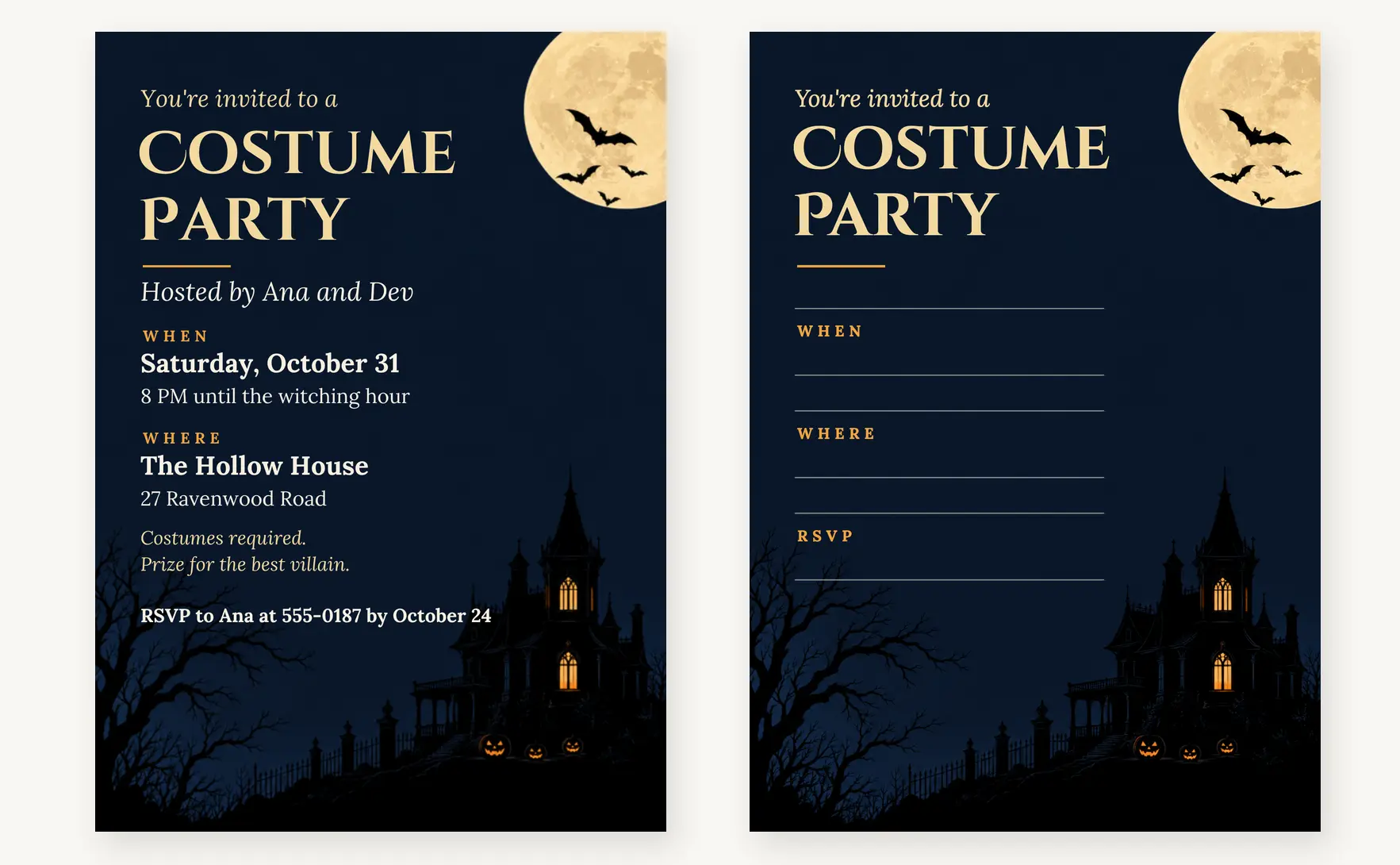
A full moon, bats and a haunted mansion on a deep navy night sky, with a Cinzel Decorative headline and the details in Lora. It suits a house party or a costume night where the dress code matters, and the note line is there for “Costumes required” or a prize for the best costume.
The dark background uses a lot of ink. Print one test card before you print 20, or send a phone image to most guests and print only a few for the people who like paper. Your printer will thank you before your guests do.
For home printing there are two-card Letter and A4 sheets, a write-in version on Letter or A4 paper and a phone-size image of the sample.
Classroom and Office Party
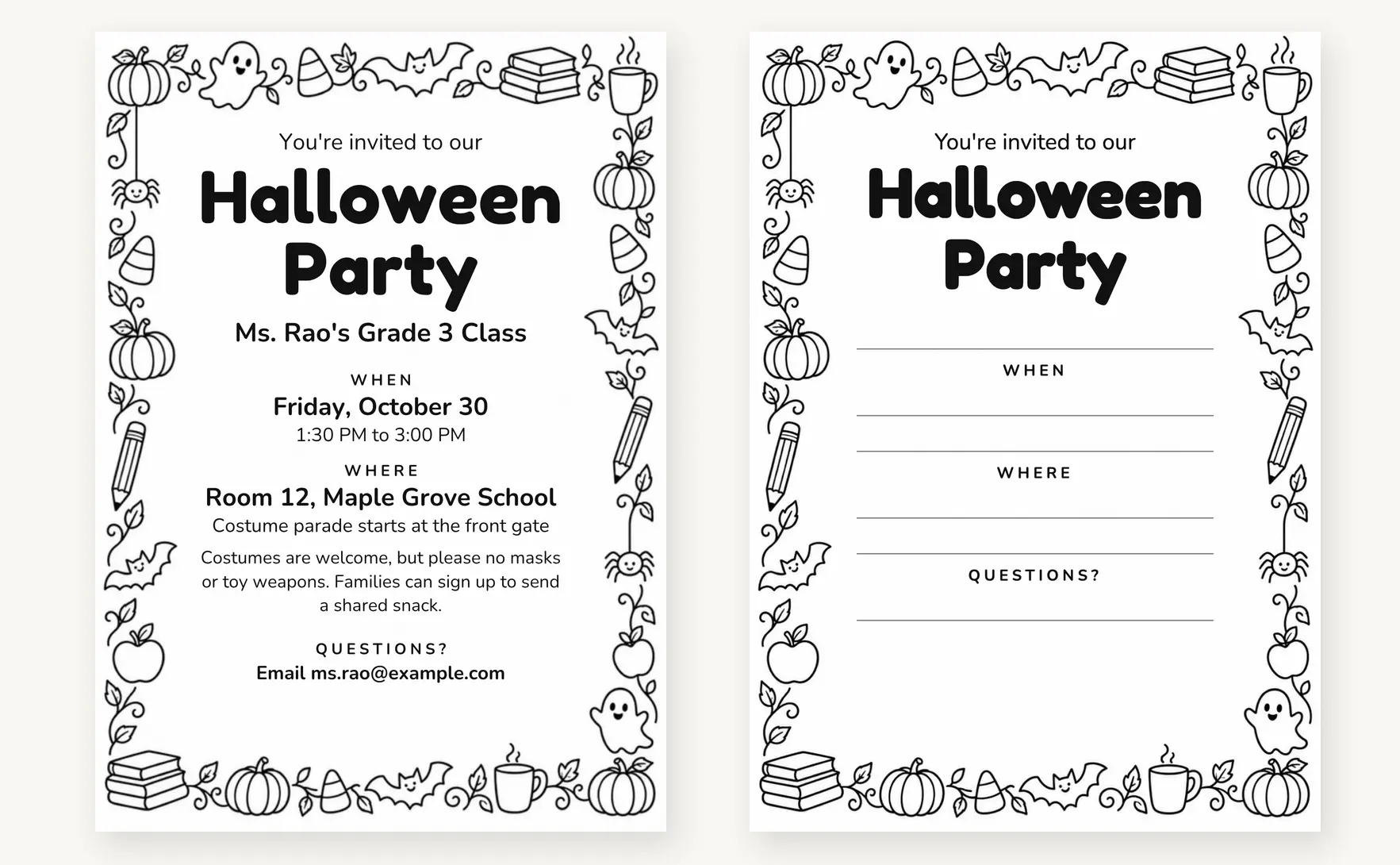
This design is black line art on white, with a doodle border of pumpkins, bats, pencils, books and a coffee mug, and Fredoka and Nunito for the type. It is made for a school copier: fill in one invitation, print it, then photocopy it for the whole class in black and white, using almost no ink. The write-in version works well here, because one handwritten copy is all the copier needs.
The wording stays neutral, so the same template works for “Ms. Rao’s Grade 3 Class” or “Marketing Team Lunch”. If your school has costume rules, such as no masks or toy weapons, put them on the note line so parents see them before they shop. Teachers planning the whole week can pair it with my free Halloween math worksheets.
For home printing there are two-card Letter and A4 sheets, a write-in version on Letter or A4 paper and a phone-size image of the sample.
Family Movie Night
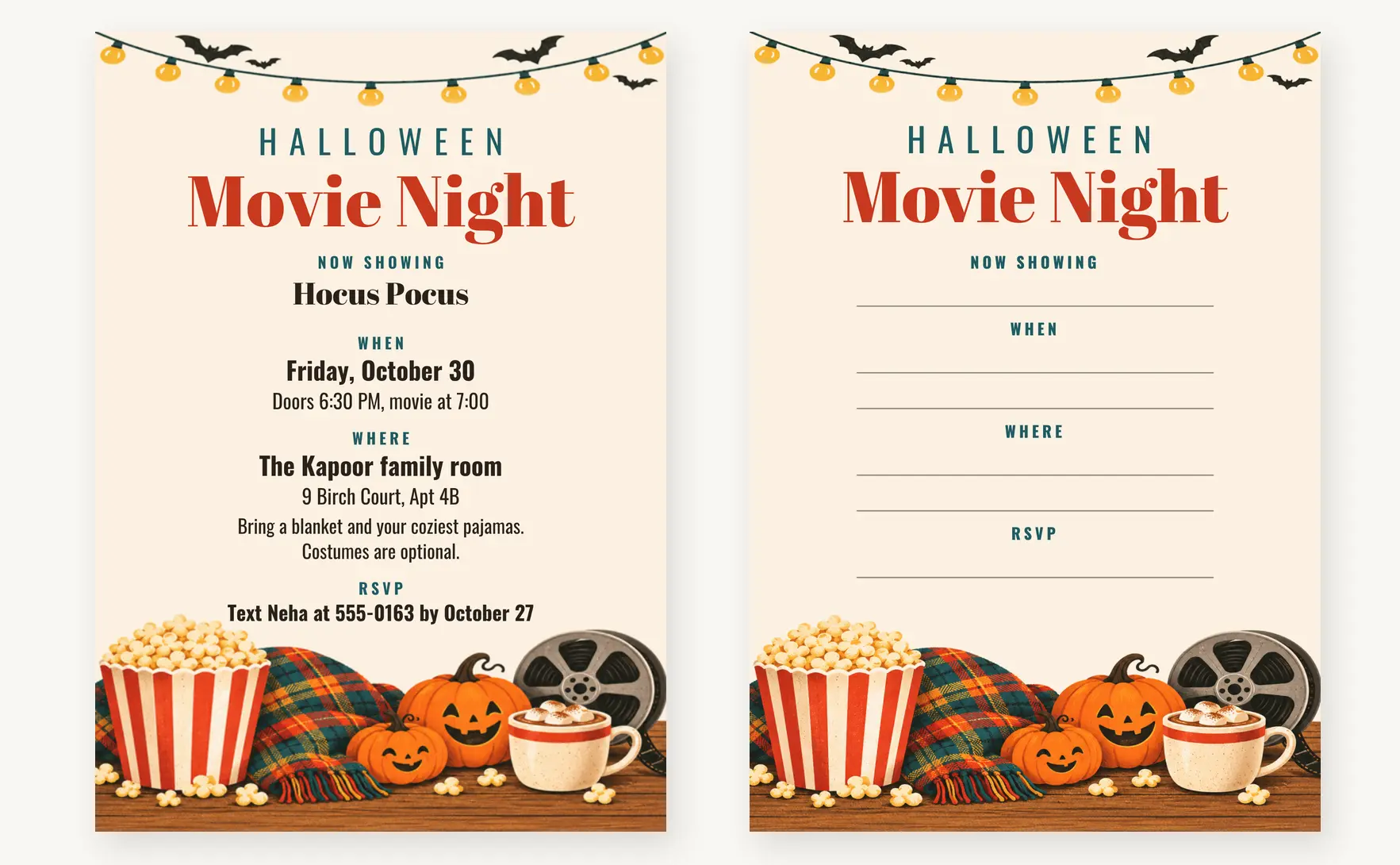
Warm string lights, a striped popcorn bucket, a plaid blanket and two pumpkins, with an Abril Fatface headline, Oswald details and a “Now showing” line for the film title. It fits a family movie night, a sleepover or a small get-together where the movie is the plan.
For home printing there are two-card Letter and A4 sheets, a write-in version on Letter or A4 paper and a phone-size image of the sample.
Edit the Event Details
The Canva templates are what make these editable Halloween party invitations. Every line, font and color can be changed, including the headline, and you can swap the artwork if you want a different look.
Canva is a free online design tool that works in the browser and as an app on iPhone and Android. The templates use free fonts and elements, so a free Canva account is enough. Here is how to make your own copy:
- Click “Edit in Canva” under the design you want, then sign in or create a free Canva account.
- Click “Use template”. Canva makes a copy for you, so the original stays the same for the next person.
- Click any line of text and type over it. The toolbar changes the font, size and color.
- When the card looks right, click Share, then Download. Choose PDF Print for printing or PNG for sending by phone.
Your Canva download is one card per page. Print it at 100% and trim it to 5 x 7 inches, or send it to a print shop.
If you would rather not make an account, there are two ways to go:
- The write-in sheet prints with the artwork and headline in place and blank lines for the details. A fine-tip marker or a gel pen is easier to write neatly with than a ballpoint.
- The 5×7 PDF shows the finished sample card at full size. Print it on your card stock first to check the colors and the size before you print your own.
Halloween Invitation Wording
The headline already carries the Halloween fun, so the details can stay plain. A guest should find the date and the address at a glance, without reading a pun first. Every invitation needs these:
- Who is hosting, or whose party it is
- The day and date
- A start time, and an end time for kids parties
- The venue and full address, plus a landmark if the place is hard to find
- A costume note: required, welcome or optional
- How to RSVP: who to reply to, how and by when
Here is wording you can paste over the sample lines in your Canva copy or write on the write-in version. Each line fits the card as designed, and the names and numbers are only examples. You can also download the wording file (TXT) with every line below.
Kids Party Wording
- Title line: “for Maya’s 7th Birthday”, “Boo! Arjun is turning 9” or “A Little Monsters Bash”
- Note line: “Wear your costume and bring a bag for treats.” or “Pick-up at 6:30 PM. Please tell us about any food allergies.”
- RSVP line: “Text Priya at 555-0142 by October 24”
Costume Party Wording
- Title line: “Hosted by Ana and Dev” or “A night of tricks, treats and terrible puns”
- Time line: “8 PM until the witching hour” or “9 PM till late”
- Note line: “Costumes required. Prize for the best villain.” or “Adults only. Bring a drink to share.”
- RSVP line: “Reply by October 25 so we can plan food”
Classroom and Office Wording
- Title line: “Ms. Rao’s Grade 3 Class”, “Marketing Team Lunch” or “Third Floor Costume Contest”
- Note line: “Costumes are welcome, but please no masks or toy weapons.” or “Potluck: bring one dish. Label anything with nuts.”
- Contact line: “Email ms.rao@example.com” or “Questions? Ask Neha in HR”
Movie Night Wording
- Movie line: “Hocus Pocus”, “Ghostbusters (PG)” or “A spooky double feature”
- Time line: “Doors 6:30 PM, movie at 7:00”
- Note line: “Bring a blanket and wear your coziest pajamas.” or “Popcorn and cocoa provided. Bring your favorite pillow.”
Adding a rating to the film title, like “(PG)”, answers the first question every parent will ask.
Print the Invitation
These printable Halloween invitations are set up for a home printer. The Letter and A4 files hold two 5×7 cards with trim marks, and the write-in sheets use the same layout. The art stops exactly at the edge of each card, so cut on the line or a hair inside it.
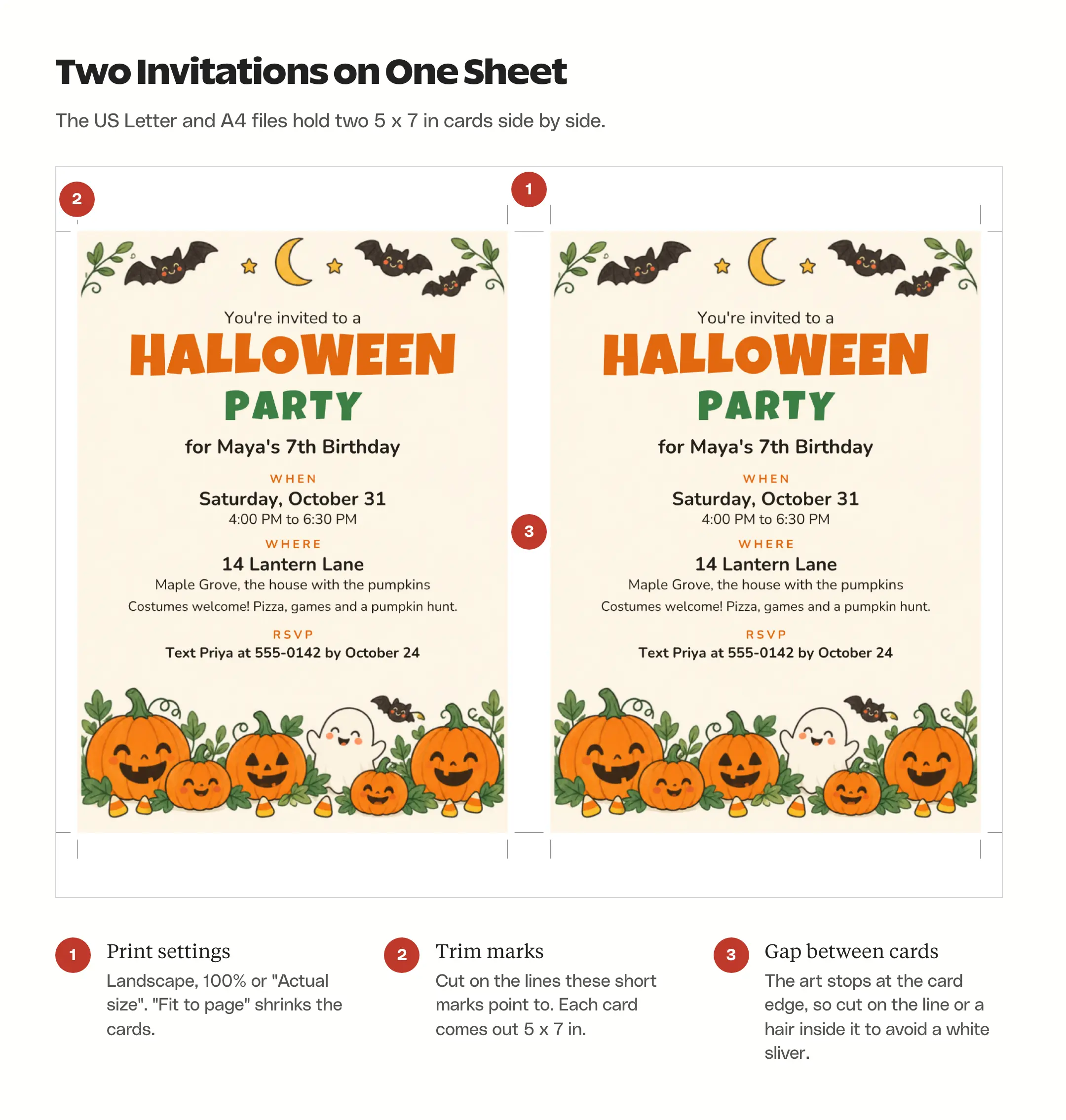
- Print one copy on plain paper first. Measure a card between the trim marks: it should be 5 x 7 inches, or 12.7 x 17.8 cm.
- In the print dialog, choose landscape and set the scale to 100% or “Actual size”. Turn off “Fit to page”, which shrinks the cards.
- Load card stock if your printer takes it. A smooth, uncoated US Letter card such as Astrobrights 65 lb cardstock gives a matte finish. Most home printers feed thicker paper through a rear or single-sheet slot, and the printer’s manual lists the heaviest paper it supports.
- Cut along the trim marks with a paper trimmer like the Fiskars SureCut Deluxe, or a ruler and a craft knife. Scissors work too if you go slowly.
A few numbers help with planning:
- Each sheet gives 2 invitations, so 15 guests need 8 sheets.
- The finished card is 5 x 7 inches (127 x 178 mm).
- An A7 envelope (5.25 x 7.25 inches) fits a 5×7 card, and a pack of 50 white A7 envelopes covers most guest lists. Outside the US, a C5 envelope fits with room to spare.
For a print shop, download your Canva copy as PDF Print and ask for it at 100% on 5×7 card. None of the files have bleed, the extra strip of artwork past the trim line that some shops ask for on full-color cards. Ask about it before you order, because a card printed without bleed and trimmed slightly off can show a thin white edge.
Invitation Printing Supplies
These supplies match the print setup above. The card stock is US Letter, the envelopes are A7 for a 5×7 card, and the trimmer is long enough for the long side of a Letter or A4 sheet.
Astrobrights Bright White Cardstock

A smooth, uncoated white card in US Letter size, rated for inkjet and laser printers. At 65 lb cover, about 176 gsm, it is stiff enough to feel like an invitation and still light enough for many home printers to feed. The 75 sheets make 150 invitations on the two-card sheets.
Fiskars SureCut Deluxe Paper Cutter
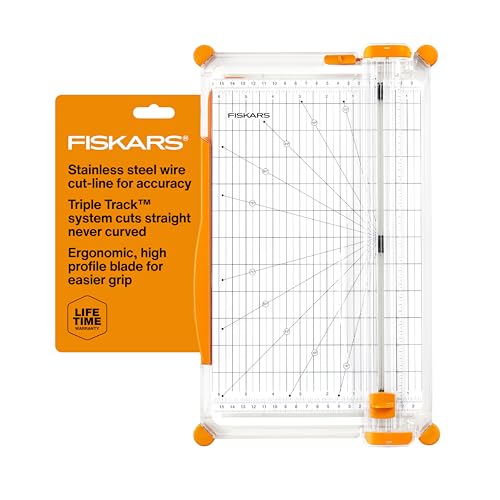
A sliding trimmer with a 12-inch cut, which covers the 11-inch side of a Letter sheet and the 11.7-inch side of A4. A thin wire marks where the blade will cut, so you can line it up with the crop marks before you slide it.
Joyberg White A7 Envelopes

50 plain white A7 envelopes, 5 1/4 x 7 1/4 inches, with a peel-and-seal strip. White goes with all 4 designs, and the envelopes can go through an inkjet or laser printer if you want to print the addresses.
LUXPaper Mandarin Orange A7 Envelopes
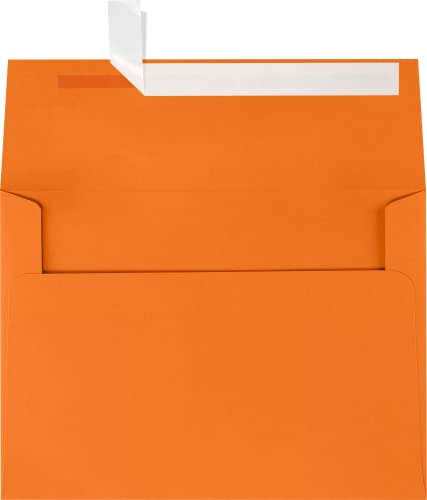
A pumpkin-orange A7 envelope with a peel-and-press flap, 50 to a pack. It looks right with the kids party and movie night designs, and an orange envelope in a mailbox in October needs no explanation.
Ribetween Black A7 Envelopes

Matte black A7 envelopes with a pointed V flap, a good match for the costume party design. The flap has a gummed strip you wet to seal, so a sticker on top keeps it closed. Write the address with a white or metallic gel pen, since dark ink disappears on black.
COCHIE Halloween Ghost Stickers

A set of 108 ghost stickers, each 2 inches across, in 9 designs. One on the back flap seals the envelope, and the rest work on treat bags and goodie boxes.
Share by WhatsApp or Email
A Halloween WhatsApp invitation has to read well on a small screen, and a picture of the card does that better than a document. Download your Canva copy and send it one of two ways:
- As a picture: download it as a PNG, which shows right inside the chat, and guests can zoom in on the details. The phone images in the downloads show the sample wording at 1080 x 1512 pixels, so you can check how a card reads on your own phone first.
- As a PDF: download it as a PDF and attach it as a document in WhatsApp or email, and guests tap it to open the full invitation. WhatsApp doesn’t always show a preview of the page in the chat, so the picture is the safer default.
Send a short message with it. A guest who misses the image in a busy group chat still has the details in plain text:
Hi! We’re having a Halloween party for Maya’s 7th birthday on Saturday, October 31, from 4:00 to 6:30 PM at 14 Lantern Lane. Costumes welcome! The invitation is attached. Please reply by October 24 so we can plan the food.
For email, attach your Canva PDF or PNG and repeat the date and address in the email itself, because a lot of people read the preview and never open the attachment.
Add Your Own Halloween Background
The templates already have their artwork, so this part is optional. If you would rather use a family photo or your own illustration, my Halloween AI prompts include an invitation background prompt that leaves empty space in the middle for text.
In your Canva copy, upload the image and drag it onto the background to replace the artwork. The free plan allows your own uploads. Elements marked with a crown belong to the paid Pro plan, so skip those if you want the invitation to stay free.
Text over a picture needs more care than text on a plain card:
- Put the details over the calmest part of the image, like sky, a wall or a table top.
- Add a semi-transparent dark or light panel behind the text when the background is busy.
- Keep the date and address large, and check the finished image on your own phone before you send it.
FAQs on Halloween Invitation Templates
Yes. All 4 designs are free to edit, download and print for your own party, classroom or office. The Canva templates need a free Canva account, while the PDFs, write-in sheets and phone images download without an account or an email address. Please link to this page instead of reselling or reposting the files.
Yes. Open the Canva link on your phone, sign in to the free Canva app or the website, tap Use template and type over the sample lines. Then download it as a PNG and send it on WhatsApp.
Yes, in Canva. Your copy of the template lets you change every line, font and color, and swap the artwork. The write-in version keeps the headline and artwork fixed and leaves blank lines for the details.
The printed card is 5 x 7 inches (127 x 178 mm). The home-printing sheets come in US Letter and A4, with two cards per sheet, and the phone image is 1080 x 1512 pixels.
Final Remarks
Pick the free Halloween invitation template that fits your party, edit your copy in Canva or print the write-in version, and print a test on plain paper before you load the card stock. Once the invitations are out, my list of the best Halloween lights can help with the decorations.
Tell Google you want more of this.
Add Gaurav Tiwari as a preferred sourceOne tap, and this site shows up more often in your own Top Stories, AI Overviews and AI Mode. Remove it any time.
Disclaimer: This site is reader-supported. If you buy through some links, I may earn a small commission at no extra cost to you. I only recommend tools I trust and would use myself. Your support helps keep gauravtiwari.org free and focused on real-world advice. Thanks. - Gaurav Tiwari