
How to Recover Failed Subscription Payments
A renewal fails because a card expired, a bank wanted another approval or the customer never opened the invoice. Most of these customers still want the product. If nobody tries again, they’re cancelled anyway, and you lose a subscriber who never meant to leave.
To recover failed subscription payments, you retry the charge on a sensible schedule, remind the customer at each step and keep a pay link working until the last try. Stackless does all 3 from one settings screen, and a payment at any point puts the subscription straight back to Active.
Stackless for WooCommerce is my all-in-one plugin for WooCommerce, and its Subscriptions module handles renewals, retries and reminders.
Before You Start
- Subscriptions switched on under Stackless → Dashboard.
- A working WP-Cron or server cron. Renewals and retries are Action Scheduler jobs, so they need the site’s scheduled tasks to run.
Prevent Failures First
The cheapest failed payment is the one that never happens. Two settings under Stackless → Settings → Subscriptions → Renewals and failed payments cut failures before they start:
- Renewal reminders: on by default. Customers get an email before each renewal.
- Days before renewal: 3 by default. That’s enough time to update an expiring card.
Customers can add a new card to the subscription from My Account at any time. If a renewal is already waiting when they do, the next retry uses the new card.
Set the Retry Schedule
Retry schedule (days) holds the days between retries, separated by commas. The default is 1,3,5.
With the default, a failed automatic payment works like this:
- The renewal order is marked Failed, and the subscription goes On hold.
- The customer gets the Subscription payment failed email with a link to pay.
- Retry 1 runs 1 day later, retry 2 runs 3 days after that and retry 3 runs 5 days after that.
- If the third retry fails, the renewal order and the subscription are both cancelled.
That’s 9 days from the first failure to cancellation. Up to 10 entries are used, and each is capped at 60 days.
I’d keep the default for monthly plans. A yearly plan is worth a longer schedule, such as 2,5,7,14, because losing a yearly subscriber costs 12 times more than losing a monthly one.
Set a Grace Period for Manual Renewals
Subscriptions paid through gateways that can’t renew on their own get an invoice instead of a charge. Manual renewal grace period (days) decides how long an unpaid invoice keeps the subscription active, from 0 to 60. The default is 0, which puts the subscription on hold right away.
A grace period of 3 to 7 days suits manual renewals, because the customer has to act. After the grace period, the same retry schedule sends the invoice again as a reminder. An empty retry schedule leaves the subscription on hold until it’s paid or you cancel it.
Keep the Pay Link Open
A failed or unpaid renewal stays payable the whole time:
- Customers see a Pay renewal button on their subscription in My Account.
- Renewal orders in their order list carry a Subscription link.
- Paying with any available gateway reactivates the subscription.
When the payment goes through, pending retries are removed and the next payment date moves forward. Nothing else needs your attention.
Watch the Statuses
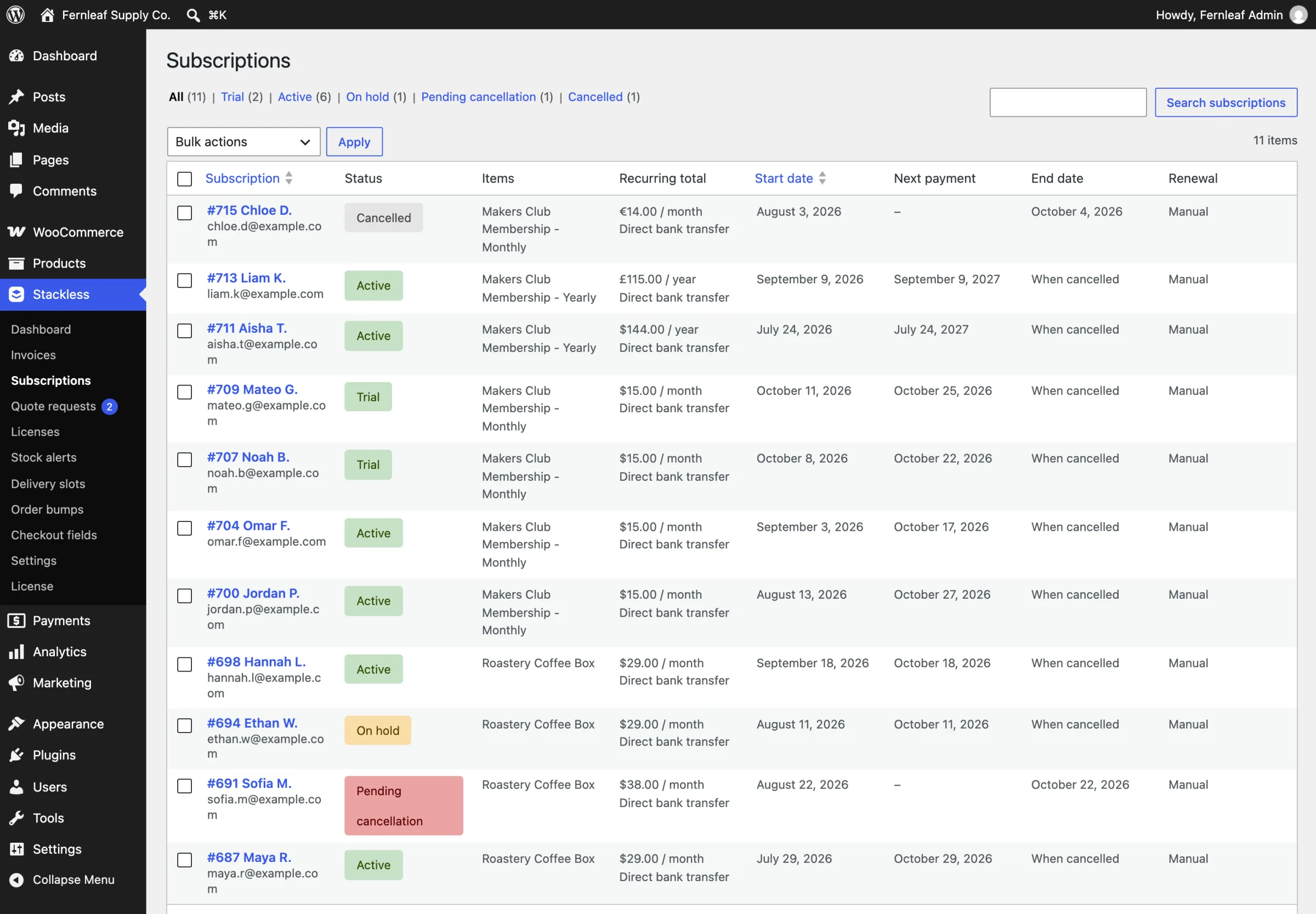
Stackless → Subscriptions shows each subscription’s status:
| Status | What it means |
|---|---|
| On hold | A renewal is unpaid, or you paused it |
| Pending cancellation | Cancelled at the end of the period, with access until then |
| Cancelled | Ended early, by you, the customer or the final failed retry |
| Expired | A fixed-length plan reached its end |
Filter by On hold once a week. A subscriber stuck there is worth a personal email, especially on a high-value plan.
Check It Works
- In your gateway’s test mode, buy a subscription with a test card that can be made to fail later, such as one of Stripe’s test cards for declined payments.
- Change the subscription’s next payment date to now from its edit screen and let the renewal run.
- Confirm the subscription goes On hold, the failed payment email arrives and the Scheduled actions box lists the first retry.
What It Won’t Do
- It won’t recreate a renewal order you deleted for that period.
- It doesn’t retry Polar charges itself. Polar runs its own billing, and a Polar subscription that falls past due becomes On hold in WooCommerce.
- A renewal paid after the subscription was cancelled or expired is recorded, but no dates change. Reactivate the subscription by hand if the customer wants back in.
The full rules, including how a renewal order is built, are in Renewals, Failed Payments and Retries.