
 by
by
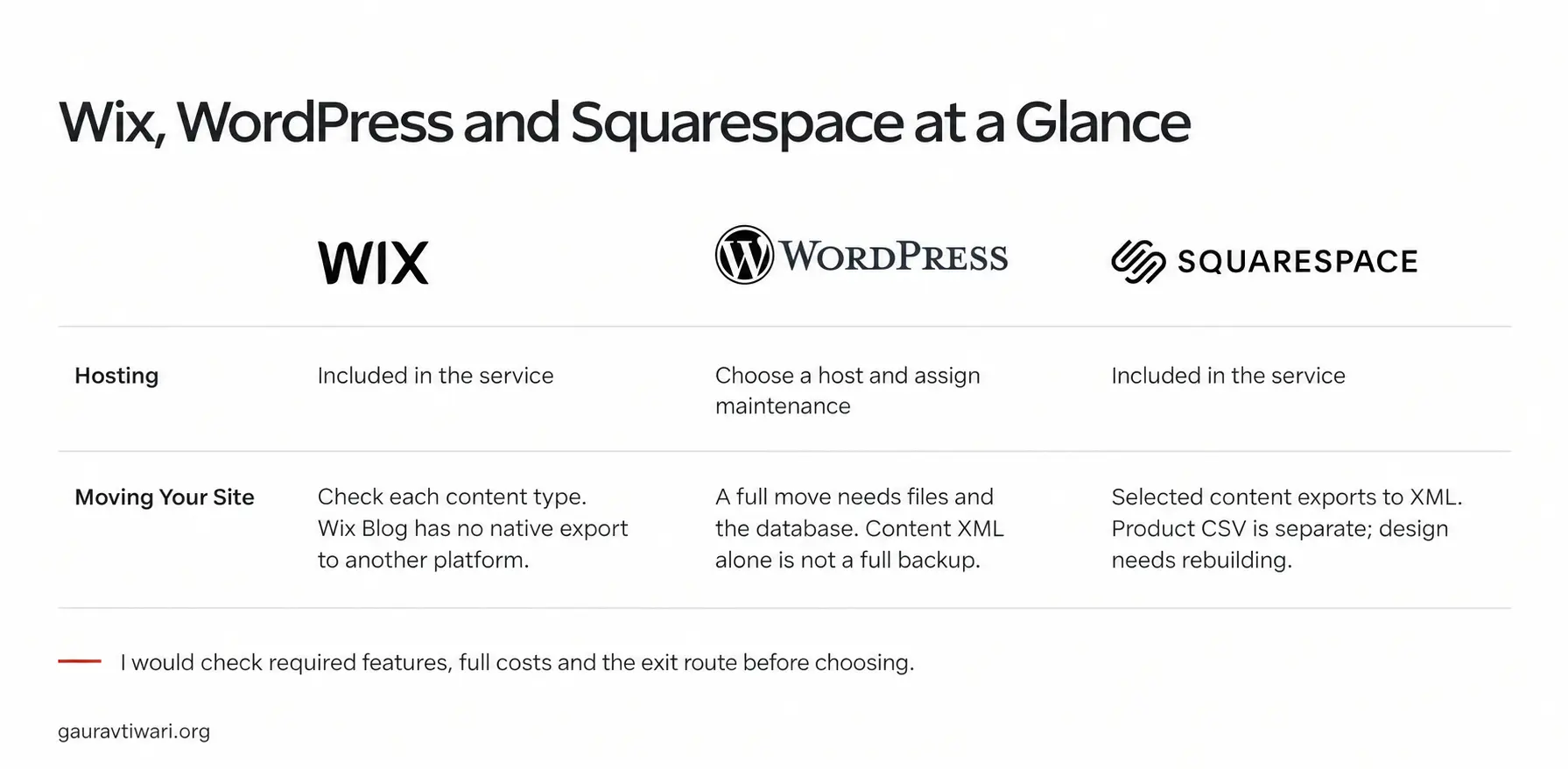
Wix vs WordPress, with Squarespace as the usual third option, is a choice that’s harder to undo than it looks. All three can put a good-looking site online this week, but two of them won’t let you take the site with you when you leave, and the one that does asks you to look after it.
WordPress is my default for a blog, a content business or any site that will grow into features you can’t name yet.
Wix is the pick when a non-technical owner needs the site live within days, with bookings, events or a small store, and never wants to think about hosting.
Squarespace is the pick when how the site looks is most of its job and its structure will stay simple.
Wix vs WordPress vs Squarespace at a Glance
The table holds the differences that change the decision. Prices are left out on purpose, because all three change them often and the shape of the cost matters more than the number:
| What decides it | Wix | WordPress | Squarespace |
|---|---|---|---|
| What it is | Hosted website builder | Free open-source software you host anywhere | Hosted, design-led website builder |
| Who runs hosting, updates and security | Wix | You, or your managed host | Squarespace |
| Free plan | Yes, with Wix ads on a Wix subdomain | The software is free; hosting is not | No, a 14-day trial |
| What you can take with you | Supported CMS collections as CSV; no page, design or native blog export | Everything: files, database and media | Pages and one blog as XML, store products as CSV; layouts need rework |
| Design approach | Freeform drag-anywhere editor, plus Wix Studio | Block editor and themes, or a page builder | Structured templates on a grid |
| Extending it | Wix App Market, 800+ apps | Tens of thousands of plugins, and custom code | A small extensions catalog, plus code injection on Core and above |
| Blogging | Basic, with a post URL prefix you can rename but not remove | The deepest of the three | Good, with a fixed blog prefix |
| Selling | Payments from the Core plan up; no fee on product sales, fees on subscriptions and tickets | WooCommerce, free, no platform cut | 2% of store sales on Basic; digital-product fees below Advanced |
| SEO control | Essentials covered | Complete | Essentials covered |
| Share of all websites | About 4% | About 40% | About 2.4% |
Two rows do most of the deciding: what you can take with you and who runs the maintenance. The export row is what a wrong choice costs you later, and the maintenance row is what the right choice costs you every month.
Quick Verdict
Each of the three is the right answer for somebody, and each comes with a price you pay later. This is the trade you accept with each one.
WordPress should be the choice for a blog, a content business, an online course, a shop that intends to grow or any site where you can’t yet name every feature it will need. You own the whole thing, you can move to another host when one disappoints you, and a plugin exists for the feature nobody planned for. The price is that somebody has to keep it updated and backed up, and that somebody is you or a managed host you pay.
Wix should be the choice when the owner isn’t technical, wants the site live this weekend, needs bookings, events or a small store, and doesn’t want to think about hosting again. It has the wider feature set of the two hosted builders. The price is that leaving means rebuilding, because Wix hands back some of your content but never the pages or the design.
Squarespace should be the choice for a portfolio, a studio, a restaurant, a photographer or a small shop where the site’s job is to look considered and the structure will stay simple. It gets a non-designer to a finished look faster than the other two. The price is a narrower feature set than either rival and no free plan.
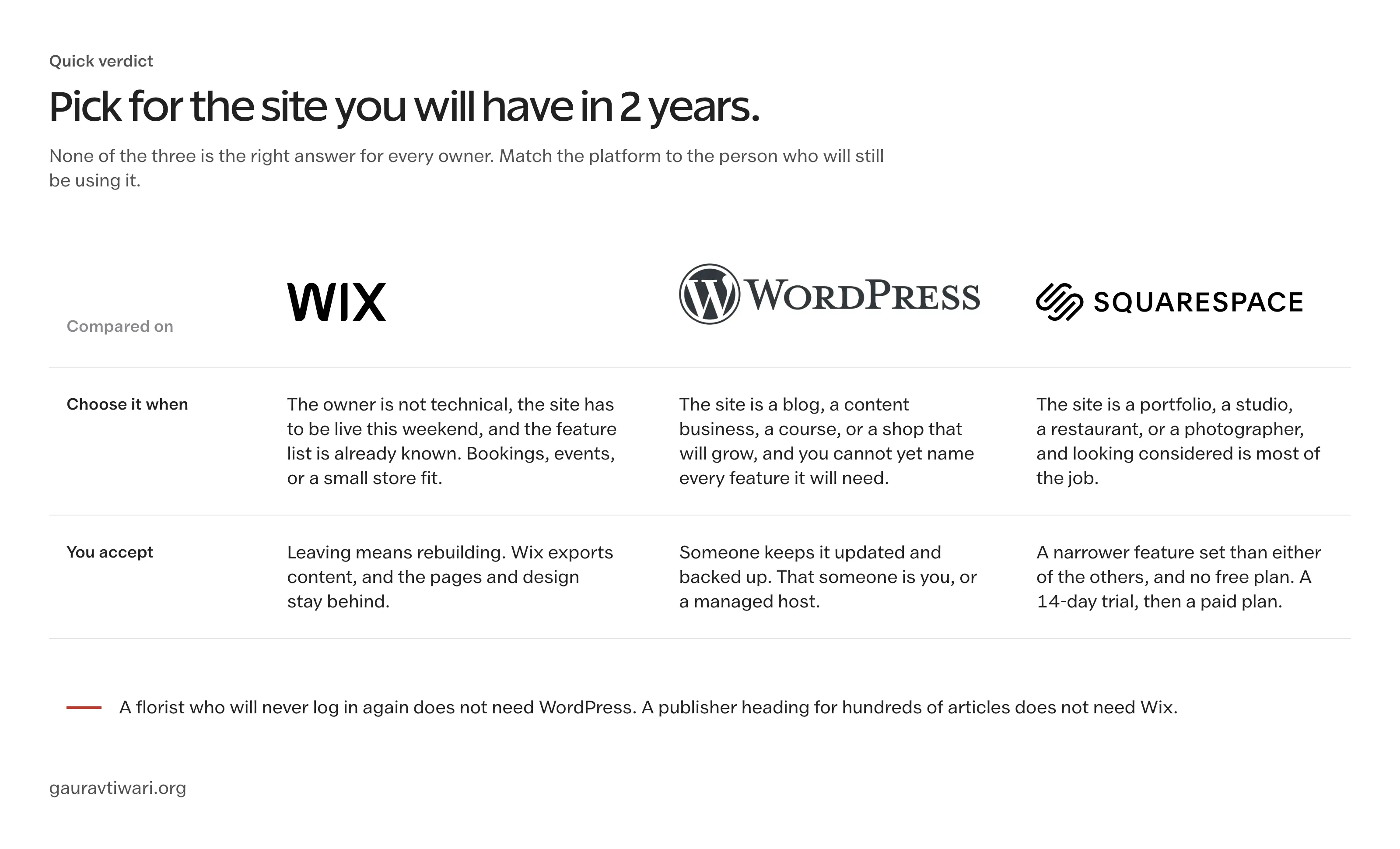
Being extreme about any of the three isn’t a good idea. WordPress is the wrong answer for a florist who will never log in again after launch, and Wix is the wrong answer for a publisher who will have 800 articles in 3 years. It is wise to pick for the site you’ll have in 2 years.
What Each One Is
Before the head-to-heads, I want to ensure the basic difference is clear, because most of the confusion in this comparison comes from treating three different kinds of thing as three brands of one thing.
Wix and Squarespace are services. You rent a site inside their system, they host it, secure it and update it, and everything you build lives on their servers under their rules. Squarespace has been a design house first, with structured templates and opinionated defaults. Wix has been a feature house, with a freeform editor, a large app market, its own code platform called Velo and, since 2023, a more disciplined agency-grade editor called Wix Studio.
WordPress is software. It’s free, open source and runs on any web host, from shared hosting that costs less than a coffee a month to managed hosting that costs more than both builders combined. You install it, or the host does, and from then on the files and the database are yours. That’s why it runs about 40% of all websites, and it’s also why it needs looking after. There’s a hosted version too, WordPress.com, which behaves more like the builders, and the differences between WordPress.com and WordPress.org are a decision of their own.
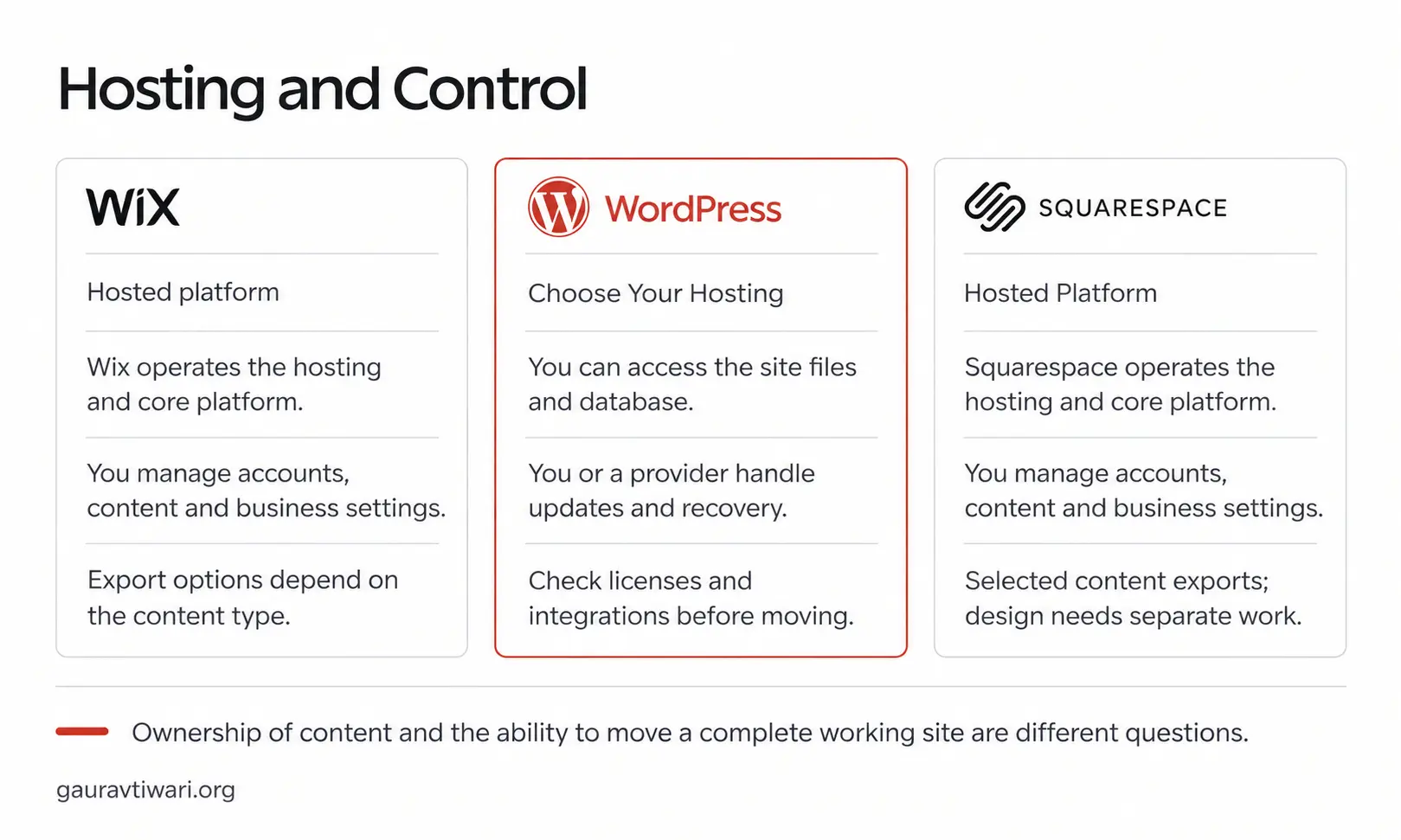
Everything that follows comes back to this picture. On WordPress every layer is yours, including the ones you’d rather not hold, and on the builders the bottom layers belong to the vendor, which is a relief until the day you want to leave.
Wix vs WordPress
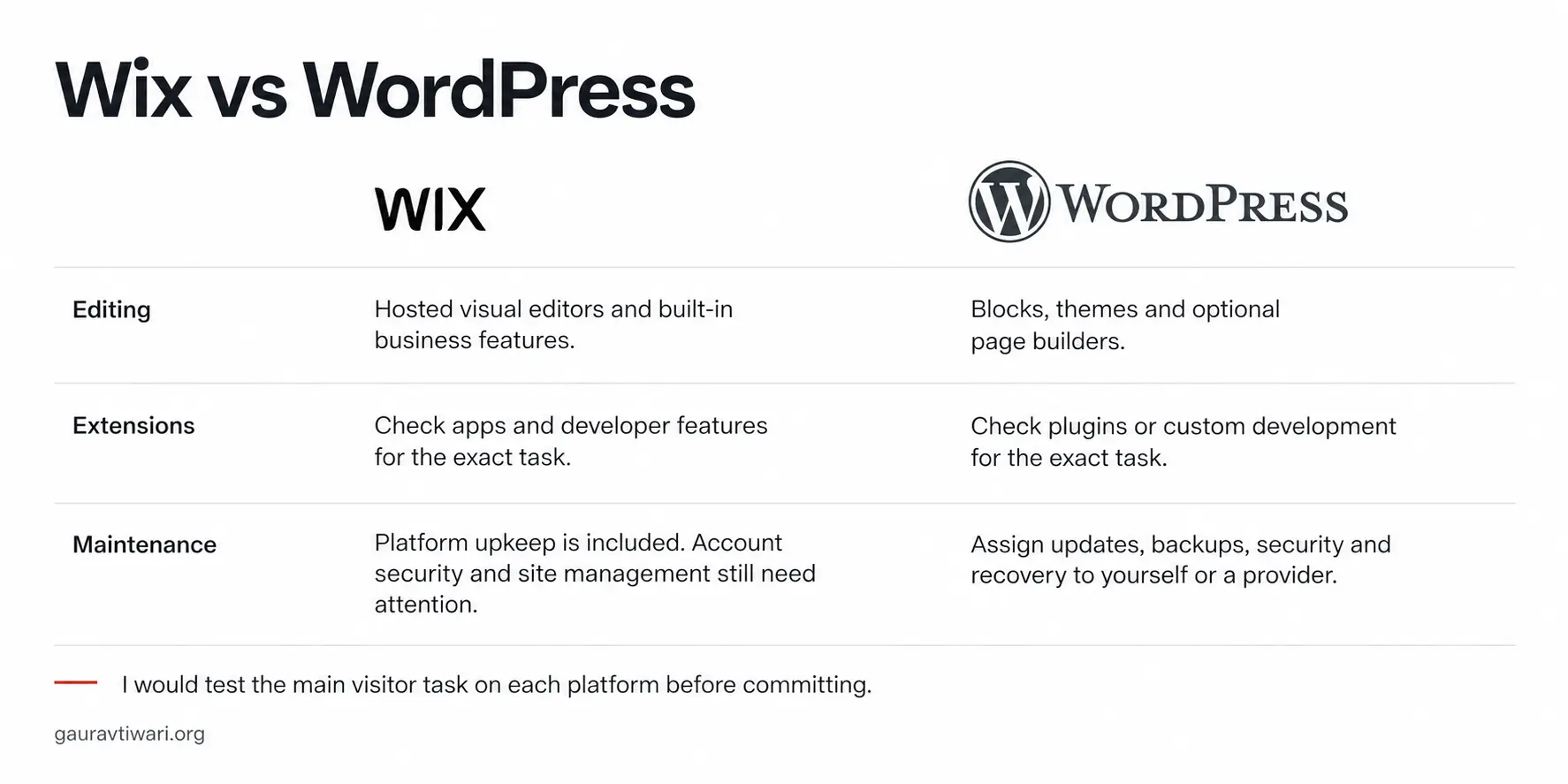
This is the pair most people are deciding between, and the gap between them is the widest. Wix is easier in the first month, and WordPress is easier to live with in the years after it.
Ownership and leaving. A WordPress site is a folder of files and a database, and you can copy both to another host, so the worst outcome of a bad host or a price rise is a migration. A Wix site can’t be exported as a site. Wix exports supported CMS collections as CSV and the domain can move, but Wix Blog has no native export to other platforms and every page you designed stays behind, so leaving Wix means rebuilding. That single fact should weigh more than any feature in this section.
Design and editing. Wix lets a beginner drag anything anywhere, which is why people love the first hour and fight the mobile layout in the third month. Wix Studio fixes much of that for people who work like designers. WordPress edits in blocks inside a theme, which feels more constrained on day 1 and stays tidy on day 400, and page builders or block libraries add the drag-and-drop layer for people who want it.
Features. The Wix App Market has more than 800 apps, all reviewed by Wix before they go live. WordPress has tens of thousands of plugins of very mixed quality, and the freedom to write your own. For a site whose feature list is known and ordinary, Wix’s catalog is enough. For a site that will need a membership area, a course, a custom content type or an integration nobody built an app for, WordPress is the one where custom code can fill the gap.
SEO and speed. The line that Wix is bad for SEO is years out of date. Wix covers titles, descriptions, redirects, canonicals, structured data and sitemaps, and a small business site ranks on Wix as well as anywhere. The difference is depth: WordPress lets you shape URL structures, schema, performance and multilingual setups exactly, which starts to matter past a few hundred pages. Speed is a draw at the small end and a WordPress advantage for anyone willing to choose hosting and a theme with care.
Maintenance. Wix carries the hosting, updates and security of the platform, and you still look after the account, your content and your integrations. WordPress hands you updates, backups and security, and a neglected WordPress site is far more likely to get hacked than a neglected Wix site. Managed WordPress hosts take most of that on for a monthly fee, which is the fair comparison to make against a Wix plan.
Wix should be chosen over WordPress when the owner won’t maintain anything and the site’s needs are ordinary. WordPress should be chosen over Wix when the site is the business, when content is the product or when you can’t yet name every feature it will need. A blog belongs on WordPress, and so does anything you’d be upset to rebuild.
Wix vs Squarespace
These two are the same kind of thing, hosted builders that carry the maintenance for you, so the decision comes down to temperament. Wix gives you more to do, and Squarespace makes it harder to do something ugly.
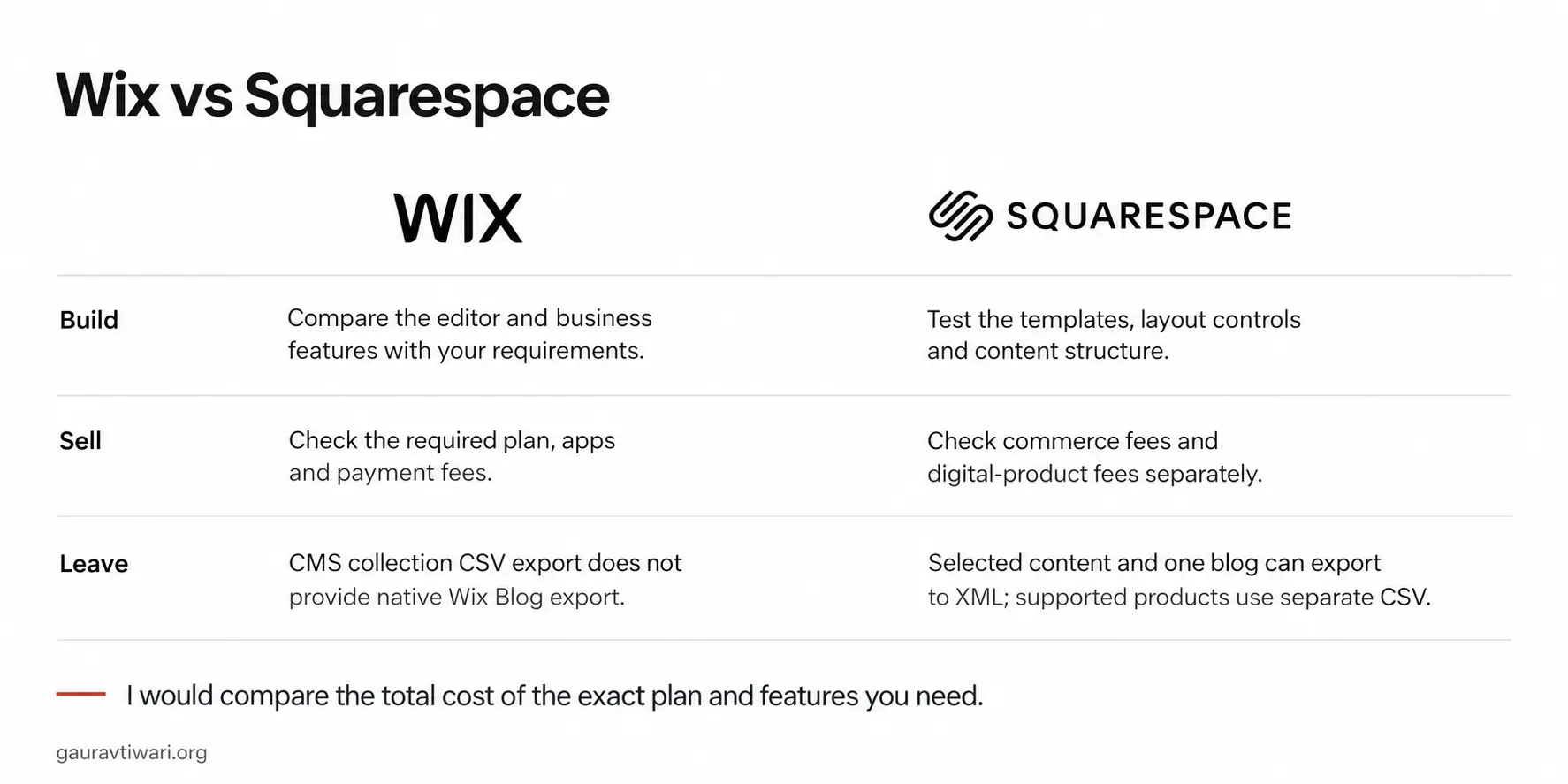
Design. Squarespace’s templates are the best-looking defaults of the three, and its grid editor keeps a non-designer’s work looking designed. Wix’s freeform editor gives more control and more rope, and the result depends on the person holding it. A photographer, a studio or a restaurant is usually happier on Squarespace, and a business with 15 different things to show is usually happier on Wix.
Features. Wix has the larger app market, bookings and events built in, a code platform and a free plan that lets you build before you pay. Squarespace has a smaller extensions catalog and a trial instead of a free plan, but what it includes is finished and consistent. Squarespace has no native multilingual site and relies on a Weglot integration, while Wix has its own Multilingual app.
Selling. Both have stores. Wix takes no platform fee on ordinary product sales, though its Core and Business plans take 4% and 2% on paid subscription plans and event tickets carry a 2.5% service fee. Squarespace’s Basic plan takes 2% of every store sale on top of the payment processor’s fee, and its digital-product fees apply on every plan below Advanced. For a shop that expects real volume, those percentages decide the plan and sometimes the platform.
Leaving. Squarespace exports supported pages and one blog as an XML file that WordPress imports directly, and store products come out separately as CSV, though some page types, blocks and layouts need rebuilding. Wix exports supported collections as CSV and nothing of the pages. If you think you might outgrow either one, Squarespace has the easier exit.
Squarespace should be chosen when the site’s job is to look right and stay simple. Wix should be chosen when the site has a long feature list, sells physical products without a platform fee or when you want to build for free before you decide.
WordPress vs Squarespace
This pair splits along the same line as Wix and WordPress, ownership against convenience, but the convenience on Squarespace comes with better defaults and a cleaner way out.
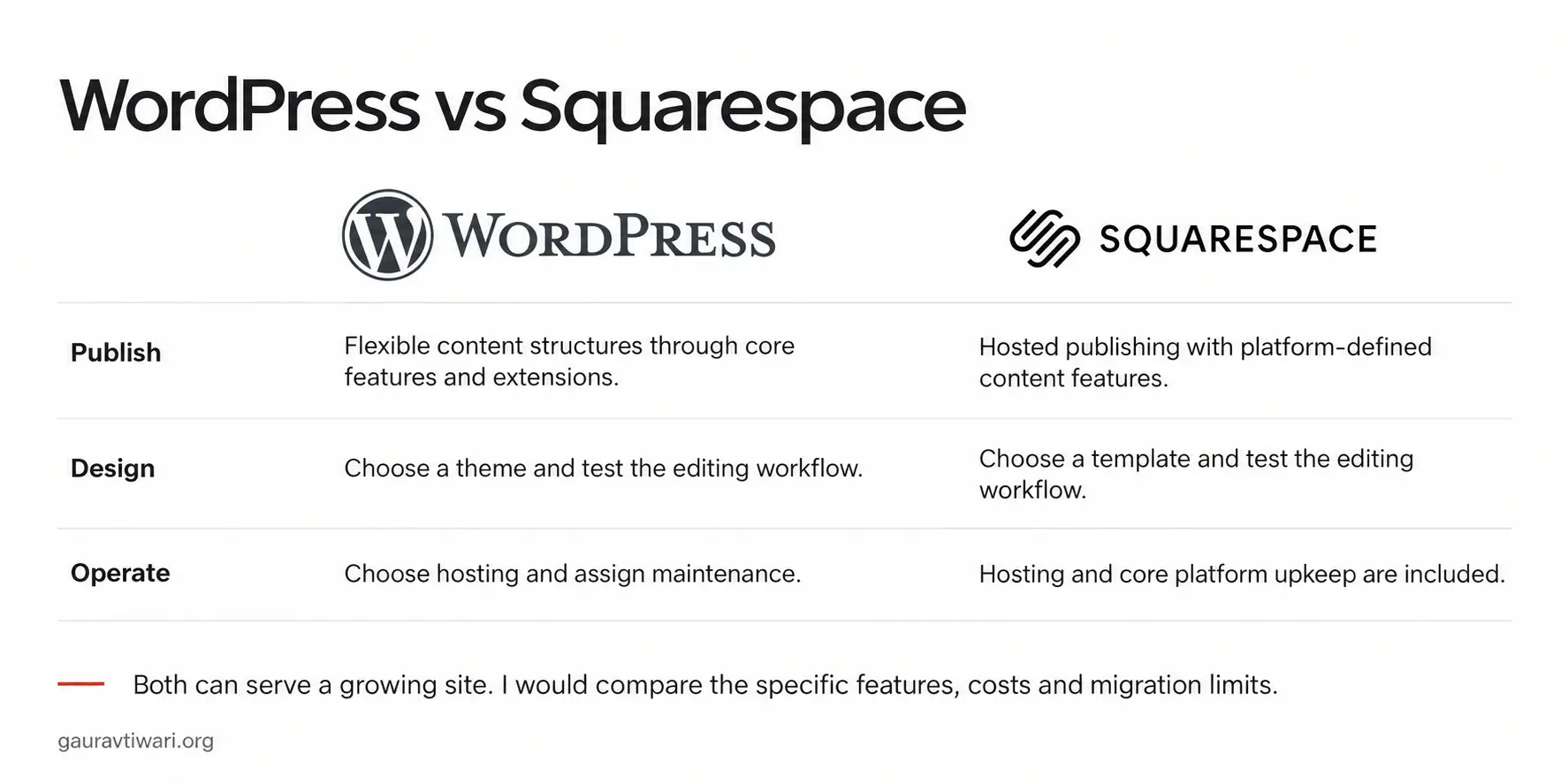
Blogging. WordPress started as blogging software and it still shows: categories and tags with their own archives, revisions, scheduling, custom post types and a plugin for every editorial habit. Squarespace’s blog is good for a studio that posts twice a month and thin for a publisher, with a fixed prefix on post URLs and less control over archives and taxonomy.
Design. Squarespace’s defaults beat most WordPress themes out of the box, and a non-designer gets a finished look faster there than anywhere. WordPress can reach the same place with a good theme and go past it with a designer, but it doesn’t start there.
Selling. WooCommerce on WordPress is free, takes no cut of sales and extends to almost anything, at the cost of being a system you run. Squarespace Commerce is built in and finished, and the fee line is the number to check before choosing it for a shop: 2% of store sales on Basic, plus a fee on digital products and memberships on every plan below Advanced.
Ownership and maintenance. The same trade as before: WordPress is yours to move and yours to maintain, while Squarespace is theirs to run and yours to leave with an XML file. For a site that will stay small and good-looking, the trade favors Squarespace. For a site that will grow, it favors WordPress.
WordPress should be chosen when content, growth or an unusual feature is the point. Squarespace should be chosen when the look is the point and the site will stay the size it launched at.
What It Costs Over 3 Years
Prices change too often to print, so the useful thing is the shape of the bill on each platform, which changes far less. The chooser has a worksheet where you fill in the current numbers:
- Wix: a monthly plan, cheaper on annual billing, with online payments from the Core plan up. The free plan is a sandbox and not a business site, because it shows Wix ads on a Wix subdomain. Most yearly plans include a free domain for the first year, as long as it’s a new domain bought through Wix, and it then renews at the going rate.
- Squarespace: a monthly plan with no free option, cheaper on annual billing, plus a percentage of store sales on the Basic plan and of digital-product sales on every plan below Advanced. The domain follows the same first-year-free pattern.
- WordPress: hosting, a domain and optionally a premium theme or plugins. Shared hosting starts at a few dollars a month and is enough for a new site, while managed hosting costs about what a mid-tier builder plan does and removes most of the maintenance. The software itself never costs anything.
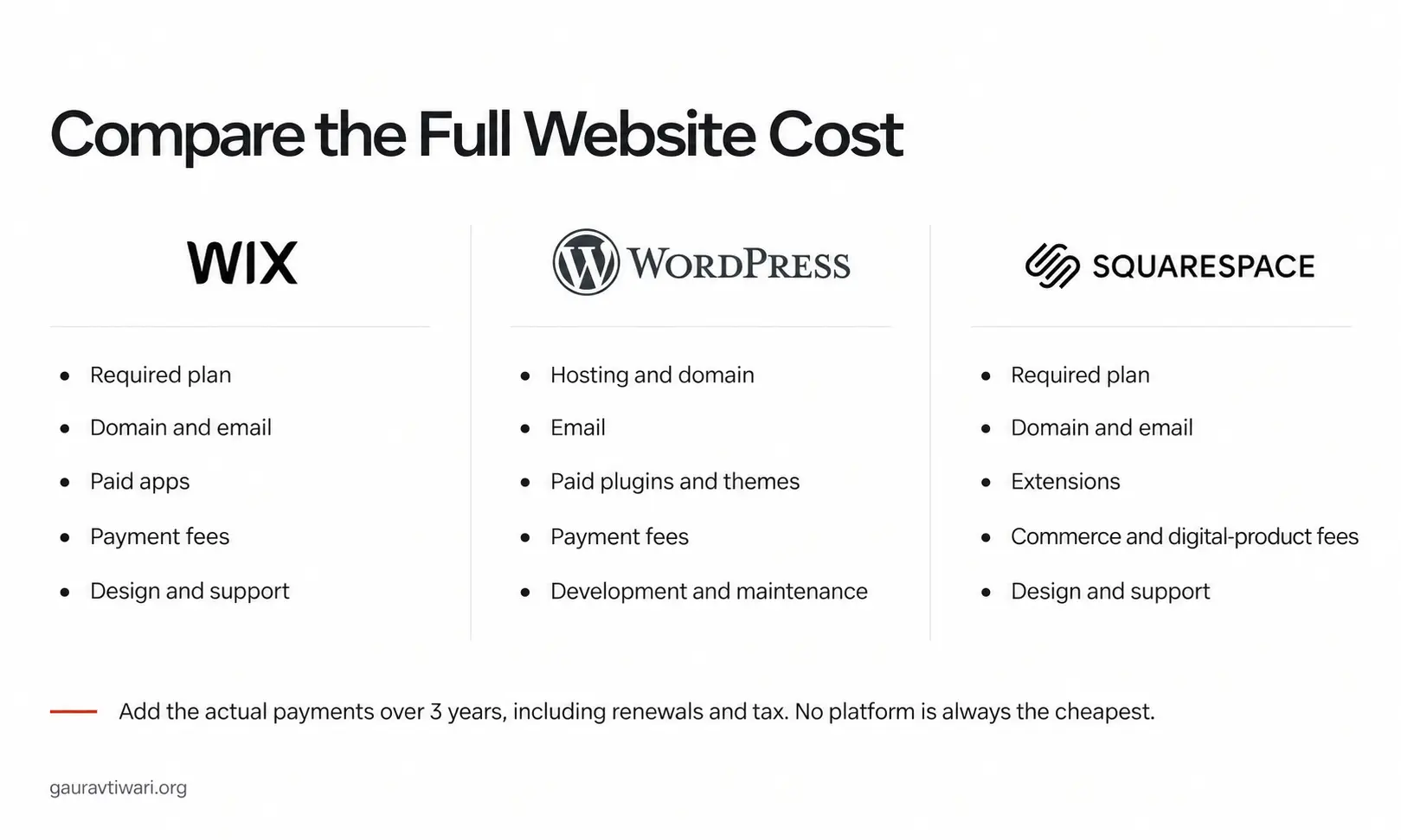
Over 3 years, WordPress on shared hosting is usually the cheapest of the three, and the gap widens as the site grows, because you can shop for hosting while the builders can only raise the plan. The 2 numbers to compare are what each one renews at, since the free domain and any hosting discount end after the first term, and the platform’s cut of sales if you sell anything.
For a first WordPress site, an entry plan from Hostinger with a free theme such as GeneratePress is the cheapest serious setup. A managed host such as Cloudways is the fair comparison to a paid builder plan once the site earns its keep. The one setup to avoid is the cheapest host with 40 plugins and no backups, which is where WordPress gets its reputation for trouble.
Moving Between Them
The exit is part of the decision, so I want to lay out what each platform hands back when you go:
- Leaving WordPress: a host migration copies the files and database as they are, and the built-in exporter gives an XML of all content for a move to another WordPress install. Nothing needs rebuilding.
- Leaving Squarespace: the XML export carries supported pages and one blog, which WordPress imports in one step, and store products export separately as CSV. Some page types, blocks, styles and layouts don’t come along and get rebuilt by hand. The domain transfers once unlocked.
- Leaving Wix: export supported CMS collections as CSV, download the media separately and rebuild every page on the new platform. Wix Blog has no native export to other platforms, so posts move by hand or with a migration service. The domain transfers and the design doesn’t.
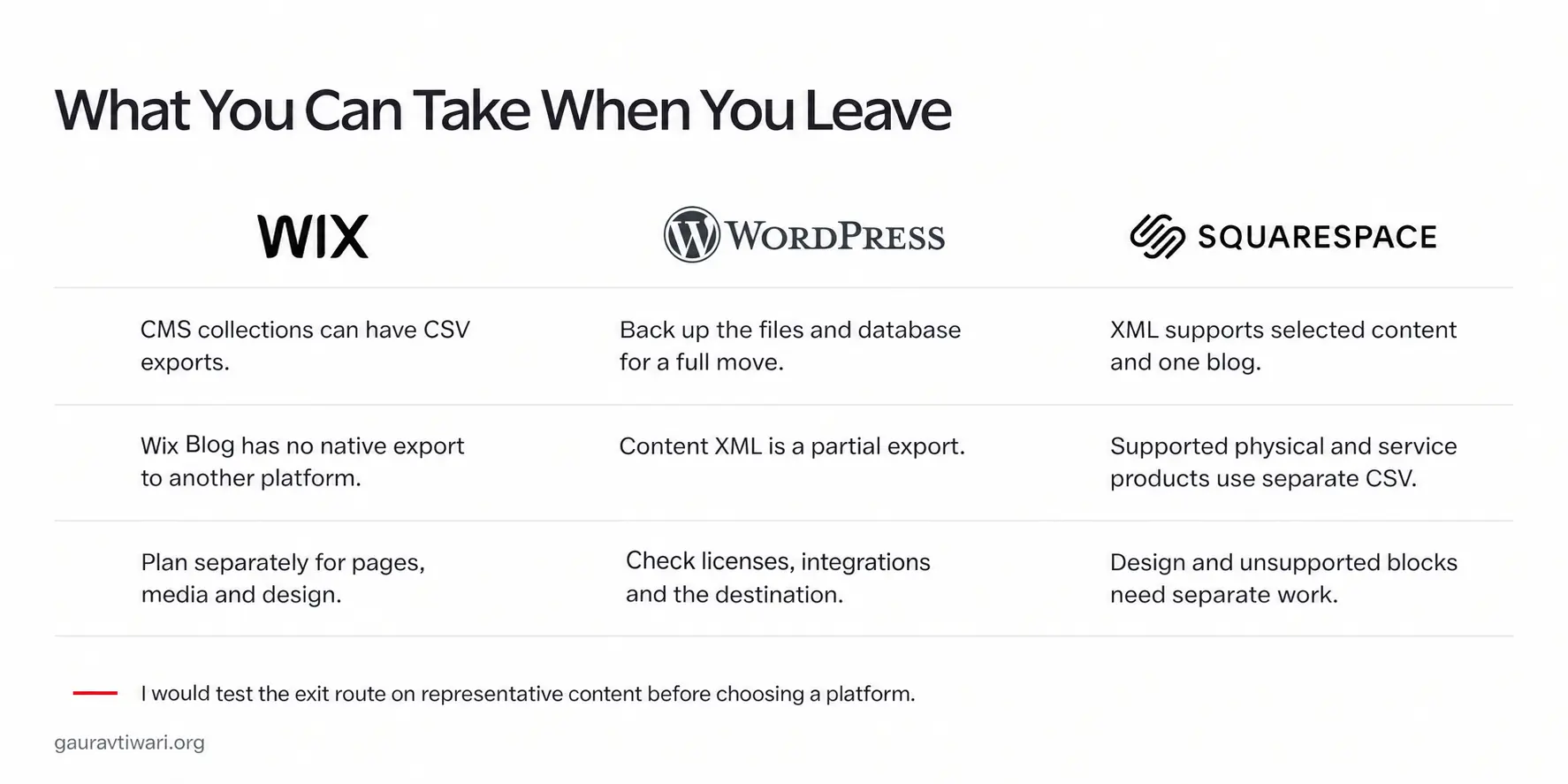
A move from either builder to WordPress is common and the tools for it are mature. A move in the other direction is rare, because people who leave WordPress usually do it for the maintenance, and a managed host solves that without giving up the files.
Which Should You Choose
The question that decides it is what the site has to do in 2 years and who will be looking after it. Start there and the path is short:
- Pick WordPress if the site is a blog or a content business, if you’ll sell more than a handful of products, if you can name a feature the builders don’t offer or if being unable to leave would hurt. Accept the maintenance, or pay a managed host to carry it.
- Pick Wix if the owner isn’t technical, the site needs to be live within days, it needs bookings, events or a small store, and its feature list is ordinary and known. Accept that leaving means rebuilding.
- Pick Squarespace if the look is most of the job, the structure will stay simple and you want a finished result without a designer. Accept the smaller catalog, and work out the fees on what you sell before choosing it for a shop.
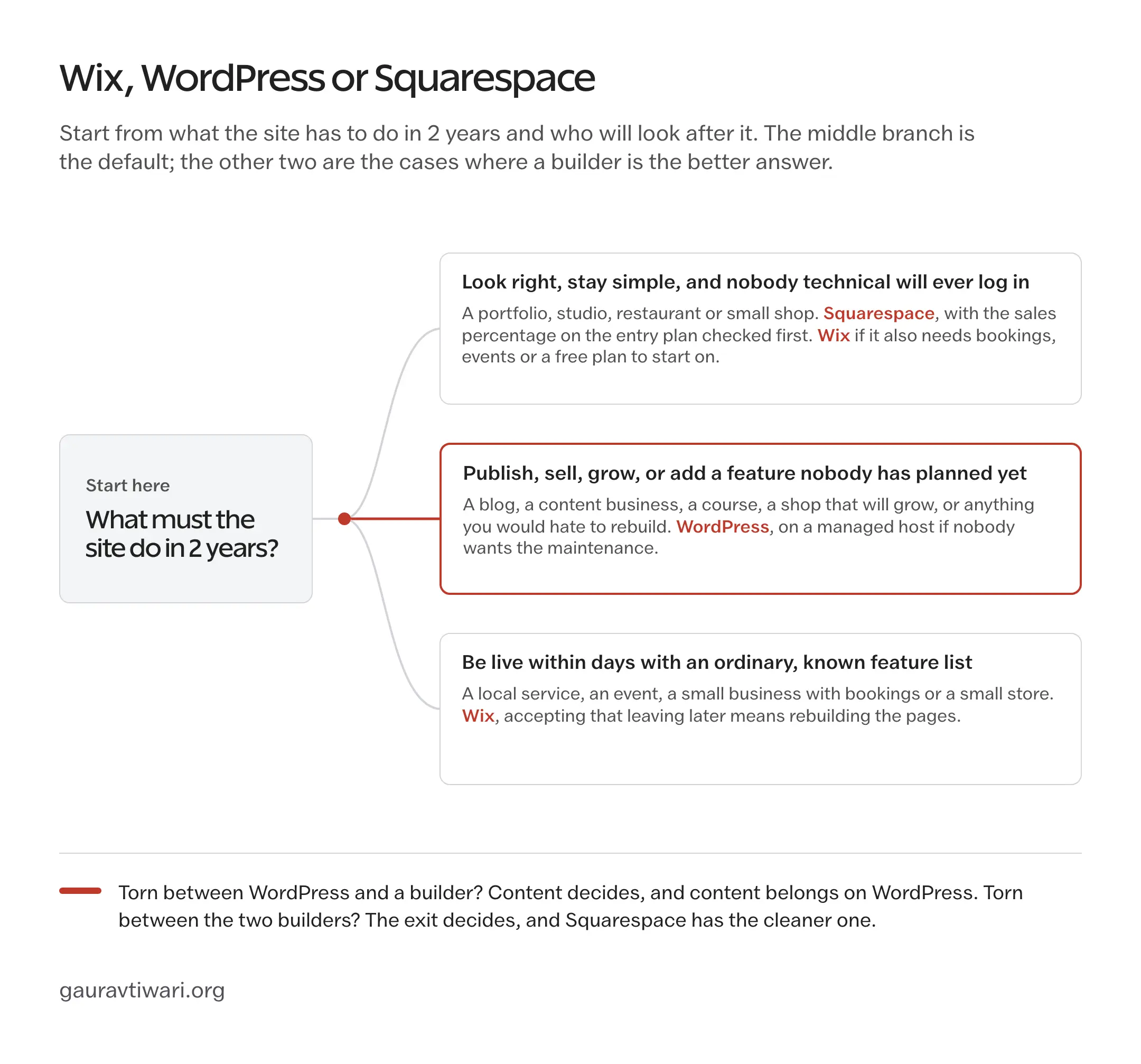
If you’re torn between WordPress and a builder, the tie-break is content. A site that will publish regularly belongs on WordPress, and my guide to how to start a blog walks through the setup from the domain onward. If you’re torn between the two builders, the tie-break is the exit, and Squarespace has the cleaner one.
The Limits
This comparison covers the three platforms most people are deciding between and leaves out the ones they compare against next: Webflow and Framer for designers, Shopify for stores and Ghost for pure publishing. The comparison of Webflow or Wix covers the first of those.
This site runs on WordPress, so the WordPress judgments come from running it. The Wix and Squarespace judgments come from their documentation, published plans and export policies, and I’d build one real page on each with your own content before paying.
Plan names, tier limits and the fees each builder charges on sales change every year or two, which is why none of them is printed here and why the chooser leaves the price boxes blank for you to fill in on the day. And none of the three fixes a site nobody updates. The platform decides how hard growth will be, and the owner decides whether there is any.
What Quietly Ruins the Decision
The platform choices that go wrong usually go wrong in one of these ways:
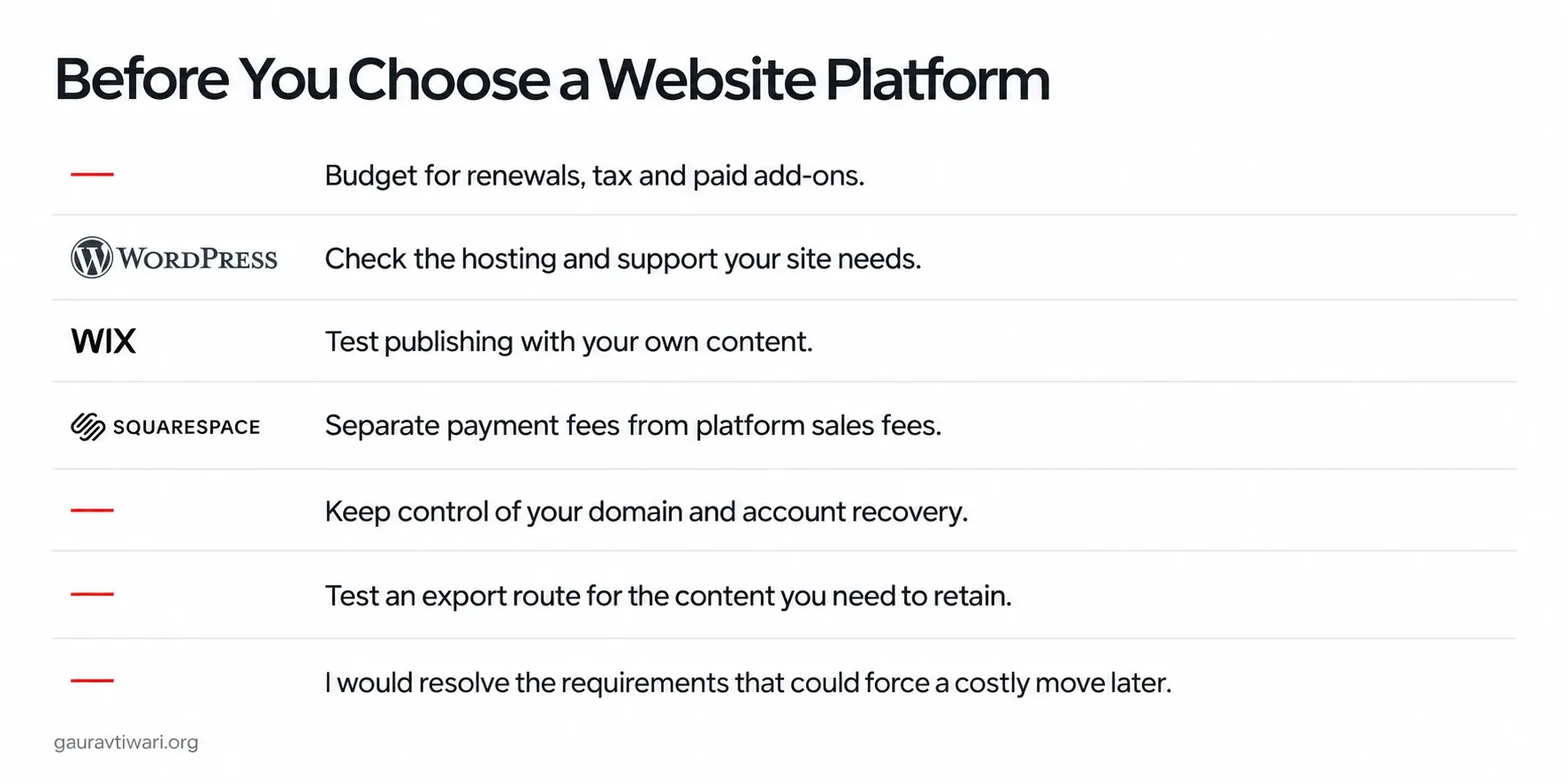
- Choosing by the first-year price. WordPress hosts discount the first term and both builders throw in a free domain for a year, so the site gets picked on a number that disappears before it has an audience.
- Choosing WordPress and the cheapest possible host. The savings are real for a month, and then the site is slow, the backups don’t exist and the first plugin conflict has nobody to call, which is how WordPress gets blamed for a hosting decision.
- Choosing Wix for a site that will publish weekly. The first 30 posts go in easily, and by the 200th the post URL prefix, the thin archive controls and the missing blog export have turned a blog into a hostage.
- Choosing Squarespace for a growing shop without reading the fee line. The Basic plan’s 2% is small in the first month and a second hosting bill by the time the shop is working, and digital products carry their own fee on every plan below Advanced.
- Buying the domain from the platform. It’s convenient, and it makes leaving one step harder, when a registrar of your own would hold it and hand it to any host.
- Deciding for the site you have today. Every one of these is chosen at launch, when the site is 5 pages and nobody has needs, and paid for in year 2, when it’s 60 pages and everybody does.
FAQs on Wix vs WordPress vs Squarespace
Is Wix better than WordPress?
For a small business site with ordinary needs and an owner who won’t maintain anything, Wix is the easier choice. For a blog, a content business or any site that will grow into features you can’t name yet, WordPress is better, because you own the files and can move hosts. The trade is maintenance: WordPress needs updates and backups, or a managed host that handles them.
Is Wix or Squarespace better for a small business?
Squarespace suits a small business whose site mainly has to look good and stay simple, such as a studio, a restaurant or a portfolio. Wix suits one with a longer feature list, such as bookings, events or a store, and it has a free plan to build on before you pay. Squarespace has the cleaner exit if you ever move to WordPress.
Can I move my Wix site to WordPress?
Yes, but you’ll rebuild it. Wix can’t export a site, and Wix Blog has no native export to other platforms. Supported CMS collections export as CSV and media downloads folder by folder, so plan the content move, the new design and the domain transfer as separate jobs.
Can I move my Squarespace site to WordPress?
Yes, with limits. Squarespace’s XML export carries supported pages and one blog, which WordPress imports directly, and store products export separately as CSV. Index pages, audio, video and product blocks and custom CSS don’t come along, so check the images after import before cancelling the old site.
Which is cheapest over 3 years?
WordPress on shared hosting is usually the cheapest, because hosting starts at a few dollars a month and the software is free. Paid themes, plugins or a managed host narrow the gap. Compare renewal prices rather than first-term offers, and add each builder’s cut of sales if you sell anything.
Which is best for SEO?
A small business site can rank on any of the three. Wix and Squarespace cover titles, descriptions, redirects, sitemaps and structured data. WordPress gives you deeper control over URLs, schema, performance and multilingual setups, which starts to matter past a few hundred pages.
Final Remarks
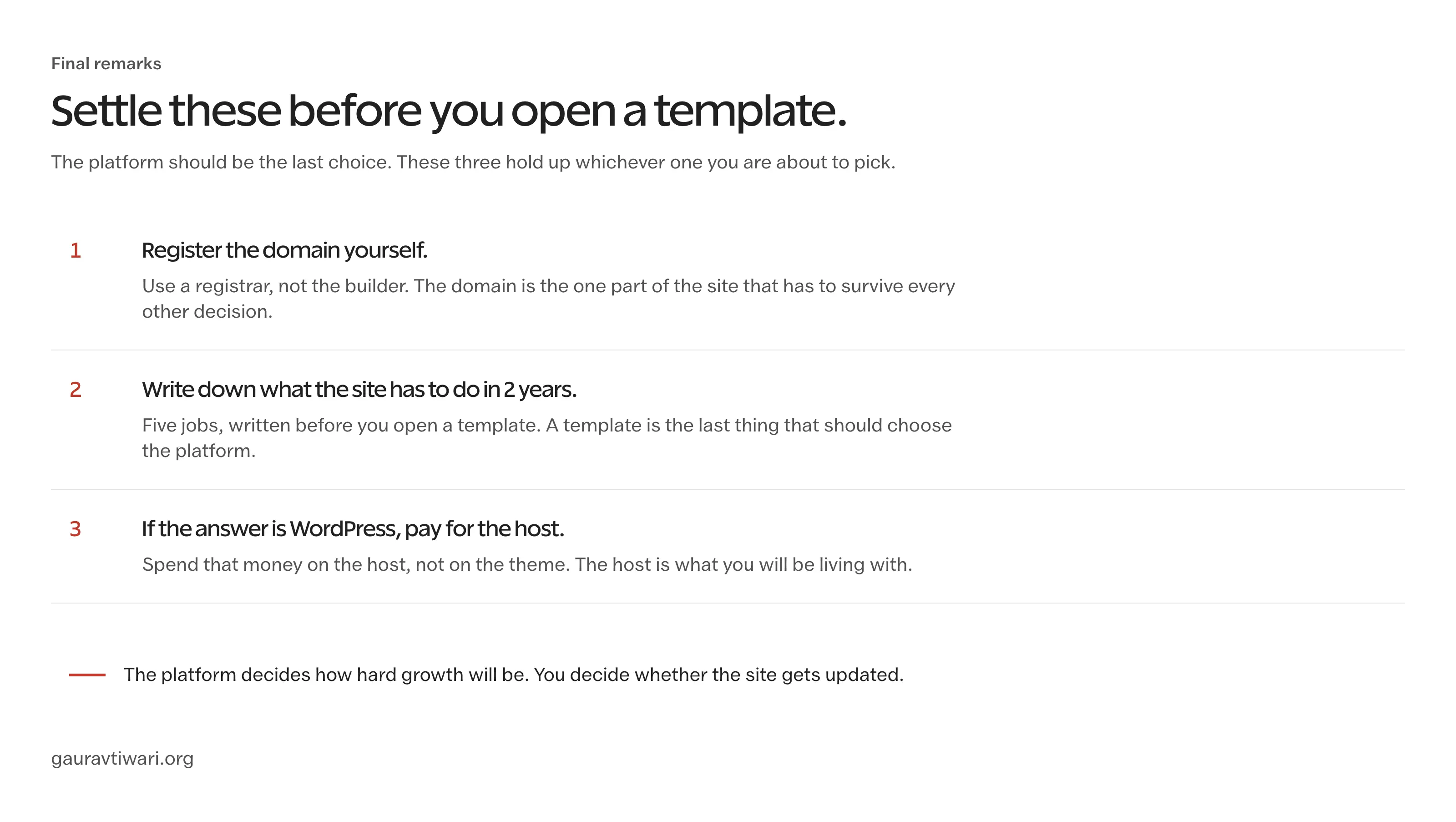
The three aren’t three versions of one thing, and the exit route is where the decision lives. Before you pick, I’d do three things in this order:
- Register the domain yourself at a registrar, because it’s the one part of the site that must survive every other decision.
- Write down the 5 things the site has to do in 2 years before you look at a single template, since a template is the last thing that should choose a platform for you.
- If the answer is WordPress, spend the money on the host before the theme, because the host is what you’ll live with every day.
The chooser turns those questions into a score and leaves the price boxes for you to fill in on the day, so keep it until the site is live.
Tell Google you want more of this.
Add Gaurav Tiwari as a preferred sourceOne tap, and this site shows up more often in your own Top Stories, AI Overviews and AI Mode. Remove it any time.
Disclaimer: This site is reader-supported. If you buy through some links, I may earn a small commission at no extra cost to you. I only recommend tools I trust and would use myself. Your support helps keep gauravtiwari.org free and focused on real-world advice. Thanks. - Gaurav Tiwari