
Tools, Status and WP-CLI Commands
When something doesn’t show up where you expect it, such as a mirrored campaign or a paid reader’s access, the first question is whether MailerHive has run at all. The answer is on one screen.
Newsletter → Settings → Tools & status shows what MailerHive is doing and gives you buttons to run each job now. The same jobs are available in WP-CLI.
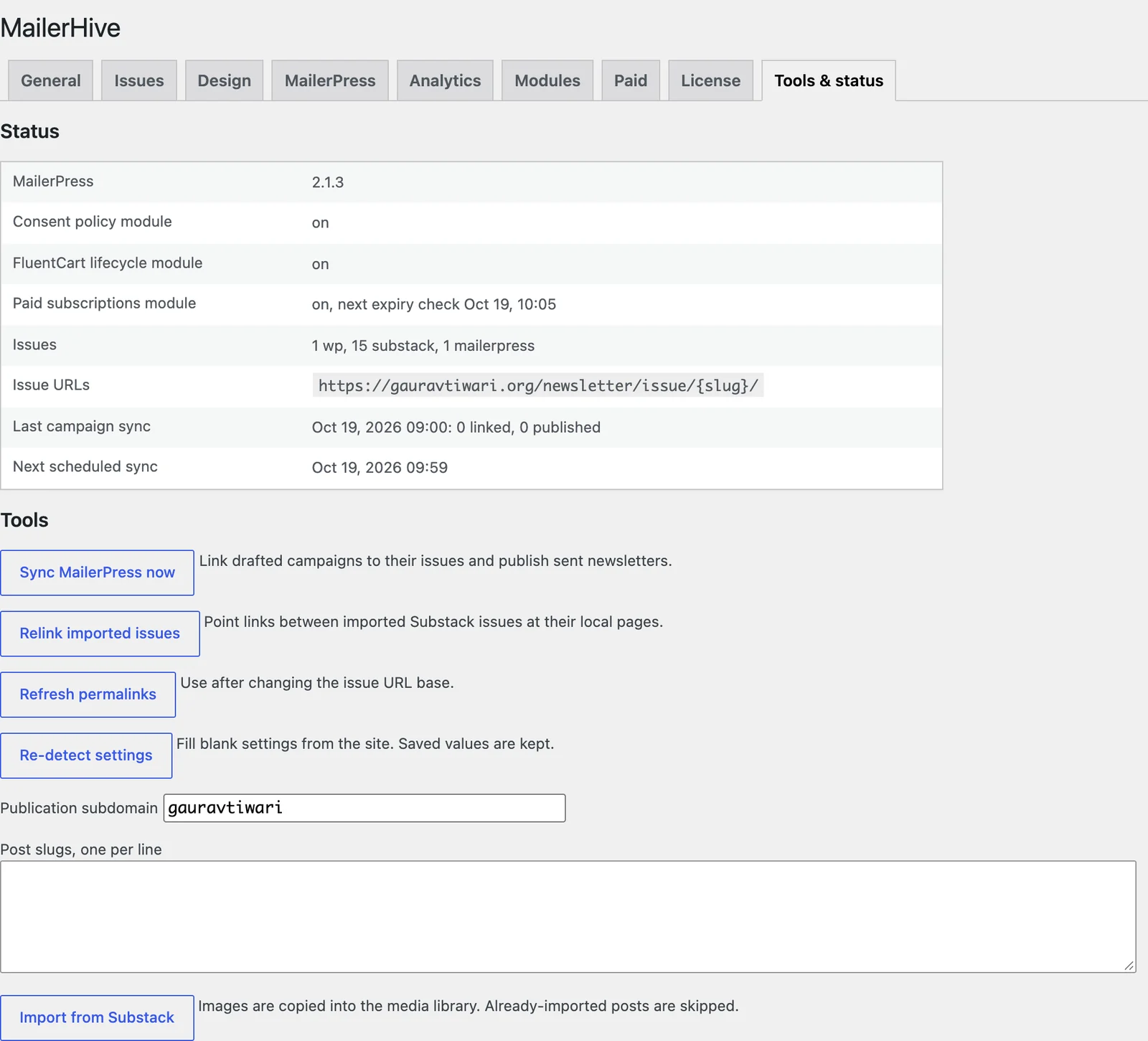
Status
- MailerPress: its version, or “not active”.
- Consent policy module, FluentCart lifecycle module and Paid subscriptions module: “on”, “off” or “loaded from elsewhere”. The paid row also shows the next expiry check.
- Issues: how many issues you have from each source.
- Issue URLs: the address pattern for issues.
- Last campaign sync and Next scheduled sync: when MailerPress was last checked, what it found and when the next check runs.
Tools
- Sync MailerPress now: links drafted campaigns to their issues and publishes sent newsletters.
- Relink imported issues: points links between imported Substack issues at their local pages.
- Refresh permalinks: use it after changing the issue URL base, or when issue pages return 404.
- Re-detect settings: fills blank settings from the site and keeps every saved value.
- Import from Substack: covered in importing from Substack.
WP-CLI Commands
| Command | What it does |
|---|---|
wp mailerhive import-substack <slug>... [--publication=<subdomain>] [--title=<title>] [--slug=<slug>] [--dry-run] | Imports Substack posts as issues, then relinks them |
wp mailerhive relink | Rewrites links between imported Substack issues |
wp mailerhive import-campaign <campaign_id> [--title=<title>] [--slug=<slug>] | Publishes 1 MailerPress campaign as an issue, whatever list it went to |
wp mailerhive sync | Links drafted campaigns and mirrors sent newsletters now |
wp mailerhive seed | Fills blank settings from the site |
wp mailerhive paid <action> | Paid member commands, below |
Paid Member Commands
These need the paid subscriptions module on.
| Command | What it does | ||
|---|---|---|---|
| `wp mailerhive paid members [–tier=<key>] [–all] [–format=table\ | csv\ | json]` | Lists members with their email, tier, mode, status, source, start and end. Active only unless --all |
wp mailerhive paid reconcile [<customer_id>] | Rebuilds 1 FluentCart customer, or everyone | ||
wp mailerhive paid sweep | Runs the hourly expiry check now | ||
wp mailerhive paid grant <email> <tier> [<YYYY-MM-DD>] | Gives access by hand, with no end date unless you add one | ||
wp mailerhive paid revoke <row_id> | Revokes a manual grant. The row ID comes from paid members | ||
wp mailerhive paid access <email> | Shows the highest tier an email can read |
wp mailerhive paid grant reader@example.com paid 2026-12-31
wp mailerhive paid access reader@example.com