
The Archive, RSS Feed and Newsletter Page
A newsletter with no archive asks people to subscribe blind. A visitor who can read 3 past issues first knows what they’re signing up for, and that visitor is more likely to stay subscribed.
MailerHive gives you 3 places for that:
- an archive of every issue
- a feed for readers who prefer RSS
- a newsletter page with the signup form, the plans and recent issues
The Archive
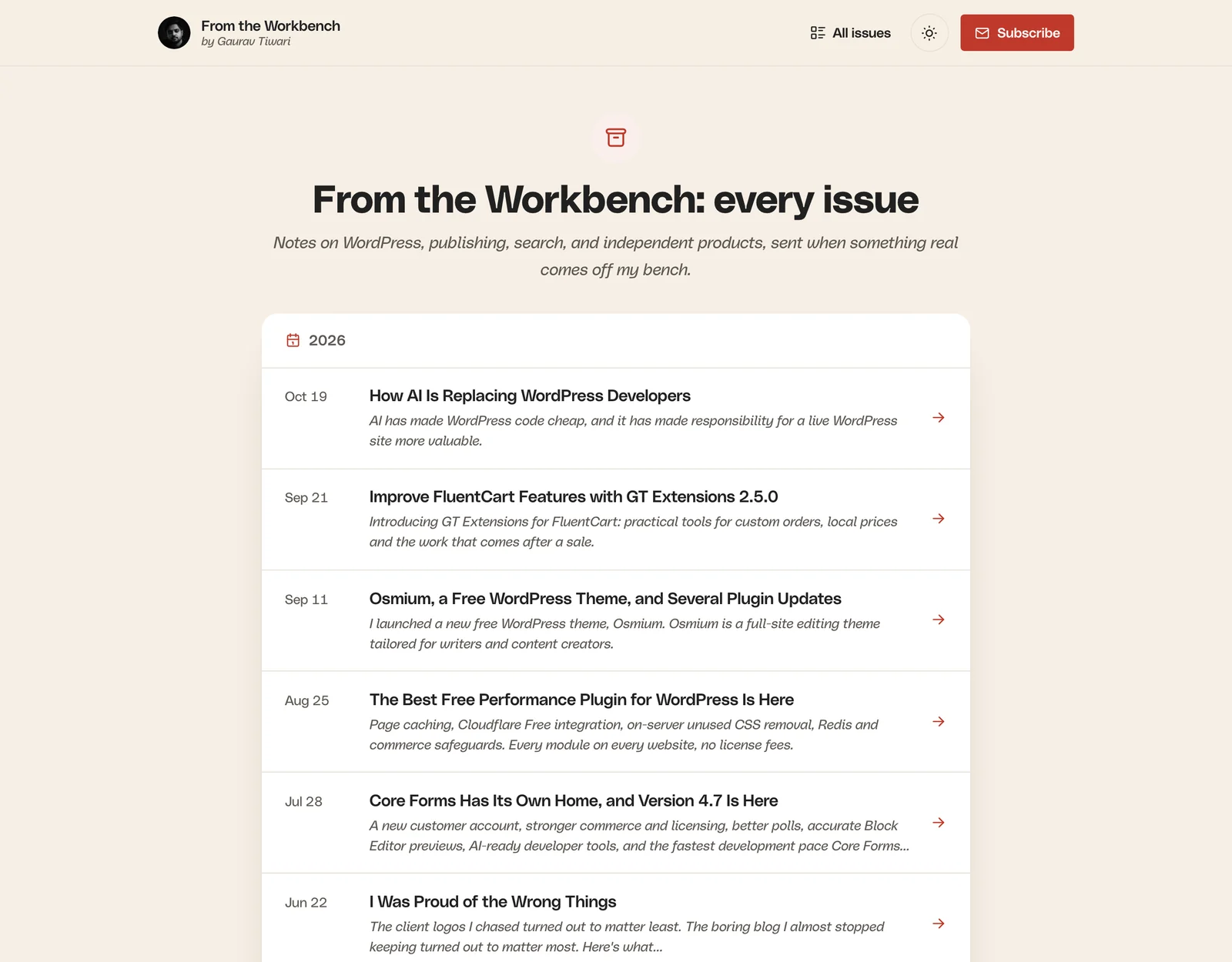
The archive lives at /newsletter/issue/, or at your own Issue URL base. It shows:
- the archive title and intro from the Issues tab
- every published issue, grouped by year, with the date, title and the first 24 words of the subtitle
- Newer and Older links, 24 issues per page
- the subscribe box
Before your first issue, the archive shows “The first issue is on its way.”
The RSS Feed
The feed lives at /newsletter/issue/feed/ and carries every published issue. For a paid issue, it carries only the preview and a “Continue reading” link, for every reader.
The Newsletter Page
Choose your signup page under Newsletter page on the General tab. With Newsletter page switched on under Design, MailerHive renders that page in its own design, in this order:
- A signup card with your avatar, byline, issue count, newsletter name, tagline, form, subscribe facts and a “Read a past issue first” link.
- Your paid plans, when the paid subscriptions module is on and Newsletter page is checked under Plans on the site on the Paid tab.
- Recent issues, 6 by default, with a “See every issue” link. Change the number under Recent issues on the newsletter page on the Design tab.
- The page’s own content, shown as a reading card. Leave the page empty to skip it.
- A closing Subscribe button with your subscribe heading, when a form is set.
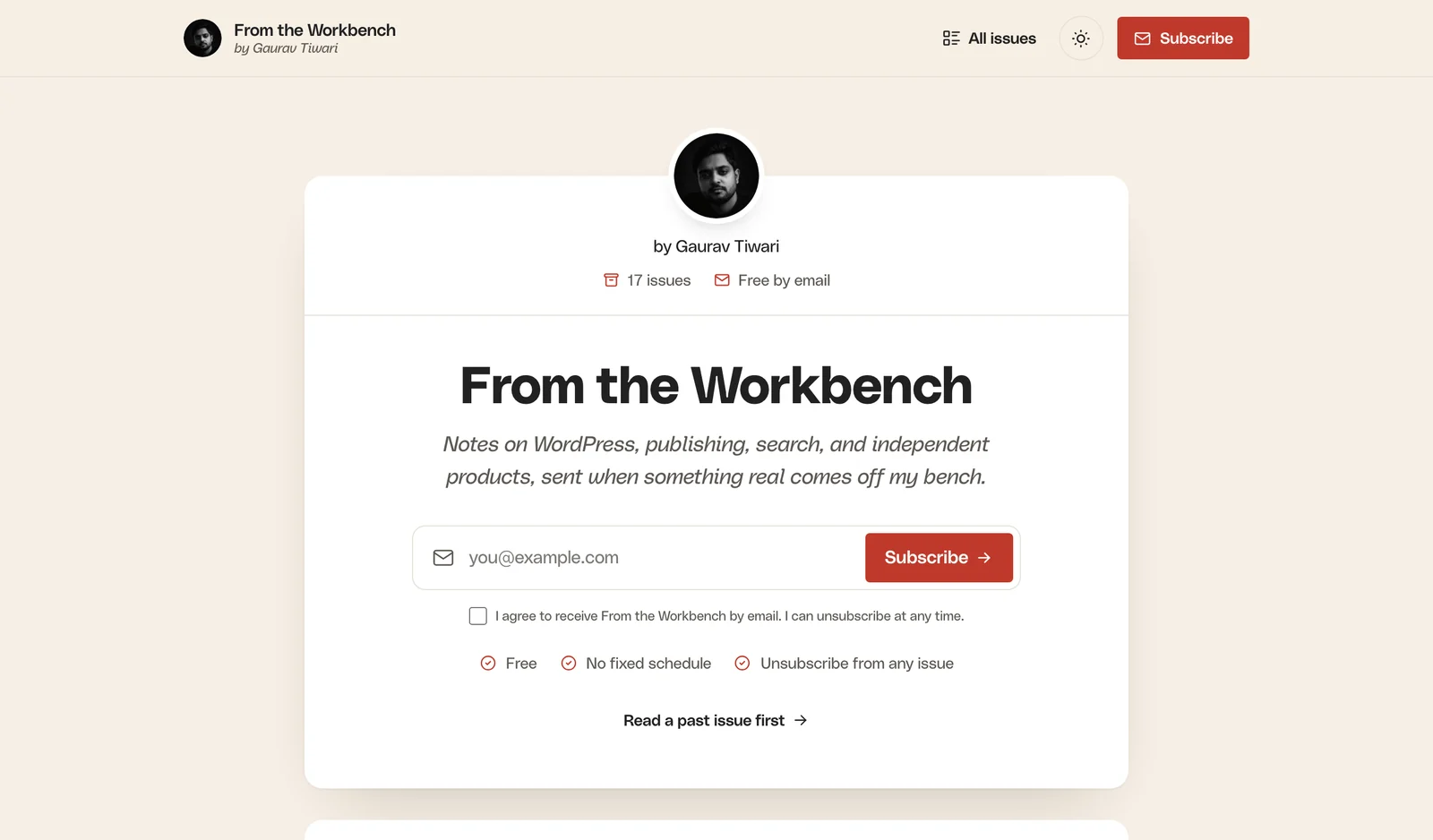
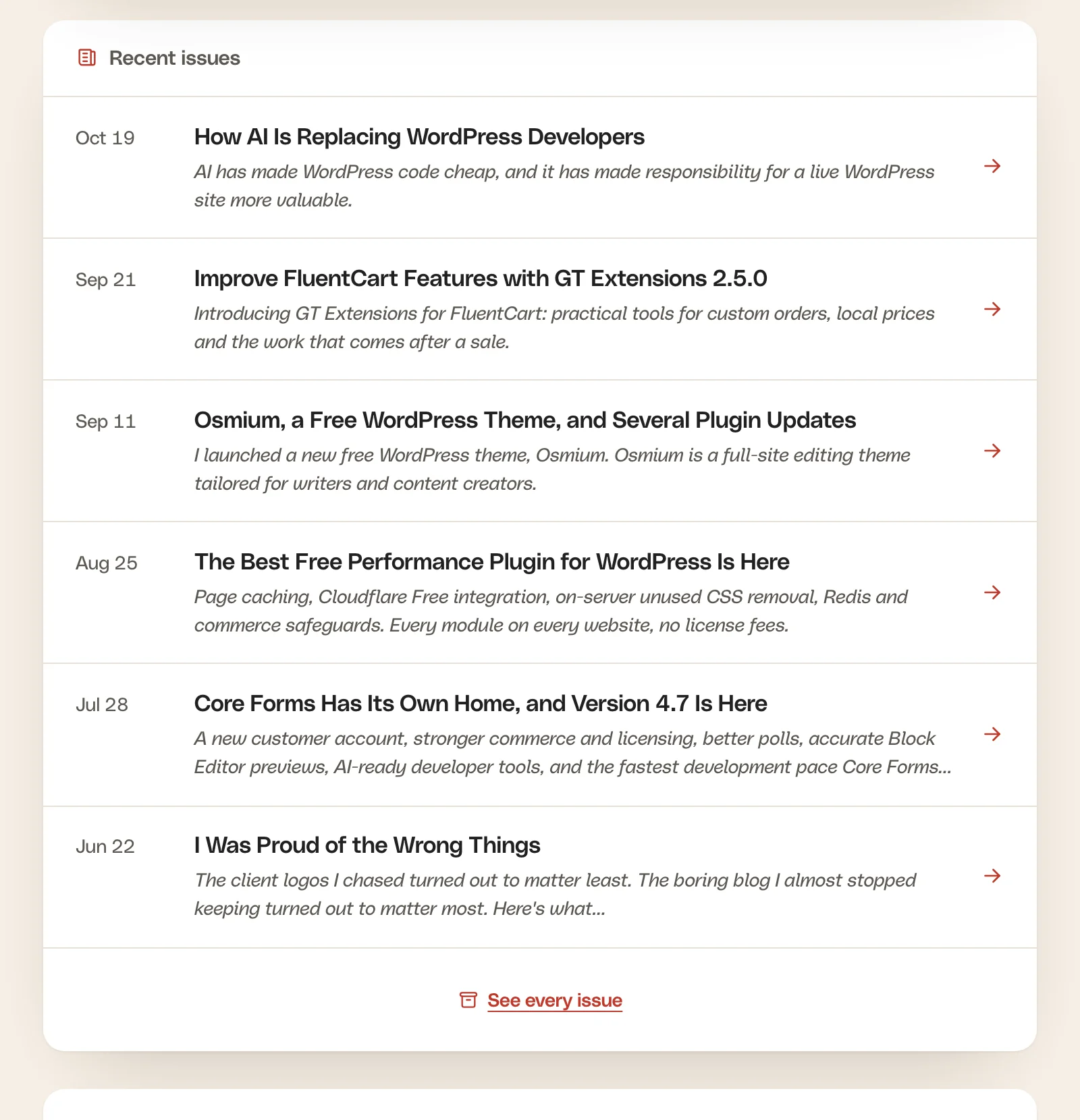
The page’s own template setting is ignored while the MailerHive design is on. Switch it off under Newsletter → Settings → Design to render the page with your theme instead.
List Issues Anywhere
The [mailerhive_issues] shortcode prints the latest issues anywhere on your site:
[mailerhive_issues limit="6"]It prints an ordered list with each issue’s date, title and subtitle, using the classes nl-issues__list and nl-issue. It carries no styling of its own, so your theme’s CSS decides how it looks.