
Issue Pages, Share Links and External Links
An issue page is where a new reader decides whether to subscribe, so what sits around the content matters as much as the content. A page that ends without a signup box or a way to the next issue loses that reader the moment they finish reading.
The Issues tab controls everything around the body of an issue: its address, the subscribe box, the links to other issues, share links and how outbound links behave. Go to Newsletter → Settings → Issues.
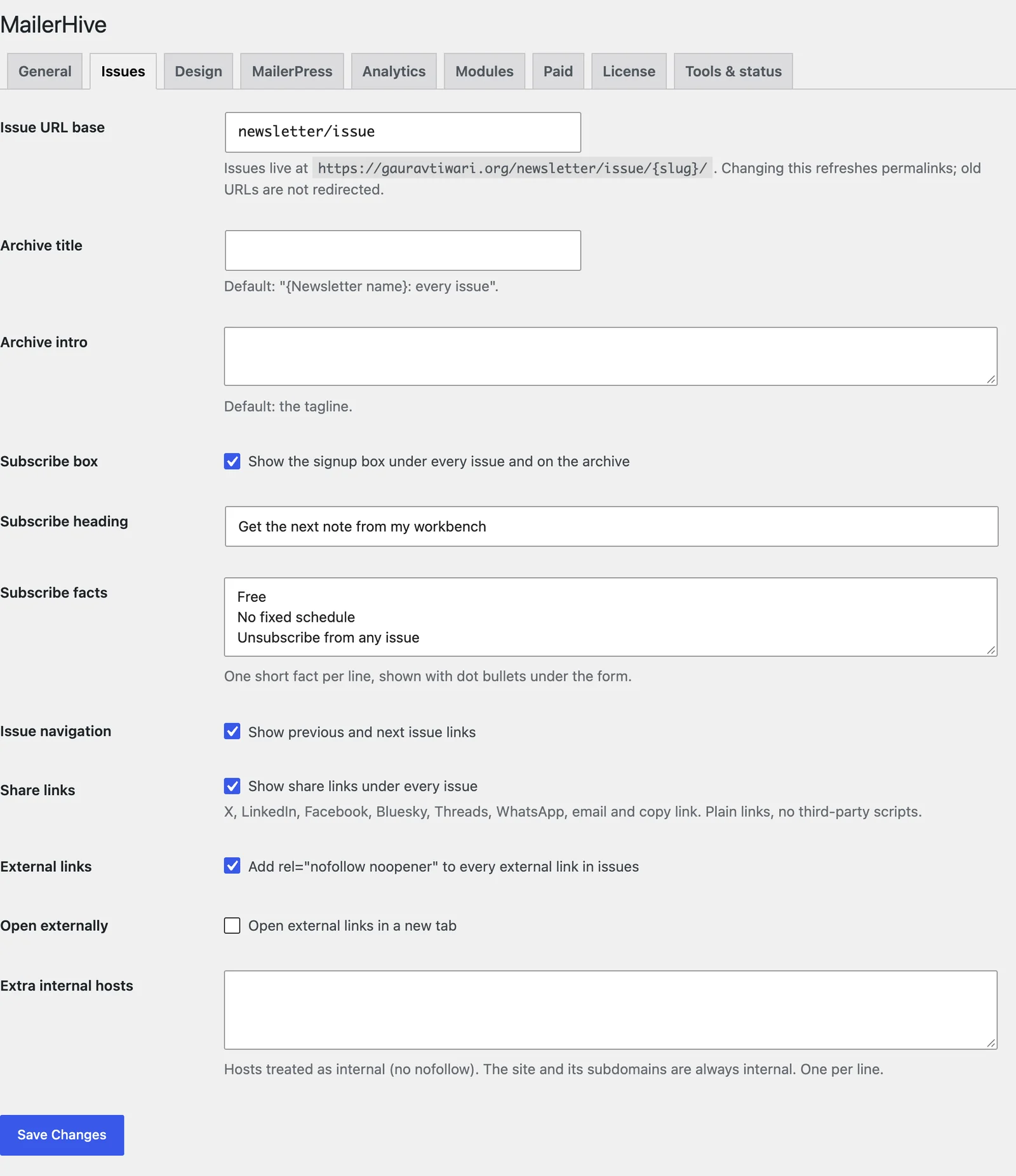
Issue Tab Settings
| Setting | Default | What it does |
|---|---|---|
| Issue URL base | newsletter/issue | The path before each issue’s slug. Also the archive address |
| Archive title | “{Newsletter name}: every issue” | The heading on the archive |
| Archive intro | Your tagline | The line under the archive heading |
| Subscribe box | On | The signup box under every issue and on the archive |
| Subscribe heading | “Get the next issue” | The subscribe box heading |
| Subscribe facts | Free, No fixed schedule, Unsubscribe anytime | One short fact per line, shown with dot bullets under the form |
| Issue navigation | On | Previous and next issue links |
| Share links | On | The share bar at the end of every issue |
| External links | On | Adds rel="nofollow noopener" to external links in issues |
| Open externally | Off | Opens external links in a new tab |
| Extra internal hosts | Empty | Hosts treated as your own, one per line |
Changing the Issue URL base refreshes permalinks, and old issue addresses aren’t redirected. Change it before you publish, or add redirects with your redirect plugin.
What a Reader Sees
From top to bottom, an issue page shows:
- the header with your logo or avatar, the newsletter name and the Subscribe button
- your avatar and sender line, the date and the reading time
- the title, the subtitle and the body
- the share bar
- links to the previous and next issue, by publish date
- the subscribe box
Reading time assumes 230 words a minute, with 1 minute as the minimum. It counts words separated by spaces in Latin script, so an issue written in Hindi or another non-Latin script usually shows “1 min read”.
Share Links

The share bar offers X, LinkedIn, Facebook, Bluesky, Threads, WhatsApp, email and a copy link button. Each button is a plain link to that network’s share page, so no third-party script loads on your issue pages and nothing tracks your readers.
- Network links open in a new tab. The email button opens the reader’s mail app with the title as the subject and the link as the body.
- Copy link copies the issue address and confirms with “Link copied”. It’s hidden in browsers that don’t allow copying from a page.
- To remove, reorder or add networks, use the
mailerhive_share_networksfilter in hooks and filters.
External Links
A link counts as external when it points to a host other than your site, its subdomains or the hosts you list under Extra internal hosts. Relative links, # anchors, mailto: and tel: links are never touched.
- noopener is added to every external link.
- nofollow is added when External links is on.
- target=”_blank” is added when Open externally is on.
Values already in a link’s rel attribute stay. The rules apply to issue pages only, not to the emails.