
Analytics and Extra Head Tags
Theme isolation keeps your theme’s scripts off MailerHive pages, and that includes any tracking code your theme adds. Without a replacement, your analytics stop counting issue page visits the day you install MailerHive.
The Analytics tab adds tracking back to MailerHive pages only. Go to Newsletter → Settings → Analytics.
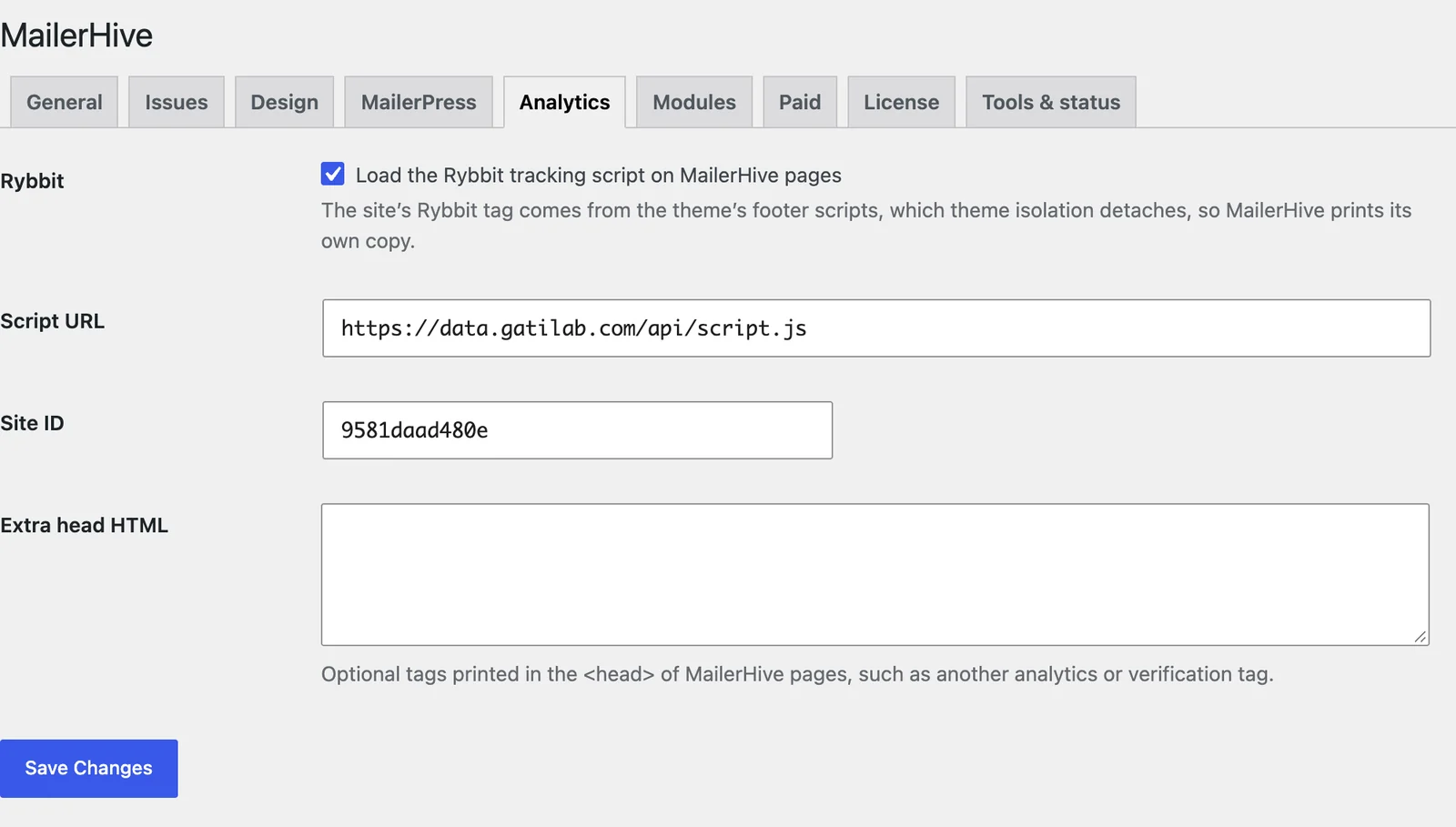
Rybbit
- Rybbit: loads the Rybbit tracking script on MailerHive pages.
- Script URL: your Rybbit
script.jsaddress. - Site ID: your Rybbit site ID.
With Marketers Delight, MailerHive copies both values from the theme’s header or footer scripts when it’s activated.
Extra Head HTML
Extra head HTML prints any tags you add in the <head> of MailerHive pages, such as another analytics script or a site verification tag. Only administrators who can post unfiltered HTML can save scripts here.
What Still Loads Without This
Your SEO plugin’s titles, meta descriptions, canonical links and structured data still load on MailerHive pages, because isolation removes only what your theme adds. Tracking that comes from a plugin, rather than your theme, keeps working as well.