
 by
by
Are you planning to buy a new drawing tablet during the Black Friday 2024 sales? If yes, then you are in just the right place!
In this article, I have listed some of the best drawing tablet Black Friday deals that are live now.
Table of Contents
Why Drawing Tablets?
Drawing tablets or graphics tablets are excellent tools for artists because they enable you to sketch and draw using a stylus and touchscreen, which converts your scribbles into digital art that you can view and edit on your computer. The pen tool is the ultimate and most precise tool for drawing paths. You will have much greater and finer control (pressure control, angle control) once you dial in the pen pressure settings on whatever software you use.
Also, using a drawing tablet can help reduce the risk of carpal tunnel syndrome or repetitive strain injuries (RSI). In addition, playing games with a drawing tablet gives you better flexibility and faster movement than a mouse because you can bend your wrist much more quickly and save time when doing jumps. Also, the wide compatibility of drawing or graphics tablets makes them ideal for developing pre-recorded videos and lectures in addition to real-time learning.
Also see: 10 Best Pen Tablets for Online Teaching
In this article, I have listed the best early drawing tablet Black Friday deals presently available.
Best drawing tablet Black Friday deals

Let us go through my picks for the best early drawing tablet Black Friday deals for you to grab right now.
| Tablet | Type | Best for | Approx. price |
|---|---|---|---|
| Wacom Intuos Small | Pen tablet | Beginners, reliability | $69.95 |
| UGEE M708 | Pen tablet | Large area on a budget | $49.99 |
| HUION H610 | Pen tablet | Value with tilt support | $49.99 |
| XOPPOX | Pen tablet | All-in-one starter kit | $45.99 |
| VEIKK A30 V2 | Pen tablet | Gesture touch pad | $44.99 |
| LetSketch | Pen tablet | Ultra-budget / gift | $35.99 |
| Artisul M0610 Pro | Pen tablet | Mechanical dial control | $79.99 |
| Frunsi T11 Pro | Standalone | Drawing without a PC | $189.99 |
| Xencelabs Medium | Pen tablet | Premium pro pen feel | $359.99 |
| GAOMON PD156 Pro | Screen tablet | Drawing on the display | $329.00 |
Wacom Intuos Small Graphics Drawing Tablet
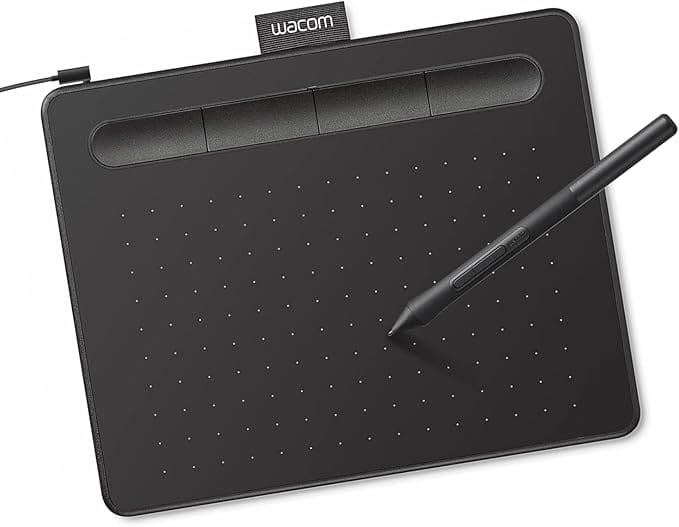
Wacom Intuos Small Graphics Tablet
- Industry-standard Wacom drivers
- Battery-free pressure pen
- 4 customizable ExpressKeys
- Compatible with Chromebook, Mac, Windows
Wacom is currently the only drawing tablet certified to work with Chromebook for students, teachers and creators. Being easy to use and set up for any project, the Wacom Intuos is a beginner-friendly option. It features four ExpressKeys that you can customize to fit your style. In addition, the tablet comes with an ergonomic EMR 4096 pressure-sensitive battery-free pen that is light, responsive and easy to control.
You can register your Wacom Intuos on your computer to receive subscriptions for Bluescape (3 months), Skylum Luminar Neo (3 months), Skillshare (3 months), Clip Studio Paint Pro (2 years), and Boris FX Optics (12 months). You can also try Corel Painter Essentials 8 & Corel AfterShot Pro 3 for 90 days. In addition, registering with your Chromebook will get you a Clip Studio Paint Pro subscription for 3 months.
Ugee M708 Graphics Drawing Tablet
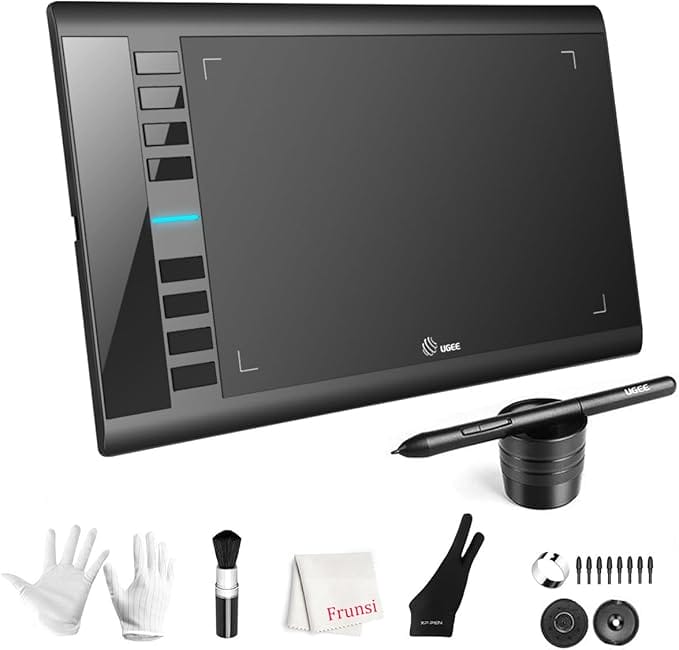
UGEE M708 Graphics Drawing Tablet
- Large 10 x 6 inch active area
- Battery-free 8192-level pen
- 8 customizable express keys
- Great value for the size
The Ugee M708 V3 graphic drawing tablet offers ample drawing space (10 x 6 inches) and provides a smooth, no-lag sketching/painting experience for your digital artwork creation. In addition, it features a passive stylus technology that offers 8192 levels of pressure sensitivity, allowing you to draw precise lines of any weight and opacity according to the pressure you apply to the pen. For example, you can draw sharper lines with light and thick lines with hard pressure.
The tablet is compatible with multiple creative software such as Adobe Photoshop, Comic Studio, Illustrator, Autodesk Maya, 3D Max, Macromedia Flash, SAI, Infinite Stratos, and Pixologic ZBrush. In addition, it has eight customizable express keys to improve the artist’s productivity and efficiency. It is an ideal product for professional artists, newbie designers, and amateur hobbyists.
Huion H610 Pro V2 Graphic Drawing Tablet
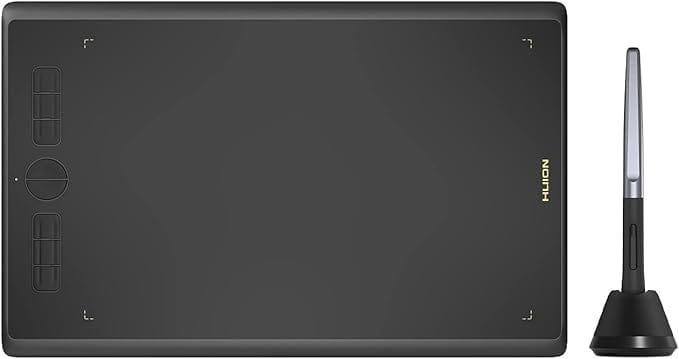
HUION H610 Graphic Drawing Tablet
- Tilt-support battery-free pen
- Large active drawing area
- Android device support
- Press keys and touch strip
The Huion H610 Pro V2 drawing tablet is compatible with Mac OS (10.12 and above), Microsoft Windows (7 and above), and Android devices. After updating the firmware, you can easily connect your phone to the tablet using the OTG connector. However, it currently supports only mobile phones and tablets powered by Android 6.0 or above, while iPhones and iPads are incompatible.
It features an innovative Tilt Control System to provide more accurate cursor positioning and better pressure detection with different angles. It also comes with Huion’s new state-of-the-art, battery-free stylus, which has 8192 levels of pressure sensitivity to provide a smoother and more natural drawing experience.
The tablet is an excellent choice for online teaching and helps you meet all your needs for every subject with online tutoring software such as Microsoft PowerPoint, Word, and OneNote.
Xoppox Graphics Drawing Tablet
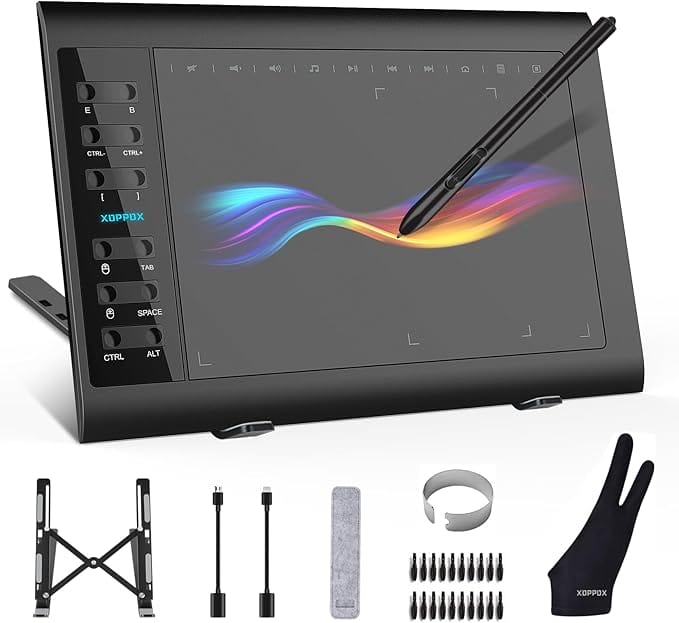
XOPPOX Graphics Drawing Tablet Bundle
- Complete beginner bundle
- 10 x 6 inch active area
- Laptop stand and glove included
- 8192-level battery-free pen
The Xoppox graphics drawing tablet is compatible with Microsoft Windows (XP, 7, 8, and 10), Mac OS (10.7.0 and above), and Android devices (4.4 and above). In addition, the included battery-free pen has 8192 pressure sensitivity levels, allowing you to draw smoother and more natural lines. The packing contains 20 replacement nibs for the pen as well.
The tablet features 12 customizable shortcut keys and 10 multimedia keys to provide more convenience and improve productivity and efficiency. You can set up these keys as shortcuts to tools per your preference. It is readily compatible with office software like Microsoft Word, Excel, and PowerPoint. It is ideal for online teaching, classes, remote work, web conferences, and presentations.
Veikk A30 V2 Drawing Tablet
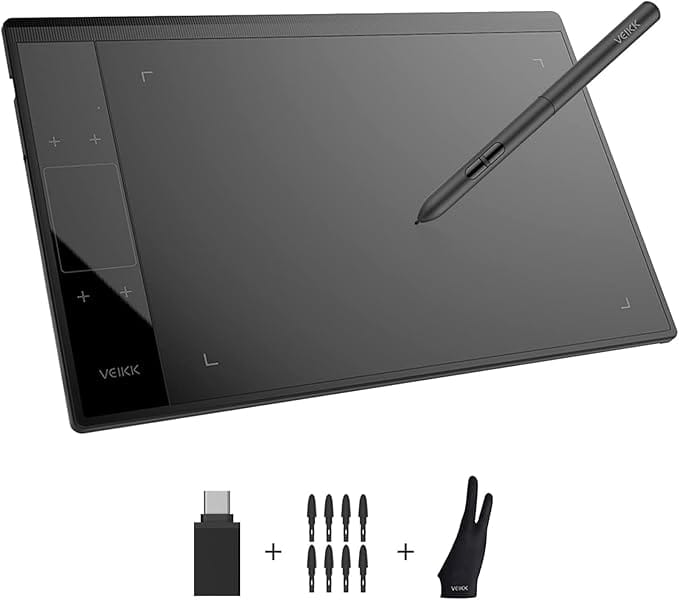
- Built-in gesture touch pad
- Smart-gesture zoom and scroll
- Battery-free 8192-level pen
- Slim, lightweight design
The Veikk A30 V2 drawing tablet excels at drawing, designing, online education, e-signatures, and photo/video editing. It is compatible with Windows, Android, Mac, and Linux OS. It also supports most major painting apps such as Adobe Photoshop, Adobe Illustrator, Corel Painter, Clip Studio, Krita, SAI, SketchBook, MediBang, Zbrush, and Gimp.
The tablet features a unique touchpad with four touch keys and one gesture pad. The battery-free pen provides constant, uninterrupted drawing and eliminates the need to charge. In addition, it has 8192 levels of pressure sensitivity to provide exquisite strokes and improve the quality of your art.
The tablet has a 10 x 6 ultra-large drawing area and a Type-C port design that allows you to plug it in and out in either direction conveniently. It also includes eight extra nibs, a tablet film, and an artist’s glove.
LetSketch Graphics Drawing Tablet
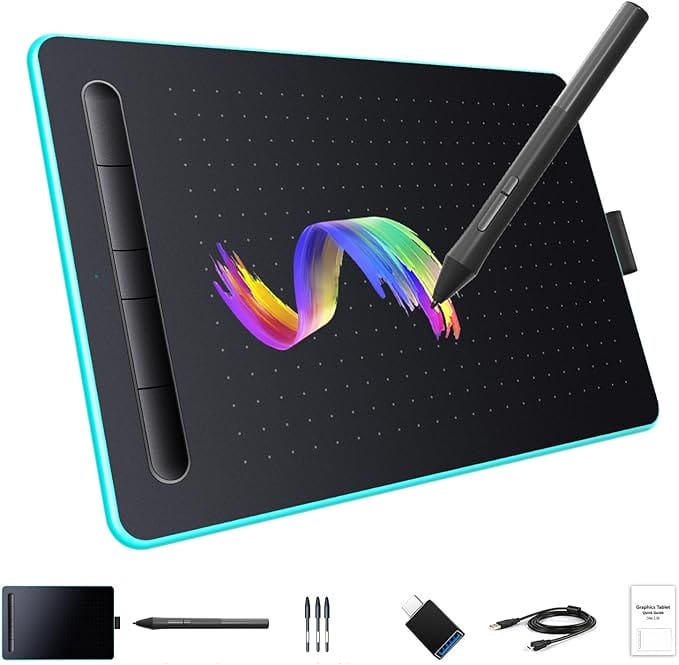
LetSketch Graphics Drawing Tablet
- Lowest price here
- 8192 pressure levels
- RGB-lit edge, fun design
- Full accessory kit included
The LetSketch graphics drawing tablet is an easy-to-use pen tablet that is perfect for children and beginners for drawing, photo-editing, animation, and design work in most programs. It is compatible with Microsoft Windows (7 or above), Mac OS (10.0 or above), and Android devices (6.0 or above, which support the OTG function). It comes with a battery-free pen with an intelligent chip and 8192 levels of pressure sensitivity.
The tablet is large enough (11.7 x 7.5 inches, with the work area being 8.4 x 5.6 inches) to make you feel comfortable while painting. It has five shortcut keys that you can customize to any shortcut combination of your choice, optimizing your workflow. In addition, you can set the tablet to left-handed or right-handed mode, with the right-handed mode being the default setting.
Artisul M0610 Pro Graphics Drawing Tablet
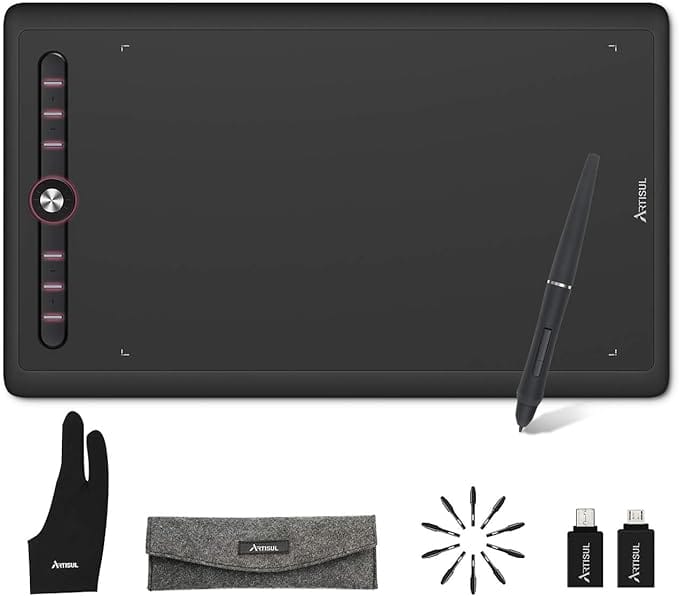
Artisul M0610 Pro Drawing Tablet
- Mechanical control dial
- Premium build quality
- Smooth, accurate tracking
- Comfortable battery-free pen
The Artisul M0610 Pro drawing tablet has a large working area measuring 10 x 6.25 inches. It is only 9mm thick and serves as an ideal canvas for on-the-go creation. It is easy to use and perfect for beginner artists, students, and anime enthusiasts. It is available for both left-handed and right-handed users.
The tablet’s battery-free P58B stylus features 8192 levels of pressure sensitivity and an industry-leading report rate of 300PPS to provide an exquisite drawing experience. Furthermore, it supports a ±60 tilt to accurately depict the effect of shadows like a real pencil, which is an excellent asset for artists. In addition, it supports major painting software such as Adobe Photoshop, SAI, Illustrator, Krita, etc.
Frunsi Standalone Drawing Tablet
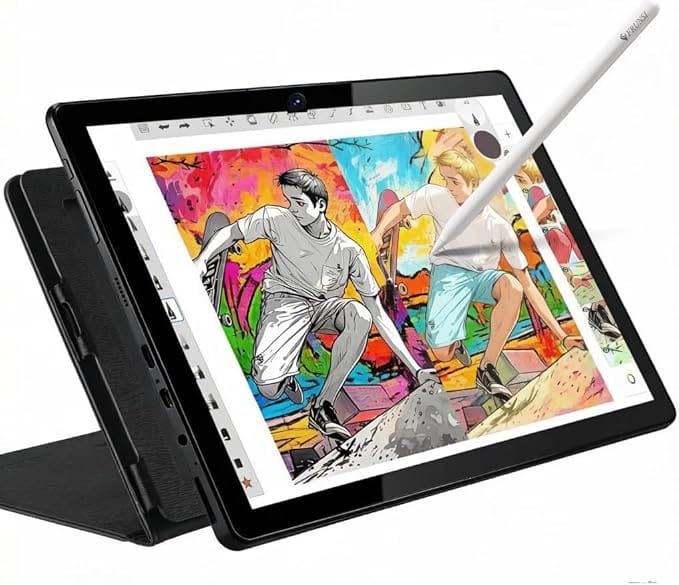
Frunsi T11 Pro Standalone Tablet
- No computer required
- Android tablet with screen
- Pressure-sensitive stylus
- Draw anywhere, fully portable
The Frunsi drawing tablet is a standalone product that breaks down creative barriers by doing away with the need to connect to a laptop or PC. It comes with an Android 11 stylus pen and a pre-installed drawing app for users who want to draw pictures or take notes in the classroom. It is powered by MTK QuadCore CPU chips and includes 4GB of RAM and 64GB of storage space.
The device supports TF card reading up to 128GB to provide enough ample storage for apps and digital drawings. It has an inbuilt 5800mAh battery that can support working for up to 5 hours. In addition, the package includes an adjustable stand case for a better drawing angle and protection.
Xencelabs Drawing Tablet
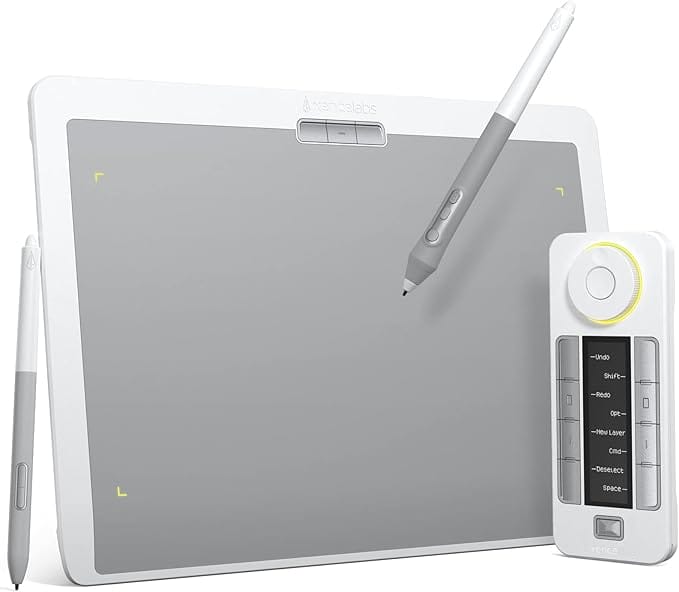
Xencelabs Pen Tablet Medium Bundle
- Two pressure-sensitive pens
- Quick Keys wireless remote
- Class-leading pen feel
- Pro-grade build and accuracy
The Xencelabs drawing tablet comes in an exquisite shade of Nebula White to appeal to give you a much better creating experience. It also has a unique non-slip and wear-resistant surface design that feels reminiscent of a pen to paper. In addition, the device’s excellent craftsmanship and 6.5° gentle slope for wrist protection allow you to draw easily and bring your inspiration to life.
The tablet includes shortcut keys that give you five sets of eight keys – a total of 40 programmable functions per application. It has an OLED display to show you each critical assignment at a glance and offers 30 hours of sustainable working when fully charged. It also comes with two digital pens with 8192 levels of pressure sensitivity and minimal lag to provide optimal precision.
Gaomon PD156 PRO Graphics Drawing Tablet
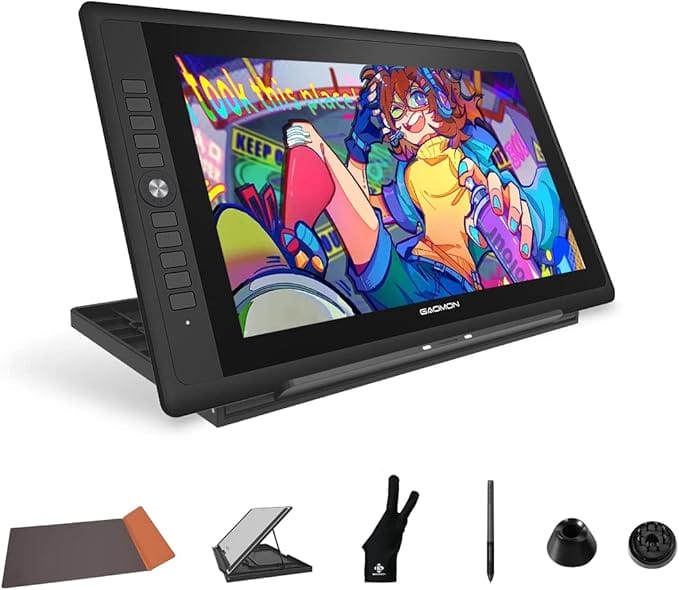
GAOMON PD156 Pro Screen Tablet
- 15.6-inch laminated display
- Draw directly on screen
- Minimal parallax pen feel
- Tilt-support battery-free pen
The Gaomon PD156 drawing tablet features a full-laminated FHD screen that eliminates the air gap between the screen and display layer, bringing down the parallax to the lowest level. The screen offers 16.7 million colors and a 178° viewing angle to produce a vibrant color and consistent picture from every angle. In addition, the tablet has ten express keys that you can customize according to your preferences.
The device comes with an anti-glare, matte AG film that effectively reduces light reflection and simultaneously provides a smooth paper-like drawing experience. In addition, its battery-free AP50 stylus has 8192 levels of pressure sensitivity and a ±60° tilt-support function to help you create more accurate and detailed drawings. The package also includes a pen holder with eight replacement nibs.
How to choose a drawing tablet
Before you chase a Black Friday discount, match the tablet to how you’ll actually draw. A few things matter far more than the marketing numbers.
- Pen tablet vs screen tablet. A pen tablet (like the Wacom Intuos or Huion H610) is a pad you draw on while looking at your monitor. It’s cheaper and great for learning. A screen tablet (like the GAOMON PD156 Pro) lets you draw directly on a display for a natural, paper-like feel, at a higher price.
- Active area. Bigger isn’t always better. A 10 x 6 inch area (UGEE M708) suits full arm strokes and dual monitors; a small area (Wacom Intuos Small) is more portable and easier on the wrist. Match it to your desk and your hand movement.
- Pressure sensitivity. Almost every tablet here offers 8192 levels, which is plenty. What matters more is how natural the pen feels and whether it supports tilt for shading, a feature the Huion and GAOMON include.
- Battery-free pen. Every pen on this list is battery-free (EMR), so you never charge it. This is now standard and a feature you should not give up.
- Software and OS support. Check it works with your computer and your app (Photoshop, Krita, Clip Studio). All of these support Windows and Mac; the Huion and UGEE also work with Android, and the Frunsi is a standalone Android device that needs no computer at all.
- Budget headroom. Black Friday is the time to buy one tier up from what you planned. The discount often closes the gap between a beginner pad and a tablet you won’t outgrow in six months.
Which drawing tablet should you buy?
If you’re new and want zero hassle, the Wacom Intuos Small is the safest first tablet. Want the most drawing area per dollar? The UGEE M708 or HUION H610 are the budget champions, and the XOPPOX bundle throws in every accessory a beginner needs. On the tightest budget, the LetSketch is hard to beat as a gift or first try. Stepping up, the Artisul M0610 Pro adds a premium dial, the Frunsi T11 Pro lets you draw with no computer at all, and the Xencelabs Medium is the pro pen tablet serious illustrators choose. And if you want to draw directly on a screen, the GAOMON PD156 Pro is the best value display tablet here. Buy on Black Friday and you’ll get the best price of the year on any of them.
Frequently asked questions
Is a pen tablet or a screen tablet better for beginners?
For most beginners a pen tablet (like the Wacom Intuos or HUION H610) is the better start. It costs far less, builds the hand-eye coordination that transfers to any tool, and there’s no screen to scratch or calibrate. Screen tablets like the GAOMON PD156 Pro feel more natural because you draw directly on your art, but they cost several times more. Learn on a pen tablet first, then upgrade to a screen tablet once you know you’ll stick with digital art.
Do drawing tablets work with Photoshop, Krita, and Clip Studio?
Yes. Every tablet on this list works with the major art apps, including Photoshop, Krita, Clip Studio Paint, Illustrator, GIMP, and Blender, on both Windows and Mac. Pressure sensitivity and tilt are supported once you install the manufacturer’s driver. The standalone Frunsi T11 Pro runs Android art apps directly. Always install the latest driver from the maker’s website before your first session for the smoothest pen response.
How many pressure levels do I actually need?
Most tablets today, including nearly all on this list, offer 8192 pressure levels, which is far more than the human hand can distinguish. Beyond about 2048 levels the difference is imperceptible in normal drawing. So don’t pay extra chasing a bigger pressure number. What you can actually feel is the pen’s natural weight, whether it supports tilt for shading, and how accurately the cursor tracks near the edges, those matter more than the headline spec.
Are drawing tablets really cheaper on Black Friday?
Yes, Black Friday and Cyber Monday are consistently the best time of year to buy a drawing tablet. Budget pen tablets and mid-range screen tablets routinely drop 20-40%, and bundles add free accessories. Prices start sliding in the week before Black Friday and the best deals sell out fast, so decide which tablet fits your needs in advance and set a price alert rather than waiting until the day.
Final words
Black Friday is one of the most significant annual sales events and offers excellent opportunities for tech enthusiasts to get their hands on much-coveted electronic products at low prices. Be sure to buy only the products that you really need and that too after comparing different products. I hope this article helps you grab a great drawing tablet and nurture your inner artist.