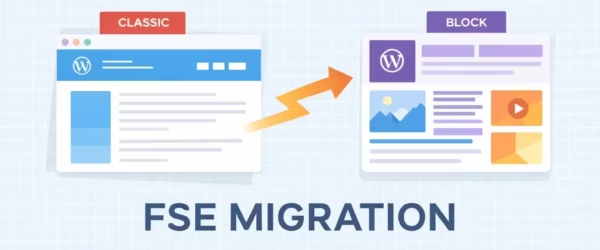
FSE Migration: Switch to Block Themes from Classic Themes
Switching from a classic WordPress theme to a block theme isn't a simple theme swap. It's a fundamental change in…
The WordPress block editor is easiest to maintain when you use core blocks for common content, add a small number of well-supported blocks for real gaps, and reserve custom code for patterns the editor cannot express cleanly. This hub collects my practical Gutenberg, ACF Blocks, Full Site Editing, and block-plugin guides.
The decision is not core blocks versus a page builder in the abstract. It is whether an editor can create the required layout without fragile markup, duplicated controls, or a plugin stack nobody can safely update. Start from the content model, then choose the smallest system that supports it.
A block that saves five minutes today and creates a locked, inaccessible content model tomorrow is not a productivity gain. The guides below favor reusable patterns, clear editor controls, and output that survives routine WordPress maintenance.
Switching from a classic WordPress theme to a block theme isn't a simple theme swap. It's a fundamental change in…
A working Tangible Loops & Logic template library with package checks, compatibility notes, expected output, and failure states.
Hands-on Spectra review with current $69 Pro pricing, the new versus Legacy block split, performance, limits, and an honest 4.4/5…
A table of contents makes your blog posts skimmable and creates jump links in Google search results. I'll show you…
Display most commented posts in WordPress five ways: WP Popular Posts plugin, the native Query Loop block, custom WP_Query, the…
Compare 16 Gutenberg block plugins by editor workflow, frontend assets, design control, dynamic content, maintenance, and uninstall behavior.
Half the testimonial plugins recommended around the web no longer exist; two were removed from WordPress.org entirely. I verified every…
Adding an animated GIF in WordPress takes 30 seconds: upload, insert via Image block, select full size. The catch is…
Dofollow and nofollow links look identical to visitors but mean very different things to search engines. Dofollow links pass SEO…
Dropcaps in WordPress take one click with the block editor's Drop cap toggle, but most themes style it badly or…