
Design Systems Your AI Agent Can Follow
The Design Systems Library holds complete design systems for Claude Code, Codex and Cursor. Each one ships with design tokens, a DESIGN.md rulebook, copy-paste components, open-license fonts and a skill that tells your agent how to use them, so the pages it builds stop looking like every other AI page. One membership covers every system and every update.
$39 a year · every system and update · works with Claude Code, Codex, Cursor
5 design systems are live today: Rail, Quiet, Canvas, Core Support and Core Forms.
-
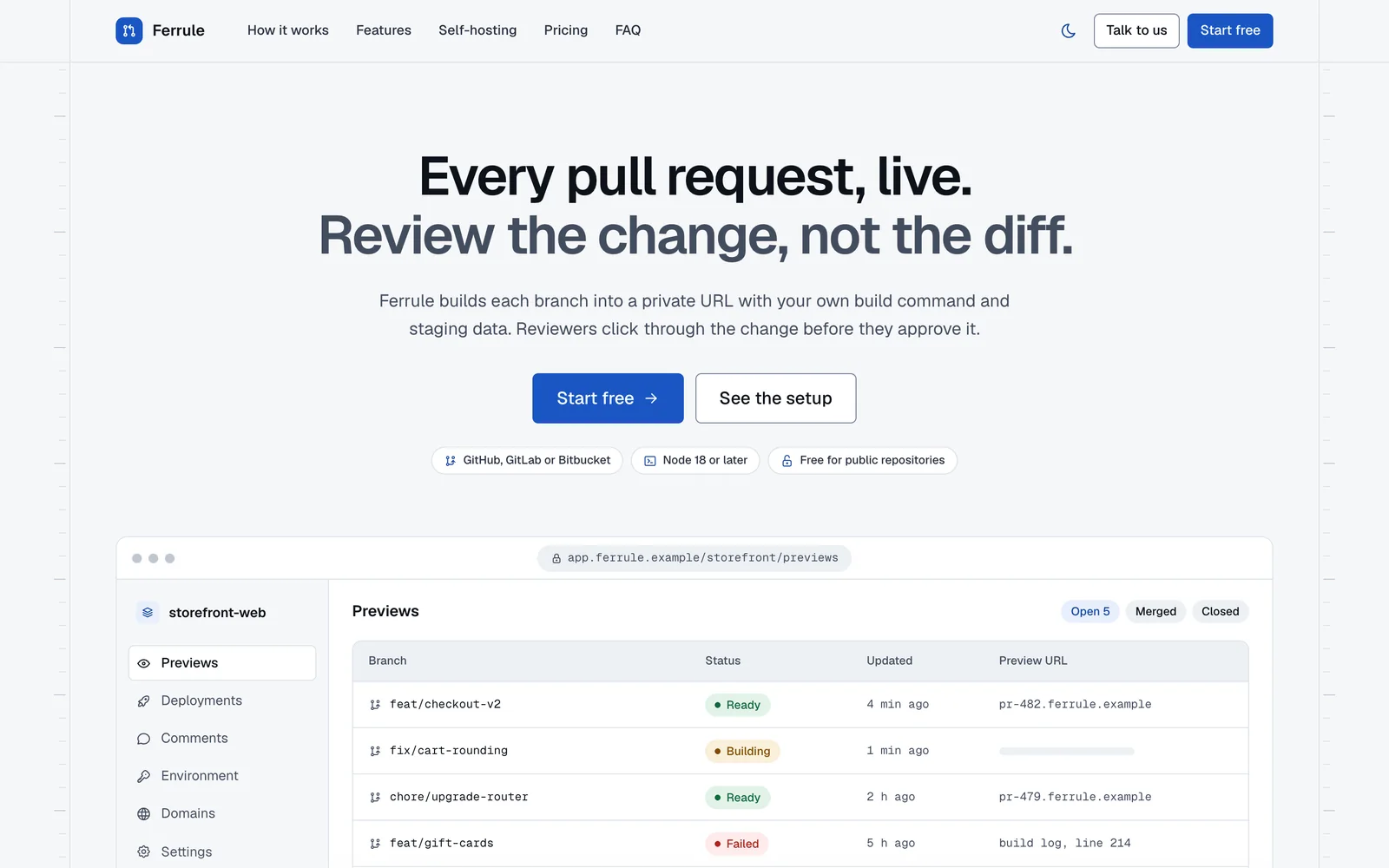
Rail Product sites and developer tools -
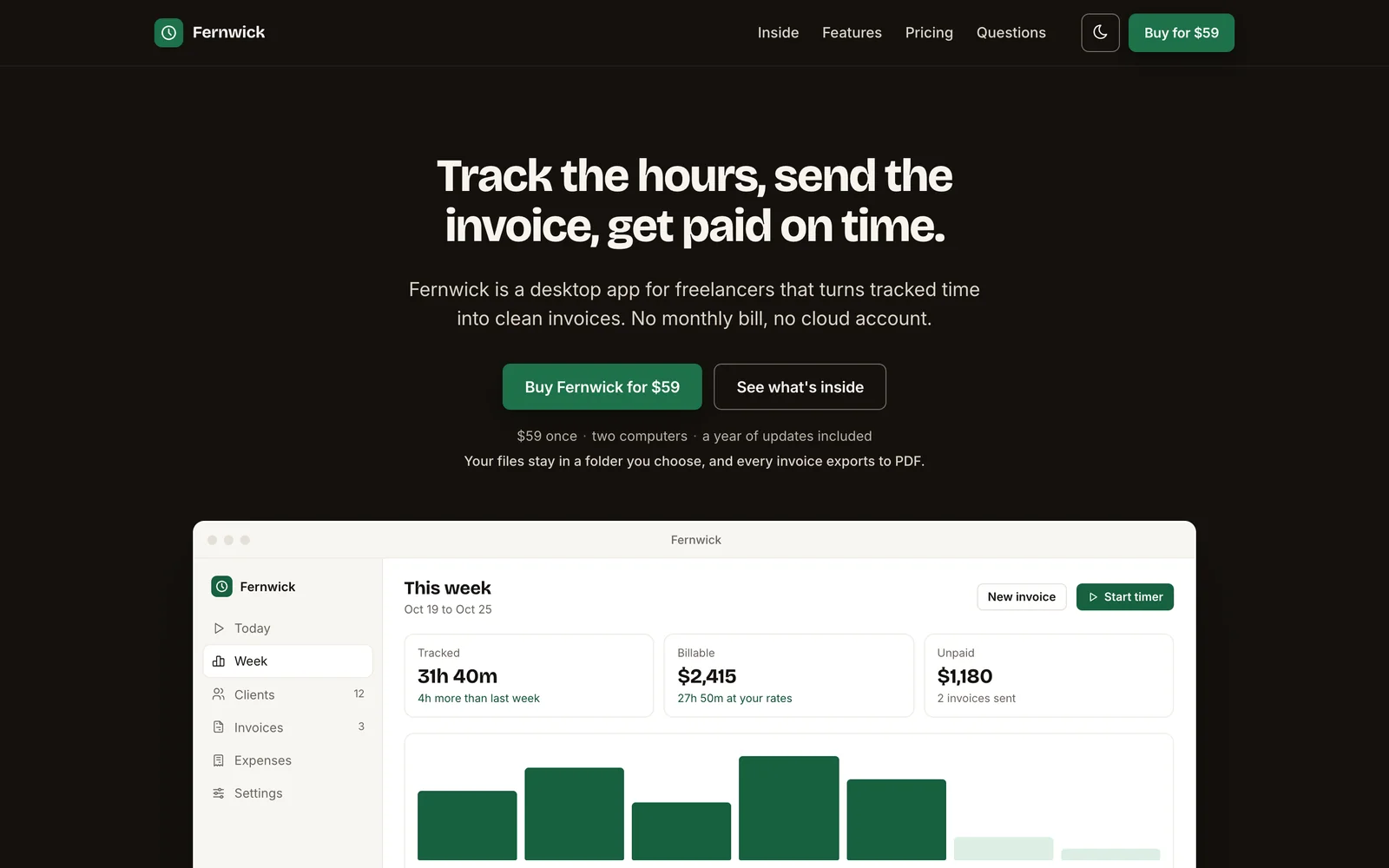
Quiet Launch and sales pages -
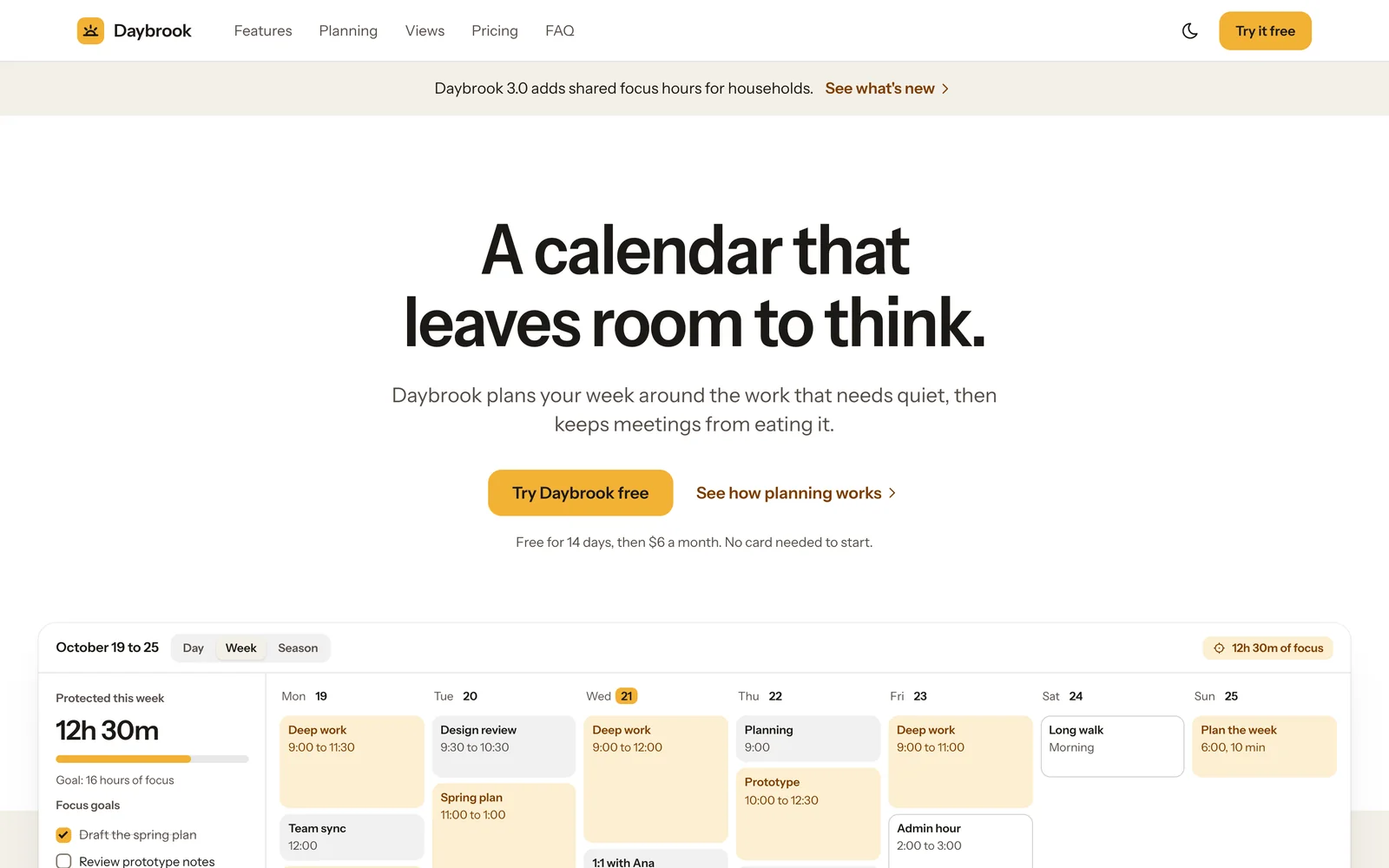
Canvas Product marketing pages
Every System in the Library
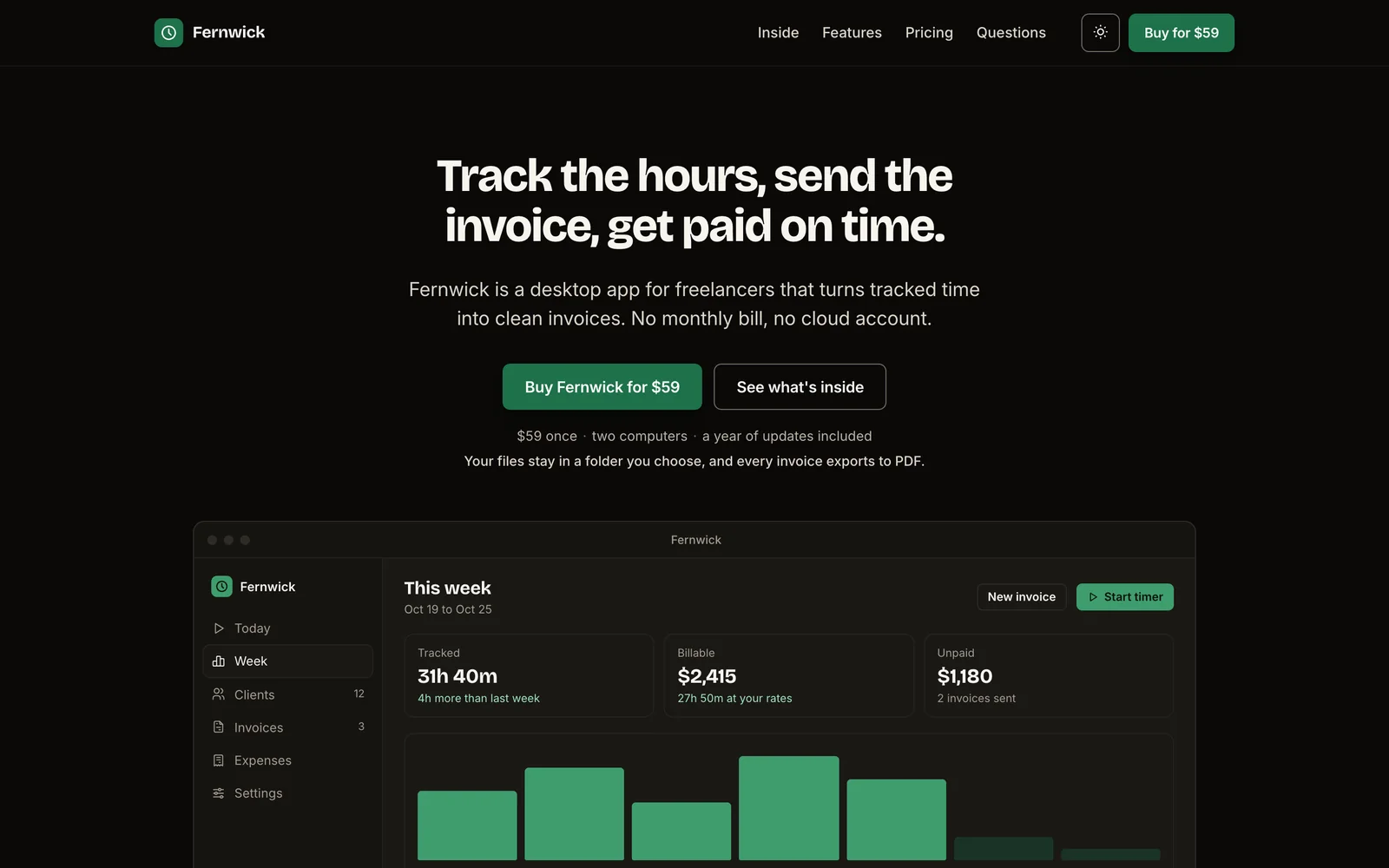
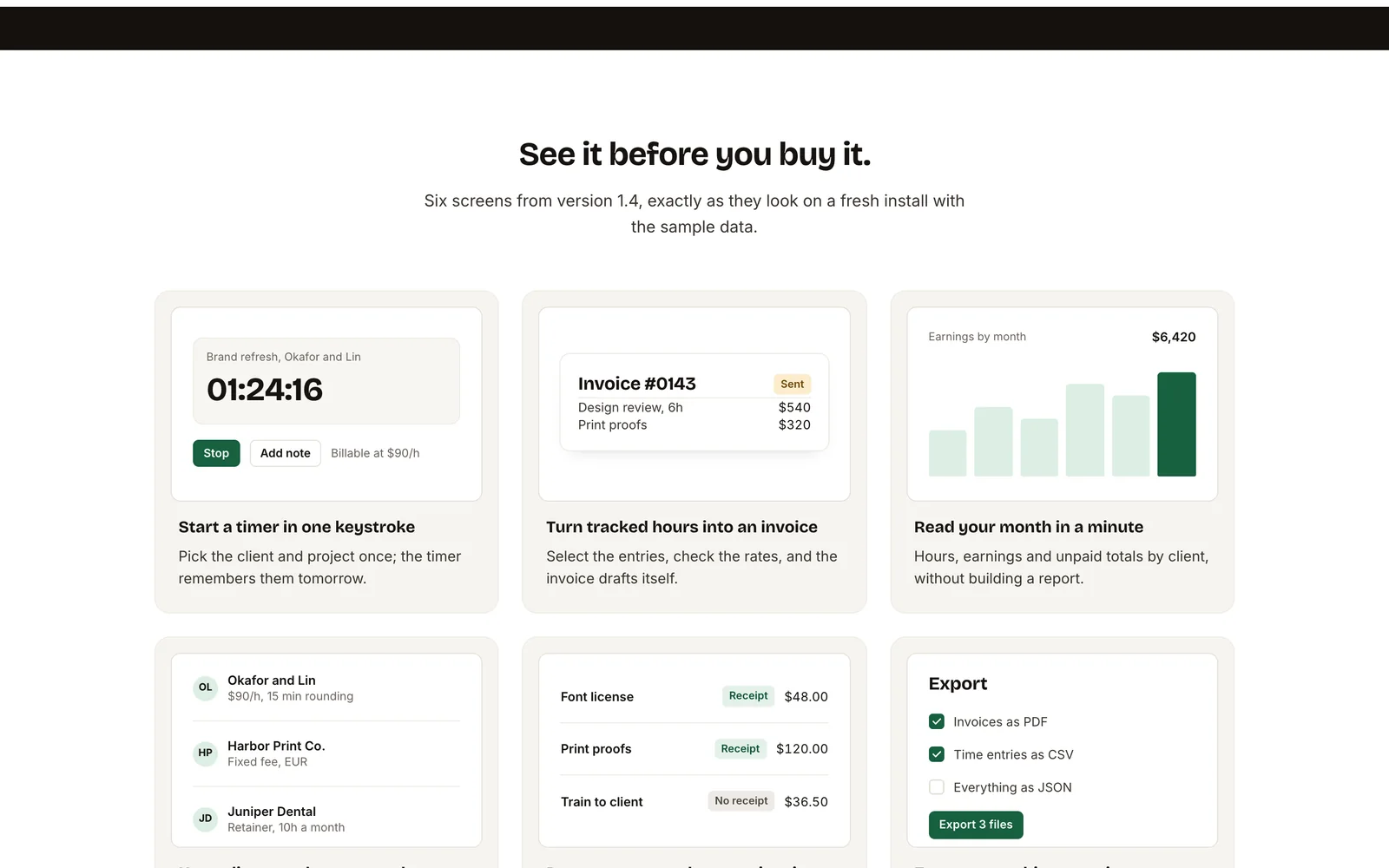
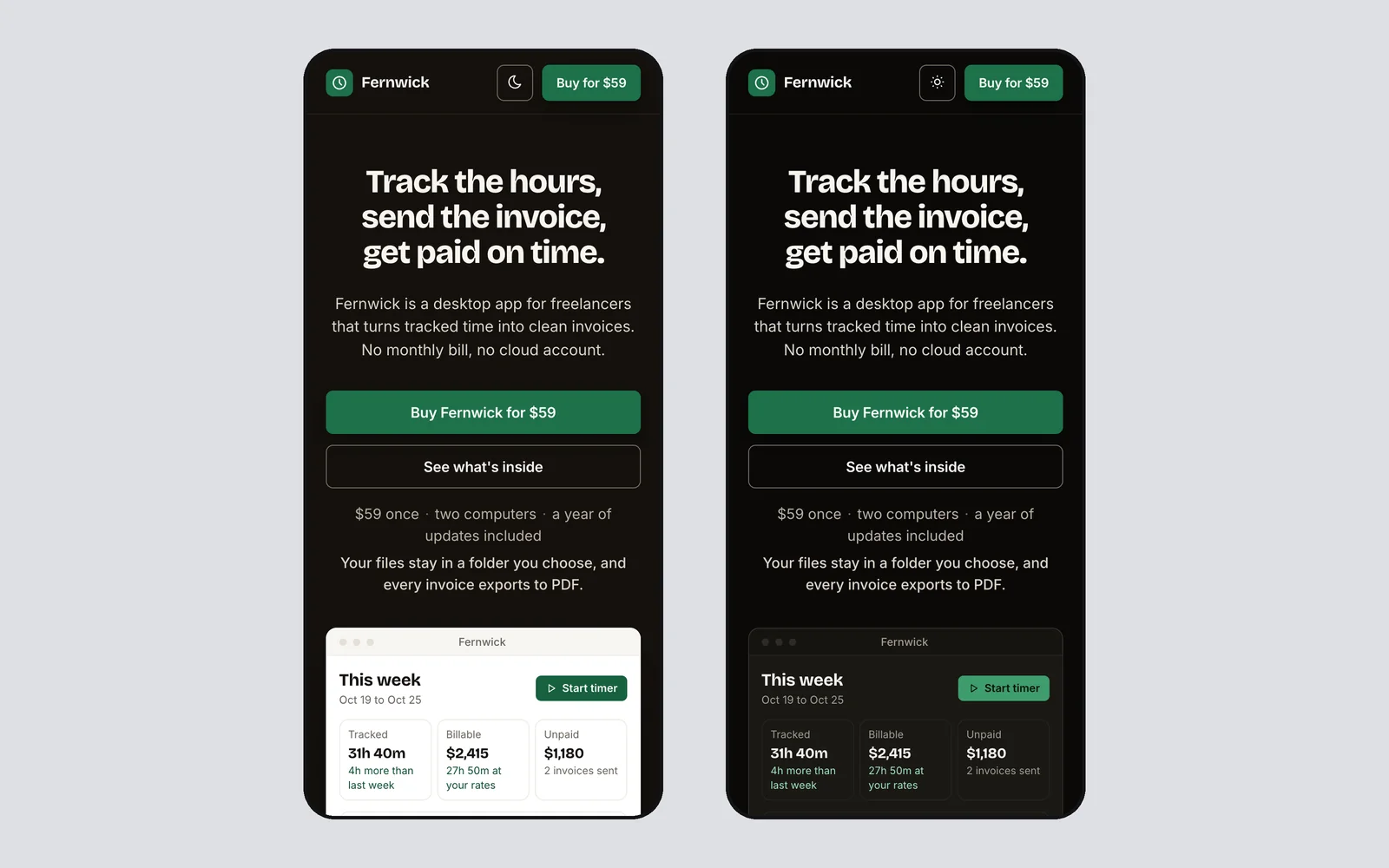
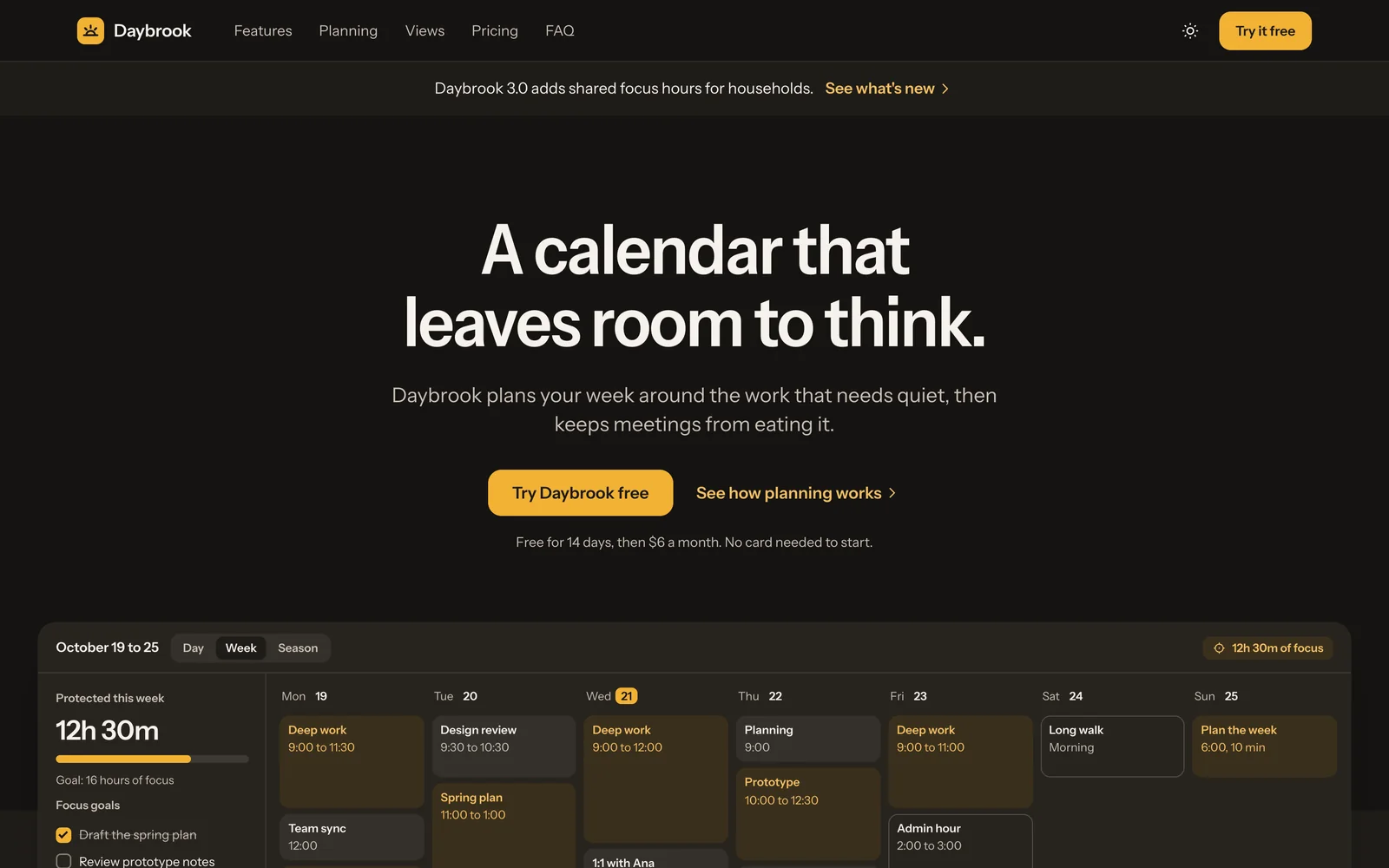
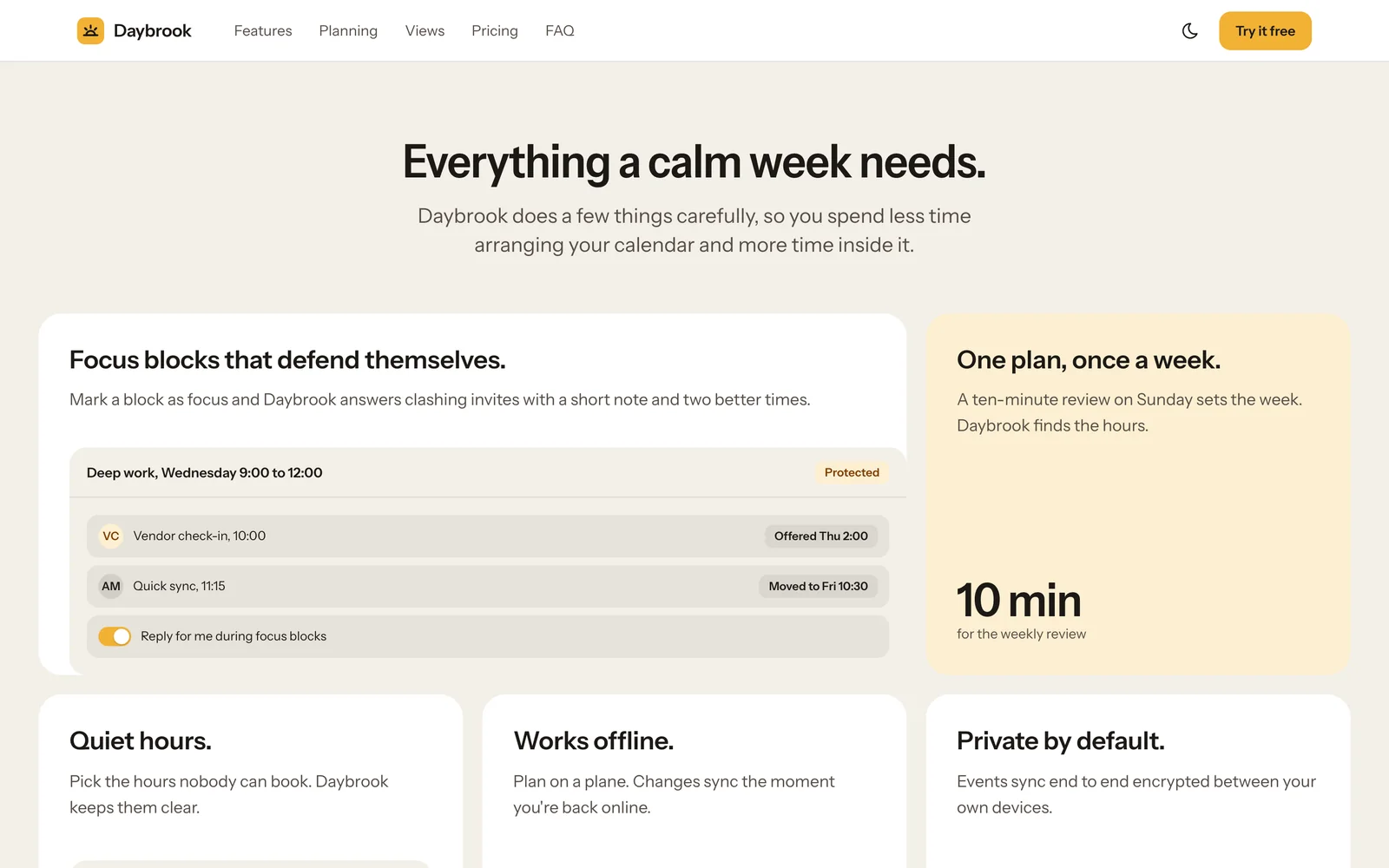
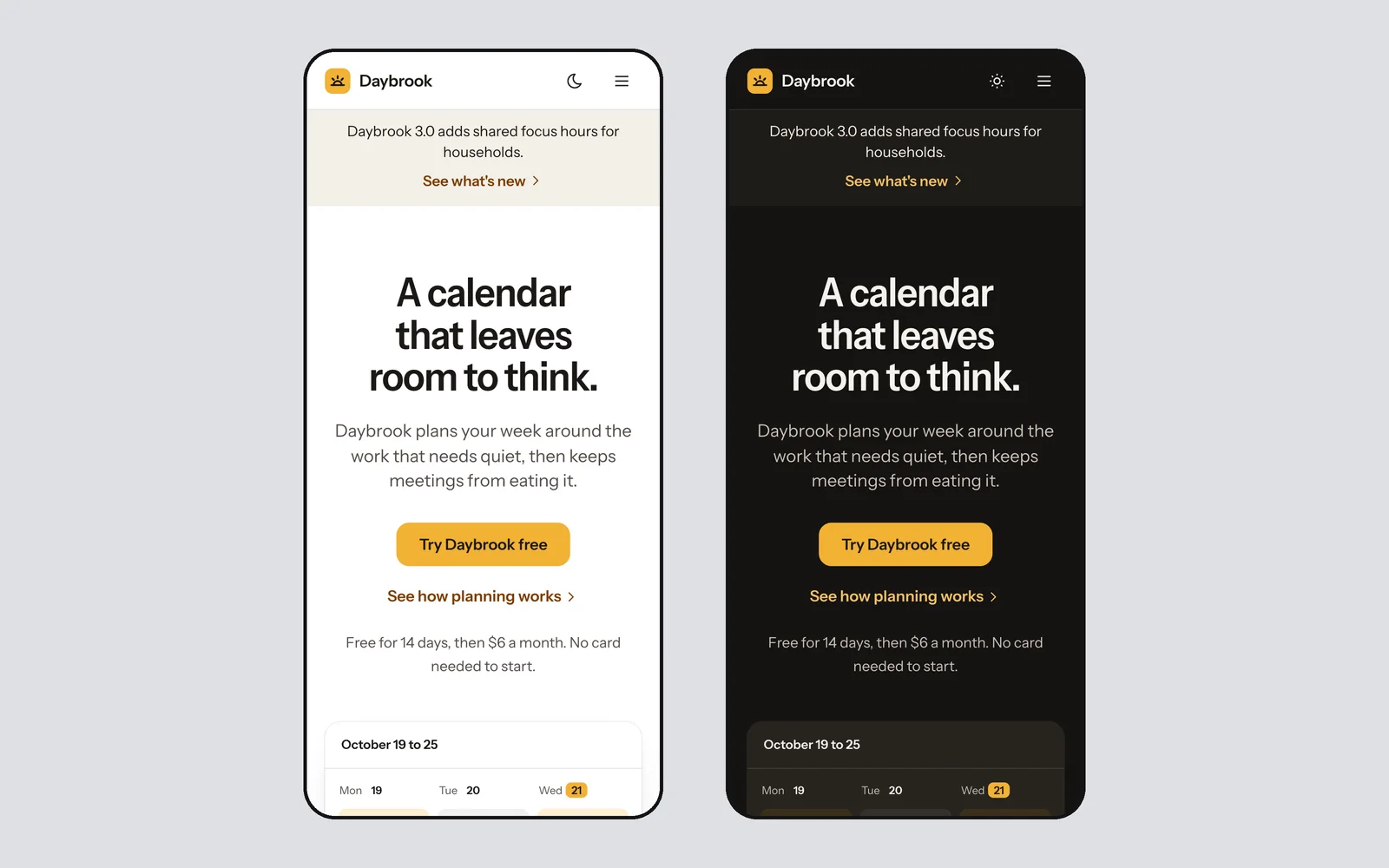
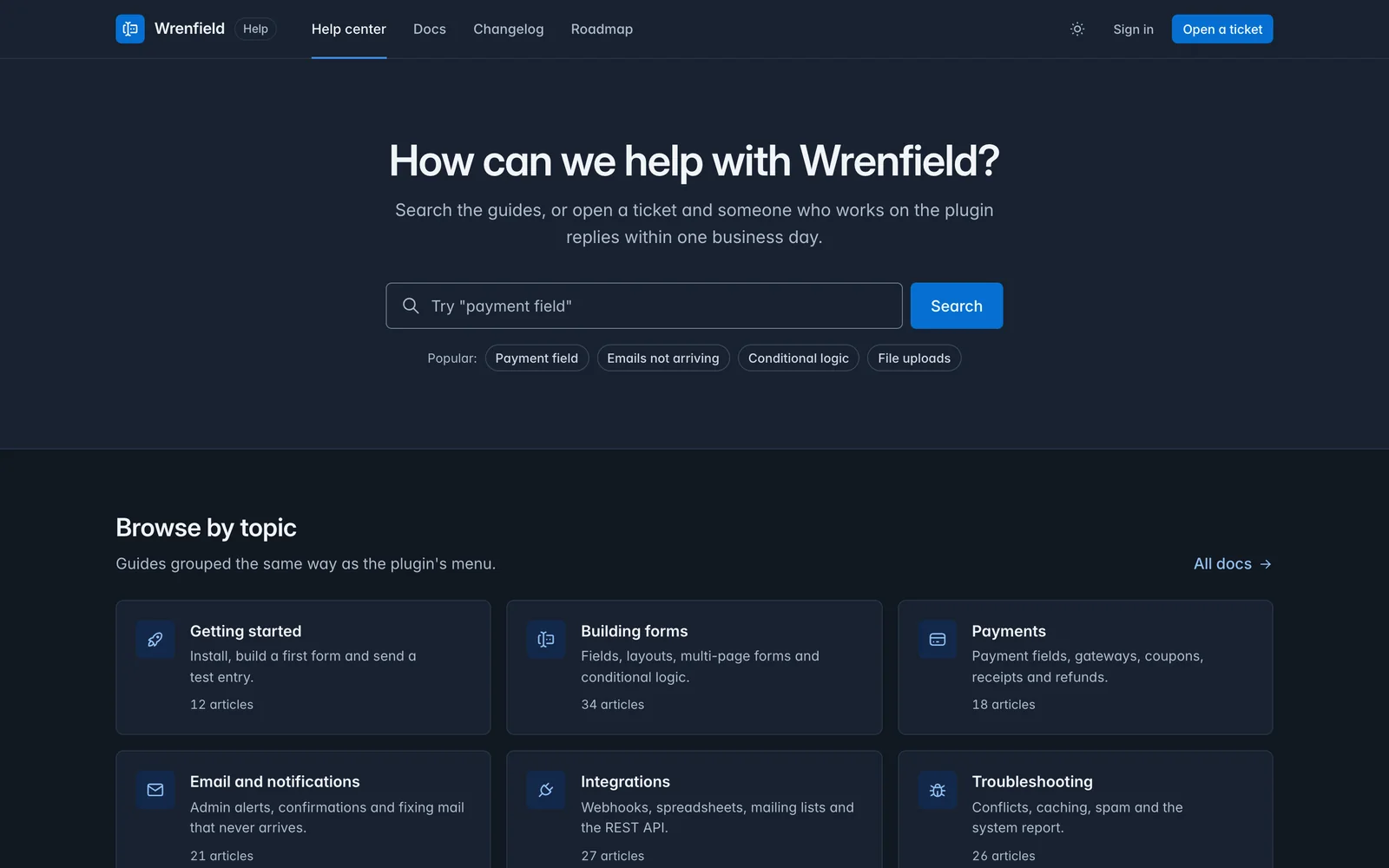
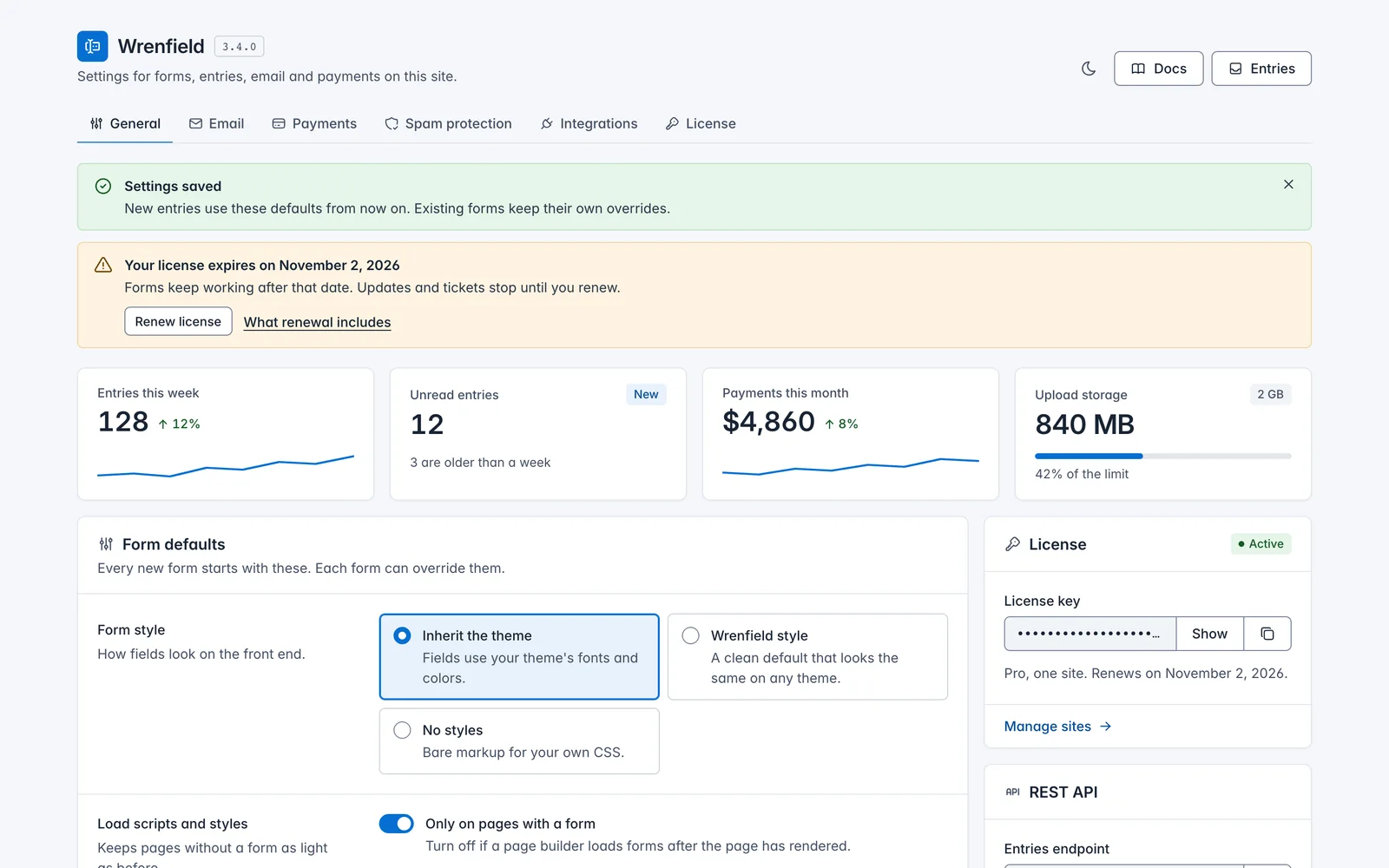
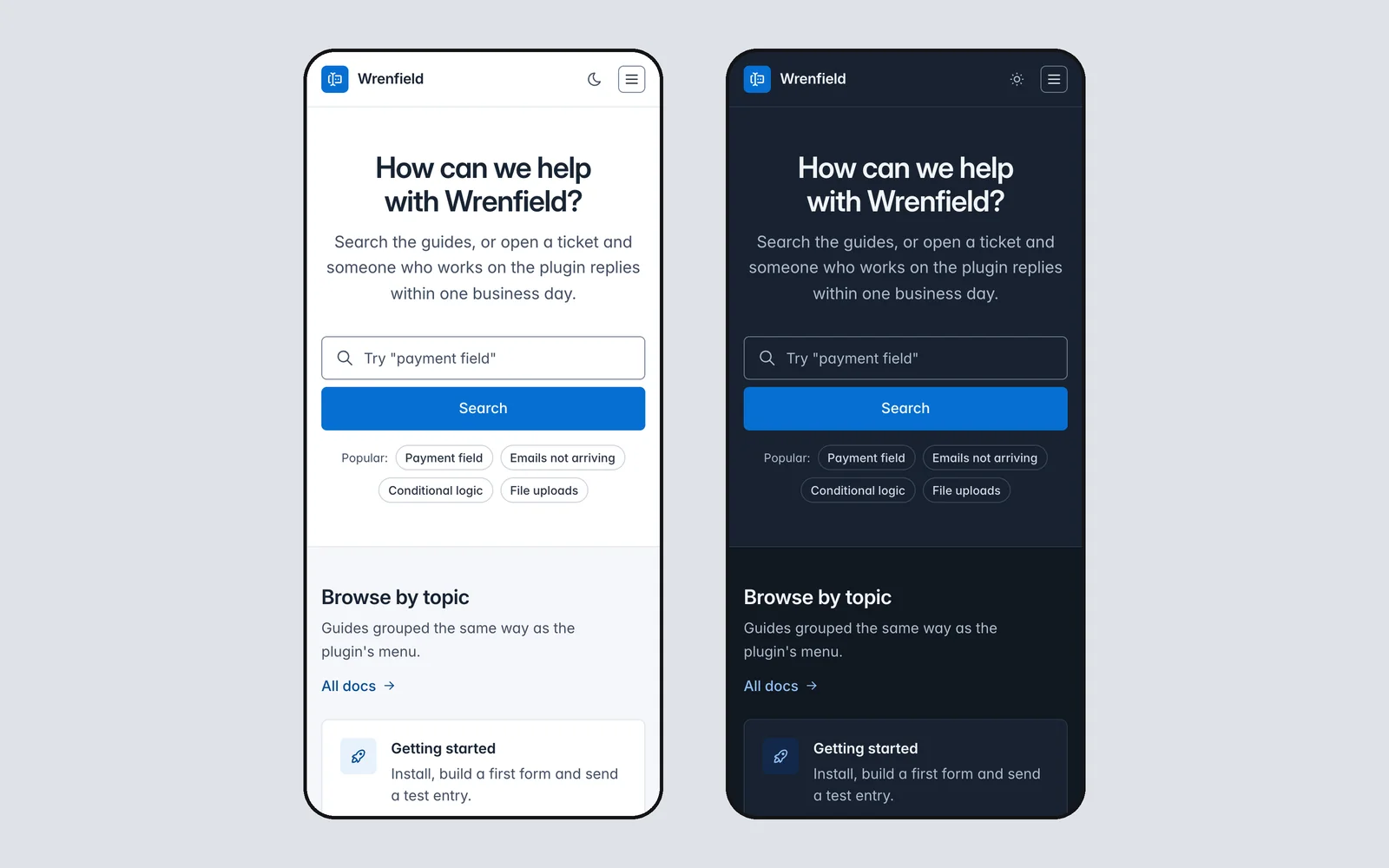
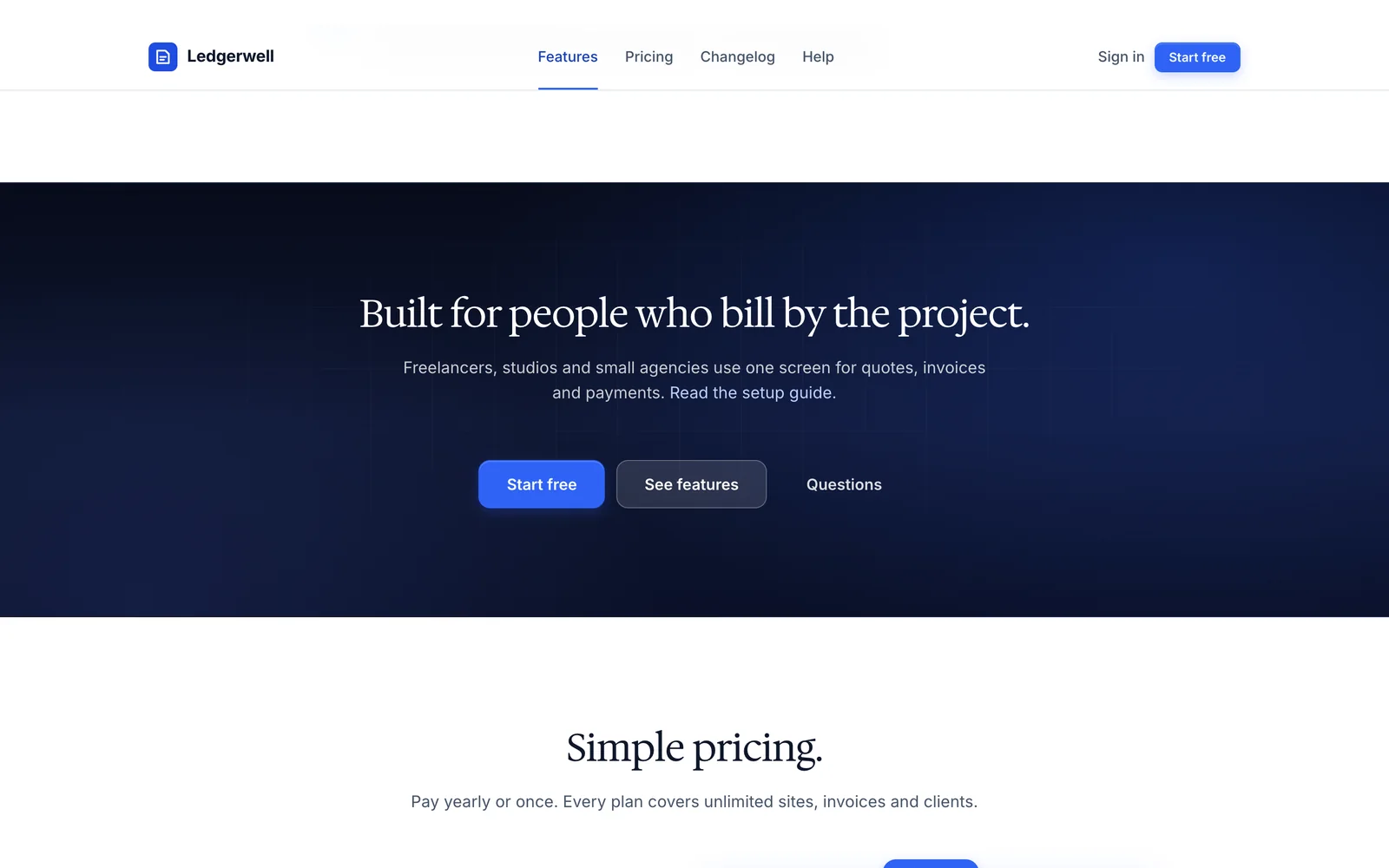
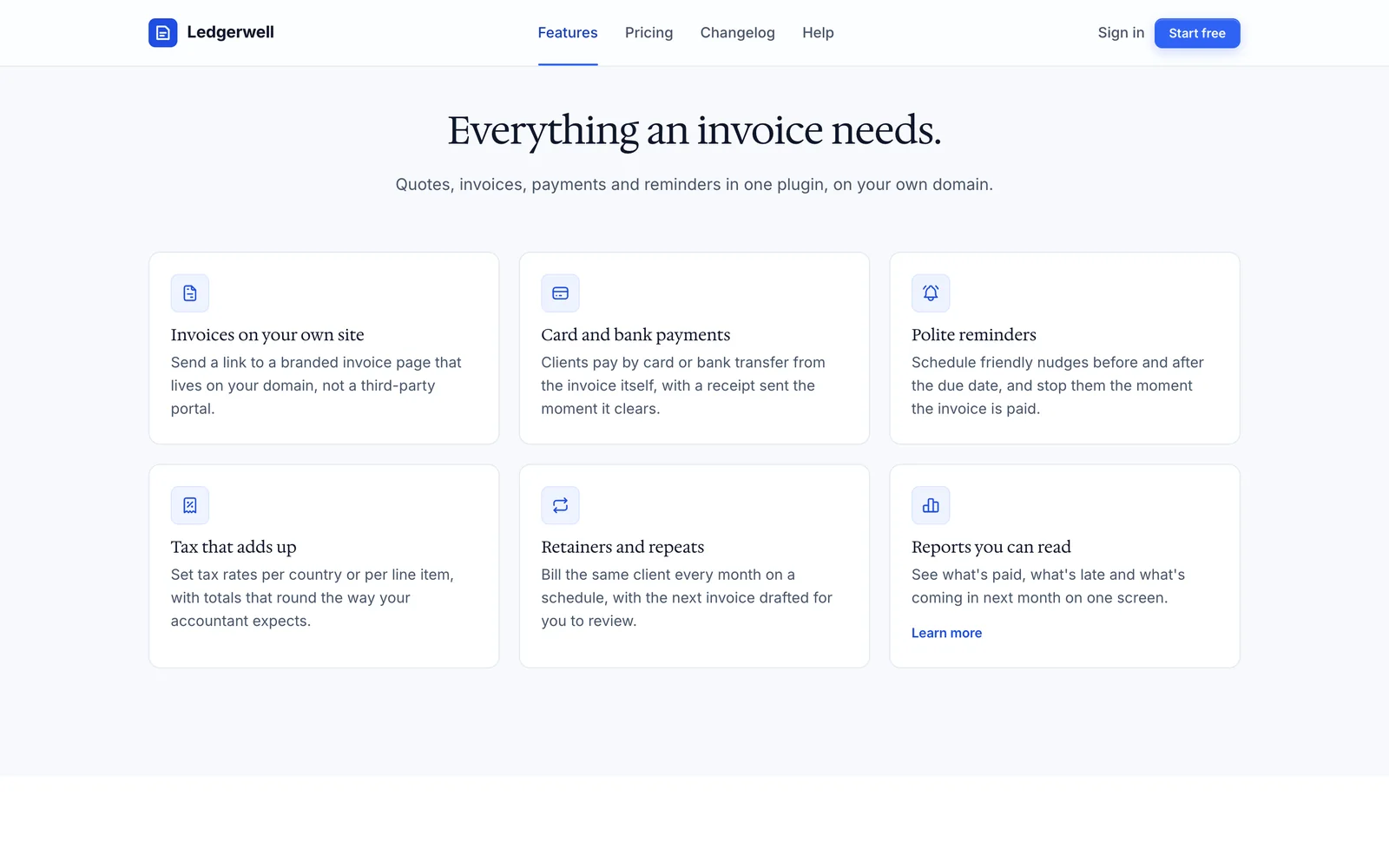
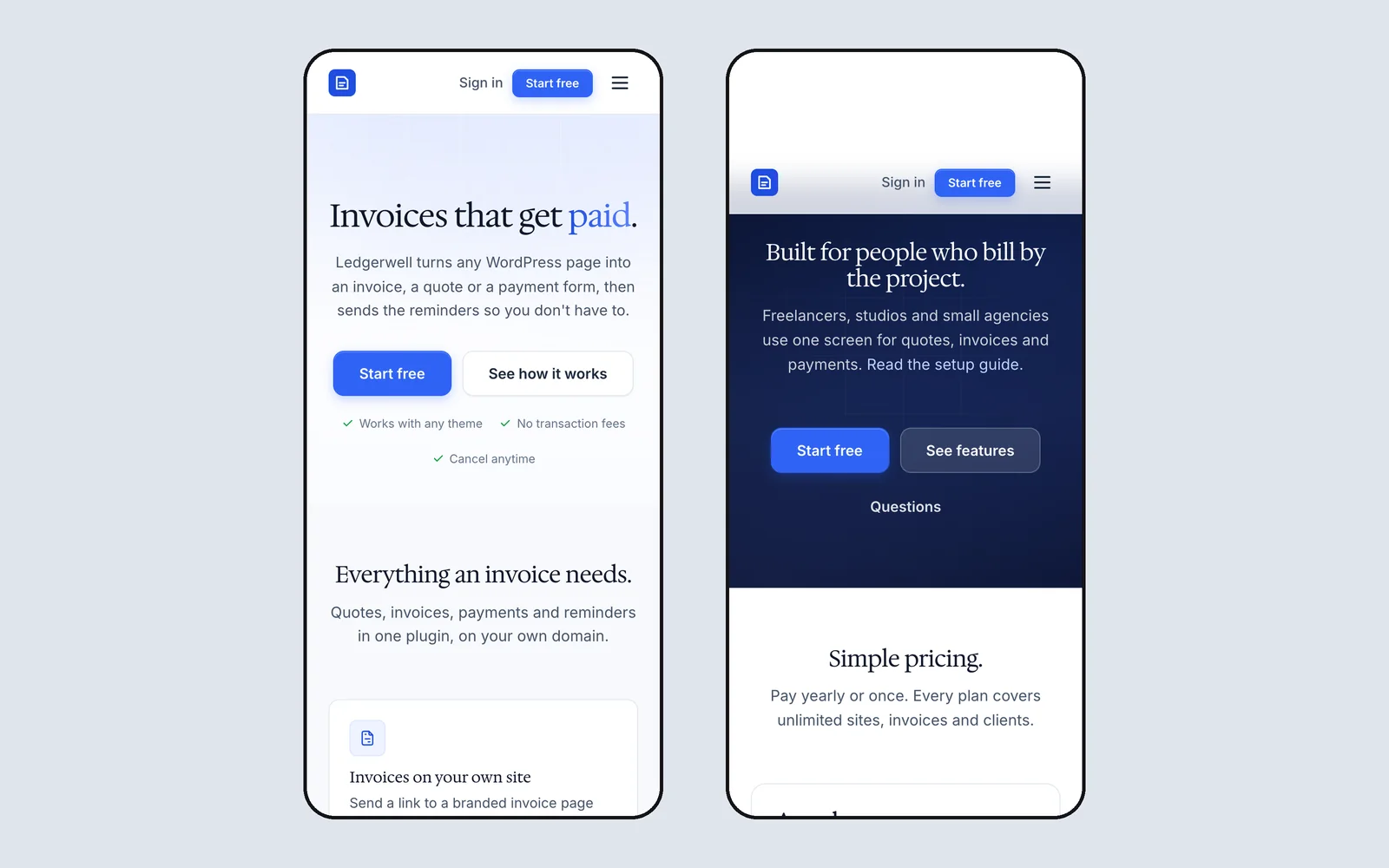
Each system has its own type, accent, corner radius and way of separating sections, so they look clearly different side by side. These screenshots are the demo pages that ship inside each download, built only from that system, and every system has a live demo you can open now.
- design systems
- 5
- components across them
- 113
- open-license font families
- 6
- a year for all of them
- $39
-
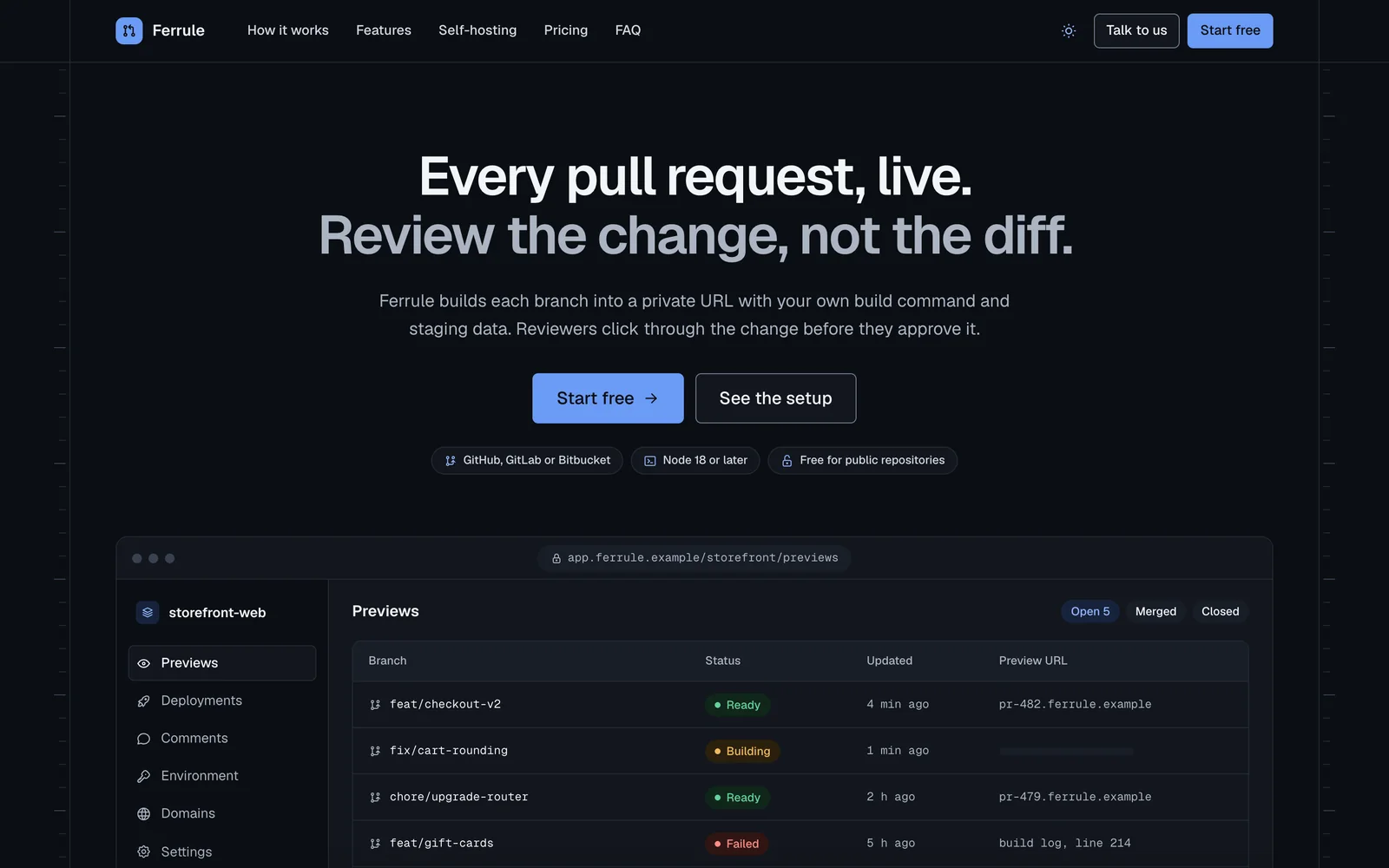
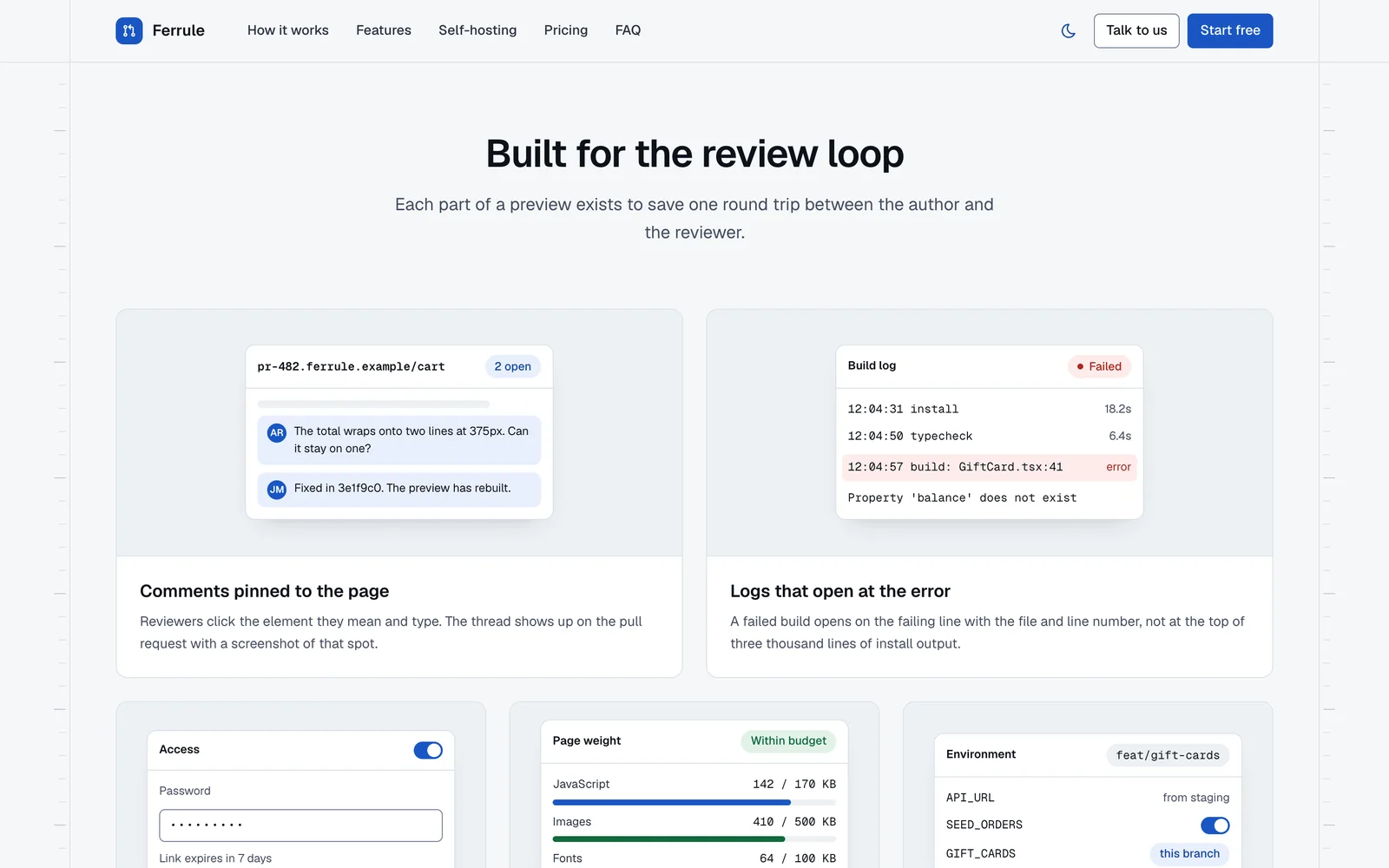
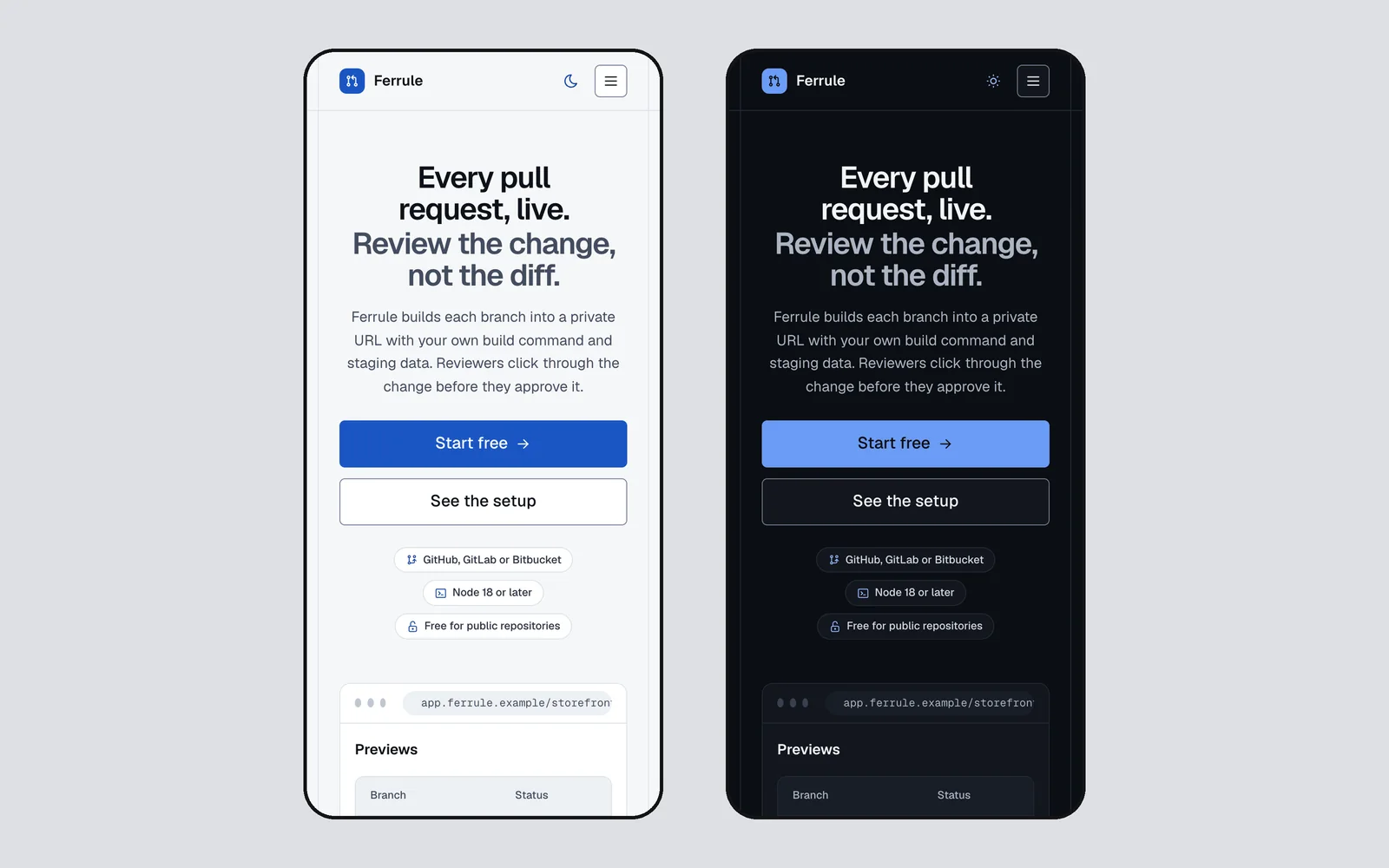
Rail
LiveProduct sites and developer tools
A ruled-page system for product sites, developer tools and docs. Hairline rails with section nodes, a hero with a coded product window, bento cards with small working interfaces, chip tabs and code blocks with a copy button, in cobalt on cool paper.
- 21 components
- Light + dark
- Geist and Geist Mono
-
Quiet
LiveLaunch and sales pages
A launch-page system for selling one product at one price. Two dark bookends, a real screenshot under the hero, an always-open catalog, one calm pricing panel, a straight-talk card and a buy bar on phones, with a forest green buy button.
- 22 components
- Light + dark
- Bricolage Grotesque and Inter
-
Canvas
LiveProduct marketing pages
A product-marketing system for app home pages, pricing pages and feature launches. White and warm stone sections instead of borders, borderless cards, big two-weight type, coded product mocks and one marigold-to-coral gradient moment per page.
- 24 components
- Light + dark
- Instrument Sans
-
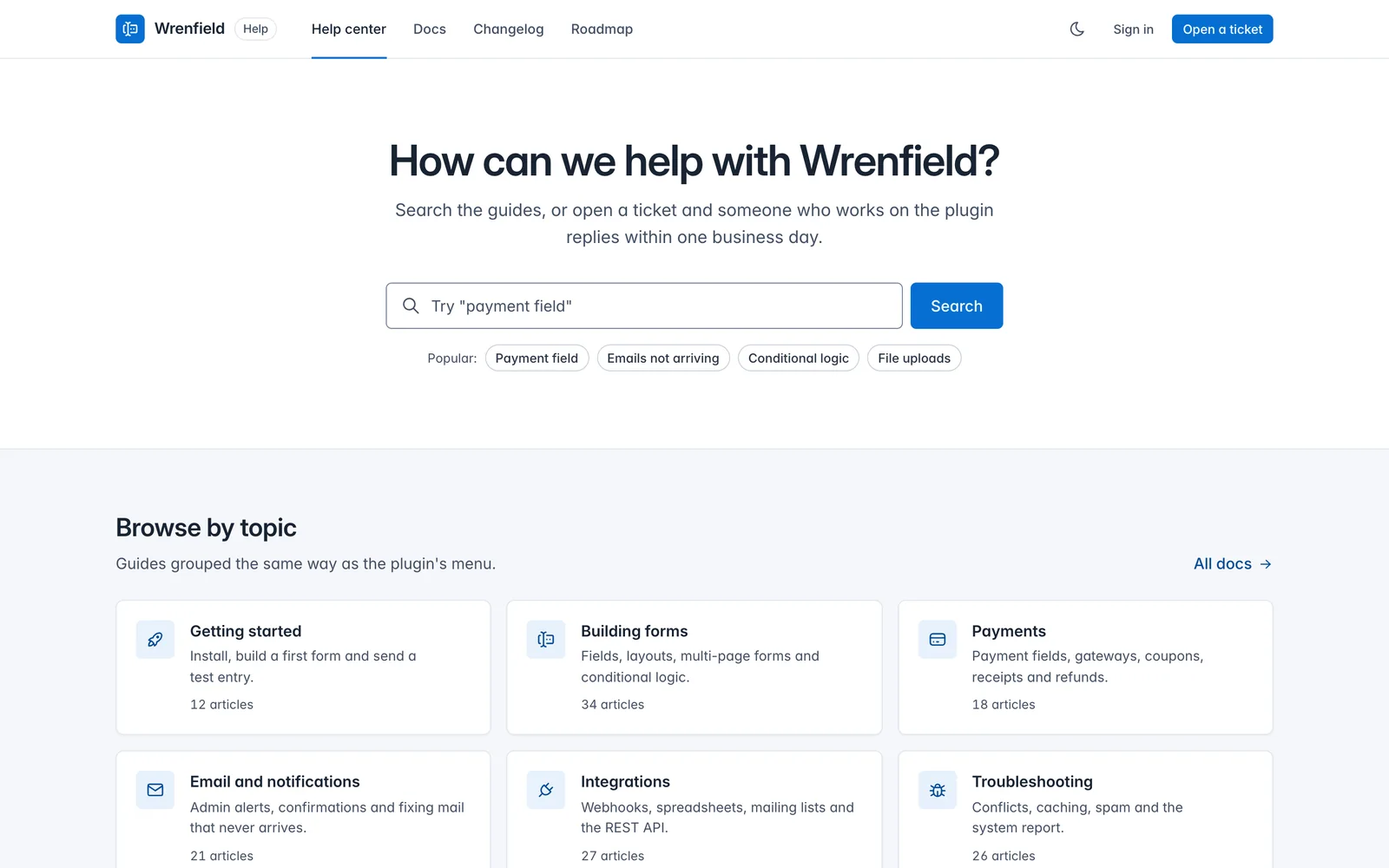
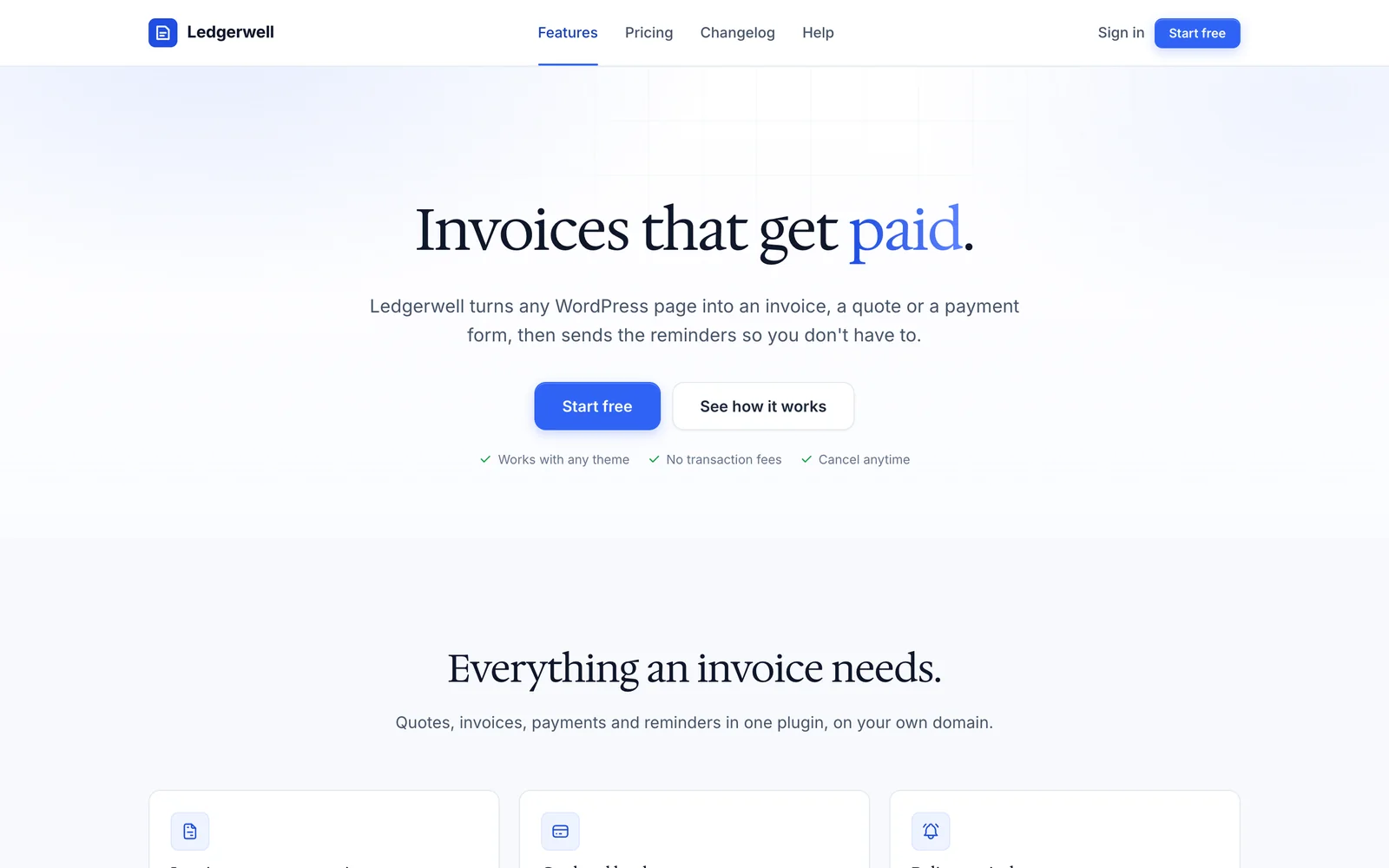
Core Support
LivePlugin admin and support sites
A design system based on Tabler UI and tailored for WordPress plugins. It covers the wp-admin settings screen, with form rows, switches, choice cards, copy fields, notices and list tables, and the support site around it: help center, docs, changelog and roadmap.
- 29 components
- Light + dark
- Inter
-
Core Forms
LiveFree, MITPlugin and product sites
The open-source system behind Core Forms: one stylesheet, Inter body text, Hedvig Letters Serif headings, blue actions, tinted and dark bands, pricing, FAQ, changelog and roadmap. Free and MIT licensed on GitHub; this is the agent-ready edition with a rulebook, components and demo pages.
- 17 components
- Light, with dark bands
- Inter and Hedvig Letters Serif
Pick the One That Fits the Page
Pick by the page you’re building, not by color. You can change colors and fonts later through tokens, but the layout logic is what each system is for.
| System | Best for | Look | Shape | Sections | Fonts |
|---|---|---|---|---|---|
| Rail | Product sites and developer tools | Cobalt blue on cool paper | 6px buttons, 12px cards, pill chips | Hairline rails and ruled full-width sections | Geist and Geist Mono |
| Quiet | Launch and sales pages | Forest green on white, near-black bookends | 8px buttons, 16px cards | A white canvas between two dark bookends | Bricolage Grotesque and Inter |
| Canvas | Product marketing pages | Marigold on white and warm stone | 14px buttons, 24px cards | Tonal sections that alternate white and stone | Instrument Sans |
| Core Support | Plugin admin and support sites | Tabler blue on cool gray | 6px buttons and inputs, 8px cards, 4px badges | White hairline bands over a cool gray canvas | Inter |
| Core Forms | Plugin and product sites | Bright blue on white, serif headings | 8px buttons, 12px cards, 16px pricing cards | Tinted bands and one dark band | Inter and Hedvig Letters Serif |
What Comes in Every System
An AI agent left alone reaches for the same gradient hero, the same three cards and the same rounded everything. A design system template only helps if the agent can read the rules and check its own work, so every part below is written for that.
- A DESIGN.md rulebook
- Principles, the color roles with measured contrast, the type ladder, spacing, layout, a contract for every component, page recipes and a checklist the agent runs before it calls a page done.
- A SKILL.md your agent loads
- It tells Claude Code or Codex when to use the system, what to read first and the hard rules, plus a Cursor rule and an AGENTS.md snippet for project setups.
- Design tokens
- Every color, size, radius and motion value as a CSS custom property, with measured contrast for each text pair. Systems with a dark theme follow the visitor’s setting or a toggle.
- Copy-paste components
- Each one has an HTML contract with its classes, states and accessibility notes, the CSS it needs and, where it needs it, a small vanilla script.
- Fonts you can ship
- Open-license web fonts in the zip with their licenses, so client sites can use them without a font subscription.
- Demo pages
- A full sample page and a page with every component, so you and your agent can see the target before building. You can open each one live before you buy.
One Price for the Whole Library
$39
Per year · renews yearly · cancel anytime from your account
- All 5 design systems in the library, as single zips or one bundle
- New systems and new versions while your membership runs
- Works with Claude Code, Codex, Cursor or plain HTML
- Open-license fonts you can ship on client sites
- Use on your own projects and client work
Want the Notion templates and AI skills too? All-Access opens all three libraries for $79 a year.
Secure checkout · pay in USD, EUR, GBP or INR
| Plan | Per year |
|---|---|
| Design Systems Library | $39 |
| All three libraries bought separately | $117 |
| All-Access, all three libraries | $79 |
From Checkout to Your First Page
There’s no license key to paste. Your account opens the library page, and every download is there.
-
Check out
Pay $39 for the year. Checkout creates your customer account, or uses the one you already have.
-
Open My pages
Sign in and open My pages. The Design Systems Library is listed there with every download.
-
Unzip one system
Put the folder in
~/.claude/skills/or~/.codex/skills/, or inside your project for Cursor. -
Ask for a page
“Build a pricing page in the Quiet design system.” The agent reads the rulebook and builds from the components.
Straight Talk Before You Buy
The library opened in October 2026, so it doesn’t have a long track record yet. These are code design systems: HTML, CSS custom properties and a little vanilla JavaScript. There are no Figma files and no React or Vue component package. If your project uses a framework, your agent ports the markup, and the rulebook still applies.
A system gives your agent rules and parts, not taste on autopilot. You still pick the system that fits the page, write real copy and check the result in both themes. If all you want is a check for generic AI design patterns, the free design-slop skill on GitHub is enough.
Questions Before You Buy
What is a Claude design system?
It’s a design system packaged so an AI agent can use it: tokens, components and a written rulebook, plus a SKILL.md that Claude Code loads when you ask for a page. The same folder works in Codex and Cursor. A plain design system template gives you parts. This one also tells the agent how to put them together and how to check the result.
Which tools do the systems work in?
Claude Code and Codex load each system as a skill from their skills folder. Cursor reads the included rule file. Any other agent can follow DESIGN.md, and you can link the CSS and JavaScript in a plain HTML page by hand.
Can I use it as a Tailwind design system?
You can use it alongside Tailwind. Every value is a CSS custom property, and most systems prefix every class, so nothing clashes with Tailwind utilities. You can also point your Tailwind theme at the same tokens if you want utilities that match. The Core Forms system uses plain class names like .btn, so check those against your own component classes. The components themselves are plain CSS, not Tailwind classes.
Can I use the systems for client work?
Yes. The license covers one person building any number of sites, apps and pages for themselves and their clients, including the CSS, JavaScript and fonts inside the finished site. Please don’t share or resell the system files, or publish a design system or theme made from them. Team members each need their own membership. The Core Forms Design System is the exception: it’s MIT licensed, so its own license applies.
How do updates arrive?
New systems and new versions appear on your library page with a version number and date. Download the new zip and replace the old folder. Class names only change in a major version, and each CHANGELOG.md lists what changed.
What happens if I cancel?
Canceling stops the next renewal. Your library page stays open to the end of the year you paid for, and the projects you built while your membership was active keep their license.
Can I get a refund?
The systems are instant digital downloads, so the download terms in my refund policy apply: I refund duplicate charges, defective files and orders where the library never opened for you. Change-of-mind refunds aren’t available once you have access.

Hey, I’m Gaurav
Every system in this library started from page layouts and plugin screens I build with. Before one goes in, I write the rulebook an agent can follow, package it with open-license fonts and measure its contrast.
The short version of the rest:
- 18 years building on the web, since 2008
- Free agent skills on GitHub for WordPress, GenerateBlocks, Bricks and Kadence
- WordPress plugins and themes built and supported on this site
Build Your Next Page on a Real System
Join, download the system that fits the page in front of you and install it in your agent. Your agent does the rest by the rulebook.
Downloads open from My pages as soon as checkout finishes · works with Claude Code, Codex and Cursor