
Appearance Settings
The Appearance tab sets the default look of every Core Table and Core Chart on your site. Your theme still controls the fonts and page width around them.
Only administrators see this tab, under Core Tables → Appearance.
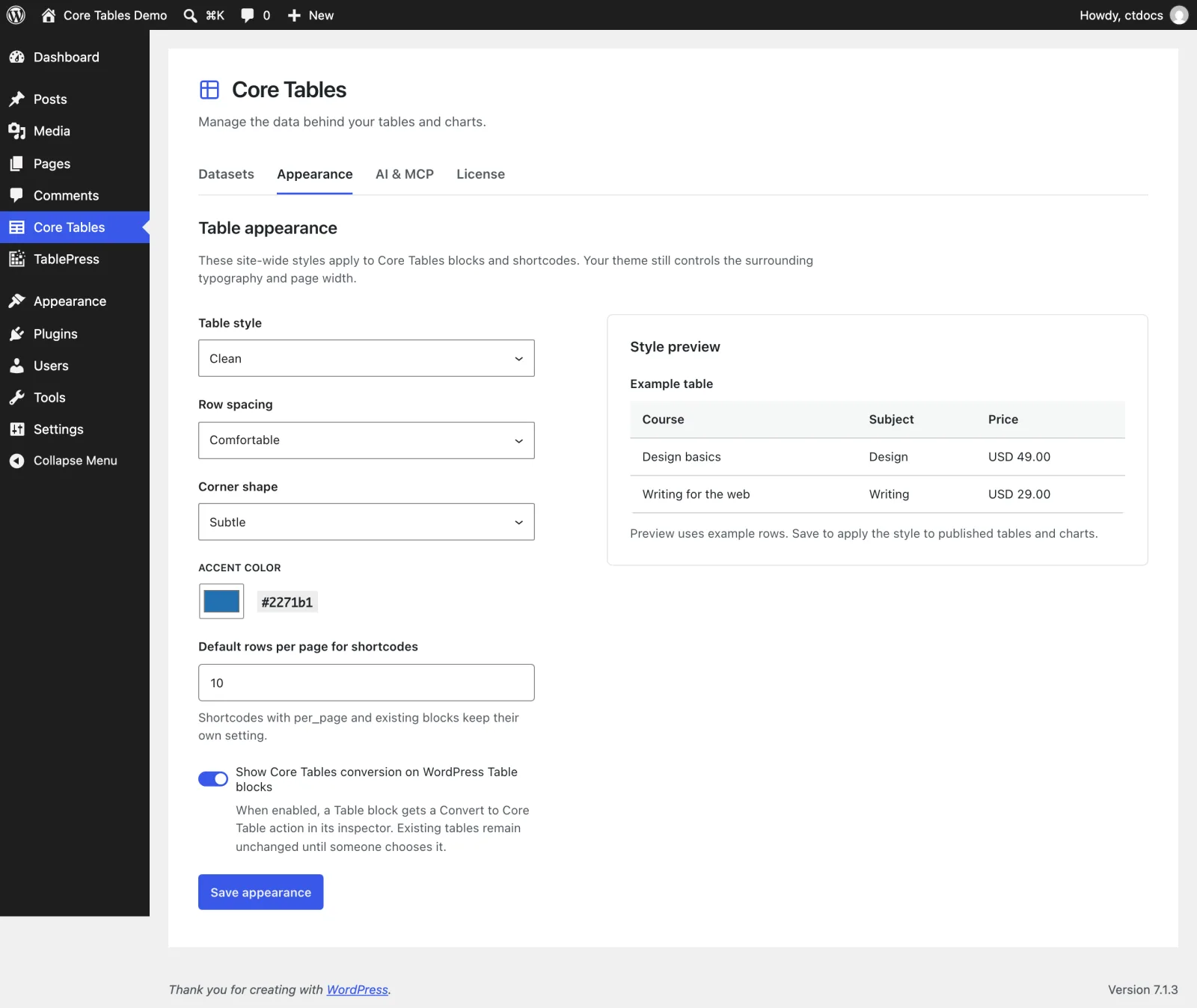
The Settings
| Setting | Options | Default |
|---|---|---|
| Table style | Clean, Striped rows, Cell borders | Clean |
| Row spacing | Compact, Comfortable, Spacious | Comfortable |
| Corner shape | Square, Subtle, Round | Subtle |
| Accent color | Any 6-digit hex color | #2271b1 |
| Default rows per page for shortcodes | 1 to 100 | 10 |
| Show Core Tables conversion on WordPress Table blocks | On or off | Off |
What the styles look like:
- Clean tints the heading row.
- Striped rows adds a light tint to every other row.
- Cell borders draws a border around every cell.
- Square, Subtle and Round set corners of 0, 4 and 10 px.
The accent color is used in the table styles and for the first series in charts.
Default rows per page for shortcodes only applies to [coretable] shortcodes with pagination and no per_page. Blocks keep their own Rows per page.
Save Your Changes
The Style preview updates as you change settings, using example rows. Select Save appearance to apply it, and you’ll see “Appearance saved. Existing blocks and shortcodes now use these settings.”
Saving doesn’t clear any page cache. If you use page caching, purge it after saving so visitors get the new styles.
Per-Block Overrides
Each block can override these settings in its Table appearance panel, and each shortcode can with preset, density, radius and accent. Anything left on Use site default follows this tab.
An override must be valid to apply. An invalid value, such as an accent that isn’t a 6-digit hex, falls back to this tab’s setting on its own, and the block’s other overrides still apply.
Convert WordPress Table Blocks
Show Core Tables conversion on WordPress Table blocks adds a Core Tables conversion panel to every core Table block, for users who can create datasets. Existing tables stay as they are until someone converts one.
Convert WordPress Table Blocks covers the conversion step by step.
Styles Without Extra Requests
Core Tables doesn’t load a separate stylesheet on your pages. Its styles are added inline, once per page for embeds inside post content, so tables add no extra file requests.