
 by
by
In hunt of the best HP tower servers for small businesses. The problem begins at the name itself, and then everything gets confusing fast.
Most listings mix what the chassis can hold with what actually ships in the box.
A tower sold as “up to 128 GB” can arrive with 16 GB, a “dual-socket” server can come with one processor, and a “3-year warranty” can include onsite repair visits for only the first year.
There are several ways, that if you don’t understand the fine print, things may become problematic for you and your small business. For every business—whether small or large—these fine details matter. So comparing solely on price or on things that appear at first glance is not a good choice.
Compare two such listings on price alone and you either overpay or buy too little of the right server.
I won’t take much time and just go on to tell you that for a small office that needs local business apps in 2026, I’d start with the HPE ProLiant ML30 Gen11. It offers hot-plug drives, a second power supply on the better configurations and 3 years of parts coverage, at a price that still leaves room for licenses, a UPS and a backup drive.
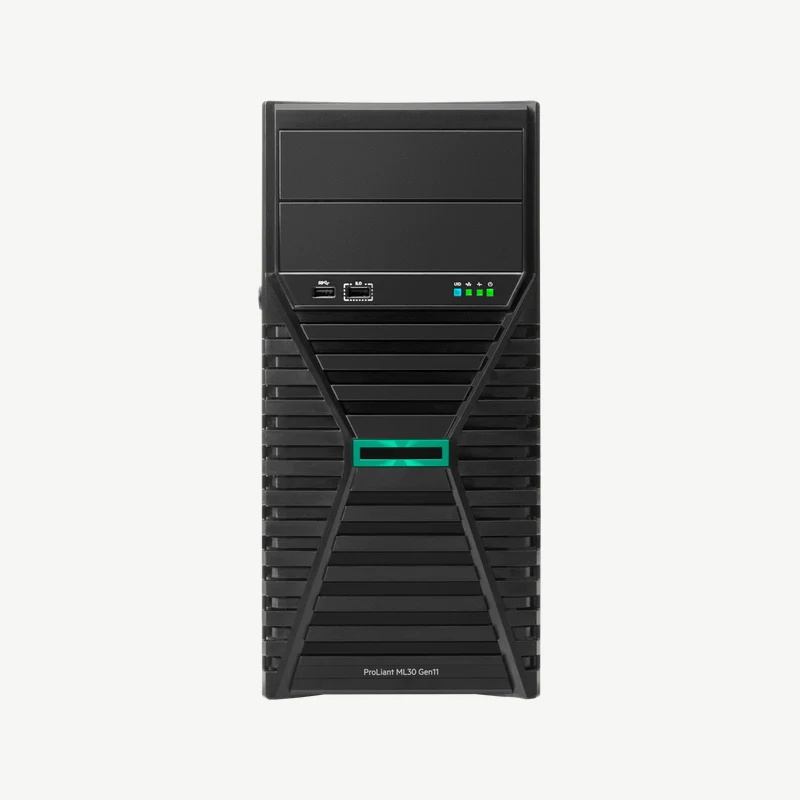
HPE ProLiant ML30 Gen11 (P83316-005): Xeon 6333P, 32 GB DDR5, 2x 480 GB SSD, 2x 500W
- Intel Xeon 6333P, 6 cores at 3.1 GHz
- 32 GB DDR5 UDIMM, expandable to 128 GB
- 8 SFF hot-plug bays with two 480 GB SATA SSDs
- Two hot-plug 500W Platinum power supplies
- Intel VROC software RAID, 3/1/1 warranty
The other three models earn their place only when a specific need moves you:
- MicroServer Gen11 when space is tight and the job is file sharing plus one light app.
- ML110 Gen11 when you need more than 128 GB of memory or a RAID controller with its own cache.
- ML350 Gen12 when the workload needs a second processor, GPUs or memory growth past 1.5 TB.
One naming note before the picks. HP split into HP Inc. and Hewlett Packard Enterprise in 2015, and the servers went with HPE. So every “HP tower server” sold new today is an HPE ProLiant tower, and the part number on the quote (P83316-005, for example) is what tells you the exact configuration you are paying for.
Amazon US currently lists these exact configurations at the same price HPE’s own store shows from its resellers, so Amazon is a convenient route for these servers rather than a cheaper one. Amazon India doesn’t carry the Gen11 and Gen12 configurations at all, so buyers in India should ask two HPE partners for quotes.
HP Tower Server Comparison
The ML30 Gen11 sits in the middle of this lineup on purpose. Move one step down and you lose hot-plug drives and redundant power; move one step up and you pay for memory and controller headroom a small office may never use. Memory and drive figures below are platform ceilings; what ships depends on the part number you order.
| Model | Best For | Processor | Memory Ceiling | Drive Bays | Power Supply | US Warranty |
|---|---|---|---|---|---|---|
| MicroServer Gen11 | Small rooms, file sharing, 1 light app | 1 Xeon 6300P, Xeon E or Pentium | 128 GB DDR5 (4 slots) | 4 LFF, non-hot-plug | External adapter, no redundancy | 1/1/1 |
| ML30 Gen11 | Most small offices running local apps | 1 Xeon 6300P or Xeon E | 128 GB DDR5 (4 slots) | 4 LFF or 8 SFF; hot-plug on most configurations | 350W ATX, or 1-2 hot-plug 500W | 3/1/1 |
| ML110 Gen11 | Virtual machines, databases, growth | 1 Xeon Silver or Gold | 1.5 TB DDR5 (16 slots) | 8 SFF or 4 LFF in listed configurations | 2 hot-plug 500W or 800W | 3/3/3 |
| ML350 Gen12 | Heavy virtualization, GPUs, a second CPU later | Up to 2 Xeon 6 (listed configurations ship 1) | 8 TB DDR5 (32 slots) | 4 LFF or 8 SFF in listed configurations, more with extra cages | 2 hot-plug 800W or 1000W | 3/3/3 |
Best HP Tower Servers
I’ve shortlisted these four by the job each one does, using HPE’s current configurations and the matching Amazon listings. Every box below shows one real, orderable configuration, so each price belongs to that exact part number.
HPE ProLiant MicroServer Gen11
The MicroServer Gen11 is the small one: a mini tower you can lay flat, stand up or mount on a wall, built for a branch office or a shop that needs shared files and maybe one light business app. The configuration below pairs a 4-core Xeon 6325P with 32 GB of memory and a single 4 TB hard drive.
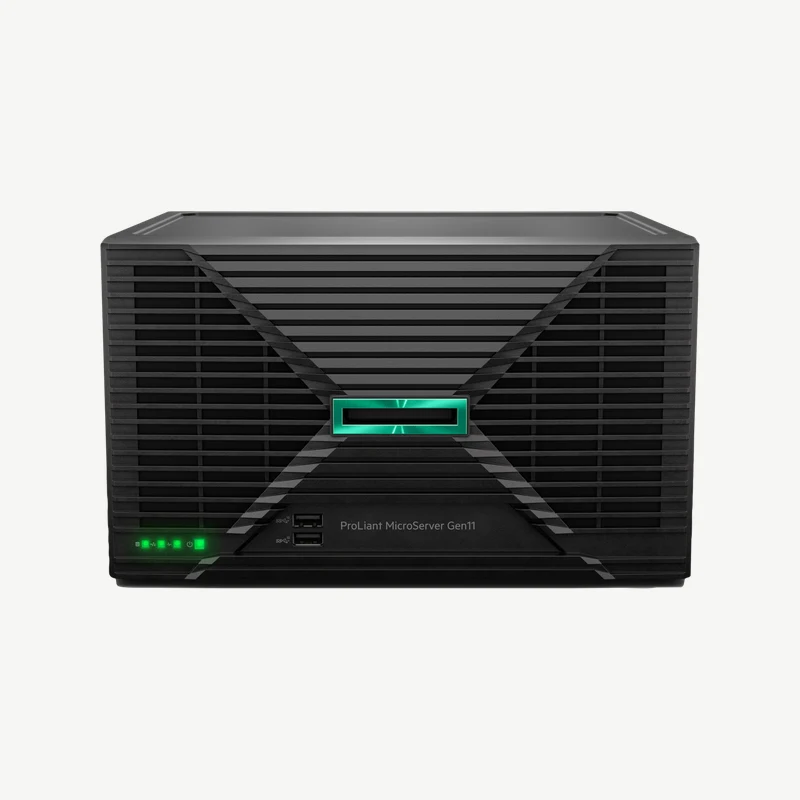
- Intel Xeon 6325P, 4 cores at 3.5 GHz
- 32 GB DDR5 UDIMM, expandable to 128 GB across 4 slots
- 4 LFF non-hot-plug bays with one 4 TB drive installed
- Dedicated iLO management port kit included
- 180W external power adapter, 1/1/1 warranty
Two things in that configuration decide whether it suits you. The drive bays are non-hot-plug, so replacing a failed disk means shutting the server down. And it runs on one fan and one external power adapter, with no redundancy for either. That is fine for a file server people can live without for an hour, but a billing or point-of-sale app that has to stay up belongs on the ML30.
Why it fits:
- Fits on a shelf or wall where a normal tower won’t go.
- Xeon 6300P and Xeon E options take ECC memory, unlike a desktop pretending to be a server.
- Same iLO remote management as the bigger ProLiant towers.
Watch out for:
- Only 1 year of parts, labor and onsite coverage on HPE’s US configurations.
- One drive installed, so you need a second one before you can mirror anything.
- Costs more than the entry ML30 Gen11 (P83315-005) at the time of writing, which has 3 years of parts coverage.
HPE ProLiant ML30 Gen11
The ML30 Gen11 is my starting point for most small offices: accounting software, a shared database, a local file server and an Active Directory role on one box. The configuration below (P83316-005) is the one I’d shortlist first, because it already has 2 hot-plug 500W power supplies and 8 hot-plug SFF bays with two 480 GB SSDs.
HPE ProLiant ML30 Gen11 (P83316-005): Xeon 6333P, 32 GB DDR5, 2x 480 GB SSD, 2x 500W
- Intel Xeon 6333P, 6 cores at 3.1 GHz
- 32 GB DDR5 UDIMM, expandable to 128 GB
- 8 SFF hot-plug bays with two 480 GB SATA SSDs
- Two hot-plug 500W Platinum power supplies
- Intel VROC software RAID, 3/1/1 warranty
Mirror those two SSDs and you get about 480 GB of usable space, not 960 GB. That is enough for an operating system and a few business databases, and the six empty bays leave room for more. The RAID here is Intel VROC, which runs in software on the processor. HPE’s other ML30 configurations add an MR216i-p controller if you want RAID handled by a dedicated card.
If the budget is tighter, the entry ML30 Gen11 (P83315-005) costs $3,598 with a 4-core Xeon 6315P, 16 GB of memory, two 1 TB hard drives and a single 350W power supply. It keeps the 3/1/1 warranty but drops the hot-plug bays and the second power supply, so it behaves more like a sturdier MicroServer than like the configuration above.
Why it fits:
- Hot-plug drives and redundant power are available without moving to a much bigger tower.
- 3 years of parts coverage, against 1 year on the MicroServer.
- 128 GB of memory headroom covers a typical small-office app stack.
Watch out for:
- Labor and onsite coverage end after year 1 unless you add an HPE care pack.
- 128 GB is a hard ceiling, so heavy virtualization belongs on the ML110 Gen11.
- Software RAID on this configuration; ask for an MR-series controller if your admin prefers hardware RAID.
HPE ProLiant ML110 Gen11
The ML110 Gen11 is the single-socket tower for an office that has outgrown 128 GB: several virtual machines, a busier SQL database or a mix of apps that each want their own memory. It uses Xeon Silver and Gold processors, takes up to 1.5 TB of DDR5 across 16 slots and ships with HPE’s MR408i-o RAID controller and its 4 GB cache in most listed US configurations.
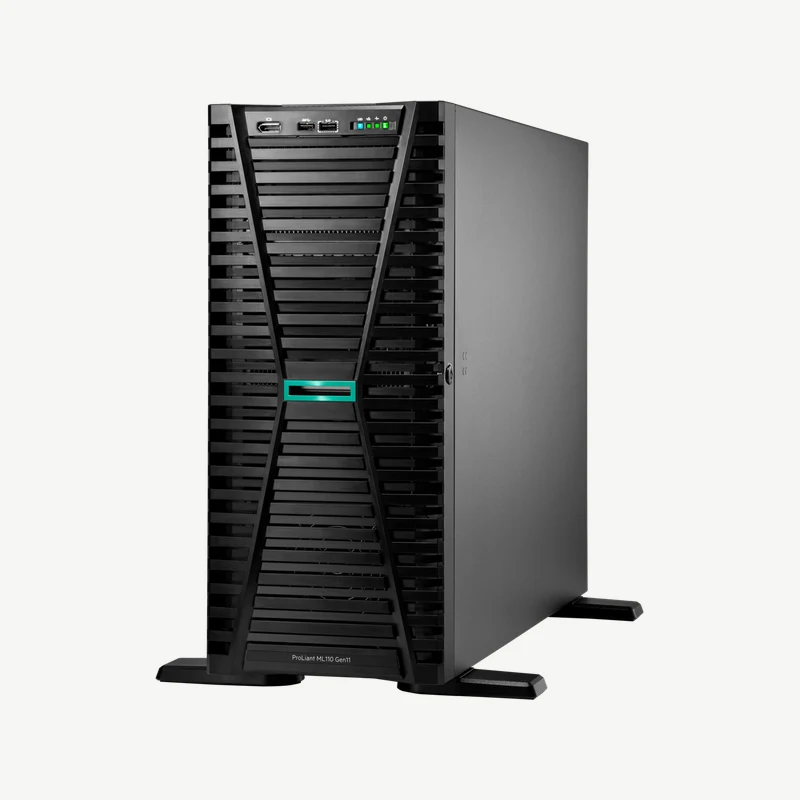
HPE ProLiant ML110 Gen11 (P71687-005): Xeon Silver 4514Y, 64 GB DDR5, 2x 960 GB SSD
- Intel Xeon Silver 4514Y, 16 cores at 2.0 GHz
- 64 GB DDR5 RDIMM, expandable to 1.5 TB across 16 slots
- 8 SFF bays with two 960 GB SATA SSDs
- MR408i-o controller with 4 GB cache
- Two hot-plug 800W power supplies, 3/3/3 warranty
The jump in price over the ML30 buys three concrete things: four times the memory slots, a hardware RAID controller with cache and a full 3/3/3 warranty with onsite visits for all 3 years. If none of those matters to your workload, the ML30 Gen11 is the better spend.
Why it fits:
- 16 DIMM slots give real room for virtual machines to grow.
- Hardware RAID with cache comes on most listed configurations.
- Onsite service for all 3 years is part of the base warranty.
Watch out for:
- This configuration has two standard fans; HPE’s redundant fan kit is on other part numbers, so ask for it if you want it.
- Still one processor socket, so a second CPU is never an upgrade path.
- A full-size tower, so plan floor space and airflow rather than a shelf.
HPE ProLiant Compute ML350 Gen12
The ML350 Gen12 is the big tower: two Xeon 6 sockets, 32 memory slots for up to 8 TB of DDR5 and room for GPUs. It suits a growing office that runs heavy virtualization, large datasets or accelerator workloads on site. The configuration below is the storage-leaning one, with a 12-core Xeon 6505P, 32 GB of memory and two 8 TB SAS drives behind an MR408i-o controller.
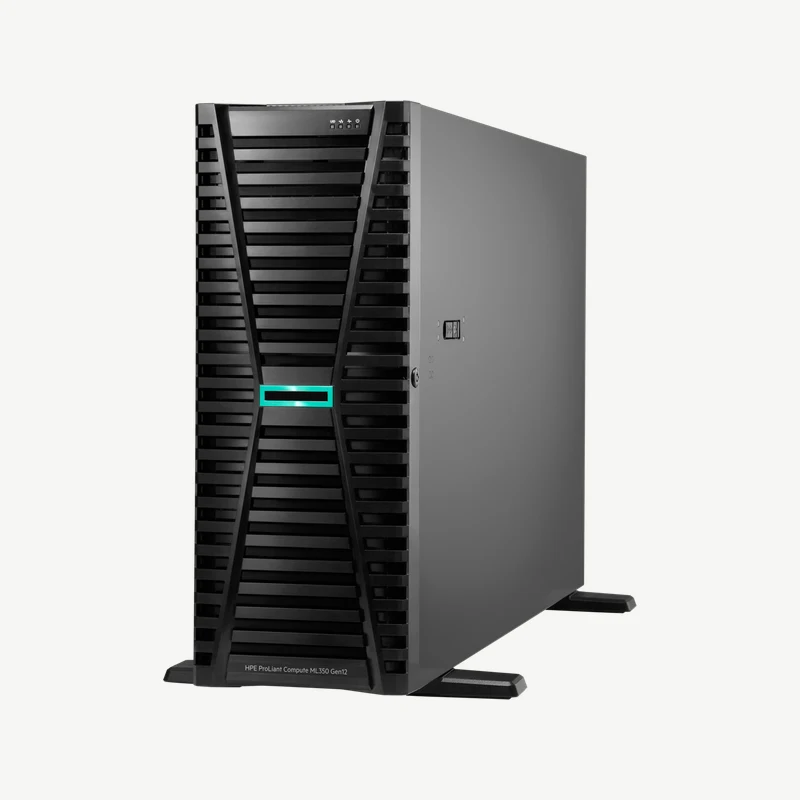
HPE ProLiant Compute ML350 Gen12 (P90002-005): Xeon 6505P, 32 GB DDR5, 2x 8 TB SAS HDD
- Intel Xeon 6505P, 12 cores (second socket empty)
- 32 GB DDR5 RDIMM, expandable to 8 TB across 32 slots
- 4 LFF bays with two 8 TB SAS hard drives
- MR408i-o controller with 4 GB cache
- Two hot-plug 800W power supplies, iLO 7, 3/3/3 warranty
Two details on this listing tell you a lot about the whole category. Every ML350 Gen12 configuration on HPE’s US store ships with one processor installed, so “dual-socket” only describes what the board can take. And this entry ML350 is priced below the ML110 configuration above, because it carries half the memory, fewer cores and hard drives instead of SSDs. Price tags in this lineup follow the parts inside the box.
Why it fits:
- The only tower here with a second CPU socket and an 8 TB memory ceiling.
- GPU and accelerator options for local AI or rendering work, once the right power and cooling kit is quoted.
- Full 3/3/3 warranty and iLO 7 management.
Watch out for:
- Adding the second processor also needs matching memory and HPE’s second CPU fan kit.
- More server than most small offices need; a faster server can’t fix a slow internet link for remote staff.
- Hard drives in this configuration, so ask for SSDs if the workload is a database rather than storage.
If you are open to another brand, my list of Dell tower servers covers the PowerEdge side of the same decision.
How to Choose an HPE Tower Server
Start from what the server will run every day, then pick the smallest model whose ceiling sits comfortably above that. Most small offices land on the ML30 Gen11. The decision path below shows the conditions that should move you off it.
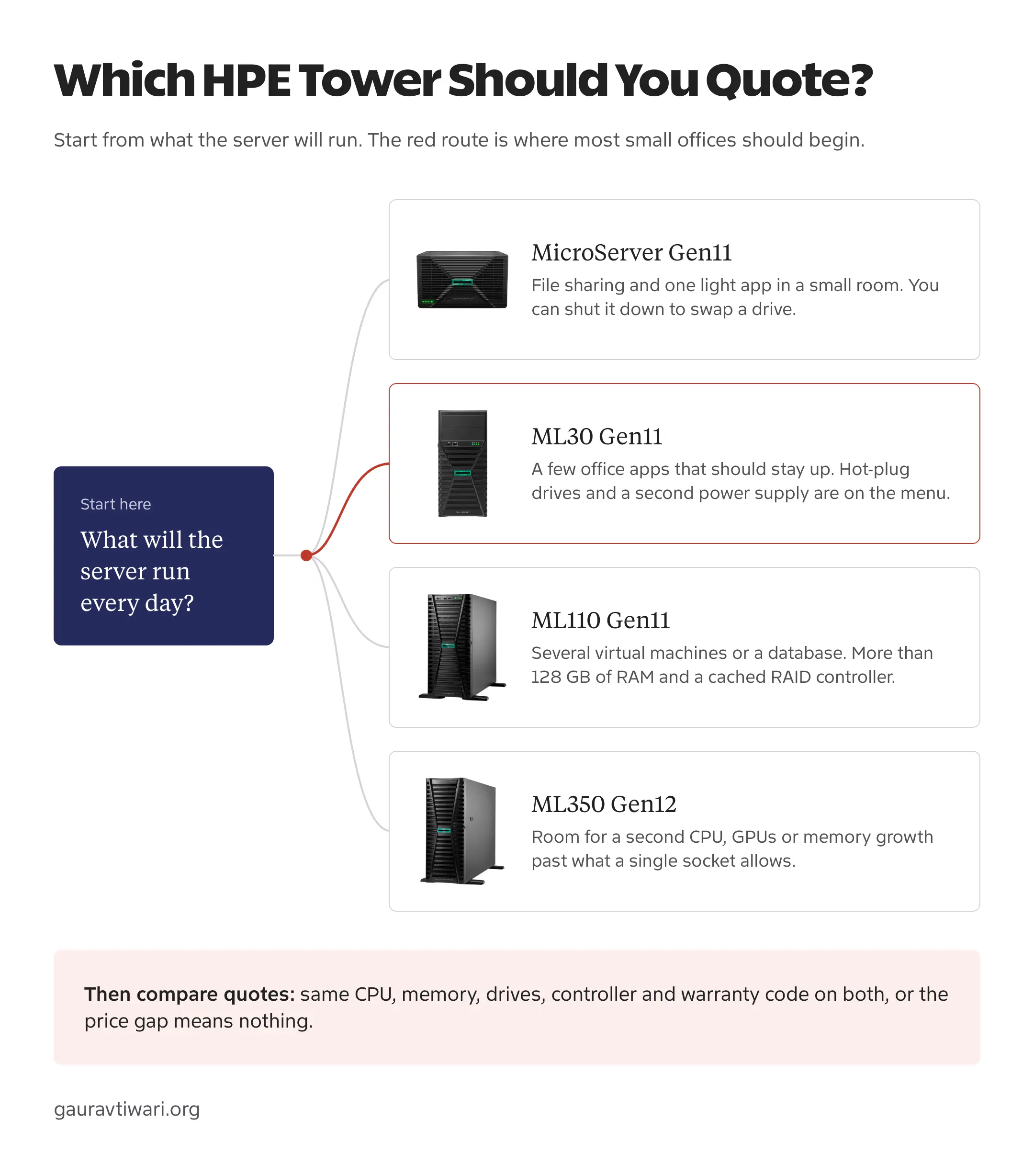
Once the model is settled, these are the details that change what you actually receive:
- Installed memory versus the ceiling. A configuration with 1 DIMM leaves slots free for later; one with 2 smaller DIMMs may need them replaced to reach the maximum.
- Hot-plug or non-hot-plug bays. Non-hot-plug (NHP in HPE part names) means a shutdown for every drive swap.
- Software or hardware RAID. VROC runs on the processor; MR216i-p and MR408i-o are dedicated controllers, and the MR408i-o adds 4 GB of cache.
- One or two power supplies. A second hot-plug supply keeps the server running when one fails, but only if each is plugged into a separate power source.
- Installed processors. On the ML350 Gen12, check how many CPUs the part number includes before you compare it with anything.
Not every office needs a server at all. If the only job is shared files and backups, a NAS does that with far less administration, and a cloud suite covers remote collaboration better than any box in a cupboard. A tower server makes sense when your software has to run locally: an accounting database, a line-of-business app, a domain controller or virtual machines you want to control yourself.
HPE Server Warranty
HPE writes warranty as three numbers: years of parts, years of labor and years of onsite service. A 3/1/1 ML30 still gets replacement parts in year 3, but after year 1 nobody comes to fit them unless you’ve bought an HPE care pack. That gap is where small offices get surprised.
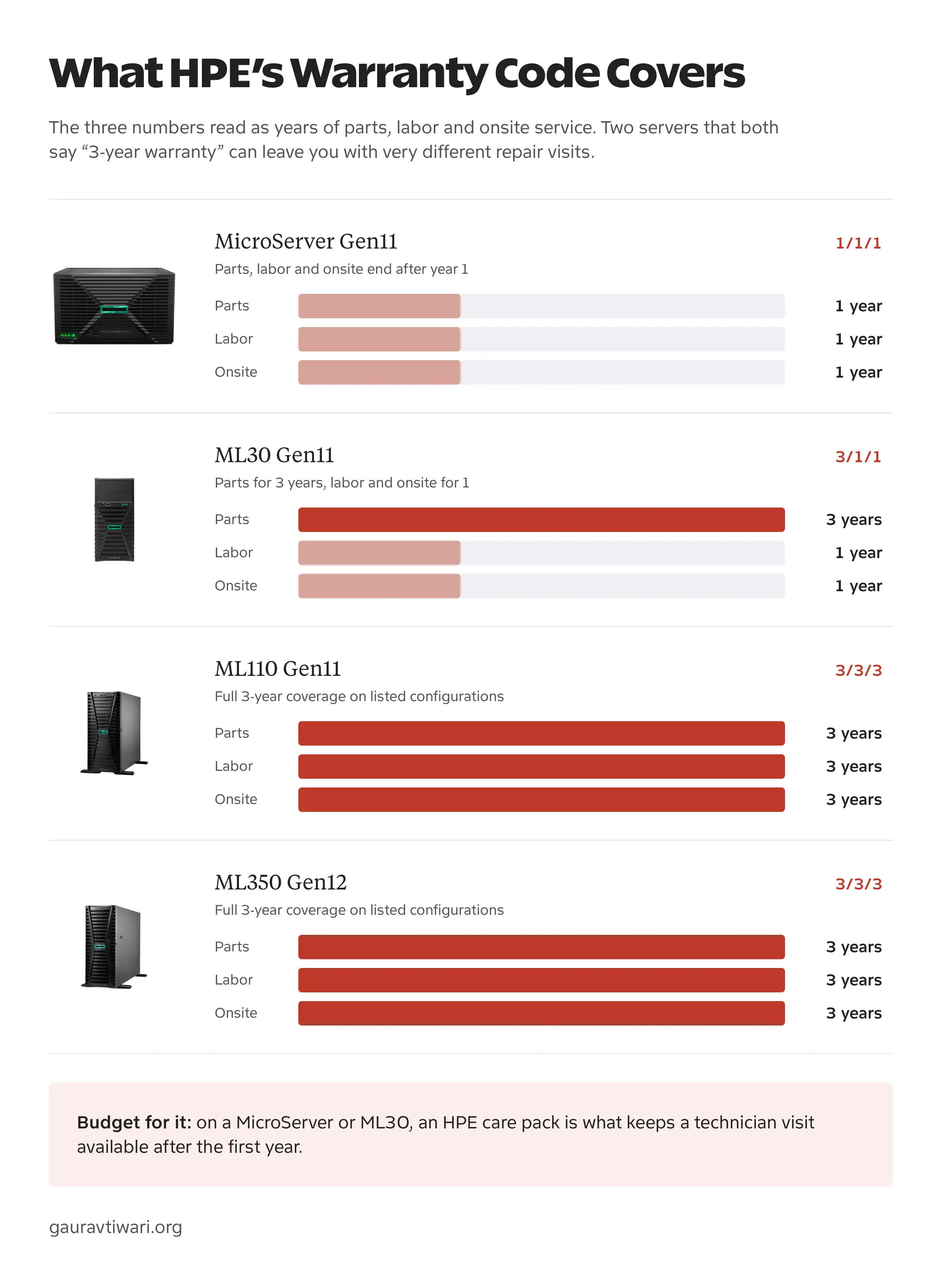
Two more things belong on the quote. These codes come from HPE’s US configurations, and coverage in India or elsewhere follows the local SKU and the partner’s terms, so get it in writing. The bundled hard drives also carry their own label: HPE’s part names list them as “1-year Warranty” Business Critical drives, so ask the reseller whether a failed drive in year 2 is covered by the server warranty or treated separately.
Ask for the warranty code, the care pack (if any) and the drive coverage on the quote itself. A “3-year warranty” line with no code is not enough to buy against.
Total Cost Beyond the Server
The server price is usually the smaller part of the bill once software and protection are added. A quote you can compare should list each of these:
- Operating system licenses. Windows Server Standard is licensed per core with a 16-core minimum per server, plus client access licenses for users or devices. The Essentials edition, sold through hardware makers, covers up to 25 users and 50 devices on a single-socket server with up to 10 cores, which fits a MicroServer or ML30.
- Remote management. Every model includes iLO, but the full graphical remote console after the OS boots needs an iLO Advanced license. It is worth having when nobody sits near the server.
- Drives and caddies. Many configurations ship with no drives or a single drive, so price the second drive you need for mirroring.
- A UPS. Size it for the server and switch, with enough runtime for a clean shutdown.
- Backup storage. A separate target for backups, ideally with one copy offline or off site.
- Care packs. Extended onsite coverage for the MicroServer and ML30 after year 1.
Power is a running cost too. As a hypothetical example, a server averaging 60 W around the clock uses about 526 kWh a year, and one averaging 150 W uses about 1,314 kWh. At an assumed Rs 8 per kWh, that difference costs about Rs 6,300 a year before cooling and UPS losses. Those wattages are assumptions, not measurements of any model here, but the arithmetic shows why a bigger tower than you need keeps costing money after the invoice is paid.
Placement, RAID and Backup
A tower doesn’t need a rack, but it still needs a proper spot. It should be raised off the floor, have open air behind and beside it, sit behind a door that locks and stay away from desks if the fans are loud. A UPS next to it and tidy cabling make the next drive swap or power cut far less dramatic.
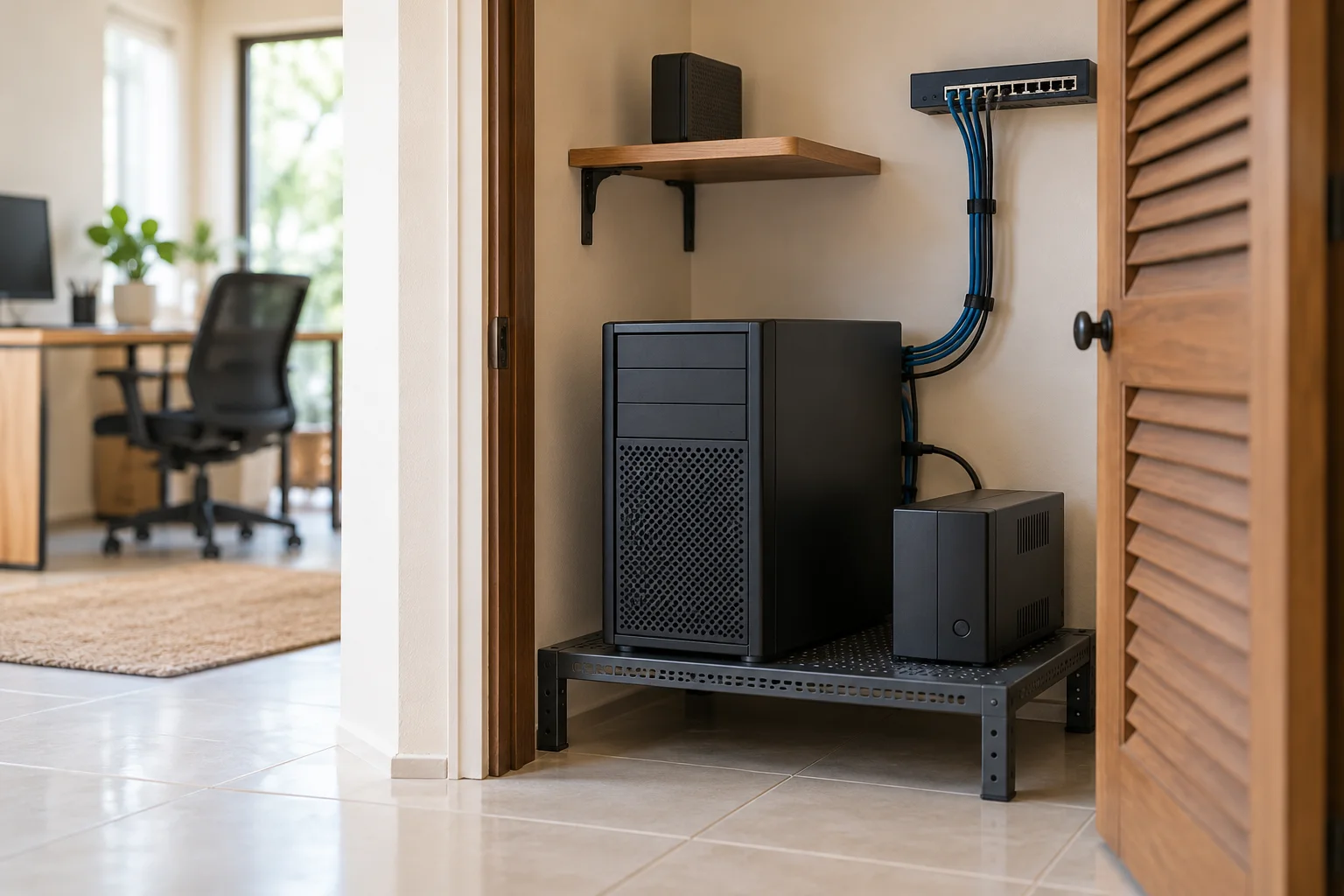
RAID and backup are different jobs, and a small office needs both. RAID keeps a correctly configured server running after a drive fails. A backup gives you a way back after someone deletes a folder, a database gets corrupted or ransomware encrypts everything, because a mirror copies those mistakes to both drives instantly.
Say you mirror two 4 TB drives. You get roughly 4 TB of usable space, and a file deleted on one drive is gone from both. CISA recommends keeping backups offline and encrypted and testing restores regularly, which is the habit that actually saves a small office. If the server hosts a database, my guide to backing up MySQL databases covers the dump-and-copy part, and my backup software roundup covers the office computers around it.
FAQs on HP Tower Servers
Are HP and HPE the same company?
No. HP Inc. and Hewlett Packard Enterprise have been separate companies since the 2015 split, and HPE makes the ProLiant servers. When a listing says HP tower server, compare it by the HPE model name and part number.
Which HPE tower server is best for a small business?
The ProLiant ML30 Gen11 suits most small offices that run local apps. It offers hot-plug drives, redundant power options, up to 128 GB of memory and a 3/1/1 warranty. Choose the MicroServer Gen11 for a light file-sharing job in a small space, the ML110 Gen11 for more memory and hardware RAID and the ML350 Gen12 when you need a second CPU or GPUs.
Does a dual-socket server come with two processors?
Not necessarily. Dual-socket describes what the board supports. Every ML350 Gen12 configuration on HPE’s US store ships with one processor installed, and adding a second also needs matching memory and HPE’s second CPU fan kit.
Is a refurbished Gen10 server worth buying?
It can be, if the price, condition and support fit your workload. Check the exact generation, installed parts, who provides the warranty, firmware access, software compatibility and return terms. A cheap Gen10 with no support contract is a gamble for business-critical work.
Does standard iLO include the remote console?
Standard iLO covers monitoring and basic management, but the full graphical remote console after the operating system loads needs an iLO Advanced license. Check whether the quote includes it.
Are drives and Windows Server included?
Only when the part number or seller bundle says so. Many configurations ship with one drive or none, and an operating system license is a separate line item unless the listing names it.
How long should a small office keep a tower server?
Keep it while the workload fits, security updates and firmware are still available and service coverage can be renewed at a sensible price. Plan the replacement before coverage ends rather than after the first hardware failure.
Final Remarks
Ask two HPE partners or resellers for itemized quotes on the same configuration: the same processor, memory, drives, RAID controller, power supplies and warranty code. Only then does the price difference mean anything. Before the server goes live, agree who patches it and run one full restore, because a server nobody has restored from is only half set up.