
WordPress schema markup usually arrives via JSON-LD from an SEO plugin, and that’s fine as far as it goes. The Schema Settings module works at a different layer: it adds Schema.org microdata attributes directly to your theme’s HTML elements and outputs BreadcrumbList structured data, filling the gaps SEO plugins leave.
Microdata at the markup level tells crawlers what each region of the page actually is: this is the header, this is the article, this is the headline. It complements JSON-LD instead of competing with it.
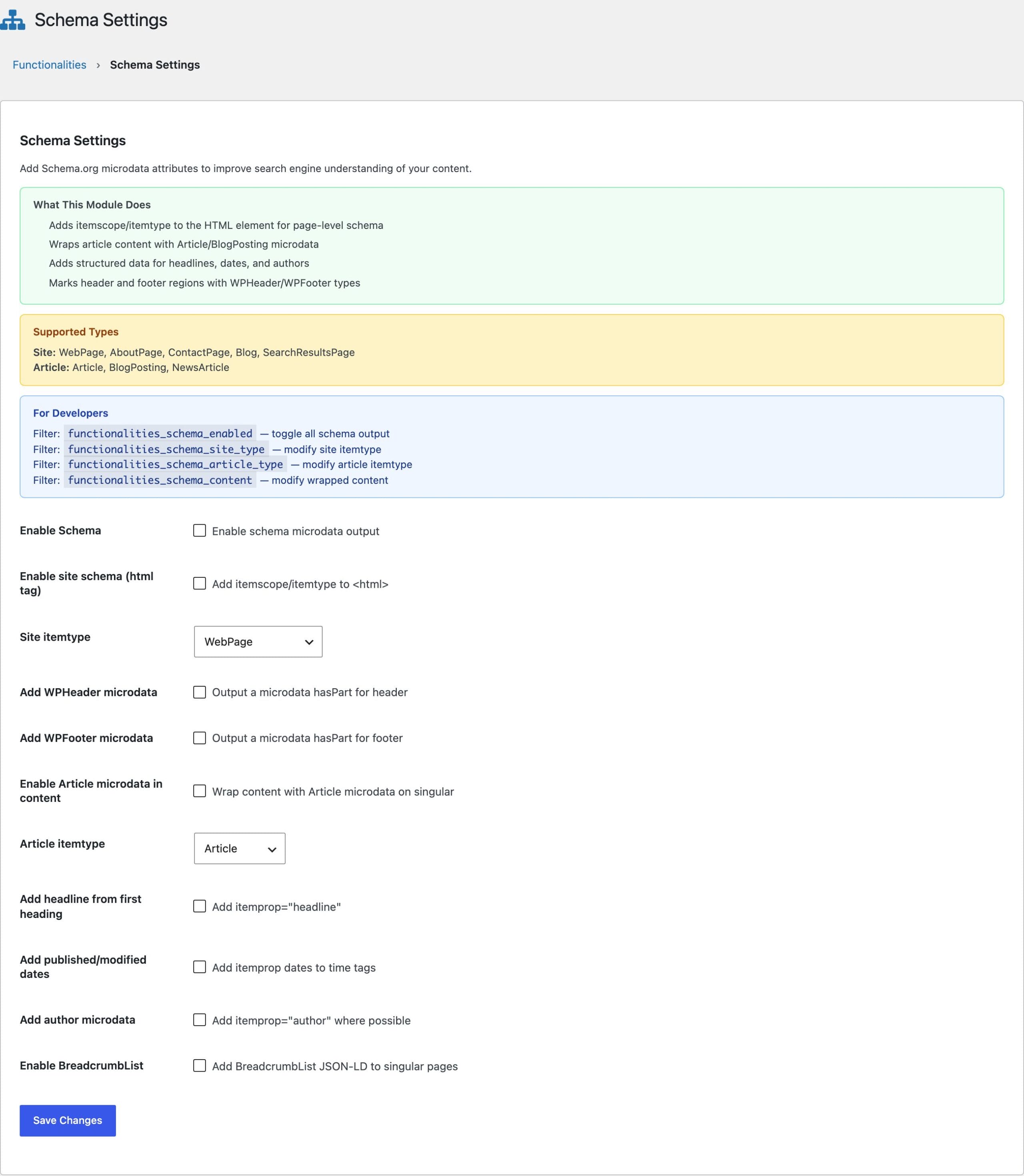
Schema Types Applied
With the module enabled, these elements get itemscope and itemtype attributes automatically:
<html>becomes a WebPage (configurable)<header>becomes a WPHeader<footer>becomes a WPFooter<article>becomes an Article (configurable)- the first H1 or H2 inside an article gets
itemprop="headline"
Breadcrumb Structured Data
BreadcrumbList JSON-LD is a separate toggle, and it’s the piece with visible payoff: breadcrumb trails in search results instead of raw URLs. If your SEO plugin already outputs BreadcrumbList, leave this off; duplicate breadcrumb schema is one of the exact collisions the Assumption Detection module exists to catch.
Customizing Types Per Page
Both configurable types accept filters, so a storefront or portfolio can declare what it actually is:
add_filter( 'functionalities_schema_site_itemtype', function( $type ) {
    if ( is_front_page() ) {
        return 'WebSite';
    }
    return $type;
});

add_filter( 'functionalities_schema_article_itemtype', function( $type ) {
    return is_singular( 'review' ) ? 'Review' : $type;
});
How the Attributes Are Added
The module writes its attributes through the WordPress HTML API, editing the opening tag in place instead of reparsing and reserializing the document. Your markup comes out the way your theme wrote it, with itemscope and itemtype added and nothing else touched.
This is what keeps the module safe on a theme that renders Vue, Alpine, or mustache templates. Directives and {{ }} bindings are attributes the parser does not recognize, and unrecognized attributes are left exactly as they are, so those pages get their microdata like any other page rather than being skipped.
Microdata or JSON-LD?
Use both, for different jobs. JSON-LD from an SEO plugin should carry your rich-result schema like FAQ and Product. Microdata from this module describes page structure. My guide to FAQ schema in WordPress covers the rich-result side, and my Rank Math review explains what a full SEO plugin handles that this module deliberately doesn’t.
Next up: SVG Icons, safe SVG uploads with inline insertion in the block editor.