
WordPress gives you no way to manage external links in bulk, so on most sites nobody is managing them at all. Once a site passes a few hundred posts, which links carry nofollow and which open in a new tab stops being a decision anyone remembers making. The Link Management module makes those 3 decisions for you at render time and applies them the same way on every page.
This module descends from my old GT Nofollow Manager plugin, rebuilt on a faster filter with exception handling that actually matches how affiliate sites work.
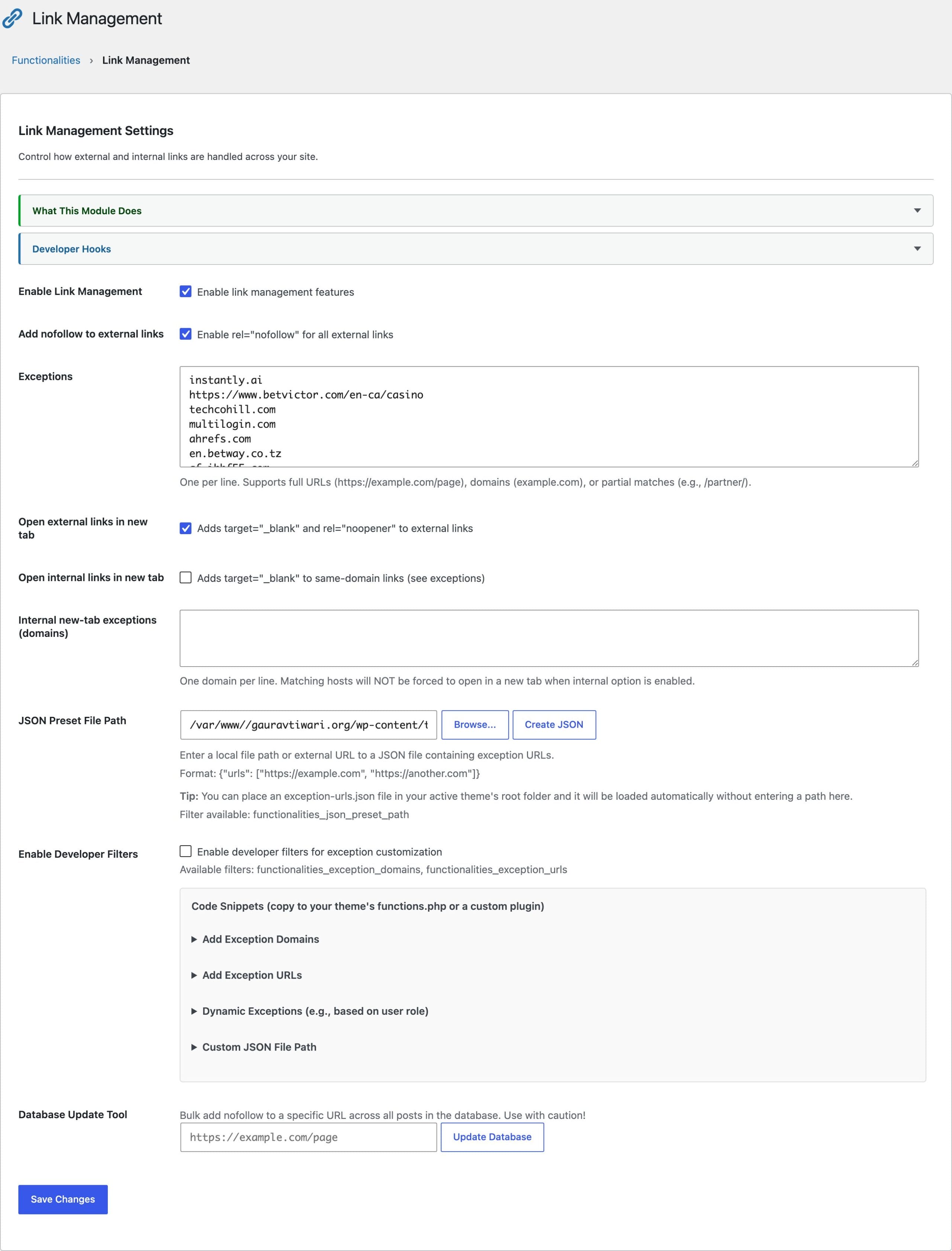
What It Controls
Three behaviors, each with its own toggle:
- Auto nofollow: adds
rel="nofollow"to external links at render time, without rewriting stored content - External links in new tab: adds
target="_blank"with the matchingrel="noopener" - Internal links in new tab: available, but leave it off; same-site navigation should stay in the same tab
If you’re unsure when nofollow is the right call, my explainer on dofollow versus nofollow links covers the SEO mechanics.
Exceptions: The Part That Matters
Blanket nofollow is the easy half. Exceptions are the reason this module exists, because any site running affiliate or partner links has a handful of destinations that should stay followed. Trusted domains and exact URLs can skip the nofollow rule, and a whole exception list can be loaded from a JSON preset, so the same trusted-partner list ships to every site you run:
{
  "urls": [
    "example.com",
    "trusted-partner.org",
    "https://specific-url.com/page"
  ]
}
A preset served from a URL is fetched once per cache window rather than on every page load, and that window is 15 minutes unless functionalities_link_preset_ttl says otherwise. The cache clears whenever the module settings change, a post or page is edited, or the theme changes. If a fetch fails, the module keeps the last good list and retries sooner, so a preset host going down does not quietly drop your exceptions and start nofollowing your partners.
Developers can manage exceptions in code instead:
add_filter( 'functionalities_exception_domains', function( $domains ) {
    $domains[] = 'trusted-site.com';
    return $domains;
});

add_filter( 'functionalities_exception_urls', function( $urls ) {
    $urls[] = 'https://example.com/specific-page';
    return $urls;
});
A domain set in code survives a settings reset, a settings import, and a site migration. One typed into the text box does not, which is why anything you would be upset to lose belongs in a filter.
Fixing Existing Content in Bulk
Render-time filtering covers everything going forward, and the Database Update tool covers the past. It walks published content in batches of 100, writing nofollow into stored post content where it is missing, and it pages by ascending post ID so a site with thousands of matching posts works its way through the whole archive instead of returning to the same first batch. The batch size is filterable through functionalities_link_update_batch_limit if your host needs smaller bites.
This one rewrites stored content, so it is the only part of the module that is not reversible by flipping a toggle. Take a database backup before you run it. I wrote a full walkthrough of the workflow in how to add bulk nofollow in WordPress.
Beyond Post Content
The same rules can run on ACF fields, shortcode output, or any custom template through a public helper:
echo \Functionalities\Features\Link_Management::process_content( $html );The processor edits attributes in place through the WordPress HTML API rather than reserializing the document. If your theme renders Vue, Alpine, or mustache templates, their directives and bindings come through the pass untouched, so link rules apply to that markup the same way they apply to an ordinary post.
Next: Performance & Cleanup, the module with the most toggles and the biggest payoff.