
The Dynamic Functionalities modules covered so far handle the headline jobs: redirects, security, cleanup, schema. This lesson covers the other five modules in the toolkit: Fonts, Components, Progressive Web App, Meta & Copyright, and Editor Link Suggestions. Each one replaces a single-purpose plugin you’d otherwise install.
They’re smaller in scope, not in usefulness. The Fonts module alone retired a font plugin and four lines of theme code on my own site.
Fonts
The Fonts module registers custom font families with proper @font-face output, WOFF and WOFF2 uploads straight into the media library, and full variable font support. Uploads are validated by binary signature, so a renamed executable can’t masquerade as a font file.
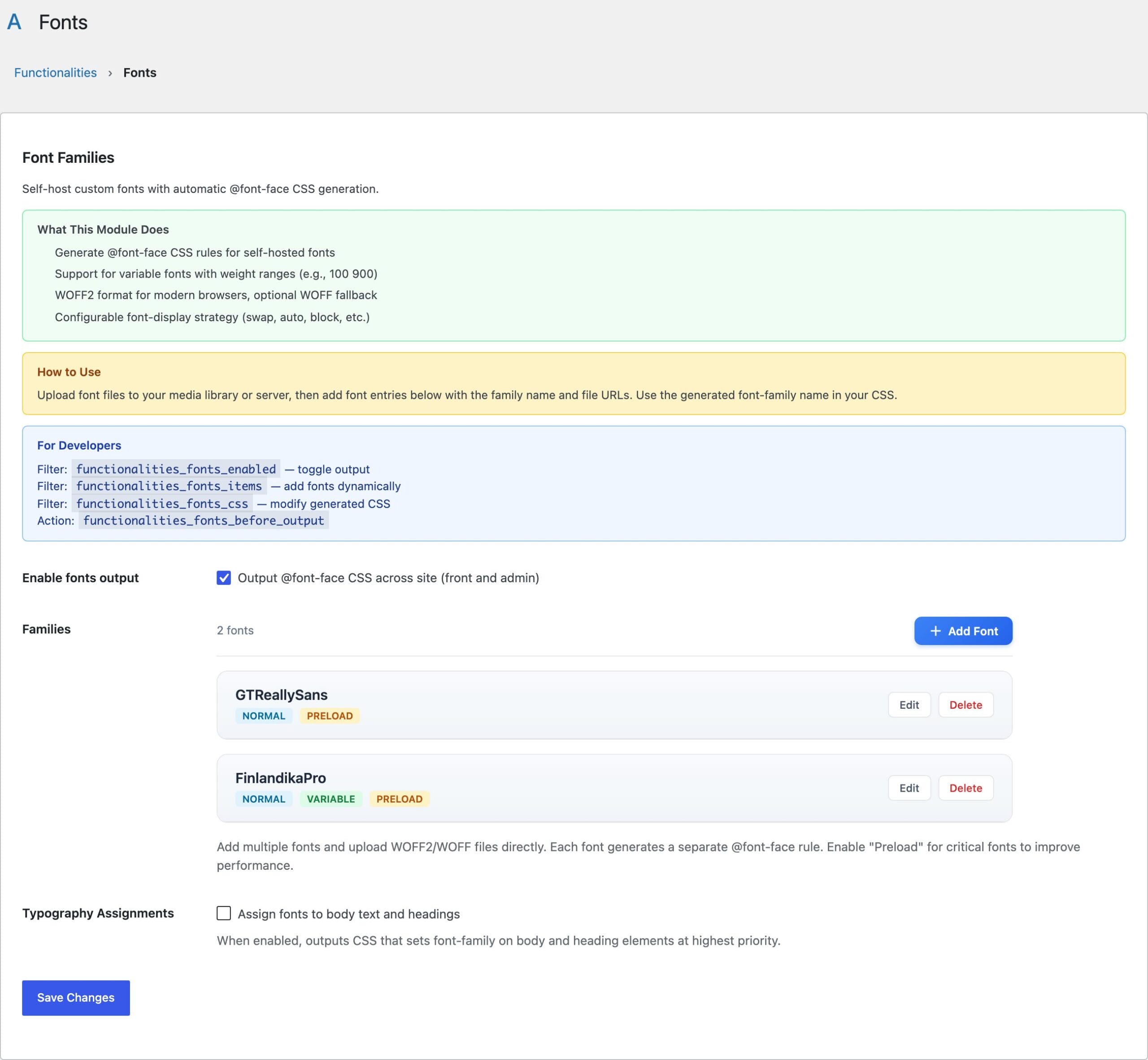
Three details set it apart from typical font plugins:
- Unicode-range subsetting: limit which characters trigger a font download, with quick-pick presets for Latin, Latin Extended, Greek, Cyrillic, and Vietnamese. Visitors who never hit Cyrillic text never download the Cyrillic face.
- Editor parity: fonts load inside the block editor canvas through the editor styles channel, so what you see while writing is what ships. The font picker in the editor lists your custom families too, via theme.json integration.
- Builder integration: custom fonts appear in the Bricks Builder typography picker and render inside the builder canvas.
Fonts can also be assigned to body text and headings globally, without touching your theme. For the performance side of typography, my lesson on font loading and typography performance covers subsetting strategy in depth.
Components
Components stores reusable CSS as named selector-plus-rules pairs and auto-enqueues them site-wide. Think of it as a structured stylesheet that survives theme switches: button styles, card layouts, notice boxes, defined once and available everywhere, in both the front end and the block editor canvas.
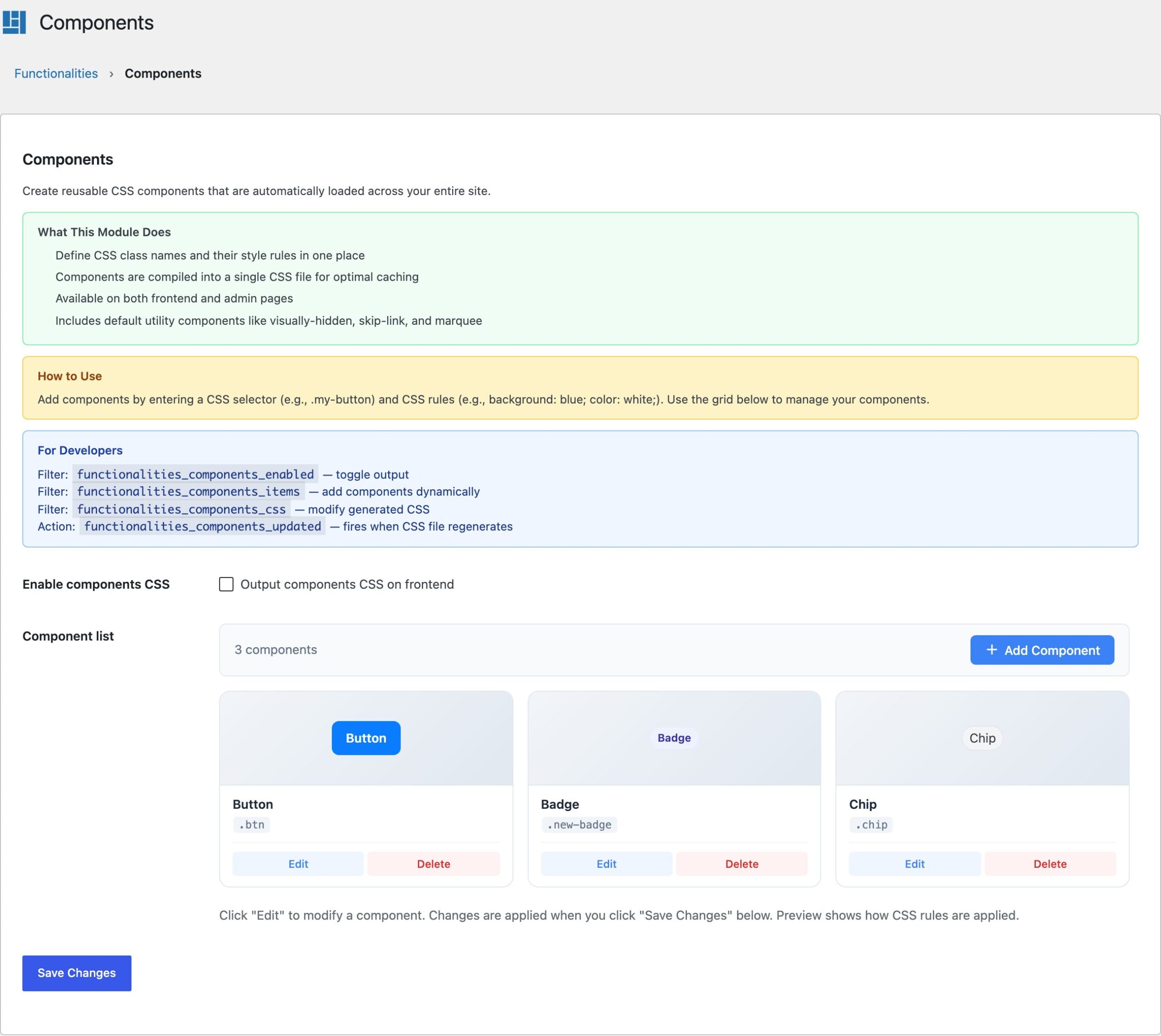
Everything is filterable: add components in code with functionalities_components_items, or post-process the generated CSS with functionalities_components_css.
Progressive Web App
The PWA module makes your site installable: a web app manifest, a service worker, and offline support, with the app name, short name, description, and icons prefilled from your WordPress settings and Site Icon. You fill in colors and you’re done.
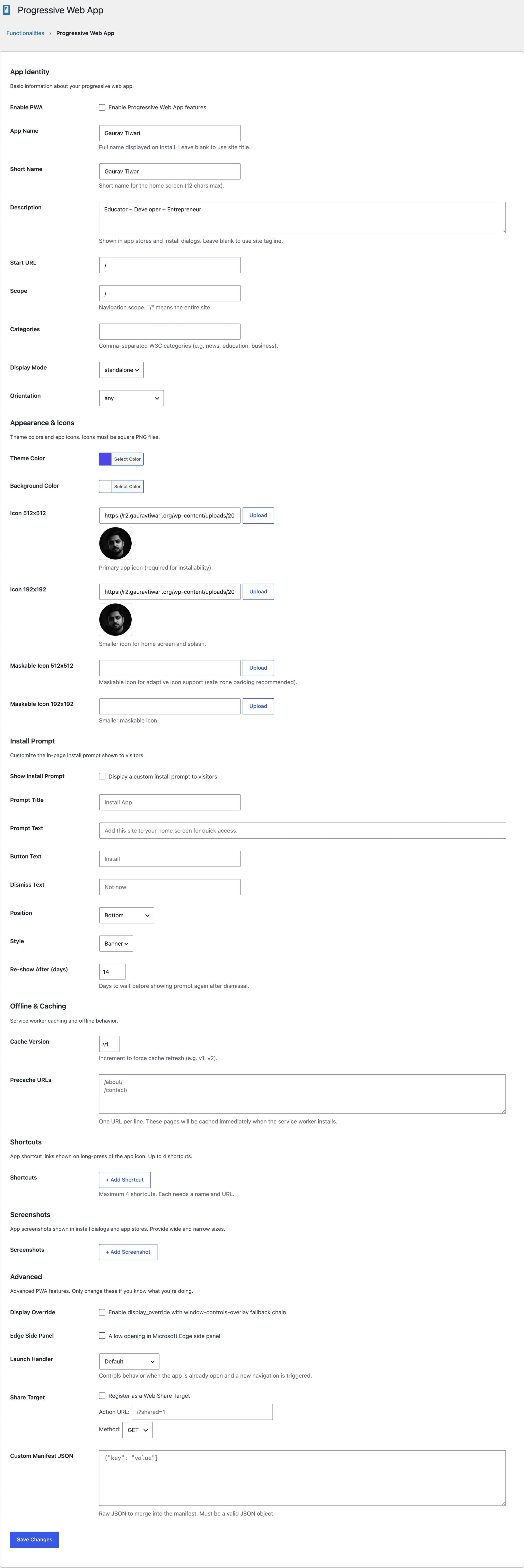
Whether a PWA fits your project at all is a strategy question; my comparison of PWA versus native apps walks through when installability is worth it. Developers can reshape the manifest with functionalities_pwa_manifest and tune caching through functionalities_pwa_service_worker_config.
Meta & Copyright
This module outputs the metadata layer most sites skip: copyright meta tags, Dublin Core (DCMI) metadata, and per-post license selection covering the Creative Commons spectrum and All Rights Reserved. License data also integrates with the Schema.org output of major SEO plugins, so your declared license is machine-readable everywhere it counts.
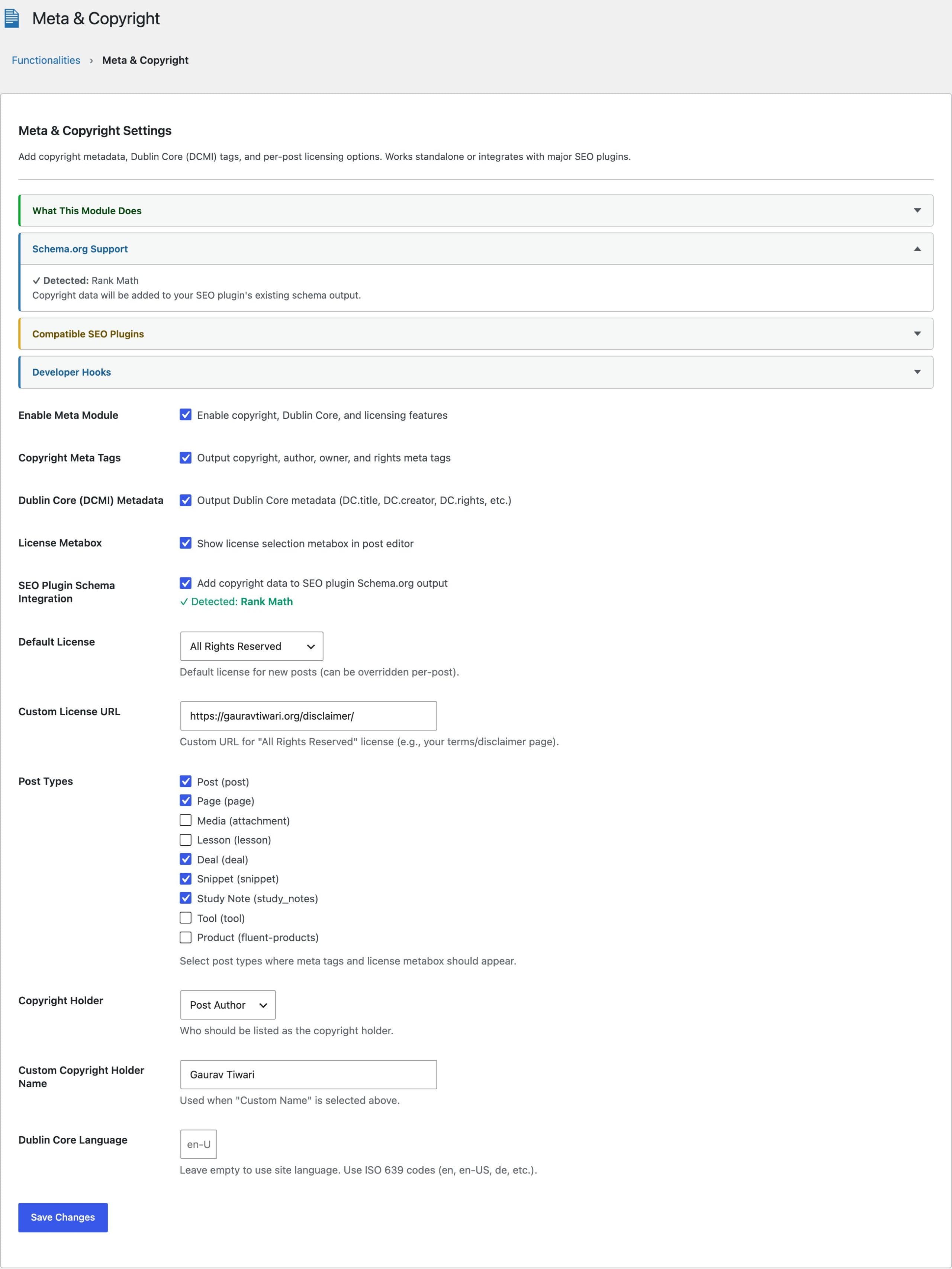
If you publish under mixed licenses, like CC BY for tutorials and All Rights Reserved for commercial content, per-post selection is the feature that makes the policy enforceable. Custom license types can be registered through the functionalities_meta_licenses filter.
Editor Link Suggestions
The smallest module in the plugin fixes a daily annoyance: the block editor’s link autocomplete suggests every post type on your site, including products, snippets, and custom types you never link to from prose. Editor Link Suggestions restricts the suggestion list to the post types you actually want.
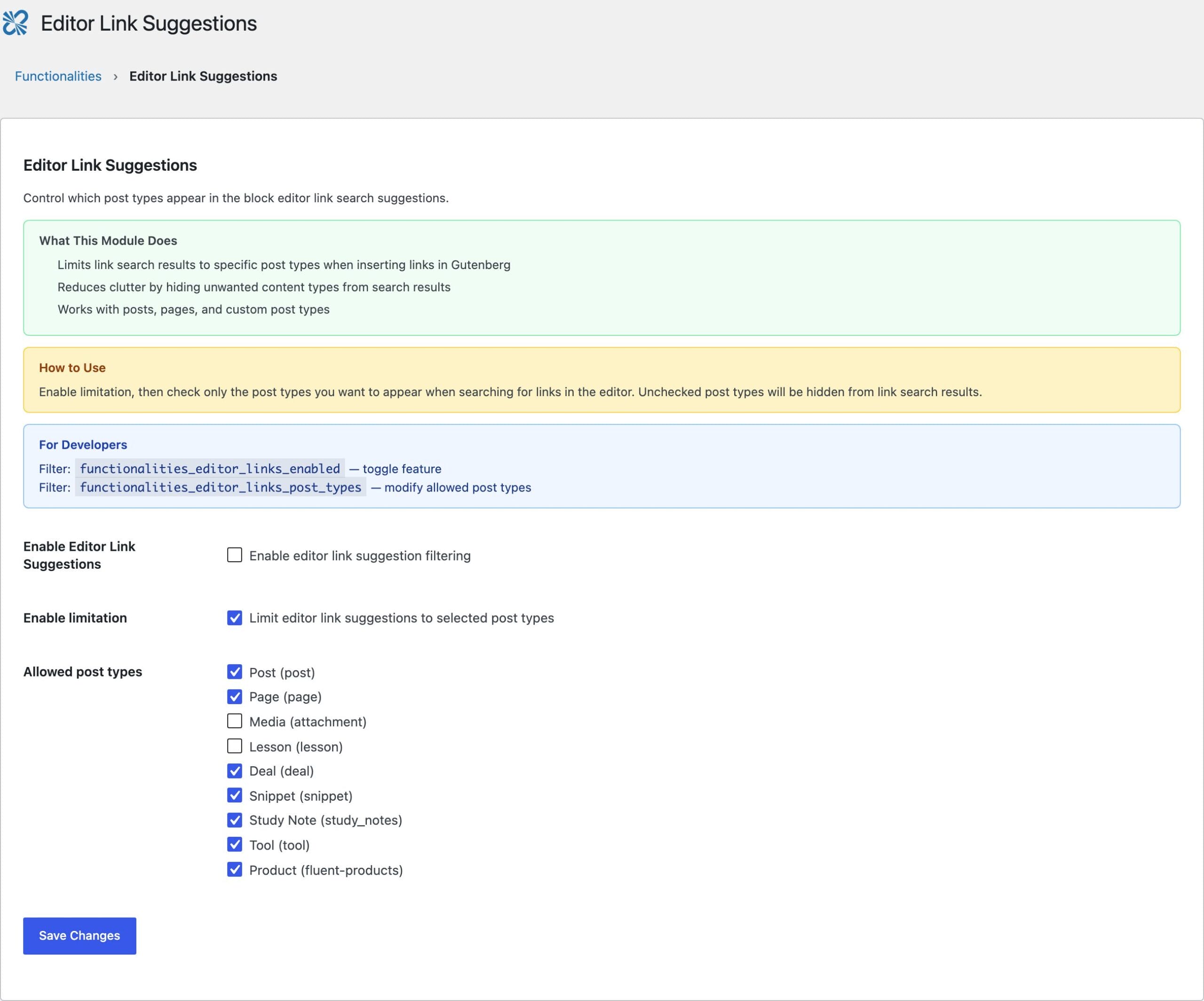
On this site, link suggestions are limited to posts, pages, and lessons, which is why adding an internal link takes one keystroke less thought than it used to. Developers can set the list in code with functionalities_editor_links_post_types.
Enabling These Modules
All five live on the same Functionalities dashboard as everything else, off by default, zero code loaded until enabled. The full module reference lives on the plugin page, and the Technical Reference lesson documents the constants, options, and hooks these modules expose.