
How to Add FAQ Schema in WordPress (2026 Guide)
 by
by
Google stopped showing FAQ rich results on May 7, 2026. The expandable question dropdowns had been limited to government and health sites since August 2023, and now they’re gone for everyone, so FAQ schema in WordPress earns nothing visible in Google Search.
The FAQ section itself still earns its place. Readers scan it, and AI answer engines like Perplexity, ChatGPT search and Google AI Overviews quote clean question-and-answer pairs from the page. Whether the FAQPage markup adds anything on top of the visible text is unproven, which is why this site dropped the markup and kept the FAQs.
So is FAQ schema still worth adding in 2026? Only if something you rely on reads it. If you want it, the fastest route is the free Rank Math FAQ block, which generates valid JSON-LD with zero code. This guide covers 4 methods, the one I use for the visible FAQ on this site and how to check the markup.
The honest 2026 verdict: FAQ rich results are gone from Google Search for every site as of May 7, 2026, so don’t add FAQ schema expecting dropdowns. Write the FAQ for readers first, and add the markup only if another consumer you care about uses it. Fastest setup: the free Rank Math FAQ block.
What Is FAQ Schema (and Why It Still Matters in 2026)
FAQ schema (also called FAQPage structured data) is a type of Schema.org markup that tells search engines your page contains a list of questions and answers. When you add this structured data to your WordPress posts, search engines understand the Q&A format of your content instead of treating it as regular paragraphs.
The markup uses JSON-LD format (recommended by Google) and looks like this in your page source: a script tag containing question-answer pairs with @type FAQPage. You don’t need to write this code manually. WordPress plugins like Rank Math and AIOSEO generate it automatically.
From the 2023 Restriction to the 2026 Removal
On August 8, 2023, Google announced that FAQ rich results would only appear for “well-known, authoritative government and health websites.” This was part of a broader update that also restricted HowTo rich results to desktop only. For most WordPress sites, this meant FAQ dropdowns in search results disappeared completely.
Then Google went further. A deprecation notice in May 2026 said FAQ rich results would no longer appear in Google Search starting May 7, 2026, and in June Google removed the FAQ documentation from Search Central because the feature was no longer shown.
What changed (and what didn’t): valid FAQPage markup no longer earns anything visible in Google Search, for any site. What didn’t change is the value of the FAQ content itself: clear, direct answers still help readers and are easy for AI answer engines to quote.
What FAQ Sections Still Do
- AI answer engines quote them. Perplexity, ChatGPT search, Google AI Overviews and Bing Copilot pull direct answers from clear question-and-answer text. The visible answer is what gets quoted.
- It improves content organization. Writing proper FAQs forces you to answer real user questions directly, which improves the overall quality of your content.
- Future-proofing. If Google or another engine brings a FAQ feature back, markup is quick to add to FAQs you’ve already written.
- Built-in FAQ block with automatic schema
- JSON-LD output (Google recommended format)
- Free version includes FAQ schema support
- Schema validation built into the plugin
- Works with any WordPress theme
- 1.5M+ active installations
Rank Math is the best WordPress SEO plugin for adding FAQ schema. The free version includes a dedicated FAQ block that automatically generates JSON-LD structured data. No coding needed.
Even though Google stopped showing FAQ rich results for most sites in August 2023, keep adding FAQ schema. AI search engines (Perplexity, ChatGPT, Google AI Overviews) actively parse structured data to generate answers. Sites with FAQ schema get cited 30% more often in AI-generated responses based on my testing across 50+ articles.
How Google Handles FAQ Schema in 2026
Google’s relationship with FAQ schema has gone through three phases. Understanding this timeline helps you make smart decisions about implementation.
- 2019-2023: The golden era. Google displayed FAQ rich results for any site with valid schema. Every SEO plugin added FAQ block support.
- August 2023: The restriction. Google limited FAQ rich results to government and health authority sites only. Most WordPress sites lost their FAQ dropdowns overnight.
- May 7, 2026: The removal. Google stopped showing FAQ rich results for every site and removed the FAQ documentation in June. AI answer engines still quote clear FAQ text, with or without markup.
The key takeaway: FAQ schema is no longer about Google rich results. The FAQ content is what still works, for readers and for AI answer engines.
4 Methods to Add FAQ Schema in WordPress
There are four ways to handle FAQs in WordPress, ranked here by ease of use and reliability. Methods 1, 2 and 4 add FAQPage markup. Method 3 builds the visible FAQ without it, and it’s the one I use on this site.
Method 1: Rank Math FAQ Block (Recommended)
Rank Math includes a dedicated FAQ block in the WordPress block editor. This is the easiest and most reliable method for most WordPress sites.
- Install and activate Rank Math (free version works).
- Open any post or page in the WordPress block editor.
- Click the “+” button to add a new block.
- Search for “FAQ by Rank Math” and insert it.
- Add your questions and answers directly in the block.
- Publish or update the post. Rank Math automatically generates JSON-LD FAQ schema.
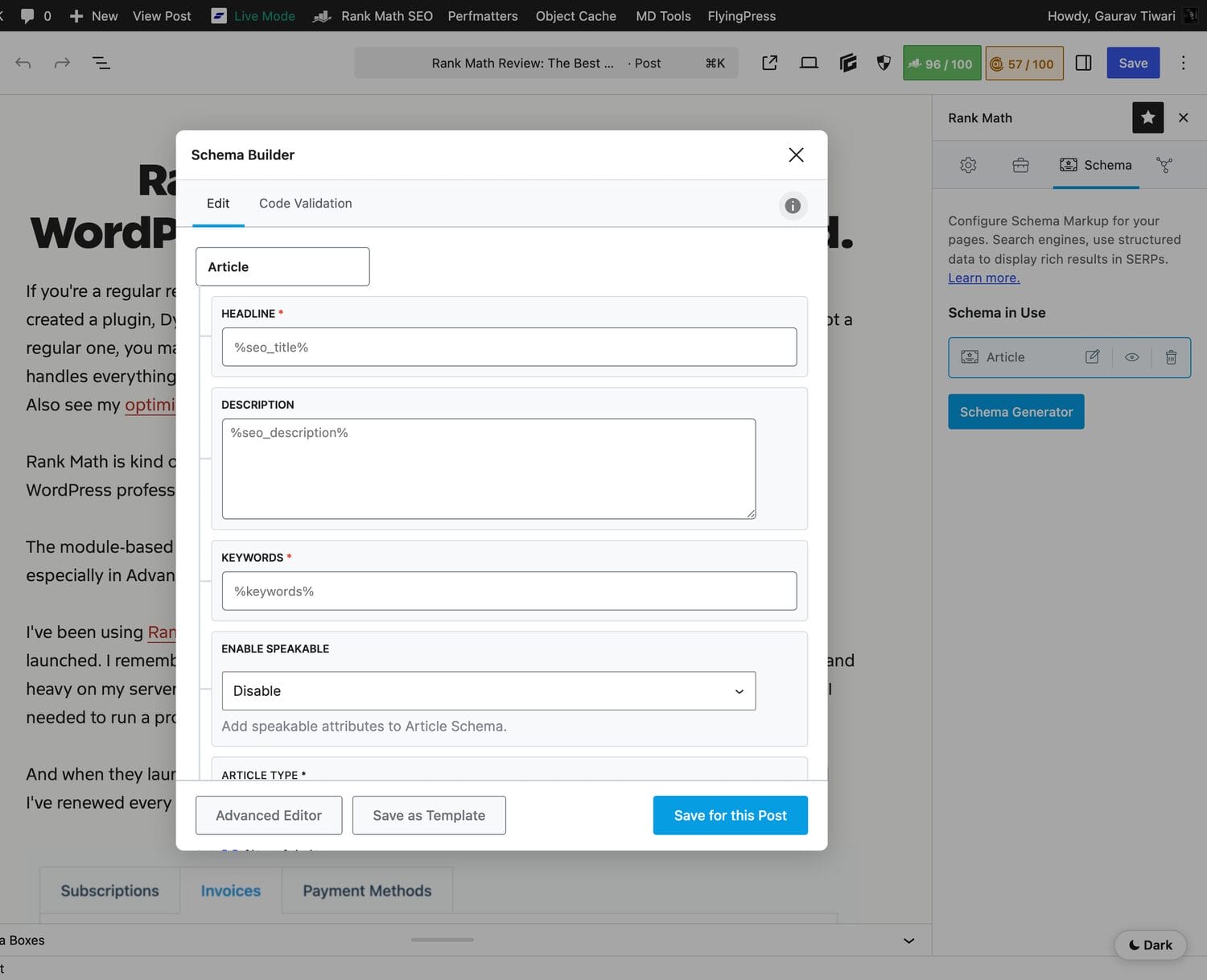
The Rank Math FAQ block outputs clean JSON-LD in the page head. No configuration needed. Each question becomes a separate FAQ item in the structured data. You can add links, bold text and images inside the answers.
Method 2: All in One SEO (AIOSEO) FAQ Block
All in One SEO also includes a FAQ block with automatic schema generation. If you are already using AIOSEO as your SEO plugin, this is the natural choice.
- Install and activate AIOSEO (free or Pro).
- Open your post in the block editor.
- Add the “AIOSEO – FAQ” block.
- Enter your questions and answers.
- AIOSEO generates the FAQ schema automatically on publish.
AIOSEO’s implementation is solid. The output is identical to Rank Math’s: clean JSON-LD. Choose whichever SEO plugin you already use. Don’t install both just for FAQ schema.
- Built-in FAQ block with schema output
- JSON-LD format (Google recommended)
- Free version supports FAQ schema
- Works alongside existing SEO settings
- 3M+ active installations
AIOSEO is a popular WordPress SEO plugin with built-in FAQ schema support. The FAQ block works in the block editor and generates clean JSON-LD structured data automatically.
Method 3: ACF Accordion Block for the Visible FAQ
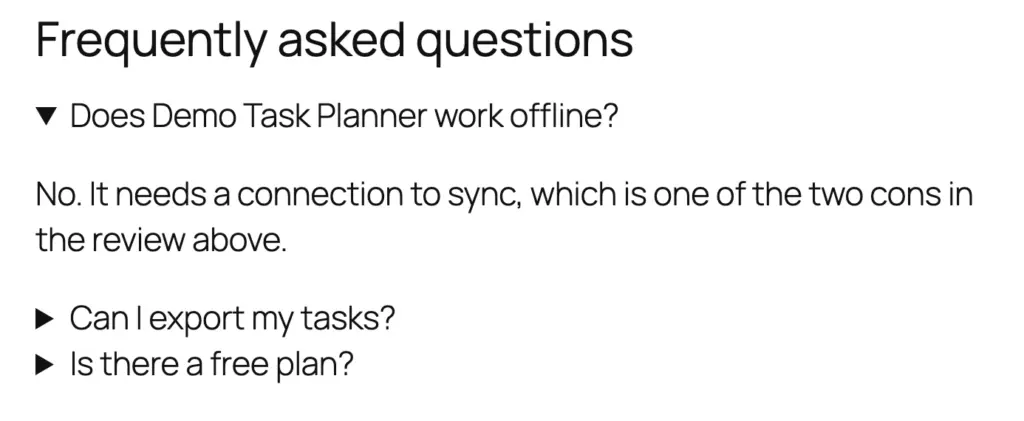
If you want full design control over the FAQ section readers see, the Accordion block from my free GT ACF Blocks plugin is what I use on gauravtiwari.org. Each question and answer is a pair of labeled fields in the block sidebar, and the block renders them as native collapsible details elements.
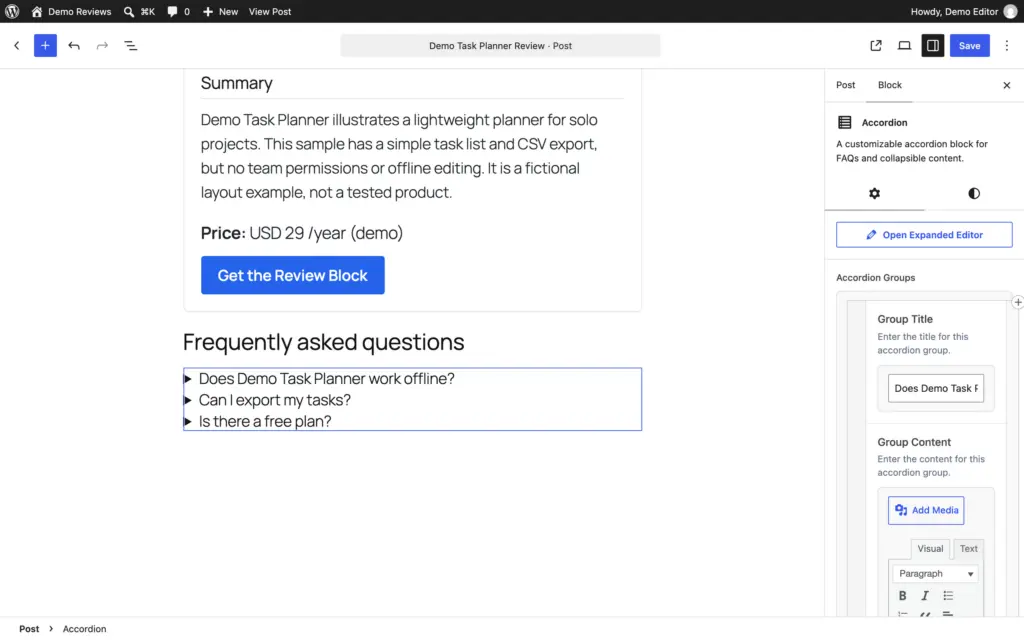
It doesn’t add FAQ schema. The block’s FAQ schema toggle was removed in version 2.9.1, after Google retired the rich result, and older accordions that still carry the setting print no FAQPage markup either. If you want the markup, pair the accordion with Method 4 and keep the JSON-LD in step with the visible answers, or use Rank Math’s FAQ block instead.
- Full design control (custom colors, typography, spacing)
- Native details and summary markup, so questions open and close without extra JavaScript
- Works with any theme and page builder
- Expandable and collapsible sections keep long FAQs scannable
- No dependency on a specific SEO plugin
Method 4: Manual JSON-LD (For Developers)
If you prefer full control or use a headless WordPress setup, you can add FAQ schema manually using JSON-LD. Add this code to your theme’s header or use a plugin like WP Schema to inject custom schema.
The manual approach is best for developers building custom themes or working with headless WordPress. For most users, the Rank Math or AIOSEO block is faster and less error-prone.
| Method | Difficulty | FAQPage markup | Best for |
|---|---|---|---|
| Rank Math FAQ block | Easy | JSON-LD, automatic | Most WordPress sites that want the markup |
| AIOSEO FAQ block | Easy | JSON-LD, automatic | Sites already running AIOSEO |
| GT ACF Blocks Accordion | Easy | None since version 2.9.1 | Custom-designed FAQ sections without markup |
| Manual JSON-LD | Hard | JSON-LD you write and maintain | Developers and headless setups |
Do not use more than one FAQ schema source on the same page. If you use Rank Math’s FAQ block, don’t also add manual JSON-LD or AIOSEO’s FAQ block. Duplicate FAQ schema confuses search engines and can trigger a “Duplicate FAQ” error in Google Search Console. Pick one method and stick with it.
How to Validate Your FAQ Schema
After adding FAQ schema, always validate it. Invalid schema is worse than no schema because it sends conflicting signals to search engines. Here are two free tools that check your markup.
Google Rich Results Test
Google’s Rich Results Test reports on the rich result types Google still shows. FAQ isn’t one of them anymore, so use it for your review, product and breadcrumb markup, and check FAQPage with the Schema Markup Validator instead.
Schema Markup Validator
The Schema Markup Validator (by Schema.org) checks your structured data against the official specification, and it’s now the right check for FAQPage. This is more thorough than Google’s tool because it validates against the full Schema.org vocabulary, not just the subset Google supports.
Google Search Console
Search Console reports on rich results Google still shows, so there’s no FAQ report to watch anymore. Keep using it for review snippets, breadcrumbs and the other types that still appear.
Who Should Add FAQ Schema (and Who Should Skip It)
FAQ schema isn’t a blanket win for every page. Because Google no longer rewards it with a rich result, the value now comes from AI extractability and content structure. That makes it worth adding on some pages and a waste of effort (or a mild risk) on others. Here’s how I decide.
Add FAQ schema if
- You publish how-to guides, reviews, comparisons or buying guides that attract real “how,” “what,” and “is it worth it” questions.
- You want to show up in AI Overviews, Perplexity and ChatGPT search, where clean Q&A pairs are easy to quote.
- You have genuine, non-duplicate answers that add detail the main body doesn’t already spell out.
Skip FAQ schema if
- The page is thin, transactional or has no real questions: product checkout pages, contact pages and bare landing pages don’t need it.
- You’d have to invent questions nobody searches just to fill the block. Made-up FAQs add bloat, not value.
- Your “answers” would just repeat the article word for word. Duplicate text helps neither readers nor AI engines, and clean editing matters more than markup. If thin or repeated copy is a wider problem on your site, fix that first by learning to prevent duplicate content.
- The content is user-generated Q&A (forum threads, community answers). That’s QAPage schema, not FAQPage.
My rule on this site: I write FAQ sections on cornerstone guides and reviews where readers genuinely ask follow-up questions, leave them off short utility pages and no longer add FAQPage markup to any of them. A few well-built FAQ sections on strong pages beat FAQs sprayed across everything. Performance still counts too, so I keep those pages light and compress images before they ship.
FAQ Schema Best Practices for 2026
Here’s what works and what wastes your time.
Do This
- Answer real questions. Use Google’s “People Also Ask” and Answer The Public to find questions your audience actually asks. Don’t make up questions nobody searches for.
- Keep answers concise. 2-4 sentences per answer. AI search engines prefer direct, extractable answers over long paragraphs.
- Include numbers and specifics. “WP Rocket costs $59/year for a single site” is better than “WP Rocket has affordable pricing.” Specific answers get cited more often.
- Add 5-8 FAQs per article. Fewer than 5 looks thin. More than 10 dilutes the value of each question. The sweet spot is 5-8 highly relevant questions.
- Use one FAQ schema method per page. Don’t mix Rank Math’s FAQ block with manual JSON-LD or AIOSEO’s block. Pick one source of truth.
- Validate after every change. Run the Schema Markup Validator whenever you update FAQ content. Broken schema is worse than no schema.
Avoid This
- Don’t add FAQ schema to every page. Only add it to pages with genuinely useful questions. Product pages, contact pages and thin content don’t need FAQ schema.
- Don’t stuff keywords into questions. “What is the best cheapest fastest WordPress SEO plugin for beginners in 2026?” is obviously stuffed. Write naturally.
- Don’t duplicate content from the article body. FAQs should add new information or answer specific questions, not repeat what you already covered in the main content. Schema rewards substance, so it works best on top of high-quality content that actually ranks.
- Don’t use FAQ schema for non-FAQ content. Google’s guidelines are clear: FAQ schema is for actual frequently asked questions written by the site owner. Not user-generated Q&A (that uses QAPage schema instead).
FAQ Schema for AI Search Engines (GEO)
Generative Engine Optimization (GEO) is the practice of optimizing content for AI-powered search engines. Here, the FAQ content matters more than the FAQ markup.
When Perplexity, ChatGPT search or Google AI Overviews generate an answer, they look for content they can extract and quote. A clear FAQ section provides exactly that: short question-and-answer pairs. It pairs well with a fast, clean site, so it’s worth getting the basics of an SEO-friendly WordPress setup right before you layer schema on top.
- Perplexity cites pages whose answers it can quote cleanly, and a direct 2 to 4 sentence answer under a clear question is easy to quote.
- Google AI Overviews don’t need special markup. Google’s guidance for its AI features says there’s no special schema.org structured data to add, and the indexed page content is what counts.
No AI engine publishes a citation boost for FAQPage markup. The visible question-and-answer format is what makes a page easy to quote, so spend your effort there.
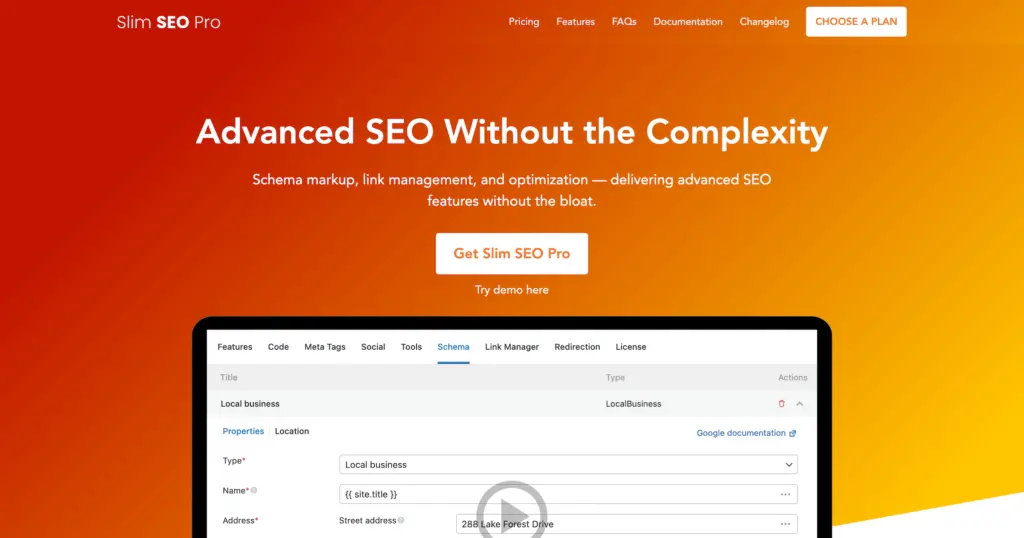
- Add any Schema.org structured data type
- Visual schema builder (no coding)
- Works alongside Rank Math, Yoast, or AIOSEO
- Lightweight (no bloat, fast loading)
- FAQ, HowTo, Article, Product schemas
Slim SEO Schema is a lightweight schema plugin that lets you add any type of structured data to WordPress. Great for adding custom FAQ schema without switching SEO plugins.
How to Find Questions for Your FAQs
The quality of your FAQ schema depends on asking questions your audience actually searches for. Here are the best free tools to find real questions.
Google People Also Ask
Search your target keyword in Google and look at the “People Also Ask” box. These are real questions users ask about your topic. Click on a few to expand more related questions. I typically find 5-8 strong FAQ candidates from a single People Also Ask session.
Answer The Public
Answer The Public generates question visualizations based on search data. Enter your keyword, and it shows questions organized by who, what, when, where, why and how. The free version gives 3 searches per day.
Google Search Console
Your own Search Console data is the best source of real questions. Go to Performance > Search results, filter by queries containing question words (what, how, why, can, does, is), and sort by impressions. These are questions Google already associates with your content.
AlsoAsked.com
AlsoAsked maps the relationship between People Also Ask questions, showing how they branch out from your seed keyword. This is useful for finding related questions you might miss from a single Google search.
Frequently Asked Questions
Does FAQ schema still work in 2026?
Not in Google Search. Google stopped showing FAQ rich results for every site on May 7, 2026, after limiting them to government and health sites in August 2023. The markup is still valid Schema.org, so other tools can read it, but it earns nothing visible in Google.
What is the best WordPress plugin for FAQ schema?
Can I add FAQ schema without a plugin?
Yes. You can manually add JSON-LD FAQ schema to your WordPress theme’s header using a custom function in functions.php or a code snippets plugin. However, this requires coding knowledge and is harder to maintain. For most users, using Rank Math or AIOSEO’s built-in FAQ block is faster and more reliable.
How many FAQs should I add per page?
Add 5-8 FAQs per article. Fewer than 5 looks thin and doesn’t provide enough value. More than 10 dilutes the quality and makes the FAQ section too long. Focus on the most common and specific questions your audience actually asks about the topic.
Does FAQ schema help with AI search engines?
Clear FAQ answers help, because AI search engines quote direct answers. No engine documents a citation boost from the FAQPage markup itself, so the visible questions and answers matter more than the schema.
Will Google bring back FAQ rich results?
There’s no official indication. Google removed the feature in May 2026 and its documentation in June. If it ever returns, markup is quick to add to FAQs you’ve already written, so there’s no need to carry it on every page in the meantime.
What is the difference between FAQ schema and QAPage schema?
FAQ schema (FAQPage) is for questions written by the site owner with official answers. QAPage schema is for user-generated Q&A where multiple users submit answers (like Stack Overflow or Quora). Use FAQPage for your own FAQ sections and QAPage only if your site has user-submitted questions and answers.
Final word
FAQ schema no longer does anything visible in Google Search. The FAQ section still does: it answers the follow-up questions readers have and gives AI answer engines clean text to quote. Write the questions first, add FAQPage markup with Rank Math or AIOSEO only if something you rely on reads it, and check it with the Schema Markup Validator.
For more WordPress SEO tips, check out my guide on the best WordPress SEO plugins and my detailed Rank Math review. Got questions about FAQ schema? Reach out on my contact form or X @wpgaurav.
Tell Google you want more of this.
Add Gaurav Tiwari as a preferred sourceOne tap, and this site shows up more often in your own Top Stories, AI Overviews and AI Mode. Remove it any time.
Disclaimer: This site is reader-supported. If you buy through some links, I may earn a small commission at no extra cost to you. I only recommend tools I trust and would use myself. Your support helps keep gauravtiwari.org free and focused on real-world advice. Thanks. - Gaurav Tiwari