
 by
by
The best laptop stands are not interchangeable. A stand that is stable for a keyboard is different from one that only raises a laptop used with external input devices. This guide gives people choosing between a fixed desk riser, an adjustable stand, a travel stand, and vertical storage a clear first choice, four useful alternatives, and the limitation that should move you away from each pick.
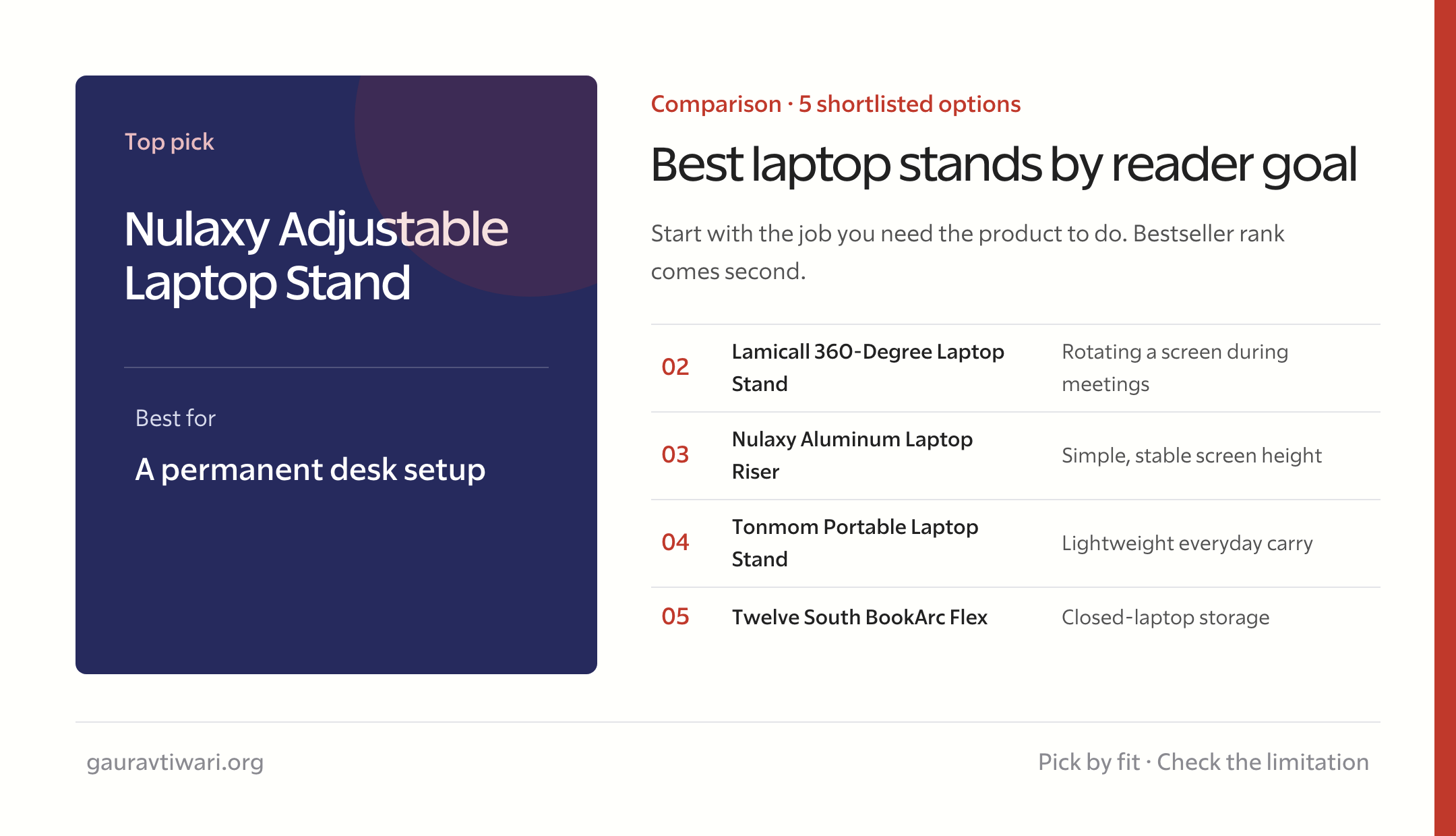
My top pick is Nulaxy Adjustable Laptop Stand for a permanent desk setup. Choose Lamicall 360-Degree Laptop Stand for rotating a screen during meetings, or Nulaxy Aluminum Laptop Riser for simple, stable screen height. The rest of the guide explains why those jobs should not be collapsed into one bestseller ranking.
Important: If a stand raises the keyboard above elbow height, plan on an external keyboard and mouse. Better screen height should not create a worse wrist position.
Quick verdict
If you want one answer, start with Nulaxy Adjustable Laptop Stand. Its main strength is clear: Offers dual-hinge height and angle adjustment with a broad laptop-size range. The comparison table links every recommendation directly, including Lamicall 360-Degree Laptop Stand and Nulaxy Aluminum Laptop Riser.
| Recommendation | Verdict | Best for | Starting level |
|---|---|---|---|
| Nulaxy Adjustable Laptop Stand | Top Pick | a permanent desk setup | External keyboard recommended |
| Lamicall 360-Degree Laptop Stand | Best for Shared Work | rotating a screen during meetings | External keyboard recommended |
| Nulaxy Aluminum Laptop Riser | Best for Fixed Desks | simple, stable screen height | Best with external input devices |
| Tonmom Portable Laptop Stand | Best for Travel | lightweight everyday carry | Best for mobile work |
| Twelve South BookArc Flex | Best for Closed-Laptop Storage | closed-laptop storage | For closed-display mode |
If you are still building the surrounding skills or setup, use the best home office setup and my home office under $500. Those published guides cover adjacent decisions without forcing another overlapping purchase.
How I built this shortlist
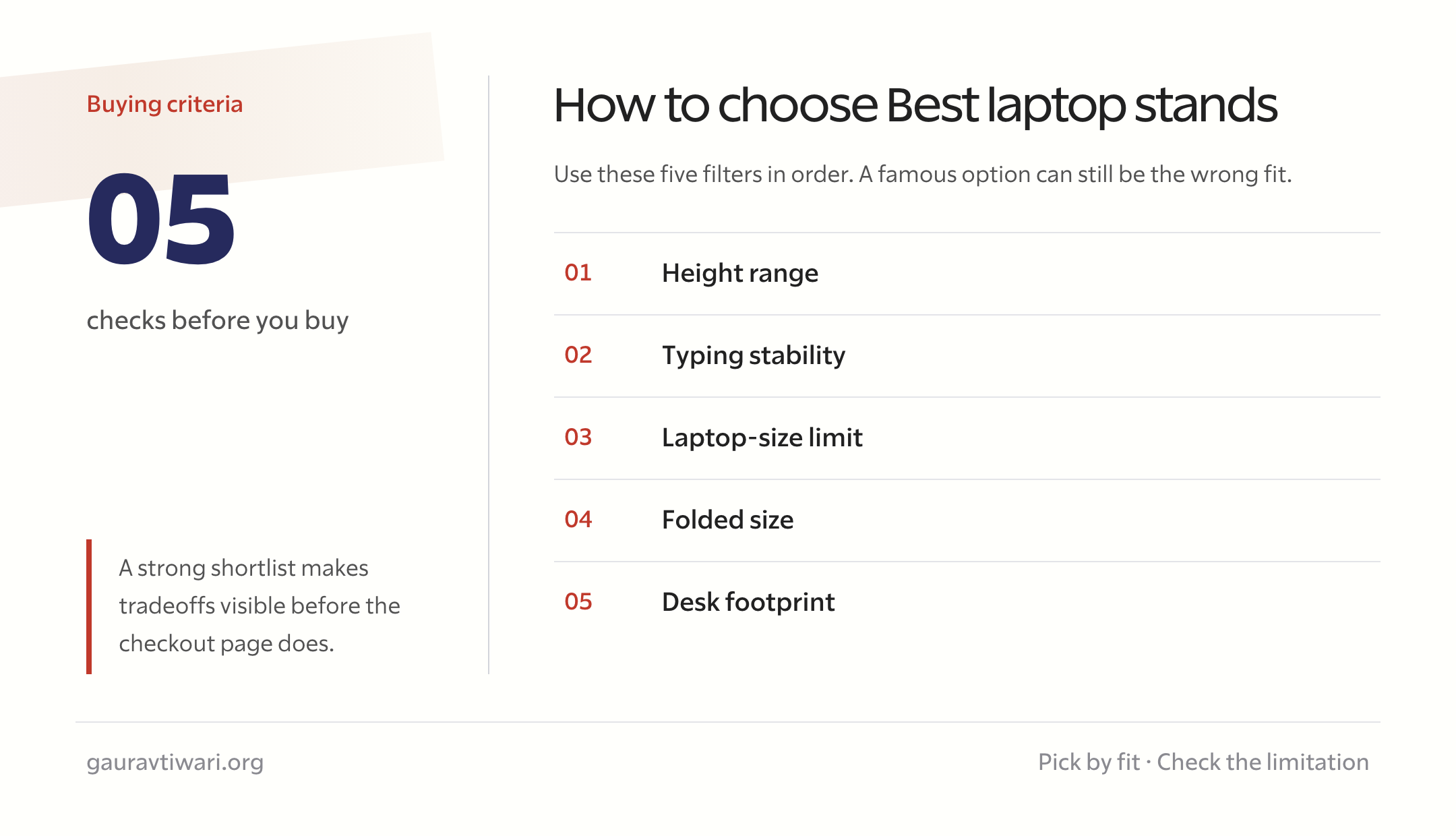
I shortlisted these products by height range, typing stability, laptop-size limit, folded size, and desk footprint. The aim is to make the tradeoffs visible, not to turn a feature list into an invented score.
The recommendations are based on current listing details, manufacturer-stated specifications where available, fit constraints, warranty or return risk, and the use case each product can reasonably handle. I have not described the products as lab-tested.
Prices and variants change by region. Match the exact model, dimensions, accessories, seller, warranty, and return window before buying.
Some links are affiliate links. If you buy through them, I may earn a commission at no extra cost to you. That does not change the recommendation or the limitations listed for each product.
The best laptop stands for different needs
Every recommendation below names the job it handles well and the reason another reader should skip it. That distinction matters more than forcing five different products into one score.
1. Nulaxy Adjustable Laptop Stand: A permanent desk setup
Nulaxy Adjustable Laptop Stand is my top pick for a permanent desk setup. Offers dual-hinge height and angle adjustment with a broad laptop-size range.
The fit boundary matters: Its weight and folded bulk make it better for a desk than a daily commute. The right starting assumption is external keyboard recommended.
Buy it if: A permanent desk setup. Skip it if: You’ll carry it daily rather than leave it on one desk. Check Amazon.com or Amazon.in for the exact variant, current seller, warranty, and return terms.
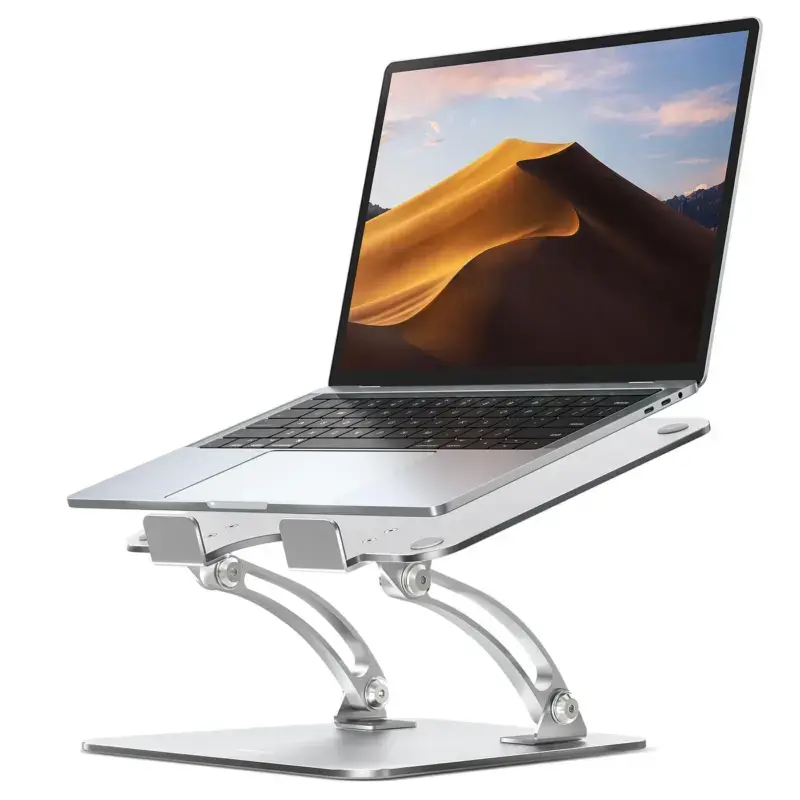
Nulaxy Adjustable Laptop Stand
- External keyboard recommended
- Best for: a permanent desk setup
- Use case: a permanent desk setup
- Main strength: Offers dual-hinge height and angle adjustment with a broad laptop-size range.
- Watch-out: Its weight and folded bulk make it better for a desk than a daily commute.
- Verify dimensions, variant, warranty, and return terms
2. Lamicall 360-Degree Laptop Stand: Rotating a screen during meetings
Lamicall 360-Degree Laptop Stand is my best for shared work for rotating a screen during meetings. Adds a rotating base and wide device compatibility to an adjustable aluminum stand.
The fit boundary matters: A rotating joint adds another point where wobble can appear under heavy typing. The right starting assumption is external keyboard recommended.
Buy it if: Rotating a screen during meetings. Skip it if: You type heavily and want zero wobble. Check Amazon.com or Amazon.in for the exact variant, current seller, warranty, and return terms.
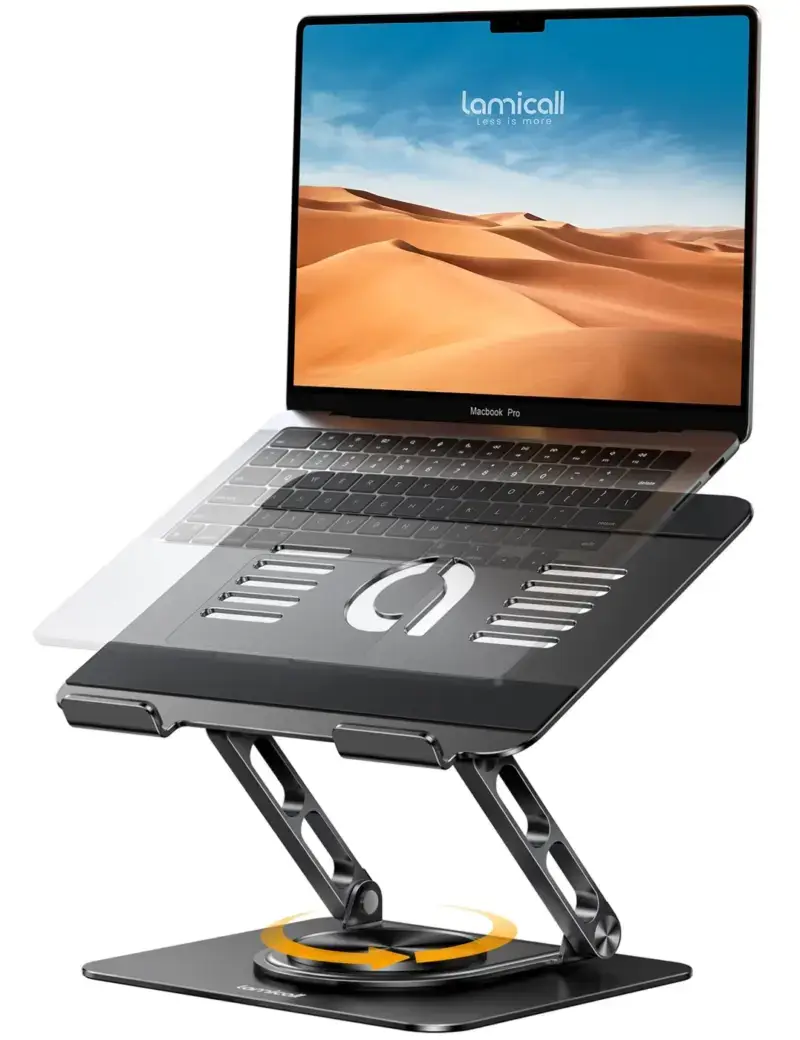
Lamicall 360-Degree Laptop Stand
- External keyboard recommended
- Best for: rotating a screen during meetings
- Use case: rotating a screen during meetings
- Main strength: Adds a rotating base and wide device compatibility to an adjustable aluminum stand.
- Watch-out: A rotating joint adds another point where wobble can appear under heavy typing.
- Verify dimensions, variant, warranty, and return terms
3. Nulaxy Aluminum Laptop Riser: Simple, stable screen height
Nulaxy Aluminum Laptop Riser is my best for fixed desks for simple, stable screen height. Uses a detachable all-aluminum design with open ventilation and a small desk footprint.
The fit boundary matters: Fixed height and angle limit fit unless your desk and chair already line up. The right starting assumption is best with external input devices.
Buy it if: Simple, stable screen height. Skip it if: Your desk and chair height don’t already line up. Check Amazon.com or Amazon.in for the exact variant, current seller, warranty, and return terms.
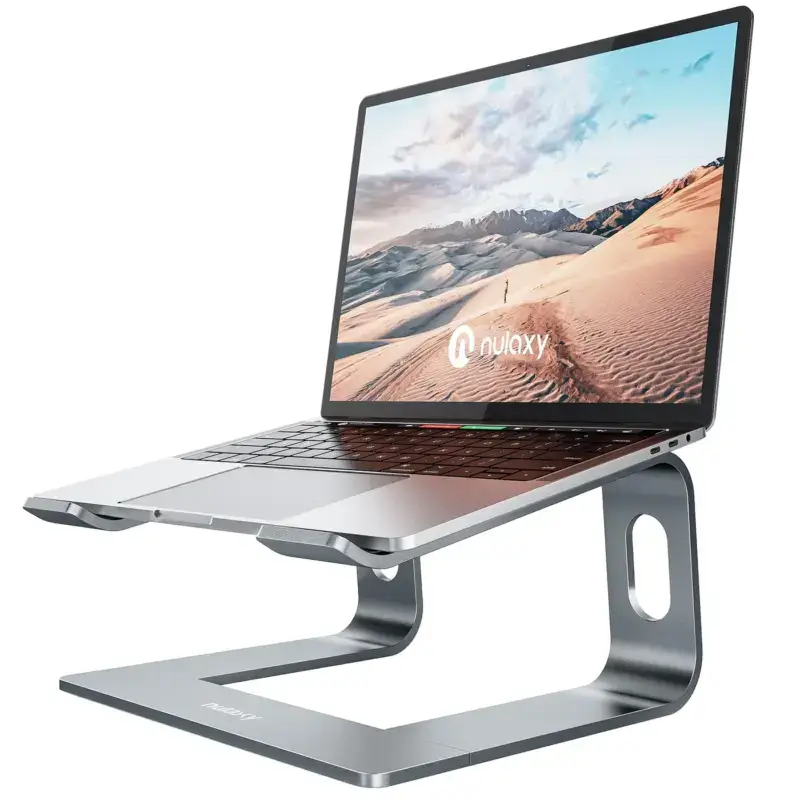
- Best with external input devices
- Best for: simple, stable screen height
- Use case: simple, stable screen height
- Main strength: Uses a detachable all-aluminum design with open ventilation and a small desk footprint.
- Watch-out: Fixed height and angle limit fit unless your desk and chair already line up.
- Verify dimensions, variant, warranty, and return terms
4. Tonmom Portable Laptop Stand: Lightweight everyday carry
Tonmom Portable Laptop Stand is my best for travel for lightweight everyday carry. Folds small, offers several angles, and supports common 10 to 15.6-inch laptops.
The fit boundary matters: The narrow portable frame is less planted than a heavy desk stand. The right starting assumption is best for mobile work.
Buy it if: Lightweight everyday carry. Skip it if: You want something planted on a desk rather than portable. Check Amazon.com or Amazon.in for the exact variant, current seller, warranty, and return terms.
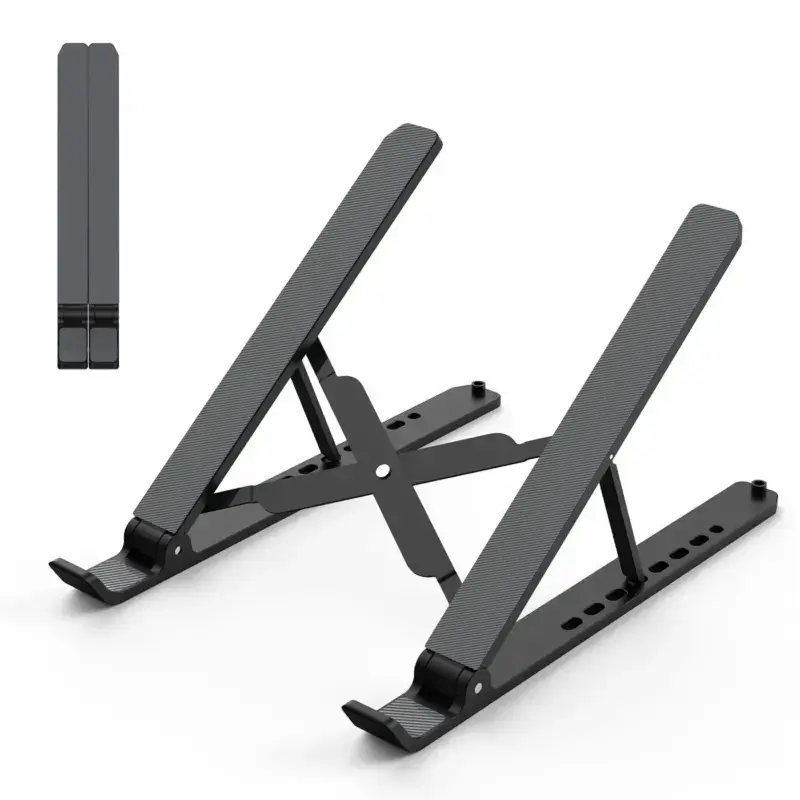
- Best for mobile work
- Best for: lightweight everyday carry
- Use case: lightweight everyday carry
- Main strength: Folds small, offers several angles, and supports common 10 to 15.6-inch laptops.
- Watch-out: The narrow portable frame is less planted than a heavy desk stand.
- Verify dimensions, variant, warranty, and return terms
5. Twelve South BookArc Flex: Closed-laptop storage
Twelve South BookArc Flex is my best for closed-laptop storage for closed-laptop storage. Stores a MacBook vertically to free desk space in a clamshell setup.
The fit boundary matters: It does not raise an open screen and belongs to a different category from desk risers. The right starting assumption is for closed-display mode.
Buy it if: Closed-laptop storage. Skip it if: You need to raise an open screen. Check Amazon.com or Amazon.in for the exact variant, current seller, warranty, and return terms.

- For closed-display mode
- Best for: closed-laptop storage
- Use case: closed-laptop storage
- Main strength: Stores a MacBook vertically to free desk space in a clamshell setup.
- Watch-out: It does not raise an open screen and belongs to a different category from desk risers.
- Verify dimensions, variant, warranty, and return terms
How to choose among the best laptop stands
Start with the failure condition, not the bestseller rank. For this topic, height range, typing stability, and laptop-size limit change the decision faster than a longer feature list.
Check height range
Write down what you already know, what the next course, project, or workday demands, and what would make the purchase unusable. A recommendation that ignores height range can be technically excellent and still waste your time or money. Use typing stability only after the basic fit is clear.
Check typing stability
More typing stability often brings extra cost, weight, complexity, or prerequisite load. Decide how much of it the next six months actually require. Then compare that need with laptop-size limit instead of paying for a larger promise you may never use.
Check laptop-size limit
Look for evidence of laptop-size limit in the sample, specification, table of contents, or exact model details. Marketing language is not enough. If the evidence is unclear, let folded size decide the tie or choose a seller with safer return terms.
Check folded size
Treat folded size as a practical test of long-term value. A product can feel impressive for ten minutes and still become frustrating during repeated work. Compare it with desk footprint, because support, fit, and depth usually matter after the novelty is gone.
Check desk footprint
Check desk footprint last, but do not skip it. This is where edition problems, missing access, poor fit, weak support, and the wrong use case become expensive. Save the exact listing details before checkout so you can verify what arrives.
A practical buying and setup plan
Treat the return window as part of the purchase. Measure first, keep the packaging, and use the product in the exact task that motivated the order.
- Start with Nulaxy Adjustable Laptop Stand if its stated fit matches your main use case.
- Choose Lamicall 360-Degree Laptop Stand when rotating a screen during meetings matters more.
- Record the dimensions, model number, included parts, seller, and warranty shown at checkout.
- Set up the product with the rest of the workspace instead of judging it in isolation.
- Return it rather than rationalizing a poor fit. Nulaxy Aluminum Laptop Riser solves a different use case.
For the wider setup, see MacBook accessories for work and creating a complete home office. The surrounding desk, device, and workflow often change the value of one accessory.
Common buying mistakes
Most bad purchases in this category are predictable.
- Buying the category label: ‘Ergonomic,’ ‘studio,’ and ‘starter’ do not prove fit.
- Ignoring dimensions: Product photos hide size, height, clearance, and weight.
- Mixing product types: A travel product and a permanent desk product solve different jobs.
- Trusting the badge: Match the exact model and seller instead of relying on a search-page label.
- Keeping a bad fit: Use the return window before discomfort or frustration becomes normal.
Use this five-minute decision worksheet
Before choosing from the best laptop stands, answer these questions in writing. The exercise makes hidden assumptions visible and gives you a reason for the final choice. Keep the answers beside the comparison table, because a product that cannot satisfy them should leave the shortlist even when its reviews look impressive.
- Space: Record the desk area, device size, room conditions, or body measurements that constrain the product.
- Main task: Name the one job the product must handle well before considering secondary features.
- Compatibility: Check the exact model, dimensions, connections, power, accessories, and operating system where relevant.
- Risk: Save the seller, warranty, return window, and included-parts information shown at checkout.
- Stop rule: Do not upgrade from Nulaxy Adjustable Laptop Stand to Lamicall 360-Degree Laptop Stand unless the second product solves a measured constraint.
This worksheet is deliberately simple. Five written answers will prevent more bad purchases than another hour of scrolling through search results.
Which option should you choose?
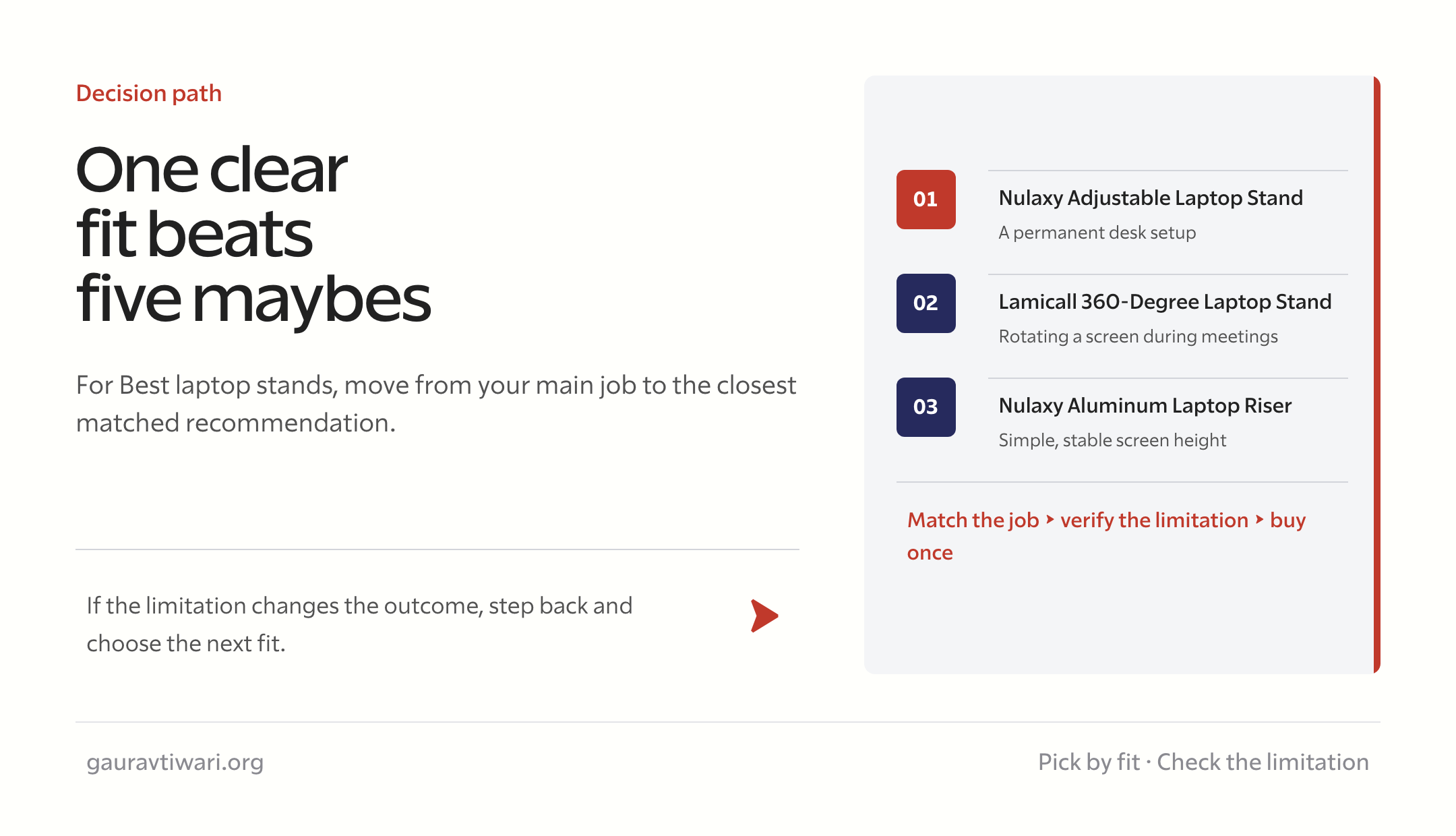
Choose Nulaxy Adjustable Laptop Stand when a permanent desk setup is the main job. Move to Lamicall 360-Degree Laptop Stand for rotating a screen during meetings. Pick Nulaxy Aluminum Laptop Riser only when simple, stable screen height is the real requirement.
The shortest useful decision is this: match the best laptop stands to your next task, confirm the exact edition or model, and keep the limitation visible. A well-matched second choice is better than a famous top pick aimed at someone else.
Frequently asked questions
What are the best laptop stands?
Nulaxy Adjustable Laptop Stand is the top pick for a permanent desk setup. Lamicall 360-Degree Laptop Stand is better for rotating a screen during meetings, while Nulaxy Aluminum Laptop Riser fits simple, stable screen height. Check the exact model and dimensions before buying.
Does the most expensive option fit best?
No. Fit, dimensions, adjustability, compatibility, and return terms matter more than price alone. A lower-cost product that matches the main task can be the better purchase.
Should I use the Amazon.com or Amazon.in link?
Use the marketplace that serves your location, then match the exact model, seller, warranty, accessories, voltage where relevant, and return terms. Search results can mix variants.
How should I compare two close options?
Compare height range, typing stability, and laptop-size limit first. Use folded size and desk footprint as tie-breakers.
Are these recommendations lab-tested?
No universal lab score is claimed. The shortlist is based on current product details, fit constraints, documented specifications where available, and the job each model is designed to handle.
What should I do when the product arrives?
Keep the packaging, confirm the model and included parts, set it up in the real workspace, and use the return window if fit, comfort, stability, compatibility, or quality is wrong.
Tell Google you want more of this.
Add Gaurav Tiwari as a preferred sourceOne tap, and this site shows up more often in your own Top Stories, AI Overviews and AI Mode. Remove it any time.
Disclaimer: This site is reader-supported. If you buy through some links, I may earn a small commission at no extra cost to you. I only recommend tools I trust and would use myself. Your support helps keep gauravtiwari.org free and focused on real-world advice. Thanks. - Gaurav Tiwari