
Notion templates that tell you what to do next.
Each template is a connected Notion system with sample data, signal formulas and the playbooks behind it. One $39 yearly membership covers every template in the library, and every copy you duplicate stays in your workspace.
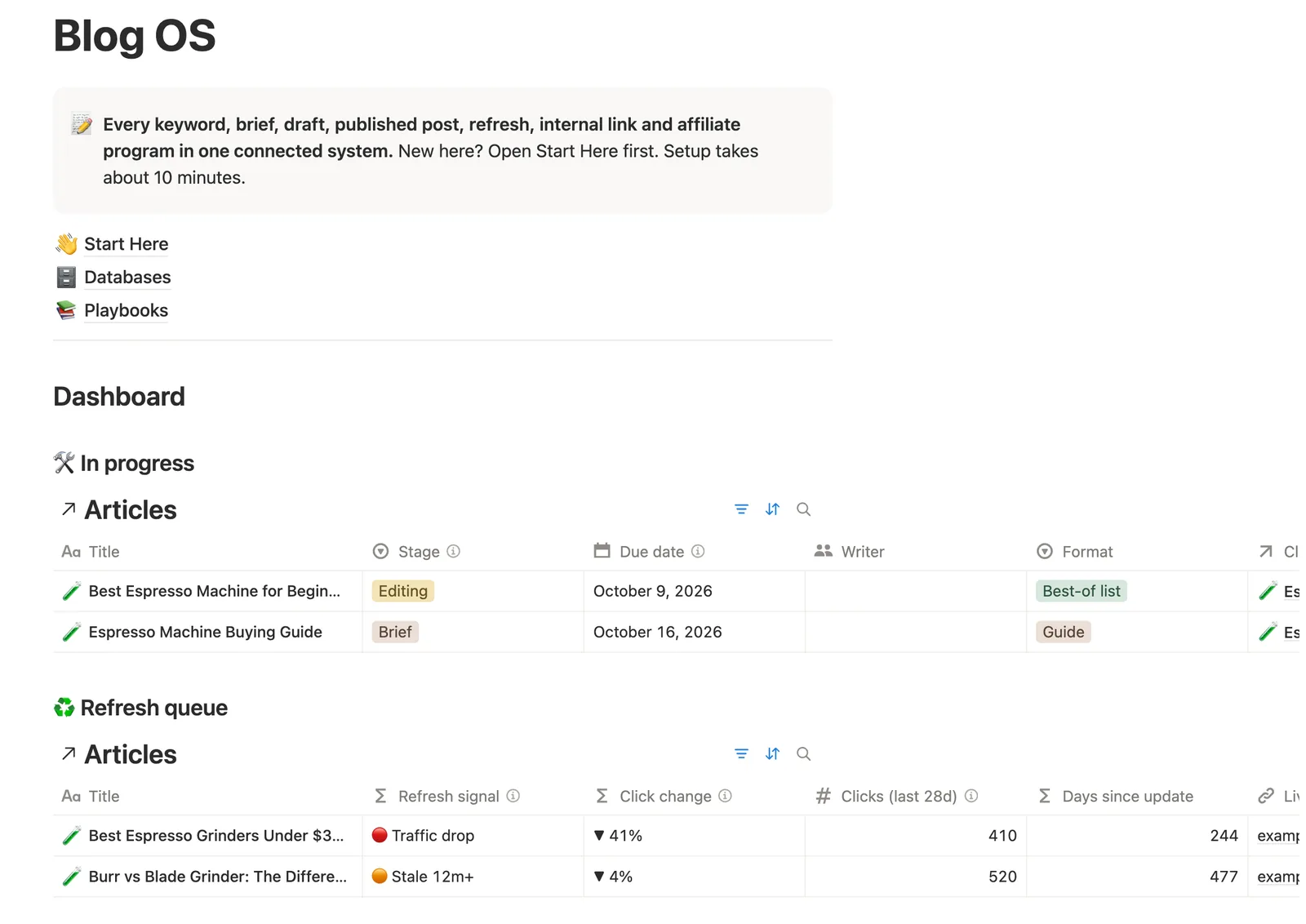
Pick the system closest to your work.
Every template below is in the library today, and new ones join this list the day they ship. Each one comes with sample rows, a Start Here page and its own playbooks, so you can see it working before you add a single row of your own.
- templates in the library
- 8
- connected databases
- 41
- playbooks
- 61
- dashboard views
- 45
- a year for all of them
- $39
-
Blog OS
Blogging and SEO
Runs a blog from keyword to refresh. It shows what to write next, which posts are losing traffic, which pages have no internal links, and which affiliate links point to closed programs.
- 5 databases
- 7 playbooks
- 6 dashboard views
- About 10 minutes to set up
-
AI Search Visibility Tracker
AI search and SEO
Shows whether ChatGPT, Google AI Overviews, AI Mode, Gemini, Perplexity, Copilot and Claude mention and cite you, prompt by prompt. It flags the prompts where you're invisible, the checks that are due, and the fixes worth measuring.
- 5 databases
- 7 playbooks
- 6 dashboard views
- About 15 minutes to set up
-
Indian Freelancer OS
Freelancing in India
Tracks clients, invoices in any currency, FIRA and e-BRC, GST on exports under LUT, and advance tax. The compliance calendar comes filled in with the GST and income tax deadlines for FY 2026-27.
- 5 databases
- 8 playbooks
- 5 dashboard views
- 36 deadlines filled in
- About 20 minutes to set up
-
WordPress Launch Checklist
WordPress
Runs every site launch through the same 100 checks, each with a note on how to verify it. It shows which sites are ready, which blockers are still open, and what to check in the 30 days after launch.
- 3 databases
- 100 launch checks
- 8 playbooks
- 5 dashboard views
- About 10 minutes to set up
-
Affiliate Program Manager
Affiliate marketing
Keeps every program, link, payout and policy in one place. It flags closed programs that still have live links, broken links, programs you haven't re-checked in 90 days, and payouts that are running late.
- 4 databases
- 16 networks filled in
- 8 playbooks
- 6 dashboard views
- About 15 minutes to set up
-
Voice DNA Kit
Writing with AI
Turns your best writing into a Voice DNA document that ChatGPT, Claude or Gemini can follow. Then it tests the output in 7 writing situations and turns every correction into a rule.
- 6 databases
- 11 ready-to-copy prompts
- 8 playbooks
- 5 dashboard views
- About 30 minutes, plus a 2-hour first session
-
UPSC Prep OS
UPSC preparation
Holds the full Civil Services syllabus as 172 topics with spaced revision dates, plus current affairs, PYQs, mock tests and answer writing. It tells you what to revise today and where your weak spots are.
- 6 databases
- 172 syllabus topics
- 8 playbooks
- 6 dashboard views
- About 20 minutes to set up
-
Family Emergency Binder
Family paperwork in India
Maps every document, account, policy, nominee and contact your family would need if something happened to you. It records where each thing is kept, never full ID numbers or passwords, and flags missing nominees and upcoming renewals.
- 7 databases
- 7 playbooks
- 6 dashboard views
- About 60 minutes across 2 sittings
No template matches that search yet. Try a broader word, or suggest the one you need.
Every template ships with the same five parts.
The topic changes from one template to the next. The structure doesn’t, so the second template you open already feels familiar.
- A Start Here page
- Setup in order, from looking around the sample rows to adding your own data, with the exact number of sample rows to delete in each database.
- A dashboard
- Filtered views on the home page that show only the work that needs you today, so you rarely open the raw databases.
- Signals
- Formula columns that turn your own rows into red, orange and green labels, such as an overdue invoice, a post losing clicks, a program that closed or a revision you skipped.
- Playbooks
- The process behind the system, written as decision tables and numbered steps you can follow on a busy day.
- Sample data
- Made-up rows marked with a test-tube icon, so every view and signal works before you add anything. They take a minute to delete.
-
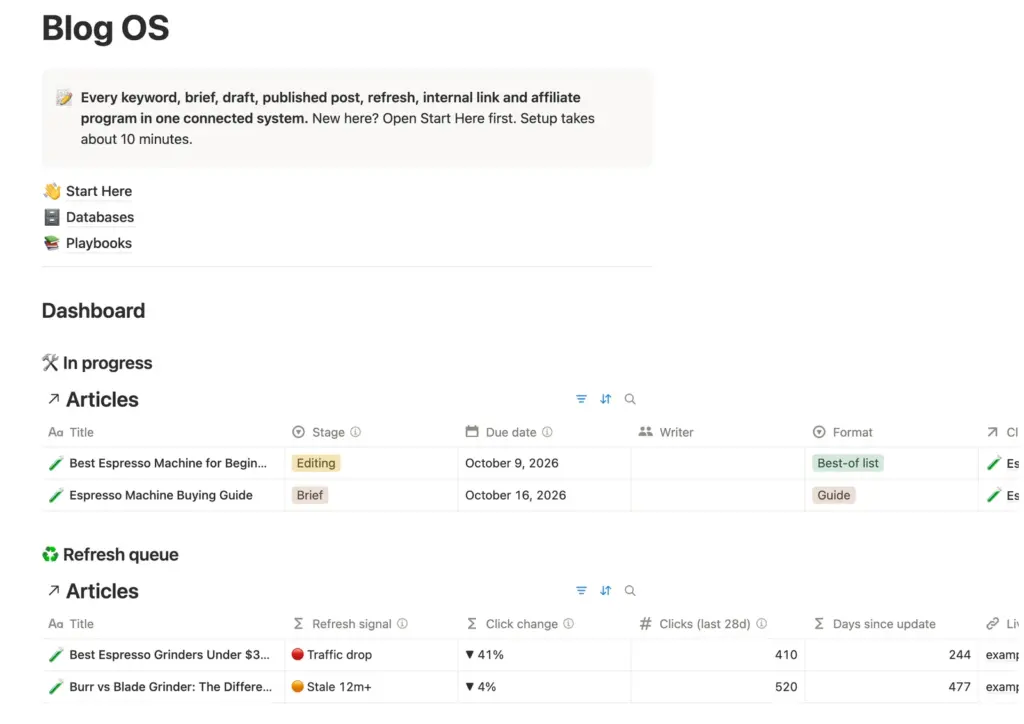
Blog OS, shown with its sample data. -
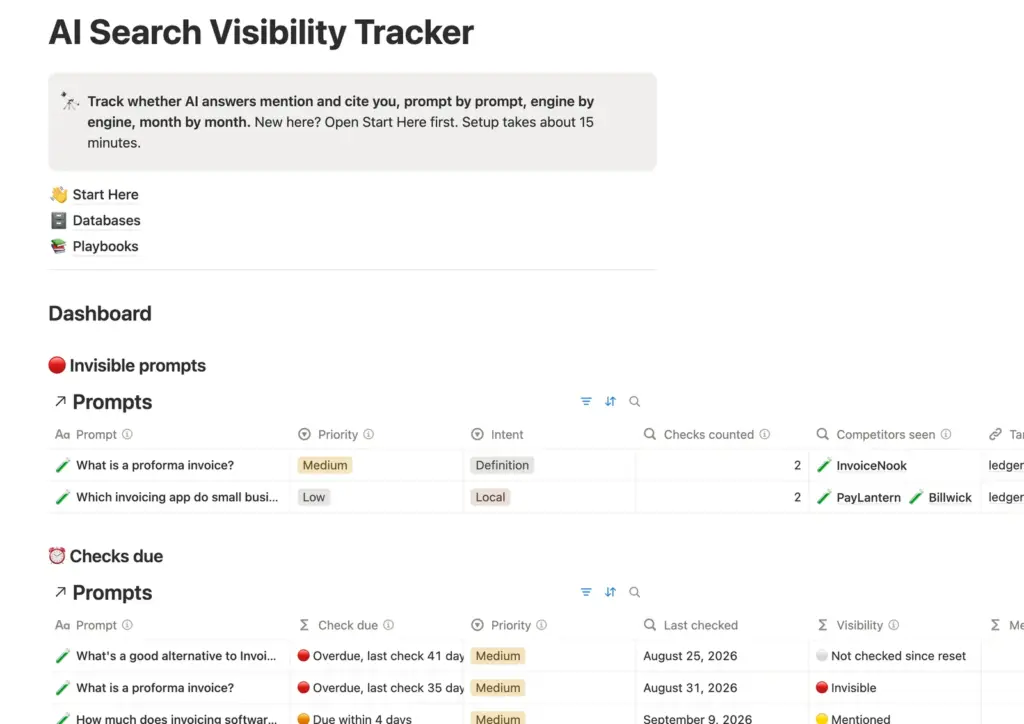
AI Search Visibility Tracker, shown with its sample data. -
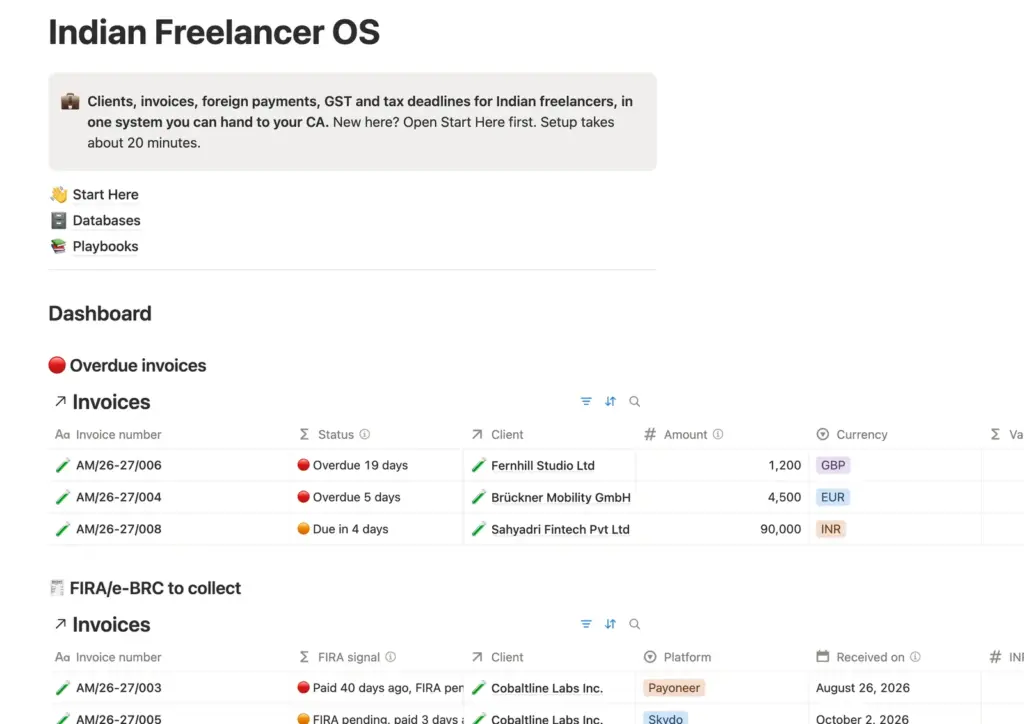
Indian Freelancer OS, shown with its sample data. -
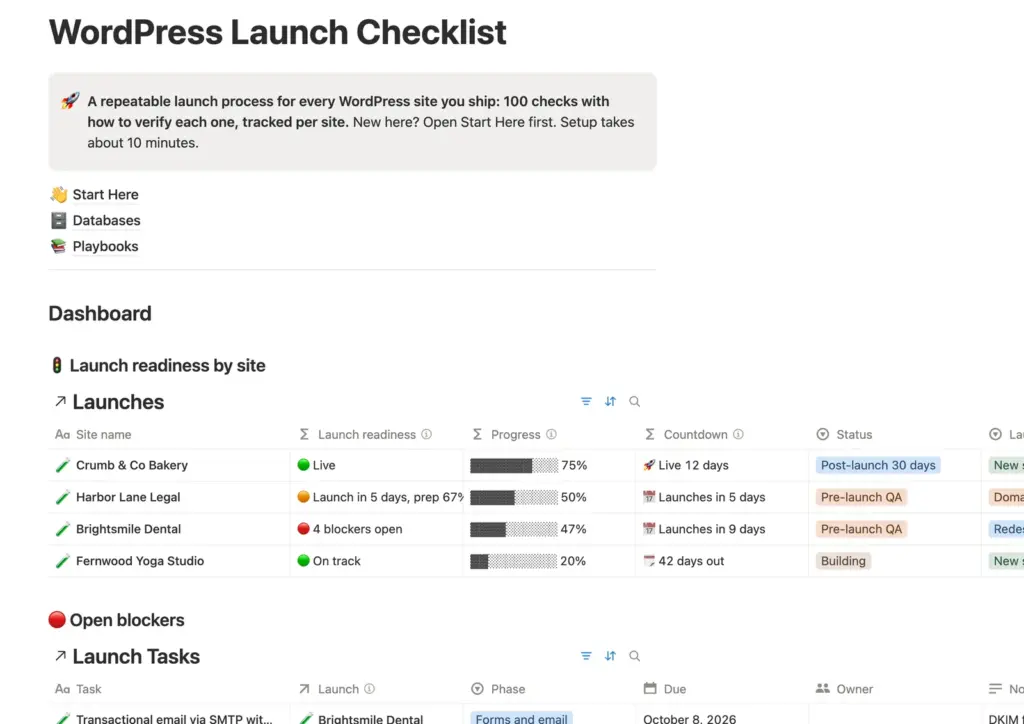
WordPress Launch Checklist, shown with its sample data. -
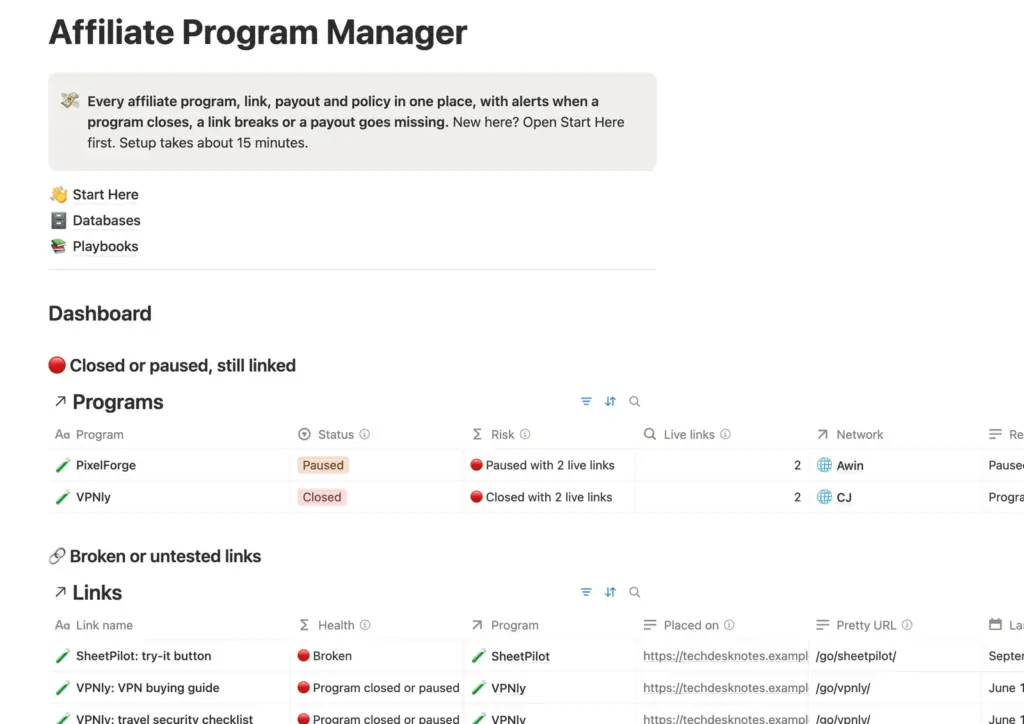
Affiliate Program Manager, shown with its sample data. -
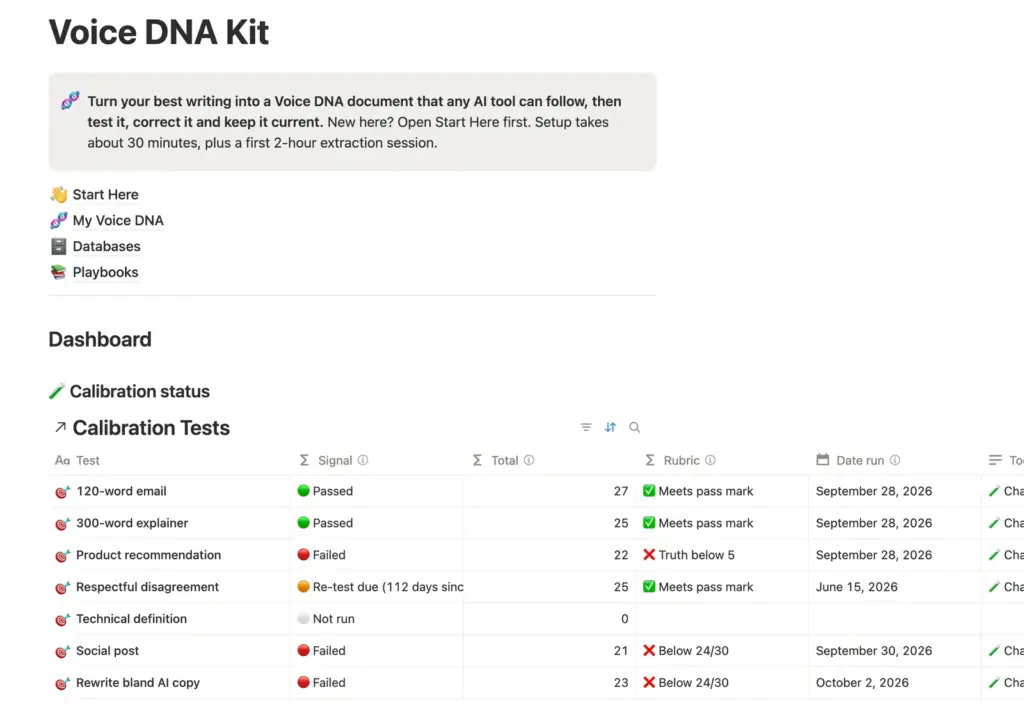
Voice DNA Kit, shown with its sample data. -
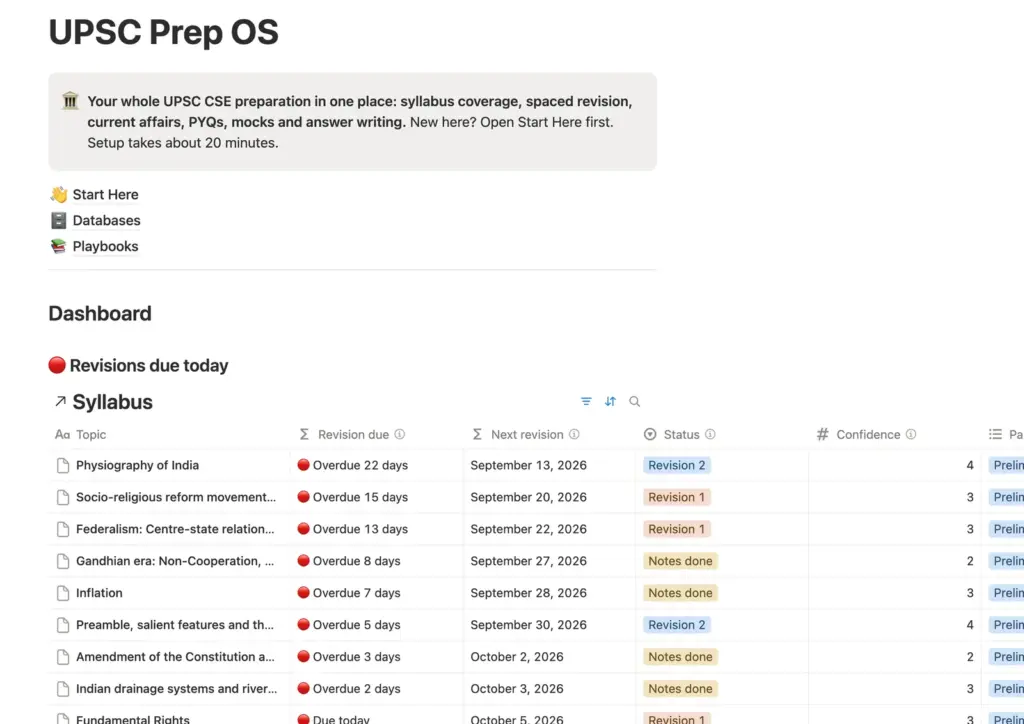
UPSC Prep OS, shown with its sample data. -
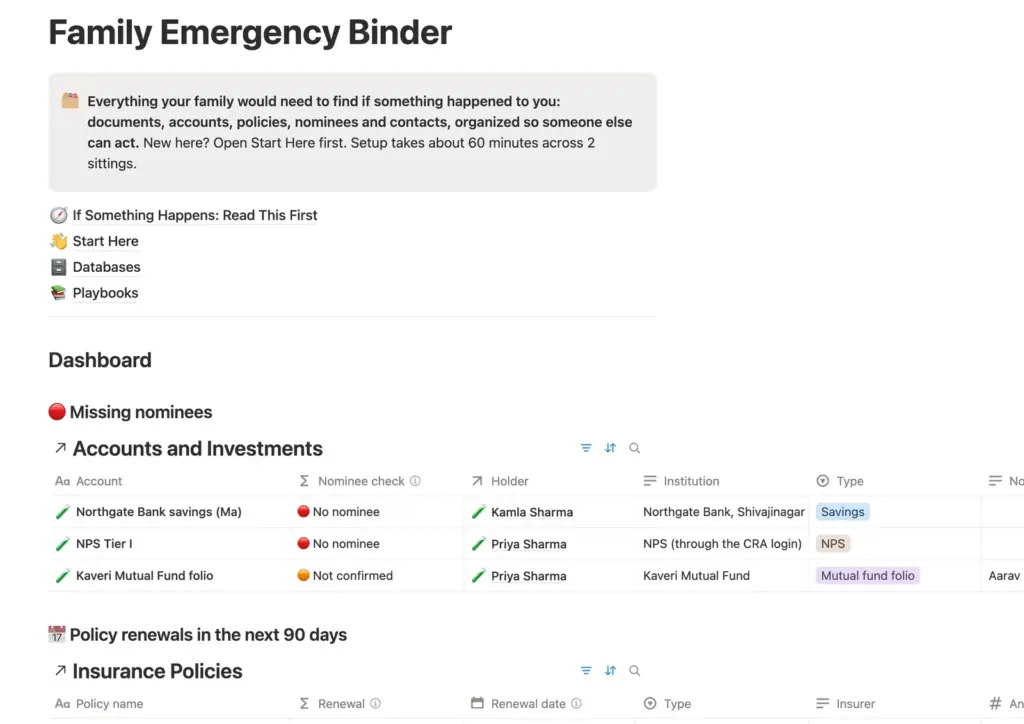
Family Emergency Binder, shown with its sample data.
From checkout to your workspace in four steps.
- 1
Check out
Pay $39 for the year with your name and email.
You leave with: a customer account and a receipt.
- 2
Open My pages
Sign in to your account and open My pages.
You leave with: the library page, with a link to every template.
- 3
Duplicate a template
Open the template closest to your work and duplicate it into your Notion workspace.
You leave with: your own editable copy, which stays yours.
- 4
Get the next one
New templates appear on the same library page as they ship.
You leave with: every new template while your membership runs.
One price covers the library as it grows.
Every template in the library is included. I’m building toward 30 by the end of 2026, and each new one goes on your library page at no extra cost while your membership runs.
New templates come from systems I run myself and from what members ask for. Each one ships the same way, with sample data, a Start Here page and the playbooks that make it useful.
Yearly access
$39per year, renews yearly
- All 8 templates in the library, ready to duplicate
- Every new template as it ships, toward 30 by the end of 2026
- A Start Here guide, sample data and playbooks in each template
- Updated versions posted to the same library page
- Cancel anytime from your account
Checkout lets you pay in USD, EUR, GBP or INR.
Questions before you join
Something I didn’t cover? Ask me on the contact page.
What do I get when I join?
Access to the library page, with every template on it ready to duplicate into Notion. Each template has its own databases, dashboard, playbooks and sample rows. New templates land on the same page as they ship, and they’re included in your $39.
Do I need a paid Notion plan?
No. Every template runs on Notion’s Free plan in a personal workspace. A few templates include 1 chart view, and the Free plan allows 1 chart per workspace, so if you duplicate 2 of those, switch the second chart to a table or move to Notion Plus.
How do I open the library after I pay?
Checkout creates a customer account for your email, or uses the one you already have. Sign in, open My pages in your account, and the library is there with a link to every template.
What happens if I cancel?
Your access runs to the end of the year you paid for. Templates you’ve already duplicated stay in your Notion workspace, because they’re your copies.
How often do new templates arrive?
I’m building toward 30 templates by the end of 2026. Each one goes on the library page with its own Start Here guide the day it ships, and the list on this page updates with it.
Can I get a refund?
Templates are instant digital products, so the template terms in my refund policy apply: I refund duplicate charges, broken templates, and orders where the library never opened for you. Change-of-mind refunds aren’t available once you have access.
Pick a template and set it up today.
Join, open My pages, duplicate the template closest to your work and follow its Start Here page. The next template shows up on the same page.