Skip to content

Send Better FluentCRM Newsletters

FluentCRM sends a good email, but once it goes out, the issue lives only in inboxes. FluentHive gives your newsletter a page for every issue on your site, an archive readers can search and a FluentCRM draft the moment you publish.

Free to download, with no checkout. The free license key only adds dashboard updates and security fixes.

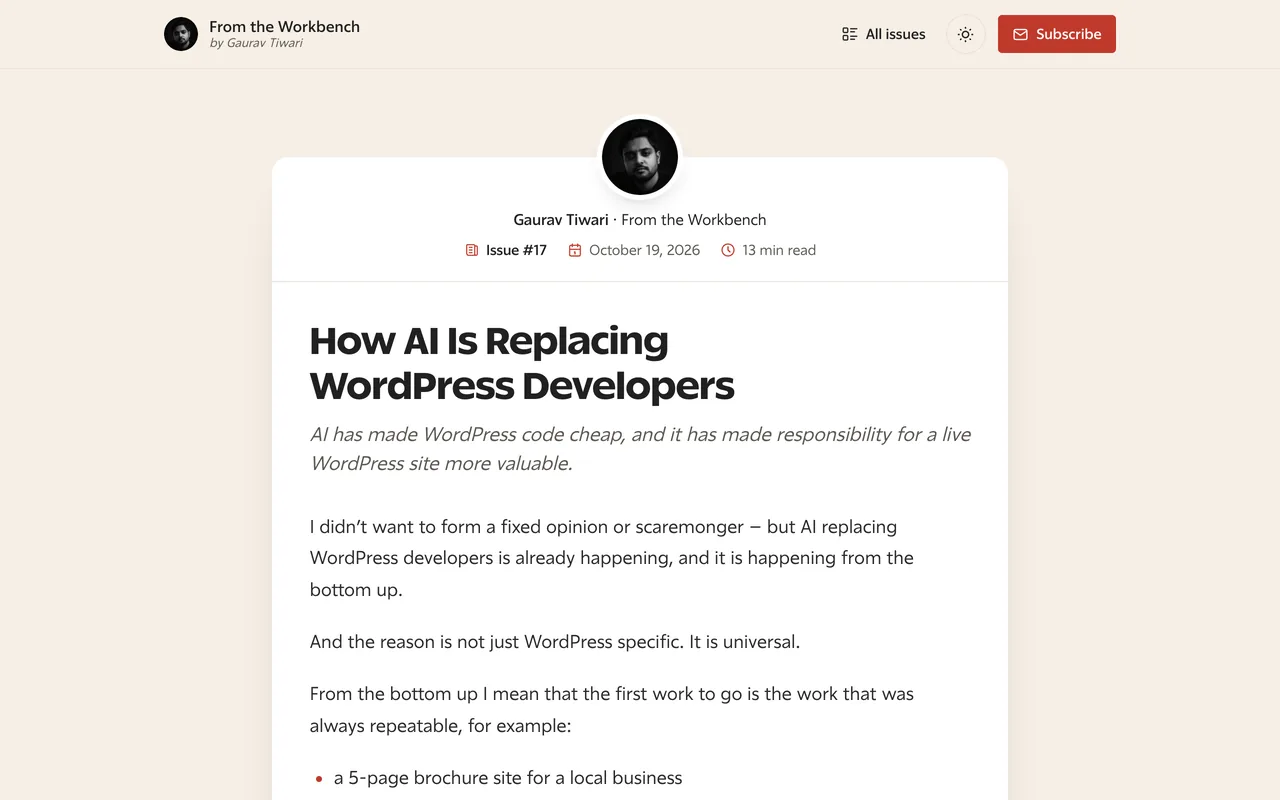
Every issue of From the Workbench, the newsletter on this site, is a FluentHive page.

A FluentHive issue page with the sender card, issue number, date, reading time and the issue title
  • WordPress 6.6+
  • PHP 8.1+
  • FluentCRM
  • Core Forms
  • FluentCart
  • GPL on GitHub

Your newsletter, on your own site

Three things your readers see the day you install it.

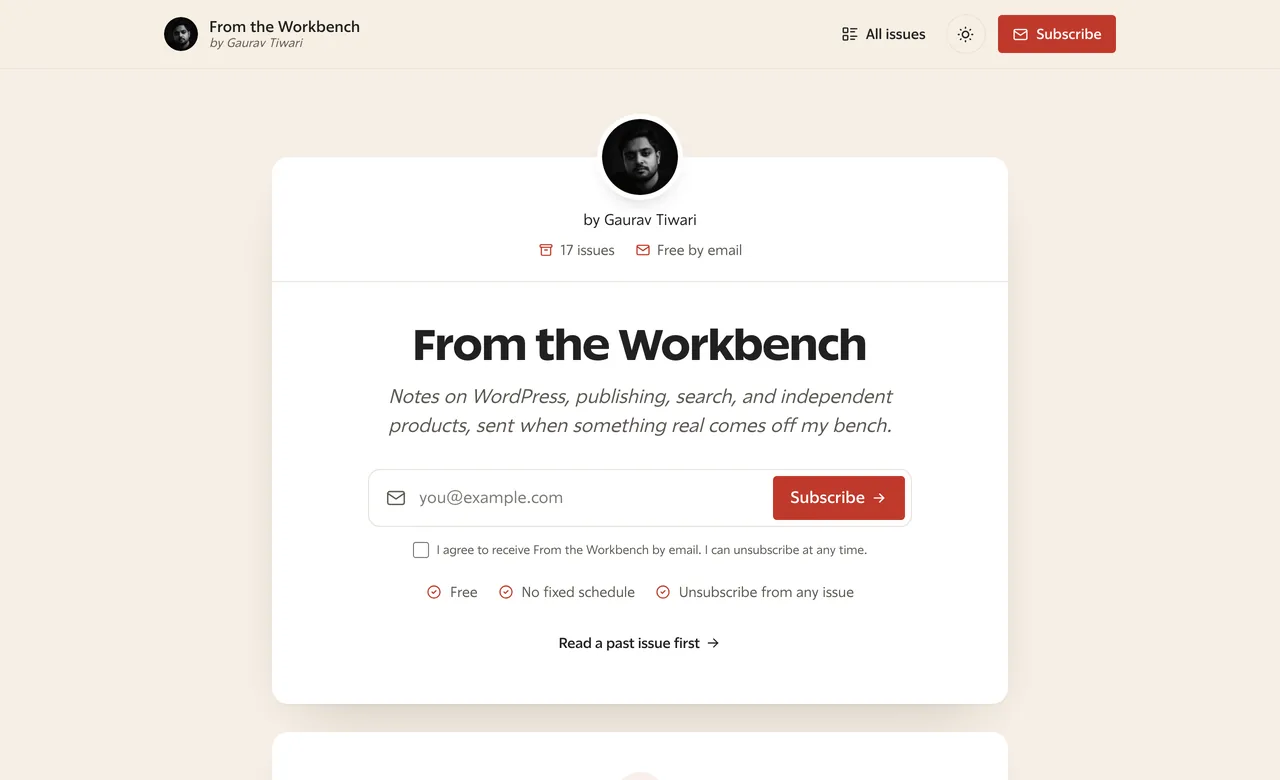
The FluentHive newsletter page with the issue count and a signup box

A signup page that reads like the newsletter

Signup box, issue count and a link to past issues, in the same design as every issue.

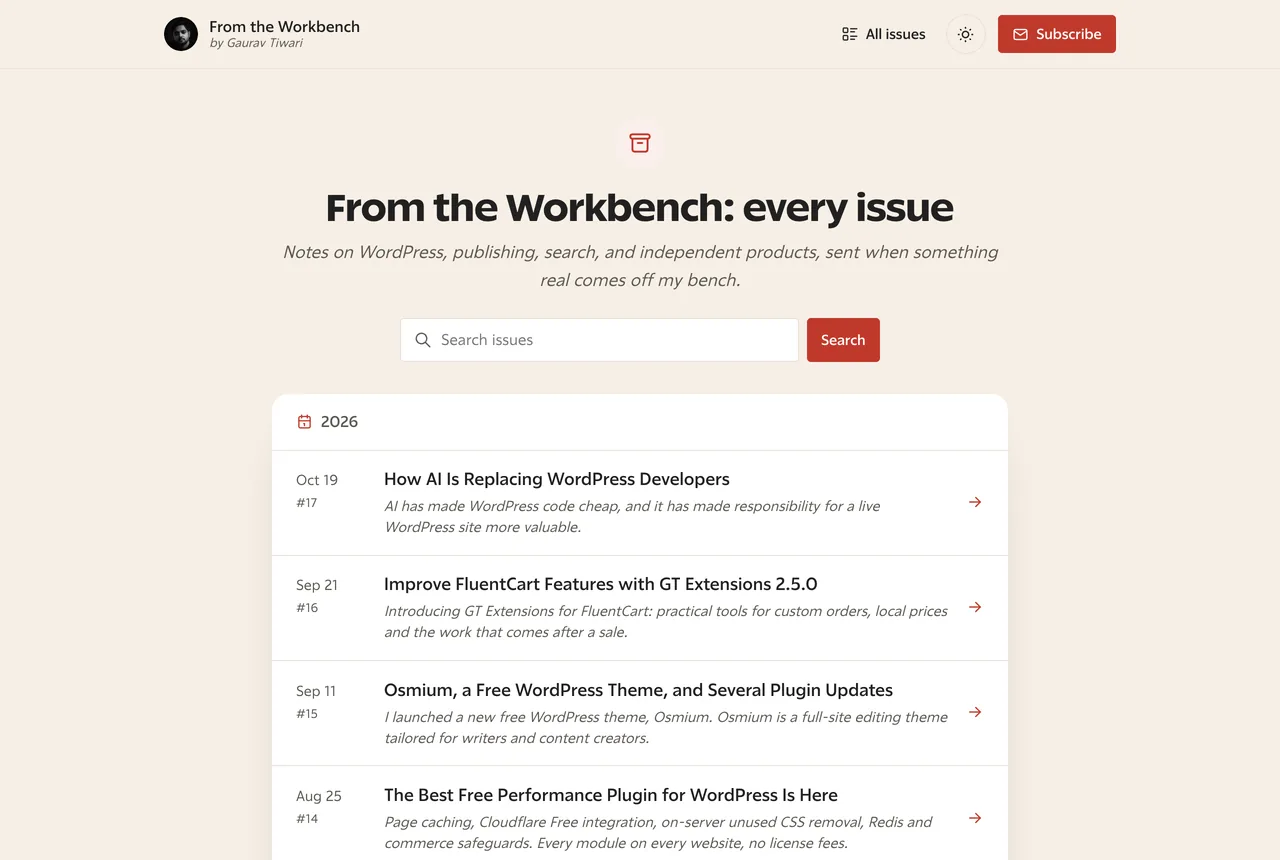
The FluentHive issue archive with a search box and numbered issues grouped by year

Every issue in one searchable archive

Numbered, grouped by year and indexable on your own domain.

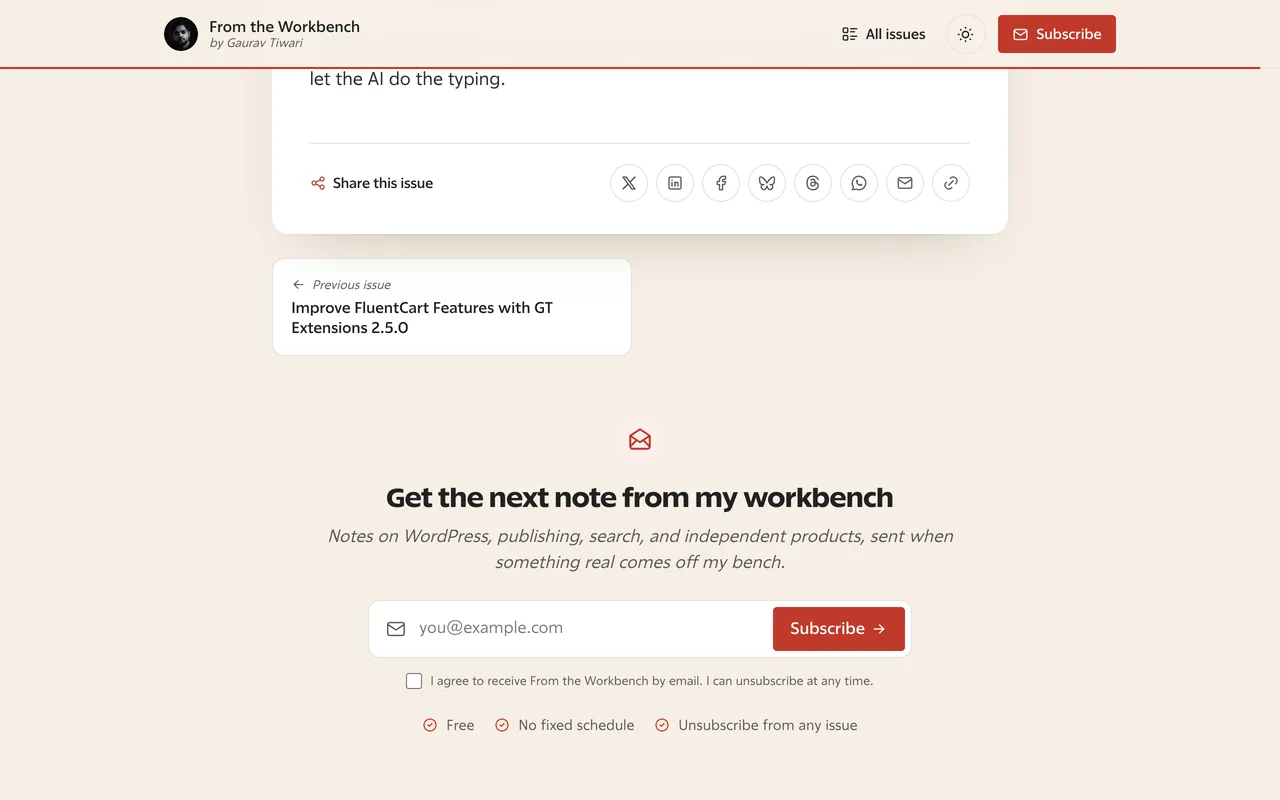
The end of a FluentHive issue with share buttons, the previous issue link and a signup box

A signup box under the last line

Share buttons, the previous and next issue and a way to subscribe while the reader is still interested.

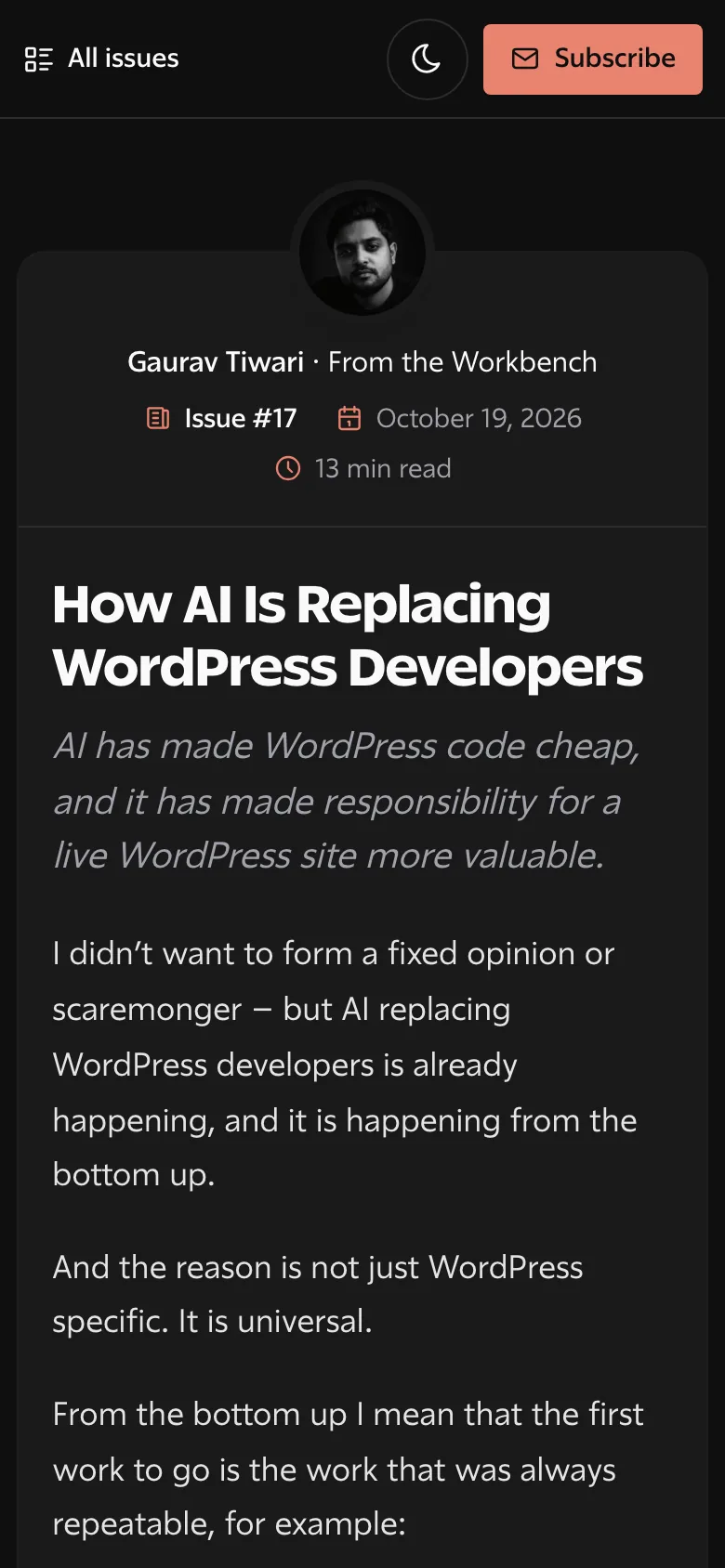
A FluentHive issue page on a phone in dark mode

Built for reading, not for a theme

Issue pages are standalone documents. Your theme’s styles and scripts stay off them, so an issue reads like the email it was, on any theme.

  • Light and dark mode, following each reader’s system
  • Your site’s own font, picked up from the Functionalities fonts module or theme.json
  • A thin reading progress bar made in CSS, with no JavaScript
  • Print styles that leave out the header, share buttons and signup box

Everything in FluentHive 1.1

Nine core features and three optional modules you switch on when you need them.

  • Issue pages

    Every issue at /newsletter/issue/{slug}/, with an issue number, reading time, an optional cover image and previous/next links.

    Core
  • Archive, search and RSS

    Every issue on one page, grouped by year, with a search box and a feed readers can follow.

    Core
  • Theme-free reading

    Your theme’s CSS and scripts stay off issue pages. Fonts, SEO and form plugins keep working.

    Core
  • Light and dark

    Follows the reader’s system setting, with a toggle that remembers their choice.

    Core
  • Typography

    Uses your site’s font by default. Reading size, line height, width, weights and your own font files are all settings.

    New in 1.1
  • One-click FluentCRM drafts

    Publish an issue and FluentCRM gets a draft campaign for the lists you choose, with Unsubscribe and Manage links.

    Core
  • Campaign mirroring

    Newsletters written in FluentCRM publish as issue pages once they’re sent. View in browser links open them too.

    Core
  • Substack import

    Bring past issues across, with images copied into your media library and links between issues rewritten.

    Core
  • Your brand

    Logo, dark logo, avatar, byline, accent colors, header and footer links and extra CSS.

    Core
  • Paid tiers

    Sell monthly, yearly or lifetime plans through FluentCart. Readers without access see a preview and the plans.

    Optional
  • Consent policy

    Core Forms signups add FluentCRM contacts only when the consent wording matches what’s on record.

    Optional
  • FluentCart tags

    Purchase, refund, abandoned-checkout and category interest tags on FluentCRM contacts.

    Optional

From draft to inbox in three steps

  1. 1

    Install and set up

    Activate the plugin, then set your newsletter name, sender, signup form and FluentCRM lists in Newsletter → Settings.

  2. 2

    Write and publish

    Write the issue in the block editor. Publishing puts it on its own page and creates the draft campaign in FluentCRM.

  3. 3

    Review and send

    Open the draft in FluentCRM, check it and send. The Unsubscribe and Manage links are already in place.

Free, for every site you run

Free Update License

$0

  • Unlimited sites
  • Automatic updates and security fixes
  • Every feature and module
  • GPL source on GitHub
Download FluentHive freeGet a free license key

The download needs no checkout. The free checkout takes a minute, asks for no card and only gets you a license key for dashboard updates and security fixes.

Questions people ask first

Is it really free?

Yes. The ZIP is a free download with no checkout. The free license key costs nothing, covers unlimited sites and only adds automatic updates and security fixes. The code is GPL and public on GitHub.

What do I need?

WordPress 6.6 or newer, PHP 8.1 and FluentCRM. The archive and reading pages work without FluentCRM, but email drafts and mirroring need it.

Does FluentHive send my emails?

No, and that is deliberate. It creates drafts. FluentCRM sends them, handles unsubscribes and adds the List-Unsubscribe header.

I run MailerHive. Can I move across?

Yes. Two WP-CLI commands, wp fluenthive migrate data and wp fluenthive migrate forms, move a MailerHive site to FluentCRM. Both are dry runs until you add --apply.

Can I bring my Substack archive?

Yes. Paste post slugs into Settings → Tools or run the WP-CLI importer. Images land in your media library and links between issues are rewritten.

Where do I get help?

Ask in the community on this site or open an issue on GitHub. I read both.

Gaurav Tiwari

Hey, I’m Gaurav 👋

I built MailerHive to give my newsletter its archive and clean issue pages back after leaving Substack. When I started moving my list to FluentCRM, I rebuilt MailerHive on top of it. That rebuild is FluentHive, and it runs this site’s newsletter pages today.

  • Building on WordPress for 18 years
  • 10,000+ businesses use my products
  • 2,000+ articles on gauravtiwari.org
  • Founder of Gatilab

Give every FluentCRM campaign a home

Every issue on your domain, and a FluentCRM draft the moment you publish.

Installs like any WordPress plugin. Setup takes about five minutes.

I Build Tools That Pay for Themselves And Give Away the Ones That Can’t

Everything here is quick to set up, light on your pages and built to do one real job well. I only charge for the tools that can make you money. The rest are free.


Gaurav Tiwari

Hi, I’m Gaurav

I design, build and support every product on this site myself. When you email me, the person reading it is the one who wrote the code.

I’d rather ship one tool you’d miss if it vanished than ten that sit in your plugin list doing nothing.

  • You talk to me, not a ticket queue
  • Paid tools have to earn their price
  • Free tools stay free
More about me

18+years building websites, plugins and stores, since 2008

I obsess over performance

Switch a feature off and it loads nothing. What does load stays small. A tool that replaces a plugin shouldn’t make your pages slower.

I care how it feels

Clear screens, sensible defaults and settings written in plain English. If you need a tutorial for the basics, that’s my design mistake, not yours.

I build for everyone

Full keyboard support, visible focus, proper labels and text you can actually read. When more people can use your store, more people can buy from it.

I build tools that earn

My paid tools help you sell, renew, license or convert. If one just sits in your stack, I haven’t done my job.

If it can’t earn, it’s free

I won’t charge for anything that can’t make you money. The free tools get the same care as the paid ones, down to the last setting.