
 by
byThe best WordPress cache plugins depend on the cache layer your host already provides. FlyingPress is my default on ordinary Apache or NGINX hosting. LiteSpeed Cache is the right free page-cache controller on a properly configured LiteSpeed stack. On managed hosts that enforce full-page caching, keep the host cache and add only the front-end optimization features you still need.
Perfmatters belongs in this guide as a complementary performance plugin, not as a page-cache plugin. It can pair with one cache system when you disable overlapping minification, delay, lazy-load, CDN, and database features.
I built GT Performance, so that entry is a founder disclosure, not an independent review. The comparison below separates page cache, object cache, CDN or edge cache, and asset optimization so you can see which job each tool actually owns.
WordPress Cache Layers Explained
Caching is not one switch. A page-cache plugin can avoid repeated PHP and database work for public pages, but it does not replace an object cache, browser caching, an opcode cache, or a CDN.
| Layer | What it stores | Typical owner | Main risk |
|---|---|---|---|
| Full-page cache | Rendered public HTML | Host, server module, cache plugin, or edge | Serving private cart, account, membership, or personalized state |
| Object cache | Repeated query and application results | Redis or Memcached integration | Stale objects or memory pressure |
| Opcode cache | Compiled PHP bytecode | Host and PHP runtime | Usually a hosting configuration issue |
| Browser cache | Static assets in the visitor’s browser | HTTP headers | Assets staying stale without versioned URLs |
| CDN or edge cache | Assets and sometimes HTML near visitors | Cloudflare, FlyingCDN, Bunny, host edge | Two purge systems disagreeing |
| Asset optimization | Rewritten CSS, JavaScript, fonts, and images | Performance plugin or CDN | Broken layouts, interactions, consent, or tracking |
Quick Answer by Hosting Stack
| Site or host | Page cache | Complement | What to avoid |
|---|---|---|---|
| Apache or NGINX hosting | FlyingPress, WP Rocket, or a host-supported cache | Redis when the host supports it; CDN for a distributed audience | Two page-cache plugins |
| LiteSpeed or OpenLiteSpeed | LiteSpeed Cache with server integration | Optional Perfmatters with overlapping features disabled | Assuming the plugin has server cache on a non-LiteSpeed origin |
| Kinsta, WP Engine, or another enforced managed cache | Host cache | Only missing asset, image, or script controls | A second unsupported page-cache layer |
| Cloudways | Breeze and the host’s Varnish path, or a documented alternative | Object cache and CDN supported by the host | Duplicating Varnish, plugin, and edge rules |
| WooCommerce or membership | One system with explicit private-route bypasses | Redis after testing and monitoring | Caching cart, checkout, account, receipt, course, or personalized responses |
| Logged-in application | Usually host or application-specific | Object cache and query work | Blanket public-page rules for authenticated users |
How I Compare Cache and Performance Plugins
A fair benchmark uses the same host, PHP and database versions, theme, plugins, page, CDN state, and cache warm-up. I compare cold and warm requests separately and review median TTFB, LCP, INP, CLS, bytes, requests, origin CPU, and cache-hit headers. I also test logged-in pages, cart, checkout, account, search, preview, webhooks, and cache purging.
The decimal review scores below are editorial assessments of cache coverage, configuration safety, host fit, private-route handling, update history, support, and value. They are not cross-host laboratory results.
Which is the Best WordPress Caching Plugin?
A cache plugin can reduce repeated server work and improve delivery time. Faster, stable pages can support user experience and search performance, but installing a cache plugin does not create rankings or conversions by itself.
So, which one should you pick?
Well, there are free, paid and freemium, all types of WordPress caching plugins available. There are several lists online that name 5-10 or even 20 plugins in a list, including free plugins.
Free plugins are good to start with, but as per my experience, you should only opt for a premium caching plugin as they offer a complete experience and help you pass the core web vitals.
The biggest reason, however, is the freedom to use the plugin. Several free plugins, like Hummingbird, WP Fastest Cache, and Swift Performance, lock their best features behind a paid tier, and those locked features are usually the ones that give you a real edge. A few are genuinely free end to end, most notably LiteSpeed Cache, WP Super Cache, and Cache Enabler.
LiteSpeed Cache is my free choice when the origin uses LiteSpeed Web Server or OpenLiteSpeed with the cache module configured. That integration can avoid PHP work for cache hits. On another server, the plugin still has optimization features, but not the same server-level page-cache path.
This is why going for a premium plugin is the best. No matter how much you are making from your website, if you are serious about your site, buy a premium caching plugin.
Which one, you may ask?
Cache Plugins →
GT Performance
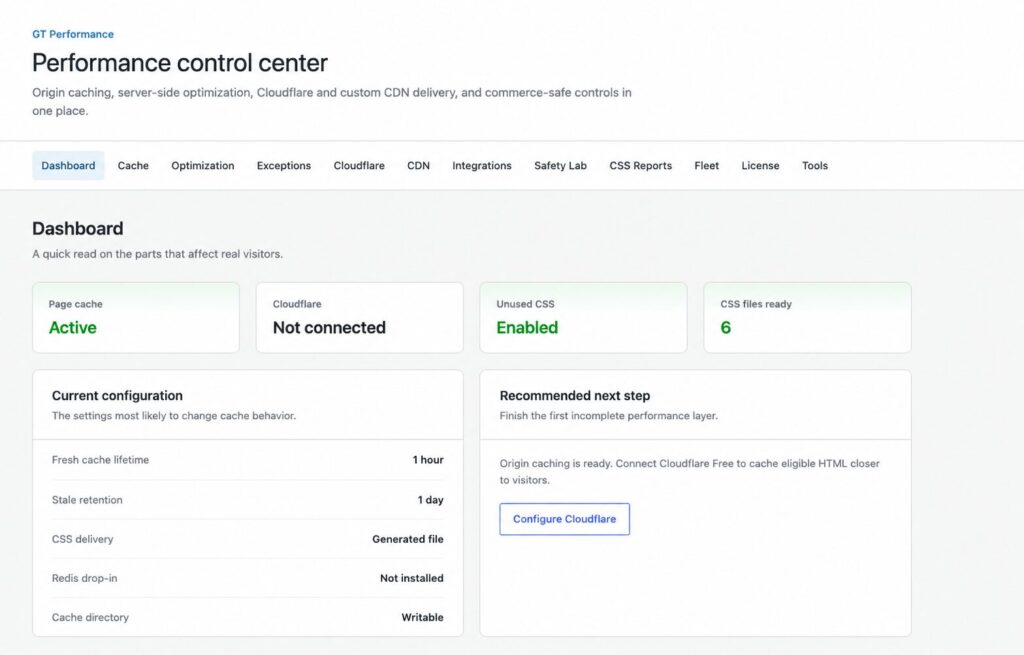
I built GT Performance, so this is a founder’s recommendation, not an independent review. I made it for the failure cases I kept seeing in real WordPress work: public pages that should be cached, private commerce state that must never be cached, and several optimization plugins fighting over the same layer.
GT Performance is the aggressive value pick in this roundup if you manage several WordPress sites. It is free for every website you manage and includes page cache, Cloudflare Free orchestration, server-side unused CSS, Redis object cache controls, and cache diagnostics.
- Best fit: agencies, freelancers, WooCommerce stores, membership sites, and multi-site portfolios that can test on staging first.
- Why it is different: origin and Cloudflare cache decisions share one WordPress-aware policy, including commerce and logged-in bypass rules.
- What you save: no annual renewal and no license to manage at all.
- What you need to do: stage the change and test every private or transactional flow before production.
Start on staging, keep a backup, and test every cart, checkout, account, receipt, course, and personalized flow before production.
See the full GT Performance feature list.
Choose FlyingPress if you want the mature annual option for one site. It remains the safer default for readers who prioritize a longer public production record.
FlyingPress
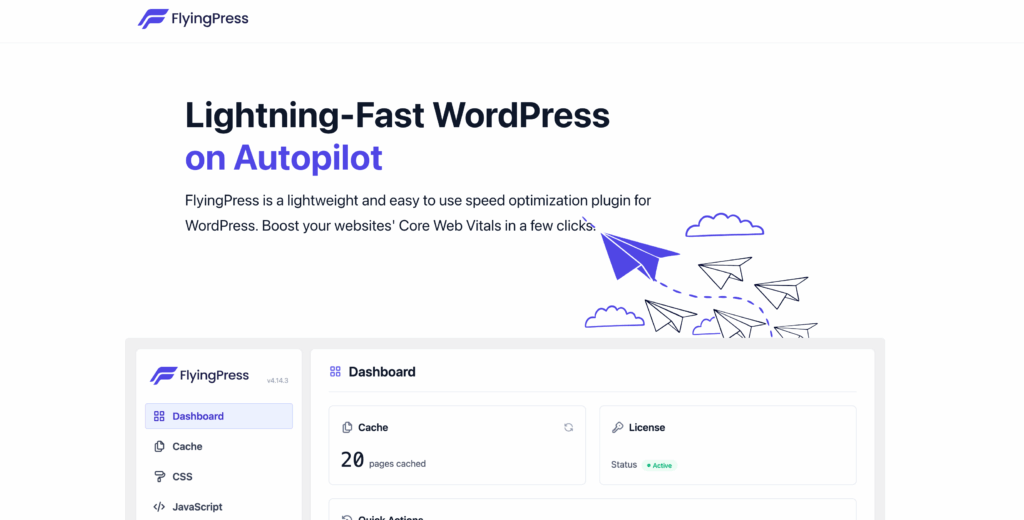
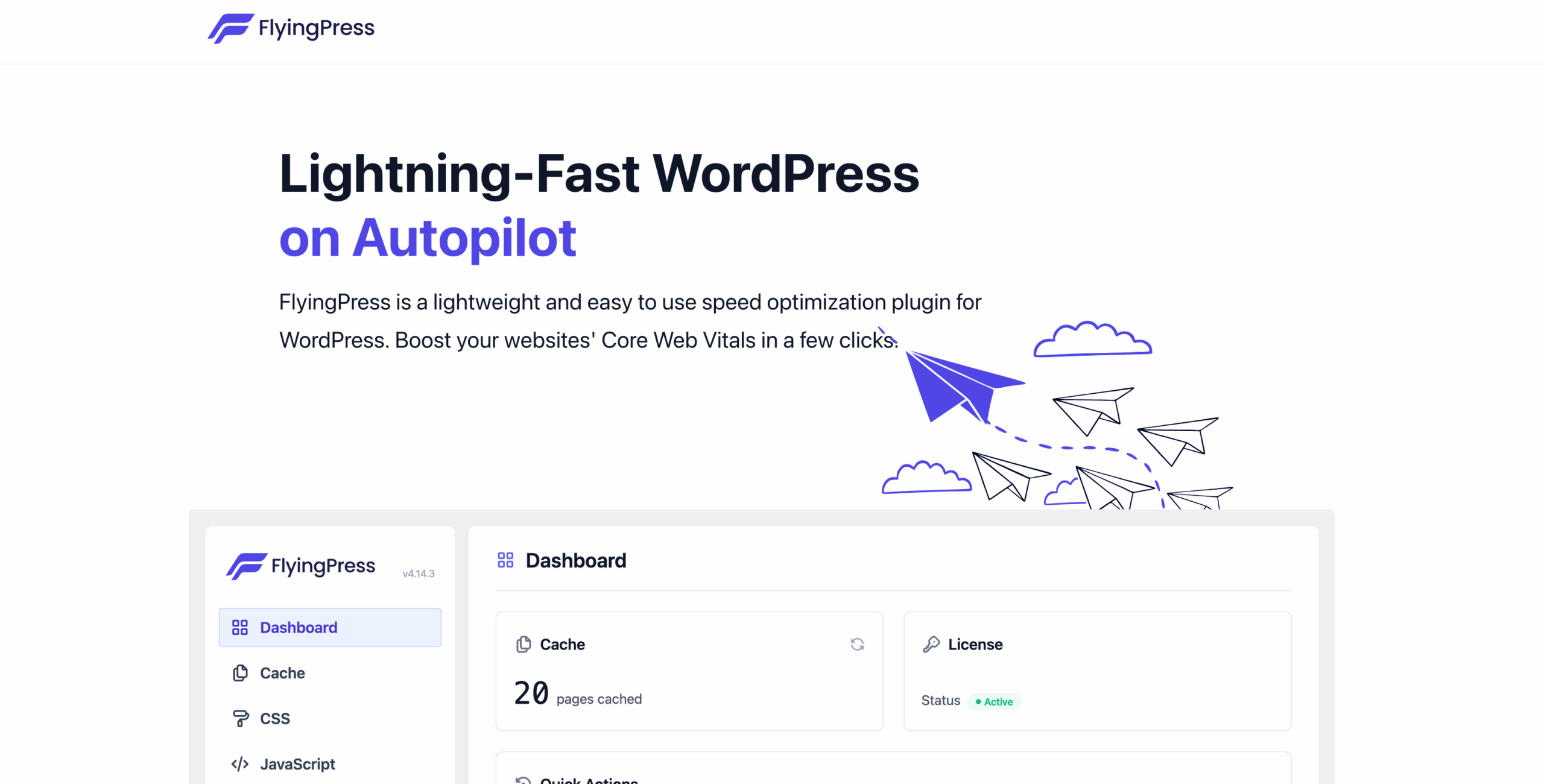
FlyingPress is my default paid option on ordinary WordPress hosting when the host allows plugin-managed page caching. It combines page cache with CSS, JavaScript, font, image, preload, database, and Cloudflare controls, but every aggressive optimization still needs template and state testing.
What makes FlyingPress stand out is its all-in-one approach to performance. It handles everything from caching and database cleanup to CDN integration with its custom FlyingCDN option. Plus, the intuitive interface makes it easy for anyone to set up and manage.
Highlights:
- Intelligent page caching with automatic updates.
- Critical CSS and JavaScript optimization.
- Image compression with WebP support.
- Database cleanup for improved site performance.
- Prefetching and preloading for faster navigation.
- FlyingCDN
Price: Starts at $59/year for a single site.
After I switched this site from WP Rocket to FlyingPress in November 2024, its 28-day field data moved from 3.7s to 2.5s LCP and from 3.2s to 2.6s FCP, while CLS remained 0. That is a before-and-after result on one changing production site, not a controlled claim that FlyingPress will beat WP Rocket everywhere. FlyingPress 5.6 added Redis object caching; see my FlyingPress review for the implementation details.
In addition to FlyingPress, I also use perfmatters.
Read: FlyingPress Review
FlyingPress
Pros
- Improved this site's 28-day field data after the November 2024 switch
- Unused-CSS controls have worked reliably on this site's tested templates
- Simplest interface with the fewest settings to get wrong
- Image optimization, unused-CSS removal, and database cleanup bundled in; FlyingCDN is an optional Cloudflare Enterprise add-on
- Redis object caching added in 5.6; works on any server, not just LiteSpeed
Cons
- Premium only, there is no free version
- Smaller community than WP Rocket
- Newer than the veteran plugins, so fewer third-party tutorials
Summary
My default paid cache and optimization plugin on ordinary WordPress hosting when plugin-managed page cache is supported. It improved this site’s field data after a November 2024 switch, but that production before-and-after is not a controlled universal benchmark. FlyingCDN is optional and billed separately.
Price: USD 59 /year
Try FlyingPressPerfmatters
Perfmatters does not provide full-page cache. It controls scripts, styles, lazy loading, preloads, local fonts, database cleanup, and other front-end behavior. Its Script Manager is useful when a plugin loads assets where they are not needed, but the savings depend on the page and the assets you safely disable.
Perfmatters can pair with FlyingPress, LiteSpeed Cache, WP Rocket, or a host cache when one tool owns each overlapping feature. Do not enable two delay-JavaScript, lazy-load, minify, unused-CSS, CDN-rewrite, or database-cleanup implementations at the same time.
With Perfmatters, the performance optimizations shouldn’t be complicated, and everything should be easy to be enabled/disabled with a single click. In addition, it costs just $29.95 for a single-site license offering many great features to speed up your site quickly.
Use coupon-code GAURAVTIWARI for even more discount.
After FlyingPress and Perfmatters combo, other top WordPress caching plugins that I recommend include the following.
Perfmatters

Pros
- Script Manager lets you disable plugins per page
- Removes WordPress bloat (emojis, embeds, dashicons)
- Excellent lazy loading with fade-in effect
- Works alongside any caching plugin
- Lightweight – adds almost no overhead itself
Cons
- Not a standalone caching solution
- Script Manager requires trial-and-error per site
- No CDN integration
- Documentation could be more detailed for beginners
Summary
A complementary performance plugin for asset control, script management, lazy loading, fonts, and database cleanup. It does not replace a full-page cache.
Price: USD 29.95 /year
Try PerfmattersWP Rocket
WP Rocket is a popular WordPress caching plugin that helps to increase performance. This plugin has a user-friendly interface that makes it easier to use than other cache plugins. When compared to other cache plugins, WP-rocket offers some of the best features, the first being the option to remove unused CSS completely.
Here’s a list of features that WP Rocket offers:
- Page Caching: Automatically caches WordPress site for fast loading.
- Cache Preloading: Preloads cache for immediate speed improvement.
- Critical CSS: If you are not using Unused CSS feature, you can also use critical CSS to optimize above-the-fold 11. Above-the-fold rendering refers to the process of prioritizing the display and loading of content that appears on a web page when it is first opened, without scrolling. This area is immediately visible to users when the web page loads. Optimizing above-the-fold content is crucial for improving user experience, as it ensures that this visible portion loads quickly, providing an immediate view of essential content and improving perceived website performance. This can be particularly important for engaging users and reducing bounce rates, as visitors often decide whether to stay on a page based on this initial content. × rendering of your webpages.
- Browser Caching: Stores frequently accessed site resources in local memory.
- GZIP Compression: Compresses web pages for faster delivery.
- eCommerce Optimization: Ensures smooth running of eCommerce sites without cache interference.
- Compatibility: Works well with popular themes, plugins, and managed WordPress hostings.
- Customization Options: Includes cache, file optimization, minification, media, preloading, database, CDN, and add-ons settings. These can be set sitewide and be customized post/page-wise.
- LazyLoad for Media: Defers loading of images/iframes for better performance.
- Database Optimization: Offers database cleanup and optimization tools.
- CDN Integration: Supports CDN usage for reduced latency and improved availability.

It is just $59 per year for a site and renewals can be as cheap as $29.50 per year if you are loyal. As I said earlier, I used WP Rocket from 2014 until I switched to FlyingPress (here is my review of WP Rocket) and it has been one of the key instruments in growing my blog online.
WP Rocket comes with a 14-day refund guarantee. Try it, set it up using this guide and if you are still not satisfied, ask for a refund.
WP Rocket

Pros
- Easiest caching plugin to set up
- Excellent browser caching and GZIP compression
- Good lazy loading for images and iframes
- Large community and extensive documentation
Cons
- Annual pricing has increased ($59/year single site)
- Unused CSS removal less effective than FlyingPress
- Critical CSS generation can break some themes
- No script manager built-in
Summary
The most popular premium caching plugin. Easy to configure and covers caching, file optimization, and lazy loading. However, FlyingPress now outperforms it on Core Web Vitals, and the annual pricing keeps increasing. Still solid for set-and-forget caching.
Price: USD 59 /year
Try WP RocketHummingbird
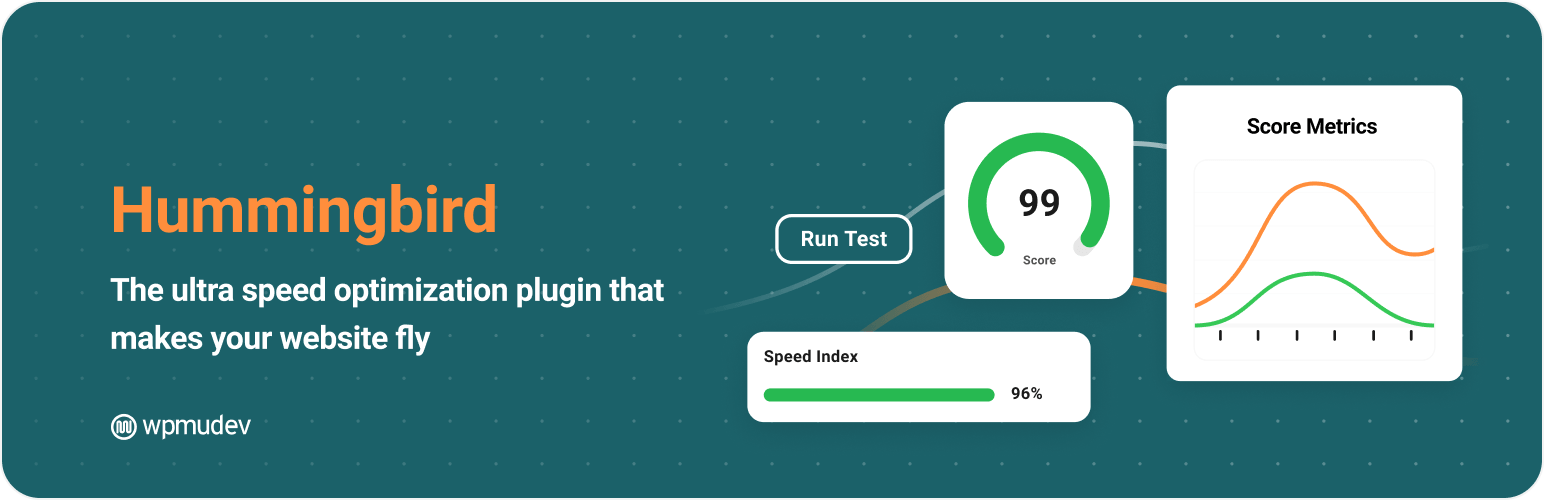
Hummingbird is a versatile cache plugin that scans your website and gives you a performance report with actionable recommendations. It optimizes your site with features like GZIP compression, caching, and minification to help you achieve a perfect score on Google PageSpeed Insights.
Where Hummingbird earns its place is the guided workflow. It scans, flags what is slow, and walks you through fixing it, which makes it a reasonable pick if you are new to performance and want hand-holding. The catch is the WPMU DEV model: the genuinely useful pieces, like automated critical CSS and the CDN, sit behind a membership, and its asset optimization is less aggressive than FlyingPress or even LiteSpeed. In my testing it lifted the PageSpeed score more than the real-world LCP, which is the gap between a green number and a page that actually feels fast. A good starter, not an endgame.
Hummingbird
Pros
- Clean interface with performance reports
- Built-in performance scanning and recommendations
- GZIP and browser caching are well-implemented
- Works well alongside Smush for images
Cons
- Full features locked behind WPMU DEV membership
- Performance impact is moderate vs top options
- Asset optimization is less aggressive than FlyingPress
- Not as actively developed as standalone plugins
Summary
A capable caching plugin from WPMU DEV with a clean interface and good feature set. Handles page caching, GZIP compression, browser caching, and asset optimization. The free version is decent; full power requires a WPMU DEV membership.
W3 Total Cache
W3 Total Cache is another top-tier plugin that promises to improve your site’s performance by up to 10x. With features like Minify, CDN integration, and browser caching, it’s an excellent choice for optimizing their site without breaking the bank.
W3 Total Cache is the Swiss Army knife nobody fully unfolds. It supports page cache, object cache, database cache, browser cache, minification, and CDN, more caching layers than anything else on this list. That completeness is also the problem: the settings sprawl across dozens of screens, and one wrong toggle, aggressive minification or fragment caching on a dynamic store, will white-screen your site. I only reach for W3TC when I want granular object and database caching without Redis and a developer is driving. For everyone else, its power is a liability, not a feature.
W3 Total Cache
Pros
- Most feature-complete caching plugin available
- Supports every type of caching
- Excellent CDN integration
- Free version is very capable
Cons
- Extremely complex configuration
- Easy to break your site with wrong settings
- Known compatibility issues with some hosts
- UI is dated and overwhelming
Summary
The veteran caching plugin with every possible caching feature. Handles page cache, object cache, browser cache, CDN, and minification. Overwhelmingly complex. Misconfiguration can break your site. Best for experienced developers only.
LiteSpeed Cache
LiteSpeed Cache is a powerful cache plugin developed by LiteSpeed Technologies. It comes with an array of optimization features such as HTTP/2 and QUIC support, Image Optimization, and CSS/JS minification. The best part? It’s entirely free!
The reason LiteSpeed Cache is the best free option is architecture, not its feature list. On a LiteSpeed or OpenLiteSpeed server it caches at the server level, which is structurally faster than any PHP-based plugin can be, and it bundles image optimization and the QUIC.cloud CDN at no cost. Move it off a LiteSpeed server and most of that advantage evaporates, leaving a capable but ordinary cache plugin with a cluttered interface. So the honest rule is simple: if your host runs LiteSpeed, and many budget and cPanel hosts do, use this and skip the premium plugins. If it does not, the free tier is not worth the configuration tax.
LiteSpeed Cache

Pros
- Completely free with no premium tier
- Server-level page cache when the origin has the required LiteSpeed integration
- Built-in image optimization with WebP
- QUIC.cloud CDN integration
- Object caching support included
Cons
- Full features require LiteSpeed server
- Configuration is complex with too many options
- UI is cluttered and not intuitive
- Can conflict with other optimization plugins
Summary
My free page-cache choice when the origin runs LiteSpeed Web Server or OpenLiteSpeed with the cache module configured. On other servers, its optimization features remain available but the same server-level page-cache path does not.
WP Super Cache
WP Super Cache is a popular choice for many WordPress users due to its simplicity and effectiveness. It generates static HTML files from your dynamic WordPress site, reducing the load on your server and increasing your website’s speed.
WP Super Cache does one job, static HTML page caching, and does it without drama. That is the whole appeal. It is from Automattic, it is stable, and it will not fight your theme or break on an update. But it stops exactly where modern performance begins: no unused-CSS removal, no critical CSS, no script delay, no image work. Those are the features that actually move Core Web Vitals in 2026, so WP Super Cache alone buys you a faster server response and a still-mediocre LCP. Reach for it when you want reliable caching and nothing more, or on a low-stakes site where simplicity beats speed.
WP Super Cache

Pros
- Developed by Automattic – reliable and well-maintained
- Extremely simple to configure
- Stable with minimal compatibility issues
- Free with no upsells
Cons
- Only handles page caching – no CSS/JS optimization
- No lazy loading or image optimization
- No unused CSS removal
- Performance improvement is minimal compared to modern tools
Summary
A basic, reliable page caching plugin from Automattic. Does one thing well: generates static HTML files. No CSS/JS optimization, no image lazy loading, no unused CSS removal. For sites that just need basic page caching with zero complexity.
WP Fastest Cache
WP Fastest Cache is another easy-to-use cache plugin that delivers outstanding results. It offers features like GZIP compression, browser caching, and minification, ensuring your website loads as quickly as possible for your users.
WP Fastest Cache is the budget middle ground. The free version handles page caching, GZIP, and browser caching through a plain checkbox interface that beginners rarely misconfigure, and its one-time premium license, unusual in a subscription world, adds minification and image optimization. The ceiling is low, though. The minification is basic and occasionally breaks scripts, and there is no unused-CSS removal, so it cannot touch FlyingPress on the metrics Google now weighs. Fine for a brochure site on a tight budget, underpowered for anything that lives or dies on search.
WP Fastest Cache

Pros
- Simple checkbox-based configuration
- Reliable page caching
- Free version handles basics well
- Minimal compatibility issues
Cons
- Premium features are underwhelming
- Minification is basic and can break scripts
- No unused CSS removal
- No critical CSS generation
Summary
A straightforward caching plugin with a simple checkbox interface. Handles page caching, GZIP, browser caching, and basic minification. The free version covers basics; premium adds CSS/JS optimization and image optimization. A decent budget option.
Legacy option: Cache Enabler
Cache Enabler is a lightweight cache plugin developed by KeyCDN. It’s perfect for those who want a simple, no-frills solution to improve their site’s speed. It creates static HTML files, supports WebP images, and works seamlessly with Autoptimize for script minification.
Cache Enabler is deliberately minimal. Built by KeyCDN, it writes static HTML with WebP support and almost nothing else, which is the point, it adds near-zero overhead of its own. Pair it with KeyCDN and Autoptimize and you can assemble a lean, fast, free stack. The tradeoff is that you are assembling it: no lazy loading, no CSS or JS optimization, and development has clearly slowed. I would only pick it for a developer-managed site where I want to control each optimization layer by hand, not as a one-plugin answer.
Cache Enabler

Pros
- Extremely lightweight with minimal overhead
- WebP image support built-in
- Simple interface
- Works well with KeyCDN
Cons
- Very limited feature set
- No CSS/JS optimization
- No lazy loading
- Development has slowed significantly
Summary
A minimal static HTML cache for developer-managed stacks. I would not choose it for a new general-purpose site without first checking current maintenance and host compatibility.
Legacy option: Comet Cache
Comet Cache is a user-friendly cache plugin that comes with an intuitive interface and powerful features. With options like browser caching, GZIP compression, and automatic cache clearing, Comet Cache ensures your website stays fast and up-to-date.
Comet Cache is the one entry here I would actively steer you away from. It works, and it does simple page caching, but it has been rebranded twice, from Quick Cache to ZenCache to Comet Cache, and development has essentially stalled. In a category where the free options already include LiteSpeed and WP Super Cache, putting a stagnant plugin in charge of your caching layer is a risk with no upside. It stays in this list for completeness, not as a recommendation.
Comet Cache

Pros
- Simple page caching that works
- Client-side caching option
- Apache and Nginx support
Cons
- Development has essentially stalled
- Limited feature set
- Multiple rebrandings raise concerns
- Better free alternatives exist
Summary
A legacy page-cache option retained for migration context. I would not install it on a new production site while better-maintained free and paid choices exist.
Swift Performance
Swift Performance, developed by SWTE, is an all-in-one cache and performance plugin that focuses on aggressive, do-everything optimization. It provides features like database optimization, image optimization, CSS/JS minification, and caching. With a user-friendly interface, it’s suitable for both beginners and experts.
Swift Performance’s ambition is both its draw and its weakness. It tries to be everything, caching, critical CSS, image optimization, and database tuning in a single plugin, so when it works you consolidate several tools into one. When it does not, it can be unstable on certain host configurations, and support quality varies. The free Lite version is genuinely limited, so the real product is the premium tier. I would only run it on a site I could watch closely, because an all-in-one that misbehaves takes your entire performance stack down with it.
Swift Performance
Pros
- All-in-one performance solution
- Built-in image optimization
- Critical CSS generation included
- Database optimization tools
Cons
- Can be unstable on certain server configurations
- Too many features crammed into one plugin
- Support quality varies
- Free version is quite limited
Summary
A full-featured caching plugin with built-in image optimization, database optimization, and critical CSS generation. Tries to be an all-in-one performance solution. Feature-rich but can be unstable on some configurations.
Breeze
Breeze is a lightweight and straightforward cache plugin developed by Cloudways. It offers essential caching features like minification, GZIP compression, browser caching, and compatibility with Varnish and CloudwaysCDN for added performance improvements.
Breeze makes sense in exactly one situation: you are hosting on Cloudways. Built by Cloudways, it hooks into their Varnish cache and CDN and works cleanly on their stack with no setup. Off Cloudways it is a basic cache plugin, page caching, minification, and GZIP, with no image optimization and no unused-CSS removal, and better free options exist. So the rule is narrow: on Cloudways, Breeze is the path of least resistance; anywhere else, skip it.
Breeze

Pros
- Optimized for Cloudways hosting
- Simple interface
- Varnish cache integration
- Free and lightweight
Cons
- Limited features on non-Cloudways hosts
- Basic minification only
- No image optimization
- No unused CSS removal
Summary
A caching plugin built by Cloudways for their hosting platform. Works on any host but optimized for Cloudways. Basic page caching, minification, and Varnish cache integration. Best if you are on Cloudways hosting.
Which WordPress Cache Plugin should I choose?
Here is the comparison table of all the cache plugins for WordPress that I recommend:
| Name | Paid / Free / Freemium | Download Link |
|---|---|---|
| FlyingPress | Paid | Download |
| Perfmatters | Paid | Download |
| WP Rocket | Paid | Download |
| Hummingbird | Freemium | Download |
| W3 Total Cache | Freemium | Download |
| LiteSpeed Cache | Free | Download |
| WP Super Cache | Free | Download |
| WP Fastest Cache | Freemium | Download |
| Cache Enabler | Free | Download |
| Comet Cache | Freemium | Download |
| Swift Performance | Freemium | Download |
| Breeze | Free | Download |
| Feature | WP Rocket | FlyingPress | Perfmatters | Hummingbird | WP Super Cache | W3 Total Cache | Jetpack Boost | Swift Performance | Cache Enabler | LiteSpeed Cache | Breeze |
|---|---|---|---|---|---|---|---|---|---|---|---|
| Caching | Yes | Yes | No | Yes | Yes | Yes | No | Yes | Yes | No | No |
| Lazy Loading | Yes, complete | Yes, complete | Yes, complete | Yes, complete | No | No | Yes, complete | Yes, complete | No | No | No |
| Minification | Yes | Yes | Yes | Yes | No | Yes | Yes | Yes | No | No | No |
| Script Management | Basic | Basic | Advanced | Basic | No | Advanced | No | Advanced | No | No | No |
| Database Optimization | Basic | Yes | Yes | No | No | Yes | No | Yes | No | No | No |
| CDN Integration | Yes | Yes | Yes | Yes | No | Yes | No | Yes | No | No | No |
| CDN | RocketCDN powered by Bunny.net (only for assets) | FlyingCDN powered by Cloudflare Enterprise (page, HTML & assets) | WPMU CDN | Photon | No | No | |||||
| Remove Unused CSS Best Value | Yes, inline | Yes, file based | Yes, inline and file based both | No | No | No | No | No | No | No | No |
| WebP Support | No | Yes | No | No | No | No | No | Yes | Yes | No | No |
| Critical CSS Generation | Yes | Yes | No | No | No | No | Yes | Yes | No | No | No |
| Unique Features | Easy setup, all-in-one optimization | Easy setup, all-in-one optimization, advanced preloading | Disable unused WP features, advanced preloading | GZIP compression, Smush integration, performance testing | Simple modes for setup, compatibility with object caching | Granular control, fragment caching, database support | Generates critical CSS, defers non-essential JavaScript | Plugin organizer, advanced caching, WebP optimization | Lightweight design, automatic WebP delivery | No | No |
| Pricing | $59/year | $49/year | $29/year | $60/year | Free | Free | Free | $49/year | Free | No | No |
| Object Cache Support | No | No | No | Yes, with Redis/Memcached | No | Yes | No | Yes | No | Yes, built-in | No |
| Image Optimization | No | Yes, built-in lazy load + WebP | No | Yes, via Smush integration | No | No | No | Yes, WebP + lazy load | Basic WebP | Yes, built-in with QUIC.cloud | Yes, via Cloudways integration |
| Ease of Use | Beginner friendly | Beginner friendly | Intermediate | Intermediate | Easy | Advanced, steep learning curve | One-click | Intermediate | Very easy | Intermediate | Easy |
| Overall Rating | 9/10 | 9.5/10 | 9/10 | 7.5/10 | 7/10 | 8/10 | 7/10 | 8.5/10 | 7.5/10 | 9/10 | 7.5/10 |
Clean Up Your WordPress Database Too
Caching speeds up delivery, but a bloated database slows the queries behind it. Over time WordPress piles up post revisions, expired transients, spam, and orphaned tables left by deleted plugins. A WordPress database cleanup clears that out so every uncached query runs faster, which is the db cache side of WordPress performance most guides ignore.
You usually do not need a separate database cleaner when your chosen performance plugin already provides the controls. Do not use one universal cleanup schedule. Take a restorable backup, inspect the affected tables, define revision and log retention, remove only expired or verified disposable data, and test scheduled actions, sessions, carts, and reporting afterward.
Locked out by a bad plugin? You can disable a WordPress plugin from the database directly. Open your site in phpMyAdmin, find the active_plugins row in the wp_options table, and remove the offending plugin from the list. It is the fastest way to disable WordPress plugins from the database when the dashboard will not load.
Do You Need a CDN Too?
Yes, if your audience is spread across regions. A content delivery network for WordPress serves your images, CSS, and JavaScript from servers close to each visitor, cutting latency a caching plugin alone cannot touch. The best CDN for WordPress is the one that integrates cleanly with your stack, not the one with the biggest network.
FlyingCDN is an optional Cloudflare Enterprise-based add-on for FlyingPress, not part of the $59 FlyingPress license. It can cache HTML at the edge and optimize images, but billing is separate and should be checked in the current FlyingCDN dashboard. Cloudflare Free, Bunny CDN, KeyCDN, and managed-host edge products follow different cache and purge models; compare them in my guide to using a WordPress CDN.
Caching Plugin FAQ
What is the best WordPress caching plugin?
FlyingPress is my default on ordinary Apache or NGINX hosting. Use LiteSpeed Cache on a properly configured LiteSpeed stack. On managed hosting with enforced full-page caching, keep the host cache and add only missing optimization features.
What is the best free WordPress caching plugin?
LiteSpeed Cache is the strongest free choice when the server integration is available. WP Super Cache is a simpler static HTML option. The correct answer depends on the host, private routes, and which cache layer is already active.
Do I need a caching plugin with WP Engine or managed hosting?
Usually not for full-page caching. WP Engine, Kinsta, and similar managed hosts provide and sometimes enforce their own cache. Use only documented complementary optimization features and follow the host’s restricted-plugin guidance.
Do I need a CDN and a caching plugin?
They solve different layers. A page cache reduces origin work; a CDN reduces distance and can cache assets or HTML at the edge. Use both only when purge rules, cookies, query strings, and private routes are coordinated.
How do I clean up my WordPress database?
Back up first, inspect table size and retention needs, then remove only expired or verified disposable revisions, transients, logs, and orphaned data. Test scheduled actions, sessions, carts, and reports after cleanup.
Is FlyingPress better than WP Rocket?
FlyingPress produced better field metrics on this site after my 2024 switch, but that was not a controlled universal benchmark. WP Rocket remains a mature option. Host cache, configuration, templates, and exclusions determine the result.
In my opinion, you should go with the FlyingPress and Perfmatters combination like me.
Footnotes
- Above-the-fold rendering refers to the process of prioritizing the display and loading of content that appears on a web page when it is first opened, without scrolling. This area is immediately visible to users when the web page loads. Optimizing above-the-fold content is crucial for improving user experience, as it ensures that this visible portion loads quickly, providing an immediate view of essential content and improving perceived website performance. This can be particularly important for engaging users and reducing bounce rates, as visitors often decide whether to stay on a page based on this initial content. ↩
Tell Google you want more of this.
Add Gaurav Tiwari as a preferred sourceOne tap, and this site shows up more often in your own Top Stories, AI Overviews and AI Mode. Remove it any time.
Disclaimer: This site is reader-supported. If you buy through some links, I may earn a small commission at no extra cost to you. I only recommend tools I trust and would use myself. Your support helps keep gauravtiwari.org free and focused on real-world advice. Thanks. - Gaurav Tiwari