
Delivery and Pickup Scheduling lets a customer choose a dated time window at checkout. Each slot has an order capacity and booking cutoff, so you can match checkout availability to the work your team can handle.
The schedule does not create a shipping method or calculate its charge. FluentCart’s shipping configuration still determines the available methods and delivery cost.
Create a Slot
Enable the module and open FluentCart → Delivery scheduling.
- Enter a location or slot name, such as Studio pickup.
- Choose the start and end date/time.
- Set Orders per slot to the number of orders you can handle.
- Set how many hours before the start booking should close.
- Choose All methods or restrict the slot to a shipping method.
- Add the slot.
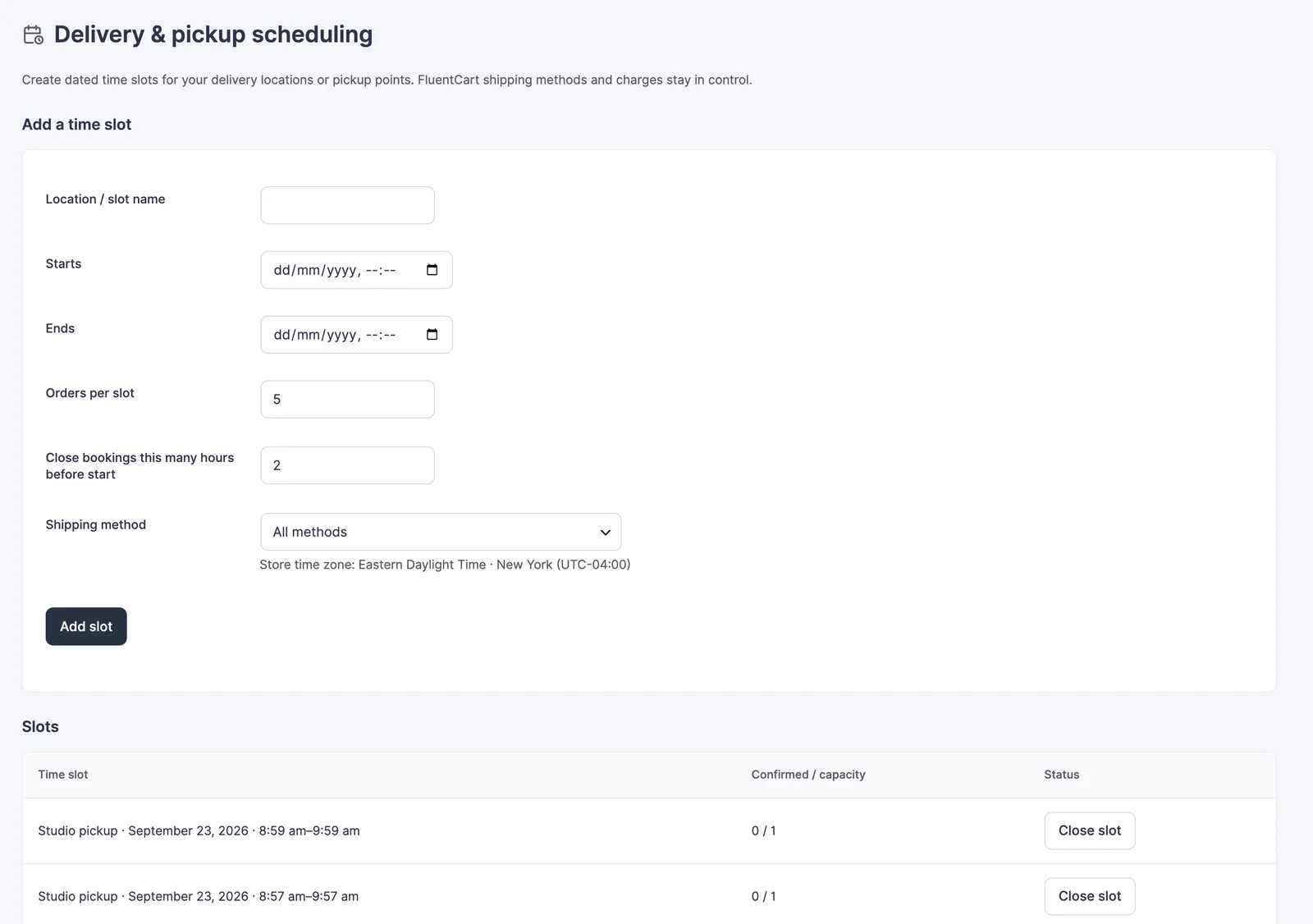
Dates and times use the WordPress store time zone. The screen shows a readable zone name and UTC offset; confirm the underlying WordPress time-zone setting before creating slots.
Example: Afternoon Collection
For a 2 pm to 4 pm pickup window with room for 5 orders, set capacity to 5 and a 2-hour cutoff. Customers can reserve that window until noon, subject to the remaining capacity.
A checkout selection holds a place for 15 minutes. Payment confirms the reservation; an expired hold releases capacity. The slot list shows confirmed usage and capacity, and lets you close or reopen a slot.
Required Slots and Closed Dates
Scheduling is optional by default. Enable Require a delivery or pickup time only after you have upcoming slots available.
- When required, an eligible physical order cannot finish checkout without an available slot.
- Closed dates prevent bookings on selected holidays or other non-working days.
- Add closed dates with the date picker and save scheduling rules.
- Digital-only, subscription and locked invoice carts do not use delivery-slot reservations.
Check the Customer Path
Test an eligible physical product, the selected shipping method, a full slot and a closed date. A time window that appears in the admin may still be unavailable because its cutoff passed or its method does not match the cart.
If payment arrives after a hold expired and no capacity remains, review the logged exception and contact the customer to agree on another time. Do not promise a confirmed slot based only on an unpaid selection.