Skip to content

Stackless Theme ProBeta

Start from a finished site, not a blank theme.

Stackless Theme Pro adds starter sites, a template library, popups, Styles and more design options to the free Stackless theme. Every feature is a module with its own switch, and a module that is off loads nothing.

Needs the Stackless theme 1.7+ (1.8 recommended), WordPress 6.6+ and PHP 7.4+.

Choose a license
Get Stackless Theme Pro

Pro is in beta. Every module is in, and new versions arrive through your license key as I fix what turns up.

  • All Modules
  • Unlimited websites
  • Updates with your key
  • Keeps working without a key
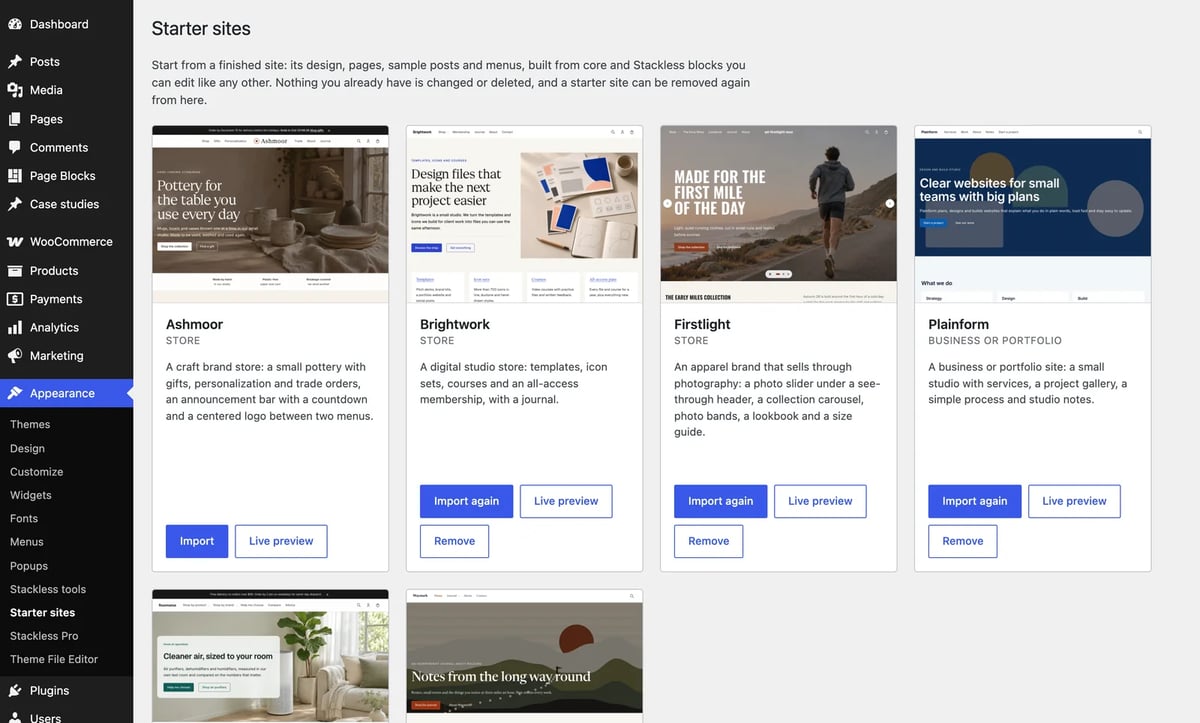
The Starter sites screen in WordPress with Ashmoor, Brightwork, Firstlight, Plainform, Roomwise and Waymark cards, each with Import and Live preview buttons
A switch per module
Switch each one on or off. A module that is off loads nothing.
Starter sites
Store designs for WooCommerce, EDD and FluentCart, plus blog and business sites.
Unlimited websites
One license key covers every site you run.
No lock-in
What Pro builds is core, Stackless, store and Page Blocks Builder blocks.

Starter sites, ready when you are

Each one brings its Style, pages, menus, widgets, images and sample products. The store designs come for WooCommerce, Easy Digital Downloads and FluentCart, and the EDD versions sell digital goods that fit the brand.

Open the gallery
  • Firstlight

    Store

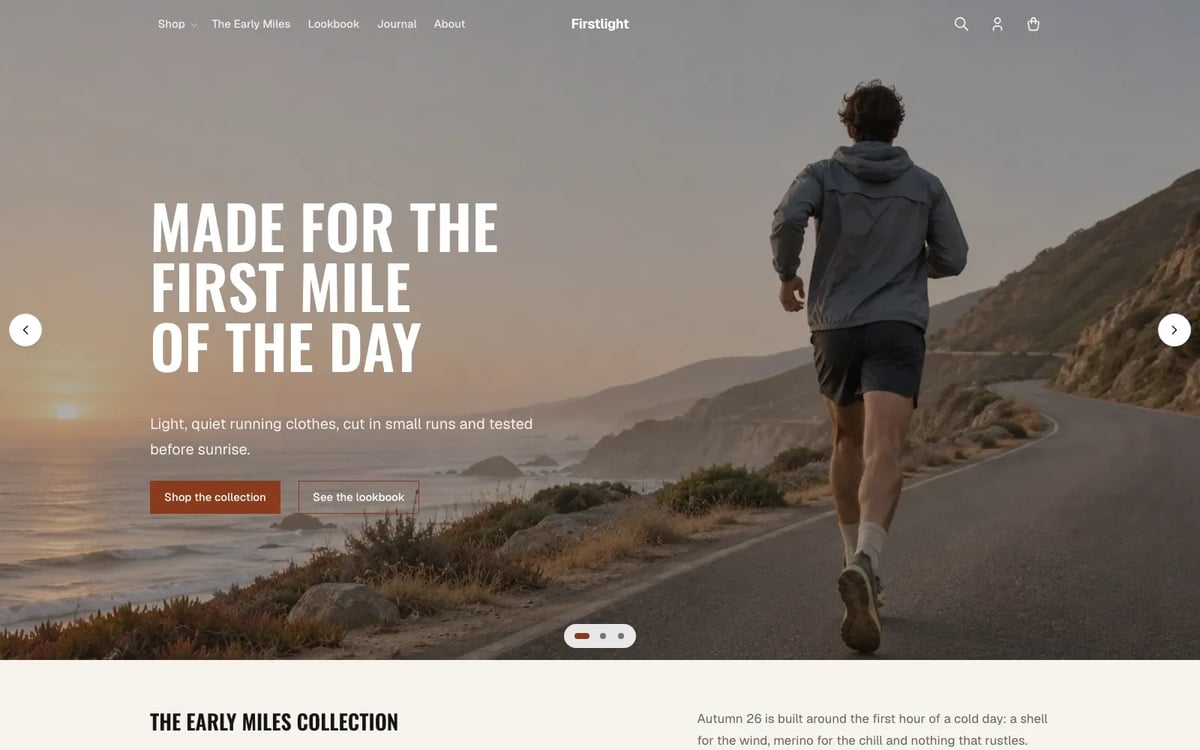
    A running apparel label: a photo slider under a see-through header, a collection carousel, photo bands, a lookbook and a size guide.

    Live preview of Firstlight
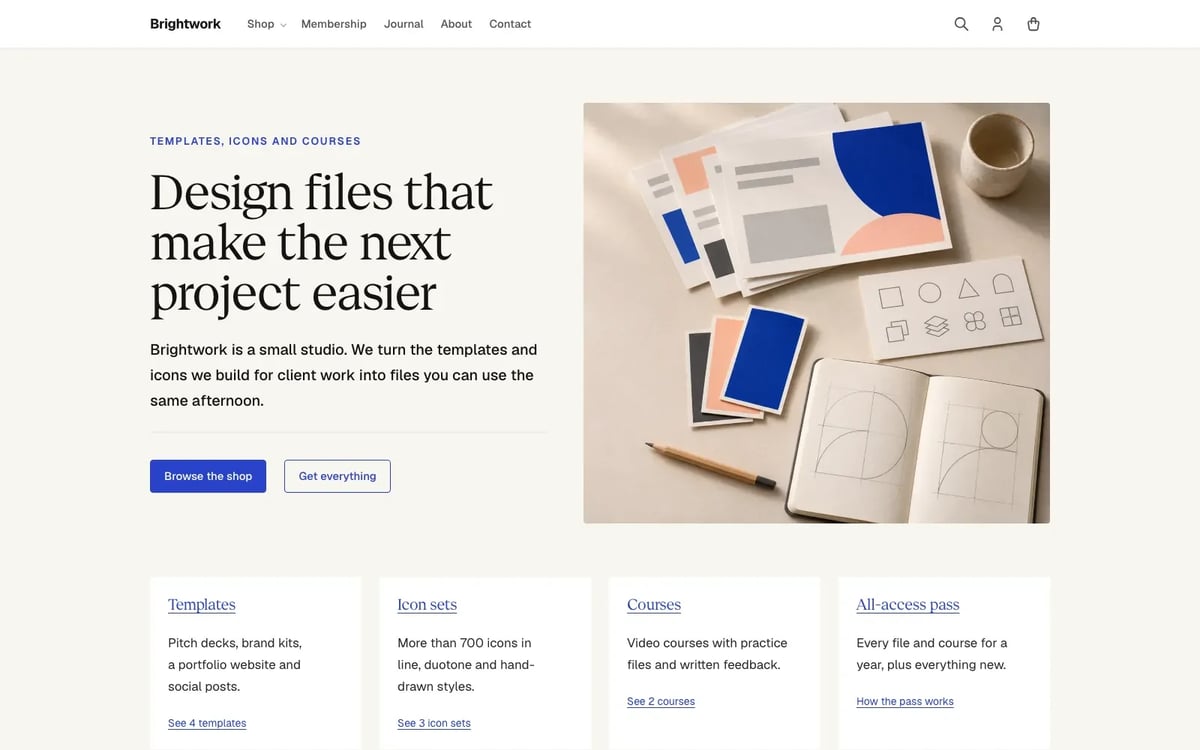
  • Brightwork

    Store

    A digital studio store: templates, icon sets, courses and an all-access membership, with a journal.

    Live preview of Brightwork
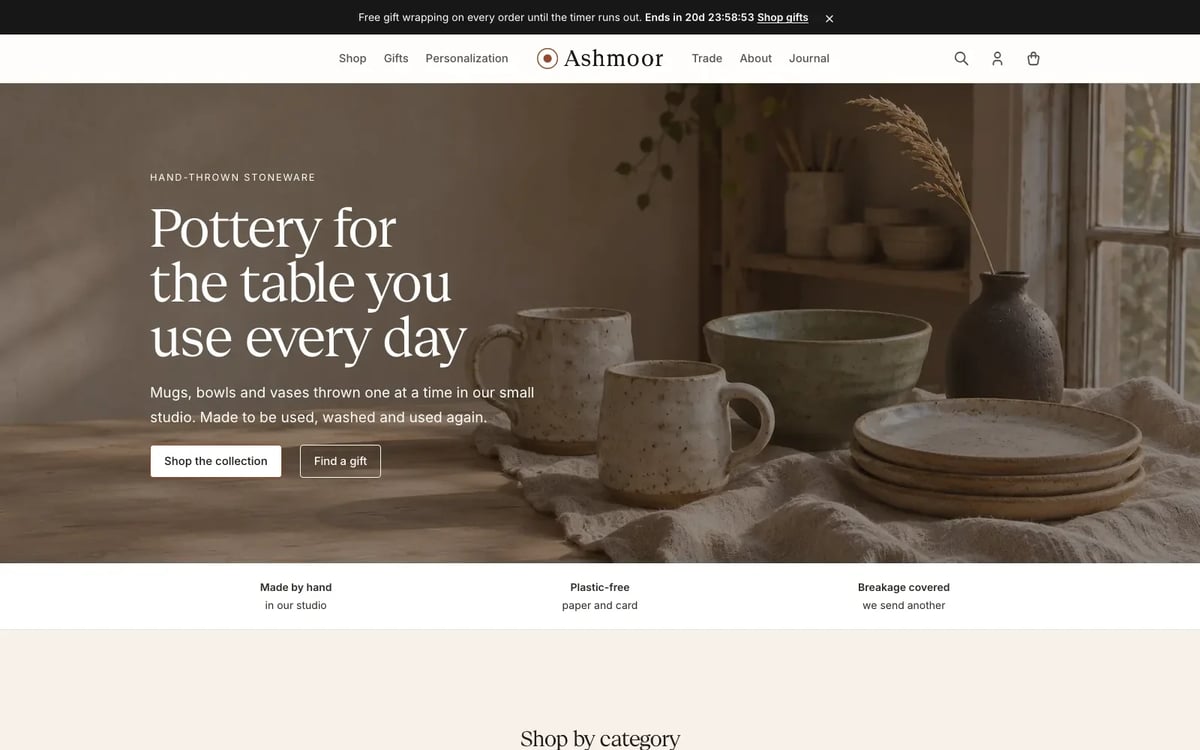
  • Ashmoor

    Store

    A pottery brand with gifts, personalization and trade orders, an announcement bar with a countdown and a centered logo between two menus.

    Live preview of Ashmoor
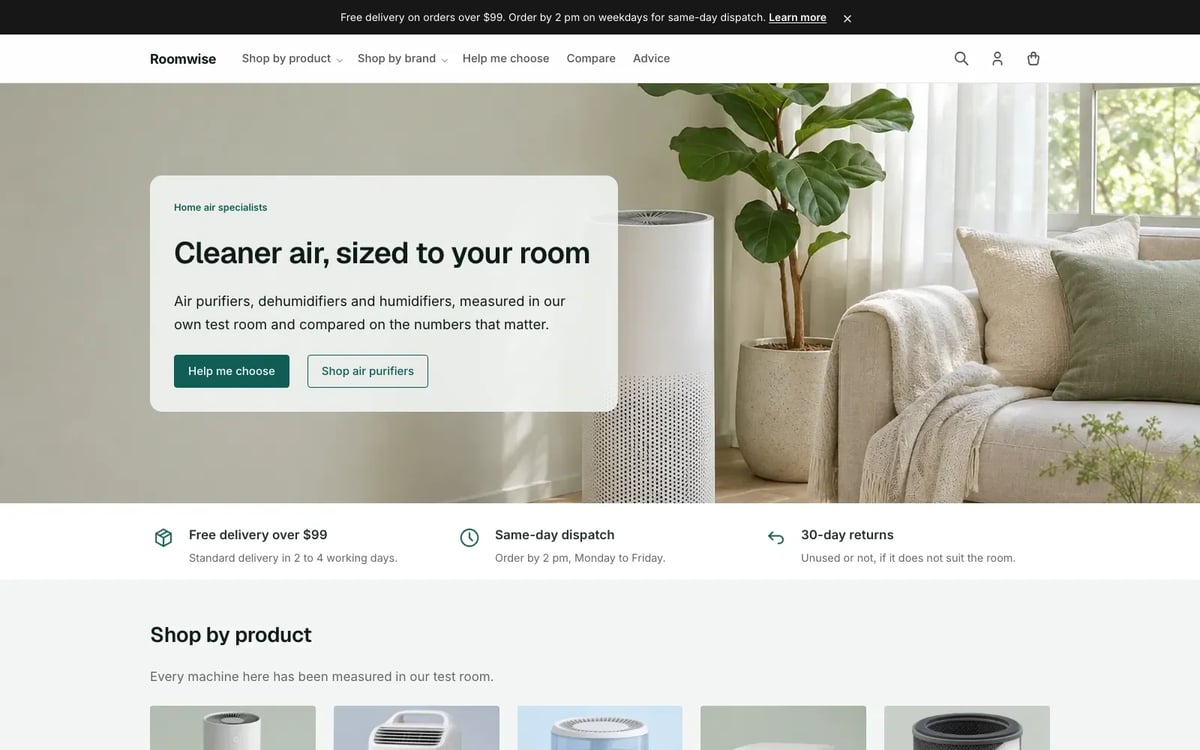
  • Roomwise

    Store

    A specialist home air store with spec rows, category tiles, a comparison table, help by need and room size, and buying guides.

    Live preview of Roomwise
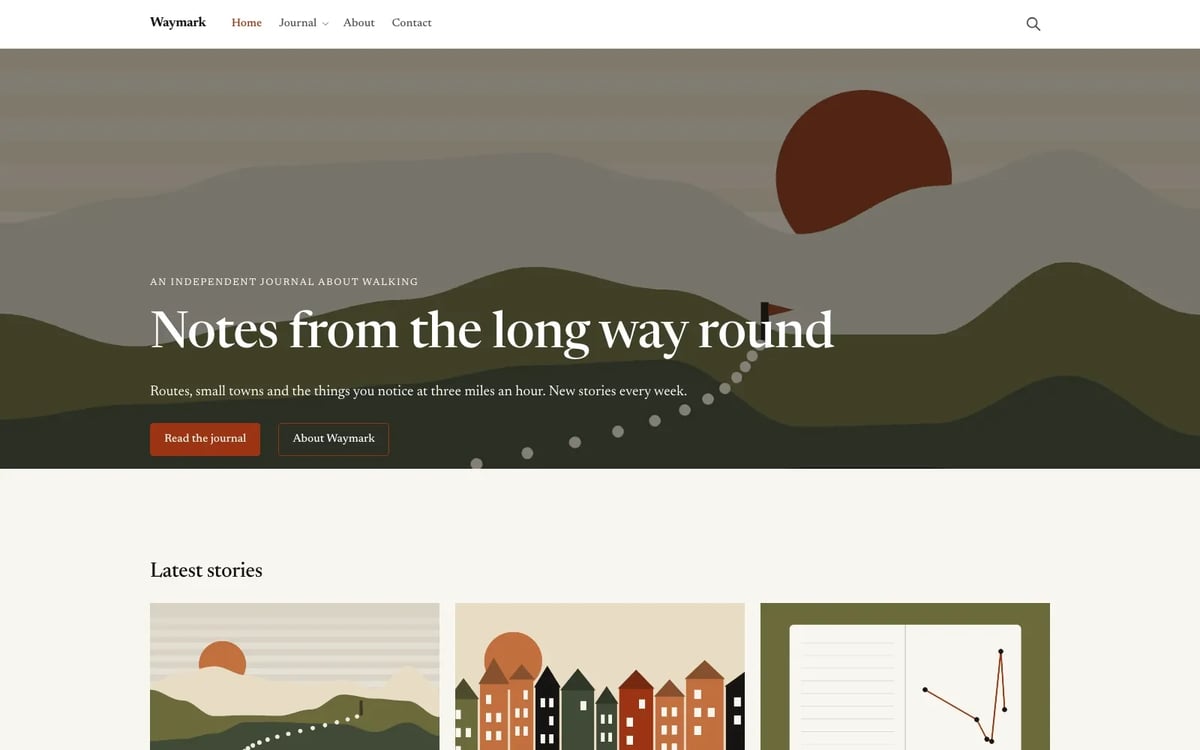
  • Waymark

    Blog

    A blog or magazine: a journal about walking and small towns, with a magazine home page, sections and sample stories.

    Live preview of Waymark
  • Plainform

    Business

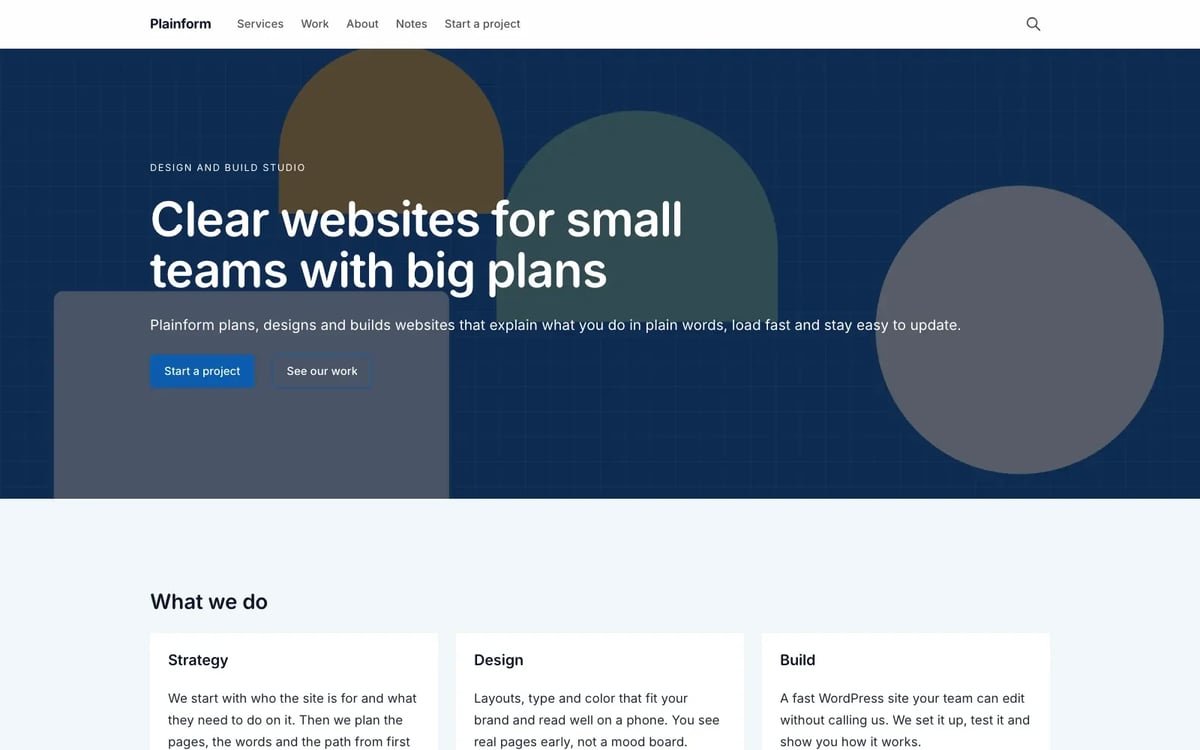
    A small studio site with services, a project gallery, a simple process and studio notes.

    Live preview of Plainform

1Look around first

Every starter site has a Live preview button that opens a hosted copy in a new tab.

2Import in steps

Bring in the whole site, or only its design or pages. Your settings are backed up first, and nothing you made is changed.

3Remove it any time

Remove takes back exactly what was added, after showing you what will go. WP-CLI can import, remove and export too.

Make it look like yours in an afternoon

Styles change the whole site in one click, dark mode follows your visitors, and the template library drops finished sections into any page.

See the plans

Styles, previewed before you apply

Each Style sets the colors, a bundled font pair, heading case and layout defaults. Pick one in the Customizer to preview it. Applying keeps a backup of your settings, and the notice that follows has an Undo button.

AtelierCitrusHarborLedgerMarqueeOrchardPaperbackPosterStudioWorkbench
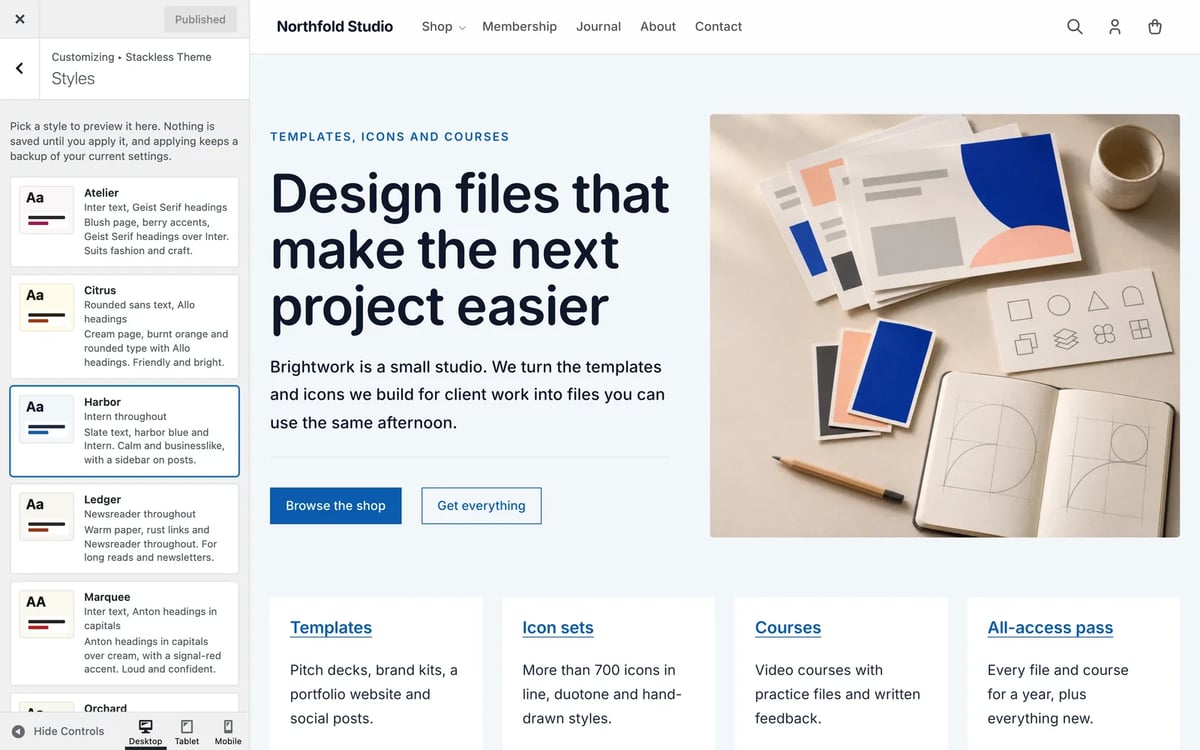
The Styles section of the Stackless Theme Customizer panel with the Harbor style previewed on a store home page

Dark mode with a toggle

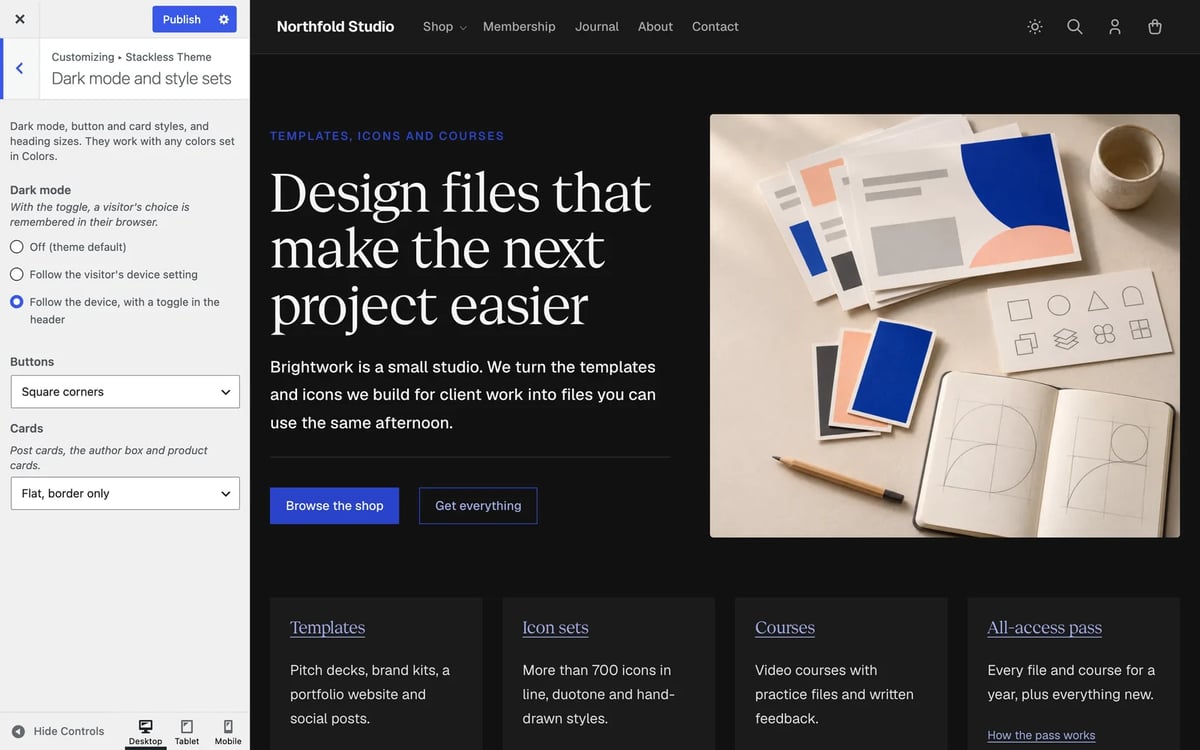
Follow the visitor’s device, or add a toggle to the header that remembers their choice.

The Dark mode and style sets section in the Customizer with the header toggle option selected and the store home page shown in dark colors

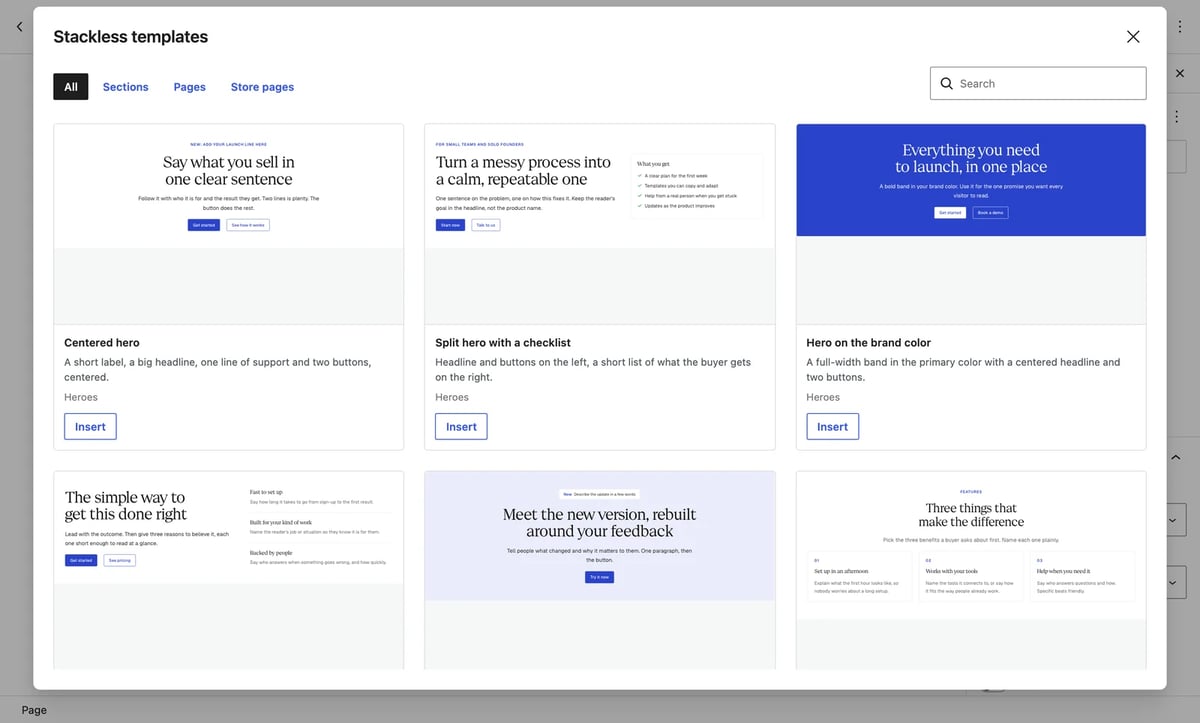
A template library inside the editor

Finished sections and pages as block patterns and in an editor panel with large previews. Insert one, then edit it like any other blocks.

  • Heroes, features, pricing, FAQ and more
  • Full pages and store pages for each store plugin
  • Only core and Stackless blocks
  • Follows the active Style
The Stackless templates library open in the block editor with hero section previews and Insert buttons

Popups you build with blocks

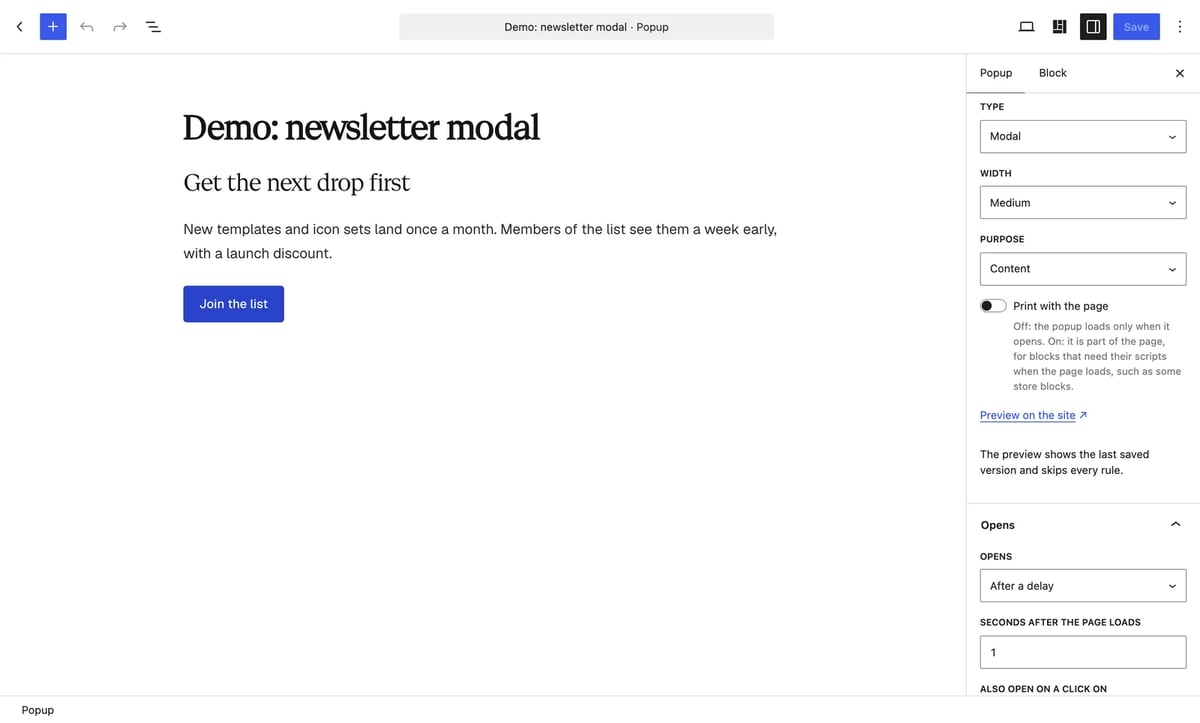
Modals, slide-ins, top and bottom bars and full-screen takeovers, made in the block editor and counted on your own site.

Any layout, any content

Write the popup like a page: headings, text, buttons, forms and coupon codes. Pages with no popup load nothing for popups.

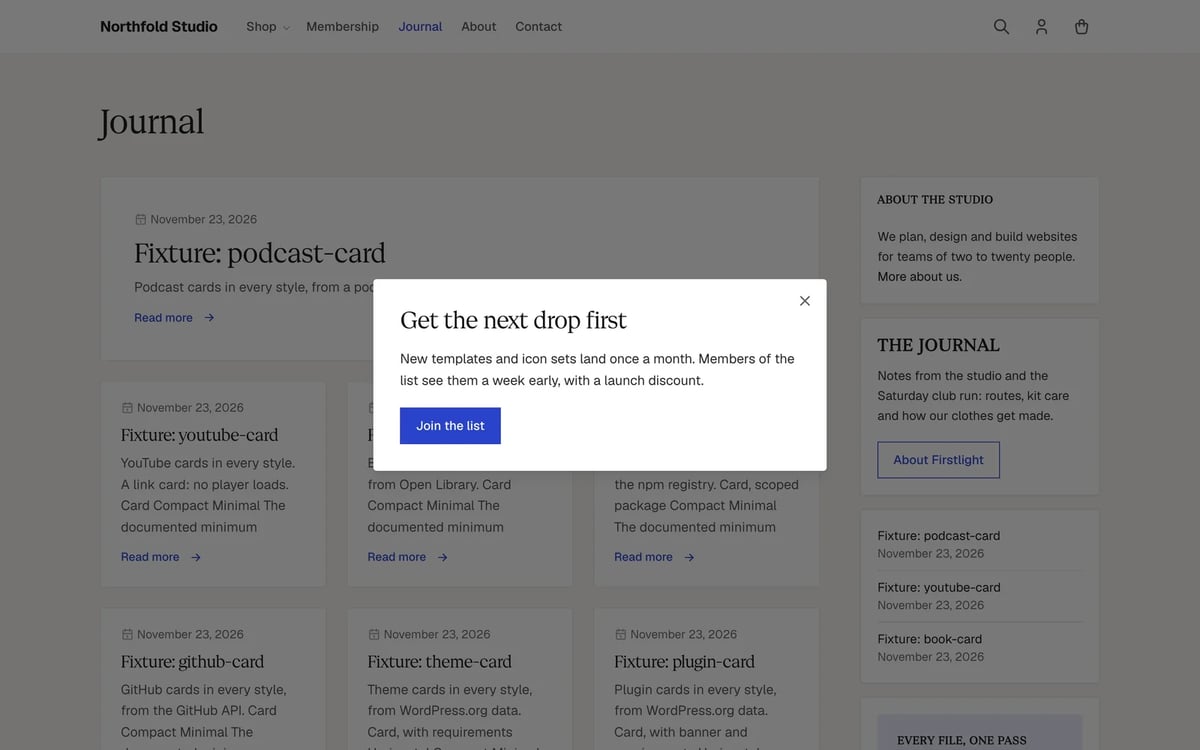
A newsletter popup over a blog page with a heading, one line of text and a Join the list button

The right moment

Open a popup when the visitor is ready for it.

On loadAfter a delayOn scrollExit intentOn a clickAdd to cartCart valueInactivity

The right visitor

Then choose where it shows, who sees it and how often.

PagesPost typesDevicesSigned in or outReferrersCampaignsCart contentsFrequency

Views and conversions, on your site

A form sent, a coupon copied or a click inside the popup counts as a conversion, once per popup per device. Close and “No thanks” never count.

  • No outside tracking service
  • Pages stay cacheable
  • “Until converted” stops a popup for good
A popup in the block editor with its settings sidebar showing the type, width, purpose and when it opens

More options, all off until you need them

New sections join the Stackless Theme panel in the Customizer. Every option starts off, so switching on More options changes nothing until you pick something.

Header and footer extras

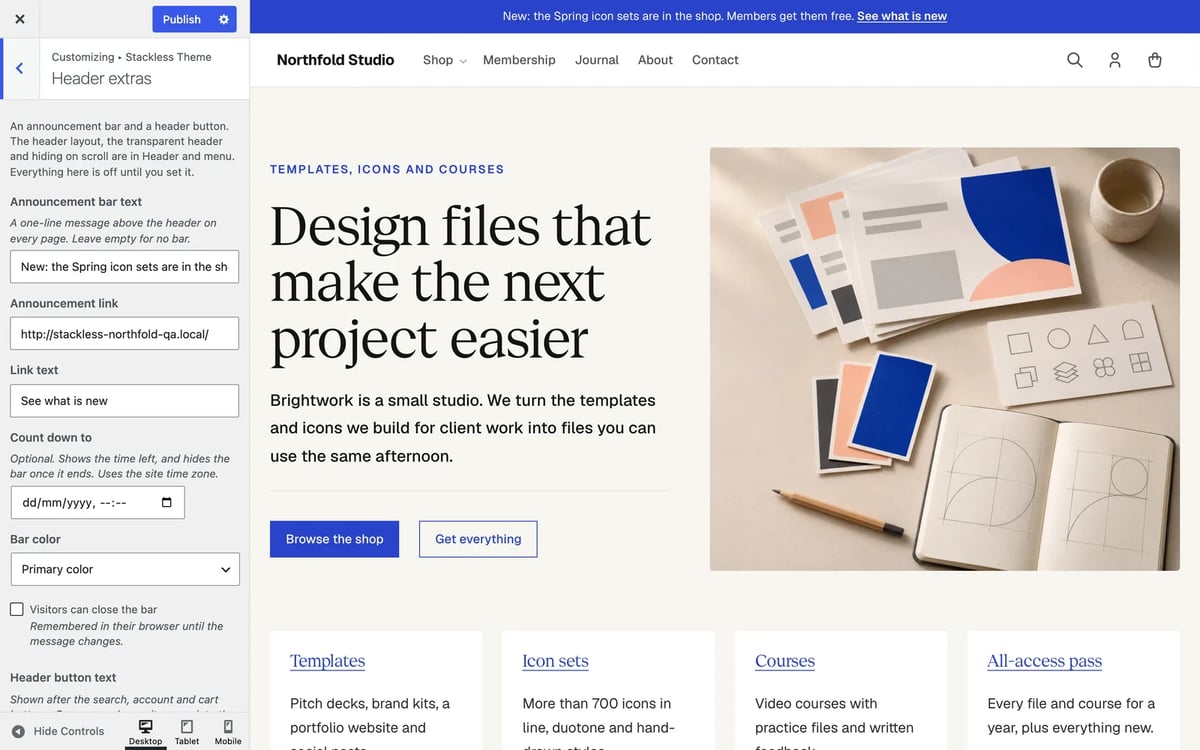
Put a message above the header and a stronger close below every page.

  • An announcement bar with an optional countdown
  • A header button
  • Footer layouts and a newsletter row
  • A call-to-action band
The Header extras section in the Customizer with an announcement bar previewed above the site header

Store extras

For WooCommerce, Easy Digital Downloads and FluentCart.

  • Sticky add to cart
  • Trust badges
  • Sale badges
  • Spec rows

Post and archive extras

For blog posts and the lists that lead to them.

  • Contents and reading progress
  • Share links and a sticky call to action
  • Author box styles
  • Featured first post, masonry and load more

Design and site status

How the theme looks and when it shows.

  • Button and card styles
  • Show and hide rules for any part
  • Coming soon and maintenance pages
  • A custom 404 page

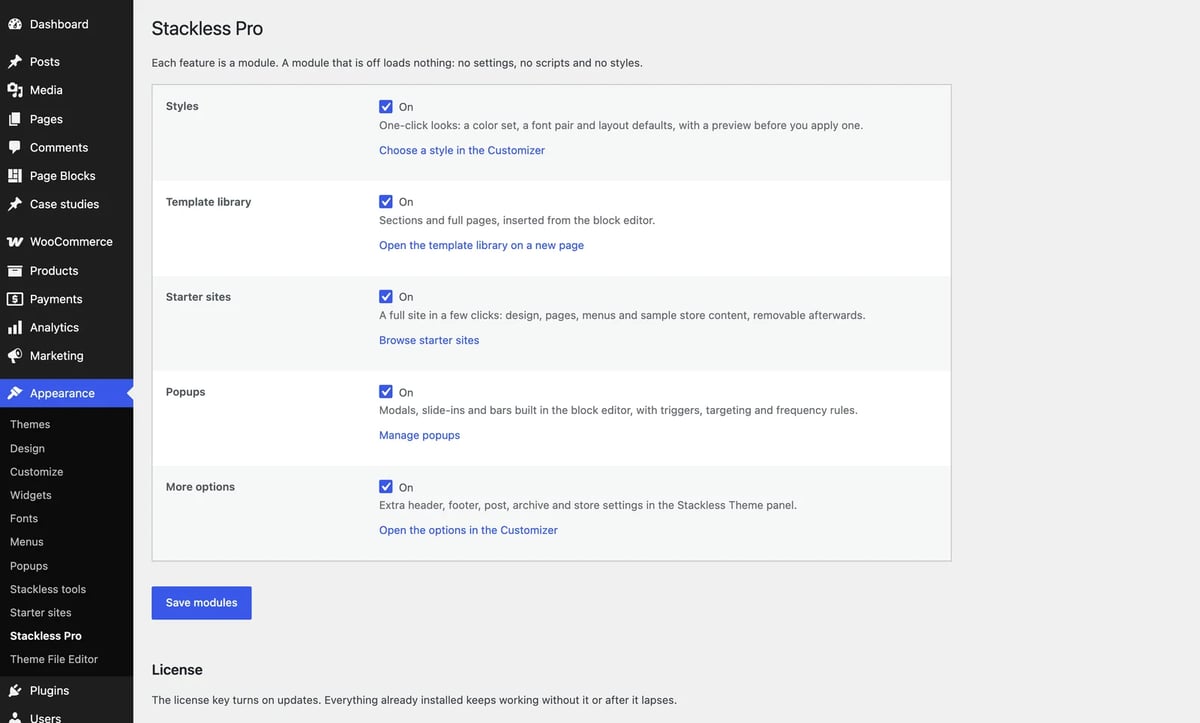
Turn on only the modules you use.

  • Off means nothing loads

    A module that is off loads no settings, scripts or styles. Open Appearance, Stackless Pro to switch each one.

  • Built on the theme’s hooks

    Pro copies no templates and edits no theme files, so theme updates stay safe.

  • No lock-in

    Pages, products and menus Pro creates are core, Stackless, store and Page Blocks Builder blocks, and they stay if you deactivate it.

The Stackless Pro screen in WordPress with switches for Styles, Template library, Starter sites, Popups and More options

Pick a plan

Annual renews each year, and Lifetime is a single payment. Both cover every site you run.

Yearly
One Time
Stackless Theme Pro
Annual
$ 49 /yearly
$ 0
$0.49 per year until canceled
Stackless Theme Pro
Lifetime
$ 199
$ 0
$1.99 until canceled
  • All Modules
  • Unlimited websites
  • Updates through your license key
  • Keeps working without a key

Everything already installed keeps working without a key or after a license lapses. The key turns on updates from GauravTiwari.org.

From install to your first starter site

Pro is a regular plugin on top of the free theme.

Get the free theme
  1. Install the free theme

    Install and activate the Stackless theme, 1.7.0 or newer, as your theme or as the parent of a child theme.

  2. Upload Pro

    Download the Pro ZIP from your GauravTiwari.org account, then go to Plugins, Add New, Upload Plugin and activate it.

  3. Add your license key

    Open Appearance, Stackless Pro and paste the key from Licenses in your account. New versions then show under Dashboard, Updates.

  4. Switch on modules

    Turn on what you want on the same screen, then pick a Style, import a starter site or build a popup.

Questions, answered plainly

The beta, licensing, starter sites and what Pro works with.

Have a question that isn’t here? Ask me directly.

Is Stackless Theme Pro a beta?

Yes. Every module is in, and I’m still fixing what turns up. Each new version reaches your site through Dashboard, Updates once your license key is in.

Do I need the free Stackless theme?

Yes. Pro needs the Stackless theme 1.7.0 or newer, active as the theme or as the parent of a child theme, and 1.8 is recommended. On any other theme Pro shows one notice and loads nothing.

What happens if I deactivate Pro?

Pages, products and menus that Pro created stay, because they are built from core blocks, Stackless blocks, store blocks and Page Blocks Builder blocks. Features that Pro itself prints, such as popups and the announcement bar, stop showing until you turn it back on.

What does the license key do?

It turns on updates from GauravTiwari.org. Everything already installed keeps working without a key or after a license lapses.

Will a starter site overwrite my content?

No. Nothing you made is changed, your settings are backed up first, and importing again updates only the starter site’s own items. Remove takes back exactly what was added, after showing you what will go.

Which store plugins does it support?

WooCommerce, Easy Digital Downloads and FluentCart. The store starter sites come in a version for each, the template library has store pages for each, and the store extras work with all three. Waymark and Plainform need no store plugin.

Does it slow my site down?

A module that is off loads nothing. The template library loads nothing on the front end, and pages with no popup load nothing for popups. The options you leave off add nothing either.

Can I use it on client sites?

Yes. Both plans cover unlimited websites, and the plugin is GPL-2.0-or-later.

Can I script starter site imports?

Yes. WP-CLI has wp stackless-pro import-site, remove-site and export-site.

Start from a finished site

Starter sites, templates, popups and more design options, on top of the free Stackless theme.