
 by
by
Almost every “free website builder” has a catch, and the catch is usually hidden until you click publish. Some are genuinely free forever. Some are 14-day trials dressed up as free plans. Some are free until you want a real domain, then they’re $200 a year. I built a real test site on each of the builders below to find out which ones actually let you launch something usable without paying, and which ones quietly wall off the thing you actually need.
The honest answer for 2026: the best free website builder for most people is WordPress.com’s free tier for content sites, Carrd for a one-page site, and Google Sites if you want a free custom domain without paying for the builder. The catch nobody tells you is that “free” almost always means a builder-branded subdomain plus forced ads, and the moment you want yoursite.com, you’re paying. This guide shows the free-tier truth for each one, who each builder is genuinely free for, and when “free” is the wrong goal entirely.
I’ve built and shipped websites on every major platform across 18 years, from personal blogs to client portfolios to online stores to SaaS landing pages. I ranked these by how honest and usable their free tier actually is, not by marketing claims. Free doesn’t mean bad. But “free” and “free to launch a real site” are two very different things, and the gap between them is where most beginners get burned.
How I tested this (and what “free” means here): I created an account and built a test page on each builder’s free plan in June 2026, then checked the one thing that matters most: can you actually publish a usable site without entering a credit card? I logged each builder’s real free-tier limits (custom domain, forced ads, storage, bandwidth, ecommerce) directly from their live signup flow and pricing pages. “Genuinely free” means you can launch and keep a real site at $0. “Free trial in disguise” means the free plan won’t let you publish, or expires. Last verified July 2026, when I also added NicePage and Canva and ran both through the same checklist from their live signup flows and pricing pages. Prices and limits change often, so always confirm on the builder’s site before you commit.
Free download: the Blog Launch Playbook 2026
The complete system in one 48-page ebook: how to decide, build, write, grow, and monetize a blog that earns. Niche selection, WordPress setup, your first ten posts, SEO and email growth, the honest money math, and a week-by-week 90-day launch plan. Includes the Niche-Scoring Worksheet and 30-Day Launch Checklist as appendices.
Enter your email and I’ll send the PDF straight to your inbox.
The Free-Tier Truth: What Each Builder Actually Gives You for $0
Here’s the part the “best free website builder” lists usually skip. This table shows what you really get on each free plan, and the column that matters most is the last one: can you launch a real, usable site without paying? “Trial” means there is no free plan at all, just a countdown.
| Builder | Truly Free Plan? | Custom Domain on Free? | Forced Ads/Branding? | Free Storage | Ecommerce on Free? | Can You Actually Launch on Free? |
|---|---|---|---|---|---|---|
| WordPress.com | Yes (forever) | No (subdomain only) | WordPress.com ads | 1 GB | No | Yes, for a blog/content site |
| Google Sites | Yes (forever) | Yes (you buy the domain at a registrar) | No ads, no badge | Tied to Google Drive (15 GB shared) | No | Yes, best free + custom domain combo |
| Carrd | Yes (3 sites) | No (Pro Standard $19/yr) | “Made with Carrd” badge | Light (one-page) | No (Pro+) | Yes, for one-page sites |
| GitHub Pages | Yes (forever) | Yes, free + free HTTPS | No ads, no badge | ~1 GB repo, 100 GB/mo bandwidth (soft) | No (static only) | Yes, if you can handle code/static files |
| Canva | Yes (5 sites) | No (my.canva.site) | No ads, no badge | 5 GB (account-wide) | No | Yes, for simple visual sites |
| Wix | Yes | No (subdomain only) | Wix ads on every page | 500 MB | No | Yes, but ad-heavy and capped |
| Framer | Yes | No (framer.app subdomain) | Framer badge | 5 MB uploads, 100 MB bandwidth | No | Yes, tiny sites only (1,000 visitors/mo) |
| Webflow | Yes | No (.webflow.io) | Webflow badge | 2 pages, 1 GB bandwidth | No | Barely (2-page cap) |
| Durable | Free tier (limited) | No on free | Durable branding | Light | No | For a quick AI service-business page |
| Mozello | Yes | No (mozellosite.com) | Mozello branding | 500 MB | 5 products on free | Yes, incl. a tiny free store |
| NicePage | Yes (2 projects) | No (nicepage.io) | NicePage branding | 250 MB | No | Yes, small sites only |
| SITE123 | Yes | No (subdomain) | SITE123 branding | 250 MB storage, 250 MB bandwidth | No (paid) | Yes, very small sites only |
| Hostinger Builder | No (paid only) | Free domain on yearly plans | No ads (paid) | From paid plan | Yes (Unlimited plan) | No, you must upgrade to publish |
| Squarespace | No (14-day trial) | No until you pay | n/a (can’t publish free) | n/a | n/a | No, trial only |
| WordPress.org | Software is free | Yes (you buy hosting + domain) | No | Your host’s limits | WooCommerce | No, needs paid hosting (~$3/mo) |
Two patterns jump out once you line them up. First, “free” almost always costs you a custom domain and clean branding. Only Google Sites and GitHub Pages let you point a real domain at a free site, and even then you buy the domain itself at a registrar. Second, the builders with the best editors (Squarespace, Hostinger) don’t have a free plan at all. Their “free” is a trial with a countdown. If your goal is “launch a real site at $0 and keep it there,” the genuinely free shortlist is much smaller than the marketing implies.
Genuinely Free vs Free-Trial-in-Disguise
Before you pick, sort the field into two buckets. This single distinction saves more wasted hours than any feature comparison, because nothing is worse than building a whole site only to hit a paywall at the publish button.
Genuinely Free (Launch and Keep at $0)
- WordPress.com free plan: real blog/content site on a yoursite.wordpress.com subdomain, 1 GB storage, WordPress.com ads. Best free path if you plan to grow.
- Google Sites: free forever, no ads, no badge, and the only mainstream builder where you can connect a real custom domain without paying for the builder.
- Carrd: free for 3 one-page sites with a small “Made with Carrd” badge. The cleanest free one-pager.
- GitHub Pages: free static hosting, free HTTPS, free custom domain. For developers and anyone comfortable with HTML files or a static site generator.
- Canva, Wix, Framer, Webflow, NicePage, Mozello, SITE123: real free plans, but each one walls off custom domains and keeps you on its own subdomain. Fine for testing, hobby pages, or learning the tool.
Free Trial in Disguise (You Will Pay to Publish)
- Squarespace: no free plan. The 14-day trial gives you full access, but you cannot publish without a paid plan.
- Hostinger Website Builder: no free plan either. There’s a trial, but you can’t publish until you upgrade. It earns its place on this list because it’s the cheapest honest paid path to a custom domain (from $3.99/month).
- WordPress.org: the software is free, but you need paid hosting and a domain. Budget about $3 to $10 a month. Not “free,” but the best long-term value once you’ve outgrown free tiers.
What changed in 2026: AI generation is now standard, not a differentiator. Wix, Hostinger, Squarespace, and newcomers like Durable all spin up a full draft site from a few prompts in under a minute. The real shift is that free tiers got tighter: Webflow’s free plan is now capped at 2 static pages, Framer’s free tier limits you to 1,000 visitors a month with a watermark, and Carrd moved custom domains up to its $19/year Pro Standard tier. The free editors keep improving while the free publishing limits keep shrinking. Verify current limits before you build.
1. WordPress.com: Best Free Website Builder Overall
Best for: Bloggers and content creators who want a genuinely free site now with room to grow into a real business later.
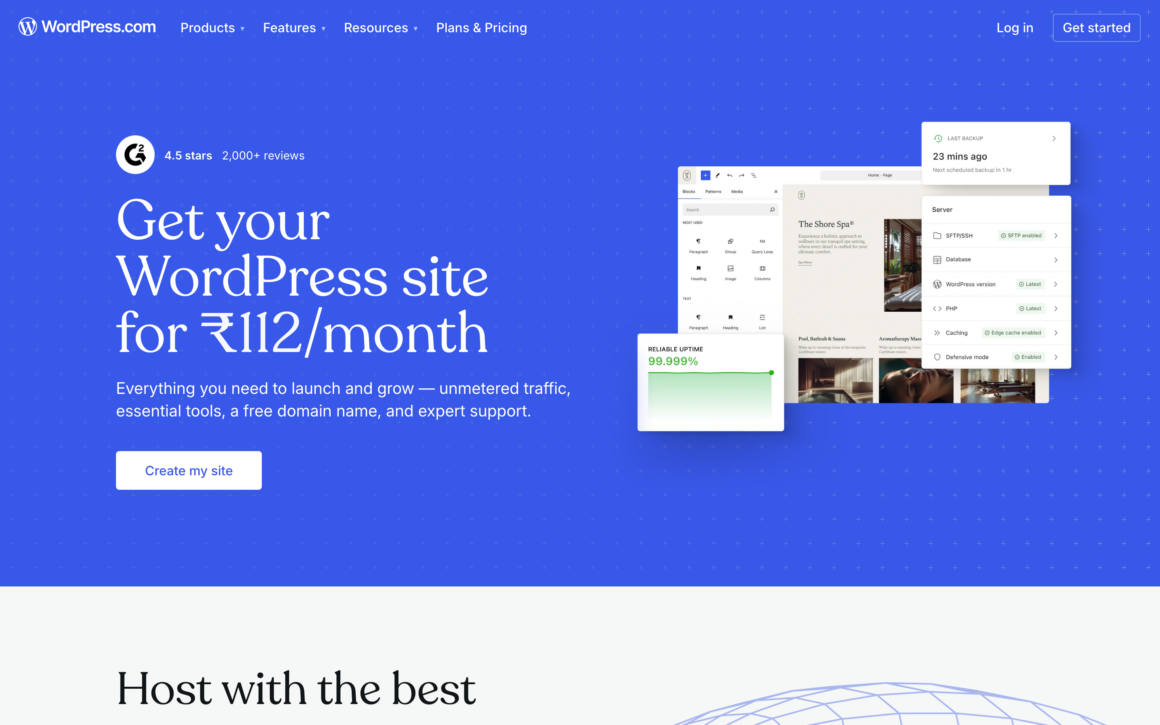
WordPress.com runs 43% of the web through the underlying WordPress software, and its free tier is the most genuinely useful starting point for a content site. The free plan gives you a yoursite.wordpress.com subdomain, 1 GB of storage, and a working block editor. You can publish real posts and pages today at $0. The trade-offs on free are honest and predictable: WordPress.com ads appear on your site, you can’t install plugins (no Rank Math, no WooCommerce), and you’re on a subdomain.
When I built a test blog on the free plan, the writing and publishing experience was the smoothest of any free tier here. The catch is the upgrade ladder. A custom domain and ad removal start at $4/month (Personal), and plugin installation now comes with it. WordPress.com opened plugins to every paid tier in 2026, so the standing advice to jump straight to Business is out of date. Business still buys the deeper access: SFTP, SSH, WP-CLI, and GitHub deployments. For a free blog that you intend to grow into something serious, this is where I’d start, because the migration path to self-hosted WordPress is the cleanest in the industry.
2. Google Sites: Best Free Builder With a Real Custom Domain
Best for: Anyone who wants a free site with no ads, no badge, and a real yoursite.com domain without paying for the builder.
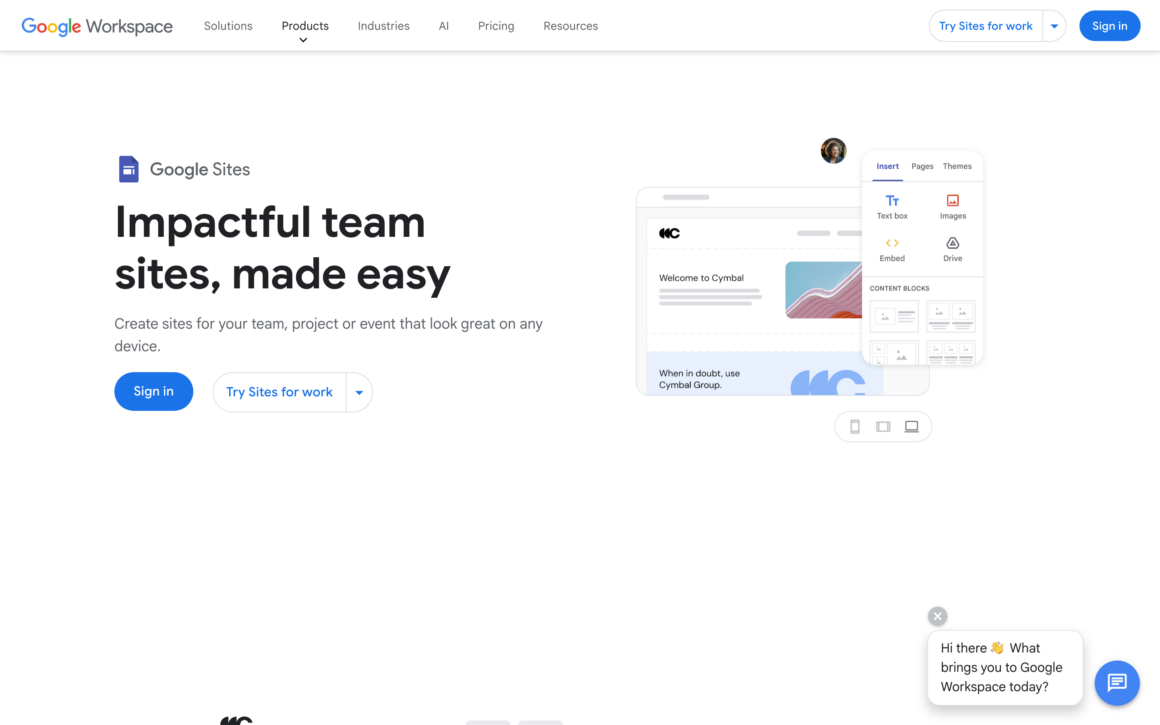
Google Sites is the most underrated free website builder, and it’s the only mainstream one that lets you point a real custom domain at a free site. There are no ads and no “built with” badge. You build by dragging content blocks and embedding Google Docs, Sheets, Calendars, and Forms. For team pages, school sites, simple business landing pages, internal wikis, and project hubs, it’s genuinely free and genuinely usable.
Here’s the honest custom-domain truth, because it’s the reason Google Sites belongs near the top of any free list. The builder and hosting are free forever, and you can connect a domain like yourbusiness.com. The only cost is buying the domain itself from a registrar (around $10 to $15/year), since Google sold its domain business to Squarespace. The limits are real: no blog CMS, weak SEO controls, no ecommerce, and basic design options. But if you want a clean, ad-free, custom-domain site for $0 in builder fees, nothing else here matches it.
3. Carrd: Best Free Builder for One-Page Sites
Best for: One-page sites, link-in-bio pages, resumes, and simple landing pages where you want the cleanest free result.
Carrd does one thing better than anyone: single-page websites. The free plan lets you build and publish 3 sites on a yourname.carrd.co subdomain, with only a small “Made with Carrd” badge as the catch. For a link-in-bio (a free Linktree replacement), a personal landing page, an event page, or a resume site, Carrd’s free tier takes about 15 minutes to learn and produces a clean, modern result.
For creators who want a dedicated link-in-bio platform rather than a general one-page builder, Linklay is another option, with analytics, audience tools, and search-friendly profiles.
The honest free-tier limit changed in 2026: custom domains, forms, and analytics now require Pro Standard at $19/year, up from the old entry tier. That’s still cheaper than one month of most competitors, but it’s no longer pocket change. Free Carrd can’t do multi-page sites, blogs, or ecommerce. For single-page needs at $0, though, nothing beats it on simplicity. If you need a real domain on it, budget the $19/year and move on with your day.
Don’t overthink the free website builder decision. If your only goal is “get a site online this week,” Carrd, Google Sites, or the WordPress.com free tier will have you live within an hour. Obsessing over the perfect builder before you start is the most common reason people never launch. Pick the one that fits your site type from the table above and start building today.
4. GitHub Pages: Best Free Builder for Developers
Best for: Developers and technical users who want a fast, ad-free site with a real custom domain at zero cost.
GitHub Pages isn’t a drag-and-drop builder, and that’s exactly why it belongs on an honest free list. It hosts static sites straight from a GitHub repository, with free HTTPS, a free custom domain connection, and a generous 100 GB/month bandwidth soft limit. There are no ads and no badge. Pair it with a static site generator like Hugo, Jekyll, or Astro and you get a genuinely professional site for $0 in hosting forever.
The trade-off is the learning curve. You’re working with files, Git, and (usually) a static site generator, not a visual editor. There’s no server-side logic and no built-in ecommerce, since everything is static. But for portfolios, documentation, project sites, and personal blogs where you control your own domain and pay nothing for hosting, GitHub Pages is the best-value free option that nobody markets to beginners. If you can edit HTML, you can ship here this afternoon.
5. Canva: Best Free Builder If You Already Design in Canva
Best for: Canva users who want a clean, visual one-pager or simple site published free, with no ads.
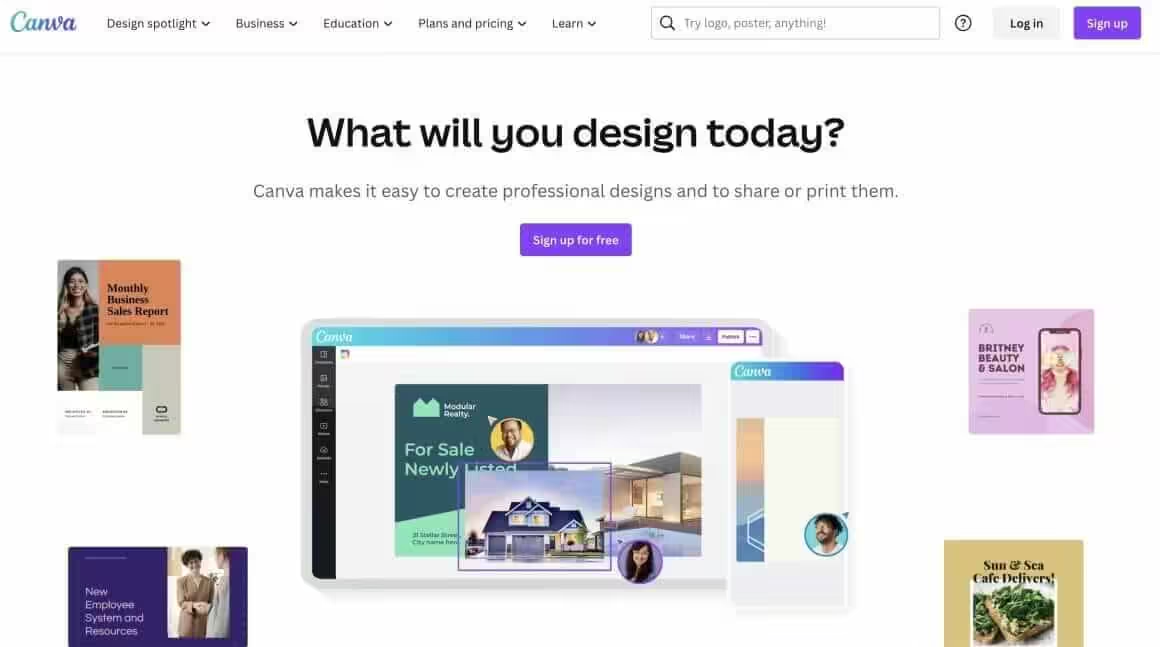
Canva quietly grew a real website builder inside the design tool millions of people already use. The free plan lets you publish up to 5 websites on a yourname.my.canva.site subdomain, with no forced ads and no badge stamped on the page. You design the site exactly like a Canva graphic, drag, drop, done, and every template looks polished because they come from the same library as Canva’s design templates. If your brand assets already live in Canva, this is the fastest free path from “I have designs” to “I have a website.”
The honest limits matter more here than usual. Canva sites don’t output real heading tags, and free SEO controls stop at a meta title, description, and favicon, so don’t build anything here that needs to rank in Google. There’s no blog, no CMS, and no ecommerce. A custom domain requires Canva Pro (from $180/year) or buying a domain through Canva. Treat it as a beautiful free brochure page, an event page, or a portfolio front door, not a growth platform.
6. Wix: Easiest Free Drag-and-Drop Builder
Best for: Total beginners who want the easiest visual editor and don’t mind ads while they learn.
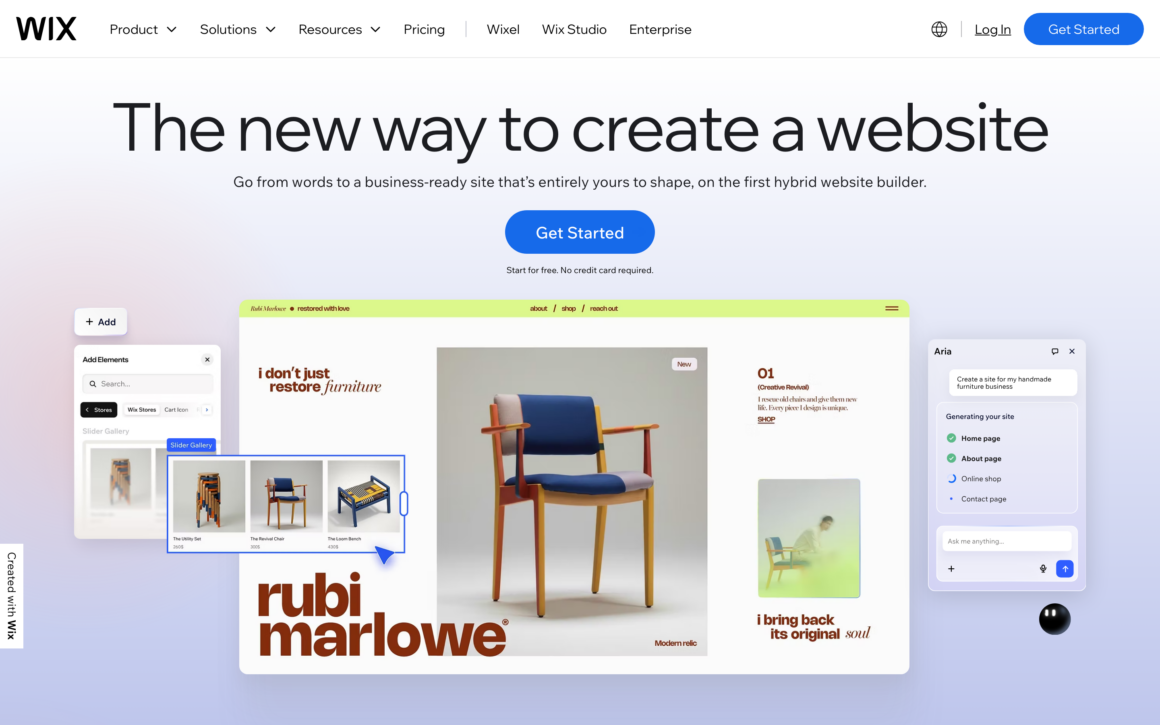
Wix has the most polished free drag-and-drop editor in the business, and its AI builder generates a full draft site from a short conversation. If you can drag icons around a screen, you can build a Wix site. The learning curve really is close to zero, which is why it’s the builder most beginners reach for first.
The free-tier truth is where Wix gets less generous than its reputation suggests. The free plan puts Wix ads on every page, locks you to a yourname.wixsite.com subdomain, and caps you at 500 MB storage and 1 GB bandwidth. That’s enough to test the tool and learn the editor, but the ads make a free Wix site look like a trial rather than a real brand. To remove ads and connect a custom domain, plans start at $17.77/month, which is premium pricing. Use the free plan to evaluate Wix, then decide if the polish is worth the price.
7. Framer: Best Free Builder for Modern Design
Best for: Designers building small, modern landing pages who want animation-rich output and don’t need a custom domain yet.
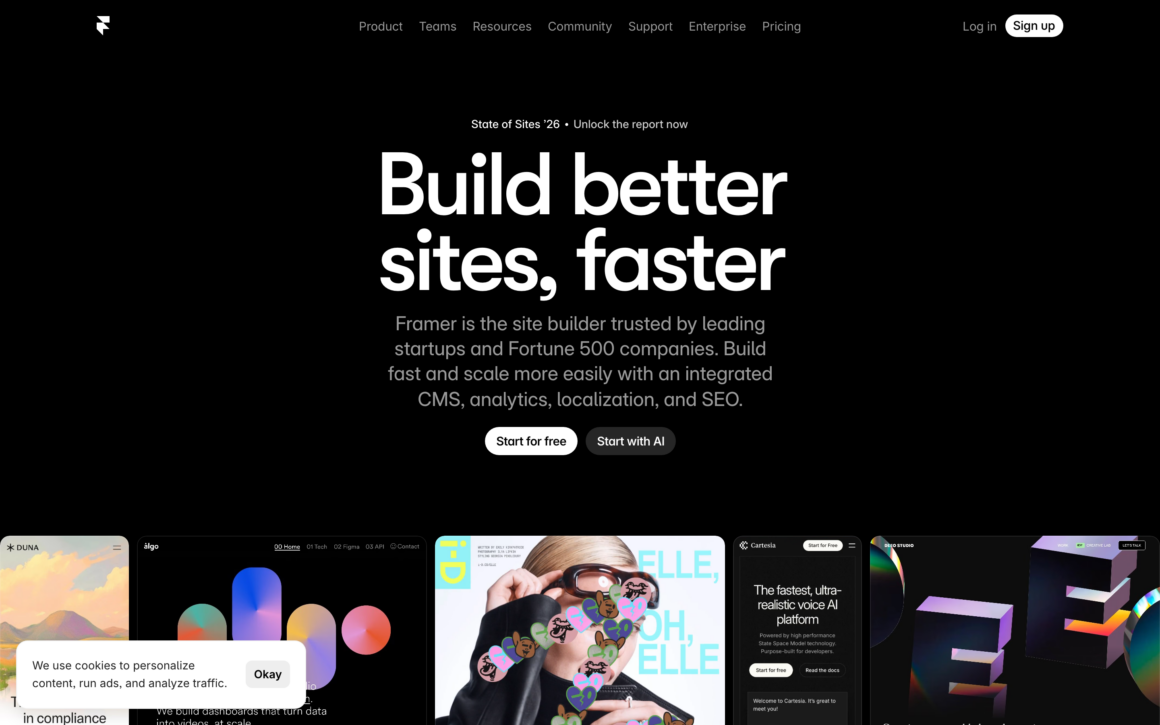
Framer produces some of the best-looking sites of any builder, free or paid. The interface feels like Figma, and the output looks hand-coded by a senior designer: parallax, scroll animations, spring interactions, all without writing code. For a portfolio or a startup landing page where design is the whole point, Framer’s free tier lets you build something genuinely impressive.
The free-tier limits are tight and worth knowing up front. You’re on a framer.app subdomain with a small Framer badge, capped at 1,000 visitors per month and 100 MB bandwidth, with 5 MB file uploads. That’s fine for a low-traffic personal page, but it’s not a free plan you can grow on. Paid plans start at $10/month on Basic, which is where the custom domain lives. For design-forward sites where the free tier is a showcase rather than a destination, Framer is the prettiest free option here.
8. Webflow: Best Free Builder for Designer Control
Best for: Designers who want CSS-level control and are using the free plan to learn the tool or prototype.
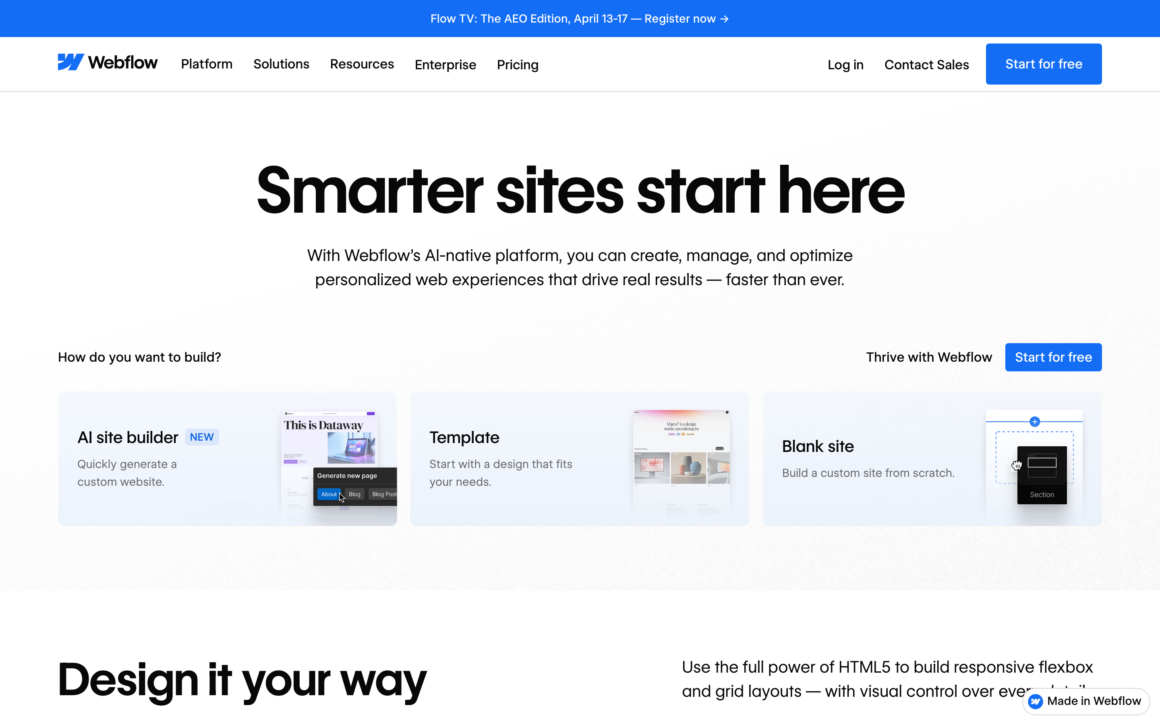
Webflow gives you every CSS property as a visual control: Flexbox, Grid, pseudo-classes, custom breakpoints, and complex scroll animations, all without writing code. It’s the closest thing to hand-coding a site through a visual canvas, which is why agencies and designers love it. As a free tool to learn modern web design properly, it’s excellent.
As a free way to actually launch a site, Webflow is the most restrictive on this list. The free plan now caps you at 2 static pages on a .webflow.io subdomain, with a Webflow badge, 1 GB bandwidth, and 50 lifetime form submissions. That’s a prototype budget, not a real-site budget. Paid site plans start at $15/month on Basic, billed yearly. I’d recommend Webflow’s free tier for learning and client demos, but plan to pay the moment you want a real, multi-page, custom-domain site.
9. Durable: Fastest AI Site Generator
Best for: Service businesses that want a complete draft site generated by AI in about 30 seconds.
Durable is the newcomer that made AI generation its whole identity. Answer three questions about your business and it builds a complete, professional-looking site with copy, images, and a contact form in roughly 30 seconds. For plumbers, consultants, cleaners, and other service businesses that just need a credible web presence fast, nothing launches a draft quicker. It has a free tier so you can see your generated site before paying.
The honest limits: Durable is built for speed, not depth. There’s no real ecommerce (no product catalogs or carts), limited design customization compared to Wix or Squarespace, and a small set of integrations. The free tier shows you the result, but you’ll need the Launch plan ($22/month, or $20 billed yearly) to run it as a proper business site with a custom domain. If you value “live today” over “infinitely customizable,” Durable is the fastest path from idea to draft.
10. Mozello: Best Free Builder With a Tiny Store
Best for: Hobby sellers who want a genuinely free site that includes a small online store.
Mozello is the rare free builder that includes ecommerce on its free plan. You can publish a simple but fully working site, and the free tier lets you sell up to 5 products with 500 MB of storage. It’s multilingual out of the box, which makes it popular with small European businesses. For a tiny shop, a market stall’s online presence, or a side project where you want to test selling something without paying, it’s a legitimate free option.
The catch is the usual one: the free plan runs on a mozellosite.com subdomain with Mozello branding, and custom domains require a Premium plan. Design flexibility is modest and the template library is smaller than the big names. But if “free” has to include even a basic store, Mozello is one of the only honest answers, and the upgrade to a custom domain is reasonably priced when you’re ready.
11. NicePage: Free Builder With a Desktop App
Best for: Tinkerers who want a free visual builder that also runs as a Windows or Mac desktop app, with an export path later.
NicePage is the oddball on this list, in a good way. It’s a drag-and-drop builder you can use in the browser or as a desktop app on Windows and Mac, with 15,000+ templates and an AI page generator on every plan, including free. The free Starter plan gives you 2 projects, 250 MB of hosting, unlimited pages per site, and publishing on a nicepage.io subdomain. That’s a more generous page allowance than Webflow’s 2-page free cap.
The catches are specific. Free sites carry NicePage branding, forms cap at 50 submissions for the lifetime of the account, and the feature that makes NicePage genuinely interesting, exporting your site as clean HTML or even a WordPress theme, is locked behind paid plans (from $6.75/month billed yearly, which also unlocks a custom domain). So the free tier is a sandbox: build, learn, publish something small. If you later want to own the output, the export upgrade is the reason to pick NicePage over prettier rivals.
12. SITE123: Simplest Free Builder for Tiny Sites
Best for: People who want the absolute simplest free builder for a very small, basic site.
SITE123 markets itself as the world’s simplest website builder, and the free plan reflects that: pick a category, fill in your content, publish. There’s almost no design decision-making, which is the appeal for people who freeze when faced with a blank canvas. For a one-or-two-page informational site you need up fast, it does the job.
The free tier is genuinely tight: 250 MB storage and 250 MB bandwidth, a SITE123 subdomain with branding, and no ecommerce (that’s reserved for paid plans). Those bandwidth limits mean even a modestly visited site can hit the cap. It’s the most constrained free plan here in raw numbers, so treat it as a “get something basic online for $0” tool rather than a platform to grow on. When you outgrow it, a paid plan unlocks the custom domain and more headroom.
13. Hostinger Website Builder: Cheapest Honest Paid Path
Best for: Beginners who’ve accepted that free won’t cut it and want the cheapest real site with a custom domain.
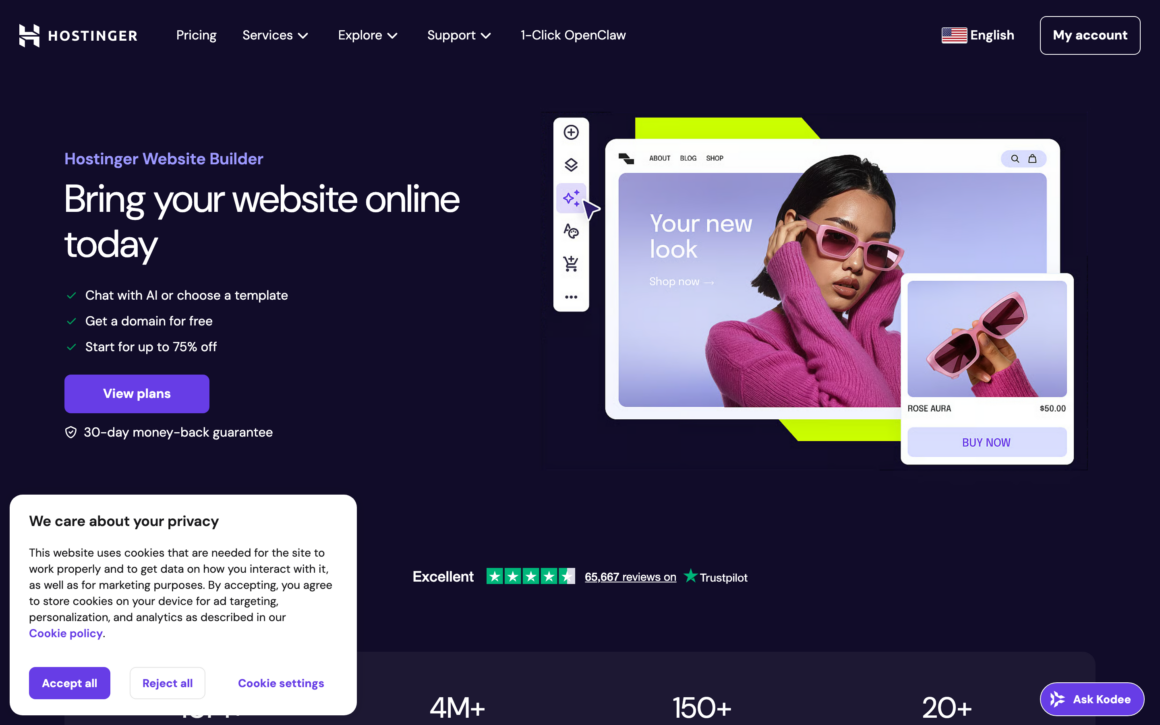
I’m including Hostinger Website Builder on a free-builder list precisely because it’s the most honest answer to “what if free isn’t enough?” There’s no free plan here, only a trial, so I won’t pretend otherwise. But once you’ve hit the wall on a free tier (forced ads, no custom domain, tight limits), Hostinger is the cheapest path to a real site. Plans start at $3.99/month and include hosting, SSL, email, AI generation, and a free custom domain on yearly plans.
The AI builder spins up a full site from a prompt describing your business, and the drag-and-drop editor handles the cleanup. The Unlimited plan adds a lightweight store for up to 1,000 products with no transaction fees. Hostinger renamed its old Business tier to Unlimited, so any guide still pointing you at a “Business” plan is describing this one. Watch the renewal pricing (around $10.99/month after the intro term), which is the standard budget-host model. For most people whose free site stopped being good enough, this is the spend I’d recommend before jumping to fuller platforms like Wix or Squarespace.
14. WordPress.org: Free Software, Best Long-Term Value
Best for: Serious website owners who want unlimited control and have outgrown free tiers and their limits.
WordPress.org is the self-hosted version of WordPress, and the software itself is free. You download it, install it on a web host, and own everything: custom themes, 60,000+ free plugins, WooCommerce for ecommerce, and zero platform lock-in. It’s not a “free website builder” in the click-and-publish sense, because you need paid hosting and a domain. But it’s the destination most successful free-tier sites eventually migrate to, including this one.
The named options are what make self-hosted WordPress scale. Pick a fast theme like GeneratePress or Kadence, build pages with GenerateBlocks or Elementor, handle SEO with Rank Math, and add WooCommerce when you’re ready to sell. Every one of those has a solid free version, so the software stack stays at $0 even though the hosting can’t.
The real cost is modest: cheap shared hosting runs $3 to $10/month, managed WordPress hosting $20 to $35/month for serious sites, plus about $12/year for a domain. That puts a real, fully owned, ad-free, custom-domain site at roughly $50/year all in. If you’re choosing a free builder because you’re testing an idea, that’s smart. If you already know you’re building something to last, skipping straight to self-hosted WordPress on solid WordPress and WooCommerce hosting saves you a painful migration later.
Best Free Website Builder for Each Use Case
The best free website builder depends entirely on what you’re building. Here’s the segmented answer, matched to the most common goals, so you can skip the deliberation and start.
- Best free builder for a blog or content site: WordPress.com free tier. Real publishing, 1 GB storage, the cleanest growth path to self-hosted WordPress. You can also explore a more SEO-friendly website setup as you grow.
- Best free builder for a portfolio: Framer for modern animated design, Carrd for a clean one-pager, or GitHub Pages if you want your own domain at $0.
- Best free builder for a one-page site or link-in-bio: Carrd. Three free sites, clean templates, a free Linktree replacement in 15 minutes.
- Best free builder for a small store: Mozello (5 free products) to test the idea, then move to a proper ecommerce website setup once you have real sales.
- Best free builder if you already design in Canva: Canva Websites. Publish up to 5 free sites with no ads from the templates and brand kit you already have.
- Best free builder for a team or school page: Google Sites. No ads, no badge, optional real custom domain, deep Google Drive integration.
- Best free builder for developers: GitHub Pages. Free hosting, free HTTPS, free custom domain, full control over the output.
- Best free site with a real custom domain: Google Sites or GitHub Pages. You only pay a registrar for the domain itself.
When a Free Website Builder Won’t Cut It
Free is the right call when you’re testing an idea, building a hobby page, or learning a tool. It’s the wrong call in a few specific situations, and pretending otherwise just wastes your time. Here’s when you should skip free entirely and buy cheap hosting plus WordPress instead.
- You’re running a real business. A builder-branded subdomain and forced ads signal “hobby” to customers. If money depends on the site, the $36 to $120/year for a real domain and clean hosting pays for itself fast.
- You need SEO to bring traffic. Free tiers limit SEO controls, and many free-host setups carry the same downsides covered in my guide to the disadvantages of free web hosting. If organic search is the plan, start on a platform you control.
- You’re selling more than a handful of products. Free ecommerce caps out fast (Mozello’s 5 products, for example). A real store needs WooCommerce or a paid plan from day one.
- You’ll outgrow it within months. Migrating off Wix or Squarespace means rebuilding from scratch. If you can see the growth coming, start on WordPress and skip the rebuild.
The fix in all four cases is the same and it’s cheap. Buy a domain (about $12/year), get shared hosting from $3/month, and install WordPress. You own everything, you control SEO, and you never hit a publish-button paywall. If you already have a domain elsewhere, my walkthrough on how to transfer your domain covers moving it cleanly.
The best free website builder is the one you’ll actually finish and launch. Pick the match for your site type from the truth table, ship a simple version this week, and only upgrade when you hit a real limit. Most people never outgrow their first builder. They just keep adding pages.
How to Build a Website for Free: Step by Step
You can create a free website today in under an hour. Here’s the exact process using the genuinely free plans that let you launch a real site.
- Pick the right free builder for your site type. One-page site: Carrd. Blog: WordPress.com. Free custom domain: Google Sites or GitHub Pages. Use the truth table above to match the tool to the job.
- Sign up for the free plan. No credit card needed on a genuinely free tier. If a builder asks for card details before you can publish, it’s a trial, not a free plan.
- Pick a template and customize it. Choose one that roughly matches your vision, then change colors, fonts, images, and copy. Don’t start from a blank canvas unless you’re a designer.
- Add your core pages. Home, About, Contact, and Services or Portfolio cover most sites. Write the copy in a doc first, or let the builder’s AI draft it.
- Publish and share. Hit publish, check it on mobile, add Google Analytics, and submit it to Google Search Console. Then improve based on real feedback. A live imperfect site beats a perfect one that never ships.
Free Website Builder vs Web Hosting: The Difference
New site owners constantly confuse free website builders with free web hosting. They overlap, but the distinction decides how much control you have and how easily you can leave.
Free website builders (Wix, Squarespace, Framer, Webflow, Carrd) bundle everything: the editor, hosting, SSL, and support, all in one account. You pay one company (or nothing on free), but you’re locked into their platform and their free-tier limits. Leaving usually means rebuilding from scratch.
Web hosting (Hostinger, Bluehost, SiteGround, Cloudways, Kinsta) gives you server space where you install your own software, usually WordPress. More flexibility and lower long-term cost, but more responsibility. For most beginners, start with a free builder to test. For anyone serious about owning their site, self-hosted WordPress on real hosting is the move. The migration from WordPress.com to WordPress.org is straightforward, which is one more reason the WordPress free tier is the smartest free starting point.
Frequently Asked Questions
Which website builder is completely free?
WordPress.com, Google Sites, Carrd, GitHub Pages, and Canva all have genuinely free plans you can publish and keep at $0. The trade-off is a builder-branded subdomain and, on some, ads or a badge. Squarespace and Hostinger Website Builder have no free plan, only trials.
Can I get a free website with a custom domain?
Yes, but only two mainstream options allow it: Google Sites and GitHub Pages. Both let you connect a domain like yoursite.com to a free site. You still buy the domain itself from a registrar, usually $10 to $15 per year. Every other builder locks custom domains behind a paid plan.
Is the Wix free plan really free?
Yes, and it never expires. But the free plan puts Wix ads on every page, keeps you on a wixsite.com subdomain, and caps storage at 500 MB. It works for learning the editor, not for a real brand. Removing ads and connecting a domain starts at $17.77 per month.
Is Canva’s website builder free?
Yes. A free Canva account can publish up to 5 websites on a my.canva.site subdomain with no ads. The limits: no blog, no ecommerce, weak SEO output, and a custom domain requires Canva Pro from $180 per year or a domain purchased through Canva.
What’s the catch with free website builders?
Three catches repeat across every builder: you stay on a branded subdomain instead of yoursite.com, the platform shows its ads or badge on your pages, and storage or bandwidth caps stay tight. Free plans are designed to be outgrown. Check the free-tier truth table before you build.
Are free website builders good for SEO?
Not really. Free tiers limit or remove SEO controls, subdomains build no authority for a domain you own, and some builders don’t even output proper heading tags. For a hobby page it doesn’t matter. If organic Google traffic is the plan, start on self-hosted WordPress from day one.
When should I pay instead of using a free builder?
The moment a site earns money or needs search traffic. A real business on a builder subdomain with forced ads looks like a hobby. For about $50 per year, a domain plus shared hosting plus WordPress gives you full ownership, clean branding, and no publish-button paywall.
Tell Google you want more of this.
Add Gaurav Tiwari as a preferred sourceOne tap, and this site shows up more often in your own Top Stories, AI Overviews and AI Mode. Remove it any time.
Disclaimer: This site is reader-supported. If you buy through some links, I may earn a small commission at no extra cost to you. I only recommend tools I trust and would use myself. Your support helps keep gauravtiwari.org free and focused on real-world advice. Thanks. - Gaurav Tiwari