
 by
by
The disadvantages of free web hosting are not one universal list. A free static host can be fast and secure, while a free site builder may restrict domains, plugins, ads, storage, or exports. The real problem is mismatch: using a learning tier for a site that carries revenue, customer data, or search equity.
Use free hosting when failure is cheap and the project is replaceable. Pay when a domain, checkout, email list, client account, or growing archive depends on it. That distinction is more useful than claiming every free host is slow or unsafe, because several modern free developer platforms are neither.
The decision rule: Cloudflare Pages, GitHub Pages, Netlify, Vercel, and WordPress.com all offer legitimate free products, but their current limits solve different jobs. One plan caps builds, another restricts commercial use, another pauses the account when credits run out, and another blocks plugins. “Free” describes the invoice, not the operating model.
Free web hosting is not one product category
The first mistake is comparing unlike services. A static deployment platform serves prebuilt files. A managed site builder bundles an editor and hosting. A traditional shared host runs PHP, a database, email, scheduled tasks, and a control panel. All three may advertise a free tier, but they expose different failure points.
That matters because a static portfolio can run beautifully on a free edge network, while a WooCommerce store needs database consistency, transactional email, backups, malware response, and support during checkout failures. The correct question is not, “Is free hosting bad?” It is, “Which responsibility is this plan refusing to carry?”
What the official free-tier limits actually say
The figures below come from each platform’s published documentation, checked in July 2026. That matters because the disadvantages of free web hosting depend on the exact ceiling, acceptable-use rule, and recovery option attached to the plan.
| Free platform | Documented free-tier limits | Best fit | Where it becomes risky |
|---|---|---|---|
| Cloudflare Pages | 500 builds a month, 20,000 files per site, 25 MiB maximum asset; Pages Functions share the 100,000 daily Workers Free request quota | Static sites and prototypes | Dynamic workloads, large media libraries, or frequent builds |
| GitHub Pages | 1 GB recommended source, 1 GB published site, 100 GB monthly soft bandwidth, 10 builds per hour | Documentation and project sites | GitHub says it is not intended for commercial transactions or SaaS |
| Netlify Free | 300 credits a month with a hard limit; bandwidth costs 20 credits per GB and a production deploy costs 15 credits | Small static projects | The account pauses when the credit pool is exhausted |
| Vercel Hobby | 100 GB transfer, 200 projects, 100 deployments a day, and one concurrent build | Personal, non-commercial projects | The Hobby plan is restricted to personal, non-commercial use and pauses at limits |
| WordPress.com Free | 1 GB storage, a WordPress.com subdomain, platform ads, and no plugin installation | A simple personal blog | Brand control, plugins, monetization, and portability |
The documentation makes the tradeoff concrete. The Cloudflare Pages limits allow generous static delivery, yet dynamic functions still consume Workers quotas. The GitHub Pages limits are useful for project sites, but GitHub excludes sites whose primary purpose is commercial transactions or SaaS. The Vercel Hobby plan is also for personal, non-commercial use. The WordPress.com Free plan removes server work from your plate, but its subdomain, ads, storage ceiling, and plugin restriction narrow what you can build.
The hard-limit math most people miss
Netlify’s credit model is a clean example because the numbers are explicit. A free account receives 300 credits a month. At the published rates, 10 production deploys use 150 credits, 5 GB of bandwidth uses 100, and 250,000 web requests use the remaining 50. That ordinary-looking mix reaches the full 300-credit allowance.
This is a model, not a prediction of your site. A tiny static page may stay well below it for years. The point is operational: when a free tier has a hard ceiling, traffic success can become an outage condition. Netlify says sites and projects pause when the account reaches its limit. If the page supports a campaign or launch, you need an alert and a paid fallback before the spike, not after it.
The five disadvantages that matter in practice
1. You inherit a ceiling you did not design. Storage, builds, bandwidth, requests, functions, databases, or deployment concurrency can be capped. These ceilings are not automatically bad. They are bad when nobody on the project knows which metric can shut the site down.
2. Acceptable use may exclude the business you plan to run. GitHub Pages and Vercel Hobby are useful products, but their own terms draw lines around commercial activity. A technically working checkout does not make a plan contractually suitable for a store.
3. Portability gets expensive after the site matters. A platform subdomain, proprietary editor, or restricted export feels harmless on day one. It becomes painful after backlinks, bookmarks, analytics history, and branded email depend on that URL. Own the domain early and document how to transfer a domain name before you need the procedure under pressure.
4. Recovery is your problem. Free tiers commonly provide less support and fewer recovery guarantees. Keep an independent copy of code, media, database exports, DNS records, and environment settings. If you cannot rebuild the project without the provider’s dashboard, you do not have a backup.
5. Growth can force a rushed migration. A platform change, traffic spike, plugin requirement, or new database feature can turn a comfortable free setup into a weekend emergency. Migration is safest while the site is small, not when a campaign is already running.
Speed and SEO need a clearer explanation
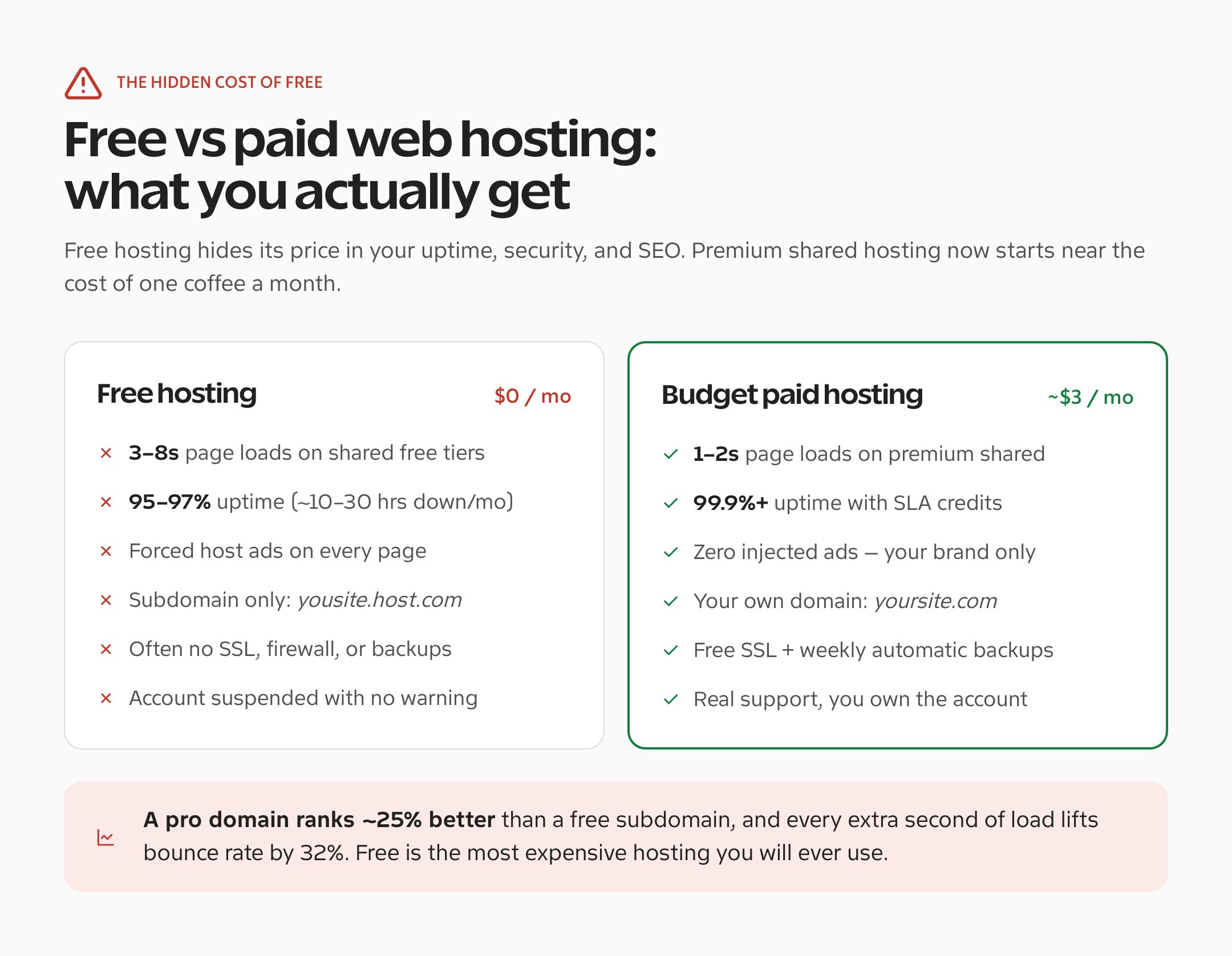
Google does not apply a known ranking penalty simply because a site uses free hosting or a subdomain. The SEO risk is indirect: unstable URLs, poor availability, slow server responses, intrusive ads, weak mobile rendering, broken redirects, or a migration that loses pages. Those are measurable problems. The word “free” is not.
If a WordPress site is slow, start with evidence. Check server response time, cache behavior, database load, image weight, and third-party scripts before blaming the price tag. My guide to why your WordPress site is slow and how to make it faster covers that diagnosis, while the Core Web Vitals guide explains what users and Google actually measure.
Static free hosting can be extremely fast because it avoids PHP and database work. A dynamic WordPress plan can be slower if too many accounts share the same server. Judge the architecture and the measured result, not the label.
Control, security, and email are the real business costs
A business site needs more than an SSL certificate. It needs reliable DNS, backups that have been restored in a test, least-privilege access, malware response, transactional email, logs, and someone accountable when a deploy fails. A free plan may include some of these, but it rarely includes all of them with support.
This is also where site builders and developer platforms diverge. WordPress.com Free includes managed hosting and HTTPS, but it does not allow plugin installation. Cloudflare Pages gives you deployment control, but a dynamic WordPress application is a different workload. Before choosing, write down whether the project needs PHP, a database, server-side email, scheduled jobs, uploads, staging, and one-click recovery.
For a content site, stable crawling matters too. Own the domain, keep redirects under your control, and avoid changing URL structures during a forced migration. The practical basics in making WordPress blogs SEO friendly will do more for search visibility than a vague promise of “SEO hosting.”
When I would still choose free hosting
I would happily choose a free tier for a coding exercise, documentation site, temporary demo, classroom project, personal experiment, or static portfolio with a copy stored in Git. In each case, the site is reproducible and the cost of an interruption is small.
| Project | Free hosting verdict | Reason |
|---|---|---|
| Learning HTML, CSS, or WordPress | Use it | The cost of failure is close to zero |
| Short-lived demo or proof of concept | Use it with a local backup | Limits are acceptable if the project can disappear |
| Portfolio on your own domain | Maybe | Static hosting can work if custom domains and redirects are supported |
| Business lead-generation site | Pay | Email, uptime, ownership, and recovery matter |
| Store, membership, or client portal | Pay | Transactions and personal data require stronger operational control |
| SEO-led publication | Usually pay | Stable URLs, backups, redirects, and predictable crawling are worth more than the saving |
The line I draw: if the project accepts money, collects personal data, sends essential email, supports a client, or earns links you care about, budget for hosting and backups. That is not fear. It is basic asset protection.
A safer migration checklist
If you have outgrown a free plan, do not start by cancelling it. First inventory the domain, pages, media, database, forms, email records, redirects, analytics tags, and search-console ownership. Copy everything, test the replacement on a temporary URL, lower DNS TTL, and only then move traffic.
- Export files, content, database data, and media before touching DNS.
- Record every current URL and prepare one-to-one redirects.
- Test forms, checkout, email delivery, login, search, and mobile layouts.
- Keep the old service active until DNS propagation and public checks pass.
- Retain an offline backup after the migration is complete.
For a small WordPress site, I often recommend Hostinger because the migration path and basic managed features are straightforward, but compare the current renewal price, limits, backup schedule, and support terms before buying. A store has a higher bar, so use the criteria in my best WooCommerce hosting comparison instead of choosing on introductory price alone.
When free hosting stops being a saving
The disadvantages of free web hosting are ceilings, restrictions, weak recovery paths, and migration pressure. They are not proof that every free platform is slow, insecure, or useless. A static project with no revenue can be an excellent fit. A business-critical WordPress site usually is not.
Match the hosting model to the cost of failure. If the project matters enough that an outage, lost archive, broken checkout, or forced URL change would hurt, pay for a plan with the controls you need. If you want the simplest small-site route, start by comparing the current terms for Hostinger with at least one alternative, and keep your own backup either way.
Tell Google you want more of this.
Add Gaurav Tiwari as a preferred sourceOne tap, and this site shows up more often in your own Top Stories, AI Overviews and AI Mode. Remove it any time.
Disclaimer: This site is reader-supported. If you buy through some links, I may earn a small commission at no extra cost to you. I only recommend tools I trust and would use myself. Your support helps keep gauravtiwari.org free and focused on real-world advice. Thanks. - Gaurav Tiwari