
 by
byA good-looking website doesn’t keep an audience for long. The technical bar for modern web development practices in 2026 sits much higher than it did even two years ago — Core Web Vitals are scored on real device data, AI search engines route citations to sites with clean entity markup, and reader patience for slow interaction is functionally zero. This is the working playbook I use across client builds in SaaS, iGaming, fintech, and healthcare. The stack changes per vertical. The discipline doesn’t.
I’ll skip the part where someone tells you “websites have to be fast.” You know that. What I’ll do instead is name the choices that move the needle in 2026 — the frameworks, the performance budgets, the security defaults, the SEO + AI search work, and the vertical-specific gotchas that turn a generic build into a site that actually ships traffic, revenue, and trust. None of this is theoretical. All of it is something I’ve watched fail on a client site or seen a competitor get right.
What Modern Web Development Practices Actually Look Like in 2026
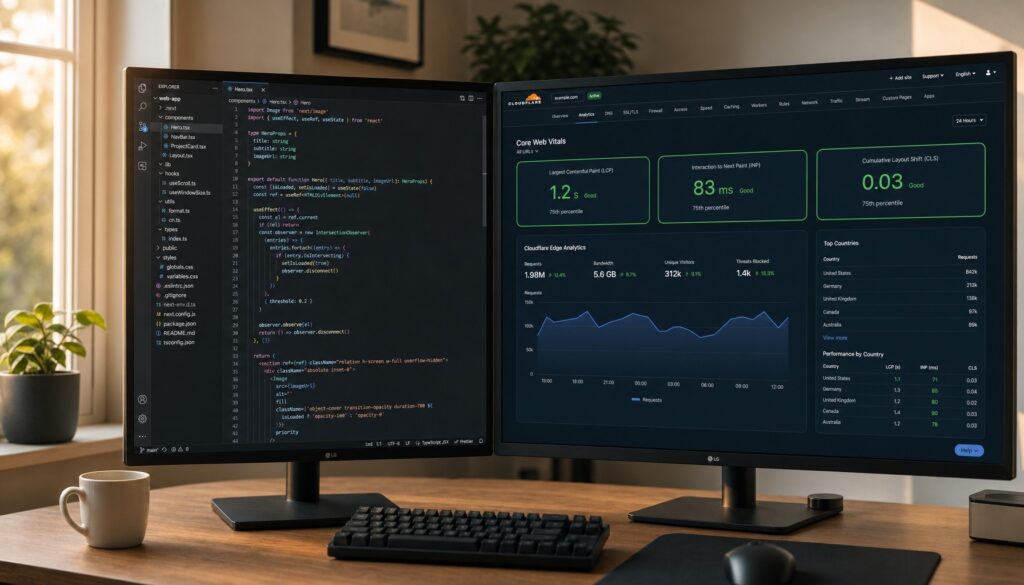
Clean code and a polished UI used to be the bar. Now they’re table stakes. What separates the sites that scale from the ones that flame out is a small set of operating habits that compound over a project’s life. Five matter more than the rest.
- Write the scope down before you write any code. A 2-page Statement of Work with milestones, deliverables, and the explicit list of what’s not in scope saves three months of rework. I’ve watched teams burn six weeks because nobody wrote down whether the email module included a templating system. Don’t be that team.
- Mobile-first is the only first. Sixty percent of global traffic is mobile in 2026 (StatCounter data). If you design for desktop and adapt to mobile, the mobile experience comes out worse — every time. Touch targets, fluid typography, responsive images, and tested Core Web Vitals on a real $200 Android. That’s the floor.
- Semantic HTML still wins. Use the right tags. Headings in order. Buttons for buttons, links for links. Screen readers, AI crawlers, search engines, and the next developer on the project all benefit from the same tiny investment.
- Shift left on quality. Tests, type checks, accessibility scans, and security checks belong in CI on every pull request. Bugs caught in CI cost minutes. Bugs caught in production cost weekends. The price gap is roughly 100x by every study I’ve read.
- Automate the boring parts of code quality. Pre-commit hooks (Husky + lint-staged), ESLint and Prettier on save, Conventional Commits, Dependabot for security updates. None of this is glamorous. All of it stops the next “why is production broken” Slack message.
If you want a fast pre-launch sanity check on whether your site is actually ready, I keep a short list in 4 essential tests to apply to a newly created website. Run those before you ship.
The 2026 Frontend Stack I Actually Reach For
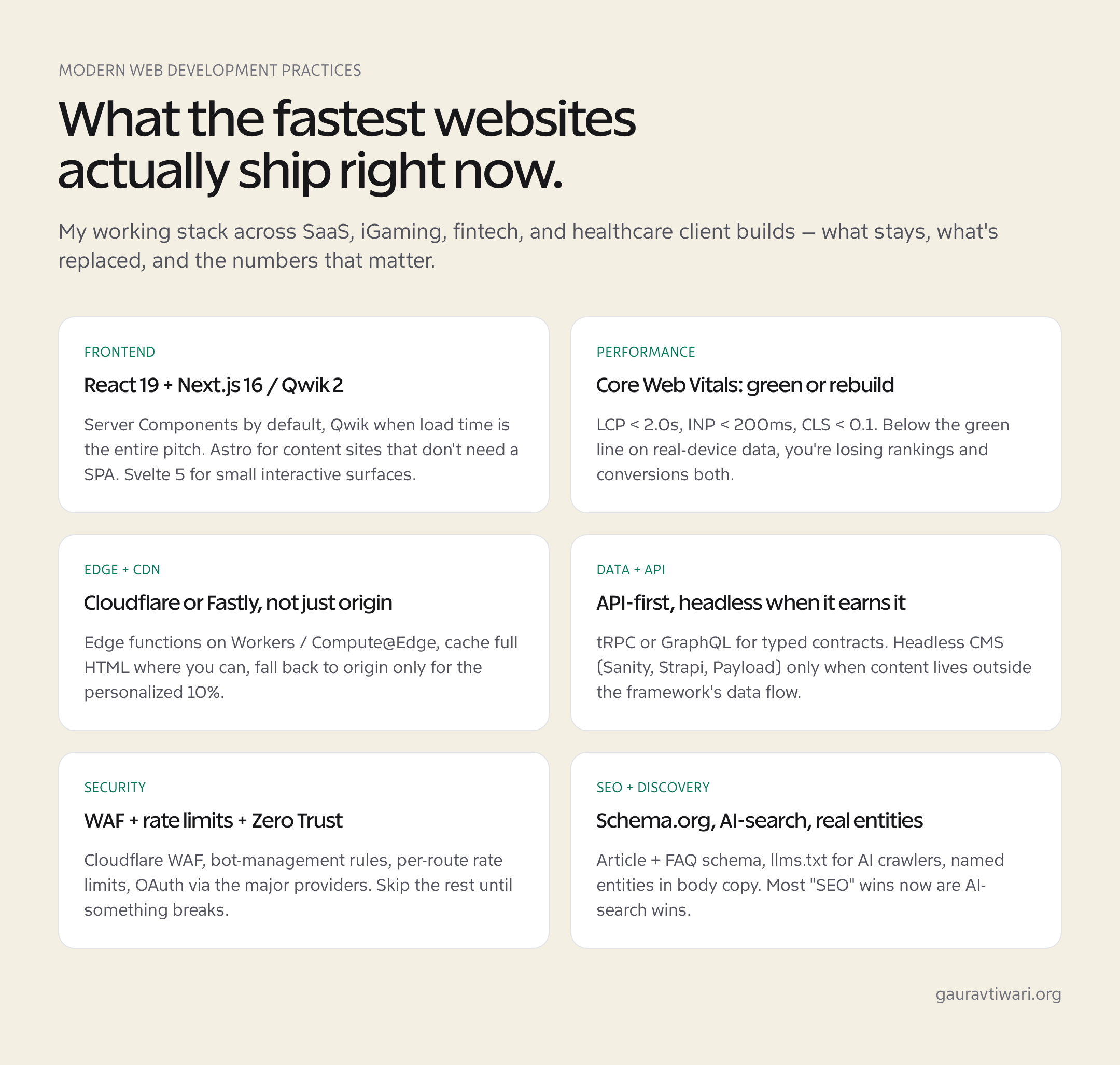
The framework wars are mostly settled, with caveats. React (now at version 19, with Server Components as the default model) handles the broad middle — most client projects, most SaaS, most marketing sites that need any interactivity. Next.js 16 sits on top for routing, server functions, and image optimization. Qwik 2 is my pick when load time is the pitch — resumability instead of hydration means the JavaScript payload that runs at first paint is tiny. Astro is excellent for content sites that don’t need an SPA at all. Svelte 5 deserves a look for small interactive surfaces where bundle size matters.
What I’d stop reaching for in 2026: anything that adds 100KB+ of JavaScript before the first paint without a clear reason. Gatsby (community has thinned, Next.js does the job better), Create React App (deprecated, use Vite or Next), heavy state libraries on small projects (React’s built-in state plus context handles more than people think).
Pick by constraint, not by trend. If your client has a WordPress backend with 500 existing pages, the right answer is probably “extend WordPress with a block-editor-based front end and ship,” not “rebuild in Next.js.” The framework matters less than the migration cost. See my 10 best WordPress hosting services in 2026 guide if WordPress is the right call for your project.
Core Web Vitals 2026 — Green or You’re Losing Money
Google’s Core Web Vitals scoring uses field data from real Chrome users, not synthetic lab tests. The 2026 thresholds for “good”:
| Metric | What it measures | Good | Needs work | Poor |
|---|---|---|---|---|
| LCP (Largest Contentful Paint) | How fast the main content paints | < 2.5s | 2.5–4.0s | > 4.0s |
| INP (Interaction to Next Paint) | Responsiveness of clicks/taps | < 200ms | 200–500ms | > 500ms |
| CLS (Cumulative Layout Shift) | Visual stability during load | < 0.1 | 0.1–0.25 | > 0.25 |
INP replaced FID in March 2024 and is harder to fix. INP measures the worst interaction latency on the page, not the first one. A click that takes 600ms to respond two scrolls into the page tanks your score even if the initial render was fast. The fixes: break up long JavaScript tasks (the < 50ms rule), use requestIdleCallback for non-critical work, and stop running expensive synchronous code in event handlers.
Practical performance budget I hold every client project to: under 200KB of JavaScript at first paint, under 100KB of CSS, all images served as WebP or AVIF, fonts subset to the characters actually used, third-party scripts loaded with defer or in a worker. Hit those four numbers and Core Web Vitals usually take care of themselves.
The single biggest performance lever for most sites is hosting. A $3/month shared host can hit decent Core Web Vitals on a small WordPress site if the rest of the stack is clean — but if traffic grows or the page gets heavier, hosting becomes the bottleneck.
Vertical-Specific Web Development: iGaming, Fintech, Healthcare
The same baseline applies to every vertical. The deltas are where the work lives.
iGaming Web Development — Latency Is the Product
Online casinos and sportsbooks have the tightest latency budgets of any consumer vertical I work with. Live odds, in-play markets, bonus countdowns — all of it depends on a WebSocket connection that holds, an interface that updates without flickering, and a payment flow that survives a slow 3G connection on a mobile bus ride. Next.js or Nuxt for the server-rendered surface, WebSockets (often via Socket.IO or native browser APIs) for the live state, and Cloudflare or Fastly at the edge so the cold cache hit isn’t from Frankfurt to São Paulo. The high-conversion UX patterns that work at scale here — instant onboarding, single-action bet placement, transparent bonus terms — show up clearly on sites like Casino Analyzer, where comparison content like curated casino bonuses need to load fast and make decisions easy.
Fintech Web Design — Compliance Plus Speed
Fintech adds two non-negotiables on top of the standard stack: regulatory compliance and a security posture that survives a real audit. The technologies that show up on every fintech project I touch: API-first architectures (so partner integrations don’t require a redesign), open-banking standards where they apply (OAuth + scoped tokens, never raw credentials), cloud-native deployments on AWS/GCP/Azure, and a clear answer to “where does customer data live and who can see it.” PCI DSS for any card data, GDPR if you operate in or serve the EU, and a Zero Trust security model that assumes the network is hostile. Skip any of those and the cost is much larger than the cost of building them in from day one.
Healthcare Web Platforms — Sensitive Data, Real Stakes
Healthcare web development carries the highest combined sensitivity-plus-interoperability burden in mainstream web work. HIPAA in the US, the GDPR-equivalent in the EU, and interoperability standards like FHIR for any patient-data exchange. Role-based access control is the floor, not the ceiling — anything that touches patient records needs audit logs, encryption at rest and in transit, and a clear data-residency story. The frontend looks like any other modern React or Vue build; the difference is in the boring infrastructure behind it.
SEO and AI Search Optimization for Modern Web Development
The 2026 SEO landscape has split. Traditional Google search still drives most discovery for transactional queries. AI search engines — ChatGPT, Perplexity, Claude, Google’s AI Overviews — increasingly route informational queries, often citing two to five sources without sending a click. Modern web development practices have to optimize for both.
What still works for Google: clean semantic HTML, fast Core Web Vitals scores, Article and FAQ schema, internal linking that mirrors the topic clusters of your site, and content that actually answers the question. What works specifically for AI search: named entities in the body (people, products, places, numbers — the things an LLM can match to its knowledge graph), short answer-first paragraphs near the top of each section, an llms.txt file in your root that tells crawlers which content to prioritize, and structured data that’s easy to parse. Most of the recent gains I’ve seen on client sites came from AI search citations, not Google ranking shifts.
If SEO is new ground for you, I keep two practical guides: SEO for beginners covers the basics in plain English, and SEO for small business covers the priority order when you have limited time and budget.
Focus on Real User Experiences, Not Synthetic Scores
A perfect Lighthouse score in a lab proves nothing about how your site performs for an actual visitor on a 4G connection in Mumbai. Synthetic benchmarks are useful for catching regressions. They are bad at telling you whether your product is good.
The fix is to instrument the real thing. Real User Monitoring (Cloudflare Web Analytics, Vercel Speed Insights, SpeedCurve, or a self-hosted RUM via the web-vitals npm package) tells you what your actual visitors experience. Heatmaps and session recordings (Microsoft Clarity is free and good) tell you where they get stuck. Behavioral analytics (PostHog, PlausibleAlytics, Mixpanel for SaaS) tells you whether the funnel works. Synthetic tests catch regressions; real-user data tells you what to fix next.
The single most useful loop I run on every client project: ship a small change, measure the impact on the metric I care about, decide whether to keep it. Two-week iteration cycles, not quarterly rewrites. The teams I’ve seen waste the most time are the ones that batch six months of changes into one redesign and pray the numbers move.
AI in the Web Development Workflow
AI tooling now sits inside the daily workflow of every working developer I know. GitHub Copilot, Cursor, Claude Code, and Continue.dev for code generation and refactoring. Diagnostic tooling like Sentry’s AI explanations for production errors. AI-powered design tools (Figma’s AI features, v0 by Vercel, Lovable) for rapid prototyping. Predictive code review (Greptile, CodeRabbit) catching issues before a human ever opens the PR.
What works in 2026: using AI as a leverage multiplier on the parts of the job that are mechanical (boilerplate, test scaffolding, refactors across many files, exploring an unfamiliar codebase). What still doesn’t work: trusting AI on the parts of the job that need judgment (architecture decisions, security-sensitive code paths, anything that touches money or personal data). Every senior developer I know has the same workflow: AI drafts, human reviews and rewrites. The leverage is real. The replacement isn’t.
For the design side of the same workflow, my notes on web design choices that move the needle in 2026 cover the parts AI tools can’t replace.
The Web Dev Practices I’d Drop in 2026
Equally useful: knowing what to stop doing. Five practices I’d retire today.
- Hand-rolled forms with no library. Use React Hook Form + Zod (or whatever the validation stack is on your framework). The bugs you save on accessibility and validation alone justify it.
- jQuery in new projects. Nothing wrong with it on legacy work. New projects pay a download tax for the convenience.
- Hotlinked images from third-party CDNs. Performance and reliability cost. Always import to your own media library or your own CDN.
- Sliders/carousels above the fold. Twenty years of data shows users ignore them. The 2026 version: a single high-impact hero, one CTA, real social proof. Then the rest.
- Cookie banners that block the page. Use the contextual-consent pattern instead — request consent at the point the cookie is needed (e.g., when the user clicks “play video”). Better UX, same compliance.
Hosting and Deployment Choices for Modern Web Development
The deployment story in 2026 has split cleanly into three lanes. The right lane depends on the project, not on which provider has the best marketing.
Lane 1 — Edge platforms. Vercel, Netlify, and Cloudflare Pages host the frontend at the edge with serverless or edge-function backends. Best fit for marketing sites, content-heavy SaaS, and anything where global cold-start latency matters. Pricing starts free and scales with traffic; for a typical small-to-mid SaaS you’ll spend $20-200 a month before you have to worry. The trade-off: vendor lock-in on the deployment model, and you’ll pay extra for serverless functions if your backend logic is heavy.
Lane 2 — Managed application platforms. Railway, Render, Fly.io, and DigitalOcean App Platform run your full-stack app (Node, Python, Ruby, Go, anything) on managed infrastructure with automatic SSL, deploys from git, and predictable monthly pricing. Best fit for apps with persistent backends, databases, background jobs, and anything that isn’t well-served by serverless. Typical bill: $25-150 a month for a small-to-mid app. Less magic than Vercel, more flexibility.
Lane 3 — Self-managed cloud. AWS, GCP, Azure with your own infrastructure-as-code (Terraform, Pulumi, or just CloudFormation). Best fit for projects with serious scale, complex compliance needs (anything fintech or healthcare), or teams with dedicated DevOps headcount. The cheapest at scale, the most expensive in engineering time. Don’t go here for a starter project. Do go here once your monthly cloud bill on a managed platform exceeds the cost of a half-time DevOps engineer.
For WordPress sites specifically, the equivalent lanes are managed WordPress hosting (Kinsta, WP Engine, Cloudways at the high end), shared/cloud hosting (Hostinger, SiteGround, Bluehost in the middle), and self-managed VPS or cloud (DigitalOcean droplet + RunCloud at the technical end). I’ve written the full ranking in 10 best WordPress hosting services in 2026 and 10 best hosting services for beginners if you want the detailed picks.
Security Defaults That Belong on Every Modern Web Project in 2026
The threat landscape in 2026 has tilted further toward automated attacks — credential stuffing, AI-assisted phishing, supply-chain compromise via npm or PyPI packages, and the predictable wave of WAF probes hitting every public URL within minutes of going live. The defaults that block 99% of real-world attacks haven’t really changed, but the price of skipping them has.
- HTTPS everywhere via Let’s Encrypt or your CDN. HSTS header on, ideally preloaded. No mixed content. This is 2026 — http:// for production traffic is a configuration mistake, not a choice.
- Cloudflare or equivalent in front. Free tier handles WAF, DDoS protection, basic bot management, and the geographic edge cache. There is no good argument in 2026 for putting a production site directly on a public origin IP.
- Per-route rate limits on anything that touches authentication, payment, or user-generated content. The default Cloudflare Rate Limiting rules cover this in a couple of clicks.
- Modern auth via OAuth/OIDC from the major providers (Google, Apple, GitHub, Microsoft for enterprise). Don’t roll your own password reset flow in 2026 unless you have a very specific reason.
- Dependency scanning in CI. Dependabot, Snyk, Socket, or npm audit running on every PR. Supply-chain attacks via compromised packages are now common enough that “we’ll check dependencies sometime” is not a real plan.
- Real secret management. Vault, AWS Secrets Manager, Doppler, or even just a properly-scoped GitHub Actions secret. Never check a .env into git. Never share credentials in Slack DMs. The eventual cost of a leaked secret is much larger than the inconvenience of doing this right.
For WordPress operators specifically, the additional layer is plugin hygiene — only install plugins from reputable developers, keep everything updated weekly, remove plugins you no longer use, subscribe to the Wordfence threat feed. The 2024-2025 wave of compromised plugins (Forminator, BackupBuddy, several smaller form plugins) all hit sites that hadn’t applied the patches within the disclosure window. The fix is automated updates plus a weekly check, not a quarterly audit.
Frequently Asked Questions
What are the most important modern web development practices in 2026?
Five practices matter more than the rest in 2026: writing a clear Statement of Work before any code, designing mobile-first with tested Core Web Vitals on real devices, using semantic HTML for accessibility and SEO, shifting quality checks left into CI/CD, and automating code-quality safeguards through pre-commit hooks and linting. Get those right and most of the rest follows.
What are the Core Web Vitals 2026 thresholds for good performance?
LCP under 2.5 seconds, INP under 200 milliseconds, and CLS under 0.1. INP replaced FID in March 2024 and measures the worst interaction latency on the page, not just the first one. Google scores these against real Chrome user data, not lab benchmarks.
Which JavaScript framework is best for building a high-performance website in 2026?
React 19 with Next.js 16 covers most projects. Qwik 2 wins when load time is the entire pitch (resumability beats hydration for first paint). Astro is excellent for content sites that do not need a single-page app. Svelte 5 fits small interactive surfaces where bundle size matters. Pick by constraint, not by trend.
How is iGaming web development different from a normal website build?
iGaming has the tightest latency budget of any consumer vertical. Live odds, in-play markets, and bonus countdowns depend on WebSocket connections that hold under load, edge-cached static assets, and payment flows that survive slow mobile connections. Next.js or Nuxt for SSR, native or Socket.IO WebSockets for live state, and Cloudflare or Fastly at the edge are the typical defaults.
How do I optimize a website for AI search engines like ChatGPT and Perplexity?
Four practices help: include named entities (people, products, places, numbers) in body content so LLMs can match against their knowledge graphs, write short answer-first paragraphs at the top of each section, publish an llms.txt file in your site root telling crawlers what to prioritize, and use Article and FAQ schema markup. Most recent SEO gains for content sites come from AI search citations rather than Google ranking changes.
Can I rely on AI tools like GitHub Copilot for production web development?
Use AI for the mechanical parts of the job — boilerplate, test scaffolding, refactors across many files, exploring unfamiliar codebases. Do not trust AI on architecture decisions, security-sensitive code paths, or anything involving money or personal data. The pattern that works in 2026 is AI drafts, human reviews and rewrites. The leverage is real, the replacement is not.
The Bottom Line
Modern web development practices in 2026 aren’t a stack you can buy and bolt on. They’re a set of operating habits: scope before code, mobile-first design, semantic HTML, Core Web Vitals in the green on real-device data, framework choice driven by constraints rather than trends, edge-first delivery, vertical-aware security, and content that works for both Google and the AI search engines that now route a meaningful share of informational traffic. Get those right, and the choice between Next.js or Qwik becomes a footnote. Get them wrong, and the framework choice won’t save you.
The good news: none of this is new science. The fundamentals have been the fundamentals for a decade. The bar moved. So did the tools. The discipline didn’t. Pick a project. Apply the playbook. Measure what changed. Iterate. That’s the whole job.
Tell Google you want more of this.
Add Gaurav Tiwari as a preferred sourceOne tap, and this site shows up more often in your own Top Stories, AI Overviews and AI Mode. Remove it any time.