
Years
[year]Current year[year n="5"]Five years from now[year n="-3"]Three years ago[nyear]Next year[nnyear]Year after next[pyear]Previous year[ppyear]Year before previous
Add a shortcode once. Keep years, months, dates and ages current across your WordPress site, in posts, titles, widgets and supported SEO fields.
You writeWordPress displays
[year][monthyear][date][weekday][season]Live values in this site’s language and timezone.
No established shortcode was removed or renamed. Version 1.8 moved blocks, bindings, REST and WP-CLI onto the same date engine as the shortcodes, and 1.8.1 fixed the leap-day and invalid-date edge cases in countdowns.
I built this plugin for one narrow job: stop useful evergreen content from looking stale because a date changed. Shortcodes remain the primary and fastest workflow. Everything else in the plugin exists to make that workflow easier in the Block Editor and in code.
Find the date you need and copy its shortcode into WordPress. Attributes such as n, format, ordinal, rank and region add extra forms without replacing the original tags.
[year]Current year[year n="5"]Five years from now[year n="-3"]Three years ago[nyear]Next year[nnyear]Year after next[pyear]Previous year[ppyear]Year before previous[date]Today's full date[monthyear]Current month and year[nmonthyear]Next month and its year[pmonthyear]Previous month and its year[dt]Current day number[nd]Tomorrow's day number[pd]Yesterday's day number[weekday]Full weekday name[wd]Short weekday name[month]Current month[cmonth]Capitalized current month[mon]Short current month[cmon]Capitalized short month[mm]Zero-padded month number[mn]Month number without a leading zero[nmonth]Next month[cnmonth]Capitalized next month[nmon]Short next month[cnmon]Capitalized short next month[pmonth]Previous month[cpmonth]Capitalized previous month[pmon]Short previous month[cpmon]Capitalized short previous month[datepublished]Current post's publication date[datemodified]Current post's modified date[blackfriday]This year's Black Friday date[cybermonday]This year's Cyber Monday date[daysuntil date="2027-01-01"]Calendar days until a date[dayssince date="2026-01-01"]Calendar days since a date[age date="1990-05-15"]Age in complete years[age date="1990-05-15" ordinal="true"]Ordinal age; rank="true" is an alias[age date="1990-05-15" format="ym"]Years and months[age date="1990-05-15" format="ymd"]Years, months and days[season]Northern Hemisphere season[season region="south"]Southern Hemisphere seasonMonth and weekday names follow the language and timezone configured in WordPress. The publication and modified-date shortcodes need a current post; everything else uses the site timezone.
Seasons map to Spring (March to May), Summer (June to August), Fall (September to November) and Winter (December to February), reversed for the Southern Hemisphere.
Select a Paragraph, Heading or List, open Insert Dynamic Date from the formatting toolbar, search the catalog and pick the shortcode you need. The editor highlights the inserted token; the front end shows only the value.
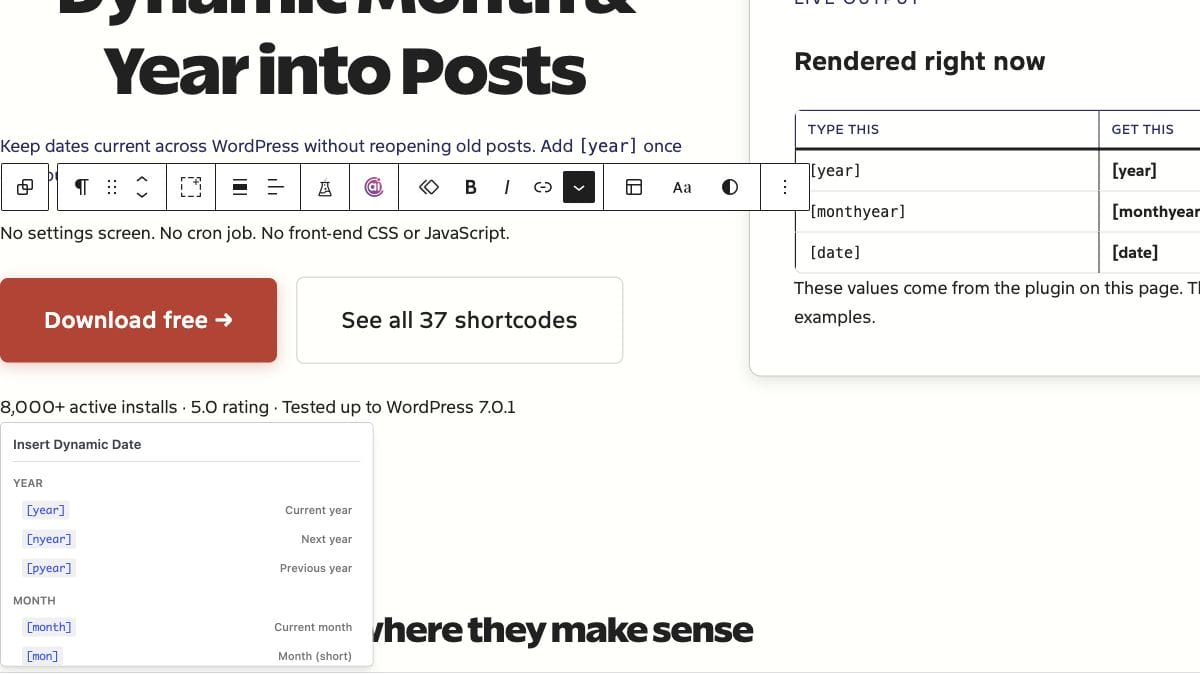
Choose a year, month, date, weekday, age, season, post date, event date, annual occurrence or calculated date, with offsets, rollover day, format, text case or an annual rule where the type supports it.
Count days until or since a target date. Repeat an annual countdown so birthdays, anniversaries and New Year timers roll forward on their own.
Show the current post’s publication date with an optional prefix, suffix or PHP date format.
Show the current post’s last modified date with the same formatting controls.
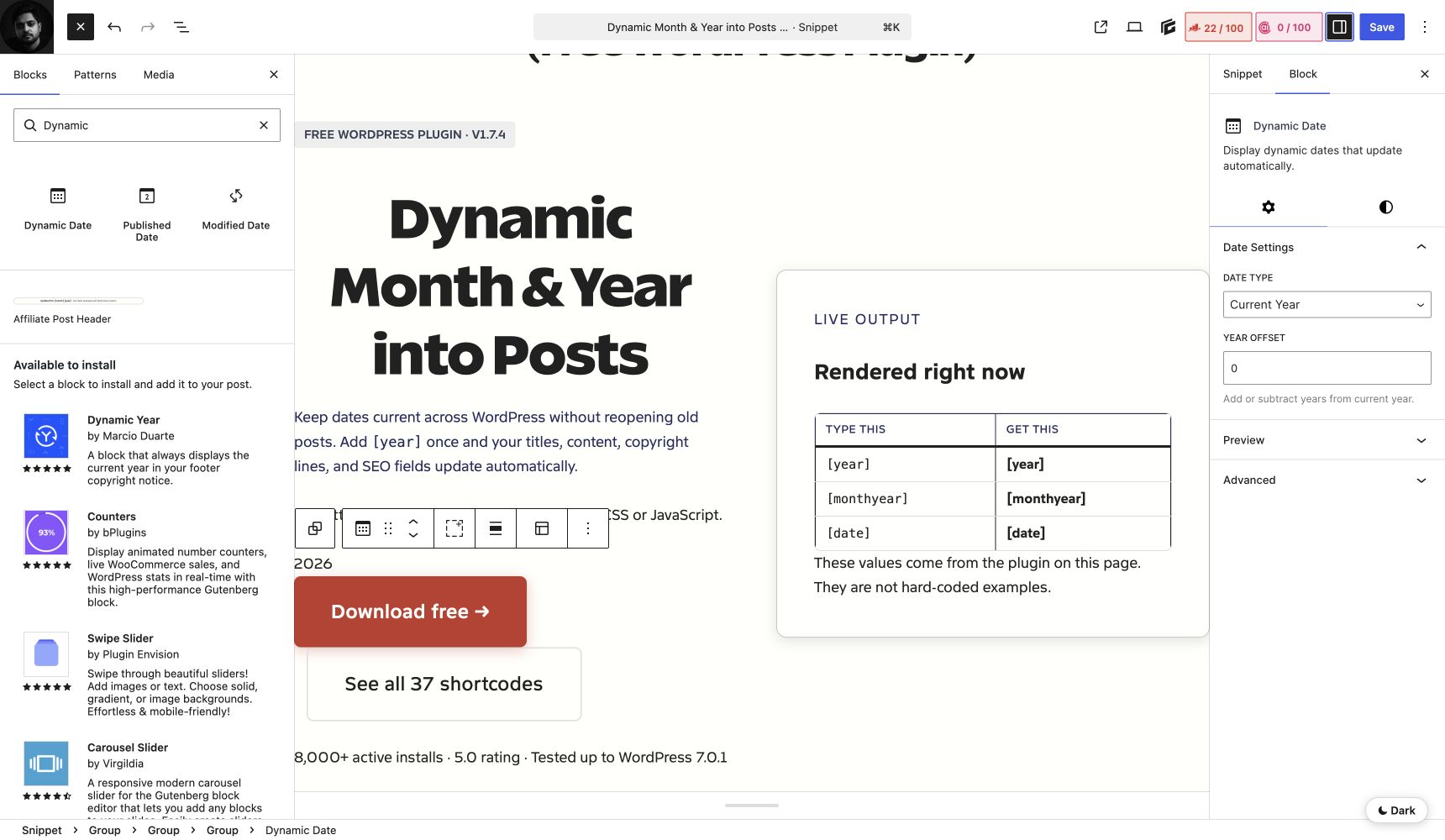
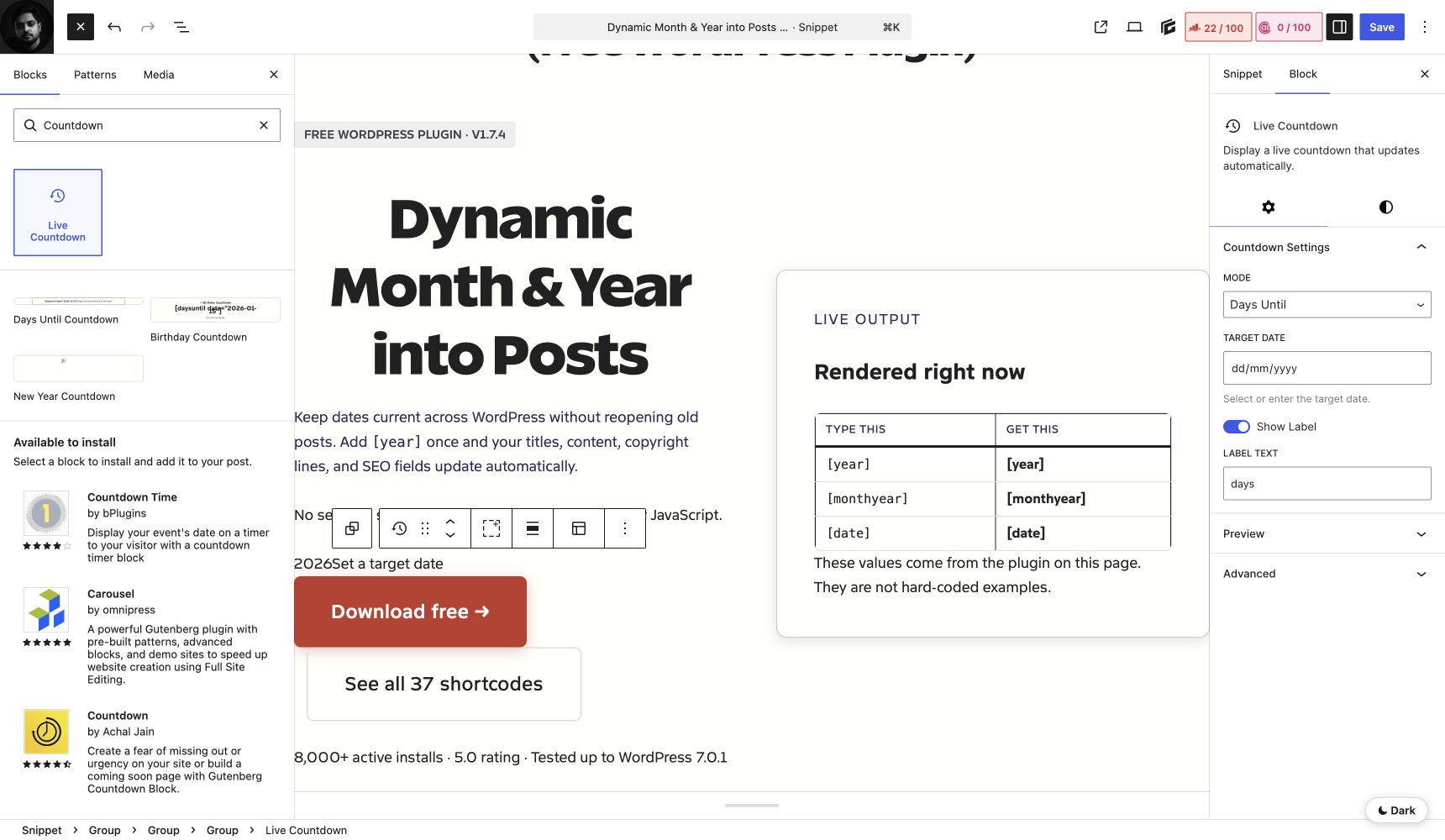
Bind a core Paragraph, Heading or Button straight to the dmyip/date source. WordPress 6.9+ shows presets for common values; 6.5 through 6.8 can still use a manually configured binding.
<!-- wp:paragraph {"metadata":{"bindings":{"content":{"source":"dmyip/date","args":{"type":"year"}}}}} -->
<p></p>
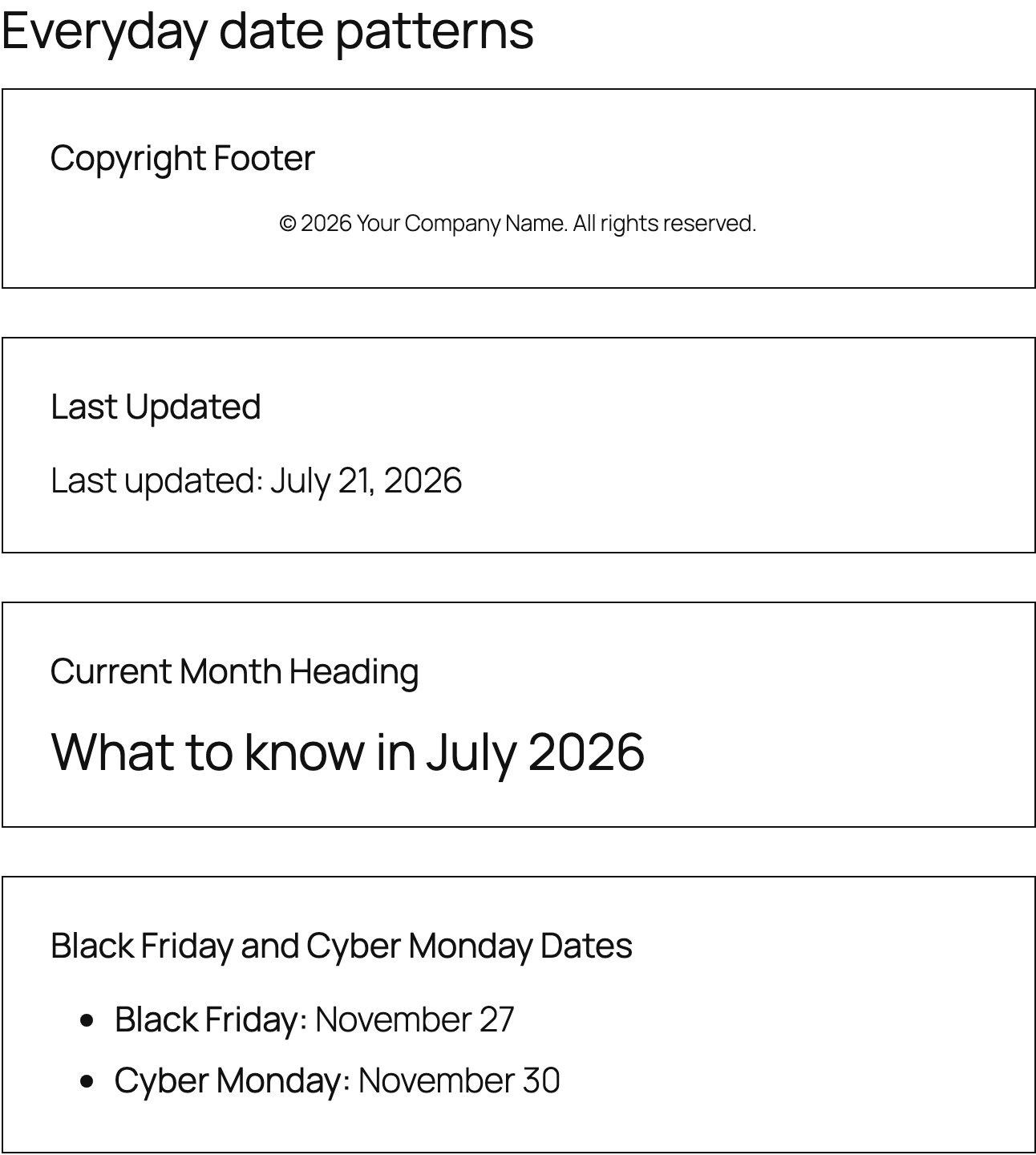
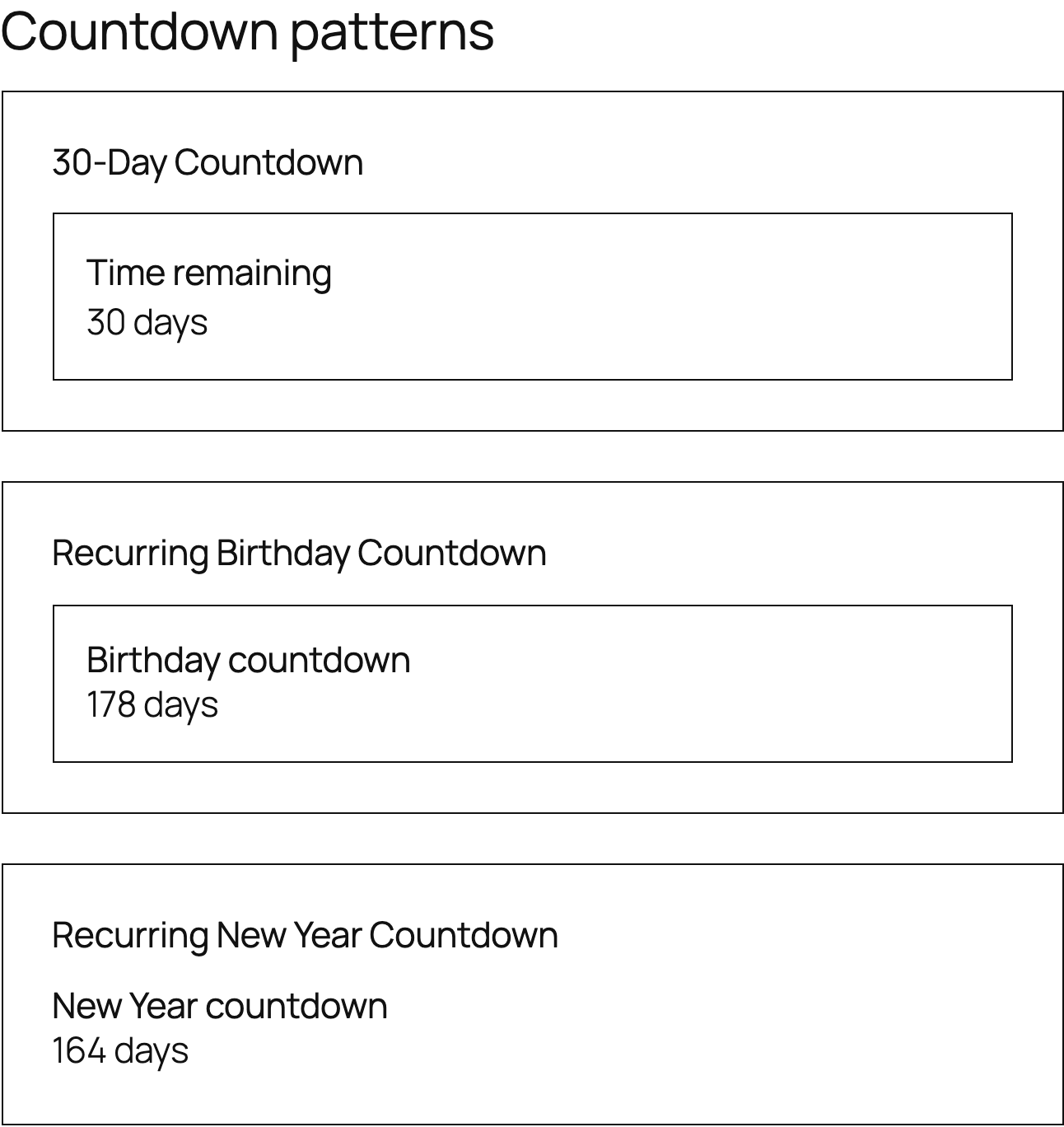
<!-- /wp:paragraph -->Copyright Footer, Last Updated, Current Month Heading, Black Friday and Cyber Monday Dates, 30-Day Countdown, Recurring Birthday Countdown and Recurring New Year Countdown. They use core blocks and inherit your theme instead of forcing a design.
Use the same values in templates, integrations and automations that your shortcodes show on the page.
The public, read-only dmyip/v1 API returns the same site-timezone values the shortcodes and blocks use.
GET /wp-json/dmyip/v1/dates
GET /wp-json/dmyip/v1/shortcodes
GET /wp-json/dmyip/v1/date/year?offset=-3
GET /wp-json/dmyip/v1/date/age_ymd?date=1990-05-15
GET /wp-json/dmyip/v1/render?shortcode=%5Byear%20n%3D-3%5D
Check the install, render any date type with options, or pass a complete plugin shortcode.
wp dmyip info
wp dmyip shortcode year --offset=5
wp dmyip shortcode '[age date="1990-05-15" format="ymd"]'
wp dmyip list --format=json
wp dmyip test
Render any shortcode from a theme or plugin template.
<?php echo do_shortcode( '[year]' ); ?>
<?php echo do_shortcode( '[age date="1990-05-15"]' ); ?>
dmyip_core_filters controls the_title, single_post_title, wp_title, the_excerpt, get_the_excerpt and get_the_archive_title. All are on by default.
// Keep shortcodes in content and blocks, but disable all core filters.
add_filter( 'dmyip_core_filters', '__return_empty_array' );

// Disable title processing only.
add_filter( 'dmyip_core_filters', function ( $filters ) {
    $filters['the_title'] = false;
    return $filters;
} );
Shortcodes don’t run in ACF fields by default. If you control the field and trust its content, enable only the field type or name you need.
add_filter( 'acf/format_value/type=text', 'do_shortcode' );
add_filter( 'acf/format_value/name=headline', 'do_shortcode' );Where dynamic dates work, and the few boundaries worth knowing before you rely on them.
Tested with these editors, builders and related-post plugins:
Output inherits the active theme, including:
Ordinary date shortcodes render on the server. Set your page cache to expire or purge when a year, month, day or age needs to change. Updating a date doesn’t update the facts in an article.
Some third-party fields strip shortcodes on purpose. Prefer a documented integration, a selective field filter, a Dynamic Date block or Block Bindings over a global do_shortcode() filter.
There’s no setup wizard or options page. Install it, activate it and write your first shortcode.
Get It on WordPress.orgGo to Plugins > Add New Plugin in your WordPress dashboard.
Search for Dynamic Month & Year into Posts.
Choose Install Now, then Activate.
Type [year] in a post, page, heading, widget, title or supported SEO field. To install by hand, upload the plugin ZIP or folder to /wp-content/plugins/ and activate it.
Everything here is quick to set up, light on your pages and built to do one real job well. I only charge for the tools that can make you money. The rest are free.

I design, build and support every product on this site myself. When you email me, the person reading it is the one who wrote the code.
I’d rather ship one tool you’d miss if it vanished than ten that sit in your plugin list doing nothing.
18+years building websites, plugins and stores, since 2008
Switch a feature off and it loads nothing. What does load stays small. A tool that replaces a plugin shouldn’t make your pages slower.
Clear screens, sensible defaults and settings written in plain English. If you need a tutorial for the basics, that’s my design mistake, not yours.
Full keyboard support, visible focus, proper labels and text you can actually read. When more people can use your store, more people can buy from it.
My paid tools help you sell, renew, license or convert. If one just sits in your stack, I haven’t done my job.
I won’t charge for anything that can’t make you money. The free tools get the same care as the paid ones, down to the last setting.
A few useful answers before you install.
Still stuck? Ask in the support forum.
Use it when a date should stay current without changing the meaning of the content. A shortcode can keep a year in an evergreen title, a month on a deal page, a copyright notice, an age, an anniversary or an event date current on its own. Don’t use a dynamic date to make old or unreviewed information look freshly verified.
No. The original shortcode tags remain the main public interface. Versions 1.8.0 and 1.8.1 add better editor search, block controls, recurrence, Block Bindings presets, and REST and WP-CLI options without adding replacement shortcode tags.
Shortcodes and bindings render when WordPress generates the page, so a cache keeps that value until it expires or is purged. Use a sensible cache lifetime for daily or monthly values. The Live Countdown block recalculates in the browser, so annual countdowns roll over without waiting for a full-page cache refresh.
Yes. Use the Dynamic Date, Live Countdown, Published Date or Modified Date block, bind a supported core block to dmyip/date on WordPress 6.5+, or fetch values through the public REST API. Shortcodes are still the simplest choice for a date inside a sentence, title or SEO field.
No. Date language, timezone and default formatting come from WordPress. Shortcode attributes and block controls handle the cases that need a different format, offset, case, region or target date.
The shortcode and binding paths load no front-end assets and make no date-specific database query. The optional Live Countdown loads a small browser module only where it’s used. There are no analytics, tracking, external requests, settings table, license check, ads or upsells.
Use the WordPress.org support forum for bugs and compatibility questions, and the GitHub repository for source-level issues and contributions. You can also contact me here with a feature request. Include your WordPress, PHP and plugin versions plus a minimal example.
Every release since the first public version. Source and release packages are on GitHub.
season on legacy installations without Composer.ordinal and rank attributes for age on the legacy path.dmyip_core_filters switch for title and excerpt processing.season shortcode with Northern and Southern Hemisphere support.ordinal="true" and rank="true" to age, including correct 11th, 12th and 13th handling.age with years, years and months, and full breakdown formats.daysuntil and dayssince.nd and pd.nmonthyear and pmonthyear.year.datemodified and datepublished.blackfriday, cybermonday and Intelly Related Posts support.monthyear forward after the 28th.monthyear output.weekday and wd.monthyear, later revised in 1.2.8.nnyear, ppyear, monthyear and better Rank Math Pro and Elementor compatibility.mm, mn and Jetpack Related Posts support.dt, Rank Math Product schema-description support and WordPress date-format output for date.mon.date and WordPress 5.6 compatibility.pyear and nyear.Free, open source and ready for your next WordPress post.
Licensed under GPL v3 or later.
Notes on WordPress, publishing, search, and independent products, sent when something real comes off my bench.