
Hetzner vs Vultr vs RackNerd: How I Slashed My Hosting Costs by 79% and Boosted Performance
I spent years paying premium prices for managed WordPress hosting. ScalaHosting. WPX. WordPress.com. Names that promise enterprise-grade performance and white-glove support. And honestly, they 100% delivered on those promises. The problem was the invoice that landed in my inbox every year. Also see my best web hosting services. Also see my pass Core Web Vitals.
When you are running multiple websites for clients and personal projects, those $30-50 per month managed VPS plans start compounding fast. My hosting bills were eating into profits that could have gone toward content, tools, or just a better life. Something had to change.
So I did what any rational person would do. I spent three months testing budget cloud providers that everyone in the hosting underground swears by. Hetzner. Vultr. RackNerd. These are the three names that keep popping up in every serious discussion about value-oriented cloud infrastructure.
This article is not some affiliate-stuffed comparison lore (but I still do have some affiliate links added). This is my actual migration story, complete with the headaches, surprises, and ultimate wins.
I now run my important production sites on Hetzner and my secondary projects on RackNerd using xCloud. The monthly savings are substantial. But more importantly, performance has not suffered one bit and has rather improved in various use cases.
Let me walk you through exactly how this transition happened and why these three providers represent the future of smart hosting decisions.
The Only Problem with Premium Managed Hosting
Before diving into the comparison, let me paint a picture of what I was leaving behind. Understanding the baseline helps explain why this migration made sense.
| Provider | Plan | Monthly | Annual | Sites | RAM | Storage |
|---|---|---|---|---|---|---|
| Premium Managed | ||||||
| ScalaHosting | Start | $14.95 | $179 | Unlimited | 2 GB | 20 GB |
| ScalaHosting | Build 2 | $29.95 | $359 | Unlimited | 4 GB | 50 GB |
| ScalaHosting | Build 4 | $63.95 | $767 | Unlimited | 8 GB | 100 GB |
| WPX | Business | $20.83 | $250 | 5 | Shared | 15 GB |
| WPX | Professional | $41.58 | $499 | 15 | Shared | 30 GB |
| WPX | Elite | $83.25 | $999 | 35 | Shared | 60 GB |
| Budget Cloud | ||||||
| Hetzner | CX22 | $4.10 | $49 | Unlimited | 4 GB | 40 GB |
| Hetzner | CX33 | $6.00 | $72 | Unlimited | 8 GB | 80 GB |
| Vultr | HF 4GB | $24.00 | $288 | Unlimited | 4 GB | 128 GB |
| RackNerd | Promo | $1.50 | $18 | Unlimited | 2 GB | 30 GB |
Annual Savings Example:
- Previous setup: ScalaHosting ($35) + WPX ($20.83) + WP.COM (several sites) = $105-120/month = $1260-$1440/year
- Current setup: Hetzner CX13 ($14) + Hetzner CX22 ($4) + RackNerd ($5.2) = $23.33/month = $280/year
- Savings: $1070/year (79% reduction)
So, the only problem with premium managed hosting is the cost.
What ScalaHosting and WPX Actually Cost?
ScalaHosting’s managed VPS plans start around $14.95 per month for the absolute basics. But that entry-level tier gives you just 1 CPU core, 2GB RAM, and 20GB storage. Try running a busy WooCommerce store on that. You cannot. The moment you need real resources, you are looking at $29.95 to $50 or more monthly.
WPX follows a similar pattern. Their Business plan sits at $20.83 per month and limits you to 5 websites with just 15GB storage. Want to host 15 sites? The Professional plan jumps to $41.58 monthly. Need more? The Elite plan costs $83.25 every single month.
Here is the uncomfortable math. If you are managing 20+ websites across client projects and personal ventures, you could easily spend $100-200 monthly on managed hosting. Over a year, that is $1,200-2,400. Over five years, you are looking at $6,000-12,000 just for hosting.
What You Actually Get for Premium Prices
I will give credit where it is due. Managed hosts like ScalaHosting and WPX deliver genuine value. Their support teams know WordPress inside out. They handle server updates, security patches, and performance optimization. When something breaks at 2 AM, someone answers the phone. Also see my my FlyingPress setup.
ScalaHosting’s SPanel control system is actually quite good. It handles multiple sites elegantly and their SShield security blocks threats automatically. WPX has lightning-fast support with an average 30-second response time. Their XDN content delivery network works well.
But here is the thing. After 15 years of WordPress development, now I do not need someone to hold my hand through server management. Most experienced developers and site owners fall into this category. We are paying premium prices for convenience we no longer require.
The Breaking Point
My breaking point came during a routine invoice review. I was paying roughly $105 monthly across ScalaHosting, WordPress.com and WPX for hosting that could theoretically be replicated on budget cloud infrastructure for a fraction of the cost. The technical knowledge gap that justified premium managed hosting when I started no longer exists.
I decided to run a parallel test. Keep the managed hosting active while simultaneously building out infrastructure on Hetzner, Vultr, and RackNerd. Three months of side-by-side comparison would reveal whether the budget providers could actually deliver.
Meet the Budget Kings: Hetzner, Vultr, and RackNerd
These three providers occupy different positions in the budget hosting spectrum. Understanding their philosophies helps explain who should use each one.
Hetzner
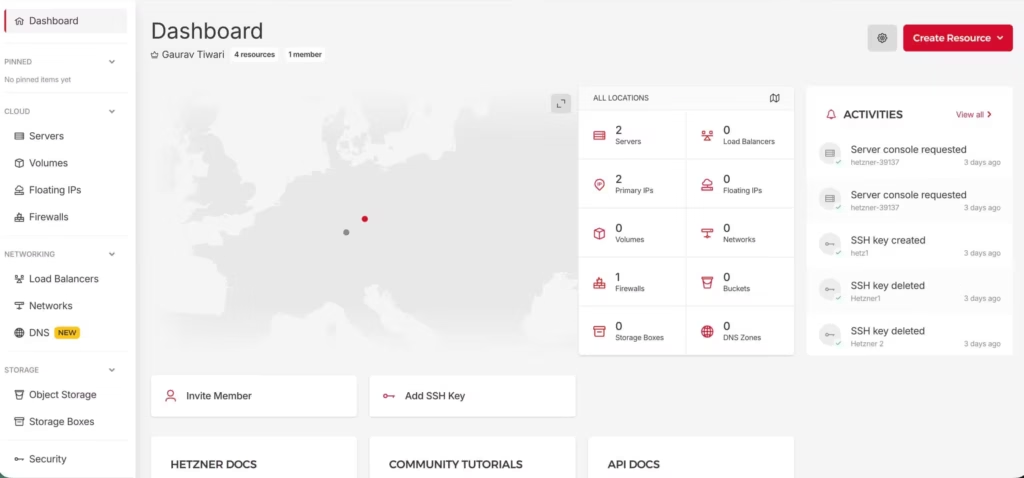
Hetzner is a German company that has been providing hosting services since 1997. They built their reputation on dedicated servers before expanding into cloud computing. Today, their cloud platform operates data centers in Germany, Finland, the United States, and Singapore.
What makes Hetzner special is their pricing model. Their newest Cost-Optimized CX series starts at just €3.49 per month for 2 vCPUs, 4GB RAM, and 40GB NVMe storage. That is roughly $3.70 USD. For context, this configuration would cost $20+ on most American cloud providers.
Hetzner uses AMD EPYC processors across their fleet, recently upgrading to EPYC-Genoa chips with significant performance improvements. All plans include NVMe storage, which is crucial for database-heavy WordPress sites. They also include a staggering 20TB of bandwidth, compared to the 2-4TB you typically get elsewhere.
The catch? Hetzner provides zero managed services. You get a blank server. Installing and configuring everything from the operating system to the web server stack falls entirely on your shoulders.
Vultr
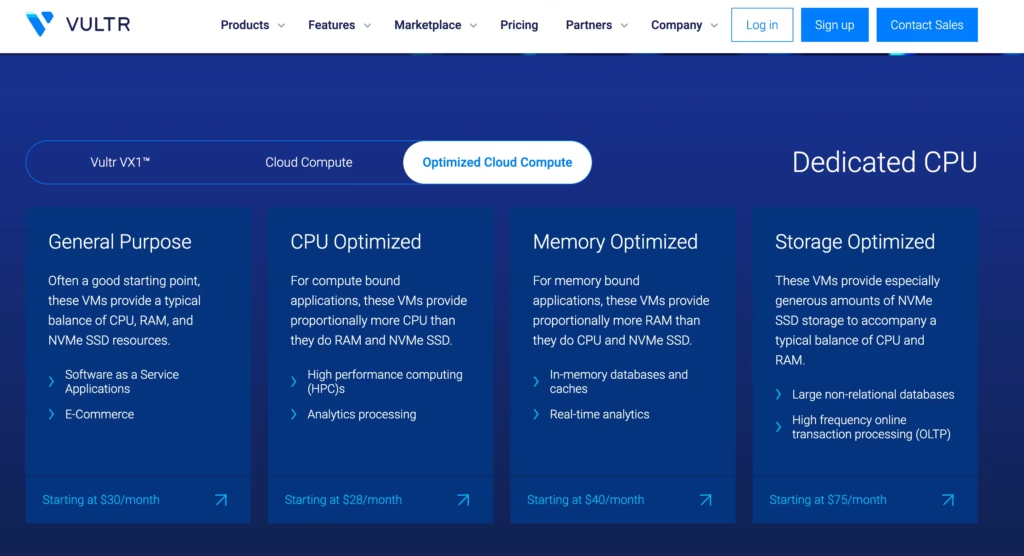
Vultr launched in 2014 and quickly became a favorite among developers who needed fast provisioning and global presence. They operate 32 data center locations across 19 countries, including strategic Asian locations like Mumbai, Singapore, Tokyo, and Seoul.
Their Cloud Compute plans start at just $2.50 per month, though you only get 512MB RAM at that tier. More practical plans with 2GB RAM run around $12 monthly. Their High Frequency tier uses 3GHz+ Intel Xeon processors optimized for single-threaded PHP workloads, which is exactly what WordPress needs.
Vultr’s competitive advantage is geographic diversity. If your audience sits in India or Southeast Asia, Vultr offers low-latency options that Hetzner simply cannot match. Their Mumbai data center specifically serves the Indian subcontinent well.
Like Hetzner, Vultr provides unmanaged infrastructure. You build your own stack. However, their deployment process is slightly more polished with better documentation and a cleaner control panel.
RackNerd
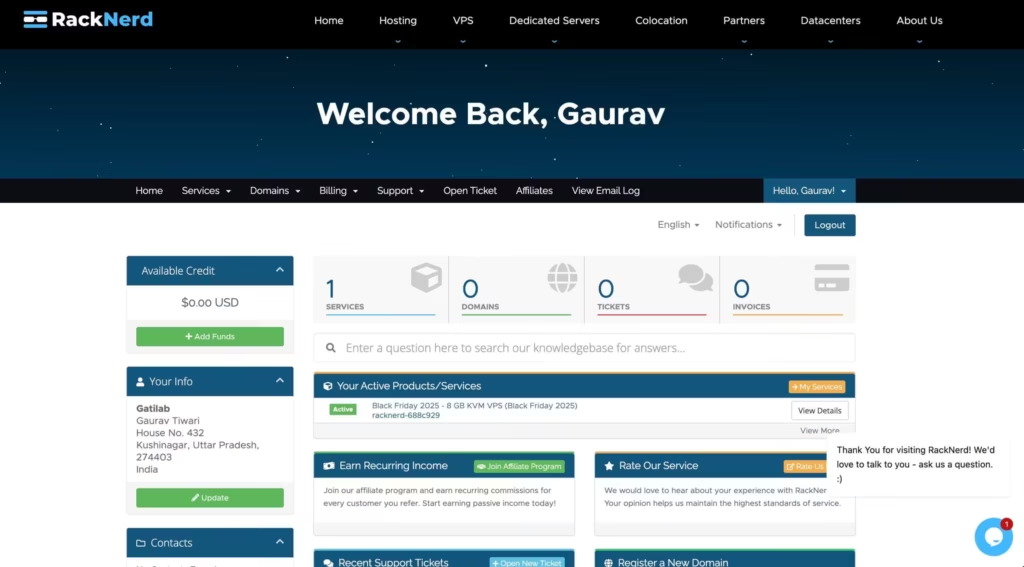
RackNerd represents a different breed entirely. They specialize in promotional VPS deals that seem almost too good to be true. We are talking $10-20 per year for functional KVM virtual servers. Yes, per year.
Founded by industry veteran Dustin Cisneros, RackNerd has earned recognition as the top provider on LowEndTalk forums and secured spots on the Inc. 5000 fastest-growing companies list. They operate 21 data centers across North America, Europe, and Asia.
Their Black Friday and New Year deals are legendary. A typical promotional plan offers 2GB RAM, 1 vCPU, 30GB SSD storage, and 2TB bandwidth for roughly $11 annually. Regular pricing sits higher, but these deals recur frequently enough that patient buyers can stack them.
The tradeoff? RackNerd uses older hardware and SolusVM for management rather than modern cloud panels. Performance varies more significantly than premium providers. Noisy neighbor problems occur occasionally. This is budget hosting, and you get what you pay for.
| Feature | Hetzner | Vultr | RackNerd |
|---|---|---|---|
| Infrastructure | |||
| Hourly Billing | ✅ | ✅ | ❌ (annual promos) |
| Instant Deployment | ✅ (<1 min) | ✅ (<15 sec) | ✅ (instant) |
| Snapshots | ✅ (paid) | ✅ (paid) | ❌ |
| Automatic Backups | ✅ (20% extra) | ✅ (20% extra) | ❌ |
| Floating IPs | ✅ | ✅ | ❌ |
| Private Networks | ✅ | ✅ | ❌ |
| Load Balancers | ✅ | ✅ | ❌ |
| Control Panel | |||
| Panel Type | Hetzner Cloud | Vultr Dashboard | SolusVM |
| API Access | ✅ Full | ✅ Full | ✅ Basic |
| CLI Tool | ✅ hcloud | ✅ vultr-cli | ❌ |
| Terraform Support | ✅ | ✅ | ❌ |
| Support | |||
| Support Channels | Ticket | Ticket | Ticket, Chat |
| Response Time | Hours | Hours | Hours-Days |
| Documentation | ★★★★★ | ★★★★★ | ★★★☆☆ |
| Community | ★★★★☆ | ★★★★☆ | ★★★★★ (LowEndTalk) |
| Extras | |||
| Managed Databases | ❌ | ✅ | ❌ |
| Kubernetes | ❌ | ✅ (free control plane) | ❌ |
| Object Storage | Additional Charges | ✅ | ❌ |
| DDoS Protection | ✅ Basic | ✅ Basic | ✅ Basic |
Key Takeaway: Hetzner and Vultr offer modern cloud features; RackNerd is traditional VPS hosting at rock-bottom prices.
Pricing Comparison
Raw pricing means nothing without context. Let me break down what you actually get for your money at each provider, using configurations that make sense for WordPress hosting.
Entry-Level WordPress Configuration
For a single WordPress site with moderate traffic, the minimum viable configuration includes 2GB RAM, 1-2 vCPUs, and 20-40GB storage. Here is what each provider charges.
Hetzner CX22 delivers 2 vCPUs, 4GB RAM, and 40GB NVMe storage for €3.79 monthly, approximately $4.10 USD. You also get 20TB of included bandwidth. This configuration handles multiple small WordPress sites comfortably.
Vultr High Frequency at the $12 tier provides 2GB RAM, 1 vCPU, 64GB NVMe storage, and 3TB bandwidth. The high-clock Intel processors compensate for fewer cores when running PHP workloads.
RackNerd promotional deals often include 2GB RAM, 1 vCPU, and 30GB SSD storage for around $18-20 annually. That translates to roughly $1.50-1.70 monthly, which is almost absurdly cheap.
| Feature | Hetzner CX22 | Vultr High Frequency | RackNerd Promo |
|---|---|---|---|
| Monthly Cost | €3.79 (~$4.10) | $12.00 | ~$1.50 (billed yearly) |
| Annual Cost | ~$49 | $144 | $18-20 |
| vCPUs | 2 | 1 | 1 |
| RAM | 4 GB | 2 GB | 2 GB |
| Storage | 40 GB NVMe | 64 GB NVMe | 30 GB SSD |
| Bandwidth | 20 TB | 3 TB | 2 TB |
| CPU Type | AMD EPYC | Intel Xeon 3GHz+ | Mixed/Varies |
| Billing | Hourly (capped) | Hourly (capped) | Annual prepay |
Winner: Hetzner offers the best RAM and bandwidth per dollar. RackNerd wins on absolute cost if reliability isn’t critical.
Agency-Level Multi-Site Configuration
Running 20-30 WordPress sites for clients requires beefier resources. You want 8GB RAM minimum, 4+ vCPUs, and ample storage for multiple databases.
Hetzner CX33 offers 4 vCPUs, 8GB RAM, and 80GB NVMe storage for €5.49 monthly, roughly $6 USD. The CPX31 variant with dedicated CPU resources runs €15.90 monthly, about $17 USD. Either handles agency workloads beautifully.
Vultr High Frequency with 8GB RAM costs $48 monthly. Their High Performance AMD tier at the same capacity runs $48 as well. You get NVMe storage and better single-core performance than standard cloud instances.
RackNerd does not really compete at this tier. While you could technically run multiple sites on stacked cheap VPS instances, the operational complexity makes it impractical. I don’t recommend using RackNerd for agency sites.
| Feature | Hetzner CX33 | Hetzner CPX31 | Vultr HF 8GB | RackNerd |
|---|---|---|---|---|
| Monthly Cost | €5.49 (~$6) | €15.90 (~$17) | $48 | N/A |
| vCPUs | 4 (shared) | 4 (dedicated) | 4 | — |
| RAM | 8 GB | 8 GB | 8 GB | — |
| Storage | 80 GB NVMe | 160 GB NVMe | 256 GB NVMe | — |
| Bandwidth | 20 TB | 20 TB | 5 TB | — |
| Sites Capacity | 20-30 sites | 30-40 sites | 15-25 sites | Not suitable |
| Best For | Cost-conscious agencies | Performance-critical | Asia-Pacific clients | — |
The Bandwidth Factor
Bandwidth pricing separates these providers dramatically. Hetzner includes 20TB on most plans with overages at just €1 per TB. Vultr includes 2-3TB with overages at $0.01 per GB, which equals $10 per TB. RackNerd typically includes 1-4TB depending on the plan.
For bandwidth-intensive sites serving images, videos, or high-traffic pages, Hetzner’s generous allocation provides substantial savings. A site consuming 10TB monthly would cost nothing extra on Hetzner but add $70-80 to a Vultr bill.
| Provider | Plan | Included Bandwidth | Overage Cost |
|---|---|---|---|
| Hetzner (EU) | |||
| CX22 | 20 TB | €1/TB | €0 (within limit) |
| CX33 | 20 TB | €1/TB | €0 (within limit) |
| CPX31 | 20 TB | €1/TB | €0 (within limit) |
| Hetzner (US) | |||
| CX series | 20 TB | €1/TB | €0 (within limit) |
| CPX21 | 2 TB | €1/TB | €8 |
| CPX31 | 2 TB | €1/TB | €8 |
| Vultr | |||
| HF 2GB | 3 TB | $0.01/GB | $70 |
| HF 4GB | 4 TB | $0.01/GB | $60 |
| HF 8GB | 5 TB | $0.01/GB | $50 |
| RackNerd | |||
| Promo 2GB | 2 TB | Varies | $20-50 |
| Promo 4GB | 4 TB | Varies | $20-50 |
Real-World Impact:
| Monthly Traffic | Hetzner EU Cost | Vultr Cost | Difference |
|---|---|---|---|
| 5 TB | $6 (CX33 base) | $24 + $10 = $34 | -$28 |
| 10 TB | $6 (CX33 base) | $24 + $60 = $84 | -$78 |
| 20 TB | $6 (CX33 base) | $24 + $160 = $184 | -$178 |
Takeaway: For bandwidth-heavy sites, Hetzner EU saves hundreds annually.
Performance Analysis
Price means nothing if performance suffers. I ran extensive testing across all three providers to understand real-world behavior under WordPress workloads.
| Metric | Hetzner | Vultr HF | RackNerd |
|---|---|---|---|
| CPU Architecture | AMD EPYC Genoa | Intel Xeon 3GHz+ | Mixed (varies) |
| Single-Thread Performance | ★★★★☆ | ★★★★★ | ★★★☆☆ |
| Multi-Thread Performance | ★★★★★ | ★★★★☆ | ★★★☆☆ |
| Storage Type | NVMe | NVMe | SATA SSD (RAID-10) |
| Disk Read Speed | Up to 4.46 GB/s | Up to 3.5 GB/s | ~500 MB/s |
| Disk Write Speed | Up to 2.5 GB/s | Up to 2.0 GB/s | ~400 MB/s |
| Network Speed | 1 Gbps | 1 Gbps | 1 Gbps |
| Consistency | ★★★★★ | ★★★★☆ | ★★★☆☆ |
| Noisy Neighbor Risk | Low | Medium | High |
WordPress Impact:
- Hetzner’s NVMe speeds dramatically improve database operations
- Vultr HF’s high clock speed benefits PHP execution
- RackNerd’s SATA SSDs create noticeable lag on admin panels
CPU Performance and PHP Execution
WordPress is heavily single-threaded for most operations. Page generation, database queries, and plugin execution primarily use one CPU core at a time. This makes single-core performance more important than core count for typical WordPress sites.
Hetzner’s AMD EPYC processors deliver exceptional multi-threaded performance but slightly lower single-thread speeds compared to high-clock Intel alternatives. Their recent upgrade to EPYC-Genoa processors improved this significantly, adding roughly 30% better performance across disk and network operations.
Vultr High Frequency instances use 3GHz+ Intel Xeon processors specifically selected for high single-core performance. In PHP benchmarks, these instances consistently outperform similarly priced AMD alternatives for raw page generation speed.
RackNerd uses mixed CPU availability across their fleet. You might get a recent Xeon or an older processor depending on inventory and location. Performance consistency is simply not their selling point.
Storage Speed Matters for WordPress
WordPress database operations hit storage constantly. Every page load triggers multiple MySQL queries. Plugin activations read and write files repeatedly. Storage speed directly impacts perceived site performance.
Both Hetzner and Vultr provide NVMe storage across their recommended tiers. NVMe delivers dramatically faster random read/write speeds compared to traditional SATA SSDs. Peak speeds on Hetzner’s infrastructure reach 4.46 GB/s for large block operations.
RackNerd primarily uses SATA SSDs with RAID-10 configuration. Functional and reliable, but noticeably slower than NVMe for database-intensive operations. You feel this difference when managing WordPress admin panels on busy sites.
Network Latency and Geographic Considerations
Where your server sits relative to your audience determines baseline latency. No amount of optimization overcomes physical distance.
Hetzner operates data centers in Germany, Finland, two US locations (Ashburn and Hillsboro), and Singapore. This covers Europe and North America well but leaves gaps in South America, Africa, and most of Asia.
Vultr’s 32 locations provide the best geographic spread. Their Mumbai, Singapore, Tokyo, Sydney, and Seoul facilities specifically serve Asian audiences that other budget providers neglect. For India-focused sites, Vultr is simply the best budget option available.
RackNerd concentrates primarily in the United States with limited European presence through their Dublin location. Asian coverage is minimal. This restricts their usefulness for globally-distributed audiences.
| Region | Hetzner | Vultr | RackNerd |
|---|---|---|---|
| North America | |||
| US East | ✅ Ashburn | ✅ Multiple | ✅ New York, Atlanta |
| US West | ✅ Hillsboro | ✅ Multiple | ✅ Los Angeles, San Jose, Seattle |
| US Central | ❌ | ✅ Dallas, Chicago | ✅ Dallas, Chicago |
| Canada | ❌ | ✅ Toronto | ✅ Toronto |
| Europe | |||
| Germany | ✅ Falkenstein, Nuremberg | ✅ Frankfurt | ❌ |
| UK | ❌ | ✅ London | ❌ |
| Netherlands | ❌ | ✅ Amsterdam | ❌ |
| Finland | ✅ Helsinki | ❌ | ❌ |
| Ireland | ❌ | ❌ | ✅ Dublin |
| Asia Pacific | |||
| Singapore | ✅ | ✅ | ❌ |
| India (Mumbai) | ❌ | ✅ | ❌ |
| Japan (Tokyo) | ❌ | ✅ | ❌ |
| Australia (Sydney) | ❌ | ✅ | ❌ |
| South Korea (Seoul) | ❌ | ✅ | ❌ |
| Total Locations | 6 | 32 | 21 |
Key Insight: Vultr dominates Asia-Pacific coverage. Hetzner excels in Europe. RackNerd focuses primarily on North America.
How I Actually Made the Switch
Theory is nice. Execution is what matters. Here is exactly how I migrated from premium managed hosting to budget cloud infrastructure without breaking anything.
Setting Up the Stack
Budget cloud providers give you a blank Ubuntu server. Everything else requires manual configuration. My standard WordPress stack includes both NGINX and OpenLiteSpeed as the web servers, MariaDB for the database, PHP-FPM for processing, Redis for object caching, and Fail2Ban for security.
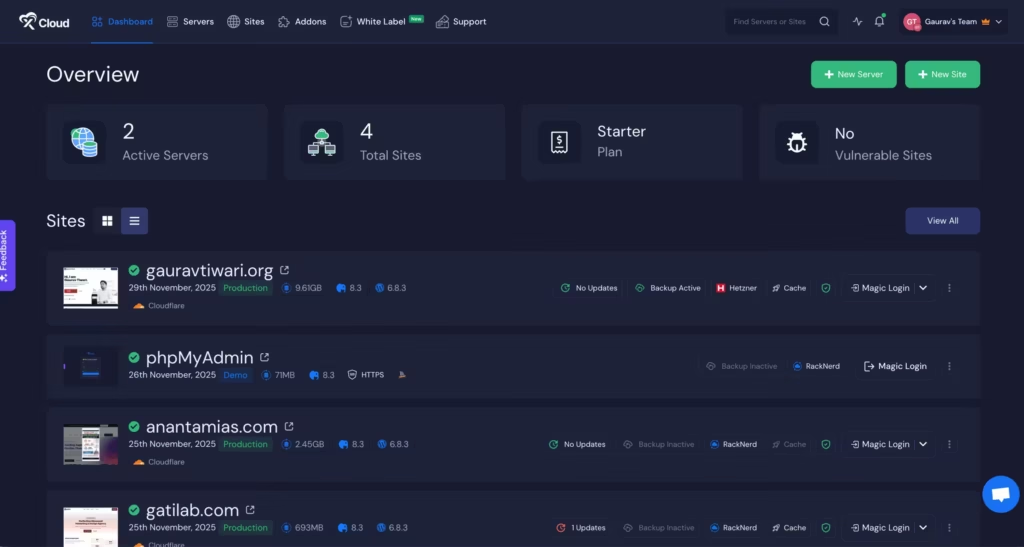
I use xCloud, a fantastic server management tool, to handle all the configuration. Options like RunCloud, SpinupWP, or even manual configuration through shell scripts work well. The key is establishing a repeatable process that you can deploy consistently across servers.
Initial server setup takes roughly 30-60 minutes, including security hardening. After running through the process a few times, it becomes second nature. The time investment upfront saves hours of troubleshooting later.
Migrating WordPress
WordPress migration follows a standard pattern regardless of hosting provider. Export the database, copy the files, update the wp-config.php file, and point the DNS to the new server. But with xCloud – it was even easier. Just install the xCloud plugin on the source site, copy the migration key, and you are done. It even integrates well with Cloudflare and updates DNS records automatically.
You could also use tools like All-in-One WP Migration or Duplicator to handle the heavy lifting if you are not using xCloud. For larger sites, direct database exports through phpMyAdmin or command-line tools work more reliably. I migrated 15 sites over a weekend without losing any data on xCloud on 2 servers (Hetzner and Racknerd).
The critical step is testing thoroughly before pointing production DNS. Set up a temporary domain or modify your hosts file to verify everything works. Check forms, e-commerce functionality, and admin access before going live.
My Current Architecture
After testing all three providers extensively, I settled on a hybrid approach that optimizes for both cost and reliability.
- Primary production sites live on Hetzner. My main business sites, client projects with revenue implications, and anything requiring consistent uptime run on Hetzner CCX13 or higher for 8GB RAM and 80GB SSD with 20TB Bandwidth. The combination of pricing, performance, and reliability makes this an easy choice.
- Secondary projects, staging environments, and experimental sites run on RackNerd. When a VPS costs $62 per year for 8GB RAM and 150GB storage and, ahem, 40TB bandwidth, the risk tolerance changes completely. I can spin up test environments, run temporary campaigns, or prototype new ideas without worrying about hosting costs.
- Vultr remains my choice for geographically-specific needs. Any project targeting Indian or Southeast Asian audiences gets deployed on Vultr Mumbai or Singapore. The latency difference justifies the price premium over Hetzner for these use cases. I tried it but am not using it anymore as I find more value with Hetzner.
The Real Cost Savings
Let me show you exactly how much this migration saved. Numbers do not lie.
Before: Premium Managed Hosting
My previous hosting setup included a ScalaHosting managed VPS at approximately $35 monthly for primary sites, plus WPX Business at $20.83 monthly for additional WordPress projects. WordPress.com also accounted for ₹800 per month per site. Total monthly cost hovered around $105-120, translating to roughly $1200-$1400 annually.
After: Budget Cloud Infrastructure
My current setup uses a Hetzner CCX13 at €11.99 monthly (roughly $14) for production sites, a Hetzner CX22 at €3.79 monthly (roughly $4) for secondary production, and one RackNerd annual VPS plan of about $62 per year for staging and experiments.
Total monthly cost now runs approximately $23, with annual expenses around $280. This represents savings of $1000+ annually while actually increasing total server resources available.
What I Gained Beyond Money
The financial savings are obvious. But the migration delivered unexpected benefits beyond the reduced invoice.
Complete control over the server stack means I can optimize configurations specifically for my workloads. No more generic WordPress hosting optimizations that may or may not apply to my sites.
Scalability becomes trivial. Spinning up a new Hetzner server takes 30 seconds. Adding capacity for a traffic spike costs cents per hour. The flexibility of true cloud infrastructure surpasses what managed hosts typically offer.
Learning deepens through hands-on management. Running your own servers teaches fundamentals that managed hosting abstracts away. This knowledge compounds over time and applies across projects.
What’s best for you?
Not everyone should follow my path. Different situations demand different solutions. Here is my honest recommendation for each provider.
| Use Case | Best Provider | Runner-Up | Notes |
|---|---|---|---|
| By Workload | |||
| Single WordPress blog | Hetzner CX22 | RackNerd | Hetzner for reliability, RackNerd for cost |
| Multi-site agency | Hetzner CPX31 | Vultr HF 8GB | 20-40 sites comfortably |
| WooCommerce store | Hetzner CPX21 | Vultr HF 4GB | NVMe crucial for database |
| High-traffic site | Hetzner CCX | Vultr HF | Dedicated CPU needed |
| Staging/Development | RackNerd | Hetzner CX22 | Cheap experimentation |
| Learning servers | RackNerd | Hetzner CX22 | Low-risk practice |
| By Audience Location | |||
| North America | Hetzner (US) | Vultr | Price vs. options |
| Europe | Hetzner (EU) | Vultr | Hetzner unbeatable |
| India | Vultr Mumbai | — | Only real option |
| Southeast Asia | Vultr Singapore | Hetzner Singapore | Vultr has more locations |
| Australia | Vultr Sydney | — | Only real option |
| Global (CDN-backed) | Hetzner + Cloudflare | Vultr | Best value combo |
| By Budget Priority | |||
| Absolute minimum cost | RackNerd | Hetzner CX22 | $18/year vs $49/year |
| Best value | Hetzner | Vultr | More resources per dollar |
| Premium unmanaged | Vultr HF | Hetzner CPX | Higher clock speeds |
| By Technical Skill | |||
| Beginner (needs managed) | Stay with ScalaHosting/WPX or WordPress.com | — | Don’t migrate yet |
| Intermediate | Hetzner + xCloud | Vultr + xCloud | Panel simplifies management |
| Advanced | Hetzner (manual) or with xCloud | Vultr (manual) or with xCloud | Full control, lowest cost |
Choose Hetzner If
- You have the technical skills to configure and maintain Linux servers
- Your audience primarily sits in Europe or North America
- You need maximum performance per dollar spent
- Bandwidth consumption is significant for your sites
- You value stability and enterprise-grade infrastructure
- You plan to host multiple sites on a single server
Choose Vultr If
- Your audience is in Asia Pacific, especially India
- You need data centers in specific geographic locations
- Single-threaded PHP performance is critical
- You want a slightly more polished cloud management experience
- Kubernetes or managed database services matter to you
Choose RackNerd If
- You need cheap staging or development environments
- The site is not mission-critical to your business
- You are learning server administration and want cheap practice environments
- Budget is the absolute primary concern
- You can tolerate occasional performance inconsistency
Stay with Managed Hosting If
- You lack time or interest in server management
- The Linux command line intimidates you
- Your business depends on guaranteed support availability
- Server downtime directly costs you significant revenue
- You prefer to focus entirely on content and marketing
Potential Pitfalls and How to Avoid Them
This migration path is not without risks. Let me share the problems I encountered and how to prevent them.
Security Responsibility Shifts to You
Managed hosts handle security updates, firewall configuration, and malware scanning automatically. On budget cloud providers, you own all of this. Fail to update your server and vulnerabilities accumulate quickly.
Set up unattended security updates on Ubuntu. Configure Fail2Ban to block brute force attacks. Use a WordPress security plugin like Wordfence or Sucuri. Implement regular backup routines that store copies off-server.
No Safety Net for Mistakes
When you break something on a managed host, support fixes it. When you break something on Hetzner or Vultr, you fix it yourself or start over. There is no phone number to call for emergency WordPress recovery.
Maintain comprehensive backups at multiple levels. Use server snapshots before making changes. Keep local copies of important configuration files. Document your setup so you can rebuild from scratch if necessary.
For a managed alternative to bare-metal providers, AccuWeb Hosting offers both VPS and dedicated servers with full management at competitive prices.
Final Verdict
After running production sites on all three providers, my recommendations are clear.
- Hetzner wins for best overall value. The combination of pricing, performance, reliability, and included bandwidth makes them unbeatable for anyone comfortable managing their own servers. Their European data centers offer exceptional value that American providers simply cannot match.
- Vultr wins for geographic diversity and Asian presence. If latency to India, Southeast Asia, or Australia matters for your project, Vultr provides infrastructure that Hetzner lacks. The premium over Hetzner is justified for these specific use cases. But if you use Cloudflare like CDNs, you are sorted on that end as well.
- RackNerd wins for experimental and non-critical workloads. Their promotional pricing creates opportunities impossible elsewhere. A $20-$60 annual VPS removes all friction from trying new ideas or running staging environments.
- Premium managed hosting still makes sense for certain people. If server management feels like a burden rather than an opportunity, if your time costs more than the hosting savings, or if guaranteed support provides peace of mind that enhances your productivity, then ScalaHosting and WPX remain excellent choices.
For me, the migration delivered exactly what I hoped thanks to xCloud. Lower costs, equivalent or better performance, and complete control over my infrastructure. The monthly savings compound significantly over years. The skills gained transfer across projects. The flexibility enables experimentation that rigid managed hosting prevented.
Your situation may differ. But if you have been wondering whether budget cloud hosting can handle real WordPress workloads, I am here to tell you that it absolutely can. Hetzner and RackNerd now power everything I run online. And I have no plans to go back.
| Category | Winner | Score | Notes |
|---|---|---|---|
| Overall Value | 🏆 Hetzner | 9.5/10 | Unbeatable price-to-performance |
| Raw Performance | Hetzner | 9/10 | AMD EPYC + NVMe dominates |
| Single-Thread Speed | Vultr HF | 9/10 | 3GHz+ Intel best for PHP |
| Geographic Coverage | 🏆 Vultr | 10/10 | 32 locations, strong in Asia |
| Bandwidth Value | 🏆 Hetzner | 10/10 | 20TB included crushes competition |
| Absolute Lowest Cost | 🏆 RackNerd | 10/10 | $18/year is unmatched |
| Reliability | Hetzner | 9.5/10 | German engineering, rock solid |
| Control Panel UX | Vultr | 9/10 | Most polished interface |
| Documentation | Tie | 9/10 | Both Hetzner and Vultr excellent |
| Community Support | RackNerd | 9/10 | LowEndTalk community very active |
| Enterprise Features | Vultr | 9/10 | Kubernetes, managed DB, object storage |
| India/Asia Pacific | 🏆 Vultr | 10/10 | Mumbai data center essential |
| Europe | 🏆 Hetzner | 10/10 | Home turf advantage |
| North America | Tie b/w Hetzner and Vultr | 8/10 | Both serviceable |
Quick Decision Matrix
| Your Priority | Choose | Why |
|---|---|---|
| Save maximum money | Hetzner EU | Best resources per dollar |
| Target Indian audience | Vultr Mumbai | Only viable low-latency option |
| Non-critical projects | RackNerd | $18/year removes all risk |
| Maximum reliability | Hetzner | Enterprise-grade infrastructure |
| Need Kubernetes | Vultr | Free control plane |
| Bandwidth-heavy sites | Hetzner EU | 20TB included |
| Learning/experimenting | RackNerd | Cheap sandbox servers |
| Agency with 20+ sites | Hetzner CPX31 | $17/month handles everything |
My Personal Setup (April 2026)
| Purpose | Provider | Plan | Monthly Cost |
|---|---|---|---|
| Production sites | Hetzner | CCX13 – 8GB RAM | €11.99 (~$14) |
| Secondary production | Hetzner | CX22 | €3.79 (~$4) |
| Staging environments | RackNerd | Promo VPS 8GB RAM | $5.1 |
| Total | ~$23.50/month |
Hetzner vs Vultr vs RackNerd: Side-by-Side Comparison
Sometimes you just need the facts laid out clearly. Here is a quick reference comparing all three providers across the metrics that matter most for WordPress hosting decisions.
Entry-Level Plan Comparison
Hetzner CX22 provides 2 vCPUs, 4GB RAM, 40GB NVMe storage, and 20TB bandwidth for approximately $4.10 monthly. Vultr High Frequency with 2GB RAM costs $12 monthly with 64GB NVMe and 3TB bandwidth. RackNerd promotional VPS offers 2GB RAM, 30GB SSD, and 2TB bandwidth for roughly $1.50 monthly when purchased annually.
Data Center Locations
Hetzner operates 6 locations across Germany, Finland, USA, and Singapore. Vultr maintains 32 locations across 19 countries including strong Asian presence in Mumbai, Singapore, Tokyo, and Sydney. RackNerd operates 21 data centers primarily concentrated in North America with limited European coverage.
Support Response Times
Hetzner provides efficient German-style support through tickets with typical response times of several hours. They are professional but not hand-holding. Vultr offers ticket-based support with reasonable response times and comprehensive documentation. RackNerd provides 24/7 support through their SolusVM panel with varying response times depending on issue complexity and plan tier.
Payment and Billing
All three providers offer hourly billing with monthly price caps, meaning you never pay more than the monthly rate regardless of usage duration. Hetzner bills in Euros which may result in slight currency conversion variations. Vultr and RackNerd bill in USD. RackNerd promotional plans require annual prepayment while standard plans support monthly billing.
Practical Server Configuration for WordPress
Budget cloud hosting requires hands-on configuration. Here are the specific settings I use and recommend for optimal WordPress performance on these platforms.
| Component | Recommended | Alternative | Why |
|---|---|---|---|
| Operating System | Ubuntu 24.04 LTS | Ubuntu 22.04 LTS | Long-term support, security updates |
| Web Server | NGINX | OpenLiteSpeed | Better resource efficiency than Apache |
| PHP Version | PHP 8.5 | PHP 8.3 | Latest performance improvements |
| PHP Handler | PHP-FPM | — | Process management, better concurrency |
| Database | MariaDB 10.11 | MySQL 8.0 | Faster queries, drop-in compatible |
| Caching | |||
| Object Cache | Redis | Memcached | Persistent cache, better for WordPress |
| Page Cache | FlyingPress | LiteSpeed Cache | Server-level faster than plugin |
| Security | |||
| Firewall | UFW | iptables | Simpler syntax, same protection |
| Brute Force | Fail2Ban | — | Automatic IP blocking |
| SSL | Let’s Encrypt + Certbot | — | Free, auto-renewal |
| Monitoring | |||
| Uptime | UptimeRobot (free) | Pingdom | 5-minute checks sufficient |
| Resources | htop, netdata | — | Real-time monitoring |
Resource Allocation Guide
| Sites Hosted | Minimum RAM | Recommended RAM | PHP Workers |
|---|---|---|---|
| 1-3 sites | 2 GB | 4 GB | 2-4 per site |
| 4-10 sites | 4 GB | 8 GB | 2-3 per site |
| 11-20 sites | 8 GB | 16 GB | 2 per site |
| 21-40 sites | 16 GB | 32 GB | 1-2 per site |
PHP-FPM Pool Settings (per site)
| Traffic Level | pm | pm.max_children | pm.start_servers | pm.min_spare | pm.max_spare |
|---|---|---|---|---|---|
| Low (<1K/day) | dynamic | 5 | 2 | 1 | 3 |
| Medium (1-10K/day) | dynamic | 10 | 4 | 2 | 6 |
| High (10K+/day) | dynamic | 20 | 6 | 4 | 10 |
Essential Software Stack
NGINX outperforms Apache significantly for WordPress workloads. Its event-driven architecture handles concurrent connections more efficiently. Combined with PHP-FPM for process management, you get much better resource utilization than traditional Apache configurations. OpenLiteSpeed is even better.
MariaDB serves as a drop-in MySQL replacement with performance optimizations specifically beneficial for WordPress database queries.
Redis provides object caching that dramatically reduces database load on busy sites. These components together form the foundation of high-performance WordPress hosting.
Security Hardening Essentials
UFW provides straightforward firewall management on Ubuntu. Configure it to allow only HTTP, HTTPS, and SSH traffic while blocking everything else. Fail2Ban monitors log files and automatically bans IP addresses showing malicious behavior like repeated failed login attempts.
SSL certificates through Let’s Encrypt provide free HTTPS encryption. Certbot automates certificate installation and renewal. Modern browsers require HTTPS for proper functionality, and Google factors it into search rankings.
Cloudflare Integration Strategy
Cloudflare’s free tier provides CDN caching, DDoS protection, and SSL termination at no cost. Combining Hetzner’s European infrastructure with Cloudflare’s global CDN delivers excellent worldwide performance while maintaining rock-bottom hosting costs.
This combination works particularly well for content-heavy sites where static assets like images and CSS files constitute most bandwidth consumption. Cloudflare serves cached content from edge locations near visitors while your origin server handles dynamic PHP requests. Also see my Perfmatters for frontend optimization.
Long-Term Maintenance Considerations
The initial migration is just the beginning. Sustainable budget hosting requires ongoing attention that managed providers handle automatically.
System Updates and Patching
Ubuntu servers require regular security updates. Enable unattended-upgrades to automatically install security patches without manual intervention. Schedule periodic checks to ensure the automated system functions correctly and review logs for any failed updates.
WordPress core, themes, and plugins also require updates. Managed hosts typically handle these automatically, but on budget infrastructure you must implement your own update strategy. Consider staging environment testing before applying updates to production sites.
Backup Strategy and Disaster Recovery
Multiple backup layers provide protection against various failure scenarios. Server snapshots capture the entire system state and enable quick recovery from catastrophic failures. Database backups protect against corruption or accidental data deletion. File-level backups preserve site content and configurations.
Store backups off-server using services like Google Drive, Backblaze B2, Amazon S3, or even simple rsync to another location. Test restoration procedures periodically to ensure backups actually work when needed. A backup you have never tested is not really a backup.
Monitoring and Alerting
Uptime monitoring services like UptimeRobot or Pingdom alert you when sites go down. Response time tracking reveals performance degradation before visitors notice. Resource utilization monitoring identifies servers approaching capacity limits.
Free monitoring tiers from these services cover basic needs. Implementing basic monitoring costs nothing and prevents extended outages that damage both revenue and reputation.
Your Next Steps
After choosing your host, the performance stack matters. FlyingPress for caching, Perfmatters for asset management, and Cloudflare cache setup for the CDN layer. If you want all three configured together, my performance optimization services include the full hosting + caching + CDN stack.
If this analysis convinced you to explore budget cloud hosting, here is how to begin.
Start with a single non-critical site. Pick a staging environment or personal project. Deploy it on Hetzner or Vultr using a server manager such as xCloud, Gridpane, ServerAvatar, RunCloud, or CloudPanel. Work through the configuration process. Experience the learning curve without risking production traffic.
Invest time in proper server configuration. Learn basic NGINX optimization, MySQL tuning, and WordPress performance best practices. These skills pay dividends across every site you manage.
Consider a server management tool initially. Services like xCloud or GridPane handle initial configuration while teaching you the underlying concepts. You can graduate to fully manual management later if desired.
Monitor your results. Track uptime, page speed, and time-to-first-byte after migration. Verify that the budget infrastructure actually delivers for your specific workload. Adjust configuration based on real data rather than assumptions.
The transition from premium managed hosting to budget cloud infrastructure represents one of the highest-return optimizations available to WordPress professionals. The savings are real. The performance is genuine. And once you experience the freedom of controlling your own stack, you will wonder why you waited so long to make the switch.
FAQs
Is Hetzner good for WordPress hosting?
Yes, Hetzner is excellent for WordPress hosting if you have the technical skills to manage your own server. Their CX and CPX series offer AMD EPYC processors, NVMe storage, and 20TB bandwidth at prices starting from just €3.49/month. The combination of raw performance and low cost makes Hetzner ideal for developers and agencies comfortable with server configuration using NGINX, MariaDB, and PHP-FPM.
Which is better: Hetzner or Vultr?
Hetzner offers better value for European and North American audiences with superior bandwidth allocation (20TB vs 3TB) and lower pricing. Vultr wins for Asia-Pacific audiences thanks to data centers in Mumbai, Singapore, Tokyo, and Sydney. Choose Hetzner for maximum cost savings and Vultr when geographic coverage or high single-thread PHP performance matters most.
Is RackNerd reliable for production websites?
RackNerd is best suited for staging environments, development servers, and non-critical projects rather than production websites. While their $10-20/year VPS deals offer incredible value, the older hardware, SATA SSDs, and occasional noisy neighbor issues make them unsuitable for business-critical sites. Use RackNerd for experimentation and Hetzner or Vultr for production workloads.
How much can I save switching from managed WordPress hosting to Hetzner?
Typical savings range from $500-700 annually. For example, switching from ScalaHosting ($35/month) and WPX ($20.83/month) to Hetzner CX33 ($6/month) plus RackNerd for staging ($1.50/month) reduces monthly costs from ~$56 to ~$13. That translates to approximately $516 in annual savings while maintaining equivalent or better server resources.
Does Hetzner have data centers in the USA?
Yes, Hetzner operates two US data centers in Ashburn (Virginia) and Hillsboro (Oregon). However, note that Hetzner reduced bandwidth allocations for US-based CPX and CCX servers in late 2026, dropping from 20TB to as low as 2TB for some plans. European data centers in Germany and Finland retain the generous 20TB bandwidth allocation.
What is the best hosting for Indian audience websites?
Vultr with their Mumbai data center is the best budget option for targeting Indian audiences. Neither Hetzner nor RackNerd offer data centers in India. Vultr’s Mumbai location provides low-latency connections essential for good user experience. Pair it with Cloudflare CDN for optimal performance across the Indian subcontinent.
Do I need technical skills to use Hetzner or Vultr?
Yes, both Hetzner and Vultr provide unmanaged infrastructure, meaning you receive a blank server and must configure everything yourself including the web server, database, PHP, security, and backups. If you lack Linux command-line skills, consider using server management panels like RunCloud or SpinupWP, or stay with managed hosting providers like ScalaHosting or WPX.
How much bandwidth do WordPress sites typically use?
Most WordPress sites use 1-5TB monthly. A blog with 50,000 monthly visitors and optimized images typically consumes 2-3TB. High-traffic sites with 200,000+ visitors or media-heavy portfolios may reach 10-20TB. Hetzner’s 20TB included bandwidth covers virtually all WordPress use cases, while Vultr’s 3-5TB allocation may incur overages for busier sites.
Can I host multiple WordPress sites on one Hetzner VPS?
Absolutely. A Hetzner CX33 (4 vCPU, 8GB RAM, €5.49/month) comfortably hosts 20-30 WordPress sites depending on traffic levels. The CPX31 with dedicated CPU resources handles 30-40 sites. Use proper PHP-FPM pool configuration, Redis object caching, and NGINX optimization to maximize the number of sites per server while maintaining performance.
What is the recommended server stack for WordPress on budget VPS?
The optimal WordPress stack includes Ubuntu 24.04 LTS, NGINX web server, PHP 8.3 with PHP-FPM, MariaDB 10.11 database, and Redis for object caching. Add UFW firewall, Fail2Ban for brute force protection, and Let’s Encrypt SSL certificates. This configuration maximizes performance on budget hardware while maintaining security and stability. For more, see my complete WordPress performance guide.
Disclaimer: This site is reader-supported. If you buy through some links, I may earn a small commission at no extra cost to you. I only recommend tools I trust and would use myself. Your support helps keep gauravtiwari.org free and focused on real-world advice. Thanks. - Gaurav Tiwari