
Best WordPress Page Builders in 2026: The Only Guide You Actually Need
Choosing a page builder is one of the most consequential decisions you’ll make for your WordPress site. Get it wrong, and you’re stuck with bloated code, sluggish performance, and a learning curve that makes you question your life choices. Get it right, and you unlock design freedom without sacrificing the speed your visitors (and Google) demand. A reliable WordPress page builder can significantly simplify this process.
I’ve spent 16+ years building WordPress sites for clients and my own projects. I’ve watched page builders evolve from clunky shortcode plugins to sophisticated visual design tools. I’ve migrated sites between builders, cleaned up the mess they leave behind, and tested their performance claims against reality.
This isn’t a popularity contest. I don’t care how many active installations a plugin has. What matters is whether it actually works for real projects. Here’s my honest ranking of every WordPress page builder worth considering right now.
| Builder | Type | Editor Base | Performance | Dynamic Data | Theme Builder | WooCommerce Builder | Animation / Motion | Lock-in Risk | Learning Curve | Pricing Model | Best For |
|---|---|---|---|---|---|---|---|---|---|---|---|
| Bricks | Theme | Custom (Vue) | Excellent | Advanced | Built-in | Yes | Good | Medium | Moderate | Yearly + Lifetime | Agencies, devs |
| GenerateBlocks + GP | Theme + Blocks | Gutenberg | Excellent | Yes | FSE | Limited | Basic | Very Low | Moderate | Yearly | Speed-focused blogs |
| Kadence Blocks | Blocks | Gutenberg | Very Good | Advanced | FSE | Yes | Basic | Low | Easy | Yearly | SMBs |
| Breakdance | Plugin | Custom | Very Good | Advanced | Built-in | Yes | Good | Medium | Easy–Moderate | Yearly | Woo + agencies |
| GreenShift | Blocks | Gutenberg | Excellent | Advanced | FSE | Yes | Excellent | Low | Moderate | Yearly + LTD | Motion-heavy sites |
| Oxygen | Plugin | Custom | Excellent | Advanced | Built-in | Yes | Good | High | High | Lifetime | Developers |
| Spectra | Blocks | Gutenberg | Good | Yes | FSE | Yes | Basic | Low | Easy | Free + Pro | Astra users |
| Droip | Plugin | Custom | Very Good | Yes | Built-in | Yes | Good | Medium | Moderate | Low-cost Yearly | Designers |
| Elementor | Plugin | Custom | Average | Advanced | Built-in | Yes | Good | High | Very Easy | Yearly | Beginners |
| Divi | Theme + Plugin | Custom | Average | Yes | Built-in | Yes | Good | Very High | Easy | Yearly + Lifetime | Lifetime buyers |
| Beaver Builder | Plugin | Custom | Good | Yes (Addon) | Themer Addon | Limited | Basic | Medium | Easy | Yearly | Stable client sites |
| Thrive Architect | Plugin | Custom | Average | Yes | Thrive Theme Builder | Limited | Basic | High | Easy | Suite-only Yearly | Marketers |
| Brizy | Plugin | Custom | Average | Yes | No | No | Basic | Medium | Very Easy | Yearly | Simple sites |
| Stackable | Blocks | Gutenberg | Good | Yes | FSE | Limited | Basic | Low | Moderate | Free + Pro | Styled blocks |
| WPBakery | Plugin | Shortcode | Poor | Limited | No | Limited | Basic | Very High | Easy | One-time | Legacy TF sites |
| Visual Composer | Plugin | Custom | Below Avg | Yes | Partial | Limited | Basic | High | Easy | Yearly | WPML sites |
| Zion Builder | Plugin | Custom | Very Good | Advanced | Built-in | Yes | Good | Medium | Moderate | Yearly + Lifetime | Budget performance |
| Builderius | Plugin | Custom (React) | Excellent | Advanced (GraphQL) | Built-in | No | None | Medium | Very High | Free + Pro (Lifetime) | Purist developers |
| Themify Builder | Plugin | Custom | Below Avg | Limited | Theme-bound | Limited | Basic | High | Easy | Yearly | Themify users |
| Live Composer | Plugin | Custom | Below Avg | Limited | No | No | Basic | High | Easy | Free | Zero budget |
| Cwicly | Blocks | Gutenberg | Excellent | Advanced | FSE | Yes | Good | Low | High | Free (Maintenance) | Existing installs |
| EtchWP | Plugin | Custom (Svelte) | Good | Advanced | Built-in | Coming Soon | Basic | Low (Gutenberg output) | Very High | Lifetime + Yearly | Code-focused devs |
| Mosaic | Theme | Custom | Very Good | Yes | Built-in | Coming Soon | Basic | Medium | Moderate–High | Free 1st year + Yearly | Design system teams |
Tier 1: The Best Page Builders for Most Users
These builders deliver the best combination of features, performance, and user experience. Any of them can handle professional projects confidently.
1. Bricks Builder (Score: 9.2/10)
Bricks Builder
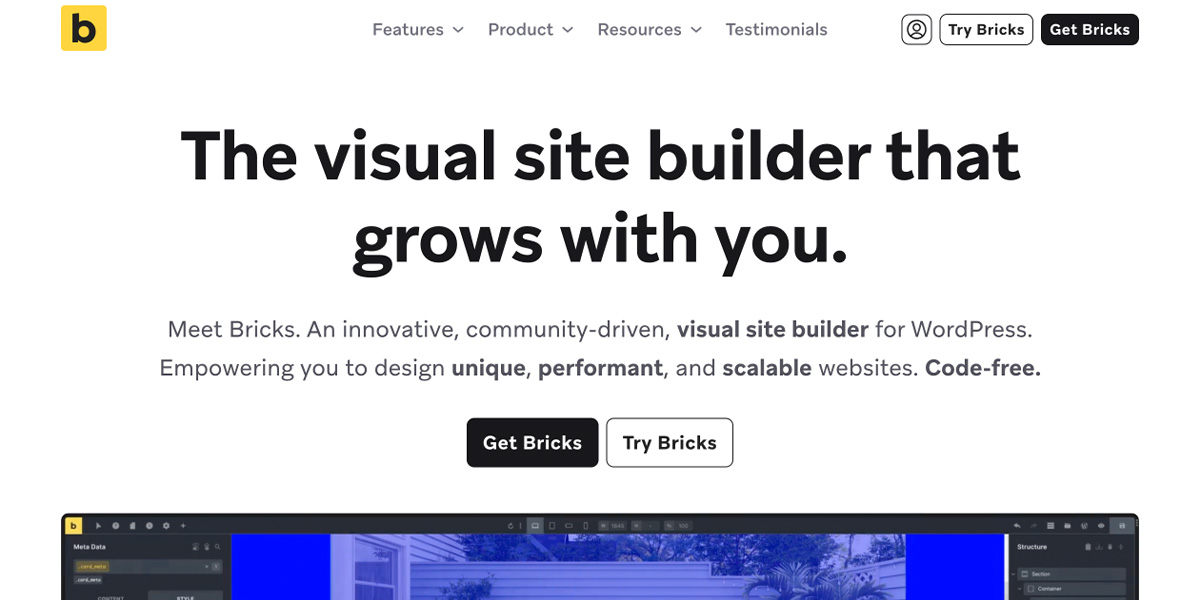
Meet Bricks. An innovative, community-driven, visual site builder for WordPress.
- Price:$79 per year onwards
- Free Version:Not Available
- Type:Theme-based builder
Bricks Builder takes my top spot because it delivers page-builder design features with theme-level performance. I switched several client sites to Bricks over the past year, and the difference in load times was immediately measurable. We’re talking 0.3-0.5 second improvements in Largest Contentful Paint without changing anything else on the server side.
The builder replaces your theme entirely. Sounds scary, but it eliminates a layer of conflicts and bloat. The visual interface is clean and logical, though it takes about a week of daily use before you feel fully comfortable. Bricks generates remarkably clean HTML output. When I inspect Bricks sites, I see lean markup that wouldn’t embarrass a hand-coded site. Compare that to inspecting an Elementor page where nested divs go six or seven layers deep.
Bricks 2.0 shipped in July 2025 as a milestone release with over 300 changes. Builder Capabilities now offer 50+ granular permissions for team workflows. Nested components enable modular layouts. The command palette speeds up navigation. CSS cascade layers are enabled by default, properly isolating styles. Version 2.1 followed in October 2025, adding components as Gutenberg blocks, API queries, and frontend form creation. Version 2.2 (December 2025) introduced a comprehensive Style Manager for centralized design tokens. The latest 2.3 release (March 2026) adds HTML/CSS-to-Bricks conversion (paste any HTML and it converts to native elements), pin control groups for faster workflows, native parallax scrolling without dependencies, and CSS perspective/scale3d transforms for advanced 3D effects.
Bricks uses Vue.js under the hood and eliminated jQuery from front-end output years ago. This decision alone explains much of its performance advantage. The dynamic data system is powerful enough for complex custom post type projects without requiring custom PHP for every field.
The catch? Bricks lacks the massive template library and third-party addon ecosystem of Elementor or Divi. If you want thousands of pre-made designs, you’ll be disappointed. If you want to build custom designs efficiently without performance tradeoffs, Bricks is the answer. One-time lifetime license pricing makes it economically attractive for professionals managing multiple sites.
Bricks Builder

Pros
- Clean semantic HTML output
- Full dynamic data support
- Lifetime license at $599 or $79/year
- Active development
- Built-in query loops and conditions
- Growing template ecosystem
Cons
- Steeper learning curve than Elementor
- Smaller template library
- No free version
- Switching requires full rebuild
Summary
The most powerful visual site builder for WordPress. Full design control with clean code output, dynamic data, and developer-friendly features. Lifetime license at $599 is unbeatable value.
Price: USD 599 lifetime
Try Bricks Builder2. GenerateBlocks + GeneratePress (Score: 9.1/10)
GenerateBlocks + GeneratePress
- Price:$99 per year for GeneratePress One
- Free Version:Available
- Type:Native Block Editor Based Builder
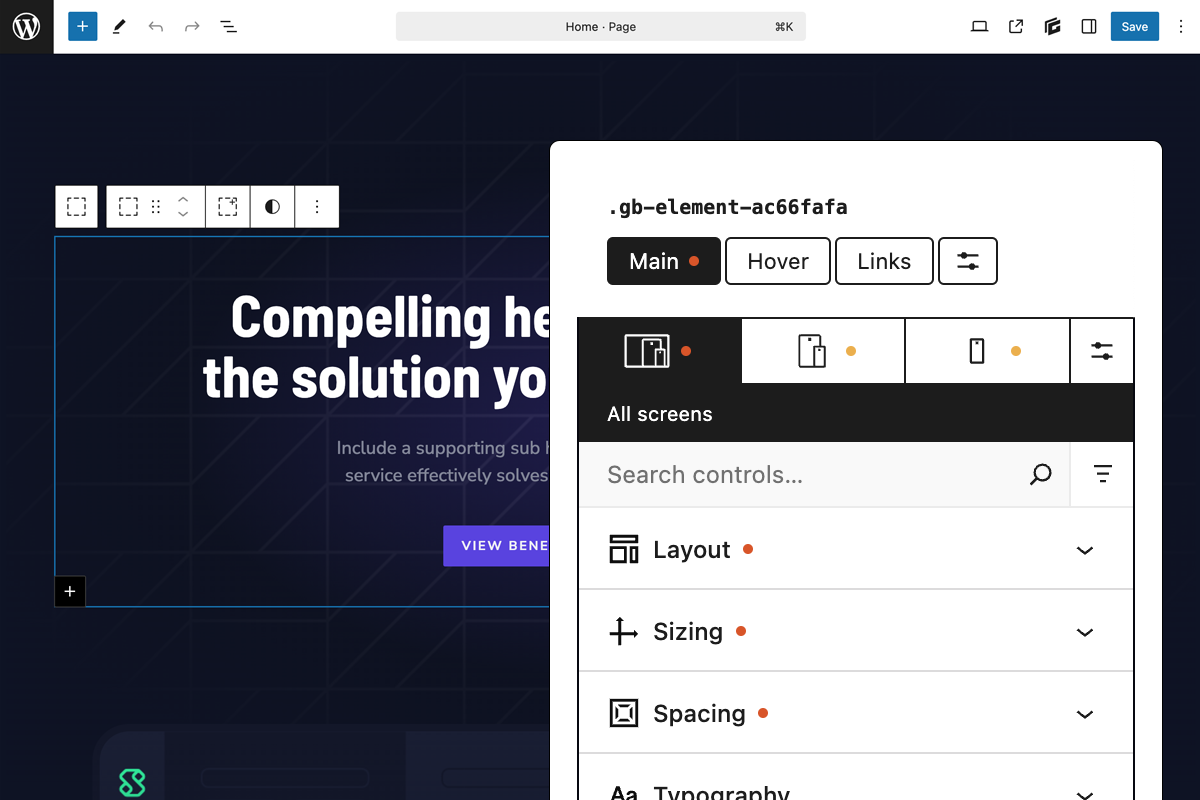
This combination represents the gold standard for WordPress performance. GenerateBlocks provides exactly four core blocks: Container, Grid, Headline, and Buttons. That’s it. And that constraint is the genius. Everything you need to build layouts can be accomplished with these foundational elements properly implemented. No bloat, no redundancy, no unused code.
GeneratePress as the companion theme is the fastest mainstream WordPress theme I’ve tested. Not by a small margin. By a significant, measurable gap. Combined with GenerateBlocks, you get a stack that produces some of the leanest HTML on the web while still offering genuine design flexibility. The Pro version adds a pattern library and advanced background options that effectively make it a lightweight page builder capable of handling complex layouts.
I run GeneratePress and GenerateBlocks on my own sites and have for years. Once you understand the Container-based layout approach, building pages becomes not just efficient but enjoyable. The mental overhead is lower than feature-heavy builders because there are simply fewer options to consider at each step. You’re not paralyzed by 47 different ways to do the same thing.
The performance numbers speak for themselves. My GenerateBlocks pages consistently achieve 98-100 PageSpeed scores without any caching optimization. That’s the baseline, not the result of hours of tweaking. Google rewards fast sites, and GenerateBlocks sites are fast by default.
Tom Usborne, the developer behind both products, has built his reputation on doing less but doing it perfectly. Updates arrive regularly but never break sites. The code is so clean that developers actually enjoy inspecting it.
The tradeoff is that you won’t find thousands of pre-built templates. The approach requires you to understand layout principles rather than just importing a design. For professionals and performance-focused site owners, that’s a feature. For someone who wants to click “import” and be done, it’s a limitation. Know which camp you’re in.
GenerateBlocks + GeneratePress

Pros
- Fastest theme + block combination
- Clean semantic HTML
- Works natively in block editor
- Bundle pricing is excellent value
- Both have generous free versions
- Excellent documentation
Cons
- Not a visual drag-and-drop builder
- Requires block editor understanding
- Less design freedom than Bricks
- No pre-built full page templates free
Summary
The lightweight powerhouse. GeneratePress theme + GenerateBlocks plugin gives you the best performance scores in the category. Works within the native block editor. Ideal for performance-focused developers.
Price: USD 99 /year
Try GenerateBlocks3. Block Editor + Kadence Blocks (Score: 9.0/10)
Kadence Blocks – Create Stunning WordPress Websites
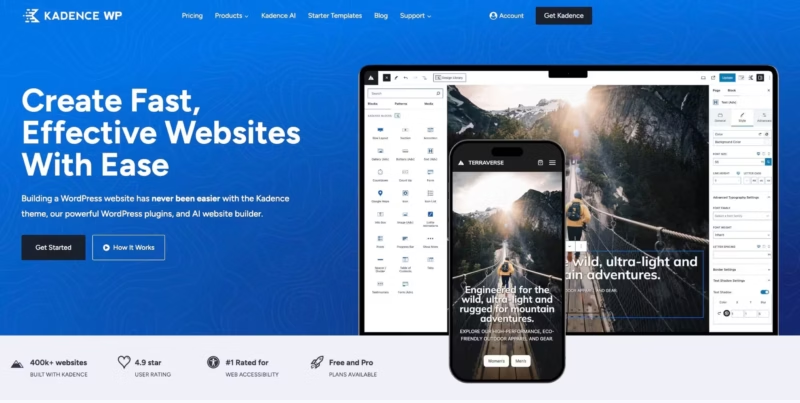
Join over 100k users that are building fast-loading websites with ease using Kadence Blocks! Get professional-looking results without any coding knowledge.
- Price:$69 per year for 1 website onwards
- Free Version:Available
- Type:Native Block Editor Based Builder
I resisted the Block Editor for years. The early versions were genuinely terrible for anything beyond basic posts. But Gutenberg has matured dramatically, and with the right block plugins, it now functions as a legitimate page builder that outperforms most alternatives on pure speed metrics.
Kadence Blocks is my primary recommendation for the block ecosystem when you want more features than GenerateBlocks without sacrificing performance. The intelligent resource loading means CSS and JavaScript only load when you actually use specific blocks on a page. This is fundamentally different from traditional page builders that load everything regardless of whether you need it.
Building with Kadence feels native because it is native. You’re working within WordPress core, not fighting against it. Full Site Editing capabilities mean you can design headers, footers, and template parts without leaving the block paradigm. The pattern library provides starting points without locking you into specific layouts.
The performance ceiling is why this ranks so high. A well-built Kadence site can achieve near-perfect Core Web Vitals scores on budget hosting. Try that with Elementor. The learning curve is gentler than Bricks because the block editor is already familiar to anyone who’s published a WordPress post in the last few years.
The limitation is pixel-perfect control. Kadence is flexible, but it can’t match dedicated builders for highly custom layouts. For marketing sites, blogs, and most business sites, this rarely matters. For experimental designs, you might feel constrained.
Kadence Blocks

Pros
- Large pattern and starter template library
- Built-in form block
- Table of Contents included free
- Excellent row layout system
- Good performance
- Strong community
Cons
- Pro needed for advanced features
- Can conflict with other block plugins
- Some blocks have too many options
- Not as lightweight as GenerateBlocks
Summary
The best block-editor-based builder for non-developers. Approachable design experience with large template library, form builder, and advanced blocks. The Kadence ecosystem is a complete solution.
4. Breakdance (Score: 8.8/10)
Breakdance – Website Builder for WordPress
Create incredible websites with 100+ elements, mega menu builder, form builder, WooCommerce, dynamic data w/ ACF integration, and much more.
- Price:$99 per year for 1 site
- Free Version:Available
- Type:Plugin based site editor
Breakdance emerged from the team behind Oxygen and essentially asks: what if we made Oxygen but actually approachable? The result is a modern builder that prioritizes performance without demanding developer-level knowledge from users.
The code output is impressively lean. Breakdance elements generate minimal HTML without the excessive wrapper divs that plague older builders. The builder includes native solutions for forms, popups, mega menus, and WooCommerce, which means you’re not stacking additional plugins on top of your page builder and creating new performance bottlenecks.
The inline editing for global blocks is genuinely useful. Make a change to a global element, see it propagate instantly across your site. The masonry layouts for loop elements work without requiring third-party grid plugins.
Breakdance has invested heavily in builder experience. The interface responds quickly, preview updates happen in real-time, and the learning curve is substantially gentler than Oxygen’s was. Someone comfortable with Elementor could transition to Breakdance within a few projects.
The pricing model switched from lifetime to annual subscriptions in 2025, starting at $99.99/year for a single site. Breakdance sites I’ve tested consistently score in the 90s on PageSpeed Insights without aggressive optimization.
Breakdance

Pros
- Visual builder with clean code
- WooCommerce builder included
- Popup and form builder built-in
- Free version with 80+ elements
- Active development
Cons
- Newer with smaller community
- Fewer third-party add-ons
- Some features still maturing
- Switched from lifetime to annual subscriptions
Summary
A modern visual builder from the Oxygen team. Easier to use while keeping clean code output. WooCommerce builder, popup builder, and form builder included. Now subscription-based ($99.99/year single site). Good middle ground between Elementor ease and Bricks power.
Price: USD 199.99 /year
Try Breakdance5. Block Editor + GreenShift (Score: 8.7/10)

Greenshift – Page builder and Animation Builder Gutenberg plugin
Greenshift is all in one WordPress animation and page builder plugin with perfect performance and a big library of blocks and unique functionality
- Price:$39.99 per year
- Free Version:Fully Featured. Available
- Type:Block Editor
GreenShift occupies a unique position in the block ecosystem: it’s the only Gutenberg plugin that delivers truly professional-grade animations without destroying your performance scores. Most animation solutions require JavaScript libraries that tank your Core Web Vitals. GreenShift integrates the GSAP (GreenSock Animation Platform) library in a way that actually works on production sites.
The animation engine is genuinely impressive. Scroll-based animations, parallax effects, hover interactions, 3D transforms, SVG morphing, text reveals word-by-word or line-by-line. These aren’t gimmicky effects but the kind of motion design you see on award-winning agency sites. The difference is that GreenShift lets you build them without touching code.
Performance remains the priority despite these capabilities. GreenShift loads assets conditionally, meaning animation scripts only appear on pages that actually use them. The core blocks generate optimized HTML. Sites built with GreenShift consistently pass Core Web Vitals assessments.
The block library extends beyond animations. You get functional blocks for tabs, accordions, sliders, mega menus, and WooCommerce integration. The pricing offers excellent value, particularly the lifetime deals that appear periodically.
The limitation is interface polish relative to Kadence or Spectra. Some controls feel buried or inconsistently organized. The learning curve for the advanced animation features takes time. Documentation has improved but could be more comprehensive for complex use cases.
For any project where animation and motion design matter, GreenShift deserves serious consideration. It’s the only block-based solution I’ve found that can create scroll-triggered introduction sequences, interactive hover states, and fluid page transitions without requiring a separate plugin stack or custom JavaScript.
GreenShift
Pros
- Best animation capabilities in blocks
- Conditional asset loading
- Advanced query builder
- Unique blocks not found elsewhere
- Regular innovative updates
Cons
- Steeper learning curve
- Animations can bloat pages
- Documentation needs improvement
- Some features feel experimental
Summary
An animation-focused block plugin that bridges the gap between block editor and page builders. Excels at interactive elements and scroll animations. Conditional asset loading keeps pages fast.
6. Oxygen Builder (Score: 8.6/10)

Oxygen Builder
Build stunning, high-performance websites with Oxygen.
- Price:$199.50 lifetime, unlimited sites
- Free Version:N/A
- Type:Plugin based site editor
Oxygen 6 represents a complete ground-up rewrite, released in February 2025 as a surprise launch. This isn’t an incremental update. It’s a new builder sharing approximately 80% of its codebase with Breakdance. Existing Oxygen 4.x users received Oxygen 6 free under their lifetime licenses, and Oxygen Classic continues with separate development and support for those who prefer to stay.
The new features justify genuine excitement. Components allow you to create reusable elements with locally overridable property values, solving a workflow problem that plagued earlier versions. The Interactions Engine lets you visually create actions triggered by mouse movements, hover states, clicks, and key presses. Variables support unlimited custom values for colors, units, and font families, enabling site-wide style adjustments from a single location.
The code editor received a serious upgrade with Emmet support, intelligent autocomplete for variables and selectors, lint error checking, automatic formatting, and a built-in color picker for CSS variables. For developers who live in code, this transforms the Oxygen experience. The Term Loop Builder adds native taxonomy looping that previously required custom PHP.
Oxygen 6 integrates Breakdance’s Elements, Forms, and WooCommerce modules, giving you access to pre-built components while maintaining Oxygen’s clean output. The current Beta 5 (December 2025) targets a final 1.0 release in January 2026.
The learning curve remains steeper than Elementor or Breakdance. Oxygen rewards technical users who want granular control. But that curve is now justified by capabilities that no other builder matches. For developers and agencies building complex custom sites, Oxygen belongs in serious consideration.
Oxygen Builder

Pros
- Cleanest code output of any visual builder
- Full CSS/HTML control
- No theme required
- Lifetime pricing
- Excellent for custom development
Cons
- Steep learning curve for non-developers
- Breakdance is now the recommended path
- Development focused on Breakdance now
- Smaller template library
Summary
A developer-focused visual builder with full code control. Clean output, no theme needed. Excellent for custom development. However, Breakdance (from the same team) is now the recommended successor for new projects.
Price: USD 129 lifetime
Visit Oxygen BuilderTier 2: Strong Performers with Notable Tradeoffs
These builders do their jobs well but come with specific limitations or situational best uses. They’re not worse than Tier 1, just more specialized or compromised in particular areas.
7. Spectra (Score: 8.3/10)

Spectra Website Builder
Create Stunning Websites with Spectra Page Builder. No coding required! Build fast with pre-built websites. Start now!
- Price:$69 per year for 3 sites
- Free Version:Fully Featured. Available
- Type:Block Editor
Spectra (formerly Ultimate Addons for Gutenberg) has evolved from a block library into a legitimate page builder alternative within the Gutenberg ecosystem. The block collection is extensive, the template library is growing, and performance optimization is genuinely prioritized.
What distinguishes Spectra is the balance between features and simplicity. You get 30+ blocks covering most common use cases without overwhelming complexity. The full-site editing support means Spectra can handle header, footer, and template design. Dynamic content handling works well with ACF and similar custom field plugins.
The development team behind Spectra (Brainstorm Force) also makes Astra theme, meaning the integration between theme and blocks is exceptionally smooth. If you’re already using Astra, adding Spectra creates a cohesive ecosystem that can accomplish most page builder tasks while staying within the Gutenberg paradigm.
I’d choose Spectra over Kadence for users who want slightly more ready-made templates and don’t mind a marginally heavier footprint. Both are excellent choices. Spectra edges toward the “give me more features” crowd while Kadence edges toward “keep it lean.”
Spectra
Pros
- 30+ blocks covering most needs
- Built-in popup builder
- AI content generation
- Starter templates library
- Free version is useful
Cons
- Heavier than GenerateBlocks
- Performance impact on complex pages
- Some blocks overlap with core
- Can feel bloated
Summary
A feature-rich block plugin with 30+ blocks, popup builder, and AI content generation. More blocks than GenerateBlocks but heavier. Good for page-builder-like experience in the block editor.
8. Droip (Score: 8.2/10)
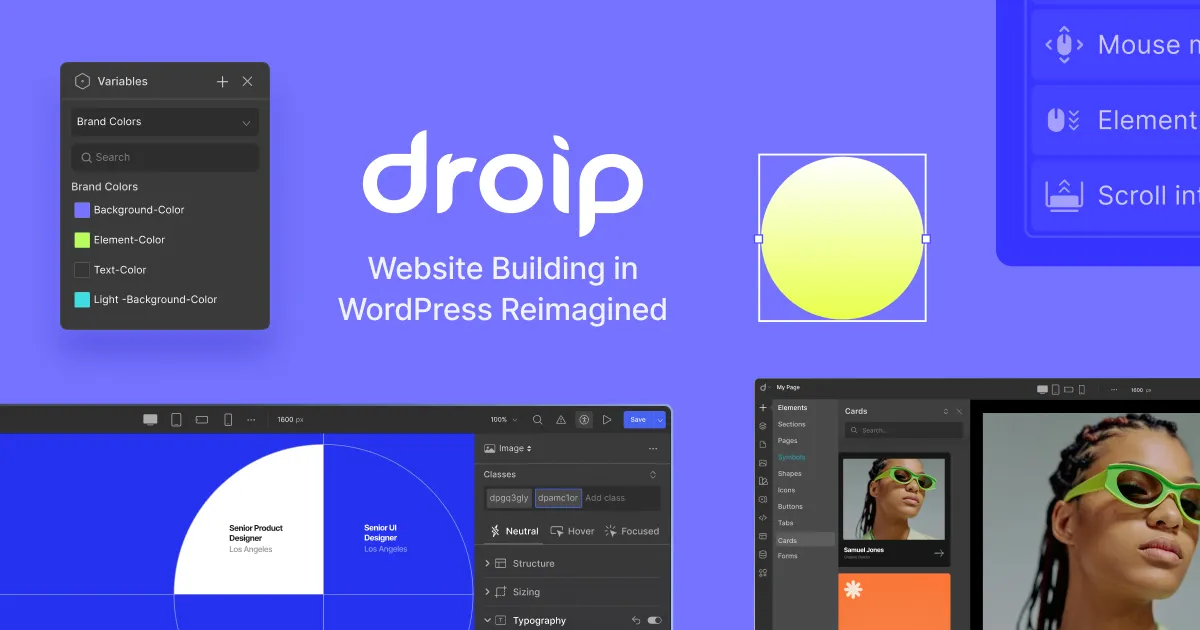
Droip | No-code Website Builder for WordPress
Build any kind of WordPress site with Droip’s intuitive no-code visual builder.
- Price:$34.50 per year
- Free Version:N/A
- Type:Plugin based site builder
Droip is a newer entrant that’s earning attention for genuinely delivering on performance promises. The builder generates clean, semantic HTML with minimal unnecessary divs, avoiding the “div soup” that plagues older builders. In Lighthouse tests, Droip consistently outperforms traditional builders on load time, responsiveness, and Core Web Vitals metrics.
The all-in-one approach reduces plugin dependencies significantly. Dynamic content management, advanced interactions, animations, and accessibility features are built natively rather than bolted on through third-party addons. This integrated architecture means fewer potential conflicts and less cumulative performance overhead from stacking plugins.
The freeform visual canvas provides design flexibility that feels more like professional design tools than typical WordPress builders. Auto-compressed CSS and JavaScript minimize payload sizes without requiring separate optimization plugins. The minimal reliance on third-party JavaScript libraries keeps pages running smoothly across devices.
Droip targets designers, developers, and agencies who prioritize precise control and scalability. The learning curve exists because the tool offers genuine depth rather than simplified limitations. Users accustomed to Elementor’s interface will need adjustment time, but the payoff is cleaner output and better performance metrics.
The ecosystem is smaller than established builders. Template libraries, third-party addons, and community resources are developing but not yet comprehensive. For performance-focused teams willing to build custom designs, Droip delivers what its marketing promises.
Droip
Pros
- Figma-like design controls
- Clean visual editor
- Good animation support
- Modern approach to building
- Free to start
Cons
- Still maturing with limited blocks
- Small community
- Documentation is sparse
- Some features incomplete
Summary
A newer visual builder focused on design precision and animation. Offers Figma-like design controls with a clean visual editor. Still maturing but promising for design-focused users.
9. Elementor (Score: 8.0/10)
- Live visual drag-and-drop editor
- 100+ design widgets
- Theme builder and popup creator
Secure, Cloud Hosting for WordPress Websites | Elementor
Power every client site with enterprise-grade hosting. Built on Google Cloud and Cloudflare, Elementor Host delivers peak performance, and security.
- Price:$59 per year
- Free Version:Available
- Type:Plugin based site builder
Elementor remains the most widely used WordPress page builder, and that popularity isn’t accidental. The template library is enormous. The third-party addon ecosystem is unmatched. The interface is genuinely intuitive for first-time users. For many people, Elementor is their introduction to visual WordPress design.
Performance issues and “div-ception” have led to significant backlash over the years. But the Elementor team heard the feedback and is working on Editor V4, a complete architectural redesign currently in alpha since April 2025.
Editor V4 addresses years of performance criticism. The CSS-first approach replaces scattered inline styles with class-based styling, reusable CSS variables, and proper pseudo-classes. Elementor claims this can reduce page bloat by up to 70%, with early testers reporting significant improvements in Core Web Vitals scores.
The V4 feature set is genuinely impressive. Flexbox Containers become the primary layout system. CSS Classes and Global Variables allow consistent styling across elements with site-wide instant propagation. Multi-select capabilities finally arrive after years of user requests. Components introduce reusable, modular design elements that can sync globally or customize locally.
AI integration continues expanding with Site Planner, Logo Generator, and AI-assisted hosting management. The Ally accessibility assistant scans pages for accessibility issues and provides AI-powered fixes.
However, V4 is rolling out in phases. The current stable version (3.34 beta as of December 2025) still generates heavier output than performance-focused alternatives. A production-ready beta is expected Q1 2026, with the full release shortly after. Complex pages on current Elementor will likely score 10-15 points lower on PageSpeed Insights than equivalent Bricks or Breakdance pages.
I recommend Elementor for users who prioritize interface familiarity, template availability, and ecosystem breadth over raw performance optimization. Monitor V4’s rollout closely if performance is your concern.
Elementor

Pros
- Easiest visual builder to learn
- Largest template and add-on ecosystem
- Excellent third-party support
- Free version is useful
- Strong community with tutorials
Cons
- Performance impact is noticeable
- Pro pricing has increased ($59/year)
- Free version increasingly limited
- Code output is bloated
- Editor slows with complex pages
Summary
The most popular page builder with the largest ecosystem. Easy to learn and powerful for design. Performance has been a persistent issue. Free version is limited but functional.
Price: USD 59 /year
Visit ElementorTier 3: Capable But Situation-Specific
These builders work well for specific use cases or users with particular needs. They’re not general recommendations but can be the right choice in the right context.
10. Divi (Score: 7.8/10)
- 2,000+ pre-made layouts
- Visual theme builder included
- Lifetime membership available
Divi
Divi is the Theme and Page Builder combo that brings simple no-code editing, advanced design systems, and powerful AI tools to WordPress.
- Price:$89/year or $249 lifetime
- Free Version:N/A
- Type:Plugin+theme based site builder
Divi holds legendary status in the WordPress world. The all-in-one approach combining theme and builder was revolutionary when it launched. The visual interface pioneered real-time editing. The template library spans essentially every industry imaginable.
Divi 5 entered Public Beta on October 17, 2025, after years of development announced back in November 2022. The upcoming version addresses many performance criticisms with improved code output and faster editing experiences. Phase 5 (final release) targets Q4 2025 or Q1 2026. WooCommerce modules are now complete in beta, and backwards compatibility systems are in place.
Current Divi (version 4.x) shows its age in the code output. Pages generate heavier HTML than modern alternatives. The editing experience, while still visual and intuitive, isn’t as responsive as newer builders. Performance optimization requires additional effort through caching and optimization plugins.
The lifetime license model remains attractive. One payment grants access to updates and support indefinitely for unlimited sites. For agencies building many sites over years, this economics work well. The A/B testing feature is genuinely useful for conversion optimization and still uncommon in page builders.
I’d recommend current Divi for users already invested in the Elegant Themes ecosystem or those specifically valuing the lifetime license economics. For new projects prioritizing modern performance standards, wait for Divi 5’s stable release or choose alternatives that perform better today.
Divi

Pros
- Lifetime access for $249
- Massive template library (2000+ layouts)
- Real-time drag-and-drop editing
- Includes Extra, Bloom, and Monarch
- Split testing built-in
Cons
- Performance below modern standards
- Heavier code output
- Shortcode lock-in makes switching hard
- UI can feel cluttered
- Updates sometimes introduce bugs
Summary
A veteran page builder with massive user base and lifetime pricing. Extensive design options and real-time visual editing. Performance has improved but lags behind modern alternatives.
Price: USD 249 lifetime
Visit Divi11. Beaver Builder (Score: 7.6/10)
Beaver Builder (Score: 7.6/10)
- Clean, lightweight markup output
- Developer-friendly and white-label ready
- Drag-and-drop front-end editing

Beaver Builder
Easily build beautiful, responsive WordPress pages in minutes. Beaver Builder is a drag and drop WordPress Page Builder. Get it now!
- Price:$89/year onwards
- Free Version:Available
- Type:Plugin based site builder
Beaver Builder built its reputation on stability and clean code output. The interface prioritizes simplicity over feature density. Updates arrive predictably without breaking sites. For agencies managing many client sites, this reliability has genuine value.
Recent versions introduced Dynamic Global Templates, improved accessibility features, and Box Module Templates that expand design possibilities. The Beaver Builder Cloud system simplifies template sharing across sites. The Pro license, supporting unlimited sites, makes it economically attractive for professionals.
The developer-friendly approach means Beaver Builder plays well with custom code, filtering, and hooks. Sites don’t break when themes update. The white-label options let agencies remove Beaver Builder branding entirely.
Beaver Builder’s limitation is the pace of feature development. While competitors ship major new capabilities quarterly, Beaver Builder evolves more gradually. The template library is smaller than Elementor’s or Divi’s. Some modern design trends require workarounds rather than native solutions.
For established agencies valuing stability over cutting-edge features, Beaver Builder remains solid. For new projects where modern design features matter, alternatives offer more out of the box.
Beaver Builder

Pros
- Extremely stable and reliable
- Clean code output
- Excellent white-label support for agencies
- Good documentation
- Rarely breaks after updates
Cons
- Feature set feels dated vs Bricks/Breakdance
- Limited design options compared to Elementor
- Smaller template library
- Development pace has slowed
Summary
A reliable, stable page builder favored by agencies for its clean output and white-label support. Not the most feature-rich but one of the most dependable. Good for client work where stability matters more than features.
Price: USD 89 /year
Visit Beaver Builder12. Thrive Suite (Score: 7.5/10)
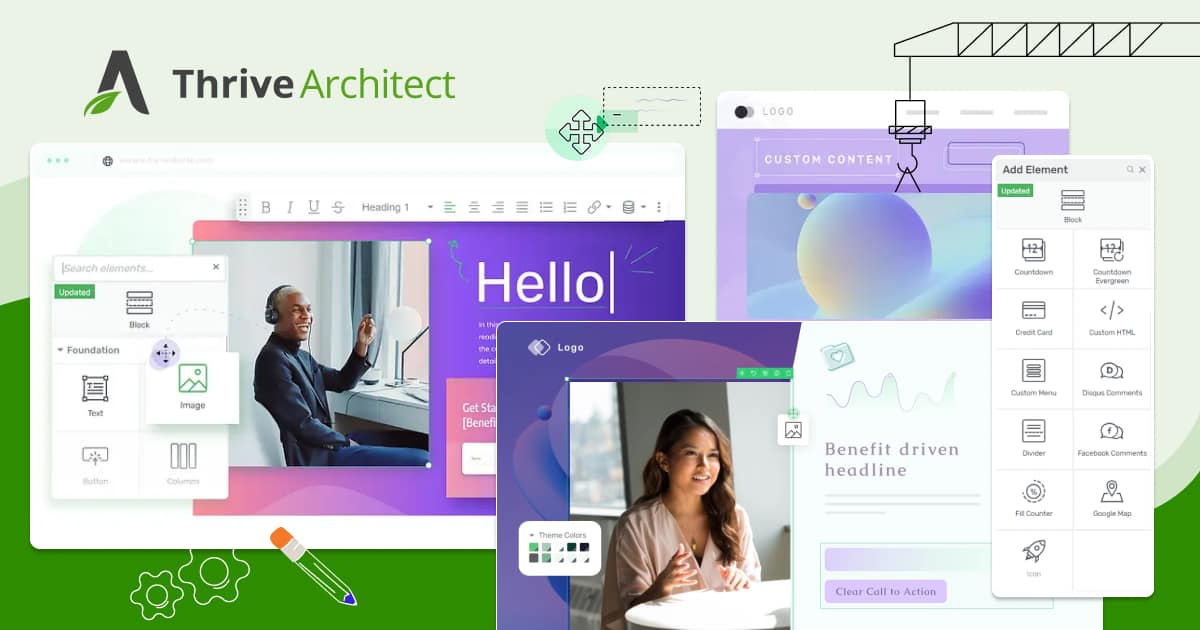
Thrive Architect – Powerful WordPress Landing Page Builder
Discover the fastest, most conversion focused WordPress landing page builder and visual editor. Easily build stunning landing pages, and grow your sales.
- Price:$299/year
- Free Version:Available
- Type:Plugin based site builder
Thrive Architect approaches page building from a marketing perspective. Every feature decision considers conversion optimization. The built-in A/B testing, lead generation forms, and countdown timers aren’t afterthoughts but core capabilities.
The Thrive Theme Builder takes a different approach than most page builders. It treats your entire theme as a visual project, so you design headers, footers, archive pages, and post templates in the same drag-and-drop interface. Combined with the full Thrive Suite, it covers landing pages, quizzes, A/B testing, and lead generation.
For marketers building landing pages, sales pages, and lead generation funnels, Thrive Architect provides relevant tools without requiring additional plugins. The template library emphasizes conversion-optimized designs rather than generic layouts. Thrive Leads integration creates sophisticated opt-in campaigns.
Performance is acceptable but not exceptional. Marketing-focused features add JavaScript weight that pure design builders avoid. The editing interface feels different from competitors, which means learning time even if you’re experienced with other builders.
Thrive Suite bundles Architect with additional marketing tools at aggressive pricing during promotions. For businesses focused specifically on conversion and willing to accept the all-in approach, this represents good value. For general-purpose site building, dedicated page builders offer more design flexibility.
Thrive Architect

Pros
- Conversion-focused design elements
- Built-in A/B testing
- Landing page templates for every niche
- Part of Thrive Suite with quiz builder, leads, etc.
Cons
- Only available as part of Thrive Suite ($299/year)
- Performance is average
- Design options are conversion-focused, not creative
- Lock-in to Thrive ecosystem
Summary
A conversion-focused page builder from Thrive Suite. Includes landing page templates, A/B testing, and lead generation tools. Best for marketers and businesses focused on conversions rather than design.
Price: USD 299 /year
Visit Thrive Architect13. Brizy (Score: 7.3/10)

The Best No-Code Website Builder | Website Builder for Non-Techies
Create a stunning website in minutes with our 'no-code' website builder. Choose from a variety of beautiful templates and customize your website to fit your brand with our White Label builder.
- Price:$299/year
- Free Version:Available
- Type:Plugin based site builder
Brizy has invested heavily in 2025, introducing AI content generation, redesigned Smart Canvas editing, and Global Blocks with dynamic synchronization. The interface feel is genuinely different from competitors, aiming for something closer to design tools like Figma.
The hosted Brizy Cloud option handles infrastructure, which appeals to users who genuinely don’t want to think about hosting. The recent return of lifetime deals makes the economics attractive for long-term use. AI-generated layouts can speed up initial page creation significantly.
Performance has improved with infrastructure upgrades for Cloud users and cleaner output from the builder itself. The development pace is faster than several established competitors.
The limitation is ecosystem maturity. Third-party addons are limited compared to Elementor’s marketplace. Template variety lags behind larger competitors. Some advanced workflows require workarounds that would be native in more mature builders.
Brizy fits users attracted to the design-tool interface philosophy and willing to accept a smaller ecosystem in exchange. For businesses preferring the stability of established players, alternatives offer more predictability.
Brizy

Pros
- Innovative inline editing experience
- Clean and intuitive interface
- Good for simple sites
- Cloud hosting option available
Cons
- Limited advanced features
- Smaller community and ecosystem
- Performance could be better
- Fewer integrations than competitors
Summary
A visually-focused page builder with an innovative inline editing approach. Editing text and design elements directly on the page feels natural. Good for simple sites but lacks advanced features.
Price: USD 60 /year
Visit Brizy14. Stackable (Score: 7.2/10)
Stackable
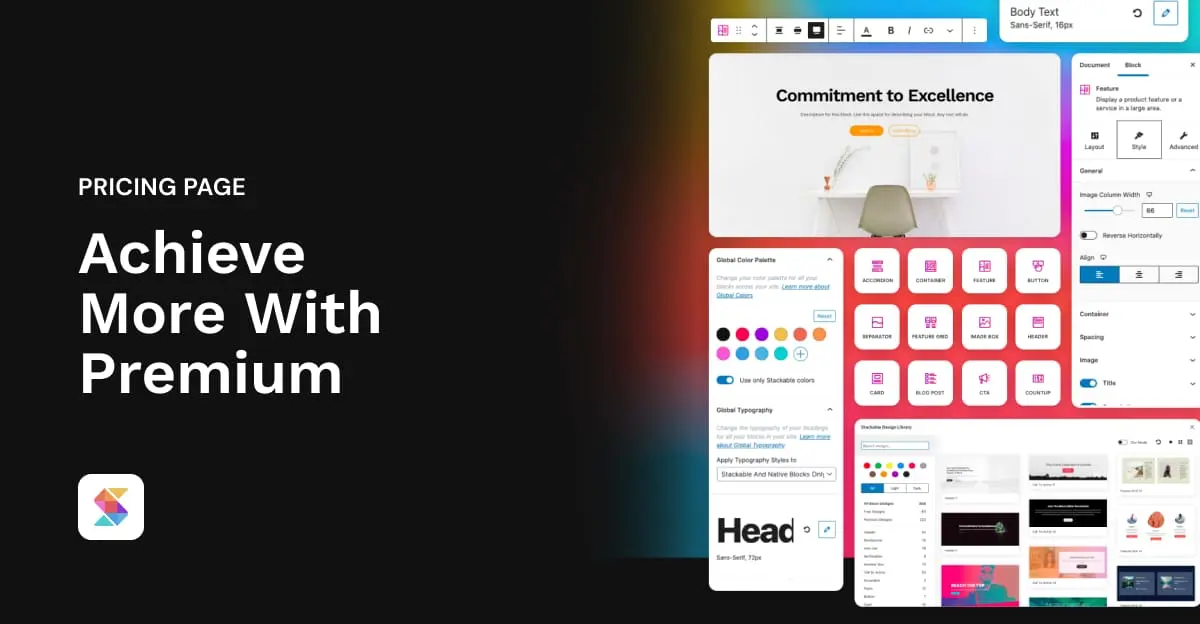
Unlock the full potential of Gutenberg with Stackable Premium. Have access to more UI Kits, design templates, advanced settings, and powerful customization options. Simply achieve more with Premium.
- Price:$49 per year
- Free Version:Fully Featured. Available
- Type:Block Editor based
Stackable provides a comprehensive Gutenberg block collection with genuine page builder aspirations. Over 40 customizable blocks, global design controls, responsive editing, and pre-built layouts address most common site-building needs.
The integration with clean themes like GeneratePress and Blocksy is particularly smooth. Performance remains solid because Stackable respects the block editor’s architecture rather than fighting against it. The UI kit approach provides design consistency across pages.
For users committed to the block editor who want more design options than Kadence or Spectra provide, Stackable delivers. The block count is higher, the customization options are more extensive, and the template library continues expanding.
The tradeoff is complexity. More options mean more decisions. The learning curve is steeper than simpler block plugins. Performance, while good, can degrade on pages using many different block types simultaneously.
Stackable
Pros
- Beautiful pre-designed block styles
- Unified design system
- 40+ blocks
- Global typography and color controls
Cons
- Performance impact with many blocks
- Premium needed for best features
- Can feel restrictive for custom designs
- Overlap with core blocks
Summary
A polished block plugin with beautiful pre-designed blocks and a unified design system. 40+ blocks with consistent styling. Good for professional-looking blocks without custom design work.
Price: USD 49 /year
Try Stackable15. WPBakery (Score: 7.0/10)
WPBakery Page Builder for WordPress
WPBakery Page Builder plugin for WordPress – take full control over your site. Build any layout you can imagine with intuitive drag and drop builder – no programming knowledge required.
- Price:$82 one-time lifetime
- Free Version:Available
- Type:Plugin based site builder
WPBakery (formerly Visual Composer) holds historical significance as one of the original WordPress page builders. The 2025 updates introduced AI capabilities, performance improvements, and mobile editing enhancements that modernize the experience.
For sites already using WPBakery, the continued development is reassuring. Migration away from established builders creates significant work and risk. WPBakery’s focus on maintaining compatibility while adding modern features serves existing users well.
New projects face a different calculation. WPBakery’s code output is heavier than modern performance-focused alternatives. The interface, while improved, reflects its older architecture. The template library and addon ecosystem, while extensive, haven’t grown as dynamically as competitors.
For agencies with existing WPBakery investment, upgrading support makes sense. For new projects, modern alternatives offer better foundations.
WPBakery

Pros
- Bundled with many ThemeForest themes
- Large element library
- Frontend and backend editors
- One-time payment
Cons
- Shortcode-based output is bloated
- Performance is poor by modern standards
- Interface feels outdated
- Lock-in makes switching difficult
Summary
The former Visual Composer. Still bundled with many ThemeForest themes. Adequate for basic page building but feels outdated. Not recommended for new projects when better options exist.
Price: USD 82 one-time lifetime
Visit WPBakery16. Visual Composer (Score: 6.8/10)
Visual Composer (Score: 6.8/10)
- Visual front-end and back-end editors
- Cloud-based template and element hub
- Full site editing capabilities
Visual Composer Website Builder for WordPress
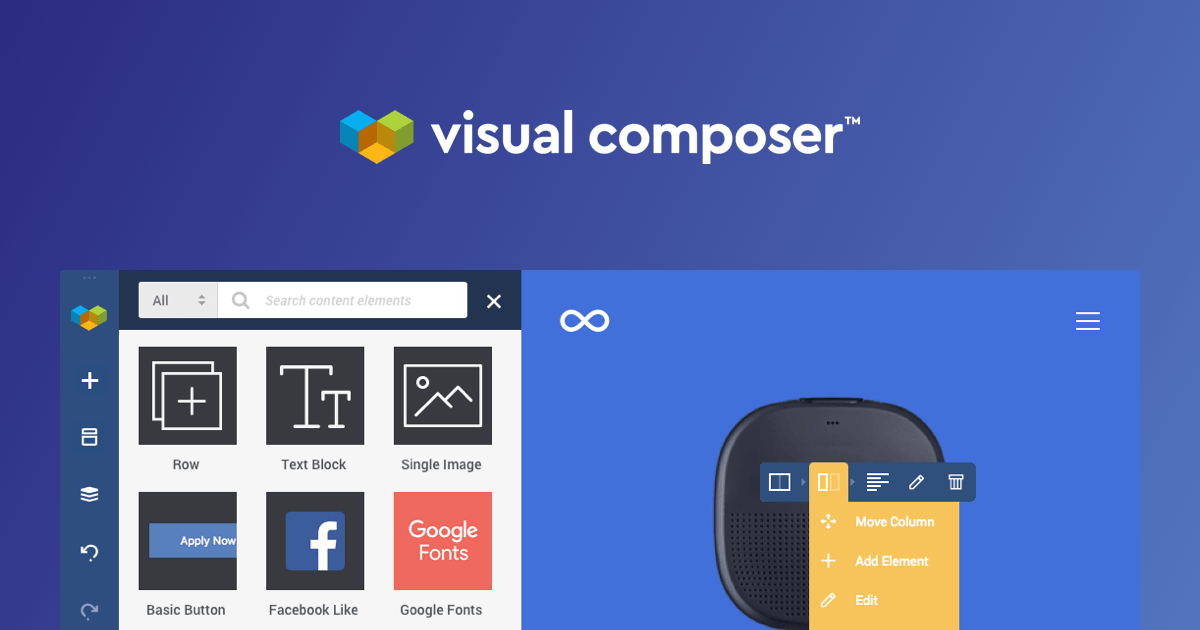
Visual Composer is a free drag and drop website builder that allows you to create professional websites. WordPress website builder you will love.
- Price:$49/year
- Free Version:Available
- Type:Plugin based site builder
Visual Composer represents the evolution of the original WPBakery codebase into a new product. The Visual Composer Hub provides cloud-delivered elements and templates. Mobile-first design tools address responsive challenges. Clean code output has improved significantly.
The 2025 updates focused on compatibility and security fixes rather than major feature additions. Integration with WPML for multilingual sites works well. The free version provides genuine utility, with premium unlocking the Hub’s extended library.
Visual Composer occupies a middle ground that few users actively seek. It’s more modern than WPBakery but less polished than Elementor. Performance is better than legacy builders but doesn’t match performance-focused alternatives.
For users who need WPML integration and prefer this interface over alternatives, Visual Composer works. For most new projects, more specialized alternatives deliver better results.
17. Zion Builder (Score: 6.7/10)
Zion Builder – The Fastest WordPress Page Builder
Zion Builder is the fastest and the lightest on the market – it loads only the necessary resources. Download for free today!
- Price:$39/year
- Free Version:Available
- Type:Plugin based site builder
Zion Builder positions itself as lightweight and performance-optimized, comparable to Oxygen and Bricks. The interface emphasizes speed and precision. Dynamic data support enables complex custom post type projects.
The builder delivers on performance claims. Sites built with Zion tend to score well on Core Web Vitals. The development team maintains active support and releases updates regularly. Pricing is competitive with lifetime licenses available.
The limitation is ecosystem size. Documentation is thinner than established builders. Community resources and tutorials are scarce compared to Elementor or Divi. If you encounter problems, finding solutions takes more effort.
Zion Builder fits users who actively want the Oxygen/Bricks approach but find those options too expensive or prefer Zion’s specific interface decisions. For most users, Bricks or Breakdance provide similar performance with larger support ecosystems.
18. Builderius (Score: 6.5/10)
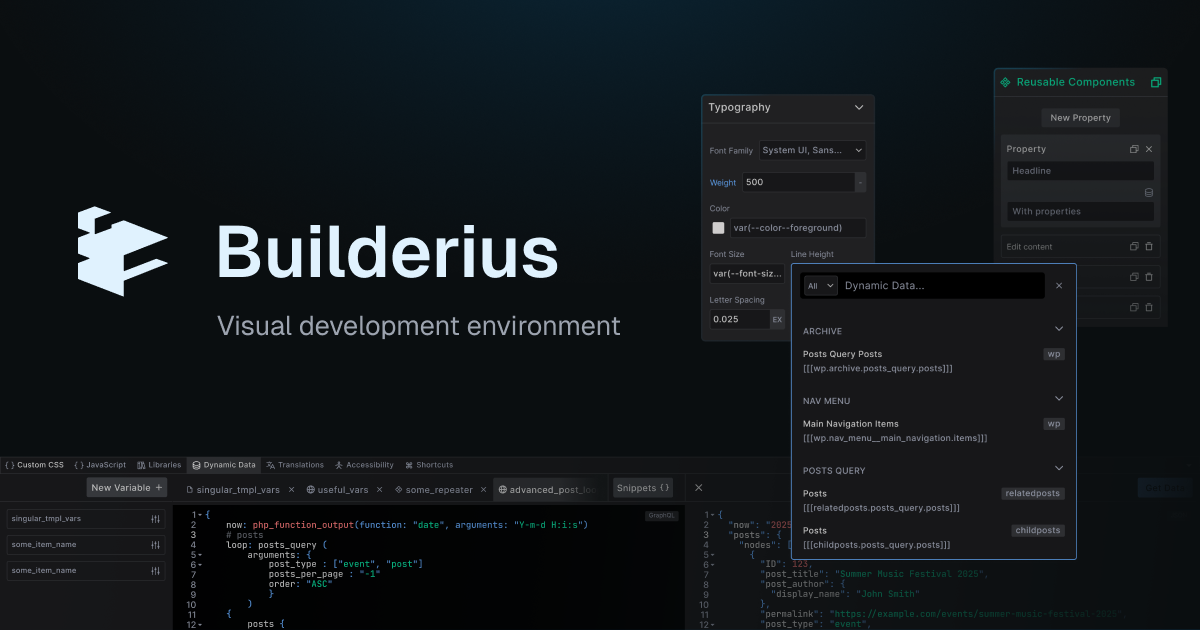
Builderius – Visual Development for WordPress
A visual development environment for WordPress with full HTML, CSS, and GraphQL control.
- Price:Free + Pro (sales reopening soon)
- Free Version:Available on WordPress.org
- Type:Plugin-based visual IDE
Builderius is the most technically pure builder on this list. It gives you full control over every HTML tag, every CSS selector, and uses GraphQL for dynamic data instead of the typical custom field widgets. The code output is the cleanest I’ve seen from any WordPress builder, period. Zero wrapper divs, zero system classes, zero bloat. GTmetrix scores of 95-99 without trying.
The GraphQL-powered dynamic data system is genuinely innovative. Instead of dragging “dynamic content” widgets, you write GraphQL queries in a built-in editor with real-time previews. For developers who understand queries, this is more powerful than anything Bricks or Oxygen offers. Built-in staging with named releases means you can develop without affecting the live site, then publish a “release” when ready. Version control without Git.
The problem: the learning curve makes Oxygen look beginner-friendly. This is a visual IDE, not a page builder. If you don’t understand CSS selectors, semantic HTML, and data querying, Builderius will frustrate you within the first hour. The community is tiny (roughly 12,000 installs), the product is still in beta (v1.3.1), and Pro license sales are currently closed while they prepare for a stable release. A three-person development team means real bus-factor risk.
For developers who want the absolute cleanest output and don’t mind the learning investment, Builderius is worth watching. For agency work or client handoffs, Bricks remains the practical choice. Clients will never edit a Builderius site on their own.
19. Themify Builder (Score: 6.5/10)
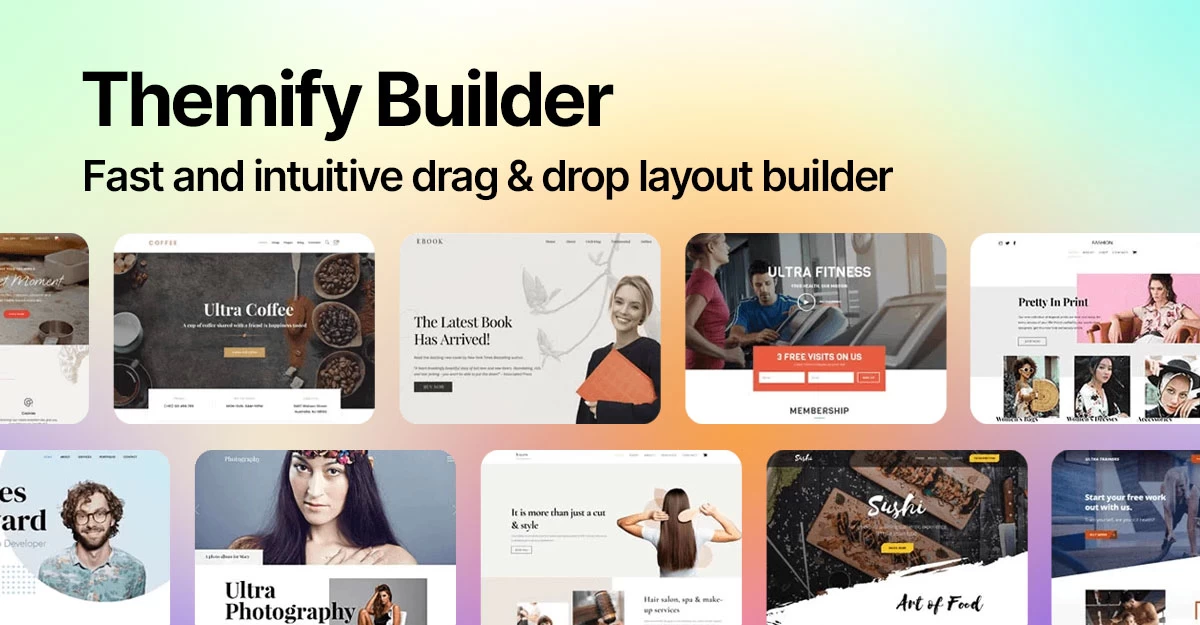
Themify Builder – Fast u0026 Lightweight Builder For WordPress
Themify Builder is a lightweight, fast, and powerful WordPress page builder. Create beautiful, responsive websites with drag-and-drop simplicity and no coding.
- Price:$89/year
- Free Version:Available
- Type:Plugin based site builder
Themify Builder works within the Themify theme ecosystem, which both enables and limits its appeal. Recent updates introduced Wishlist Products, filter improvements, and backend editing for accordions and tabs. The v7 update restructured builder data and added module nesting capabilities.
For users already invested in Themify themes, the builder integration is seamless. Theme-builder compatibility is exceptional because both come from the same company. Template packs designed specifically for Themify themes look polished immediately.
Outside the Themify ecosystem, the builder loses its advantages. Compatibility with arbitrary themes isn’t guaranteed. The feature set, while capable, doesn’t distinguish itself from alternatives.
Themify Builder is the right choice exclusively for Themify theme users who want visual editing. For everyone else, alternatives offer more flexibility.
Tier 4: Limited Recommendation
These builders have significant limitations that make them difficult to recommend for most projects.
20. Live Composer (Score: 6.5/10)

Live Composer 2.0 | Free Open-Source Page Builder
Live Composer 2.0 uses clean, SEO-friendly code and works with major SEO plugins, helping your pages load fast and rank better.
- Price:Free with paid extensions
- Free Version:Available
- Type:Plugin based site builder
Live Composer is open-source and free, which provides genuine value for users with zero budget. The core functionality works for basic page building. Premium extensions add capabilities for more complex projects.
The security vulnerabilities identified in 2025 concern me. XSS issues affecting recent versions require attention and patching. The open-source model means slower security response compared to commercial products.
Development pace is slower than commercial alternatives. Feature additions are infrequent. The template library is minimal. Community support resources are sparse.
Live Composer fits genuinely budget-constrained users who need basic visual editing and are comfortable managing security updates manually. For any professional project, commercial alternatives justify their cost in reliability and features.
21. Cwicly (Maintenance Mode – Free – 6.2/10)
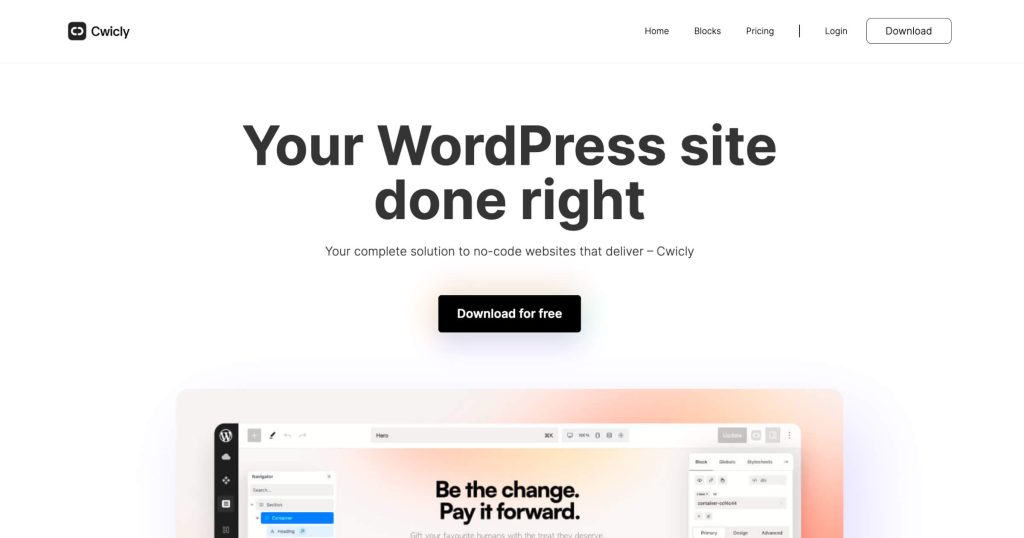
Cwicly – Professional Site Builder for WordPress
Cwicly is a cutting-edge design and block toolkit that seamlessly integrates with the WordPress Block Editor. Build dynamic, captivating, and intricate websites in just minutes.
- Price:FREE
- Free Version:Fully Featured. Available
- Type:Block Editor
Cwicly‘s story serves as a cautionary tale about the WordPress community’s dark side. In March 2024, founder Louis-Alexander Désiré announced the discontinuation of active development, citing “the relentless onslaught of destructive posts and comments by certain WordPress influencers” and personal attacks on the development team. The toxicity from prominent community voices made continued development unsustainable.
Former users universally praised Cwicly’s Gutenberg-native approach and extensive CSS control. The clean code output was genuinely impressive, rivaling hand-coded solutions. For those who used it, Cwicly represented what the Block Editor could become with truly professional tooling.
In a surprising turn, Cwicly was made completely free on July 11, 2024, and entered maintenance mode. Bug fixes, security patches, and WordPress compatibility updates continue, though no new features are planned. The plugin is now available in the WordPress plugin directory.
For existing Cwicly sites, the plugin continues functioning. For new projects, the maintenance-only status means you’re building on a frozen foundation. Many former users migrated to Bricks Builder, which offers similar precision while maintaining active development.
Cwicly’s discontinuation demonstrates the real risk of vendor dependency. It also shows what happens when community voices choose destruction over constructive criticism. The WordPress ecosystem lost a genuinely innovative tool.
22. EtchWP (Score: 5.8/10)

Etch for WordPress
A Unified Visual Development Environment for WordPress. Build with real HTML, CSS, PHP, and JavaScript.
- Price:$499+ lifetime (closing March 2026)
- Free Version:Not Available
- Type:Visual Development Environment
Kevin Geary’s EtchWP launched v1.0 with ambitious promises: a “Unified Visual Development Environment” that replaces your page builder, ACF, CPT UI, and media manager in one tool. The pitch is compelling. The reality is less so.
The standout feature is Auto Block Authoring. Everything you build in Etch outputs as native Gutenberg blocks. Deactivate Etch, and your content stays editable in the block editor. No vendor lock-in. That’s genuinely innovative and something no other builder offers. The bidirectional sync between Etch’s visual editor and Gutenberg is technically impressive.
But the workflow is painfully slow. Building a page in Etch takes significantly longer than in Bricks or even Breakdance. The interface, built on Svelte 5, looks modern but the component-first architecture means you’re building abstractions before you’re building pages. For developers who think in systems, this is fine. For everyone else, it’s friction.
The pricing is aggressive: $499+ for lifetime deals (closing March 2026), transitioning to annual subscriptions after. That’s 6x the cost of Bricks for a product with a fraction of the maturity. No WooCommerce support yet. The community is enthusiastic but small. Kevin Geary’s marketing is polished but the product needs another year of development before I’d recommend it for client work. Watch it, don’t bet on it yet.
23. Mosaic (Score: N/A – Pre-launch)
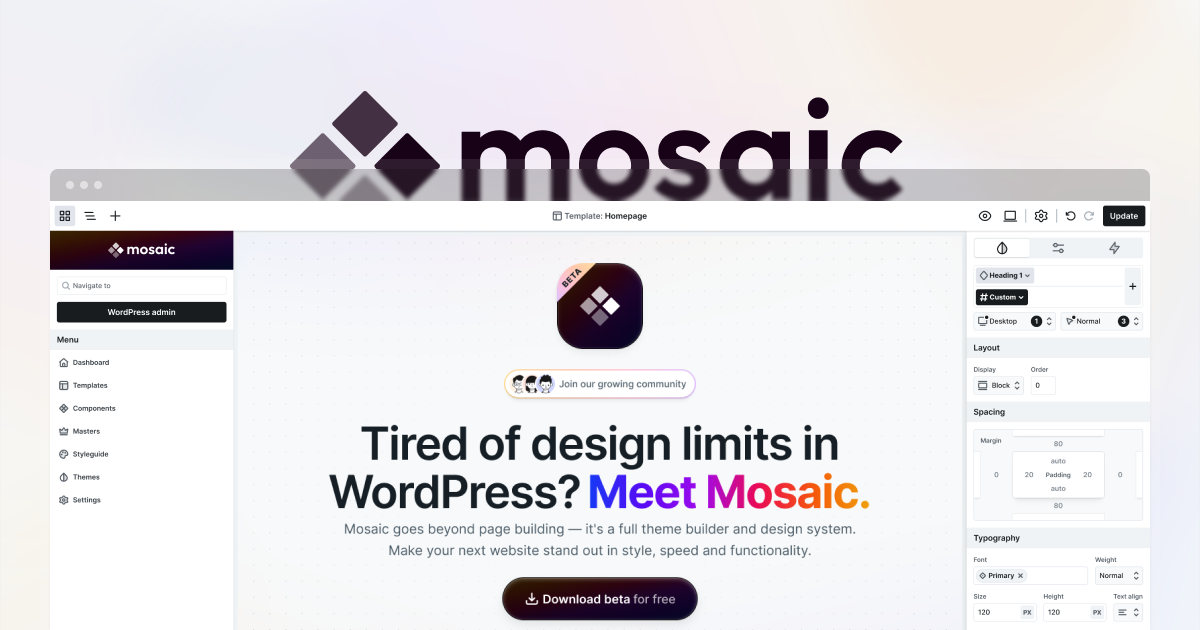
Mosaic – WordPress Theme Builder
A design system and theme builder for WordPress. Build scalable sites with reusable classes and design tokens.
- Price:Free first year (early bird), Agency lifetime available
- Free Version:Early Bird Offer
- Type:Theme builder + design system
Mosaic comes from the team behind Smart Slider 3 (900,000+ active installs), so the credibility is real. Four years of development went into this, and it shows. The concept is Webflow-meets-WordPress: a class-based design system with reusable components, CSS custom properties as design tokens, and a visual builder that thinks in systems rather than individual pages.
What excites me is the design token approach. Colors, typography, spacing, and shadows all live as CSS variables that propagate across every component. Change your primary color once, and every button, heading, and accent updates instantly. Bricks can do this with CSS variables, but Mosaic makes it a first-class citizen of the interface. The class system works like Webflow’s, which is a proven model for scalable site design.
The catch: Mosaic officially launches March 25, 2026. It’s not production-ready yet. No WooCommerce support. No forms. No carousel. No accessibility audit tools. The roadmap is public and ambitious, but today it’s a design system builder that’s missing the features most client projects require. The early bird pricing (free first year for Personal and Creator plans) makes it low-risk to try. I’d sign up for the early bird, test it on a personal project, but keep Bricks as your production tool until Mosaic proves itself through at least two major releases.
Comparative WordPress Page Builders
The right page builder depends on your specific situation. Here’s how I’d approach the decision:
| Priority | Best Choice | Runner-Up |
|---|---|---|
| Maximum Performance | GenerateBlocks + GP | Bricks Builder |
| Ease of Learning | Elementor | Kadence Blocks |
| Template Variety | Elementor | Divi |
| Developer Control | Oxygen | Bricks Builder |
| Best Value | GenerateBlocks (Free) | Kadence Blocks (Free) |
| Animation/Motion | GreenShift | Bricks Builder |
| Conversion Optimization | Thrive Architect | Elementor Pro |
| Block Editor Native | GenerateBlocks | Kadence Blocks |
| Agency Multi-Site | Bricks Builder | Beaver Builder |
| WooCommerce Stores | Breakdance | Elementor Pro |
| Site Security/Stability | Beaver Builder | GenerateBlocks |
For Bloggers and Content Creators
You don’t need a heavy page builder. The native Block Editor with Kadence Blocks or Spectra handles blog layouts beautifully with maximum performance. Focus on writing, not design complexity. I use this exact stack on my own blog.
For Small Business Owners
Breakdance or Elementor will serve you well. Breakdance if you care about speed and want something modern. Elementor if you value template availability and community resources. Both are capable enough for professional business sites without requiring technical expertise.
For Agencies and Freelancers
Bricks Builder earns serious consideration. The one-time licensing, performance advantages, and clean output make client handoffs smoother. Beaver Builder remains solid for agencies prioritizing maintenance simplicity over cutting-edge features. If your clients will edit pages themselves, Elementor‘s familiar interface reduces support requests.
For Developers
Oxygen or Bricks Builder provide the control you want. Both generate clean output, support complex dynamic data scenarios, and integrate with custom code naturally. Oxygen offers slightly more power at the cost of steeper learning. Bricks offers a better balance for most developer workflows.
For E-commerce Sites
Breakdance‘s native WooCommerce support is excellent. Bricks handles stores well with appropriate setup. Avoid builders that add significant JavaScript overhead since every millisecond affects conversion rates on product pages.
Performance Benchmarks: Real Numbers
I tested identical pages across different builders on the same hosting environment. These numbers reflect typical business website content rather than minimal test cases:
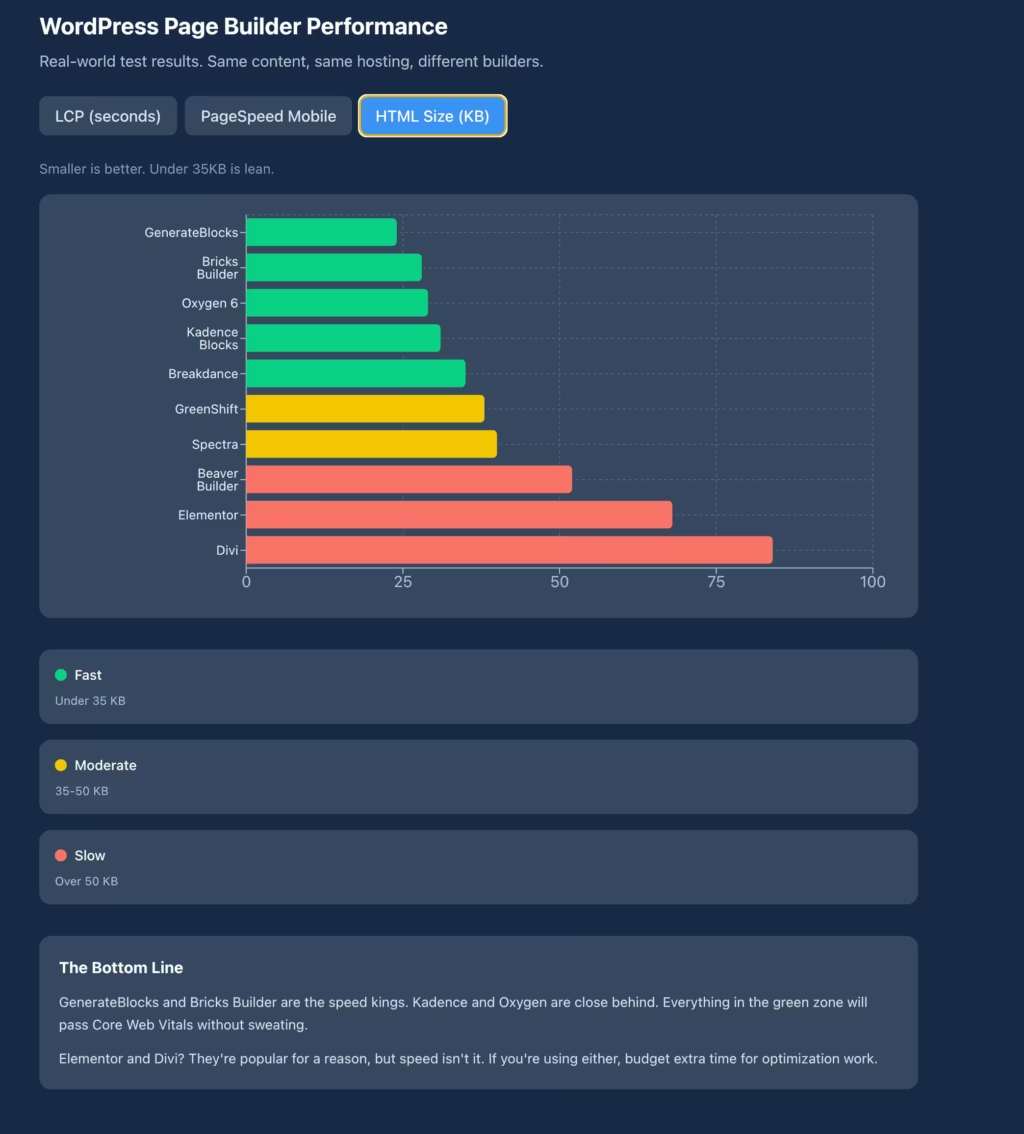

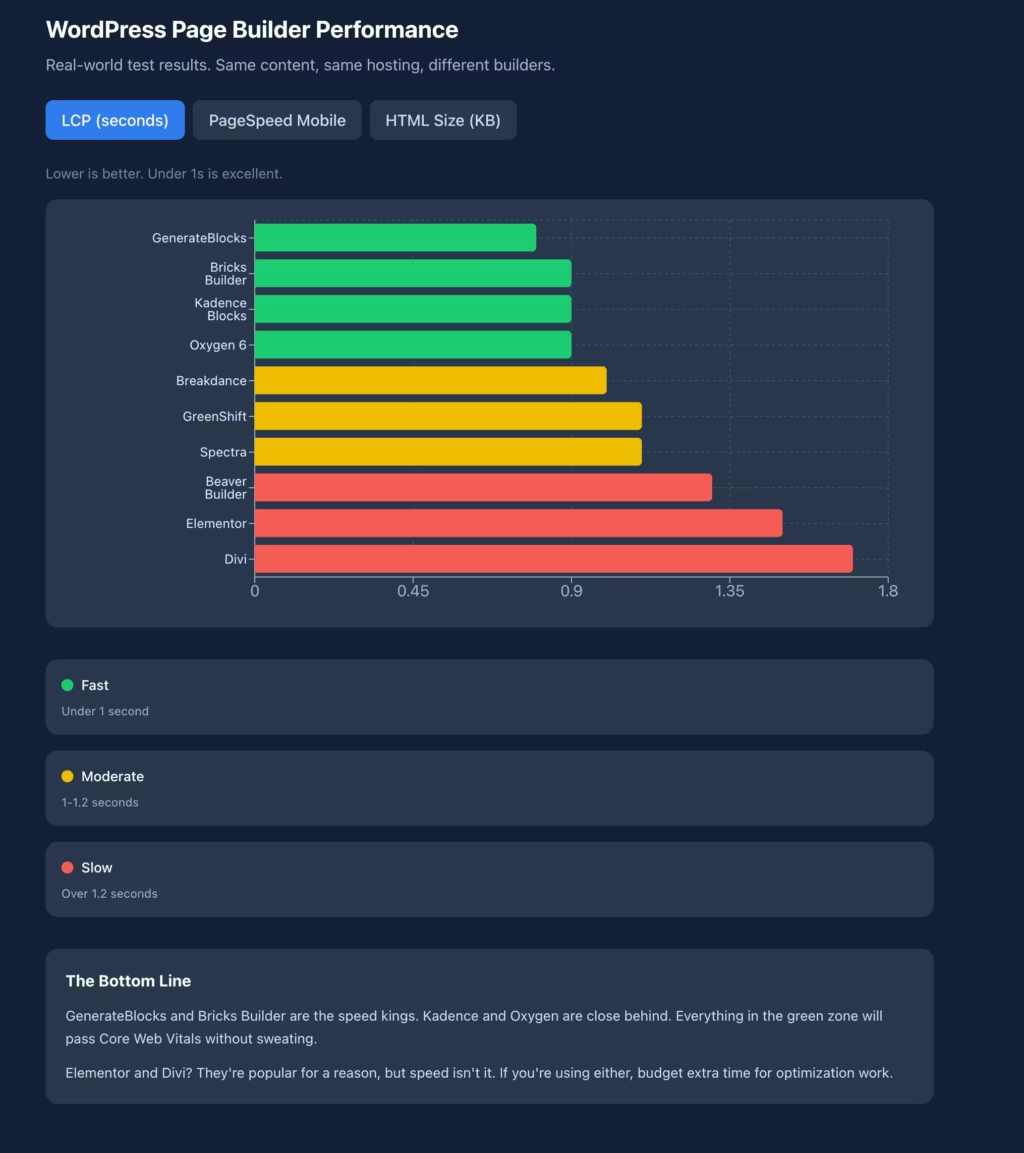
These benchmarks should inform your decision, not determine it. A 0.2 second difference in LCP matters less than whether you can actually build the site you need. But when performance-focused builders and traditional builders differ by 0.9 seconds on the same content, that gap is significant for user experience and SEO.
The Future of WordPress Page Building
The page builder market is consolidating around two approaches. Block-native solutions will continue gaining ground as WordPress core improves. Full Site Editing becomes more capable with each release, reducing the need for external builders for many use cases. Performance-focused builders will maintain relevance by offering capabilities that Gutenberg can’t match while respecting modern performance standards.
Traditional builders face pressure from both directions. They can’t match block-native performance without fundamental rewrites. They struggle to match the design control of developer-focused tools. The middle ground they occupy is shrinking.
AI integration is appearing everywhere, but results vary dramatically. Elementor‘s AI features are more polished than most. Brizy‘s AI content generation works reasonably well. But don’t choose a builder based on AI features today since they’ll all have equivalent capabilities within a year.
The consolidation also means acquisition risk. When builders eventually sell, the new owners might change pricing, development direction, or support quality. Builders with lifetime licenses partially hedge this risk. Block-native approaches spread risk across multiple independent plugins.
Final Recommendations
For most new WordPress projects, start with Kadence Blocks. It’s free, performance-excellent, and integrated with WordPress core. If you outgrow it, migration to other block-based solutions is straightforward.
For projects requiring advanced visual design, Bricks Builder delivers the best combination of power and performance. The investment pays off across many sites over years.
For users prioritizing ease of use above performance optimization, Elementor remains the most accessible entry point despite its performance tradeoffs. Monitor V4’s progress for potential improvement.
For agencies standardizing on a single builder, Breakdance offers an attractive balance of modern performance, reasonable learning curve, and professional features.
Avoid starting new projects on builders with uncertain futures. Cwicly’s discontinuation demonstrates the risk. Builders with slow development and security concerns aren’t worth the gamble for serious projects.
Whatever you choose, commit to it long enough to become proficient before evaluating alternatives. Builder-hopping wastes more time than learning one option thoroughly. Pick based on your actual priorities, not feature lists you’ll never use.
If you’re still unsure, install the free versions of Kadence Blocks and Spectra on a test site. Build the same page in each. Whichever feels more natural after an hour of use is probably your answer. Sometimes the best analysis is simply trying the options yourself.
Frequently Asked Questions
Which WordPress page builder is best for beginners?
For absolute beginners, Elementor offers the gentlest learning curve with its intuitive drag-and-drop interface and extensive template library. However, I recommend starting with the native Block Editor plus Kadence Blocks instead. The learning investment is similar, but you’re building skills on WordPress core rather than a third-party system, and performance is significantly better from day one.
Can I switch page builders without rebuilding my entire site?
Technically yes, but practically it’s often a rebuild regardless. Page builders store content in proprietary formats. Some offer export tools, but the styling, layouts, and interactive elements rarely transfer cleanly. Budget for rebuilding pages when switching builders. The exception is moving between block-based tools like Kadence and Spectra, which is relatively painless since both use the native block format.
Is the native WordPress Block Editor good enough now?
Yes, with the right block plugins. Gutenberg alone is limited for design work, but add Kadence Blocks or Spectra and you have legitimate page builder capabilities. Full Site Editing handles headers, footers, and templates. For content-focused sites like blogs and business sites, the block approach now matches or exceeds traditional page builders while delivering better performance.
Does my page builder choice affect SEO?
Directly through performance, yes. Google’s Core Web Vitals are ranking factors. A page builder generating heavy, slow-loading pages hurts your search visibility. Performance-focused builders like Bricks and block-based solutions typically produce faster sites that rank better, all else being equal. Choose builders with clean HTML output and minimal JavaScript overhead if SEO matters to your project.
Which page builder is best for WooCommerce stores?
Breakdance has excellent native WooCommerce support with shop templates, product page customization, and cart optimization. Bricks Builder handles WooCommerce well with its dynamic data system. Elementor Pro includes WooCommerce widgets but adds performance overhead that can impact conversion rates. For stores where every millisecond matters, prioritize the faster builders.
Are lifetime licenses or annual subscriptions better?
Lifetime licenses are better for long-term use on multiple sites. Bricks, Oxygen, and Divi all offer lifetime options. Breakdance switched to annual subscriptions in 2025. Annual subscriptions make sense if you’re uncertain about commitment or expect to change tools. Calculate the crossover point: if annual fees times expected years exceed lifetime cost, buy lifetime. Page builders rarely change so fundamentally that starting over makes sense.
Should I worry about page builder company acquisitions?
Yes, this is a legitimate concern. When page builder companies are acquired, development priorities, pricing, and support often change. Cwicly’s discontinuation shows the risk of vendor dependency. Mitigate this by preferring block-native approaches that spread risk across multiple plugins, choosing builders with lifetime licenses that protect your investment, and maintaining exportable content where possible.
How do I choose between Bricks, Breakdance, and Oxygen?
All three prioritize performance and clean code. Oxygen offers the most power with the steepest learning curve. Bricks provides excellent balance between capability and accessibility. Breakdance is the most approachable for users coming from Elementor or similar builders. If you’re comfortable with code-adjacent tools, Oxygen or Bricks. If you want performance without extensive learning investment, Breakdance.
The page builder you choose shapes every project built on it. Make this decision based on your actual needs rather than marketing claims or download counts. Test the options that match your priorities. Commit to learning one thoroughly. The perfect builder doesn’t exist, but the right builder for your situation absolutely does.
If you want to optimize your site speed regardless of which builder you use, check out my guide to passing Core Web Vitals. For those considering premium caching alongside their builder, my FlyingPress review explains why I switched to it after a decade with WP Rocket. And if you’re looking for landing page capabilities specifically, my comparison of landing page builders covers options beyond traditional page builders.
A few lesser-known theme ecosystems worth checking: Mercury Theme is built for ad-heavy publisher sites with aggressive above-the-fold monetization layouts. HasThemes develops HT Mega, ShopLentor, and other Elementor and WooCommerce addons under one roof. And Themeum is the team behind Tutor LMS and Suspended starter templates, combining theme and plugin development.
Nexter is a lightweight starter theme from the Starter Templates ecosystem. It pairs with Starter Templates and any page builder, keeping the theme layer minimal while the builder handles design. The Nexter lifetime deal on AppSumo makes it a budget option for agencies building client sites.
More Page Builder Resources
I’ve written extensively about page builders, individual reviews, comparisons, and ecosystem guides. Here’s everything in one place:
| Article | Type | What You’ll Learn |
|---|---|---|
| Kadence Blocks vs GenerateBlocks | Comparison | The two best block-based builders head-to-head |
| Spectra Review | Review | A solid free block-based alternative |
| Best Add-ons for Elementor | Roundup | Extending Elementor’s capabilities |
| The Plus Addons for Elementor | Review | Feature-rich Elementor addon |
| Essential Addons for Elementor | Review | Popular free Elementor addon |
| Ultimate Addons for Elementor | Review | Brainstorm Force’s Elementor addon |
| My Block Editor Setup | Personal setup | How I use the native block editor daily |
| My Page Builder Experience | Opinion | Lessons from using every major builder |
| HTML to GenerateBlocks Converter | Tool | Convert HTML layouts to GenerateBlocks format |
| Best Landing Page Builders | Roundup | Standalone landing page tools vs page builders |
Related Guides
Page builders don’t exist in isolation. Your builder choice affects performance, theme selection, and overall site architecture:
- WordPress Performance Guide — How your page builder choice impacts site speed
- Best WordPress Plugins — The complete plugin stack I recommend
- Pass Core Web Vitals — Fix performance issues regardless of builder
- FSE Migration Guide — Moving from classic to block themes
Need help migrating from one page builder to another, or optimizing your current builder for performance? Check out my WordPress development services and performance optimization services.
Disclaimer: This site is reader-supported. If you buy through some links, I may earn a small commission at no extra cost to you. I only recommend tools I trust and would use myself. Your support helps keep gauravtiwari.org free and focused on real-world advice. Thanks. - Gaurav Tiwari