
 by
by
The best Elementor addons in 2026 are Elementor Pro for the foundation, Essential Addons for the safest all-purpose widget pack, The Plus Addons for design-heavy sites, and Crocoblock for dynamic or WooCommerce-heavy builds. I would not install three general-purpose addon packs together. That is how Elementor sites get slow, messy, and harder to hand off.
I still inherit and maintain Elementor projects even though my own stack has moved closer to Bricks, GenerateBlocks, and custom ACF blocks. That gives me a practical bias: widget count matters less than asset loading, template quality, support, WooCommerce depth, and whether a client can edit the page without calling you.
Some links below are affiliate links. The order is still based on what I would actually install for a real Elementor site, not which plugin pays the best commission. Pricing changes quickly in this niche, so use the price column as a starting point and check the checkout page before buying.
My short answer: start with Elementor Pro if you are serious about Elementor, add one broad addon pack, then add one specialist plugin only when the project needs it.
| Rank | Elementor addon | Best for | Free version | Starting price | My call |
|---|---|---|---|---|---|
| 1 | Elementor Pro | Theme builder, popups, forms, WooCommerce basics | No | From $49/year | Buy this before third-party packs. |
| 2 | Essential Addons | Stable all-purpose widgets | Yes | $3.99/mo billed annually | Safest broad addon for most users. |
| 3 | The Plus Addons | Design-heavy layouts and interactive widgets | Yes | From $39/year | Best creative widget library. |
| 4 | Crocoblock JetPlugins | Dynamic content, filters, WooCommerce, bookings | Some free tools | All-Inclusive from $199/year | Best advanced ecosystem. |
| 5 | Element Pack | Huge widget library and fast production work | Limited | $99/year plan, often discounted | Powerful, but disable what you do not use. |
| 6 | ElementsKit | Headers, footers, mega menus, template kits | Yes | From $39/year | Great agency middle ground. |
| 7 | Ultimate Addons | Astra users and clean widgets | No | From $69/year | Best if you already like Astra. |
| 8 | Premium Addons | Free widgets with modular control | Yes | Paid plans vary | Strong free starting point. |
| 9 | PowerPack | Performance-minded creative widgets | Yes | From $49/year | Good when you want fewer, cleaner widgets. |
| 10 | Unlimited Elements | Widget marketplace and custom widgets | Yes | From $49/year | Useful for builders who like experimenting. |
| Use case | Best pick | Runner-up | Budget or free option |
|---|---|---|---|
| Beginner Elementor site | Elementor Pro | Essential Addons | Essential Addons Lite |
| Agency websites | ElementsKit | Element Pack | Premium Addons Free |
| Dynamic content | Crocoblock | The Plus Addons | Unlimited Elements Free |
| Blog and magazine layouts | Ultimate Post Kit | Element Pack | Jeg Elementor Kit |
| WooCommerce stores | ShopEngine | JetWooBuilder | WooLentor Free |
| Forms inside Elementor | MetForm | Elementor Pro Forms | MetForm Free |
How I Chose These Elementor Addons
I picked these Elementor addons the way I pick tools for client work: what solves the problem with the least long-term damage wins. A plugin with 300 widgets is not automatically better than a plugin with 40 widgets if 260 of them load CSS you never use.

- Use case: does the addon solve a real design, layout, form, WooCommerce, or dynamic-content problem?
- Performance: can you disable unused widgets and assets?
- Maintenance: does the plugin come from a team that ships updates and support?
- Client editing: can a non-developer understand what you built?
- Overlap: does it replace five plugins or duplicate features you already have?
- Ecosystem fit: does it work cleanly with Elementor Pro, WooCommerce, Astra, and the kind of hosting I recommend in my Elementor hosting guide?
If performance is your main worry, read my Core Web Vitals guide before you start stacking addon packs. Elementor can be good enough, but only when you are disciplined.
The Best Elementor Addons, Reviewed
Here is the practical breakdown. I am ranking these by what I would install first, not by total widgets, affiliate payout, or how loud the sales page feels.
1. Elementor Pro
Best for: the first paid upgrade for serious Elementor sites. Price: from $49/year. Link: Elementor Pro.
Elementor Pro is not a third-party addon, but it is the upgrade I would buy before adding any third-party Elementor plugin. The theme builder, popup builder, form widget, dynamic content support, and WooCommerce builder make it the foundation for serious Elementor work.
- Use it when: You want headers, footers, archive templates, single post templates, popups, forms, and WooCommerce layouts without extra plugins.
- Where it wins: It gives you core site-building features that third-party addons usually assume you already have.
- Watch out for: Elementor Pro is still heavier than block-based builds. If speed is the whole brief, compare it against Bricks or GenerateBlocks before committing.
2. Essential Addons for Elementor

Best for: the safest all-purpose Elementor addon. Price: $3.99/mo billed annually for 1 website. Link: Essential Addons.
Essential Addons is the addon I would give to a beginner or a client team because it has enough widgets to matter without feeling chaotic. The free version is useful, the Pro version is broad, and the interface does not punish you for wanting simple blocks quickly.
- Use it when: You need advanced tabs, post grids, data tables, pricing tables, content toggles, testimonials, and common marketing widgets.
- Where it wins: It has a mature free version, a large user base, and a cleaner learning curve than many giant packs.
- Watch out for: It is a broad plugin, so you still need to turn off widgets you will not use.
3. The Plus Addons for Elementor

Best for: design-heavy pages, motion, listings, and creative widgets. Price: from $39/year. Link: The Plus Addons.
The Plus Addons is the most design-forward option in this list. It is the pack I would check when a normal widget set feels too plain and the site needs better listing grids, animated sections, creative navigation, or more polished interaction patterns.
- Use it when: You are building portfolios, landing pages, directories, product showcases, or pages where visual treatment matters.
- Where it wins: The widget library is large, creative, and better suited to custom-looking Elementor pages than many safer packs.
- Watch out for: It can tempt you into over-designing. Use the widgets that solve the page, not everything that looks fun.
4. Crocoblock JetPlugins
Best for: dynamic websites, WooCommerce filters, bookings, and custom content. Price: All-Inclusive from $199/year. Link: Crocoblock.
Crocoblock is not one addon. It is a toolkit. JetEngine, JetSmartFilters, JetWooBuilder, JetPopup, JetMenu, and the rest make sense when Elementor needs to become a real dynamic site builder instead of just a page builder.
- Use it when: You are building listings, custom post type layouts, filtered directories, booking sites, WooCommerce templates, or advanced data-driven pages.
- Where it wins: It turns Elementor into a more complete dynamic-content system, especially when JetEngine is part of the build.
- Watch out for: It is the least beginner-friendly option here. Buy it when the project needs Crocoblock, not because the bundle looks impressive.
5. Element Pack
Best for: large widget coverage and fast agency production. Price: $99/year plan, often discounted. Link: Element Pack.
Element Pack is the big toolbox option. If you build many Elementor sites and keep running into one-off widget needs, this is the kind of addon that saves time because the odd widget is often already there. BDThemes frequently discounts the listed yearly plans, so check the checkout price before you decide.
- Use it when: You want a wide library for sliders, tables, post layouts, pricing, charts, WooCommerce, social widgets, and small interface details.
- Where it wins: It reduces the need to hunt for separate micro-plugins on every client build.
- Watch out for: The same breadth can become bloat if you do not disable unused modules.
6. ElementsKit
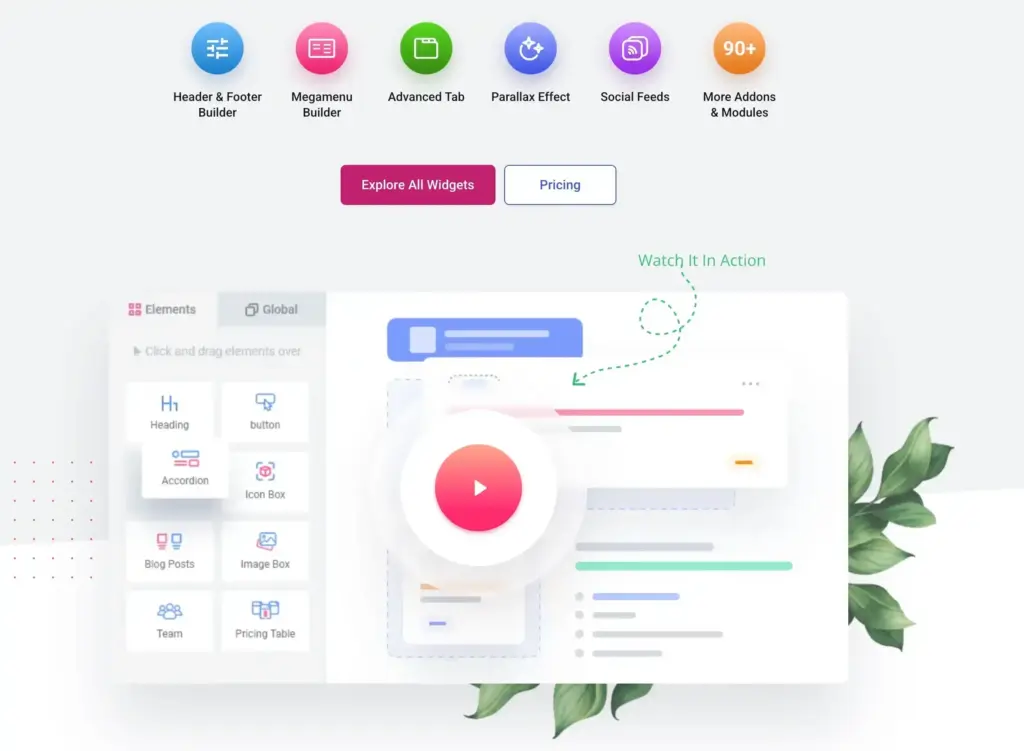
Best for: headers, footers, mega menus, templates, and agency workflows. Price: from $39/year. Link: ElementsKit.
ElementsKit is a strong middle-ground Elementor addon. It gives you headers, footers, mega menus, template sections, and a wide widget set without feeling as wild as the biggest packs.
- Use it when: You build small business sites and want a practical bundle for layout control, navigation, and reusable sections.
- Where it wins: The header/footer and mega menu workflow is useful for agencies that do not want to stitch together multiple plugins.
- Watch out for: There is still overlap with Elementor Pro and other packs, so map your features before installing it.
7. Ultimate Addons for Elementor
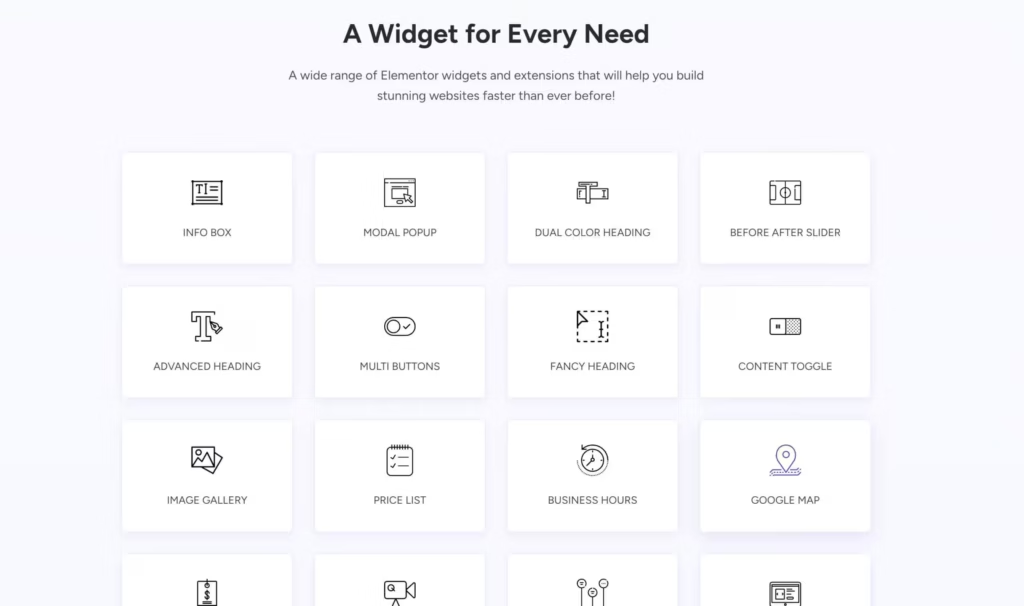
Best for: Astra users and clean, dependable widgets. Price: from $69/year. Link: Ultimate Addons for Elementor.
Ultimate Addons comes from Brainstorm Force, the team behind Astra. That matters because the addon feels more controlled than the huge marketplace-style packs. It is a sensible choice if your Elementor stack already uses Astra and Starter Templates.
- Use it when: You want good widgets, Astra alignment, starter-site workflows, and fewer surprises.
- Where it wins: It fits cleanly into the Astra ecosystem and keeps the learning curve manageable.
- Watch out for: It is not the biggest library for the money. Buy it for fit and reliability, not raw widget count.
8. Premium Addons for Elementor
Best for: a strong free start with modular controls. Price: free, with paid plans available. Link: Premium Addons.
Premium Addons is worth testing before you spend money because the free plugin already covers many common widgets. The bigger reason I like it is the modular approach: you can enable only what you need.
- Use it when: You want advanced widgets without committing to a paid addon immediately.
- Where it wins: The free version is genuinely useful and the modular controls help keep things sane.
- Watch out for: The Pro pricing page was not as easy to verify as the better documented vendors, so check the current checkout before buying.
9. PowerPack for Elementor
Best for: performance-minded widgets and business sites. Price: from $49/year. Link: PowerPack for Elementor.
PowerPack is not trying to win by throwing the largest possible library at you. That is a good thing. It is a cleaner addon for business websites where you need better widgets, but not an overloaded design playground.
- Use it when: You want a restrained widget pack for agencies, marketers, and service businesses.
- Where it wins: It focuses on practical creative widgets and gives you annual plans that start at a sensible price.
- Watch out for: If you want the deepest template ecosystem, ElementsKit or Element Pack may fit better.
10. Unlimited Elements for Elementor
Best for: widget marketplace, custom widgets, and experiment-heavy builds. Price: from $49/year. Link: Unlimited Elements.
Unlimited Elements is best when you like the idea of a widget marketplace and want to assemble exactly the widgets a project needs. It is also useful for advanced builders who want to create custom widgets without starting from scratch.
- Use it when: You often need niche widgets and do not want to install a separate plugin for each idea.
- Where it wins: The widget marketplace model gives it range that normal packs cannot easily match.
- Watch out for: Range creates decision fatigue. Keep a tight list of enabled widgets per site.
Best Specialist Elementor Addons
A specialist Elementor addon is better than a huge general pack when the site has one very specific job. Forms, post layouts, and WooCommerce are the three cases where I prefer specialist plugins.
Ultimate Post Kit

Best for: blogs, magazines, and content-heavy Elementor sites. Price: pricing varies through the BDThemes store. Link: Ultimate Post Kit.
Ultimate Post Kit is built for post layouts. If your Elementor site is a blog, magazine, education portal, or news-style site, it is more relevant than another generic widget pack.
- Use it when: You need grids, carousels, post lists, category layouts, and better content presentation.
- Where it wins: It solves publishing-layout problems that broad addons often treat as an afterthought.
- Watch out for: It is too narrow for a simple brochure site.
MetForm
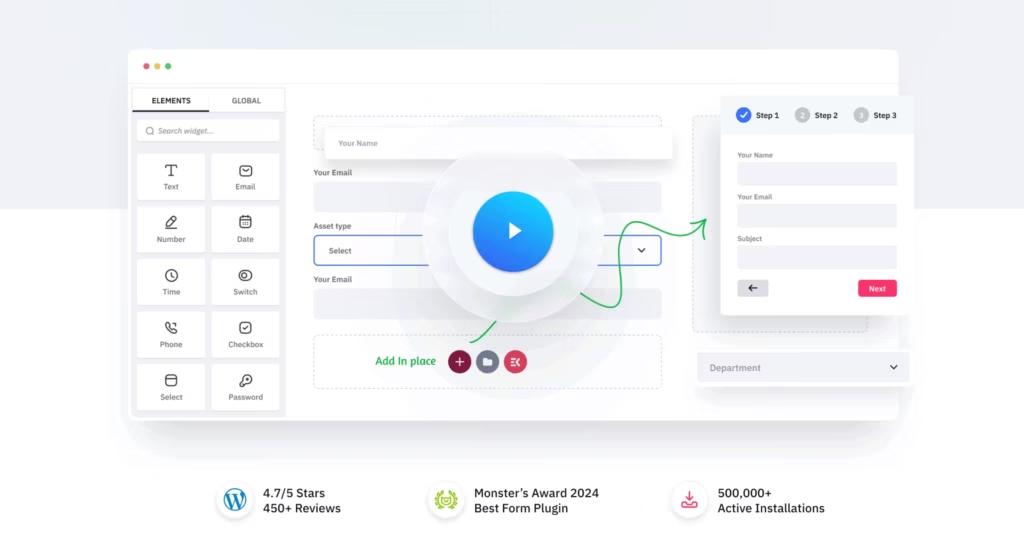
Best for: advanced forms inside Elementor. Price: from $49/year before sale discounts. Link: MetForm.
MetForm is the form addon I would consider when Elementor Pro Forms starts feeling limited. It handles conditional logic, multi-step forms, calculations, payments, Google Sheets, email integrations, and more serious form workflows.
- Use it when: You need forms that go beyond a basic contact form or newsletter signup.
- Where it wins: It keeps the form-building workflow inside Elementor while adding serious form features.
- Watch out for: If you already use Fluent Forms, Gravity Forms, or WPForms across the site, do not duplicate your form stack unless Elementor-native editing matters.
ShopEngine
Best for: WooCommerce templates and store widgets. Price: from $59/year. Link: ShopEngine.
ShopEngine is a dedicated WooCommerce builder for Elementor. It makes sense when product pages, cart, checkout, upsells, and store widgets are the main project, not a side feature.
- Use it when: You are building a WooCommerce site and need deeper store controls than Elementor Pro alone gives you.
- Where it wins: The WooCommerce feature set is more focused than the Woo widgets inside general-purpose packs.
- Watch out for: For simpler stores, compare the need against my WooCommerce plugins guide before adding another builder layer.
WooLentor
Best for: budget WooCommerce Elementor builds. Price: from $59 half-year before sale discounts. Link: WooLentor.
WooLentor is a practical WooCommerce-focused addon when the budget is tighter and the store needs Elementor product widgets, checkout customization, and shop templates without buying a bigger ecosystem. Its pricing page often shows sale pricing, so confirm the plan length before you buy.
- Use it when: You want WooCommerce Elementor features without committing to Crocoblock or a larger suite.
- Where it wins: It is focused on store-building instead of trying to be every Elementor addon at once.
- Watch out for: Half-year and lifetime sale pricing can move quickly, so check the plan length and renewal terms before buying.
Best Free Elementor Addons
Free Elementor addons are worth using when the site is simple, the feature need is narrow, or you want to test an ecosystem before buying Pro. Just do not install five free packs because each has one widget you like.
| Free addon | Why it is worth trying | Upgrade path | Best fit |
|---|---|---|---|
| Essential Addons Lite | Large free library and beginner-friendly controls. | Essential Addons Pro | General widgets |
| ElementsKit Lite | Header, footer, mega menu, and useful layout widgets. | ElementsKit Pro | Agency starter sites |
| Premium Addons Free | Good free widget depth with modular controls. | Premium Addons Pro | Small business pages |
| Qi Addons | Polished design widgets and good visual defaults. | Qi Addons Pro | Design-led sites |
| Starter Templates | Fast starter-site imports for Elementor and Astra workflows. | Ultimate Addons | Rapid prototypes |
| HappyAddons Free | Useful free widgets and a friendly editing workflow. | HappyAddons Pro | Beginners and freelancers |
Elementor Addons I Would Not Stack Together
The mistake I see most often is installing multiple broad widget packs because each one has a shiny demo. That usually creates duplicate widgets, duplicate CSS, more update risk, and a messier editing panel.
- Do not use Essential Addons, Element Pack, and The Plus Addons on the same site unless you have a very specific reason.
- Do not use Crocoblock just for a few basic widgets. Use it when you need JetEngine, filters, WooCommerce templates, bookings, or dynamic listings.
- Do not install a specialist form plugin and MetForm unless you need Elementor-native form editing.
- Do not buy a lifetime license before testing the free version or annual plan on a staging site.
- If the project is new and performance matters more than Elementor familiarity, compare Elementor with other WordPress page builders first.
My Recommended Elementor Addon Stack
If I had to build a practical Elementor stack today, I would keep it boring on purpose. Boring stacks are easier to maintain, easier to hand off, and easier to optimize.
| Site type | Stack I would use | Why |
|---|---|---|
| Simple business site | Elementor Pro plus Essential Addons | Enough widgets, simple workflow, no ecosystem overload. |
| Design-heavy landing pages | Elementor Pro plus The Plus Addons | Better creative widgets and polished interactions. |
| Agency starter sites | Elementor Pro plus ElementsKit | Headers, footers, mega menus, templates, and repeatable workflows. |
| Dynamic directory or listing site | Elementor Pro plus Crocoblock | JetEngine and JetSmartFilters are the real reason to buy it. |
| WooCommerce store | Elementor Pro plus ShopEngine or JetWooBuilder | Use a dedicated WooCommerce addon instead of forcing a general pack to do store work. |
| Blog or magazine | Elementor Pro plus Ultimate Post Kit | Post layouts matter more than another pile of generic widgets. |
My own direction has moved away from Elementor for fresh performance-first builds. I still understand why clients like it, but for new builds I usually compare it with Gutenberg block plugins, Bricks, and custom ACF blocks before saying yes.
Final Recommendation
If you want one clear recommendation, buy Elementor Pro first and add Essential Addons if you need a broad widget pack. Pick The Plus Addons when design is the main challenge. Pick Crocoblock only when the project needs dynamic content, filters, listings, or advanced WooCommerce control.
The best Elementor addon is not the one with the most widgets. It is the one that lets you ship the site with fewer plugins, fewer workarounds, and fewer performance problems six months later.
Frequently Asked Questions
What is the best Elementor addon overall?
Elementor Pro is the first paid upgrade I would buy. For third-party addons, Essential Addons is the safest general recommendation, The Plus Addons is best for creative design work, and Crocoblock is best for dynamic or WooCommerce-heavy Elementor sites.
Do I need Elementor Pro before buying Elementor addons?
You do not always need Elementor Pro, but serious Elementor sites usually benefit from it first. Elementor Pro gives you theme builder, popup builder, forms, dynamic content, and WooCommerce builder features that many third-party addons are designed to extend.
What is the best free Elementor addon?
Essential Addons Lite, ElementsKit Lite, Premium Addons Free, Qi Addons, and HappyAddons Free are the best free Elementor addons to test first. Start with one free addon, not five, so you can avoid duplicate widgets and asset bloat.
Which Elementor addon is best for WooCommerce?
ShopEngine, WooLentor, and Crocoblock’s JetWooBuilder are the strongest WooCommerce-focused Elementor addons. ShopEngine is a good dedicated store builder, WooLentor is useful on tighter budgets, and Crocoblock makes sense when the store also needs filters, dynamic templates, or JetEngine.
Do Elementor addons slow down websites?
They can. Good Elementor addons let you disable unused widgets and load assets only when needed. Bad setups happen when you install several broad addon packs, use overlapping widgets, and never audit CSS or JavaScript after launch.
How many Elementor addons should I install?
For most sites, one broad addon plus one specialist addon is the upper limit. A practical stack might be Elementor Pro, Essential Addons, and one specialist tool such as MetForm, ShopEngine, Ultimate Post Kit, or Crocoblock.
Is Crocoblock better than Essential Addons?
Crocoblock is better for dynamic content, listings, filters, bookings, and advanced WooCommerce builds. Essential Addons is better for normal websites that need a stable general widget pack. They solve different problems.
Are lifetime licenses for Elementor addons worth it?
A lifetime license can be worth it if you use the addon across multiple sites for years and the vendor has a strong update history. I would still test the annual plan or free version first, because a cheap lifetime deal is expensive if the plugin does not fit your workflow.
Tell Google you want more of this.
Add Gaurav Tiwari as a preferred sourceOne tap, and this site shows up more often in your own Top Stories, AI Overviews and AI Mode. Remove it any time.
Disclaimer: This site is reader-supported. If you buy through some links, I may earn a small commission at no extra cost to you. I only recommend tools I trust and would use myself. Your support helps keep gauravtiwari.org free and focused on real-world advice. Thanks. - Gaurav Tiwari
