
How to Promote Your Business on Instagram?
Instagram isn’t just a photo-sharing app anymore. It’s a full-blown marketing platform where businesses generate leads, build brand awareness, and drive real revenue. I’ve helped clients set up Instagram strategies that brought in more qualified traffic than their Google Ads campaigns, and the cost was a fraction of what they were spending on paid search.
The platform has over 2 billion monthly active users in 2026, and businesses that treat it as a serious marketing channel (not just a vanity metrics game) are the ones seeing results. Whether you’re a local service provider, an ecommerce brand, or a B2B company, there’s a strategy here that’ll work for your business.
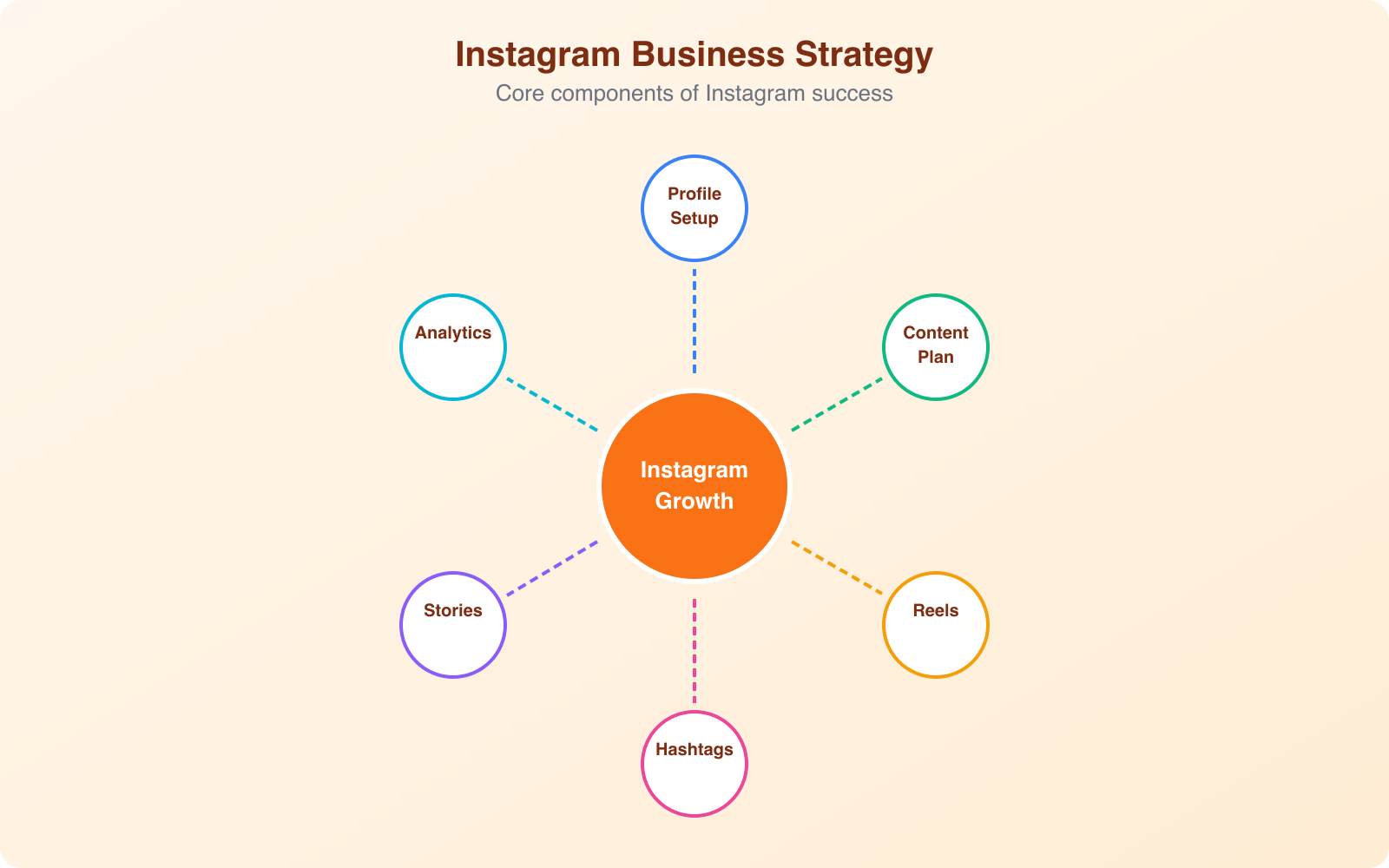
Here’s the practical playbook I use when setting up Instagram marketing for businesses, from profile optimization to content strategy to paid ads.
Set Up an Optimized Business Profile
Your Instagram business profile is your storefront. Most people who find your account will decide whether to follow you within 3-5 seconds of landing on your profile. That means every element needs to be intentional.
First, switch to a Business or Creator account if you haven’t already. This gives you access to Instagram Insights, contact buttons, and the ability to run ads. Go to Settings, then Account, then switch to Professional Account.
Profile Photo and Username
Use your brand logo on a solid background. Instagram displays profile photos at 110×110 pixels, so keep it simple and recognizable. Your username should match your brand name exactly. Avoid random numbers, extra dots, or underscores that make you harder to find in search.
Bio That Converts
You’ve got 150 characters to tell visitors exactly what you do and why they should care. The best business bios follow this structure:
- Line 1: What you do and who you serve
- Line 2: Your key differentiator or result you deliver
- Line 3: Social proof (awards, customer count, media features)
- Line 4: Clear CTA pointing to your link
Use line breaks to make each point scannable. One or two emojis are fine for visual anchors, but don’t overdo it.
Link in Bio and Contact Buttons
Instagram gives you one clickable link in your bio. Make it count. Use a link-in-bio tool like Linktree or a custom landing page on your website that houses your most important links: your latest offer, a lead magnet, your shop, and your best content. Enable all relevant contact buttons too. If you’re a local business, turn on the Directions button. If you sell online, enable the Shop and Email buttons.
Story Highlights
Story Highlights are the circles that sit between your bio and your grid. Think of them as permanent pages on your profile. Create 5-7 highlights with branded cover images. The essential ones are: About (your brand story), Reviews (customer testimonials), FAQs (common questions), Products or Services (what you sell), and Behind-the-Scenes (your team and process).
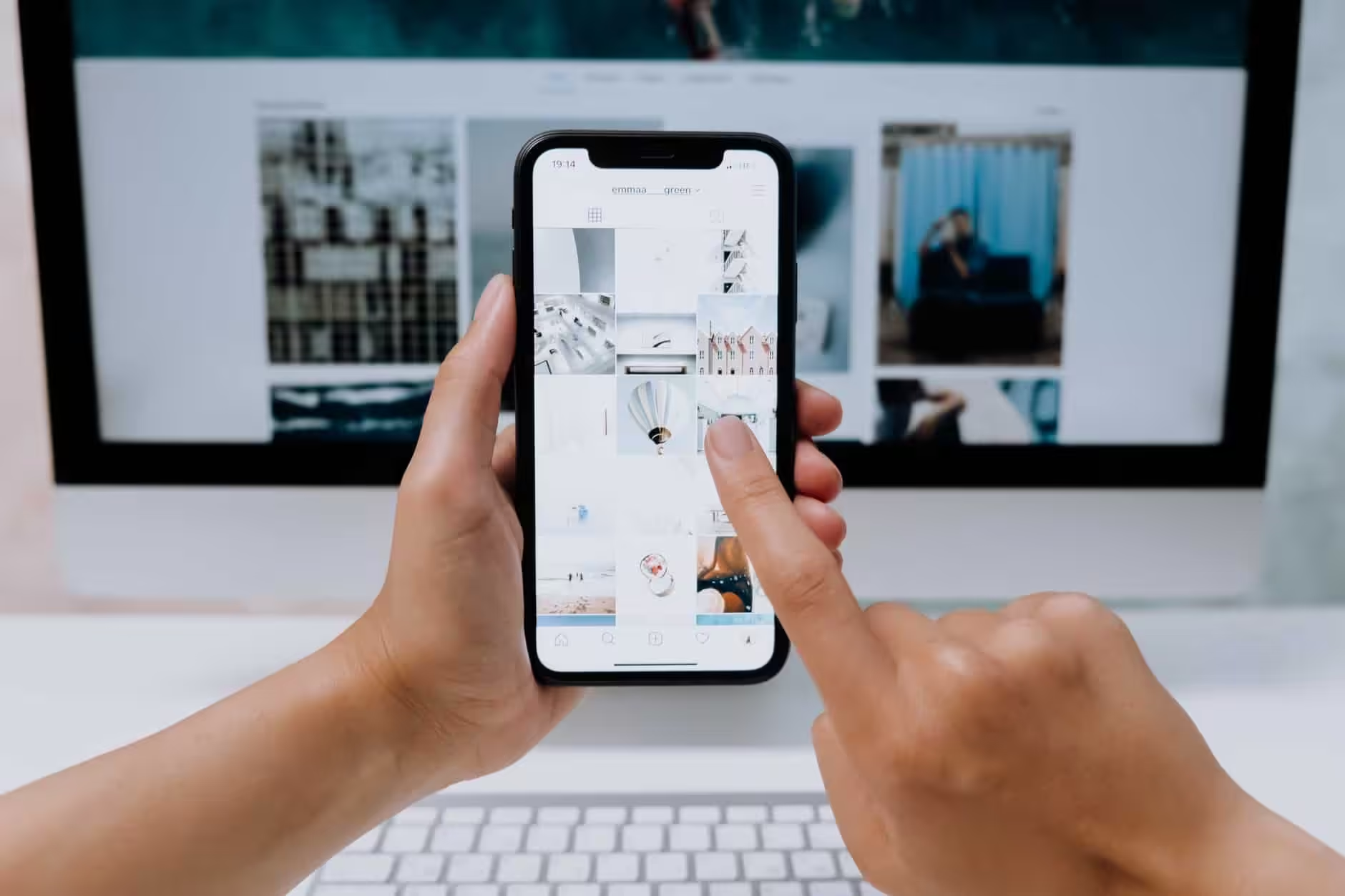
Know Your Target Audience
Posting without knowing your audience is like throwing darts blindfolded. You might hit something, but it won’t be the bullseye. Before you create a single post, you need to understand exactly who you’re trying to reach.
Start with Instagram Insights if you already have followers. Go to your Professional Dashboard and check your audience demographics: age range, gender split, top locations, and most active times. This data tells you who’s already engaging with your content.
If you’re starting fresh, build an audience persona based on your existing customers. What problems do they have? What language do they use? What other accounts do they follow? What content makes them stop scrolling?
The businesses that grow fastest on Instagram aren’t trying to appeal to everyone. They pick a specific niche and become the go-to account for that topic. A local bakery doesn’t need 100K followers. It needs 2,000 local followers who actually walk through the door.
Content Strategy That Actually Works
Content is where most businesses either win or waste their time on Instagram. The algorithm rewards content that keeps people on the platform, so your job is to create posts that people want to watch, save, share, and comment on.
The Content Mix Formula
Don’t just post product photos and hope for the best. Follow this content mix that I’ve seen work across dozens of business accounts:
- 40% educational content: Tips, how-tos, industry insights, and “did you know” posts that provide genuine value
- 30% behind-the-scenes: Your process, team, workspace, customer interactions, and day-in-the-life content
- 20% product or service content: Features, benefits, use cases, customer results, and demonstrations
- 10% direct promotions: Sales, offers, launches, and clear CTAs to buy or sign up
This ratio keeps your feed valuable instead of feeling like a constant advertisement. People follow businesses that teach or entertain them, not ones that only pitch.
Save your best-performing posts in a “swipe file” folder. When you’re stuck on content ideas, revisit what already worked and create variations. A carousel post that got high saves can become a Reel, and a popular Reel topic can become a detailed carousel.
Choosing the Right Format
Instagram gives you multiple content formats, and each one serves a different purpose in your strategy:
Reels are your growth engine. They get the widest distribution because Instagram pushes short-form video to non-followers through the Explore page and Reels tab. Keep them between 15-30 seconds for the best completion rate. Use trending audio when it fits your brand.
Carousels are your save magnets. Multi-image posts with educational content consistently get the highest save rates. People bookmark them to reference later. Structure them like a mini-presentation with a hook on slide 1 and a CTA on the last slide.
Stories are your daily touchpoint. They keep you at the top of your followers’ feeds and let you engage through polls, questions, quizzes, and countdown stickers. Post 3-5 Stories per day to stay visible without overwhelming your audience.
Single images still work for brand identity posts, announcements, quotes, and customer testimonials. They don’t get the same reach as Reels, but they anchor your grid aesthetic.
Posting Schedule
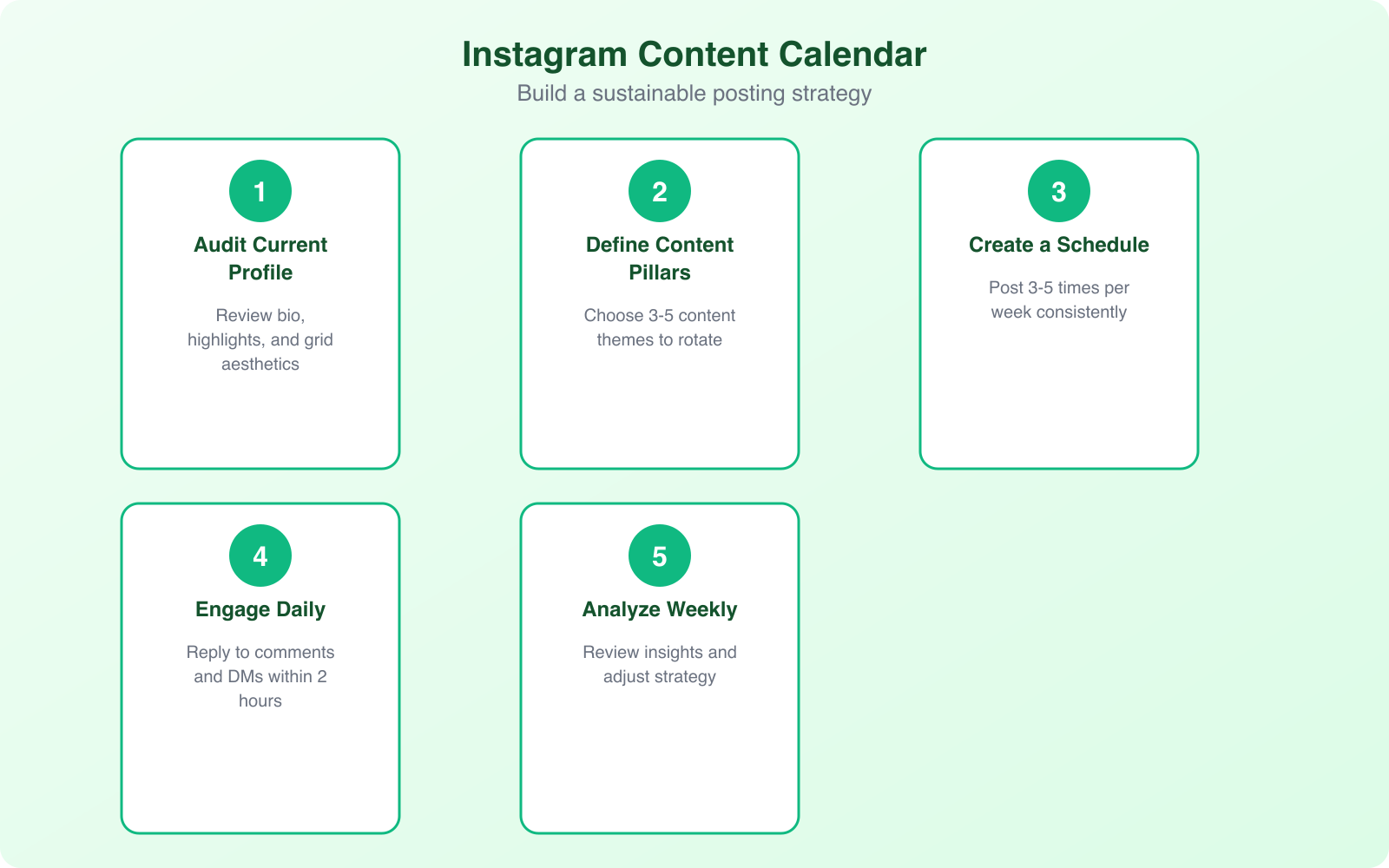
Consistency matters more than frequency. Posting 4-5 times per week on a reliable schedule beats posting twice a day for a week and then disappearing for two weeks. The Instagram algorithm rewards accounts that show up regularly.
Check your Instagram Insights for when your audience is most active. For most business accounts, Tuesday through Thursday between 9 AM and 12 PM local time sees the highest engagement. But your audience might be different, so let the data guide you.
Master Instagram Reels
Reels are the single best way to reach new people on Instagram in 2026. The algorithm actively pushes Reels to users who don’t follow you yet, which makes them your primary discovery tool. I’ve seen accounts go from 500 followers to 5,000 in a month purely by posting consistent Reels.
Here’s what makes a business Reel perform well:
- Hook in the first 1-2 seconds. Start with a bold statement, a question, or a visual that makes people stop scrolling. “The biggest mistake I see businesses make on Instagram…” works better than “Hey everyone, today I want to talk about…”
- Keep it under 30 seconds. Shorter Reels get higher completion rates, and completion rate is the strongest signal the algorithm uses to distribute your content.
- Add text overlays. Most people watch Reels without sound. Your message needs to come across visually.
- End with a CTA. Tell viewers exactly what to do next: follow for more, save this for later, comment your answer, or check the link in bio.
You don’t need fancy equipment or editing skills. Some of the best-performing business Reels are shot on a phone with natural lighting and simple text overlays. Authenticity consistently outperforms production value on Instagram.
Use Hashtags Strategically
Hashtags are still relevant in 2026, but the strategy has changed. Instagram now recommends using 3-5 highly relevant hashtags rather than stuffing 30 into every post. The algorithm has gotten smarter at understanding what your content is about, so hashtags are more about categorization than discovery.
Use a mix of these hashtag types:
- Niche hashtags (most important): Specific to your industry and audience. If you’re a yoga studio, #yogaforbeginners is better than #yoga.
- Location hashtags: Critical for local businesses. Use your city, neighborhood, and “near me” variations.
- Branded hashtag: Create one unique to your business. Encourage customers to use it when posting about your products.
Avoid banned or overly generic hashtags like #love or #instagood. They don’t help your reach, and some banned hashtags can actually hurt your distribution. Check a hashtag’s page before using it to make sure it’s active and relevant.
Instagram Stories for Business Engagement
Stories disappear after 24 hours, but their impact on your engagement doesn’t. They’re the most intimate format on Instagram because they feel personal and unpolished. That’s exactly why they work so well for businesses.
Interactive Story stickers are your best engagement tools. Use polls to get opinions (“Which product should we launch next?”), questions to start conversations (“What’s your biggest challenge with X?”), and quizzes to educate your audience about your industry.
Every time someone interacts with your Story sticker, it signals to the algorithm that they’re interested in your content. This means your future posts and Stories are more likely to appear in their feed. It’s a direct feedback loop that boosts your overall visibility.
The link sticker is also a game-changer. Every business account can add clickable links to Stories now, regardless of follower count. Use it to drive traffic to blog posts, product pages, sign-up forms, or whatever your current priority is.
Leverage Instagram Shopping
If you sell physical or digital products, Instagram Shopping turns your profile into a browsable catalog. Customers can discover your products in their feed, tap a tag, see the price, and buy without leaving the app.
To set it up, you’ll need a Facebook Business Page connected to your Instagram account, a product catalog (through Commerce Manager or a platform like Shopify), and compliance with Instagram’s merchant policies. Once approved, you can tag products in feed posts, Reels, and Stories.
Product tags reduce friction in the buying process significantly. Instead of someone seeing a product in your post, going to your bio link, navigating your website, and finding the product, they just tap and buy. Every extra step you remove increases conversion rates.
Run Instagram Ads the Right Way
Organic reach on Instagram only gets you so far. If you want to accelerate growth, paid ads let you put your content in front of exactly the right people. The good news is you don’t need a massive budget to see results. I’ve seen businesses drive meaningful traffic starting at $10-15 per day.
The simplest way to start is by boosting your top-performing organic posts. If a Reel or carousel already got strong engagement, it’s proven content that’s likely to perform well as an ad. Go to the post, tap “Boost,” and target people similar to your existing followers.
For more advanced campaigns, use Meta Ads Manager where you can:
- Create Custom Audiences from your website visitors, email list, or Instagram engagers
- Build Lookalike Audiences that mirror your best customers
- A/B test different creatives, audiences, and placements
- Track conversions with the Meta Pixel installed on your website
Start with a retargeting campaign first. People who’ve already visited your website or engaged with your Instagram are the warmest audience and convert at the lowest cost. Then expand to cold audiences once you’ve nailed your messaging.
Instagram ads run through Meta Ads Manager, the same platform as Facebook ads. This means you can run the same ad across both Instagram and Facebook simultaneously, then compare performance and shift budget to whichever platform delivers better results for your specific audience.
Cross-Promote From Other Channels
If you already have an audience on other platforms, don’t build your Instagram following from scratch. Leverage what you’ve already built. Share your Instagram content on Facebook, embed Reels in your blog posts, and add your Instagram handle to your email signature and newsletters.
Pin a tweet or LinkedIn post announcing your Instagram account. Add Instagram widgets to your website sidebar. Include your handle on business cards, packaging, and receipts. Every touchpoint with a customer is an opportunity to grow your Instagram following.
Repurpose content across platforms too. A LinkedIn article can become an Instagram carousel. A YouTube video can be clipped into multiple Reels. A podcast episode’s key takeaways can become a Story series. This saves you time and ensures consistent messaging across all your channels.
Engage and Build Community
Instagram isn’t a broadcasting platform. It’s a community platform. The businesses that grow the fastest are the ones that treat their followers like people, not metrics. That means actually engaging with your audience, not just posting and disappearing.
Reply to every comment on your posts within the first hour. This boosts your post’s engagement rate and signals to the algorithm that your content is sparking conversation. Even a simple “Thanks!” or an emoji response counts, but personalized replies work better.
Send a welcome DM to new followers. Not a sales pitch, just a genuine “Hey, thanks for following! What brought you here?” You’d be surprised how many people respond, and those conversations often turn into customers. I’ve seen businesses close deals directly through Instagram DMs.
Collaborate with complementary businesses and micro-influencers in your niche. Instagram’s Collab feature lets two accounts co-author a post, which means it appears on both profiles and reaches both audiences. This is one of the fastest organic growth tactics available.
Track Your Results With Instagram Insights
You can’t improve what you don’t measure. Instagram Insights gives you all the data you need to understand what’s working and what’s not. Check it weekly, not daily. Daily fluctuations are noise, but weekly trends show real patterns.
The metrics that actually matter for business accounts are:
- Reach: How many unique accounts saw your content. This tells you if your content is being distributed.
- Engagement rate: (Likes + Comments + Saves + Shares) / Reach. Aim for 3-6% on feed posts.
- Saves: The most underrated metric. Saves tell the algorithm your content has long-term value.
- Website clicks: How many people tapped your bio link or Story links. This connects Instagram to actual business outcomes.
- Follower growth rate: Track net new followers per week. A healthy account grows 1-3% per month organically.
Connect Google Analytics to track what happens after someone clicks through from Instagram. You want to know if Instagram visitors are bouncing immediately or actually converting into leads and customers. Set up UTM parameters on your bio link and Story links for accurate tracking.
User-Generated Content and Social Proof
The most persuasive content on your Instagram won’t come from your team. It’ll come from your customers. User-generated content (UGC) is photos, videos, and reviews created by real people who use your product or service. It’s authentic, free, and converts better than polished brand content.
Encourage UGC by creating a branded hashtag and asking customers to tag you in their posts. Feature their content on your Stories and feed (with permission). Run contests where the entry requirement is posting about your product. Some brands offer small incentives like discount codes for customers who share photos.
Customer testimonials also work incredibly well as Instagram content. Screenshot positive DMs or reviews (with permission), turn them into quote graphics, or create short video testimonials. Social proof removes doubt and builds trust faster than anything you can say about yourself. For more ideas on building your brand presence, check out this guide on Instagram apps that help promote your business.
Common Instagram Marketing Mistakes to Avoid
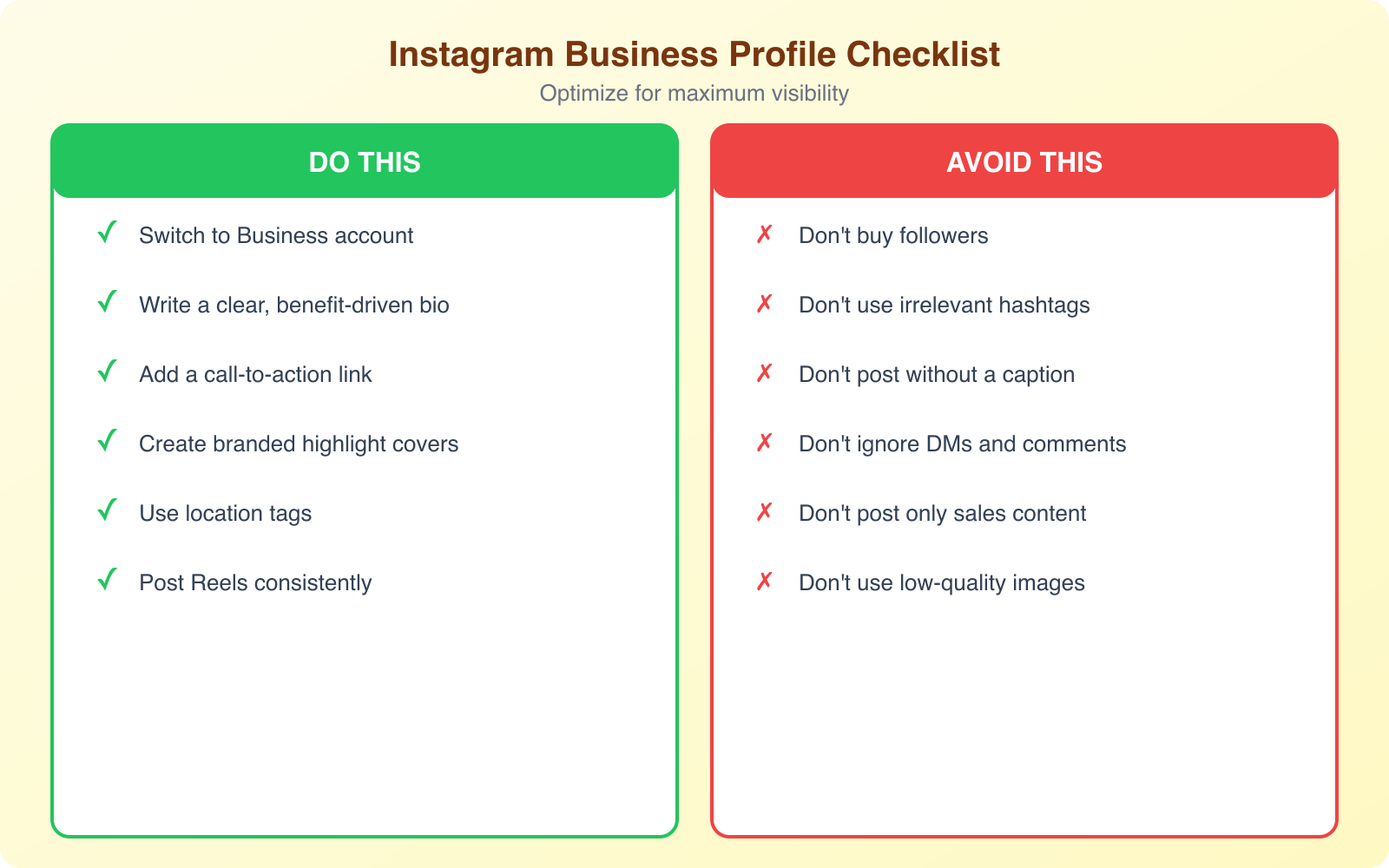
I’ve audited hundreds of business Instagram accounts, and the same mistakes come up repeatedly. Avoiding these will put you ahead of most competitors:
- Inconsistent posting: Going viral once means nothing if you disappear for three weeks after. Build a sustainable schedule you can maintain.
- Ignoring Reels: Businesses that refuse to create short video are leaving reach and growth on the table. You don’t need to dance. Just talk to the camera or show your process.
- Buying followers: Fake followers destroy your engagement rate, make your analytics useless, and can get your account flagged. Grow organically.
- Only posting product photos: Nobody follows a catalog. Mix in value, personality, and storytelling alongside your product content.
- Not using a CTA: Every post should tell people what to do next, whether it’s saving the post, visiting your site, or commenting their opinion.
The businesses that succeed on Instagram treat it like a long-term investment, not a quick win. It takes 3-6 months of consistent effort before you’ll see compounding results. But once the flywheel starts spinning, Instagram can become one of your most profitable marketing channels for growing your audience and revenue.