
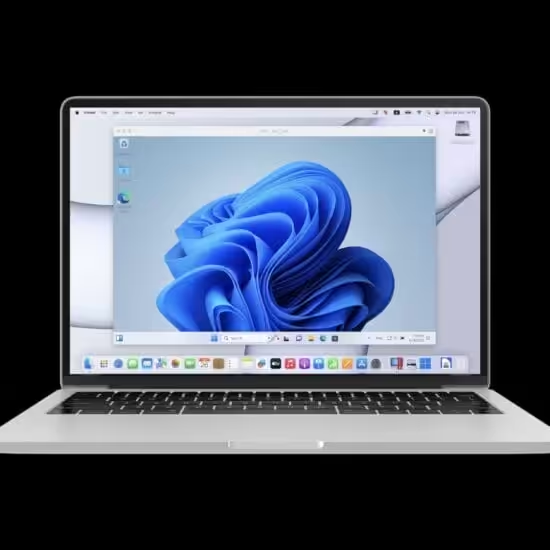
How to Run Windows Apps on Mac (The Easiest Method)
How to run Windows apps on Mac using the easiest methods. Plus the best MacBooks with enough power to handle both macOS and Windows apps simultaneously.
This Windows category is your hub for everything related to Microsoft’s flagship operating system, from troubleshooting common problems to exploring new features in the latest builds. I share tips for optimizing performance, customizing the user experience, and making the most of Windows on desktops, laptops, and tablets. Whether you’re a beginner learning the basics, a power user seeking productivity hacks, or someone curious about Windows updates and security practices, you’ll find valuable insights here. Expect guides on software recommendations, hardware compatibility, and integrations with tools like OneDrive and Office. Stay tuned for honest reviews, step-by-step tutorials, and thought pieces that cut through the hype to help you use Windows effectively in work and life. From gaming tips to accessibility tricks.
How to run Windows apps on Mac using the easiest methods. Plus the best MacBooks with enough power to handle both macOS and Windows apps simultaneously.

Step-by-step guide to fix the err_name_not_resolved error in google chrome?. Clear instructions with practical tips for getting it done right.

Handpicked and reviewed. Practical recommendations based on real testing and experience.
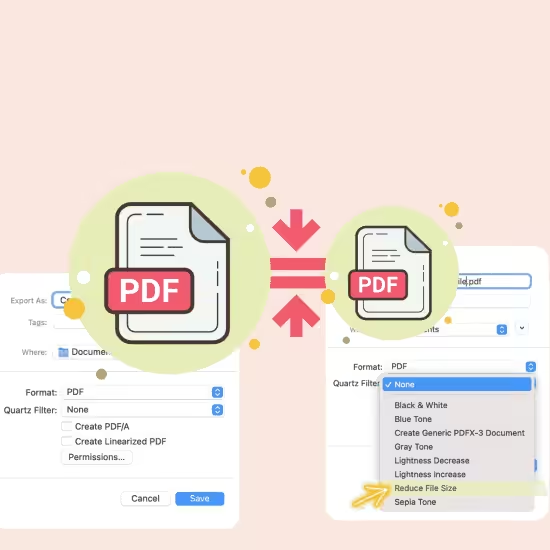
Step-by-step guide to reduce pdf file size for free without losing quality?. Clear instructions with practical tips for getting it done right.
For remote work and cloud computing. Plus the best laptops with enough power to run virtual desktops smoothly.

Best PDF apps for students to read, edit, and annotate documents on any device. Plus the best tablets for reading and marking up PDFs and research papers.

Handpicked and reviewed. Practical recommendations based on real testing and experience.

Running CAD, MATLAB, and simulation software. Plus the best monitors and accessories for engineering workstations.

, from free built-in tools to professional solutions. Plus the best monitors for crystal-clear screen captures.

To recover deleted files from any drive. Plus the best portable SSDs to prevent data loss in the first place.

Step-by-step guide to easily disable laptop keyboards on windows 11, 10, 8, 7?. Clear instructions with practical tips for getting it done right.

Handpicked and reviewed. Practical recommendations based on real testing and experience.