
 by
by
Most people treat Pinterest like Instagram, post a few pretty pins, tag a product, and wait. Then nothing sells, and they decide Pinterest affiliate marketing doesn’t work. Here’s what they missed: Pinterest isn’t social media. It’s a visual search engine. People go there to plan a purchase, not to scroll and like.
That one shift changes everything about how you earn. A tweet dies in an hour. A pin gets found for months, because it sits in search results the way a blog post sits in Google. So the goal isn’t to go viral today. It’s to build pins that quietly send buyers to your affiliate links long after you’ve forgotten you made them. Over half a billion people use Pinterest every month, and most of them are looking for exactly what you’re recommending.
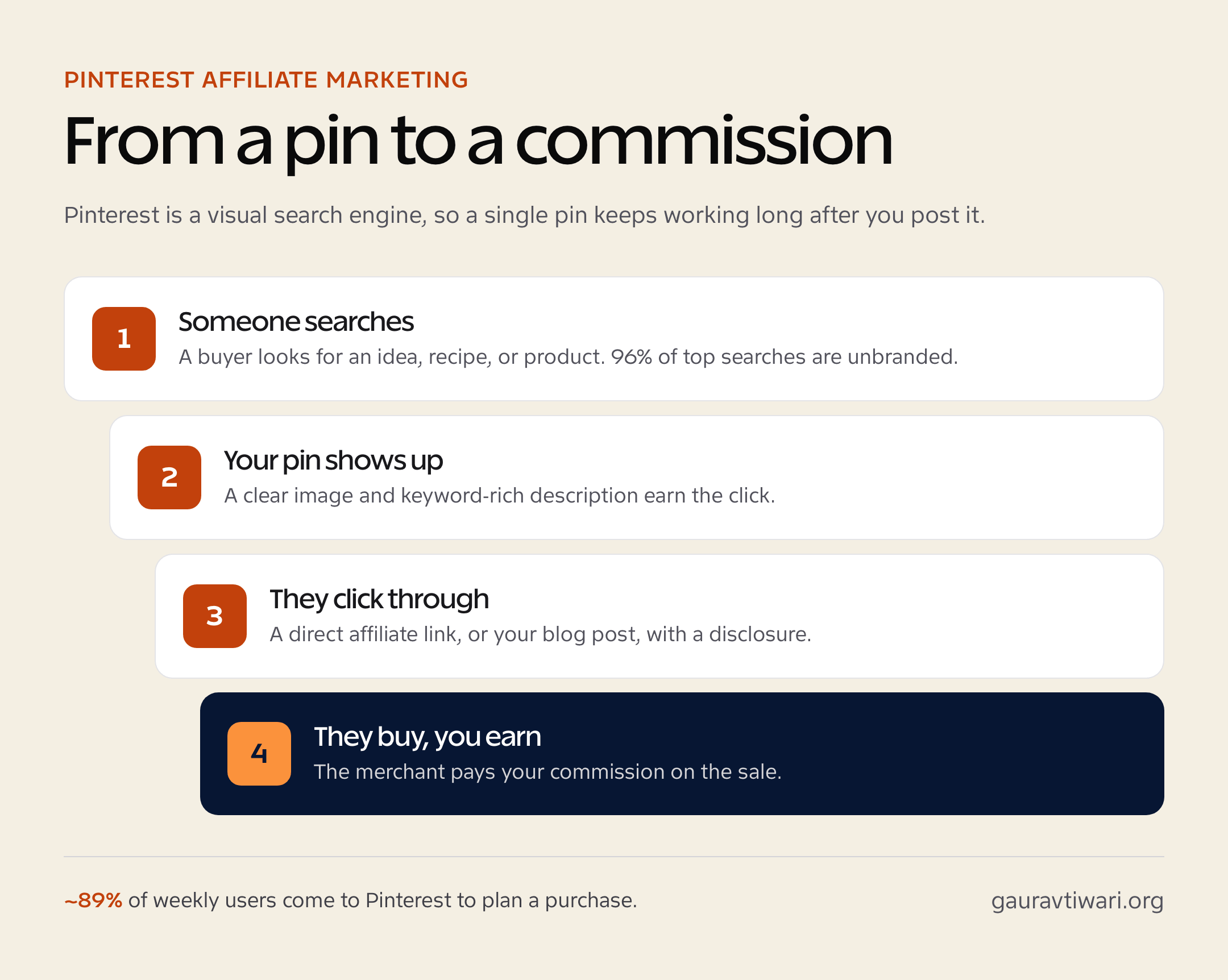
What is Pinterest affiliate marketing?
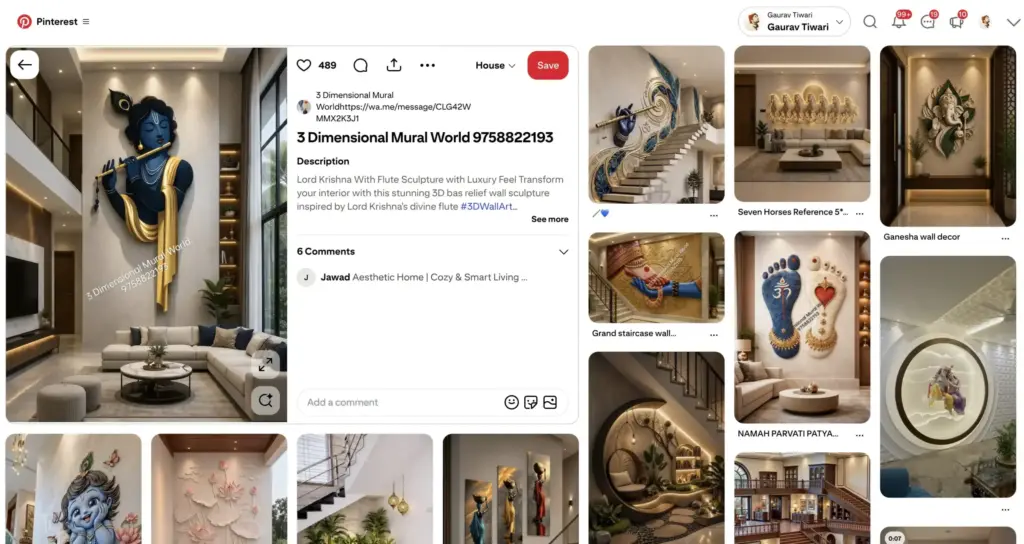
Pinterest affiliate marketing is promoting products through pins that link to an affiliate offer, so you earn a commission when someone clicks and buys. The pin is the storefront window. The Pinterest search results are the foot traffic. Your affiliate link is the cash register.
What makes it different from affiliate marketing on most platforms is intent. Pinterest runs more than 5 billion searches a month, and around 96% of the top searches are unbranded, meaning people search “small kitchen storage ideas,” not a brand name. They haven’t decided what to buy yet. That’s the exact moment a good recommendation wins. If you’re new to the model itself, start with my affiliate marketing for beginners guide, then come back here for the Pinterest-specific part.
Pinterest affiliate marketing statistics
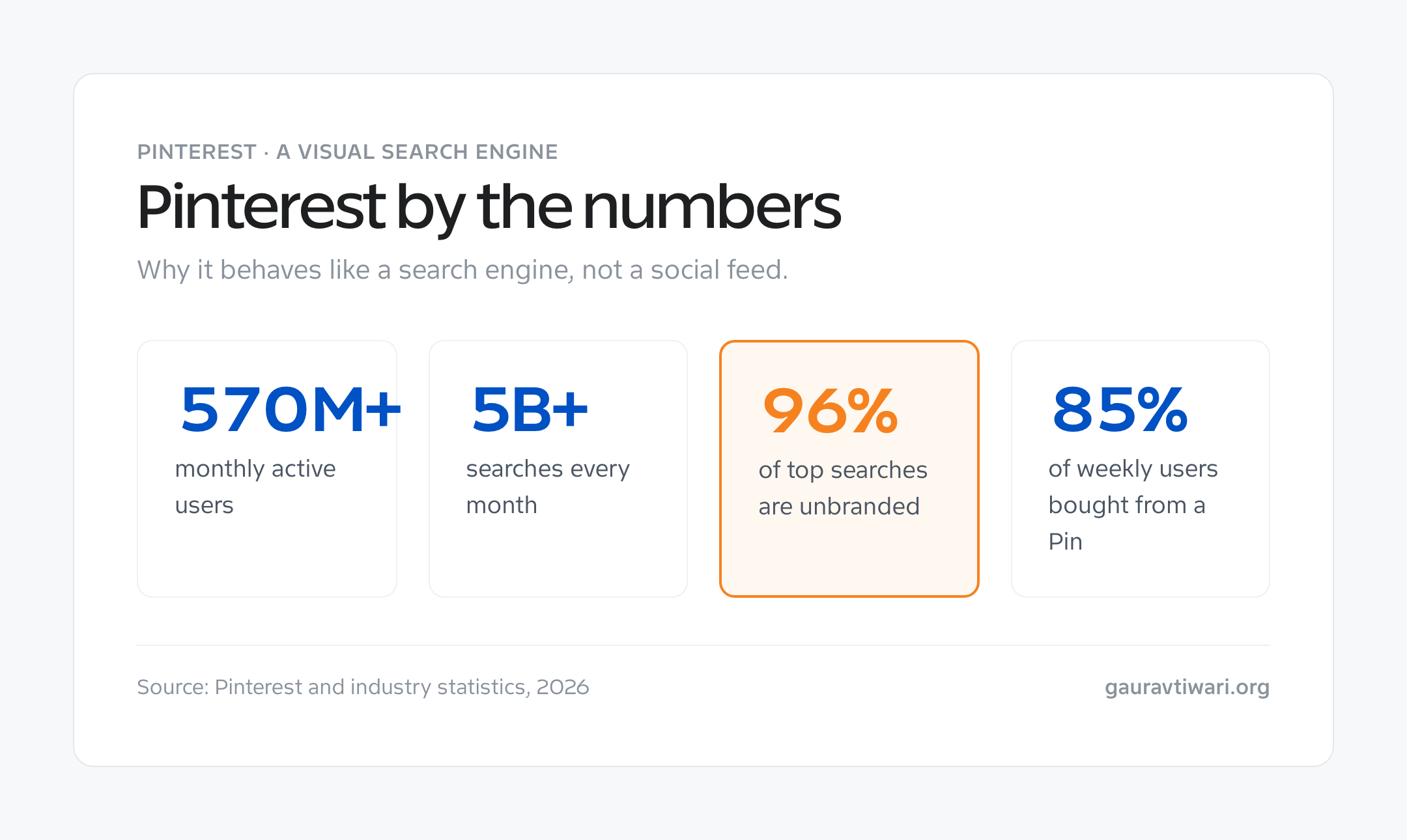
The case for Pinterest is easier to make once you see how people actually use it. The numbers that matter for affiliates:
- Pinterest has 570 million+ monthly active users, with some sources reporting over 630 million (Pinterest, industry reports).
- Users run 5 billion+ searches on Pinterest every month, and 96% of top searches are unbranded.
- 85% of weekly Pinners have bought something based on a Pin, and around 80% have discovered a new brand or product there.
- About 89% of weekly users come to Pinterest to plan a purchase.
- The audience skews ~72% female, but men are the fastest-growing group and Gen Z is now the largest single cohort, saving Pins at over 2x the rate of older users.
Does Pinterest allow affiliate links?

Yes. Pinterest allows direct affiliate links on pins. You don’t need to hide them behind a blog post, though that often helps. What Pinterest doesn’t allow is spam, cloaking, and dishonesty, and that’s where most people get their accounts flagged. So follow a few rules and you’re fine.
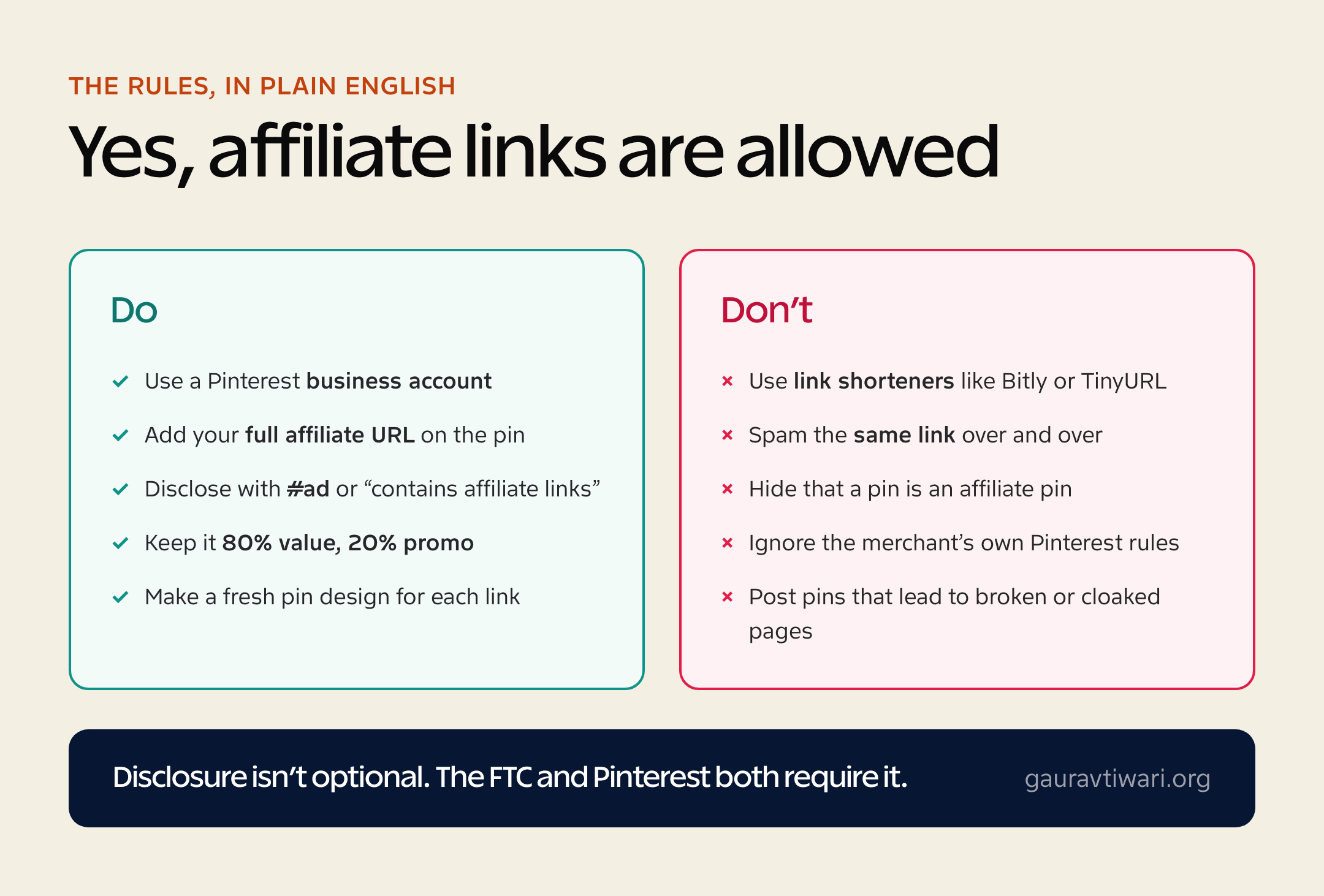
- Use a business account. Pinterest requires one for commercial activity, and it’s free.
- Paste the full affiliate URL. Skip link shorteners like Bitly or TinyURL. They get pins flagged as spam.
- Disclose every affiliate pin. Add #ad or a line like “this pin contains affiliate links.” The FTC and Pinterest both require it.
- Don’t repeat the same link in a burst. Spacing pins out keeps the algorithm calm.
- Check the merchant’s rules. A few programs, including Amazon Associates at times, restrict or ban Pinterest, so read the terms before you pin.
Amazon Associates is the one to watch. Its operating agreement has historically restricted posting affiliate links off your own site, and the rules shift by region. When in doubt, link your pin to your blog post that contains the Amazon link, not straight to Amazon.
Pinterest SEO: how your pins actually get found
This is the part most affiliate guides skip, and it’s the whole game. Pinterest ranks pins the way Google ranks pages, using the words you give it. A stunning pin with no keywords is invisible. A plain pin with the right keywords gets found for months. So treat every pin like a tiny SEO project.
Four places Pinterest reads your keywords, in order of weight:
- Pin title and description. Write the phrase your buyer would search, like “small bathroom storage ideas,” not a clever caption.
- Board name and description. Group pins into keyword-named boards so the whole board signals a topic.
- Text on the image. Pinterest reads on-image text, so a clear headline on the pin helps it rank and earns the click.
- Rich Pins. Turn these on to pull metadata from your linked page automatically, which adds context and trust.
Rich Pins are the one technical step worth doing early. They sync your page’s title and description to the pin, so your listings look credible and stay accurate. The setup is a one-time validation through Pinterest’s tools, and it’s free. After that, your pins inherit better context every time you post. If you already do SEO work for a site, this will feel familiar, because it’s the same keyword discipline aimed at a different engine.
Can you do Pinterest affiliate marketing without a blog?
Yes, and this is the question I get most. You can link a pin directly to your affiliate URL and earn with no website at all. Plenty of people start exactly this way. It’s the fastest path to your first commission.
But here’s the honest tradeoff. A direct link is a one-shot. They click, they buy or they don’t, and you never see them again. Send that click to a blog post or a simple landing page first and you can capture an email, recommend three products instead of one, and earn from that person for years. You don’t need a full site to start. A free ConvertKit landing page and a lead magnet is enough to turn one-time clicks into a list. If you do want a real site, my guide on how to make money blogging covers the setup.
My take? Start with direct links to get your first win and learn what converts. Then route everything through your own page. The pins are the same. The earnings aren’t.
How to start Pinterest affiliate marketing step by step
Here’s the exact order I’d set things up in. Don’t skip the boring steps. The account type and the keyword research are what make the pretty pins actually get found.
- Create a Pinterest business account. Free, and it unlocks analytics and Rich Pins. Convert your personal one or start fresh.
- Pick one niche. Go narrow. “Budget apartment decor” beats “home stuff.” Narrow niches rank faster and convert better.
- Join affiliate programs in that niche. Start with one network like Awin or Impact, plus the merchant’s own program.
- Design pins. Use Canva with vertical 2:3 images, big readable text, and a clear subject. Tall pins win more space in the feed.
- Write keyword-rich descriptions. Pinterest reads your title and description like a search engine. Use the words your buyer would search.
- Add your affiliate link and disclosure. Full URL, plus #ad or a clear note.
- Stay consistent. Pin steadily rather than in bursts. A scheduler like Tailwind keeps you regular without living in the app.
Five pin types that actually convert
Not every pin is built to sell. These five pull their weight, because each one matches a moment when a buyer is close to deciding.
- The “X best” roundup. “7 best standing desks under $300.” Comparison pins catch people in buying mode.
- The tutorial pin. Show a result, then link the products that made it. People buy the kit that gets the outcome.
- The single-product hero. One product, one strong benefit, one clean image. Works when the product is visual.
- The printable or freebie. A free checklist or template that captures an email, then sells on the back end.
- The seasonal pin. Holiday gift guides and seasonal decor spike every year, and Pinterest plans 30 to 45 days ahead of the date.
Best niches for Pinterest affiliate marketing
Pinterest rewards visual, planning-heavy niches. If people pin it to a board to do later, it sells. The strongest categories, in my experience watching what gets saved:
- Home decor and organization. The biggest evergreen category on the platform.
- Beauty and skincare. Routines, tools, and product roundups.
- Fashion and style. Outfits, capsule wardrobes, seasonal looks.
- Food and recipes. Link the appliances, tools, and ingredients.
- Weddings and events. High budgets, heavy planning, long lead times.
- DIY, crafts, and printables. Tools, supplies, and digital products you can sell directly.
- Personal finance and printables. Budget templates and planners convert well to email lists.
One note on audience. About 72% of Pinterest users are women, so the platform skews that way, but men are the fastest-growing group and Gen Z is now the largest single cohort, saving pins at more than twice the rate of older users. So if your niche reads young or male, don’t write Pinterest off. The audience moved.
What products convert best on Pinterest
Niche gets you traffic. Product choice gets you paid. The same pin can earn pennies or real money depending on what’s on the other end of the link, so match the product to how Pinterest buyers actually spend.
- Digital products and printables. Planners, templates, presets, and courses. High margins, instant delivery, and they pair perfectly with an email capture.
- Mid-priced physical products. The $30 to $150 range is the sweet spot. Cheap enough for an impulse, expensive enough to pay a worthwhile commission.
- Bundles and “shop the look” sets. Link several products from one pin, like a whole desk setup or a recipe’s full toolkit, and one click can trigger several sales.
- Subscriptions with recurring payouts. Tools and memberships that pay you monthly turn one pin into ongoing income.
What underperforms? Tiny, low-commission items and anything that needs a long explanation. Pinterest is a glance-and-decide platform. If the buyer has to read a 2,000-word review before they’ll trust the purchase, send the pin to that review on your own site first, then let the page do the convincing.
Tools I’d use for Pinterest affiliate marketing
You can start with two free tools and add a third when you get serious. I’d skip everything else until you’re earning.
Canva for pin design

Canva is where I’d build every pin. The free tier has vertical Pinterest templates, and you can batch ten pins for one post in an afternoon. Fresh pin designs for the same link is a Pinterest best practice, and Canva makes that fast. Pair it with strong photos and you don’t need a designer.
Tailwind for scheduling

Consistency beats intensity on Pinterest, and Tailwind is the scheduler built for it. It’s a Pinterest marketing partner, so it queues pins at sensible intervals and stops you from spamming the same link. You can grow without it, but it saves the daily grind of pinning by hand.
Affiliate networks to find programs
Most merchants run through a network. Awin, Impact, and CJ Affiliate cover thousands of brands between them, and Amazon Associates is the obvious starter despite its Pinterest caveats. For a wider shortlist, see my roundup of the best affiliate marketing programs. If you run a WordPress blog alongside your pins, the best Amazon affiliate plugins make link management far easier.
Pinterest vs Instagram and TikTok for affiliates
People ask which platform is best for affiliate marketing. Wrong question. They do different jobs, and Pinterest’s job is the one most affiliates underrate.
| Platform | How it works | Pin or post lifespan | Affiliate links |
|---|---|---|---|
| Visual search engine | Months to years | Direct links allowed | |
| Social feed | Hours to a few days | Link in bio only | |
| TikTok | Algorithmic video feed | Days, sometimes a spike | Link in bio or Shop |
The difference is lifespan and intent. On Instagram and TikTok you chase reach today, and you can’t even put a clickable link on a normal post. On Pinterest, every pin is clickable, searchable, and still working months later. So Instagram and TikTok are great for building an audience, and Pinterest is great for sending that audience to buy. If you only have time for one and your niche is visual, I’d pick Pinterest, because the work you do once keeps paying. Use my Instagram promotion tools guide for the audience side, and let Pinterest handle the selling.
Pinterest affiliate marketing outside the US
I optimize for the US first, because that’s where most Pinterest spending intent sits. But the platform is global, and the disclosure rules travel with you. The principle is the same everywhere: tell people a pin is an affiliate pin, in their language, plainly.
- European Union and Britain. Disclosure is expected under consumer-protection and advertising rules, and GDPR applies the moment you collect an email. Label affiliate pins clearly.
- India. The ASCI guidelines require visible disclosure on paid or affiliate promotions, so #ad belongs on the pin.
- Australia. ACCC guidance treats undisclosed affiliate promotion as misleading, so keep it obvious.
- Brazil. CONAR advertising rules expect the same upfront disclosure, in Portuguese for a Portuguese-speaking audience.
Pinterest itself works in dozens of countries, though shopping features and ad tools roll out unevenly. So check what’s live in your market, but know the core play, search-driven pins to affiliate offers, works anywhere Pinterest does.
Mistakes that quietly kill Pinterest affiliate income
Most Pinterest affiliate accounts don’t fail loudly. They just never start earning, usually for one of these reasons.
- Treating it like Instagram. Posting for likes instead of search. Write for what people type, not what looks cool.
- One pin per link. Make several fresh designs for the same offer over time. Pinterest favors fresh pins.
- Skipping keywords. A gorgeous pin with no keywords is invisible. The description is your ranking signal.
- Hiding the disclosure. It’s required, and burying it risks your account and your trust.
- Quitting at week three. Pinterest is slow to start, then compounds. The people who win are the ones still pinning at month three.
How long until Pinterest affiliate marketing pays off?
Here’s the honest timeline, because false expectations are why most people quit. Pinterest is slow at the start and compounding at the end. If you want money this week, run ads somewhere else. If you want an asset that earns while you sleep next year, this is it.
Roughly what to expect, assuming you pin consistently in one niche:
- Month 1. Setup and learning. Business account, Rich Pins, 30 to 50 pins, almost no income. This is normal.
- Months 2 to 3. Pinterest starts trusting your account and distributing pins wider. First clicks, first small commissions, early data on what converts.
- Months 4 to 6. Your best pins gain momentum in search and keep getting found. Income becomes steadier and less dependent on new pins.
- Month 6 and beyond. Older pins carry the load. This is where the asset effect kicks in, and a few winners can outearn everything else combined.
Notice there’s no overnight step. The people who win at Pinterest affiliate marketing aren’t more talented. They’re still pinning at month four when everyone else quit at week three. So set a 90-day floor before you judge it, track which pins convert, and make more of those. That patience is the whole strategy.
Is Pinterest affiliate marketing worth it?
If you sell visual, plannable products and you’re patient, yes. Pinterest won’t spike like a viral video. It builds like an asset, where pins you made months ago still send buyers today. That’s rare in social, and it’s exactly why I’d put Pinterest affiliate marketing ahead of chasing the next trending platform. Set up the business account, pick one narrow niche, design pins in Canva, disclose honestly, and give it 90 days. The buyers are already searching. You just have to show up in the results. Do that consistently in one niche, route your best clicks through a page you own, and Pinterest stops being a traffic chore and starts being an asset that pays you on its own schedule.
Frequently Asked Questions
Does Pinterest allow affiliate links?
Yes. Pinterest allows direct affiliate links on pins, as long as you disclose them and don’t spam. Use a business account, paste your full affiliate URL (no link shorteners like Bitly), and add a disclosure such as #ad or “contains affiliate links.” Always check the merchant’s own program terms too, because a few networks restrict Pinterest.
Can you do Pinterest affiliate marketing without a blog?
Yes. You can link a pin straight to your affiliate URL with no website at all. A blog or a simple email list captures people you’d otherwise lose, so it earns more over time, but you can start and earn with pins alone.
How much can you earn with Pinterest affiliate marketing?
It varies wildly. Earnings depend on your niche, the commission rate, and how much buyer-intent traffic your pins pull. Pinterest’s strength is that pins keep getting found for months, so income compounds slowly rather than spiking and dying like a social post. Treat the first 90 days as setup, not payday.
Which niches work best for Pinterest affiliate marketing?
Visual, planning-driven niches: home decor, beauty, fashion, food and recipes, weddings, DIY and crafts, and personal finance printables. These match how people use Pinterest, which is to plan a purchase before they buy.
Do I need a Pinterest business account for affiliate marketing?
Yes. A business account is required for commercial activity, and it unlocks analytics, Rich Pins, and ads. It’s free to create or convert from a personal account, so there’s no reason to skip it.
What tools do I need for Pinterest affiliate marketing?
Three, and two are optional. A pin design tool like Canva, a scheduler like Tailwind to stay consistent, and an affiliate network or two such as Amazon Associates, Awin, or Impact to find programs. You can start free with just Canva and a Pinterest business account.
Tell Google you want more of this.
Add Gaurav Tiwari as a preferred sourceOne tap, and this site shows up more often in your own Top Stories, AI Overviews and AI Mode. Remove it any time.
Disclaimer: This site is reader-supported. If you buy through some links, I may earn a small commission at no extra cost to you. I only recommend tools I trust and would use myself. Your support helps keep gauravtiwari.org free and focused on real-world advice. Thanks. - Gaurav Tiwari
