
 by
by
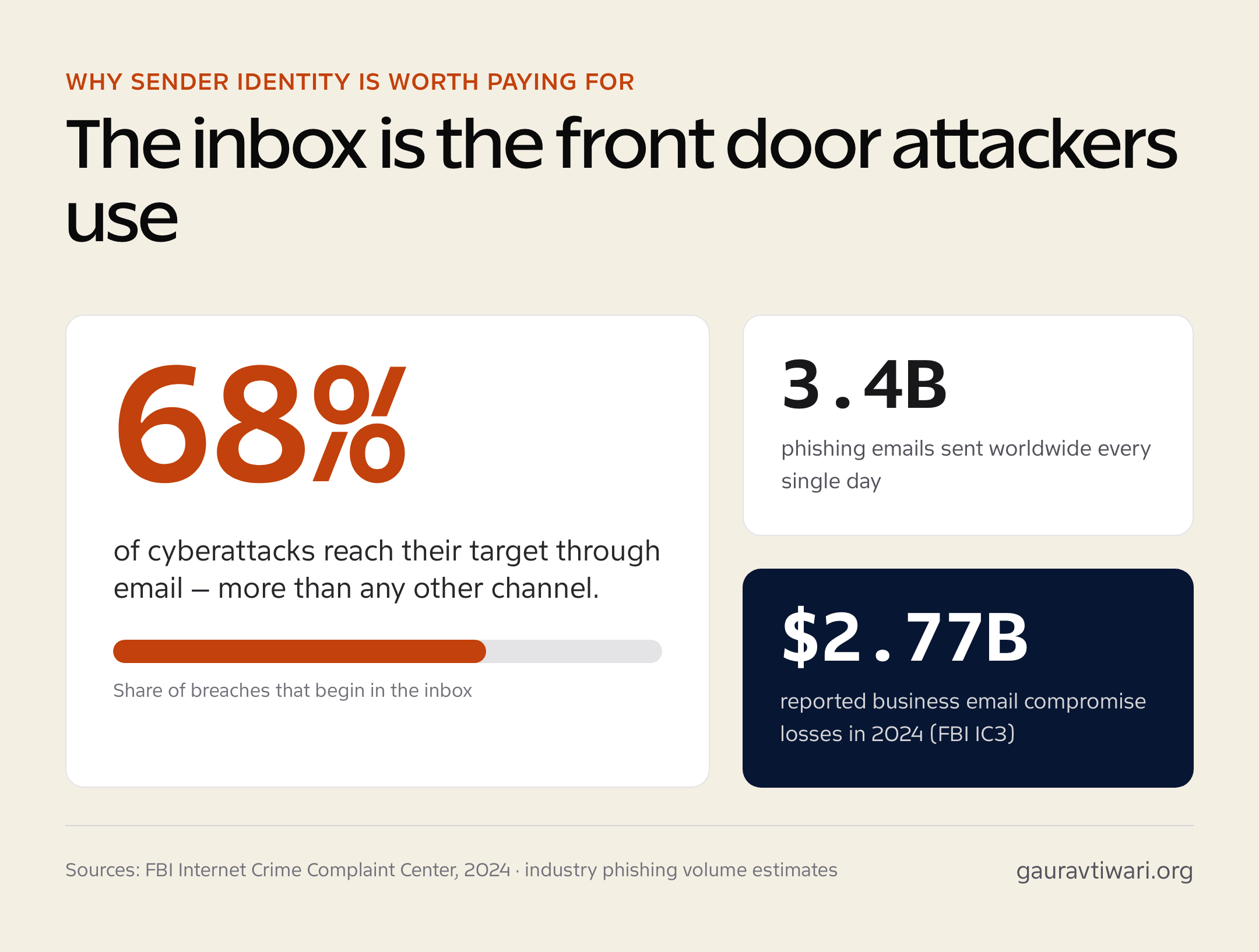
When you send a quote, an invoice, or a support reply from a business email, potential clients see the address before they read the message. A personal email can make even a normal business note feel less certain. Some people will still reply. Others may pause before opening an attachment or sending payment details.
Setting up a professional email domain gives your message a clearer business identity. It shows that the email belongs to your company, not to a temporary personal inbox. It also keeps client conversations closer to the business as the team grows.
Why Personal Email Addresses Can Raise Doubt
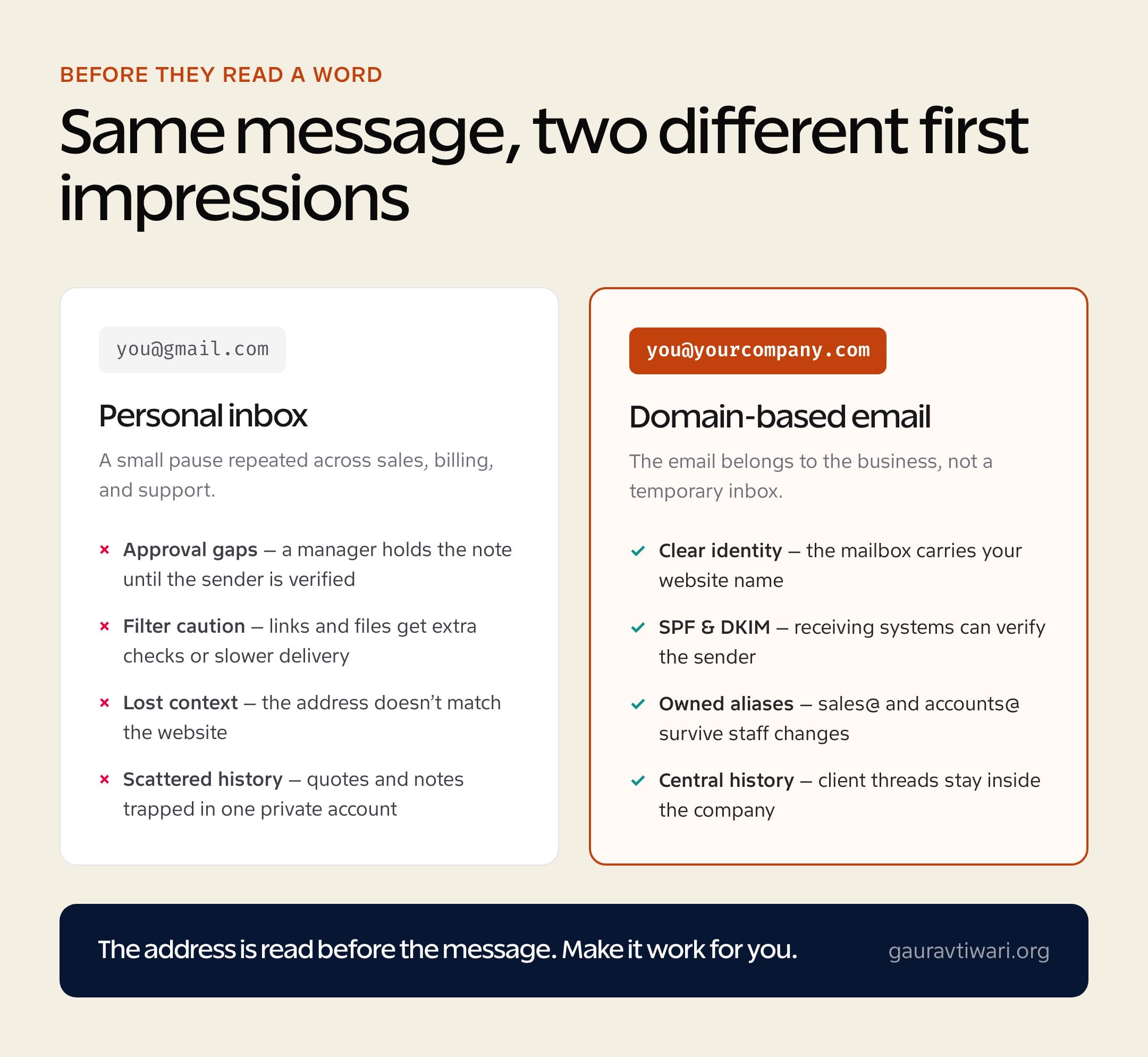
A personal inbox can make a normal business process feel less direct. The message may arrive, but the next step becomes slower. A quote waits for approval. An invoice gets forwarded to finance with a question mark. A contract sits unread until someone confirms the sender.
That delay can show up in several places:
- Approval gaps. A manager may hold the message until the sender is verified.
- Filter caution. Corporate systems may treat links and files from unknown outside accounts more carefully, which can slow delivery or add extra checks.
- Lost context. If the address does not match your website, the email may feel detached from the conversation that started on your site.
The problem is not dramatic. It is a small pause repeated across sales, billing, and support.
Where Personal Accounts Fail Growing Teams
Email becomes harder to manage once several people touch the same customer relationship. A quote may start with sales, then move to billing after the client asks for payment details. Later, support may need the same context. With personal inboxes, tracking down old emails, past agreements, or the right person to reply becomes a mess.

The gaps show up in ordinary work:
- No business-owned aliases. Customers often write to the person they already know, not to a shared company inbox. If that person is away, the message may sit there or get forwarded by hand.
- Scattered conversation history. Quotes, contract notes, and client details stay inside one inbox, which makes handovers harder during leave or staff changes.
- Mixed schedules and contacts. Personal calendars, customer details, and work reminders can sit in the same account, making backups and clean access harder to manage.
The company is left relying on private inboxes for work that should stay inside the business.
How Domain-Based Email Helps Protect Identity
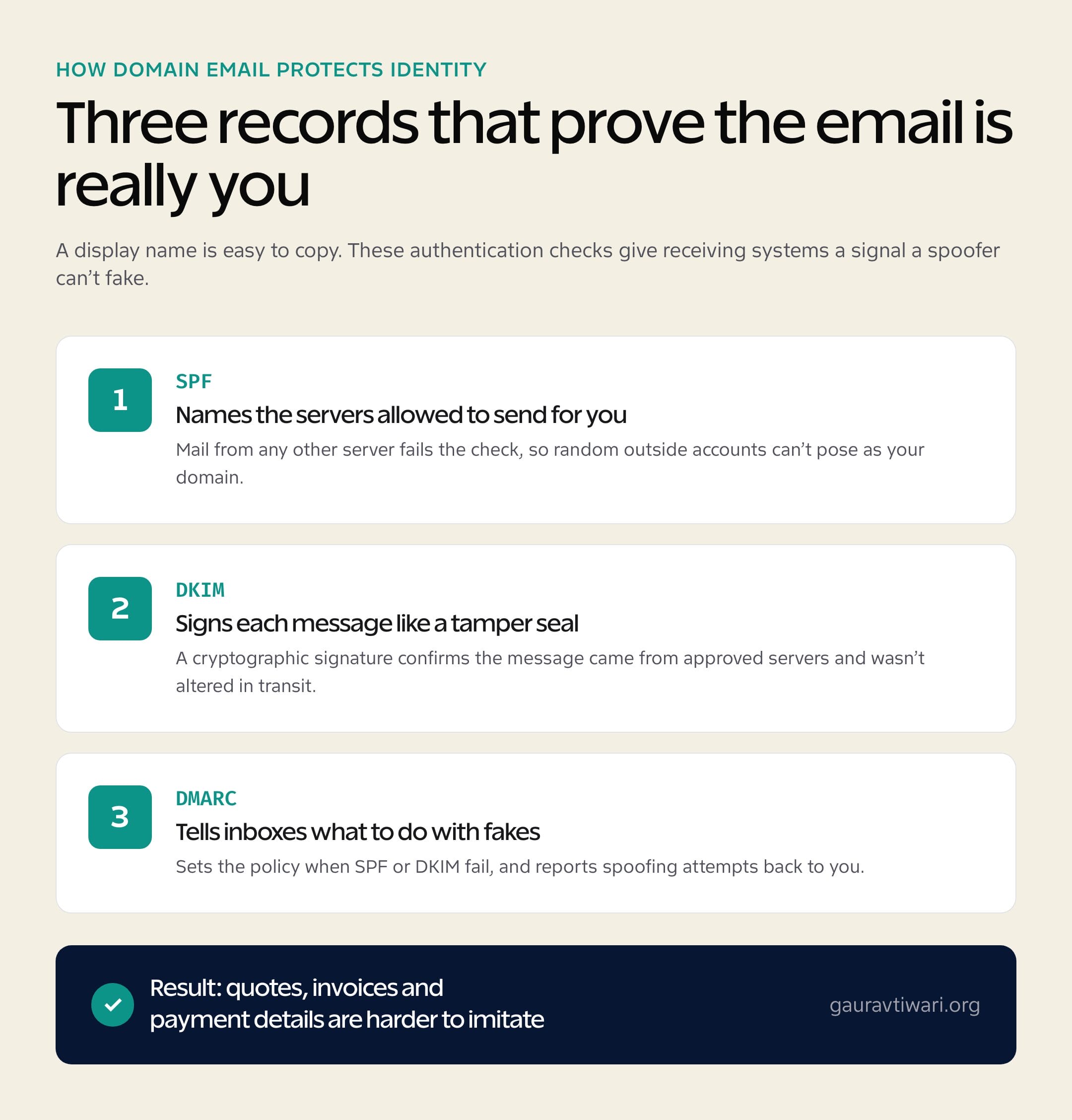
A display name is easy to copy. Someone can send a message that looks close enough to your business name, especially if clients are used to seeing messages from personal accounts. That is where domain-based email gives you a stronger signal.
Authentication records help receiving systems check whether the message is allowed to come from your domain:
- SPF and DKIM. These records act like technical signatures, helping mail providers verify that the message came from approved servers.
- Lower spoofing risk. Quotes, invoices, and payment details are harder to imitate when the domain is properly authenticated.
- Cleaner filtering. Security systems have more information when deciding whether a message is genuine or suspicious.
This does not make email untouchable. It gives your business a clearer identity record, so real messages have a better chance of being trusted.
What to Check Before Moving to Business Email
Moving the team to professional mailboxes does not have to be technical, but a few details matter before you choose a plan. The service should cover the way your team works now without making future costs hard to track.
Check a few practical points:
- Clear mailbox pricing. Look for billing that makes sense per account or plan, so monthly costs do not become a surprise.
- Storage per account. Check how much space each person gets for attachments, long threads, and archived messages.
- Security basics. Spam, malware, phishing filters, and 2FA should be part of the decision.
- Mobile and desktop sync. Staff should be able to work from office laptops, phones, and webmail without extra friction.
- Shared calendars and contacts. These matter once meetings, follow-ups, and client details are handled by more than one person.
Why Small Businesses Use Namecheap
When personal accounts start slowing down daily work, business email on your own domain gives the team a cleaner way to manage communication. Namecheap’s Professional Email plans are built around clear mailbox choices, so small businesses can choose the level that fits their team without turning email into a large overhead cost.
The service connects to the practical needs discussed above in a few ways:
- Custom domain email. Mailboxes use your website name, which gives clients and vendors a clearer business identity.
- Jellyfish spam protection. The integrated filter automatically blocks malicious code, phishing tricks, and junk mail.
- Security tools. Two-factor authentication helps protect team logins.
- Shared business tools. Depending on the plan, staff can use aliases, shared calendars, and other collaboration features.
The setup is also straightforward. You can connect mailboxes to your current domain and manage all corporate data securely inside a single, centralized workspace.
Email That Stays With the Business
A business email address is not just a cleaner detail on the screen. It builds trust with outside partners, protects billing conversations, and keeps company messages easier to manage as your operations grow.
When your team works from authenticated, domain-based mailboxes, you reduce the small uncertainties that cause clients to double-check or delay files. Email becomes more than a basic messaging tool. Your team can send updates safely, avoid communication gaps during handovers, and keep client history easier to follow over time.
With Namecheap, small businesses can build that structure without turning email into a complicated project. The result is safer communication, clearer ownership, and fewer small delays in daily work.
Frequently Asked Questions
Why does a business email build more trust than a personal one?
Because clients see the address before they read the message. A business email on your own domain shows the message belongs to the company, not a temporary personal inbox, so quotes, invoices, and payment requests are acted on faster and with less hesitation.
What is the difference between a personal and a business email address?
A personal address (like you@gmail.com) is tied to an individual and mixes work with private mail. A business email uses your own domain (you@yourcompany.com), can be owned and reassigned by the company, supports shared aliases, and keeps client history inside the business as the team grows.
How do SPF and DKIM protect a business email?
SPF lists the servers allowed to send mail for your domain, and DKIM adds a cryptographic signature that confirms a message came from approved servers and was not altered. Together with DMARC, they make it much harder for someone to spoof your quotes, invoices, or payment details.
What should I check before moving my team to business email?
Look at clear per-mailbox pricing, storage per account, security basics like spam, malware, and phishing filters plus two-factor authentication, mobile and desktop sync, and shared calendars and contacts for teams that handle the same clients.
Does Namecheap business email include spam protection and two-factor authentication?
Yes. Namecheap Professional Email includes Jellyfish AI anti-spam filtering that blocks malicious code, phishing, and junk mail, and it supports TOTP-based two-factor authentication to protect team logins, along with custom-domain mailboxes, aliases, and shared calendars on higher plans.
Tell Google you want more of this.
Add Gaurav Tiwari as a preferred sourceOne tap, and this site shows up more often in your own Top Stories, AI Overviews and AI Mode. Remove it any time.
