
Grammarly Review 2026: Is It Still the Best Writing Assistant?
I’ve used Grammarly daily for over 5 years across blog posts, client emails, and documentation. It’s not perfect, but it’s the writing tool I keep coming back to. In this updated Grammarly review, I’ll cover everything that’s changed in 2026, including the rebranded “Pro” plan, generative AI features, and whether it’s still worth the subscription.
What is Grammarly?
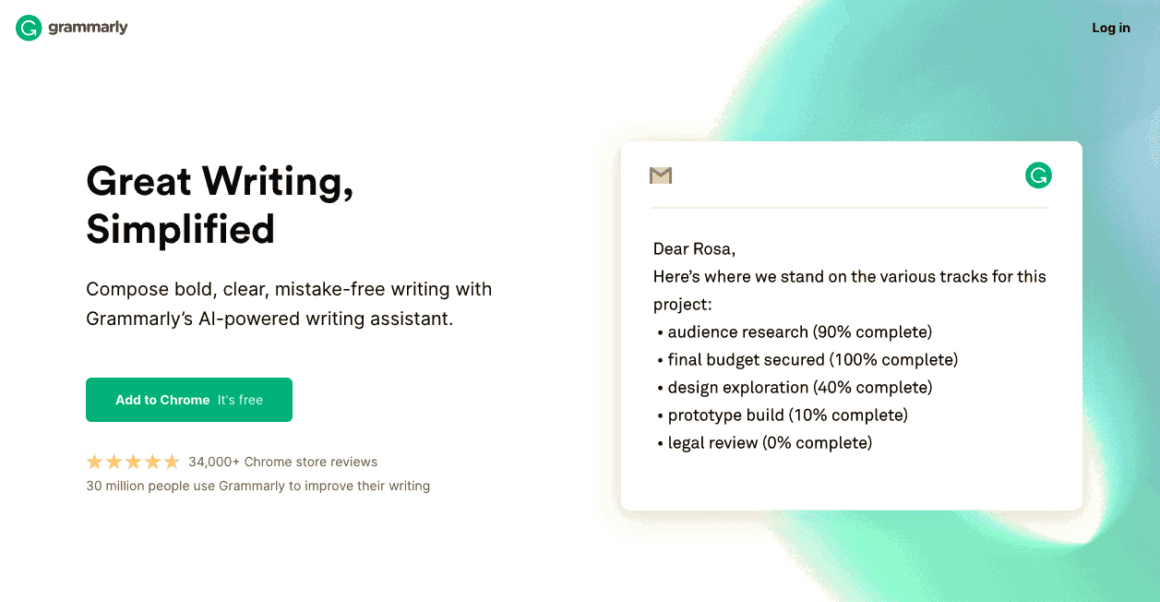
Grammarly is an AI-powered writing assistant that checks grammar, spelling, punctuation, tone, clarity, and style across virtually every platform you write on. It’s also a plagiarism checker, a tone detector, a full-sentence rewriter, and since 2023, a generative AI writing tool.
Founded in 2009, Grammarly now has over 30 million daily active users and works on Windows, Mac, Linux, Android, iOS, Chrome, Edge, Safari, Firefox, Google Docs, Microsoft Office, Slack, and pretty much any text field on the web.
| Detail | Info |
|---|---|
| Product | Grammarly |
| Plans | Free, Pro (individual), Pro for Teams, Enterprise |
| Price | Free – $30/month (Pro monthly) or $12/month (annual) |
| Free Tier | Yes (basic grammar, 100 AI prompts/month) |
| AI Prompts | Free: 100/mo | Pro: 2,000/mo | Enterprise: Unlimited |
| Platforms | Web, Windows, Mac, Linux, iOS, Android, Chrome, Edge, Safari, Firefox |
| Integrations | Google Docs, MS Office, WordPress, Slack, Outlook, Gmail |
| Languages | English (US, UK, Canadian, Australian) |
| Daily Active Users | 30,000,000+ |
| Headquarters | San Francisco, CA |
| Website | grammarly.com |
What Does Grammarly Do?
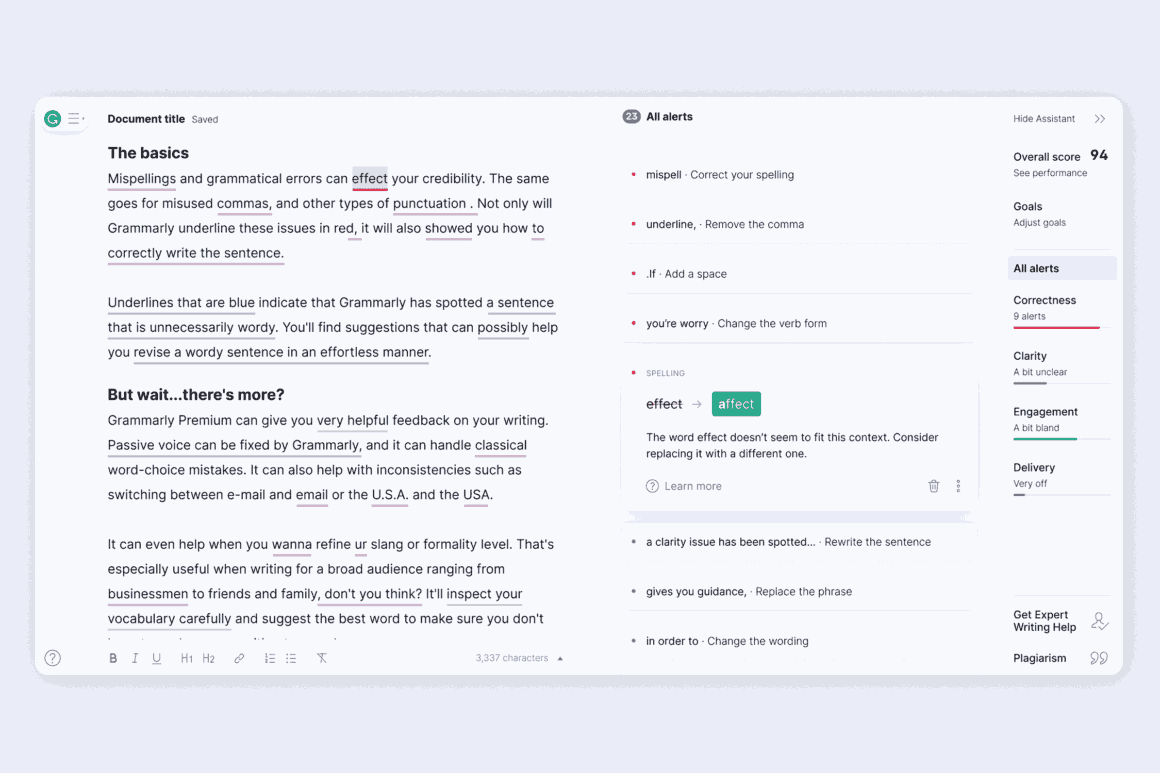
Grammarly’s core engine checks against 400+ grammatical rules and provides real-time feedback as you type. But it’s evolved far beyond a simple grammar checker. Here’s what it does in 2026:
- Grammar, Spelling, and Punctuation: The basics. Catches errors that spell-check misses, like “their” vs “there” or comma splices.
- Tone Detection: Analyzes the emotional tone of your writing (formal, friendly, confident, etc.) and suggests adjustments.
- Full-Sentence Rewrites: Rewrites entire sentences for clarity, conciseness, or a different tone. This is one of the Pro features I use most.
- Plagiarism Detection: Scans your text against billions of web pages and academic papers. Essential for students and content creators.
- GrammarlyGo (Generative AI): Generate drafts, brainstorm ideas, summarize text, and rewrite paragraphs. Pro users get 2,000 AI prompts per month.
- AI Detector: Analyzes text to determine if it was written by a human or generated by AI. Useful for editors and educators.
- Grammarly Docs: A new AI-powered writing interface for organizing work and getting instant feedback within Grammarly’s ecosystem.
- Citation Finder: Locates credible sources and auto-formats citations in Grammarly Docs.
- Style Guides (Teams/Enterprise): Create custom brand voice rules, approved terminology, and writing standards for your organization.
Grammarly Pricing in 2026
Grammarly recently rebranded “Premium” to “Pro” and restructured its plan tiers. Here’s the current pricing:
| Plan | Monthly Price | Annual Price | Key Features |
|---|---|---|---|
| Free | $0 | $0 | Basic grammar/spelling, tone detection, 100 AI prompts/month |
| Pro (Monthly) | $30/month | — | All Free features + full-sentence rewrites, plagiarism detection, 2,000 AI prompts/month, advanced suggestions |
| Pro (Annual) | $12/month | $144/year | Same as Pro Monthly (60% savings) |
| Pro for Teams | $15/user/month | Billed annually | All Pro features + brand tones, style guides, admin controls, usage analytics (3-149 users) |
| Enterprise | Custom | Custom | All Team features + unlimited AI prompts, BYOK encryption, SSO, priority support (150+ users) |
The annual plan saves you 60% compared to monthly billing ($144/year vs $360/year). Grammarly also offers student and teacher discounts (30% off Pro) and runs sales during Black Friday (up to 50% off). If you go monthly first, you can always switch to annual later.
How to Install Grammarly
Grammarly works practically everywhere. Here’s how to set it up on each platform:
Desktop App (Windows/Mac)
- Go to grammarly.com and download the app for Windows or Mac.
- Windows: Run the
.exefile and follow the installer. Mac: Open the.dmgand drag Grammarly to Applications. - Launch the app and log in or create an account.
Browser Extension
- Visit the Grammarly browser extensions page.
- Select your browser (Chrome, Firefox, Safari, or Edge). Works on Brave, Arc, and Vivaldi too.
- Click Add to [Browser] and follow the prompts.
Microsoft Word and Outlook
- Download the Grammarly for Microsoft Office plugin.
- Install and enable it in Word/Outlook.
- Log in and start writing with real-time suggestions.
Mobile (iOS/Android)
- Download Grammarly Keyboard from the App Store or Google Play.
- Enable it as your default keyboard in Settings.
- Grammarly checks your typing in any app: messages, emails, social media.
Google Docs
Install the browser extension and open Google Docs. Grammarly activates automatically. Look for the green icon in the lower-right corner.
Grammarly Review: The Best Features
After 5+ years of daily use, these are the Grammarly features that genuinely make a difference:
- Cross-platform consistency: Write in Google Docs, switch to email, draft a Slack message, all with the same grammar/style engine running. No other tool does this as seamlessly.
- Genre-specific styles: You can set your writing style to marketing, academic, creative writing, blog post, script, or technical. The suggestions adapt accordingly.
- Full-sentence rewrites (Pro): This is the feature that justifies the Pro subscription for me. Instead of just flagging issues, Grammarly rewrites entire sentences for clarity. Saves massive editing time.
- GrammarlyGo AI: Generate first drafts, brainstorm outlines, adjust tone across entire paragraphs. 2,000 prompts/month covers most individual needs.
- WordPress integration: The browser extension works directly in the WordPress block editor. I use it to proofread every blog post before publishing.
- Punctuation mastery: Catches subtle punctuation errors that other checkers miss: Oxford commas, semicolon usage, em dash vs en dash.
- Personal dictionary: Add brand names, technical terms, and proper nouns so Grammarly stops flagging them.
- Plagiarism checker (Pro): Scans against billions of pages. I use this for every guest post and client deliverable.

Grammarly Pros and Cons
What I Like
- Works everywhere: browser, desktop, mobile, Google Docs, MS Office, WordPress
- Full-sentence rewrites save hours of editing time
- Genre-specific writing styles adapt suggestions to your content type
- GrammarlyGo AI with 2,000 prompts/month is genuinely useful
- Plagiarism checker is reliable and comprehensive
- Tone detection helps calibrate emails and professional writing
- Personal dictionary stops repeated false positives
- Trusted by 30M+ daily users, industry-standard encryption
What I Don't Like
- Pro is expensive at $30/month if you don’t commit to annual ($12/month)
- Requires internet connection for all features
- Free version is very limited (100 AI prompts, no rewrites, no plagiarism check)
- English only, doesn’t support other languages
- Suggestions can occasionally feel unnatural or break your writing flow
- No free trial for Pro, you have to commit
- Can slow down Google Docs on large documents
Grammarly vs Alternatives
How does Grammarly compare to the other AI writing tools available? Here’s a quick comparison with the top competitors:
| Feature | Grammarly Pro | ProWritingAid | QuillBot | Hemingway |
|---|---|---|---|---|
| Grammar/Spelling | Excellent ✓ | Excellent | Good | Basic |
| Tone Detection | Yes ✓ | No | No | No |
| Full-Sentence Rewrites | Yes ✓ | Limited | Yes (paraphraser) | No |
| Plagiarism Checker | Yes ✓ | Yes | No | No |
| Generative AI | 2,000 prompts/mo | Limited AI | Yes | No |
| Browser Extension | All major ✓ | Chrome, Firefox | Chrome | No |
| Google Docs | Yes ✓ | Yes | Yes | No |
| MS Office | Yes ✓ | Yes | No | No |
| Mobile Keyboard | Yes ✓ | No | No | No |
| Annual Price | $144/year | $120/year | $100/year | $20 one-time |
| Best For | All-around writing assistant | Long-form writers, novelists | Paraphrasing, summaries | Readability editing |
ProWritingAid is the closest competitor. It’s cheaper ($120/year) and better for long-form writing analysis (readability, structure, pacing). But Grammarly wins on platform coverage, mobile support, and seamless cross-platform experience. For more options, see my full Grammarly alternatives comparison and my Grammarly vs ProWritingAid vs Sapling deep dive.
Grammarly Free vs Pro: Is the Upgrade Worth It?
The free version handles basic grammar and spelling well enough for casual writing, texts, and short emails. You also get 100 AI prompts per month. But it’s deliberately limited to push you toward Pro.
Upgrade to Pro if you:
- Write professionally (blog posts, client work, academic papers)
- Need plagiarism detection
- Want full-sentence rewrites and advanced style suggestions
- Use GrammarlyGo AI regularly (2,000 vs 100 prompts)
- Need genre-specific writing modes
Stay with Free if you:
- Only need occasional grammar checks for emails and messages
- Are on a tight budget and willing to use it alongside other free tools
- Don’t need plagiarism checking or AI writing features
For most writers, bloggers, and students, Grammarly Pro on the annual plan ($12/month) is the sweet spot. That’s less than a Netflix subscription for a tool you’ll use every day.
Is Grammarly a Scam?
No. Grammarly is a legitimate product used by 30 million+ people daily, with enterprise deployments across major companies. It’s backed by industry-standard encryption (AES-256) and has SOC 2 Type II compliance.
The complaints I’ve seen are mostly about the payment structure: no free trial for Pro, and refunds can be difficult to get. These are valid frustrations, but they don’t make the product a scam. It’s a real tool that does what it promises.
My Verdict
Grammarly is the most well-rounded writing assistant available in 2026. No other tool matches its combination of grammar checking, AI writing, plagiarism detection, and cross-platform coverage. The Pro plan at $12/month (annual) is genuinely worth it if you write professionally.
The downsides are real: it’s English-only, the free version is deliberately hobbled, the monthly price without annual commitment is steep ($30/month), and the suggestions can sometimes feel robotic. But overall, it’s earned its position as the default writing tool for millions of people, and it’s earned my recommendation too.
If you’re a blogger, student, content marketer, or anyone who writes regularly in English, Grammarly Pro will save you time and make your writing better. 4/5.
Grammarly
Pros
- Works on every platform: browser, desktop, mobile, Google Docs, MS Office
- Full-sentence rewrites save hours of editing time
- 2,000 AI prompts/month with GrammarlyGo
- Reliable plagiarism detection
- Genre-specific writing modes
- Trusted by 30M+ daily users with enterprise-grade security
Cons
- $30/month without annual commitment
- English-only, no multilingual support
- Free version is deliberately limited
- No free trial for Pro plan
- Suggestions can occasionally break writing flow
Summary
Grammarly is the most complete AI writing assistant available in 2026. The Pro plan ($12/month annual) offers grammar/spelling checking, full-sentence rewrites, plagiarism detection, tone adjustment, and 2,000 AI prompts per month. Works across every platform: browser, desktop, mobile, Google Docs, MS Office, WordPress, and Slack. English-only, no free trial, but unmatched cross-platform coverage.
Price: USD 12 /month (annual)
Try Grammarly ProFrequently Asked Questions
Can I trust Grammarly with my data?
Yes. Grammarly uses AES-256 encryption for data in transit and at rest, has SOC 2 Type II compliance, and Enterprise plans offer BYOK (Bring Your Own Key) encryption. Your documents are encrypted and not used to train their AI models. It’s as secure as any major cloud service.
Is Grammarly free?
Yes, Grammarly has a free tier that includes basic grammar and spelling checks, tone detection, and 100 AI prompts per month. However, it lacks plagiarism detection, full-sentence rewrites, and advanced style suggestions. For serious writing, Pro ($12/month annual) is needed.
Does Grammarly slow down Google Docs?
It can, especially on large documents (5,000+ words). The browser extension processes text in real-time, which adds CPU load. If you experience lag, disable Grammarly while drafting and enable it when you’re ready to edit. This is the approach I use for long articles.
Can I get a Grammarly Pro free trial?
Grammarly doesn’t offer a standard free trial for Pro. However, you can use the Free plan indefinitely to test the basic features. If you want to try Pro, the monthly plan ($30/month) lets you cancel after one month without being locked into an annual commitment.
Is Grammarly better than ProWritingAid?
For most people, yes. Grammarly has better platform coverage (mobile keyboard, more browser support), a more polished UI, and stronger AI features. ProWritingAid is better for long-form writers who need deep stylistic analysis (readability, sentence variety, pacing). ProWritingAid is also cheaper at $120/year vs $144/year.
Does Grammarly work with WordPress?
Yes. The Grammarly browser extension works directly in the WordPress block editor, classic editor, and most WordPress text fields. I use it to proofread every post before publishing. The suggestions appear inline as you type, just like they do in any other web application.
Does Grammarly support languages other than English?
No. Grammarly only supports English (US, UK, Canadian, and Australian variants). If you need multilingual writing assistance, you’ll need a different tool. This is Grammarly’s biggest limitation for non-English speakers.
Disclaimer: This site is reader-supported. If you buy through some links, I may earn a small commission at no extra cost to you. I only recommend tools I trust and would use myself. Your support helps keep gauravtiwari.org free and focused on real-world advice. Thanks. - Gaurav Tiwari
Hey Gaurav Tiwari ,
Excellent post with Fab-work. Glad to say that you have included a great review of Grammarly tool. You have presented this Grammarly tool impressively along with all the crucial & necessary information that are true enough to understand. Yes their is no-doubt in this that Grammarly is one of a best plagiarism checker tool for detecting & sorting several grammatical mistakes, spelling mistakes, commas. Using this tool will be a great helping hand and will absolutely keep the writing error-free & improves the writing skills. This tool must be used by every blogger, writers, authors and students as well. Grammarly is really a strong plagiarism checker, grammar checker tool trusted by millions of user. Grammarly is available for free but using the premium version of this tool will be helpful and also provides good advantages.
After going through this complete guide i got ideas and have also boosted my knowledge upto some limit. Am sure that this post will surely help lots of people & readers. Fantastic work and keep sharing more similar post.
Eventually thanks for sharing your knowledge and such an informative post.
Regards
-Aadarsh