
Best Plagiarism Checkers for Students and Writers
 by
by
You run a plagiarism check to find out whether your essay, paper or blog post matches someone else’s work before you submit or publish it. The trouble is that the score on its own can mislead you. A clean 0% can miss a source the checker never searched, and a 20% report can be nothing more than quotations you’ve already cited properly.
So the best plagiarism checkers are the ones that search the sources your writing is likely to match and show you every matching passage next to its source. Which one fits depends on what you’re checking.
For blog posts and client articles, I’d use Copyscape Premium. It checks unpublished text against the web for 3 cents a search, with no subscription.
If you’re writing an essay, thesis or research paper, check what your college already gives you first, because Turnitin access comes through the institution. If it gives you nothing for drafts, Scribbr sells a full report per document.
Quetext is the free option for shorter text, at up to 1,000 words a check. Grammarly, Copyleaks and ProWritingAid make sense when you already pay for them or need something the first three don’t do.
Quick Comparison
Find what you’re checking in the Best For column, then jump to that tool’s entry below.
| Tool | Best For | Free Option | Paid Price | Main Limit |
|---|---|---|---|---|
| Copyscape | Blog drafts and published pages | URL search for published pages | $0.03 per search up to 200 words, $0.01 per extra 100 words | Searches the web, not private student papers |
| Quetext | Short essays and articles | Up to 1,000 words per check | Plagiarism-only plan from $5.49/month billed yearly | Free checks stop at 1,000 words |
| Scribbr | An occasional thesis or research paper | Risk rating and top sources | $19.95 to $39.95 per document, by length | Can’t search your university’s private archive |
| Grammarly | Writers who already pay for Grammarly | Tells you whether matches exist | Pro at $12/month billed yearly | 100,000 characters per check, no PDFs |
| Copyleaks | Regular checks with AI detection | A few free credits for new accounts | $13.99/month billed yearly | 100 credits a month, 1 credit per 250 words |
| ProWritingAid | Authors who already use ProWritingAid | None | 10 checks for $10 | Each check covers up to 2,000 words |
Best Plagiarism Checkers
I picked these 6 for what they search, what they cost and the job each one does best. They aren’t ranked by accuracy. A fair accuracy ranking needs the same test documents run through every tool with the same settings, and the benchmark charts you’ll find on vendor pages are run by the vendors themselves.
Copyscape
Copyscape is my pick for anyone who publishes on the web: bloggers, editors and agencies checking a writer’s draft before it goes live. It comes in two parts that do different jobs.
- The free search at copyscape.com takes the URL of a published page and finds other pages carrying similar text. That’s how you find out who copied your article.
- Copyscape Premium takes pasted text or an uploaded PDF or Word file, so you can check a draft before anyone else sees it.
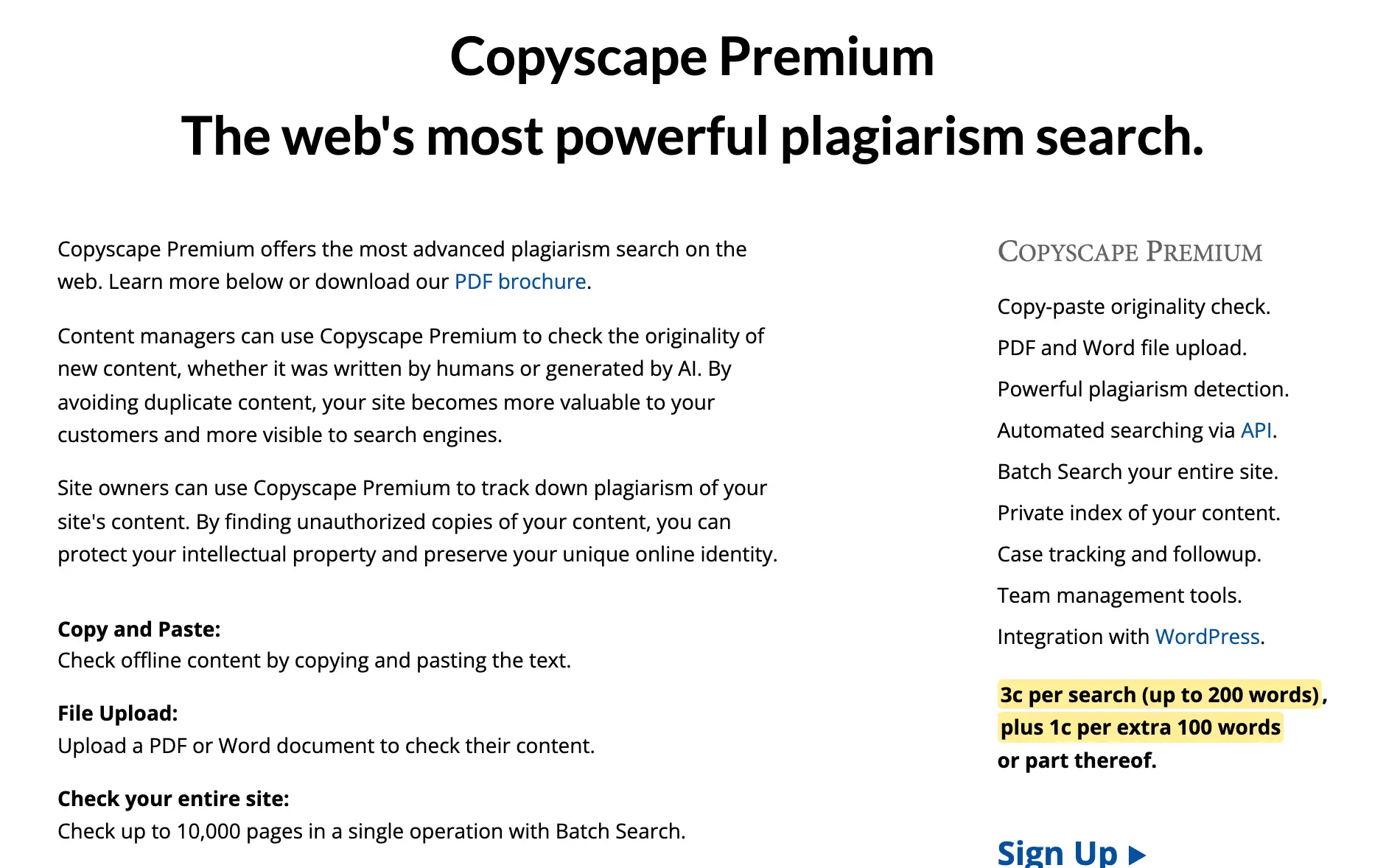
Premium is pay per search, with no subscription:
- 3 cents for a search of up to 200 words
- 1 cent for every extra 100 words, or part of it
- 11 cents for a 1,000-word draft
Premium also lets you build a private index of your own content to check new drafts against, and Batch Search checks up to 10,000 pages in one go. Copyscape sells an AI detector as well. Its AI probability score answers a different question from the plagiarism matches, so I’d read the two separately.
The limit is what Copyscape searches. It looks at the web, so it won’t see a classmate’s paper sitting in a university’s archive, a paywalled journal or a book that isn’t online. That hardly matters for blog content, but for academic work it’s a real gap.
Quetext
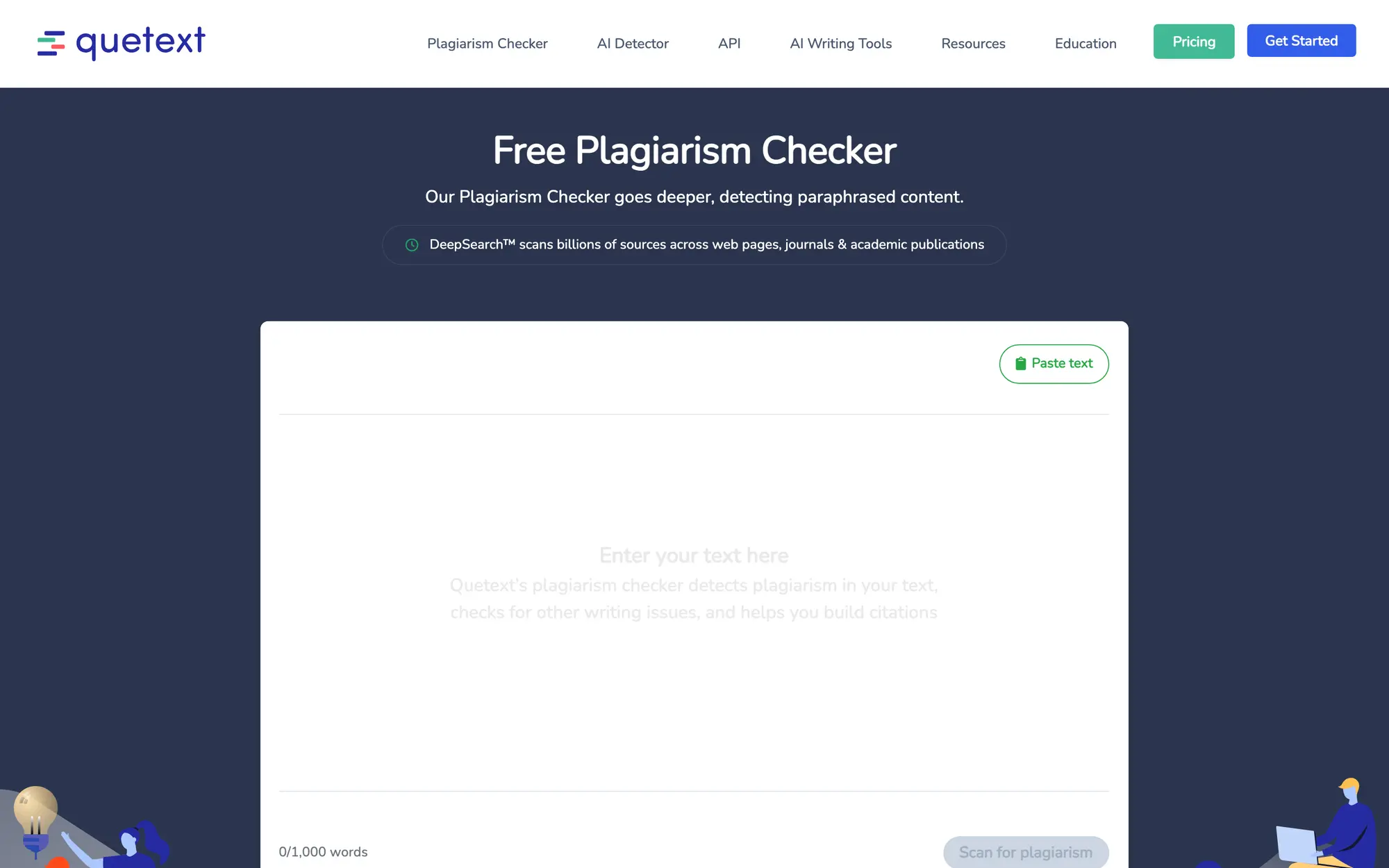
Quetext is the free plagiarism checker I’d point a student or writer to for a quick first check. You paste up to 1,000 words, and the report highlights matching text and links each match to its source.
Here’s what you get:
- DeepSearch compares your text with web pages, journals and academic publications, and ColorGrade color-codes exact matches and near matches.
- The Citation Assistant builds APA, MLA and Chicago citations for the sources it finds, even on the free plan.
- Uploads take Word, PDF and plain-text files, and a PDF needs selectable text.
- The Plagiarism Checker Only plan costs $9.99 a month, or $5.49 a month billed yearly, for 50,000 words a month.
- Essential adds the AI detector and 100,000 words a month for $14.99 a month, or $8.25 a month billed yearly.
The free version is fine for a short essay or a section of a longer one. A 4,000-word paper has to go in 4 pieces, and the paid plan is the better deal once you’re checking that much every month. Like every individual checker, Quetext can’t search your university’s private archive of submitted papers, so its score won’t match the report your instructor sees.
Scribbr
Scribbr is the one I’d use for a thesis, dissertation or research paper when your university doesn’t give you a way to check drafts. It sells a full report per document and compares your paper with a database of 99.3 billion web pages and 8 million publications from more than 1,700 publishers.
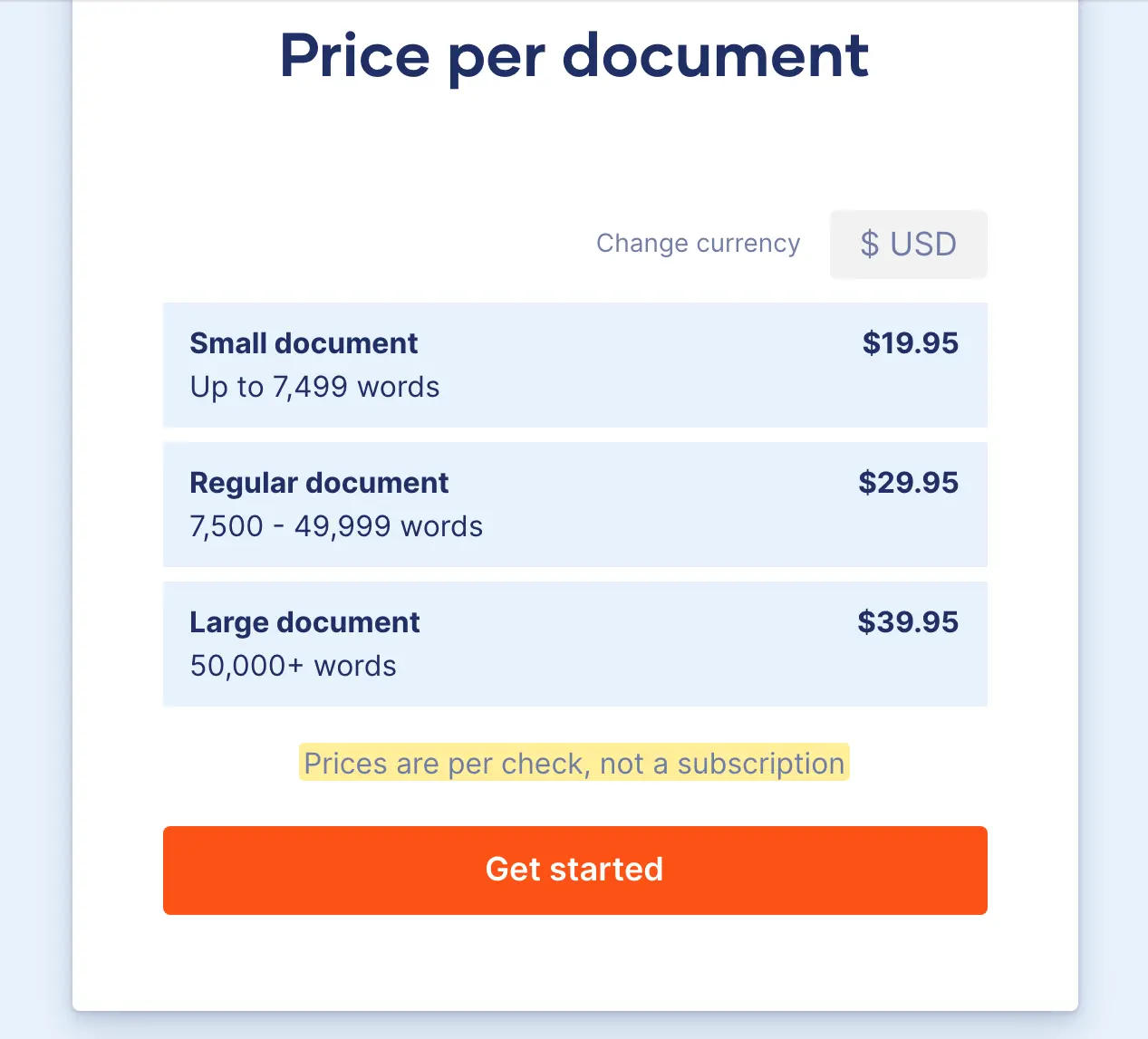
Prices are per check, not a subscription:
- $19.95 for up to 7,499 words
- $29.95 for 7,500 to 49,999 words
- $39.95 for 50,000 words or more
The free version gives you a plagiarism risk rating and the top matching sources. The paid report adds the exact similarity percentage, the full source list, a side-by-side comparison with each source and an AI percentage.
Pay per document suits the student who checks one big paper a semester. If you write a lot of shorter essays, a monthly plan such as Quetext costs less per check. Scribbr also says plainly that its result can differ from your university’s, because it can’t search the private archive of papers submitted to your institution.
Grammarly
Grammarly’s plagiarism check makes sense if you already pay for Grammarly Pro for its writing feedback. The paid check compares your text with billions of web pages and ProQuest’s academic databases, flags the sentences that match and shows a source for each one. The free checker on Grammarly’s site only tells you whether duplicate content exists.
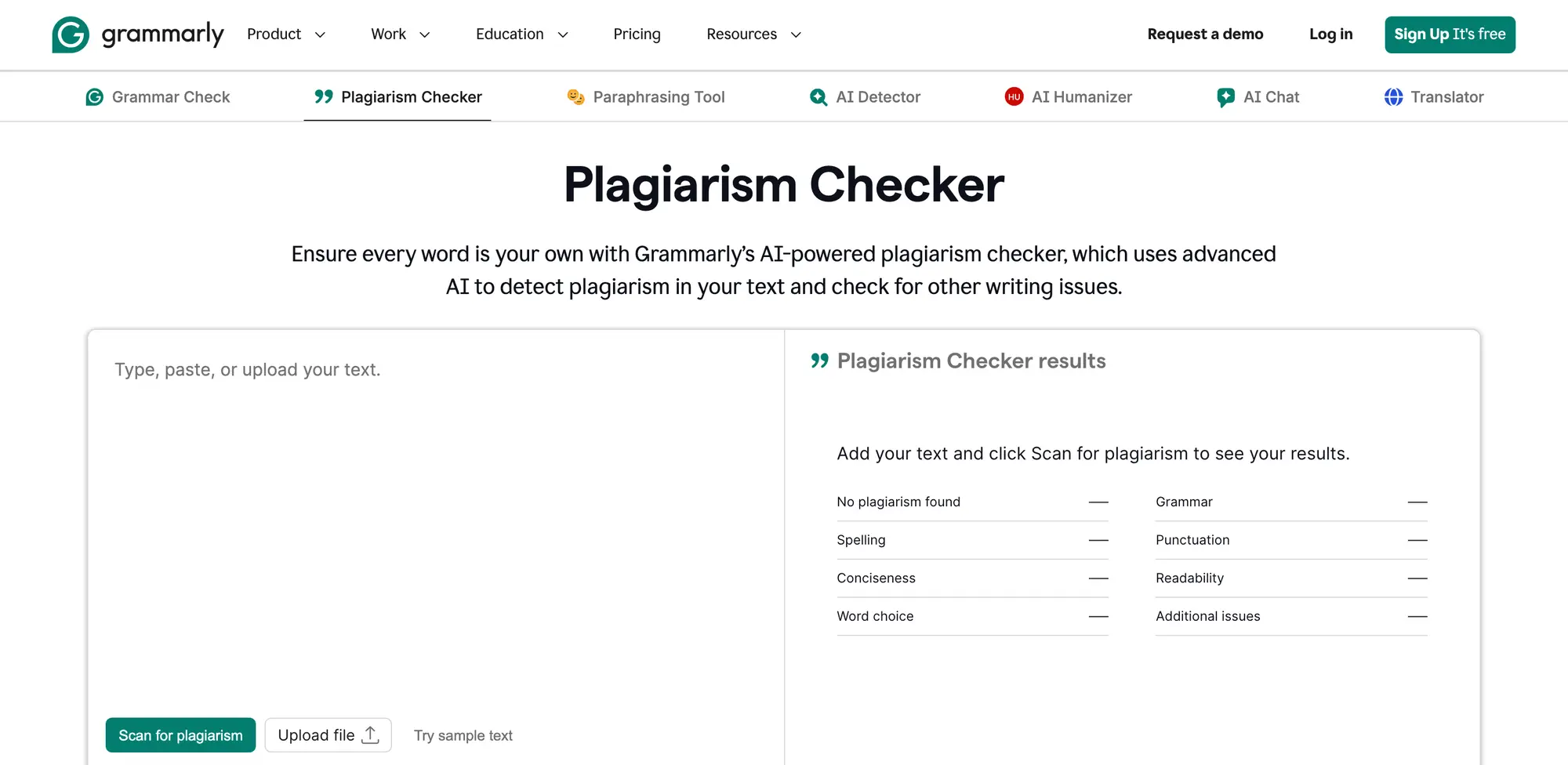
The plan details that matter for plagiarism checking:
- Pro costs $12 a month billed yearly ($144), or $30 month to month.
- In India, Grammarly sells a Plus plan instead, at ₹392 a month billed yearly or ₹1,000 month to month, and it includes the plagiarism check.
- Each check takes up to 100,000 characters. Uploads have to be Word, OpenDocument, text or RTF files of 4 MB or less, so PDFs are out.
- Every account can check up to 150,000 words or 300 documents in 30 days.
I wouldn’t buy Grammarly only for plagiarism checks. You’re paying for grammar, tone and rewriting help, and the plagiarism check comes along with it. If that’s useful to you anyway, my Grammarly review covers the rest of the plan. If it isn’t, my list of Grammarly alternatives has cheaper editors.
Copyleaks
Copyleaks is for regular checking when you also want AI detection, because one scan checks for copied text and AI-written text in the same report. Plagiarism detection covers more than 100 languages and AI detection covers 30+, which helps if you write or review content outside English.
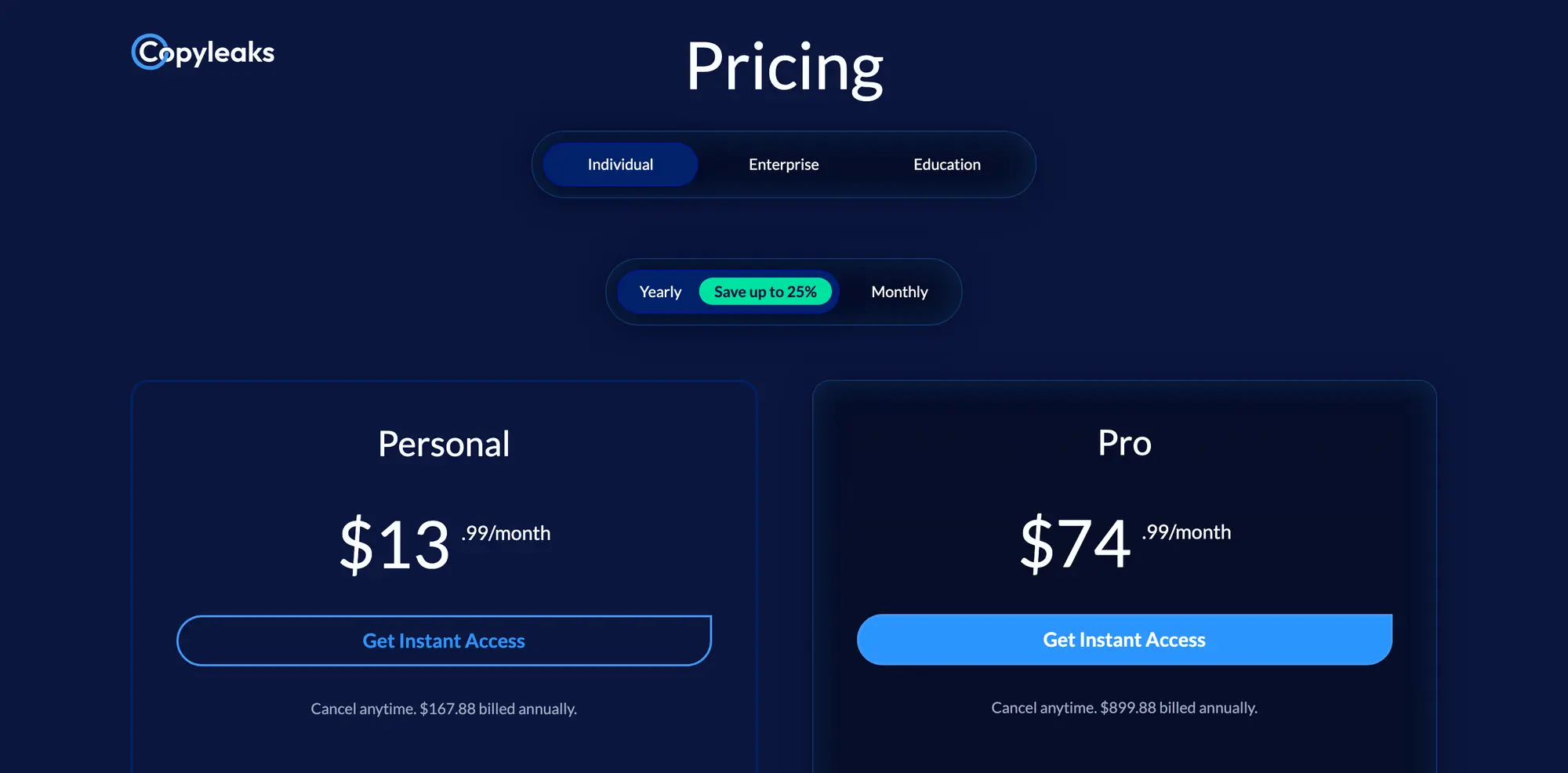
The pricing runs on credits:
- Personal costs $16.99 a month, or $13.99 a month billed yearly ($167.88).
- The monthly plan gives you 100 credits, and 1 credit covers up to 250 words, so that’s about 25,000 words a month. Unused monthly credits don’t roll over.
- The yearly plan loads all 1,200 credits upfront, to use within 12 months.
- New accounts get a small number of free credits to try it.
Its Text Compare tool is worth knowing even if you don’t subscribe. You paste two documents and it highlights the passages they share, which helps when you suspect one specific article was copied from another and a web search doesn’t show the link.
ProWritingAid
ProWritingAid sells plagiarism checks separately from its writing plans, so you can buy a few without a subscription. They come in packs, work in a free account and never expire:
- 10 checks for $10
- 100 checks for $40
- 500 checks for $120
- 1,000 checks for $200
Where you write matters too:
- The check works in the web editor, the Word add-in for Windows and Google Docs.
- It doesn’t work in the Word add-in for Mac, Desktop Everywhere or the browser extensions.
The catch is document size. Each check covers up to 2,000 words, so an 8,000-word manuscript uses 4 checks and a short passage still uses a whole one. For an author who checks a chapter now and then, the credits are cheap. For a full book, do the math before you buy a pack. My ProWritingAid review covers the editing side.
Free Plagiarism Checkers
A free plagiarism checker is useful for a first look. Just know which kind of free you’re getting, because it usually means one of these:
- a URL search that only works for pages already published, like free Copyscape
- a capped text box, like Quetext’s 1,000 words
- a teaser that tells you matches exist and asks you to upgrade to see them
DupliChecker takes 10,000 characters per search, roughly 1,500 words, and a basic check doesn’t need an account. Paid plans start at $9.99 a month.
Plagiarism Detector checks 1,000 words at a time for free. Its Basic plan costs $9.99 a month for 36,000 words, or $53.88 a year.
QuillBot’s plagiarism checker isn’t part of its free plan. It comes with QuillBot Premium, which includes 25,000 words of plagiarism checks a month.
I’d use these for a quick screen of a blog post. For a graded paper or a client deliverable, I’d want a report from one of the tools above, because the free tiers don’t say much about which sources they search.
Plagiarism Checks for Students and Researchers
The best plagiarism checker for students is usually the one their instructor already uses, and that’s often Turnitin. Turnitin doesn’t sell accounts to individual students. You get access through your school or university, either as a draft assignment your instructor sets up before the final submission or through Turnitin Draft Coach, if your institution has switched it on.
Turnitin’s media kit lists 3 kinds of sources it compares a paper against:
- more than 91 billion web pages
- more than 1.9 billion student papers
- more than 190 million journal articles
The student papers are the part no individual checker can reach.
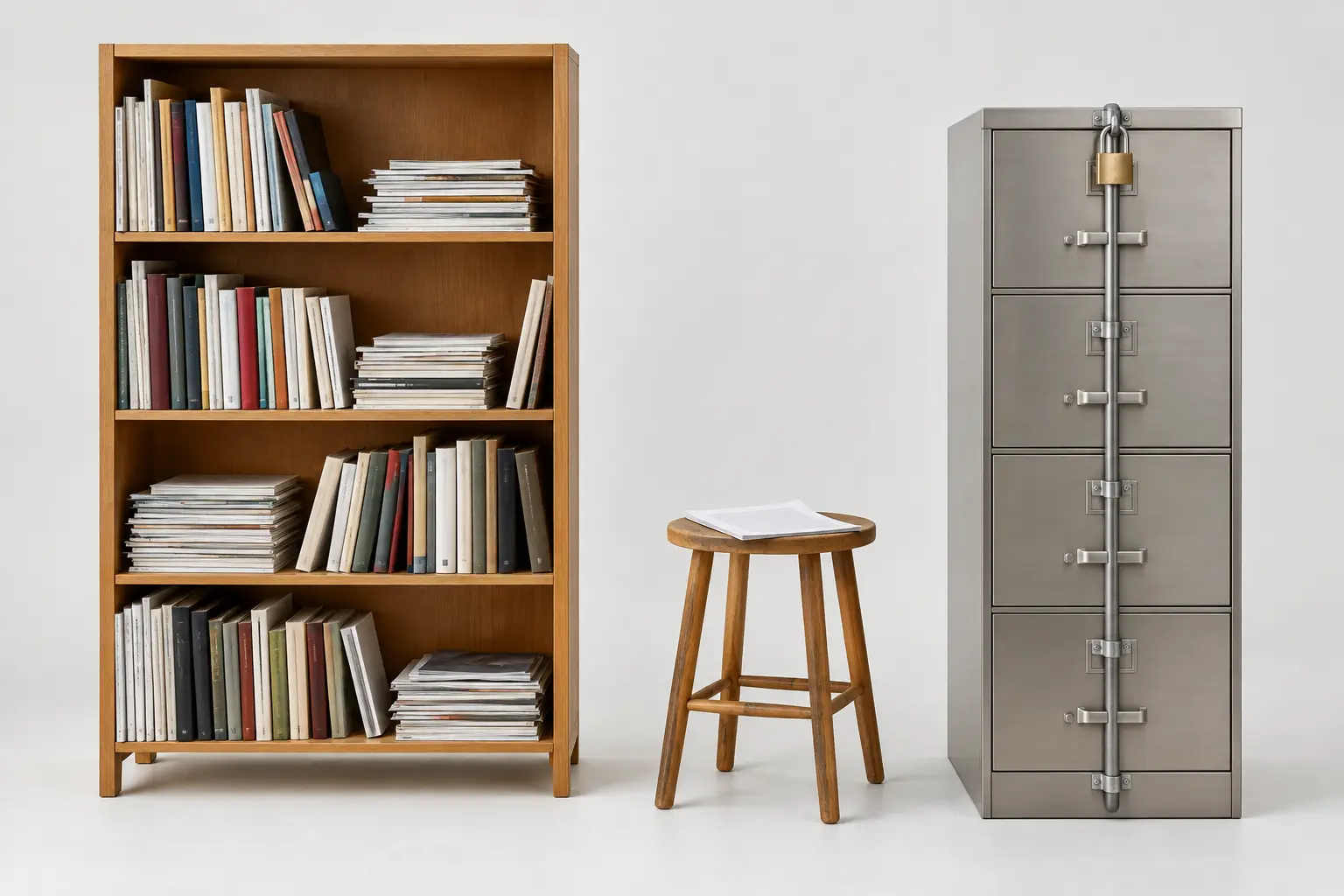
That archive is the reason a web checker and Turnitin can disagree. A paragraph borrowed from a senior’s old assignment won’t show up on Copyscape or Quetext, because the source was never on the open web. Turnitin’s assignment settings can store a new submission in the general Turnitin repository, in a private institutional repository or not at all, so two reports for the same paper can differ by settings alone.
Before you pay for another service, ask whether your course has a draft submission or a practice assignment. It’s free, and it’s the closest you’ll get to the report your instructor sees.
Researchers preparing a journal manuscript should follow the journal’s own process first. If you need to check a manuscript yourself, Turnitin points individuals to iThenticate, which sells single checks: $125 for 1 manuscript of up to 25,000 words, or $300 for up to 3 manuscripts. Those credits last 12 months and don’t include AI writing detection.
Unicheck, which some schools used instead of Turnitin, stopped running on January 1, 2025. Its old links now lead to Turnitin.
If you’re still writing the paper, my guide to dissertation writing covers structure and sourcing before you get to the checking stage.
How to Read a Similarity Report
A similarity report shows how much of your text matches the sources the checker searched, and links each match to its source. I want to ensure you read it properly, because the percentage at the top is the least useful part of it.
Open the matches before you trust the percentage.
Here’s the order I’d work through a report in:
- Open the source behind each big match. Check whether it’s the original work, a quotation you used or just another copy of the same text.
- Read the matching passage. A distinctive paragraph needs a closer look than a common phrase, a title or a line from your reference list.
- Check the credit. Exact wording needs quotation marks and a citation, and an idea you paraphrased still needs a citation. My guide to citations covers the formats.
- Set the quotation and bibliography exclusions to match your assignment or editorial rules. Keep the same settings when you compare two reports.
- Fix the writing or the credit, then check the changed passage again. Swapping words to push the score down doesn’t fix a missing source.
Take two 800-word drafts as an example. One has 160 words of properly quoted and cited material, which shows as 20% similarity. The other has 32 words copied into a paragraph with no citation, which shows as 4%. The 4% draft is the one that needs fixing before it goes anywhere. The 20% draft only needs a check on how much quoting the assignment allows.
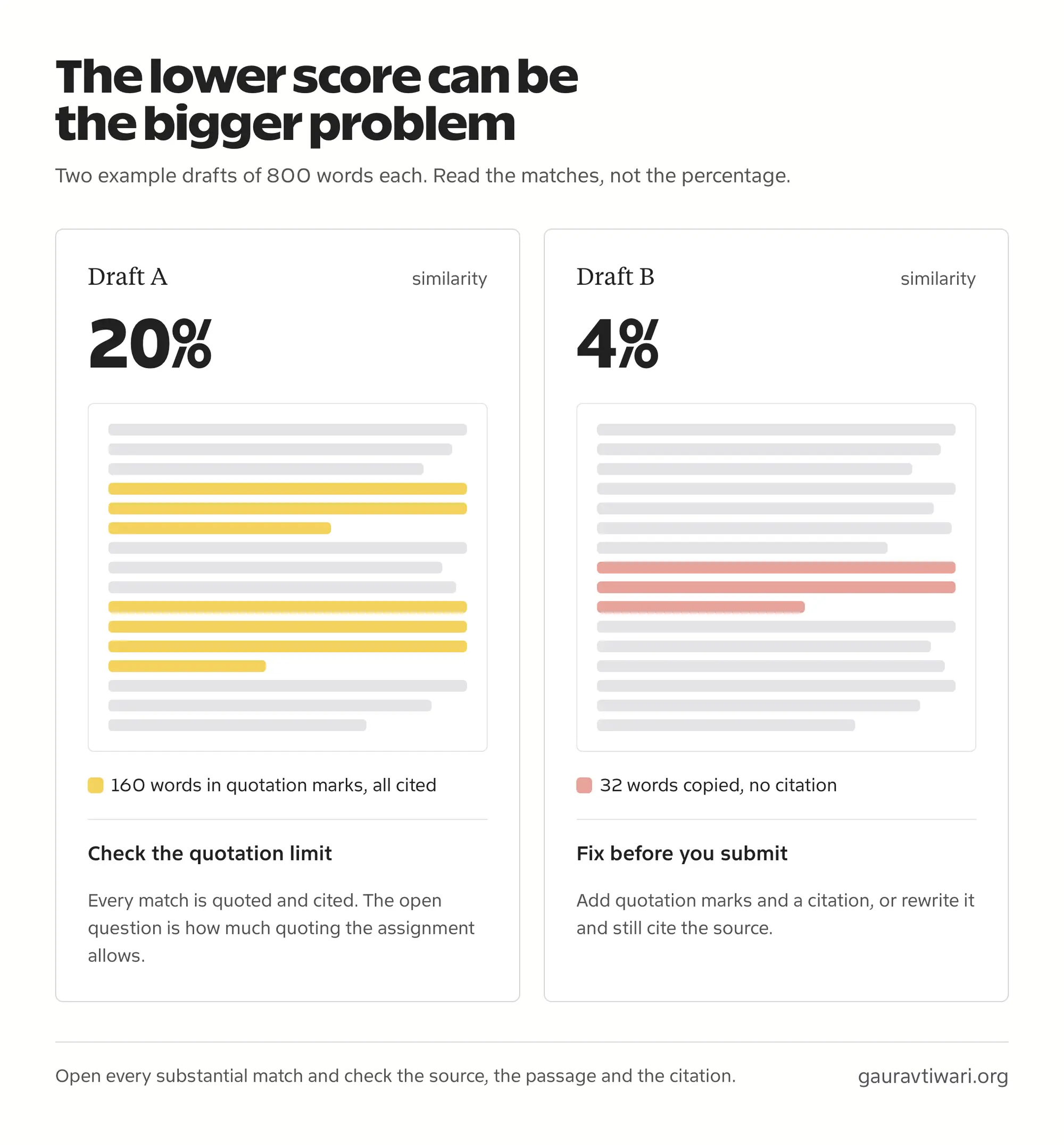
There’s no universal acceptable percentage either. Turnitin itself says there’s no single acceptable or perfect similarity score, and that a person always has to review the report. Your institution’s rules and the matches themselves decide what needs fixing.
Plagiarism Checker vs AI Detector
A plagiarism checker looks for text that matches existing sources. An AI detector estimates whether writing has patterns common in machine-generated text. Some tools, including Copyleaks and Grammarly, offer both, but the two results answer different questions.
AI-written text can still contain copied or closely paraphrased material, so it can still match a source. And neither result settles authorship on its own. Turnitin’s guidance says its AI writing score shouldn’t be the sole basis for action against a student. If you need to judge that separately, my comparison of AI content detectors covers which ones hold up and where they fail.
Duplicate Content on Your Website
If you run a website, the plagiarism question usually comes in two forms: someone copied your article, or the same text shows up on several of your own pages. These need different tools.
- For copies of your published pages on other sites, the free Copyscape URL search is the quick check. If you’d rather have it watch your pages for you, Copysentry checks up to 10 pages weekly for $4.95 a month, or daily for $19.95 a month.
- For repeated text across your own site, Copyscape’s sister tool Siteliner scans up to 250 pages for free once every 30 days. Its Premium version costs 1 cent per page scanned.
A plagiarism score doesn’t predict a ranking drop. Google’s documentation says some duplicate content on a site is normal and isn’t a violation of its spam policies. Copying other sites’ content and republishing it without adding anything is a different case, which Google’s spam policies treat as scraping. Repeated text across your own URLs usually needs a canonical tag, a redirect or a merge, and my guide on how to prevent duplicate content covers those fixes.
Document Privacy
Before you upload an unpublished thesis, client work or anything under an NDA, check what the service does with it. Three separate things matter here:
- Storage: whether the service keeps your file after the check, and for how long.
- Indexing: whether your text is added to a database that future submissions are checked against. This is what causes a self-match later.
- Training: whether your text can be used to improve the company’s products, including AI models.
Scribbr, for example, says your submissions will never be added to its content database and lets you delete your document right after the report. Its terms still allow it to keep a paid check in a private database only Scribbr can access. Both can be true at once, which is why I’d read the terms and not just the landing page. At school, your instructor’s Turnitin assignment settings decide whether your paper joins the archive.
I’d be careful with free checkers on sensitive drafts. Many of them don’t say clearly what happens to the text you paste, and a privacy policy you can’t find is an answer in itself.
FAQs on Plagiarism Checkers
What is the best plagiarism checker?
Copyscape Premium is the best plagiarism checker for web content, and Scribbr is the one I’d pick for an occasional academic paper. Students should check first whether their institution offers a Turnitin draft submission, because that’s the report their instructor will see. Quetext is the best free starting point for shorter text.
What is the best free plagiarism checker?
For a published web page, Copyscape’s free URL search finds pages carrying the same text. For pasted text, Quetext checks up to 1,000 words for free. Students should first check whether their institution offers a free draft check through Turnitin.
Can I check a research paper without Turnitin?
Yes. An individual service such as Scribbr checks a paper and shows source matches. Its report can still differ from your university’s, because it can’t search every private student-paper archive. Check the assignment’s required process before buying a separate report.
What similarity percentage is acceptable?
There is no universal acceptable similarity percentage. A report can match quotations and references used correctly, or show a small match in an important uncited passage. The source, the passage and the assignment rules decide what needs fixing, and a low score doesn’t prove a paper is free of plagiarism.
Can a plagiarism checker detect AI writing?
Some services include a separate AI detector alongside plagiarism checking. The plagiarism report finds source matches, while the AI report estimates a different property of the text. Neither a low similarity score nor an AI flag settles authorship or academic misconduct by itself.
Why do different plagiarism checkers give different scores?
Checkers search different collections of sources and use different matching rules. Quotation exclusions, bibliography exclusions and how the file is processed also change the score. Compare reports using the same text and settings, and open the matched sources before deciding which result is wrong.
Will uploading my paper create a self-match later?
It depends on whether the service adds uploads to a searchable database. Private storage and database indexing are different things. Turnitin assignment settings can allow or prevent storing your paper, so check a service’s indexing and deletion policy before uploading unpublished work.
Does paraphrasing remove the need for a citation?
No. An idea or finding taken from a source still needs a citation after you change the wording. A close paraphrase may also need more rewriting. The goal is to credit the source and explain the material accurately.
Can I check a scanned PDF for plagiarism?
A checker that needs selectable text may not read an image-only PDF. You may need OCR first, which converts the scanned image into text, or a service that supports scanned documents. Review the extracted text before checking, because OCR errors can change the matches.
Final Remarks
Before you pay for a long subscription, check one representative draft and open the sources behind its matches. A report earns its price when it helps you find a missing citation or a passage that needs rewriting. For academic work, your institution’s rules decide the final call. For a blog post, I’d fix the source use before publishing, even when the overall score looks low.
Tell Google you want more of this.
Add Gaurav Tiwari as a preferred sourceOne tap, and this site shows up more often in your own Top Stories, AI Overviews and AI Mode. Remove it any time.
Disclaimer: This site is reader-supported. If you buy through some links, I may earn a small commission at no extra cost to you. I only recommend tools I trust and would use myself. Your support helps keep gauravtiwari.org free and focused on real-world advice. Thanks. - Gaurav Tiwari