
 by
by
I get why Claude skills confuse people at first. Anthropic calls them Agent Skills, Claude Code runs them as slash commands and the Claude app wants a ZIP upload. Then most lists of the best Claude skills mix official packages with repos nobody has checked.
A Claude skill is a folder with a SKILL.md file that teaches Claude one repeatable job. Claude loads it only when your request matches the skill’s description, so a good skill costs almost nothing until you need it.
My advice is simple. I’d start with Anthropic’s skill-creator, then add 2 or 3 free skills that match work you repeat every week. I’d write my own only after seeing a good one work.
Most of the picks below are free. Anthropic publishes its skills in a public GitHub repository, and mine sit in my free GitHub repos and the free GT Exclusive AI Skills Pack on my Downloads page.
My AI Skills hub lists every skill I publish, free and paid, in one place. I also sell the AI Skills Library, a $39 yearly membership with the maintained versions of my skills and skills that aren’t in the free pack. You don’t need it for anything in this guide.
My working rule: Put a repeatable instruction in a skill, isolated work in an agent, and access to an outside system in MCP. A skill teaches Claude how to do a job. It should not turn into a second operating system stuffed into one Markdown file.
What Are Claude Skills?
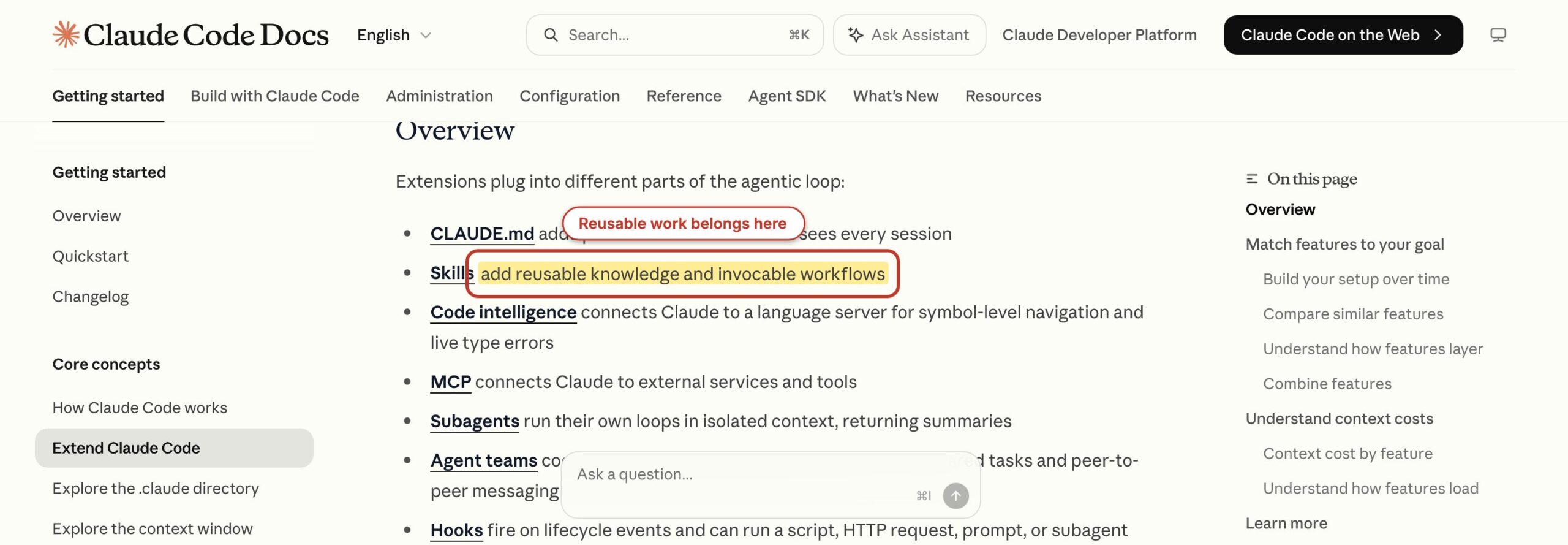
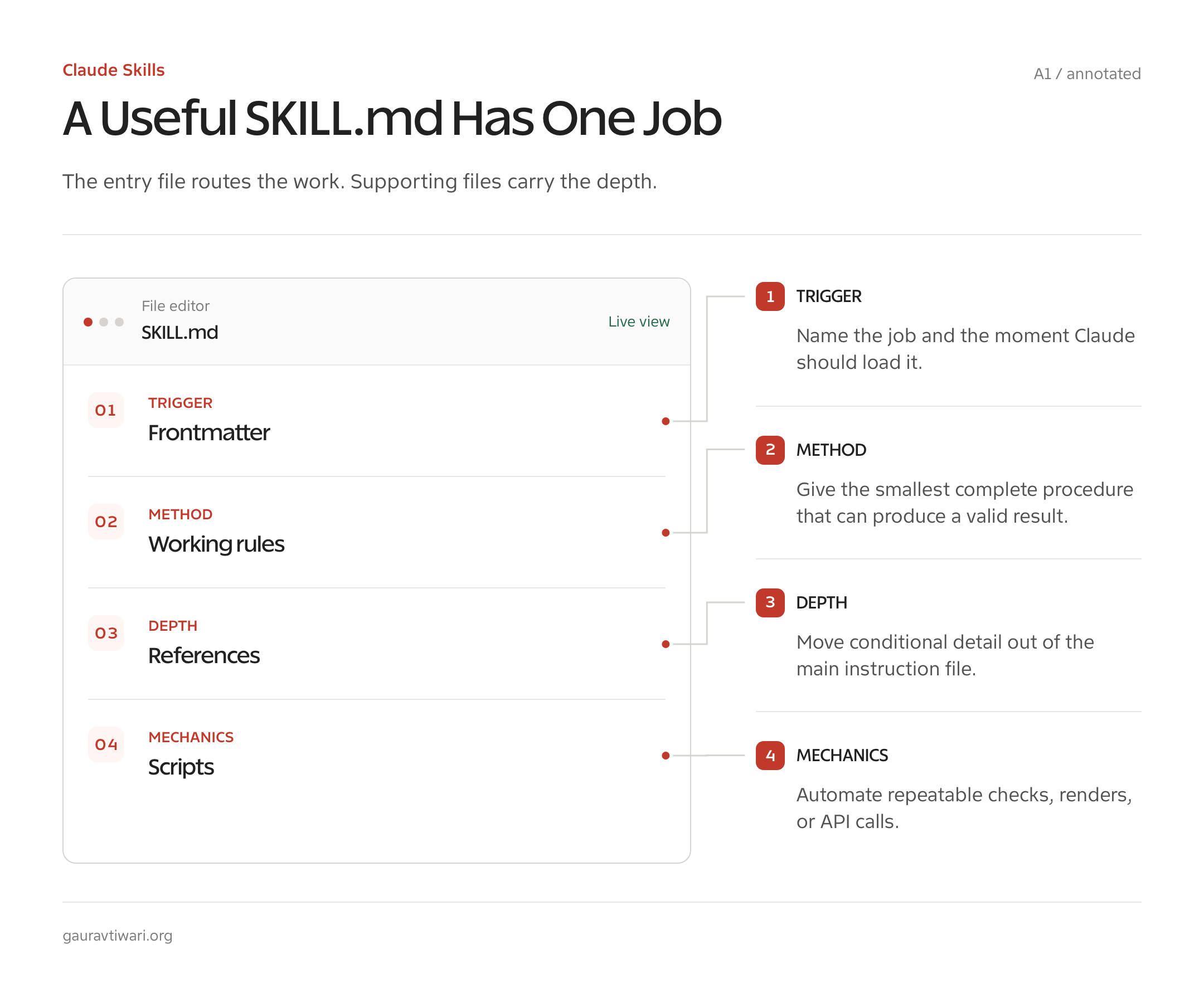
Claude skills are folders of instructions that Claude loads when a task matches their purpose. Each one has a required SKILL.md file at the top and optional scripts, references, templates and assets next to it.
Anthropic’s Agent Skills documentation calls them reusable, filesystem-based expertise. That’s a fair description, as long as you remember that the folder does nothing until its description matches a request.
That difference matters in daily use. A prompt tells Claude what to do once. A Claude Code skill records how a repeated job should work, for example:
- when it applies
- which files Claude should read
- which commands are allowed
- what a finished result looks like
If I keep pasting the same checklist into sessions, I have already found a skill candidate.
| Part | Required? | What it does | Example from my library |
|---|---|---|---|
SKILL.md | Yes | Declares the name and description, then gives Claude the working instructions | stop-slop/SKILL.md |
references/ | No | Holds detail that Claude reads only when the task needs it | Banned phrase lists, API notes, block schemas |
scripts/ | No | Turns repeatable mechanical work into code Claude runs instead of reading | Screenshot capture, slop scoring, validation |
examples/ or templates | No | Shows the expected input and output shape | Before-and-after edits, payload examples, layouts |
| Assets | No | Supplies files the workflow needs without placing their contents in the main instructions | Fonts, SVG bases, document templates |
The smallest useful skill is about 20 lines. The biggest mistake is treating that minimum as an invitation to write a 900-line policy manual.
Anthropic’s guidance is to keep the SKILL.md body under 500 lines and move conditional detail into referenced files. The main file should orient and route, and the supporting files should carry the depth.
The anatomy of a real SKILL.md
The public stop-slop skill is the cleanest example I have. Its frontmatter says what it does and when to use it, and its body carries 5 rules, a quick check and a self-audit.
---
name: stop-slop
description: Remove AI writing patterns from prose. Use when drafting, editing, or reviewing text to eliminate predictable AI tells.
argument-hint: "[text or file]"
license: MIT
---

# Stop Slop

Eliminate predictable AI writing patterns from prose.

## Core Rules

1. Cut filler phrases.
2. Break formulaic structures.
3. Vary rhythm.
4. Trust readers.
5. Cut quotables.
A portable skill needs both fields in the frontmatter, and the limits are tighter than most people expect:
nameis at most 64 characters of lowercase letters, numbers and hyphens. It can’t contain XML tags or the words “anthropic” or “claude”.descriptionis required and can’t contain XML tags. The platform docs allow 1,024 characters, but Anthropic’s help article for app uploads says 200. A description under 200 characters is the safe choice for a skill you plan to upload.- Claude Code shows at most 1,536 characters of the description and
when_to_usetext combined in its listing, so the main use case goes first.
Shorter generally wins, because the description has one job: help Claude decide whether this skill belongs in the task at hand. Anthropic also asks for the description in the third person (“Processes Excel files”), because it is injected into the system prompt.
Claude skills and Agent Skills
Agent Skills is the name of the open format, and Claude skills are Anthropic’s implementation of it. Anthropic built the format first and then released it as an open standard, which now lives at agentskills.io.
That’s why one SKILL.md folder works in Claude Code, Codex, Cursor and other agents that read the format. Claude Code adds its own frontmatter fields, such as disable-model-invocation and context: fork, and outside Claude Code only the fields in the open spec are accepted.
If you also use Cursor, my guide to Cursor rules covers the always-on side of the same idea. My Claude Code vs Cursor comparison covers which tool suits which job.
Where Claude Skills Work
Claude skills work in Claude Code, the Claude app and the Claude API, but the 3 surfaces don’t share one library. A skill you add in one place doesn’t appear in the others by itself.
| Surface | Built-in skills | How you add a custom skill | Limit to keep in mind |
|---|---|---|---|
| Claude Code | No document skills; the Claude API skill comes bundled | A folder under ~/.claude/skills/ for every project, .claude/skills/ inside one project, managed settings for an organization, or a plugin | Skills have the same network access as any program on your machine |
| Claude app | Word, Excel, PowerPoint and PDF skills run automatically | Upload a ZIP in Customize > Skills, with code execution turned on | Enabled skills also work in the Excel, PowerPoint, Word and Outlook add-ins and in Cowork; network access depends on your settings |
| Claude API | pptx, xlsx, docx and pdf by skill_id | Upload through the Skills API, then attach the skill_id to the container with the code execution tool | No network access and no runtime package installs; uploads are shared across the workspace |
Anthropic’s own pages disagree on who gets custom skills in the app. The help article on using skills in Claude says every plan gets them, Free included, and lets Team and Enterprise owners provision skills for everyone.
The platform overview still lists only the paid plans and calls every upload individual to its user. I’d go by what your own Customize > Skills page shows before you plan a team rollout around either one.
Claude Code can also download the skills you enabled on claude.ai into a reserved ~/.claude/skills/synced/ folder. That’s a download, and nothing flows back up. When a local command already uses the same name, the synced skill runs only as /anthropic-skills:<name>.
For the API, the request shape changes faster than any blog post can track. I’d copy it from Anthropic’s live guide to skills in the API rather than from anyone’s article, mine included.
How to Install Claude Skills
Installing a Claude skill means putting its folder where your surface can find it. Before you turn on a downloaded skill, read its SKILL.md and every script inside it.
Anthropic’s own advice is to use skills only from trusted sources. A skill can direct Claude to call tools or run code that doesn’t match its friendly description, so the trust boundary sits closer to a plugin than to a prompt.
Claude Code
Copy the folder to ~/.claude/skills/<skill-name>/ for every project, or to .claude/skills/<skill-name>/ inside one repository. Claude Code watches existing skill folders, so new skills show up without a restart.
If you created the top-level skills folder after the session started, run /reload-skills once. Anthropic’s public skills install as plugins instead:
/plugin marketplace add anthropics/skills
/plugin install document-skills@anthropic-agent-skills
/plugin install example-skills@anthropic-agent-skills
Claude app
Zip the skill folder so the folder itself sits at the top level of the archive, with SKILL.md inside it. Upload it in Customize > Skills, and turn on code execution in Settings > Capabilities if it isn’t on already.
Claude API
Upload the folder through the Skills API, then reference its skill_id in the container parameter next to the code execution tool. Anthropic’s document skills work the same way, with the IDs pptx, xlsx, docx and pdf.
How Claude Skills Load
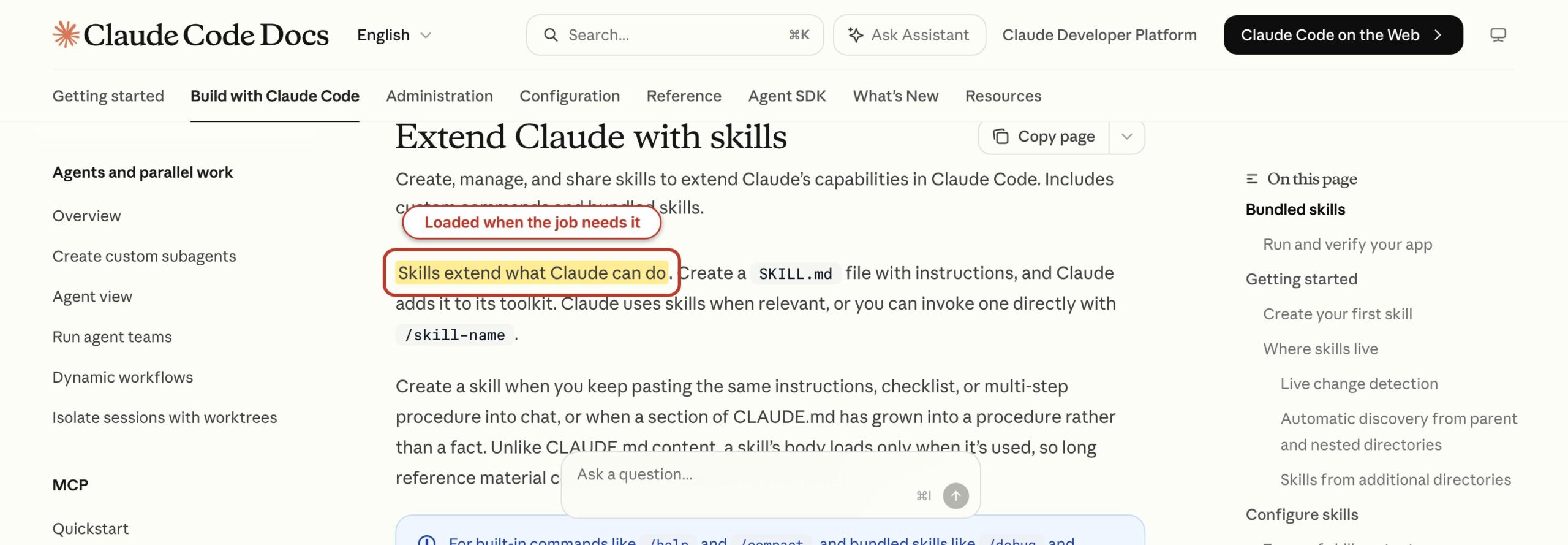
Claude skills load in stages. Claude sees a short listing of names and descriptions first, reads the SKILL.md body when a skill is invoked and opens supporting files only when the job calls for them.
Anthropic puts rough numbers on it: about 100 tokens per skill for the listing entry and under 5,000 tokens for an invoked body. Supporting files cost nothing until Claude reads them.
- Metadata is the discovery layer. Claude sees the skill name and, when the listing budget permits, its description. The description should state both the job and the situation that triggers it.
- The SKILL.md body is the instruction layer. Claude Code adds the rendered body to the conversation when you invoke the skill directly or Claude selects it on its own.
- References and code are the working layer. Claude reads a referenced file or runs a bundled script only when the active job calls for it, and a script’s code never enters context, only its output.
That’s what keeps a big library affordable. Every listing entry still rides along on every turn, though, and every invoked body stays in the conversation.
The Claude Code skills guide spells out what that costs. Claude Code doesn’t re-read the file on later turns, so guidance meant for the whole task should read as standing instructions rather than one-time steps.
Re-invoking a skill whose content hasn’t changed adds a short note instead of a second copy. When the conversation compacts, Claude Code re-attaches the most recent invocation of each skill, keeping the first 5,000 tokens of each inside a shared 25,000-token budget.
So a skill invoked early in a long session can drop out completely. When a skill seems to stop working halfway through a task, that budget is the first thing I check, and re-invoking the skill is generally the fix.
That makes the description a routing rule. Compare these two versions:
| Description | What Claude can infer | Likely result |
|---|---|---|
| Helps with writing | Almost nothing about task, input or timing | Missed triggers or noisy over-triggering |
| Remove AI writing patterns from prose. Use when drafting, editing, or reviewing text to eliminate predictable AI tells. | The action, the material, and 3 moments when it applies | Much cleaner automatic matching |
You can also call a skill directly with /skill-name. 2 frontmatter fields decide who is allowed to start one:
disable-model-invocation: truekeeps a skill off Claude’s own list. Only you can run it, and its description stays out of context until you do. Publishing, deployment, billing and anything that sends a message belong here.user-invocable: falsedoes the reverse. Claude can apply it as background knowledge, but it never shows in the slash menu, because nobody would type it as a command.
A description can guide a model, but it can’t replace an approval boundary. A skill that pushes to WordPress should read its credentials from an environment file rather than from the skill folder. When a call has to be blocked outright, a hook is the right tool.
What a large library costs in context
Claude Code sets the skill listing budget at 1% of the model’s context window. Every name always appears, but when the descriptions overflow that budget, Claude Code drops descriptions, starting with the skills you invoke least.
A skill without its description loses the exact words Claude needed to match your request. It’s still callable by name. It just stops being found on its own.
This is where hoarding starts to hurt. When I ran /skill-doctor on my own setup, it flagged 244 of my personal skills that sit in the listing with no recorded invocation on this machine. Each of those costs a little context on every turn and does nothing for it.
3 settings help when the count grows:
skillListingBudgetFractionraises the budget, for example0.02for 2% of the window.skillOverridescan set a low-priority skill toname-only, so it lists without a description and frees room for the ones that matter.skillListingMaxDescCharschanges the 1,536-character cap on each entry.
/doctor estimates the listing cost and names the biggest contributors. /skill-doctor goes further: it shows what each skill costs and how often you’ve used it, and flags the ones you’ve never invoked. It needs Claude Code 2.1.252 or later.
The Skills row in /context shows the listing size after the budget is applied, which is what the model actually receives.
Best Claude Skills to Copy
The best Claude skills do one job well and let you read every line before you trust them. I picked these by the job each does and by whether you can check the source, with the free ones first.
Here’s the short version before the details:
| Skill | Best for | Made by | Price |
|---|---|---|---|
| skill-creator | Building and testing your own skills | Anthropic | Free, Apache-2.0 |
| document-skills | Word, Excel, PowerPoint and PDF files | Anthropic | Free to use; built into the Claude app and API |
| claude-code-skills | Removing AI patterns from copy, plus UI polish | Me, with credited skills from Paul Bakaus and Rich Tabor | Free |
| design-slop | Removing the generic AI look from web design | Me | Free, MIT |
| WordPress agent-skills | Blocks, themes, plugins and WP-CLI | The WordPress project | Free |
| generateblocks-skills, bricks-skills and kadence-skills | Page builder layouts | Me | Free |
| WordPress-skills | A broad WordPress, design and SEO collection | Me, plus community authors | Free |
| GT Exclusive AI Skills Pack | Graphics, documents, SEO and GenerateBlocks | Me | Free with email signup |
| AI Skills Library | Maintained versions of my skills plus extra packs | Me | $39 a year |
skill-creator
skill-creator is the one I’d install first, because it teaches the rest. It’s Anthropic’s own skill for drafting a new skill, running it against test prompts, measuring the results and tuning the description so it triggers when it should.
It lives in Anthropic’s public skills repository inside the example-skills plugin, under the Apache 2.0 license. The limit is that it follows Anthropic’s general advice, so it won’t know your stack or your house rules until you add them.
document-skills
document-skills is Anthropic’s set of 4 file skills: docx for Word, xlsx for Excel, pptx for PowerPoint and pdf for PDFs. They power Claude’s file creation in the Claude app, where they run with no setup at all.
Claude Code doesn’t ship them, so you install them from the same plugin marketplace. This is the one entry you can’t copy, though. Anthropic shares these 4 as source-available, and their license bars copying, modifying or redistributing them outside its services.
claude-code-skills
The claude-code-skills repository holds 8 skills for copy, design and code. Each one is a self-contained folder of Markdown and Python that works in Claude Code, Codex, Cursor and anything else that reads a SKILL.md.
The 2 I wrote are the reason to install it. stop-slop is the editing rule set: 5 rules, a quick check and a self-audit. slop-detector is the scorer that goes with it, and it reads a Markdown or HTML file and sorts what it finds into 4 levels:
- exact production narration fails outright
- rhetorical scaffolds warn once they repeat
- lexical tells become review prompts for a human
- document-level patterns get diagnosed rather than counted
It prints 2 numbers: the score from automatic findings and the ceiling if every review prompt turns out to be real. A script can’t tell a quoted phrase from a used one, so the second number matters. My Stop Slop walkthrough shows the patterns it catches.
| Skill | Job | Origin | License |
|---|---|---|---|
stop-slop | Drafting rules that remove predictable AI writing patterns | Mine | MIT |
slop-detector | Scores a draft or page against the 4-level severity model, with a scanner and tests | Mine | MIT |
red-pen | Strict line editor built on Orwell and Butterick, with a reason per change | Rich Tabor | See NOTICE.md |
clarify | Rewrites UX copy: buttons, errors, helper text, empty states | Adapted from impeccable | Apache-2.0 |
distill | Strips a design to its essence | Adapted from impeccable | Apache-2.0 |
quieter | Tones down loud designs without flattening them | Adapted from impeccable | Apache-2.0 |
polish | Final pass before a UI ships: spacing, alignment, radii, states | Adapted from impeccable | Apache-2.0 |
harden | Long text, RTL, missing data, slow networks, keyboard and screen reader access | Adapted from impeccable | Apache-2.0 |
git clone https://github.com/wpgaurav/claude-code-skills.git
cd claude-code-skills
./install.sh claude stop-slop slop-detector
python3 slop-detector/scripts/scan.py draft.md
The installer copies only the folders you name and never touches the rest of your skills. If you’d rather track the repository, symlink the folders instead of copying them, and a git pull updates every skill at once.
5 of those 8 are near-verbatim copies of Paul Bakaus’s impeccable commands, and red-pen is Rich Tabor’s. The NOTICE file says so, and the license field on each folder matches its origin.
For 4 months my own repository carried a single MIT line over all of it, which is the mistake to avoid when you publish a collection. If you fork the repository, keep that file. Rich Tabor publishes no license for red-pen, so ask him before you redistribute it.
design-slop
design-slop is the design side of the same idea. It’s my skill for spotting and removing the generic AI look from web pages, dashboards and WordPress blocks, for example:
- card soup and containers nested inside containers
- gradient heroes, glowing blobs and decorative clutter
- fake dashboards and proof nobody can check
- missing loading, empty, error and disabled states
- mobile layouts that only stack the desktop version
It’s MIT licensed and installs with one git clone into your skills folder. It works best as a review pass on something you already built, because it critiques against a checklist rather than generating a design for you.
WordPress agent-skills
If you build WordPress sites, the WordPress project’s own agent-skills repository is the first place I’d look. It covers, for example:
- block development and block themes
- plugin development and the plugin directory guidelines
- the REST API and the Abilities API
- WP-CLI, performance, PHPStan and Playground
Several of these sit in my own library too. The limit is scope: they teach WordPress core conventions and know nothing about page builders, which is where the next card comes in.
generateblocks-skills, bricks-skills and kadence-skills
These are my 3 page builder skill sets, each in its own public repository. They teach Claude to write layouts in the markup each builder actually stores, so the result opens cleanly in the editor:
- GenerateBlocks skills: V2 layouts, CSS mode, dynamic data and block serialization that survives the editor’s recovery mode
- Bricks Builder skills: elements, templates, query loops and conditions
- Kadence Blocks skills: page templates as production-ready block markup
The limit is obvious but worth saying: each set only helps if you already build with that builder.
WordPress-skills
WordPress-skills is my broadest public collection: 125+ skills for WordPress, design, SEO, marketing and frontend work in one repository.
It’s a grab bag, and I’d treat it that way. The WordPress folder holds my block, plugin and theme skills next to copies of the WordPress project’s skills. The design and marketing folders carry community skills from other authors.
So check where a skill came from before you fork it. For a cleaner start, the focused repositories above are the better pick.
GT Exclusive AI Skills Pack
The GT Exclusive AI Skills Pack is a free download of 25 skills on my Downloads page, no signup needed. It includes, for example:
- Graphics:
png-graphics,gpt-imageandsvg-graphics - Documents:
branded-pdf,ebook-coverandebook-gen - SEO:
seo-magic,seo-rankandseo-score - WordPress:
generateblocks-layoutsand the converters that turn HTML, Figma and Elementor layouts into GenerateBlocks
Credentials, personal profiles and private site data are stripped out, and placeholder references tell you where your own go. The pack ships with install notes and SHA-256 checksums.
The limit is that it’s a fixed snapshot. It doesn’t change after you download it, while my own copies of these skills keep moving.
AI Skills Library
The AI Skills Library is my paid option, at $39 a year. It carries the maintained versions of my skills, updated as I change them, plus skills that aren’t in the free pack.
It suits you if you’d rather get those updates than rebuild the free snapshot yourself. It only includes skills I wrote, so the third-party skills on this list aren’t in it.
My Claude Skills Library
Here’s what my own library looks like as a whole. The census counts folders directly under ~/.claude/skills whose SKILL.md resolves, so nested fixtures and reference files don’t inflate it.
- 372 callable skills in total
- 165 are symlinks into 2 vendor sets: 120 from Meng To’s design and development collection and 45 from a Bricks Builder vendor set
- 207 are real folders in my own tree
I wrote a large part of those 207 for my own sites and work, but not all of them. The rest are copies of other people’s skills that I run locally and don’t hand out.
They come from Paul Bakaus’s impeccable, Corey Haines’s marketingskills, the WordPress project, Rich Tabor and a few paid sets. That’s why the copy routes in this guide only ever point at public repositories and my own packs.
| Job | Where you can copy my skills |
|---|---|
| Writing and editing | stop-slop and slop-detector in claude-code-skills; the voice file method in my guide to training AI to write like you |
| WordPress and block development | The WordPress-skills, generateblocks-skills, bricks-skills and kadence-skills repositories |
| Design and frontend | design-slop on GitHub |
| Images and documents | png-graphics, gpt-image, svg-graphics and branded-pdf in the free pack |
| SEO | seo-magic, seo-rank and seo-score in the free pack |
The counts move every week. If you read this in 2026, rerun the census instead of trusting these numbers:
ls -d ~/.claude/skills/*/SKILL.md | wc -lOne rename, one archive or one missing entrypoint changes the result immediately. That’s exactly why a count makes a poor headline and a good housekeeping check.
Patterns From My Own Skills
Not every skill I use is public, because some are wired to my own sites and accounts. You can still copy the patterns inside them, and these are the ones I’d copy first.
voice-dna-creator
This one builds a voice file from your own writing. It asks discovery questions and prefers unpolished samples over edited ones. Then it writes a profile with an emotional palette, a teaching section, sentence rules, banned phrases and paired good and bad examples.
The rule that matters most sits at the top of the skill. The canonical voice file gets edited, never regenerated, and every skill that needs it links to that one file.
The part I’d copy first is the corrections loop. You edit a draft word by word, then turn the diff into a section at the top of the voice file that outranks every other rule. What comes out of that diff is usually something no style guide would tell a model, for example:
- turn inline lists of 3 or more items into bullets
- keep the plain evaluative words a banned-phrase list would flag
- state the balanced option in its own paragraph instead of leaving it implied
What most people do:
Write in a friendly, expert, conversational tone with short punchy sentences and no jargon.
What works better:
Read the corrections section first. Where it conflicts with any other rule in this file or in a skill, it wins. A 1 to 3 word sentence is rare in this voice, so zero is the normal count. Inline lists of 3 or more items become bullets. Full forms stay in a measured, teacherly sentence.
The model and the topic are the same in both cases. The second version comes from an edit the writer actually made, so it produces sentences the writer would keep. The public version of this method, with a template and a set of extraction prompts, is in my guide on training AI to write like you.
Once a voice file runs to hundreds of lines, loading all of it on every run backfires. A model follows volume before it follows a priority label, so the corrections get buried under everything else.
The fix is a small script that prints only the sections every run needs, corrections first, with a --check flag that fails when a heading gets renamed. A second rule worth putting near the top of any big skill:
Before the first drafted sentence, state in one line which files were loaded and which trigger fired each one. If a trigger in the table fired and its file is not on that line, the run is incomplete. Fix the load before drafting.
A skill that is allowed to summarize its references from memory will do exactly that, and the output shows it.
remove-ai-marks
This skill strips invisible Unicode from text: zero-width joiners, bidirectional controls, variation selectors and odd spaces that survive a paste into the block editor. Those characters break search and diffs without anyone seeing them. It also strips C2PA, EXIF and XMP metadata from images before upload.
The rule worth copying is the one it refuses. It never runs a paraphrase or “humanize” pass, because those passes churn word choice and syntax, which is exactly where a voice lives. It also reports only what it verifiably removed.
article-updater
If a skill of yours edits live WordPress posts, copy this guard. It fetches the stored post with a cache-buster and snapshots everything it isn’t allowed to change: the slug, title, excerpt, featured image, taxonomy, links and image URLs.
Then it makes surgical edits with occurrence-count assertions, so a replacement that matches twice or not at all stops the run. It pushes with Python rather than a shell heredoc, because a heredoc corrupts the <!-- wp:* --> comments that hold a Gutenberg post together.
Afterwards it reads the post back and diffs the stored content against what was sent. If the post changed between snapshot and push, the guard aborts. The skill is private, but the guard is about 30 lines of Python that anyone can write.
faq and seo-magic
2 smaller skills show the range. faq turns article content into one single-line ACF accordion block with the exact flat repeater keys WordPress expects. It exists because a wrong field name renders the block blank while the API still answers with a 200.
seo-magic, which is in the free pack, repackages an existing article around the searches it’s actually getting: title, opening, snippet and structure. It refuses to treat “add more words” as the fix, and it hands technical work and AI-citation strategy to sibling skills instead of growing into a department.
A skill can be a 10-line checklist or a router for a full workflow. Its job still has to fit in one sentence.
One Skill Library, Three AI Tools
Every skill lives in one folder on iCloud Drive, which is how the same library follows me between Macs. Claude Code and the shared Agents folder that VS Code reads are symlinks to it.
Codex points at the same tree as an external skill root while keeping its own system packages separate. One edit to stop-slop reaches all three, and there’s no copy job to forget.
iCloud Drive/claude-sync/
├── skills/                         # canonical custom-skill source
├── context/                        # shared reference files
├── skills/writing-standalone/      # flattened single-file exports
└── _skill-packages/                # portable .skill archives

~/.claude/skills
└── -> iCloud Drive/claude-sync/skills

~/.agents/skills
└── -> iCloud Drive/claude-sync/skills

~/.codex/skills                     # real directory, not a symlink
└── Codex reads claude-sync as a configured external skill root
Claude Code follows a symlinked skill entry and reads SKILL.md from the target. When the same target is reachable from more than one location, it loads the skill once.
The same trick resolves shared context. Inside stop-slop, references/business-profile.md points at one shared context file 3 folders up, and a small shell script rebuilds those links whenever a skill is added.
What the symlink solves, and what it does not
A symlink solves duplication and nothing else. Portability, conflict handling and surface-specific installation stay your problem, and a local link can’t upload a package anywhere.
It also doesn’t make every nested folder a valid personal skill. Claude Code expects ~/.claude/skills/<skill-name>/SKILL.md, and the nested discovery it supports is for a project’s own .claude/skills/ in a subdirectory, not for category folders under the personal root.
iCloud adds a trap of its own. It periodically writes a conflict copy named something 2.md next to a symlink, and that copy is a stale snapshot a skill can load by mistake. A find-and-delete for that pattern belongs in the monthly pass of any cloud-synced library.
Flattened exports for tools that cannot follow a symlink
Some tools read a skill over a network boundary or accept one file at a time, and a folder full of symlinks arrives empty there. So some of my skills also exist as single flattened files: the skill body with a shared context appendix, generated by a 3-line loop and never edited by hand.
When a source skill retires, its export is deleted in the same pass. A stale export keeps answering with instructions that were deliberately retired.
cd ~/.claude/skills
for name in blog-article product-review tutorial; do
  { cat "$name/SKILL.md"; printf '\n\n---\n\n'; cat _shared-writing-context.md; } \
    > "writing-standalone/$name.md"
done
The .skill archives are the other export layer. Each one is a ZIP with a different extension. The Claude app wants the skill folder at the top level of the archive, with every symlinked reference dereferenced first, or the upload lands with empty references.
How to Create Your First Claude Code Skill
Create your first Claude Code skill by choosing one repeated job, giving it a specific description, writing a short SKILL.md and testing both matching and non-matching prompts.
A personal folder under ~/.claude/skills suits a workflow that should follow you everywhere. A project .claude/skills folder suits instructions that belong to one repository.
The example below creates a release-note skill. It has no scripts and no outside service, and that’s deliberate. A first skill should prove that Claude can discover and follow the instructions before you add code, credentials, hooks or publishing.
Step 1: Choose one repeated job
Pick a task you have explained at least 3 times, such as release notes, pull-request review or a project-specific QA check. Write one sentence that starts with an action and ends with the situation in which Claude should use it.
- Too broad: Helps with software projects.
- Useful: Writes release notes from the current Git diff and changelog. Use when the user asks for release notes, a release summary, or a customer-facing changelog entry.
The second version gives Claude an action, 2 inputs and 3 user phrasings. You haven’t written the instructions yet, but the router already has enough to decide.
Step 2: Create the skill directory
Use a lowercase, hyphenated name. The directory becomes the command you can type after a slash in Claude Code.
mkdir -p "$HOME/.claude/skills/release-notes"
nano "$HOME/.claude/skills/release-notes/SKILL.md"
For a repository-owned skill, create .claude/skills/release-notes/SKILL.md inside that project instead. Project skills belong in version control when the team should review and share them, and personal skills shouldn’t carry private project assumptions.
Step 3: Write SKILL.md
Put the portable metadata in YAML frontmatter and the procedure in Markdown. State inputs, ordered work, failure boundaries and the output shape. Don’t tell Claude to be helpful; tell it what a finished result contains.
---
name: release-notes
description: Writes release notes from the current Git diff and changelog. Use when the user asks for release notes, a release summary, or a customer-facing changelog entry.
---

# Release Notes

## Inputs

- Read the current Git diff.
- Read CHANGELOG.md when it exists.
- Ask for the target version only if it cannot be inferred.

## Procedure

1. Group changes into Added, Changed, Fixed, and Removed.
2. Describe user-visible behavior, not internal file movement.
3. Flag breaking changes before the main notes.
4. Do not claim a fix unless the diff or test output supports it.

## Output

Return a Markdown heading with the version, then concise categorized bullets.
Omit empty categories.
This skill is small enough to read in one screen. It also has a proof boundary: no claiming a fix without evidence. That one rule prevents more bad release notes than another page of tone adjectives would.
Step 4: Add supporting files only when the main file needs them
Add a reference when a rule applies only in some cases or when examples would bury the main workflow. Link the file from SKILL.md and say when Claude should read it.
Keep references one level deep. When one reference points to another, Claude may only preview the second file, and the rule at the end of the chain might as well not exist.
release-notes/
├── SKILL.md
└── references/
    ├── public-example.md
    └── breaking-change-policy.md
If the skill needs a deterministic conversion, add a script and make its error behavior explicit. If the work needs an outside database, a WordPress site or a SaaS account, consider MCP instead of hiding a fragile API client inside the instructions.
Step 5: Test the trigger and the non-trigger
Start Claude Code in a small Git project with claude. Claude Code watches existing skill folders for changes, so edits appear during the session. If you created the top-level skills directory after launch, run /reload-skills once.
claude

# Natural-language trigger
Write customer-facing release notes for my current changes.

# Direct invocation
/release-notes
Then test a nearby request that should not trigger it: “Explain this diff to me.” If the release-note format appears anyway, the description is too broad.
Test at least 3 matching prompts and 2 near misses. A skill that fires on everything stops being reusable and turns into background noise.
Step 6: Inspect, narrow and share
Use /skills to confirm the skill is available and /context to see how much skill material occupies the session. If Claude misses valid triggers, add the words users actually type. If it fires too often, remove generic terms and name the input or output more precisely.
Share a Claude Code skill as a reviewed folder in Git or as part of a plugin. For the Claude app, package the folder as the ZIP structure in Anthropic’s custom skill guide.
What Quietly Ruins a Skill Library
Skill adoption fails when Claude can’t tell when to load a skill or when the instructions ask for too many jobs. It also fails when a workflow hides its side effects behind friendly prose, and most of these are routing and trust failures before they are writing failures.
A vague description. “Helps with SEO” competes with audits, schema, internal linking, ranking analysis and content editing, so Claude either ignores it or reaches for it too often. The fix is to name the job, the input, the output and the user’s own words: “Audit an existing WordPress page for technical SEO issues and return prioritized fixes. Use when…”
One skill that owns a department. A single “marketing” skill can’t route paid ads, email, conversion work, analytics and pricing with equal precision, and it grows into the 900-line manual from earlier. Focused skills split by decision and output compose better, and Claude can use more than one when a task crosses a boundary.
Treating instructions as enforcement. A skill can say “never publish without approval”, and that sentence is not a security control. User-only invocation, permission rules, hooks, restricted accounts and separate credentials enforce policy, while skills teach judgment and procedure.
Hardcoded secrets and unreviewed scripts. API keys don’t belong in SKILL.md, in a shell example or in a shared ZIP. Credentials should come from an environment file or a secret store, with the smallest scope that works.
Project rules in the personal library. A block schema for one client belongs with that repository, and a general code review method belongs in the personal root. Precedence makes this worse than it looks: enterprise skills override personal ones, personal ones override project ones, and a duplicate name can make a correct skill look broken.
Hoarding without a retirement rule. Every new description competes for listing space. A skill should be archived when its job moved into Claude Code itself, merged into another skill or belongs in project instructions. Two almost identical entrypoints, with Claude left to guess which one is current, is how a good library starts to feel unreliable.
Skill Housekeeping With /doctor, /skill-doctor and /context
4 commands cover the upkeep of a skill library, and between them they now answer the question people ask most, which is what gets used:
/doctorfor configuration health/skill-doctorfor cost and usage/skillsfor visibility/contextfor what actually sits in the session
Here’s what each one shows and where it stops:
| Command | What it shows | What it does not prove |
|---|---|---|
/doctor | Installation health, invalid settings, unused skills, MCP servers and plugins against their context cost, and the skill listing’s biggest contributors | It doesn’t rewrite a vague description for you |
/skill-doctor | What each skill costs, how often you’ve used it and which ones you’ve never invoked | A skill you rarely call can still be the one you need once a quarter |
/skills | Available project, personal, plugin and synced skills plus visibility controls | A visible skill isn’t proof that Claude will choose it for every matching prompt |
/context | Current context use by system prompt, memory, skills, agents, MCP and messages | Context size alone doesn’t measure instruction quality |
Anthropic’s configuration debugging guide covers /doctor, and the skills guide covers /skill-doctor. One catch: /skill-doctor doesn’t work over Remote Control, so run it in the terminal on the machine where the session runs.
How nested .claude/skills discovery works
Claude Code loads project skills from the starting directory and its parents up to the repository root. Skills in a subdirectory’s own .claude/skills/ load when Claude first touches files there, so in a monorepo apps/web/.claude/skills/deploy/SKILL.md applies when Claude works inside apps/web.
If a nested skill and a root skill share a name, both stay available. /deploy runs the root skill and /apps/web:deploy runs the nested one. This is useful package scope, but it’s no reason to build category folders 2 or 3 levels below ~/.claude/skills.
A monthly housekeeping pass that takes less than an hour
- Run
/doctorand fix invalid settings before editing any skill text. - Run
/skill-doctorand turn off never-invoked skills, starting with the ones that cost the most context. - Rerun the census and investigate every change from the previous count.
- Check descriptions for overlap, vague verbs and text beyond the listing cap.
- Open every side-effect skill and confirm manual invocation, permission scope, credentials and verification.
- Delete cloud-sync conflict copies, repair broken symlinks, and regenerate flattened exports and archives that fell behind their source.
- Move conditional detail out of any
SKILL.mdthat has become a manual.
Don’t run this pass around a vanity count. A library that shrinks by 20 can be an upgrade if the remaining descriptions are clearer and the retired procedures moved to the right place.
Claude Skills vs Agents vs MCP Servers
A skill fits reusable knowledge in the active workflow, an agent fits isolated work with its own context, and MCP fits tools or data outside Claude Code. They work together, but they solve different problems, so the boundary should decide which one you reach for.
| Question | Claude Skill | Subagent | MCP server |
|---|---|---|---|
| What is it? | Reusable instructions, knowledge, workflow and optional local resources | A separate worker with its own context, prompt, tools and permissions | A protocol connection to tools, resources, prompts, databases or APIs |
| When does it load? | Name and description are listed first; full instructions load when invoked | Starts when the main session delegates a task | Tool names and server instructions load at startup; full tool schemas stay deferred until Claude needs one |
| Where does work happen? | Usually in the main conversation; a skill can also fork to an agent | In an isolated context, with results returned to the caller | In the connected local or remote server, with tool results returned to Claude |
| Context cost | Listing metadata plus invoked instruction content | Separate model tokens, then the returned result uses parent context | Tool names and server instructions plus schemas and results for tools actually used |
| Best for | Style rules, release procedures, API conventions, QA checklists | Research, noisy logs, independent review, bounded parallel work | WordPress, GitHub, databases, browsers, SaaS accounts, live business data |
| Wrong use | Calling an API connection a skill or expecting prose to enforce security | Spawning a worker for a one-step task that needs the parent context | Building a server just to store a writing checklist |
Anthropic’s feature comparison describes the same split: skills add reusable content to the main context, subagents use separate windows, and MCP connects outside services.
My Rank Math MCP server guide shows the combination in one place. Rank Math supplies WordPress SEO abilities through MCP, and a skill teaches Claude the order, the proof rules and the approval boundary for using them.
The same pairing applies to WordPress MCP servers in general. The server gives Claude controlled WordPress operations, and the workflow still needs a procedure for drafts, metadata, media and validation. My WordPress MCP setup guide compares the server options, and my WP-MCP notes cover the one I built.
The Limits
A skill can’t enforce anything. It can say “never publish without approval” and a model can still be talked around the sentence. Only manual invocation, permission rules, hooks and separate credentials actually hold a line.
Skills don’t sync across surfaces on their own either. Every claude.ai upload is a separate package, and the API keeps its own copies for the workspace.
Voice skills can’t manufacture substance. A draft with nothing in it that only the author could say still reads as machine-made, however many rules it passes, so the raw notes have to come first.
And a good share of the skills on my machine are other people’s work. They run here and stop here. That’s why the census separates them and why every copy link in this guide points at a public repository or one of my own packs.
Final Remarks
If you’re still unsure where to start, I’d keep it small. I’d install skill-creator and claude-code-skills today, use them for 2 weeks and then run /skill-doctor before adding a third skill.
A description only gets precise after it has missed a few triggers. I’d also put every skill with a side effect behind disable-model-invocation: true from day 1. The first time Claude publishes something on its own is a bad day to learn about that field.
When you want more, my AI Skills hub lists every skill I publish in one place.
FAQs on Claude Skills
These answers cover the installation, cost, context and sharing questions that usually come up after someone installs a first Claude skill.
What are Claude skills?
Claude skills are folders of reusable instructions, metadata and optional scripts or references, each with a SKILL.md file. Claude sees a skill’s name and description first, loads the full instructions when the skill is invoked and reads supporting files only when the task needs them.
Are Claude skills free?
Most skills you can install are free, including Anthropic’s skill-creator and my public GitHub repositories. Anthropic’s help article says every Claude plan can use skills, Free included, while its platform docs still list only the paid plans for custom uploads. My AI Skills Library is a paid option at $39 a year for the maintained versions of my skills.
How do I install a Claude Code skill?
Put the skill folder at ~/.claude/skills/<skill-name>/SKILL.md for personal use or .claude/skills/<skill-name>/SKILL.md inside a project. Claude Code picks up new skills without a restart, and if you created the top-level skills folder after the session started, run /reload-skills. Read the instructions and scripts before you enable a downloaded skill.
Do Claude skills work in the Claude app or only in Claude Code?
They work in Claude Code, the Claude app and the Claude API, with different install rules. Claude Code reads skill folders from disk, the Claude app takes a ZIP upload in Customize > Skills with code execution turned on, and the API uses the Skills API with the code execution tool. Custom skills don’t sync across these surfaces on their own.
What is the difference between Claude skills and Agent Skills?
Agent Skills is the open format, and Claude skills are Anthropic’s implementation of it. A skill written to the open spec works in Claude Code and in other agents that read SKILL.md files, such as Codex and Cursor. Claude Code adds a few extra frontmatter fields that other tools don’t accept.
Which of your Claude skills are public?
The claude-code-skills repository holds my stop-slop and slop-detector, plus red-pen by Rich Tabor and 5 design skills adapted from Paul Bakaus’s impeccable, each credited. design-slop, generateblocks-skills, bricks-skills, kadence-skills and WordPress-skills are separate GitHub repositories, and the free GT Exclusive AI Skills Pack is on my Downloads page.
Do Claude skills use context tokens?
Yes. Each skill’s name and description sit in a listing that rides along on every turn, and the full SKILL.md body enters context after invocation and stays for the session. Claude Code caps the listing at 1% of the context window and drops descriptions, least-used first, when a library overflows it. Supporting files cost nothing until they are read.
What is the difference between a Claude skill and an MCP server?
A skill gives Claude procedural knowledge: how to review code, format an article or run a release. MCP gives Claude access to tools and data in outside systems such as WordPress, GitHub, a database or a browser. They work best together, with MCP supplying the capability and a skill supplying the approved workflow.
Can I share Claude skills across computers and AI tools?
Yes, when the other tool follows the Agent Skills format and can reach the files. I keep one iCloud folder and symlink Claude Code and the shared Agents folder to it, while Codex reads the same folder as an external skill root. The Claude app and the API still need separate uploads, with the skill folder at the top level of the ZIP.
How many Claude skills is too many?
There is no useful universal number. You have too many when descriptions overlap, the listing starts dropping descriptions, or /skill-doctor shows skills you never invoke. Start with 5 focused skills and add one only when a repeated job has a clear input, output, trigger and owner.
Tell Google you want more of this.
Add Gaurav Tiwari as a preferred sourceOne tap, and this site shows up more often in your own Top Stories, AI Overviews and AI Mode. Remove it any time.