
The AI Toolbox
I build AI tools. Not pitch decks about AI, not thought pieces on where it’s headed, actual tools that solve actual problems. Over the past two years I’ve shipped AI-powered plugins, agent skills, and workflows I use every single day. This page is where they all live: use them, fork them, or copy them into your own projects.
Tools I’ve built and shipped
Real, working tools, not slide decks. Each one started because I got tired of repeating a workflow, so I built something to handle it. All open on GitHub to use, fork, or learn from. The star counts below are pulled live.
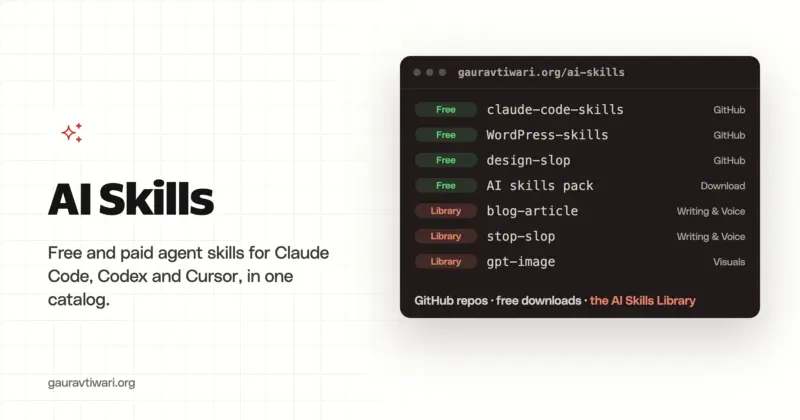
wpgaurav/bricks-skillsView on GitHub → PHP 104 14 GenerateBlocks Skills AI skills for crafting precise GenerateBlocks V2 layouts without the breakage. wpgaurav/generateblocks-skillsView on GitHub → Shell 11 1 WordPress AI Skills 125+ reusable AI agent skills for Claude Code, ChatGPT, Cursor and more. wpgaurav/WordPress-skillsView on GitHub → Mixed 2 0 Anti-Slop Claude Skills Opinionated Claude Code skills that fight AI slop in design, code and content. wpgaurav/claude-code-skillsView on GitHub → TypeScript 2 0 WP MCP Server A TypeScript MCP server that exposes any WordPress REST API as AI tools. wpgaurav/wp-mcpView on GitHub → PHP 1 0 AI Provider for OpenAI An OpenAI provider for the WordPress AI Client, with latest-model defaults. wpgaurav/gt-ai-provider-for-openaiView on GitHub → PHP 1 0 SyncPoint CRM A free, surprisingly full-featured CRM built natively for WordPress. wpgaurav/syncpoint-crmView on GitHub → PHP 1 0 GT Link Manager A fast, lightweight Pretty Links alternative with custom database tables. wpgaurav/gt-link-managerView on GitHub → PHP 8 0 Functionalities A modular site plugin that organizes common features behind simple toggles. wpgaurav/functionalitiesView on GitHub → The AI tools I actually use
Not a list of every AI app that exists, the ones I personally pay for and open most weeks. A few links below are affiliate links (they help keep the free tools free); the recommendations are the same ones I’d give a friend.
AI guides I’ve written
If you’d rather read than build, these are my most useful deep-dives on AI tools, each one tested, opinionated, and updated for 2026.
Frequently asked questions
The things people ask most about the toolbox, open source, affiliate links, and working together.
Are these tools really free?
The tools I've built and put on GitHub are open source and free forever, under MIT or GPL licenses. Use them, fork them, even ship them in client work, no strings attached. The third-party AI services in my stack have their own pricing, and a few of those links are affiliate links that cost you nothing extra.
Can I use or fork your tools?
Yes, that's the whole point. Everything is open on GitHub to use, copy, or fork into your own projects. If something helps, a star is genuinely appreciated; if something breaks, open an issue and I'll usually get to it.
Which AI tools do you actually use every day?
Claude Code, this entire site is built and maintained with it, plus ChatGPT and Google's Gemini for writing and image work, and the rest of the stack listed above. I only feature tools I personally pay for and open most weeks, not every app that exists.
Are the AI tool links affiliate links?
Some of them are. They cost you nothing extra and help keep the open-source tools free to build and maintain. The recommendations are honest, they're the same ones I'd give a friend, affiliate link or not.
Do you build custom AI tools or WordPress plugins?
Yes. Most of what's here started as something I needed for a client project or my own sites, then I cleaned it up and released it. If you want a custom plugin, agent skill, or AI workflow built, get in touch.
How often do you ship new tools?
Often, sometimes weekly. The fastest way to follow along is to follow me on GitHub or subscribe to the newsletter, where I share new tools and what I'm learning.
Built something useful? So have I.
Everything here is open and free, no gatekeeping, no email walls. Star a repo if it helps, open an issue if it breaks, or fork it and make it yours. New tools ship often, the best way to follow along is on GitHub.