
 by
by
A lot of new AI tools are landing in the WordPress ecosystem – making everything, including writing, editing, publishing, debugging and automating things easier in WordPress.
We all know how managing a WordPress site means logging into wp-admin, clicking through twenty plugin screens, and praying nothing broke on save. In 2026, a good chunk of that work for me now happens before I ever open the dashboard. I describe what I want in plain English, an AI agent talks to the site through a small bridge called an MCP server, and the change is live by the time I’ve finished my coffee.
That shift is bigger than any single plugin, and it’s the part most roundups of the best AI tools for managing WordPress get wrong. They hand you fifteen content generators, call it a list, and ignore the fact that WordPress itself became AI-native this year. The real toolkit for managing a site now has five layers: the AI assistants that do the thinking, the MCP servers that connect them to your site, the plugins that live inside WordPress, the platforms that build and host with AI baked in, and the core APIs the WordPress project shipped to tie it all together.
I run and maintain a lot of WordPress sites, and the way I manage them today looks nothing like it did two years ago. So this isn’t a list scraped from press releases. It’s the actual stack, the tools I trust, the ones I’d skip, and the honest tradeoffs in between.
The fastest answer: what to use for each job
If you only read the summary, here’s the map. Every pick below gets explained, with the downsides, further down.
- AI assistant / coding agent: Claude and Claude Code for anything that touches code or site operations. ChatGPT for content and quick research. Cursor if you live in an IDE.
- AI-to-WordPress bridge: the official WordPress MCP Adapter when you want the core path, or a REST-based server like @wpgaurav/wp-mcp when you want zero plugin install and auto-discovery of every endpoint.
- In-WordPress AI plugin: AI Engine for content, chatbots, and a built-in MCP, all under your own API key.
- AI SEO: Rank Math Content AI for the price, AIOSEO if you want SEO and AI in one packaged flow.
- AI site builder / managed platform: 10Web for a generated site plus tuned Google Cloud hosting, ZipWP for a full WordPress site in under a minute.
- AI maintenance: an agent wired into staging, with verified backups and anomaly detection, not a plugin that auto-updates blind.
The interesting thing about that list? Three years ago, four of those six categories didn’t meaningfully exist for WordPress. Let me show you what changed, starting with the layer everyone underrates.
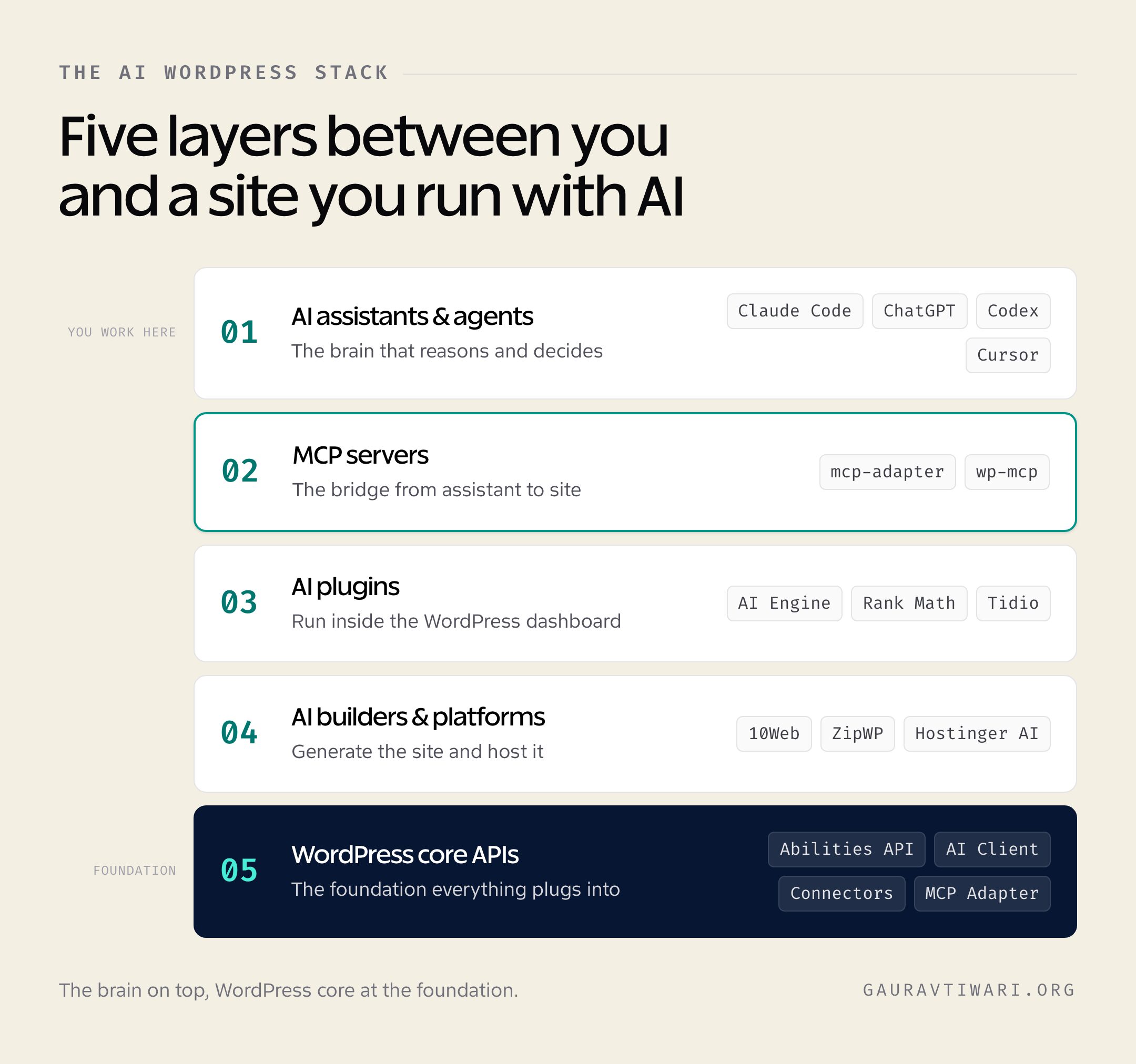
WordPress quietly became AI-native (and that’s the real story)
The biggest AI tool for managing WordPress isn’t a plugin. It’s WordPress. The project spent 2025 building a standardized way for AI to understand and operate a site, and most of it landed in core over the last two releases.
The keystone is the Abilities API, which shipped in WordPress 6.9. Think of it as a phone book for everything your site can do. Instead of every plugin inventing its own way to expose a “create a coupon” or “clear the cache” action, they register it once, with a name, typed inputs, outputs, and a permission check. That registry is what makes WordPress functions discoverable to an AI agent without custom glue for every tool.
WordPress 7.0 stacked two more pieces on top. The AI Client and Connectors API give plugins a single, shared way to talk to AI models, plus a Connectors screen where you configure your OpenAI or Anthropic key once and the whole ecosystem uses it. No more pasting the same API key into eight different plugin settings pages. And the MCP Adapter exposes those registered abilities to outside AI tools like Claude, ChatGPT, and Gemini, so they can call your site directly.
There’s a human story behind this too. The Core AI team formed in May 2025, ships its building blocks “canonical first, Core when ready,” and at WordCamp US 2025, Matt Mullenweg unveiled Telex, a vibe-coding tool that turns a text prompt into a working Gutenberg block. It already powers real blocks on real sites. For 2026, the team is building benchmarks to measure how well AI models handle actual maintenance tasks, things like plugin management and interface manipulation.
I wrote a full breakdown of the WordPress AI features and Connectors separately, so I won’t re-explain every API here. The thing to take away: the plumbing for AI site management is now in core, which means the tools below aren’t bolt-ons anymore. They plug into a standard.
AI assistants and coding agents: the brain of the operation
The single most useful AI tool for managing WordPress is a general-purpose assistant, not a WordPress-specific one. The assistant does the reasoning. Everything else is how it reaches your site.
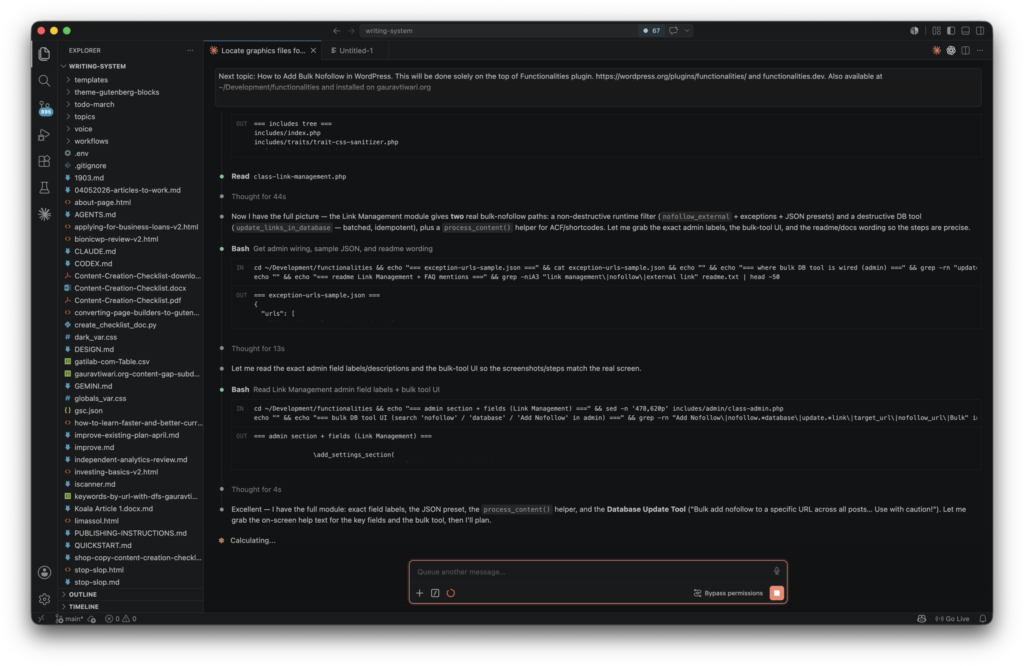
For anything that touches code, operations, or debugging, I reach for Claude and its terminal-native sibling, Claude Code. By the first quarter of 2026, Claude Code had overtaken both Cursor and GitHub Copilot in professional usage and developer satisfaction, which is the fastest reversal I’ve seen in dev tooling. For WordPress, that matters because managing a site is rarely a one-file edit. It’s “find why the cart page throws a fatal on PHP 8.5, fix it, and check the other templates for the same bug,” which is exactly the multi-file, agentic work Claude Code is built for. I’ve used it to chase down a nested-block defect across dozens of posts and patch them in one pass.
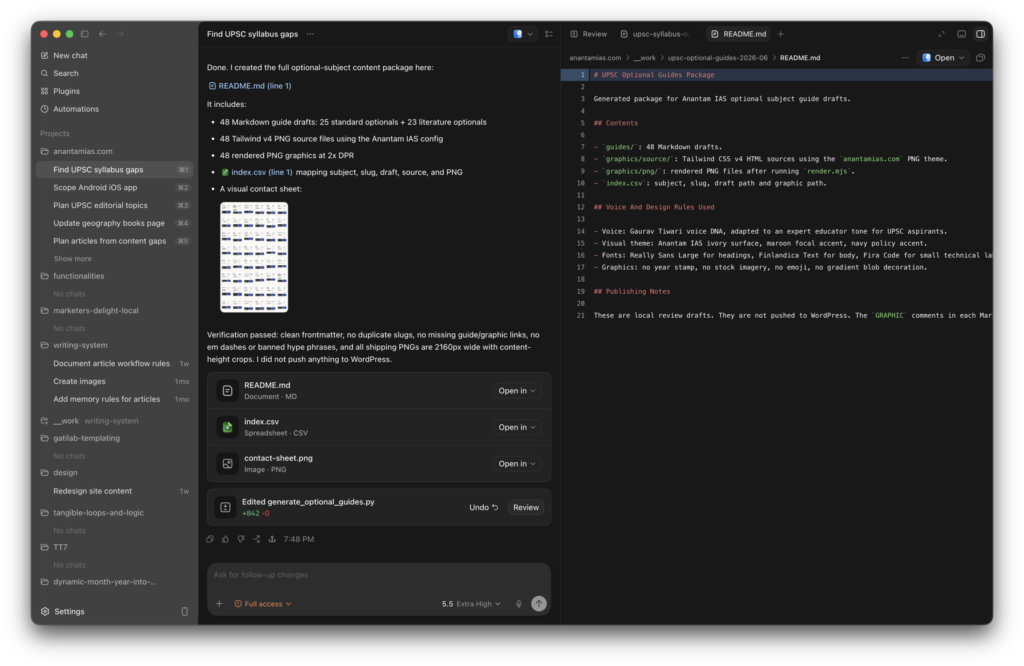
ChatGPT is still where I start for content drafts, outlines, and quick research, and OpenAI’s Codex has become a serious async coding agent, with Sam Altman confirming 3 million weekly active users by April 2026 and token usage growing more than 70% month over month. Codex shines when you want to hand off a self-contained task and walk away. If you want to understand what running these through an API actually costs, I broke down ChatGPT API pricing model by model, because the bring-your-own-key economics matter once you’re automating real work.
The other two worth knowing: Cursor, an AI-first IDE that’s excellent if you want completions and chat in the same window you write code, and GitHub Copilot, the safe enterprise default that’s strongest at inline suggestions. Most working developers in 2026 aren’t loyal to one. The common pattern is Claude Code for the heavy refactors and Copilot for the quick inline edits, each playing to its strength.
Here’s the honest limitation. None of these assistants knows anything about your specific site out of the box. ChatGPT can write you a perfect-looking function for a hook that doesn’t exist in your plugin version. That gap, between an assistant that can reason and a site it can’t see, is exactly what the next layer fixes.
| AI assistant | Best for | WordPress strength | Pricing model |
|---|---|---|---|
| Claude + Claude Code | Code, debugging, site operations | Agentic multi-file fixes across templates and plugins; MCP-native | Subscription + API |
| ChatGPT | Content drafts, outlines, research | Fast, broad knowledge; great first drafts | Free / Plus $20 / API |
| OpenAI Codex | Async, hand-off coding tasks | Self-contained PHP and JS tasks you can walk away from | ChatGPT plans / API |
| Cursor | In-IDE development | Completions plus chat while editing theme or plugin code | Free / Pro $20 |
| GitHub Copilot | Inline completions | Safe default, strongest at quick edits | $10 to $19 / mo |
MCP servers: the bridge between the AI and your site
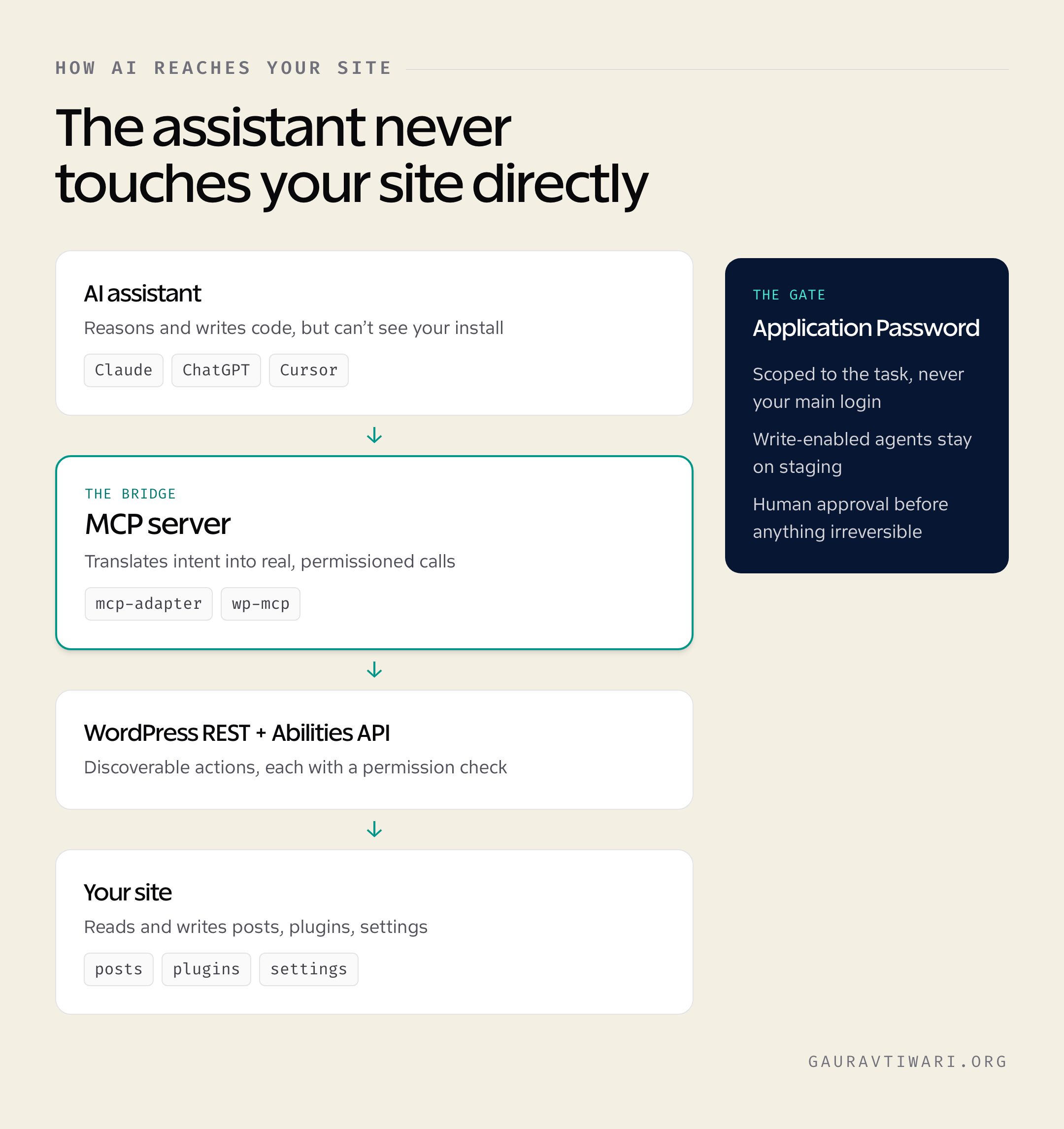
An MCP server is the cable between a smart assistant and your actual WordPress install. MCP, short for Model Context Protocol, is an open standard that lets AI tools discover and call real functions instead of guessing. Without it, Claude is writing code blind. With it, Claude can read your posts, check site health, update a plugin, and see the result, all through a permissioned connection.
The official path is the WordPress MCP Adapter. It bridges the Abilities API to MCP, so any ability your plugins or core register becomes a tool an AI client can invoke. You install it as a plugin, it registers a default server plus discovery tools, and WordPress 6.9 already ships three core abilities like `core/get-site-info` to start with. It authenticates over HTTP with Application Passwords, or runs locally through WP-CLI. If your code already registers abilities, you’re one step from letting an agent use them. This is Automattic’s recommended direction, and the older `Automattic/wordpress-mcp` plugin is being retired in its favor.
There are good alternatives depending on how you work. Automattic’s mcp-wordpress-remote is a local proxy that translates an assistant’s requests into REST API calls, handy when you can’t or won’t install a plugin on the target site. WordPress.com offers a hosted MCP endpoint for sites on their platform, and WooCommerce ships its own MCP integration for store operations. There’s even a Plugin Directory MCP server now, so an assistant can check plugin guidelines and submission status while you build.
My own tool, @wpgaurav/wp-mcp, sits in the REST-based camp rather than the plugin-and-Abilities camp. It’s a small Node server that exposes a WordPress site’s REST API as MCP tools: 37 hand-built tools for posts, pages, media, users, settings, menus, and site health, plus an auto-discovery engine that scans `/wp-json/` and generates tools for whatever plugins you have, WooCommerce, ACF, Yoast, anything. It runs over stdio for Claude Code and Desktop or over HTTP, and authenticates with an Application Password. I built it because I wanted one connection that worked on any site I manage without touching the server, and re-scanned itself with a single command after I installed a new plugin. It’s MIT-licensed and early (version 0.1.x), so treat it as the practical, no-install option, not a polished product.
The choice between these comes down to one question. If you control the site and want the future-proof, core-aligned path, use the MCP Adapter with the Abilities API. If you want to manage a fleet of sites you don’t host, a REST-based server like mine or Automattic’s remote proxy gets you connected in minutes. Either way, the assistant from the last section stops being blind.
There’s a third class worth calling out: plugin-based MCP servers you install on the site itself. Novamira is the most aggressive of these, handing a Claude Code or Cursor agent PHP-level access to run code, edit files, and manage the database directly. That’s incredibly capable and a genuinely bad idea anywhere but a staging copy. Easy MCP AI is the safer, free counterpart, exposing 200-plus REST-level tools for content, media, and reporting instead of raw code execution. Both turn your install into an agent-ready endpoint without the external Node setup, and both authenticate over Application Passwords.
One word of caution that I’ll come back to: the moment you connect an AI agent to your site with write access, you’ve created a powerful tool and a real attack surface. More on that later.
| MCP server | Type | Best for | Auth |
|---|---|---|---|
| WordPress MCP Adapter (official) | Plugin + Abilities API | The core-aligned, future-proof path on sites you control | Application Password / WP-CLI |
| Automattic mcp-wordpress-remote | Local REST proxy | Connecting without installing a plugin | App Password, OAuth, JWT |
| WordPress.com MCP | Hosted endpoint | Sites hosted on WordPress.com | WordPress.com auth |
| WooCommerce MCP | Store integration | WooCommerce store operations | Application Password |
| @wpgaurav/wp-mcp | Node REST server | Managing any self-hosted site with no install and auto-discovery | Application Password |
| AI Engine (built-in MCP) | Plugin feature | Sites already running AI Engine | Application Password |
| Novamira | Plugin (PHP runtime) | Deep, code-level control of a site you host — staging only | Application Password |
| Easy MCP AI | Plugin (REST) | Free, broad content and reporting tools (200+) | Application Password |
AI plugins that live inside WordPress
For everyone who doesn’t want to wire up assistants and servers, the in-dashboard plugins do the work where you already are. The pattern across nearly all of them in 2026 is bring-your-own-API-key: the plugin is cheap or free, and you pay the AI provider directly for usage. That keeps entry costs low and puts you in control of spend, as long as you watch the meter on high-volume jobs.
For content and chatbots, AI Engine by Jordy Meow is the one I point people to first. It brings OpenAI, Anthropic, and others into WordPress to generate posts in your voice, build chatbots that actually understand your content, translate, and create images, and it now ships its own MCP support, which tells you where the ecosystem is heading. Jetpack AI is the friendlier, more integrated option if you’re already in the Jetpack world and want an assistant right in the editor.
SEO is where AI plugins earn their keep for most site owners. Rank Math Content AI works like a research assistant that hands you data-driven, on-page recommendations as you write, and the free tier already covers schema and keyword work that some competitors lock behind a $99 plan. AIOSEO packages AI features into its broader SEO suite if you’d rather have one plugin do both. I compared the broader category in my AI writing tools roundup if content generation is your main need.
For customer-facing chat, Tidio pairs live chat with AI sales automation and is a solid fit for stores, while newer players like MxChat and PurioChat lean into the pay-once, bring-your-own-key model for site-content answers. And for free Alpha Chat by me is the best option with WordPress – making use of BYOK (Bring Your Own Keys) model. If you’re weighing options, my list of the best AI chatbots like ChatGPT covers the underlying engines these plugins plug into.
The honest caveat: don’t install five of these at once. Every AI plugin adds settings, a database footprint, and another place for a key to leak. Pick one for content, one for SEO, and one for chat, and that’s usually the whole stack. The page builders are adding their own AI too, with Elementor AI/Angie inside Elementor and Divi AI inside Divi, but if you’re chasing performance, remember that an AI feature bolted onto a heavy builder still ships a heavy builder.
| AI plugin | Job | What makes it different | Cost model |
|---|---|---|---|
| AI Engine | Content, chatbot, MCP | All-in-one under your own key, now MCP-capable | Free + Pro, BYO key |
| Jetpack AI | In-editor assistant | Tight editor and Jetpack integration | Subscription |
| Rank Math Content AI | SEO content | Data-driven on-page recommendations, generous free tier | Free + Pro |
| AIOSEO | SEO suite + AI | SEO and AI packaged in one plugin | Freemium |
| Tidio | Chat + sales | Live chat plus AI sales automation for stores | Free + paid |
| Bit Flows | Automation | Wires AI into no-code WordPress workflows | Freemium |
For text workflows using your own DeepSeek account, GT DeepSeek for AI connects the provider to WordPress and adds focused editorial abilities. Treat it as a connector and workflow component, with separate API billing and human review of the result.
AI website builders and managed platforms
If “managing WordPress” for you starts with not wanting to build it by hand, a few platforms now generate and run the whole thing with AI. These aren’t plugins. They’re services that own the stack from prompt to hosting.
10Web is the most complete of these. Its AI builder generates a WordPress site and pairs it with tuned Google Cloud hosting, and it promises a 90-plus PageSpeed score by optimizing Core Web Vitals during generation. Plans run roughly $10 to $60 a month, hosting included, which is the part that makes it genuinely a management tool and not just a builder. ZipWP takes the speed crown: answer a few questions about your business and it generates a complete, designed WordPress site in under a minute, with a real free plan to test on a sandbox before you commit a domain.
Hostinger built its AI creator straight into its hosting, so it asks three questions and configures the server and the CMS at the same time. No FTP, no manual install. For the price, it’s hard to argue with as a starting point for a simple site. And for developers, CodeWP is the specialist: an AI code generator trained specifically on WordPress and WooCommerce languages, so the PHP and snippets it produces actually fit WordPress conventions instead of generic guesses.
Where these fall short is the same place all generated sites do. They get you to a working, decent-looking site fast, but the moment you need something custom, a specific schema setup, a performance tweak the generator didn’t make, an integration it doesn’t support, you’re back in the same WordPress you’d have built anyway. I treat them as a brilliant first 80%, not the finish line.
More AI Tools that I recommend

Storeclaw
AI agent for online sellers that automates store operations, SEO, social content and site building from one workspace, with Shopify…

Gamma
Gamma builds presentations, documents and simple websites from a prompt or an outline, then lets you edit the result card…

OpenArt AI
AI image platform with 100+ models and fine-tuned styles: characters, products, upscaling, and editing.

Krisp
AI noise cancellation that strips background sound from any call app, plus meeting notes and transcription.

CapCut
Free-first video editor for shorts and reels, with AI captions, background removal, and template packs.
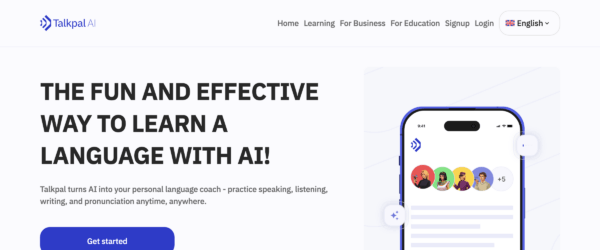
Talkpal
GPT-powered language tutor that role-plays real conversations in 57+ languages with instant feedback.

InVideo
AI video creator that turns prompts and scripts into publish-ready videos with stock, voiceovers, and templates.
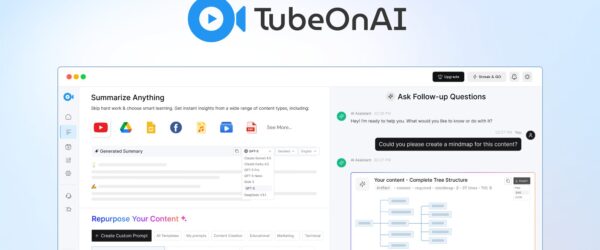
TubeOnAI
TubeOnAI summarizes YouTube videos, podcasts, and audio content into concise notes using AI. Extract key points, generate transcripts, and create…
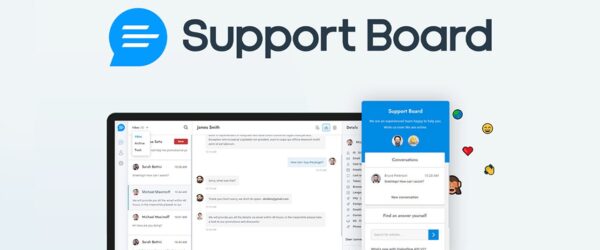
Support Board
Support Board adds AI-powered chatbots to your customer support. Automate responses using OpenAI, handle tickets from multiple channels, and escalate…

Evolup
Evolup builds affiliate websites using AI. It generates product descriptions, comparisons, and SEO content automatically from Amazon and other affiliate…
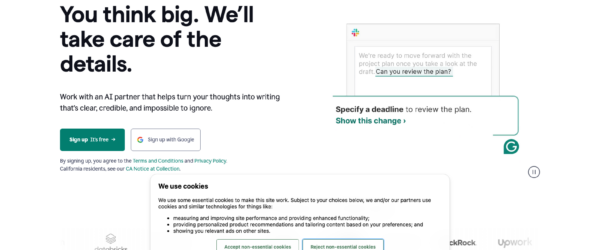
Grammarly
Grammarly is an AI-powered writing assistant that checks grammar, spelling, punctuation, and style across everything you write. It works in…
SureForms
SureForms is a lightweight WordPress form builder designed for speed and simplicity. It creates contact forms, payment forms, and registration…
AI for the boring, critical work: updates, security, and backups
The real test of an AI tool for managing WordPress isn’t whether it can write a blog post. It’s whether it can keep the site alive while you sleep. This is where 2026 got genuinely useful.
The better AI maintenance setups now test every update in a staging copy before touching the live site, catch compatibility breaks before your visitors do, and flip on a maintenance page automatically while they work. Backups got smarter too: instead of blindly snapshotting on a schedule, AI-driven backup tools verify integrity after each save, watch for corruption, and flag a bad restore point before you discover it during an actual emergency. On security, the move is from reactive to predictive, with real-time monitoring that spots unusual behavior and stops an attack mid-pattern rather than emailing you after the damage.
The bigger change landed in March 2026, when these AI integrations gained write capabilities. That turned a conversational assistant from a passive observer into an active collaborator. You can now tell an external tool like Claude or Cursor to run real administrative tasks on your server, not just describe what it would do. That’s the same capability that makes the MCP layer so powerful, pointed at operations instead of content.
Here’s my actual rule, though. I let AI handle the monitoring, the staging tests, the integrity checks, and the first-draft diagnosis. I don’t let it auto-apply a database migration or a major version bump unattended on a site that earns money. The technology is ready to suggest and to stage. It’s not ready to be the only set of eyes on an irreversible change. Verified backups plus a human approval step is still the combination that lets me actually sleep.
What the WordPress core team is building next
The most important AI work in WordPress isn’t happening in any single product. It’s happening in the open, in core, and it’s worth understanding because it shapes every tool above.
The whole effort runs under the banner of AI Building Blocks, a layered set of components the team is shipping as Composer packages and canonical plugins before deciding what belongs in core. The foundation is the PHP AI Client SDK, a provider-agnostic library that gives any plugin unified access to models from any major AI provider, so developers build the feature once and you pick the model. On top sit the Abilities API, the MCP Adapter, and an AI Experiments plugin that bundles it all together as a working reference, starting with features like AI title generation.
Telex is the most visible piece, and it’s a real signal of intent. A tool that turns “make me a pricing table block with three tiers” into actual Gutenberg block code is the core team saying that building for WordPress should be conversational. Combine that with the Connectors screen from WordPress 7.0, where you set your AI provider once for the whole site, and the 2026 roadmap’s maintenance benchmarks, and the direction is clear. WordPress is positioning itself as the open, model-neutral platform that any AI can operate, instead of locking you into one vendor’s assistant.
That philosophy is the quiet advantage. Every closed website builder wants to be the AI you use. WordPress is building the standard so the AI you already use can run your site. If you build custom blocks, my guide to the best Gutenberg blocks plugins pairs well with what Telex is doing.
The AI tools for managing WordPress I actually use
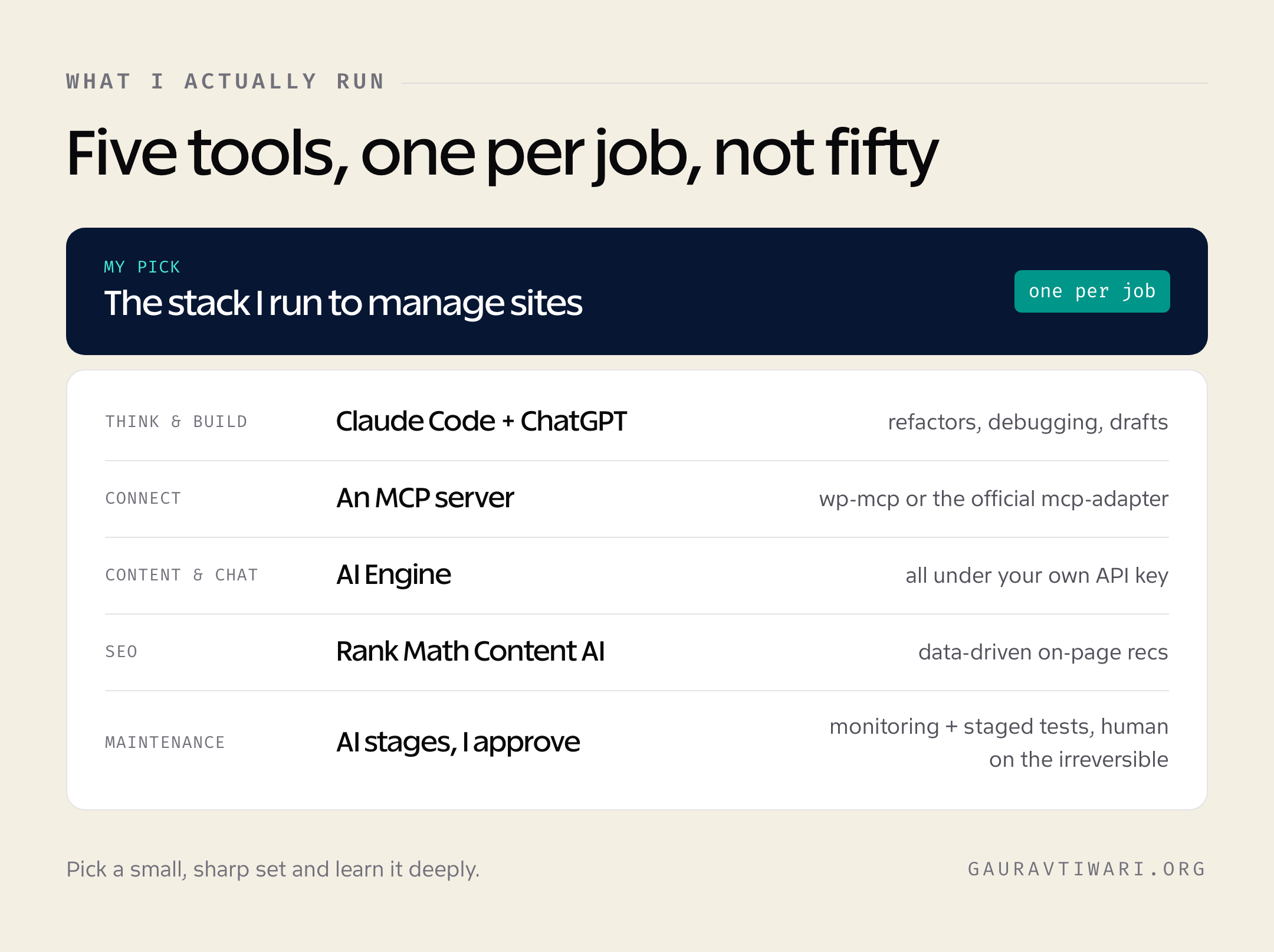
Strip away the options and here’s what I run. For thinking and doing, Claude Code, with ChatGPT for content drafts. For the connection, a REST-based MCP server so I can manage any site without touching its server, falling back to the official MCP Adapter on sites where I want the core-aligned path. Inside WordPress, AI Engine for content and chat under my own key, and Rank Math Content AI for SEO. For maintenance, AI handles monitoring and staging tests, I approve anything irreversible.
That’s it. Five tools, not fifty. The mistake I see people make is collecting AI plugins like trading cards, ending up with three content generators fighting over the same editor and a settings screen for each. The teams getting real mileage out of AI in 2026 picked one tool per job and learned it deeply.
The risks nobody’s pricing in

Connecting an AI agent to a live WordPress site with write access is the most powerful and most dangerous thing in this entire article. An agent that can update a plugin can also delete a page, and a prompt injection hidden in a comment or a scraped page can, in theory, become an instruction. The same MCP connection that saves me an hour can hand a careless setup to an attacker.
So guard it like the admin credential it is. Use a dedicated Application Password with the minimum capability the task needs, never your main login. Keep write-enabled agents on staging, and require human approval before anything irreversible hits production. The deepest of these tools run raw PHP on your server, so reserve anything in the Novamira class for a staging copy, never a live, paying site. Watch your API spend, because bring-your-own-key economics are wonderful until an automation loops and bills you for it. And remember that AI-written content and AI-written code both need a human review pass, for quality and for security. I covered the content side of that in AI content versus human content for SEO, and the principle holds for code too: AI is a fast first draft, not a final answer.
The tools are ready to do the work. They are not ready to be trusted without supervision. Hold both of those ideas at once and you’ll get the upside without the disaster.
Frequently asked questions
What is the best AI tool for managing a WordPress website?
It depends on the job. For operations, code, and debugging, Claude Code paired with an MCP server is the strongest combination. For in-dashboard content and SEO, AI Engine plus Rank Math Content AI covers most of it. There’s no single winner, because managing a site means different work at different moments.
What is an MCP server in WordPress?
An MCP server is a bridge that lets AI tools discover and call real functions on your site through the open Model Context Protocol. The official one is the WordPress MCP Adapter, which exposes the abilities registered through the Abilities API so assistants like Claude and ChatGPT can read and operate your site through a permissioned connection.
Can AI manage WordPress updates and backups safely?
Yes for the monitoring, staging tests, and backup-integrity checks. The better tools test updates in a staging copy before they touch your live site and verify each backup after it saves. Keep a human approval step for anything irreversible, like a major version bump or a database migration on a site that earns money.
Is WordPress getting built-in AI features?
It already has them. WordPress 6.9 shipped the Abilities API, WordPress 7.0 added the AI Client, the Connectors API, and the MCP Adapter, and the project unveiled Telex to generate Gutenberg blocks from text prompts. The core team is building all of this in the open under the AI Building Blocks initiative.
Do AI WordPress plugins need an API key?
Most do now, and that’s a good thing. The bring-your-own-key model keeps the plugin itself cheap or free while you pay the AI provider directly for usage. It puts you in control of spend, as long as you watch the meter on high-volume jobs like bulk content generation.
Can ChatGPT or Claude edit my WordPress site directly?
Not on their own. They need a bridge, an MCP server or a REST-based connection, plus an Application Password, to actually read and write to your site. Without that connection, an assistant can only write code it hopes will work, with no way to see your specific install.
What is the best free AI tool for WordPress?
Stack the free tiers. AI Engine’s free version, Rank Math’s free plan, and ZipWP’s free site generation cover a surprising amount at no cost beyond the API usage you choose to add. Most small sites never need to pay for the plugins themselves.
Is it safe to give an AI agent write access to my site?
Only with guardrails. Use a dedicated Application Password scoped to the minimum capability the task needs, keep write-enabled agents on staging, and require human approval before changes hit production. The same connection that saves you an hour can hand a careless setup to an attacker, so treat it like the admin credential it is.
Where this leaves you
The WordPress that you managed by clicking around wp-admin still exists, but it’s no longer the fastest way to run a site. The real advantage in 2026 comes from treating WordPress as something an AI can operate through a standard, the Abilities API, an MCP server, an assistant that reasons. Pick one assistant, one bridge, one content plugin, one SEO plugin, and a maintenance setup that keeps a human on the irreversible calls. That’s a stack you can actually manage, and it’ll do more than the fifty-plugin pile ever did.
The tools will keep changing. The pattern won’t. The people winning with WordPress right now aren’t the ones with the most AI plugins. They’re the ones who wired up a small, sharp set of tools and got back to building.
Tell Google you want more of this.
Add Gaurav Tiwari as a preferred sourceOne tap, and this site shows up more often in your own Top Stories, AI Overviews and AI Mode. Remove it any time.
Disclaimer: This site is reader-supported. If you buy through some links, I may earn a small commission at no extra cost to you. I only recommend tools I trust and would use myself. Your support helps keep gauravtiwari.org free and focused on real-world advice. Thanks. - Gaurav Tiwari