
 by
by
This Emailit review is based on 10,000+ messages sent through WordPress, PHP, and Node projects. Emailit combines SMTP and a REST API with pay-as-you-go credits, so a small site can fix transactional email without accepting another monthly bill.
Verdict: Emailit is a strong value for low-to-medium-volume WordPress transactional email. $20 buys 100,000 credits, but new workspaces start at 2 messages per second and 5,000 emails per day. That limit, the conditional refund, and strict suspension policy matter as much as the headline price.
| Emailit at a glance | Current answer |
|---|---|
| Overall rating | 4.3/5 |
| Best for | WordPress transactional mail, small SaaS projects, agencies with modest client volume |
| Skip it if | You need an enterprise SLA, documented infrastructure, a mature CRM, or guaranteed high burst capacity |
| Entry price | $20 one-time for 100,000 non-expiring credits |
| Credit use | 1 per SMTP/API send; 2 per campaign recipient; 3 per automation run; 5 per verification |
| Starting limit | 2 messages/second and 5,000/day across SMTP and API |
| Current API | v2 at https://api.emailit.com/v2 |
| Free tier | No |
| Refund | 30 days only if 1,000 or fewer emails have been sent |
| AppSumo | Sold out; final Tier 1 listing showed $54 |
How I Tested Emailit
I paid for Emailit myself and used it on my own sites and client projects. The work included WordPress mail through Fluent SMTP, Core Forms notifications, a WooCommerce PHP integration, and a Node dashboard. I also checked the current pricing, v2 API, domain setup, sending limits, and Acceptable Use Policy before updating this review.
| Test detail | What I recorded |
|---|---|
| Testing window | Multi-month live use; I did not retain an exact first-send date |
| Total volume | 10,000+ messages across test and live workloads |
| Mailbox providers | Gmail, Outlook, Yahoo, ProtonMail, and Apple Mail |
| Sending paths | Fluent SMTP, WordPress/PHP, REST API, and Node |
| IP type | Shared Emailit pool; no dedicated-IP comparison |
| Authentication | DKIM and SPF required, MX feedback record added, DMARC used where appropriate |
| Timing | About 1.6 seconds on average in my observations; median and P95 were not separately logged |
| Bounce and complaint data | No controlled aggregate rate retained; observed bounces were known invalid addresses |
| Limitation | This is operational evidence, not a controlled deliverability benchmark or inbox-placement guarantee |
| Pros | Cons |
|---|---|
| $20 for 100,000 non-expiring credits | No free tier; the refund stops applying after 1,000 sends |
| Fast delivery in my own tests across five mailbox providers | New accounts start at 2 messages/second and 5,000/day |
| Current v2 API plus standard SMTP | MTA stack, IP ranges, and warm-up strategy are not public |
| Works with Fluent SMTP and WP Mail SMTP | No official WordPress plugin |
| Manual account checks help control shared-pool abuse | Strict complaint, bounce, and acceptable-use thresholds |
What Emailit Actually Does
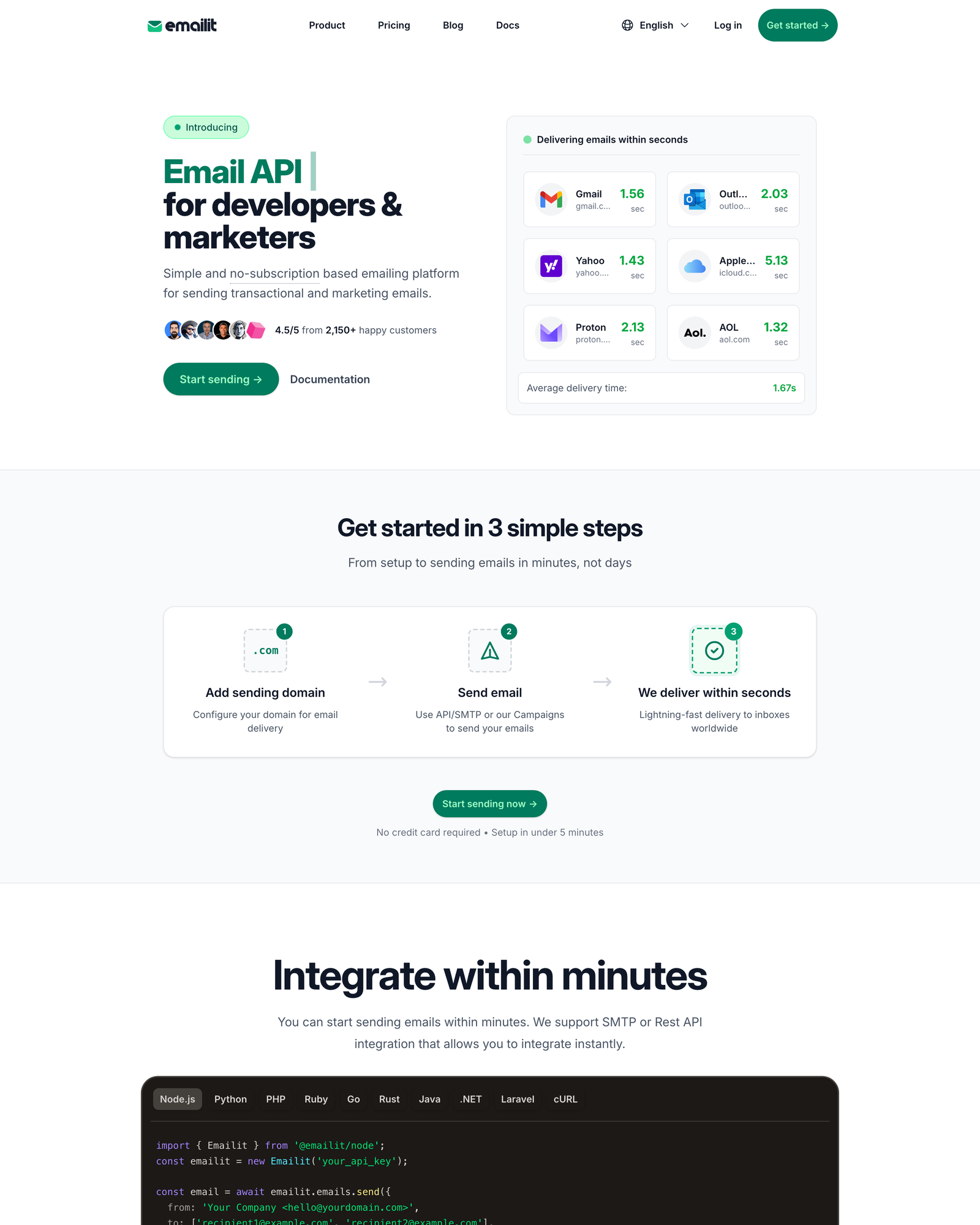
Emailit is a transactional and marketing email delivery service. You verify a sending domain, create SMTP credentials or an API key, and let Emailit handle delivery. It competes with Postmark, Resend, Mailgun, SendGrid, and Amazon SES.
Its strongest differentiator is the credit model. You pay when you need sending capacity, and unused credits do not expire. The platform also reviews new accounts before broader sending, which helps reduce obvious abuse on the shared pool. It does not guarantee inbox placement.
For WordPress, Emailit works through any plugin that accepts a custom SMTP host. That includes Fluent SMTP, WP Mail SMTP, Post SMTP, FluentCRM, Gravity Forms, Contact Form 7, and Ninja Forms. There is no official Emailit WordPress plugin, but I do not see that as a blocker.
Emailit Pricing: What $20 Actually Buys
Emailit’s regular pricing is pay-as-you-go. The current pricing page lists six bundles, and the balance carries forward until you use it.

- $20 for 100,000 credits
- $45 for 250,000 credits
- $80 for 500,000 credits
- $140 for 1,000,000 credits
- $300 for 2,500,000 credits
- $500 for 5,000,000 credits
One credit covers one SMTP or API send. A campaign costs two credits per recipient, an automation costs three credits per run, and an email verification costs five credits. The $20 bundle therefore covers 100,000 transactional sends, 50,000 campaign recipients, about 33,333 automation runs, or 20,000 verifications if used for only one activity.
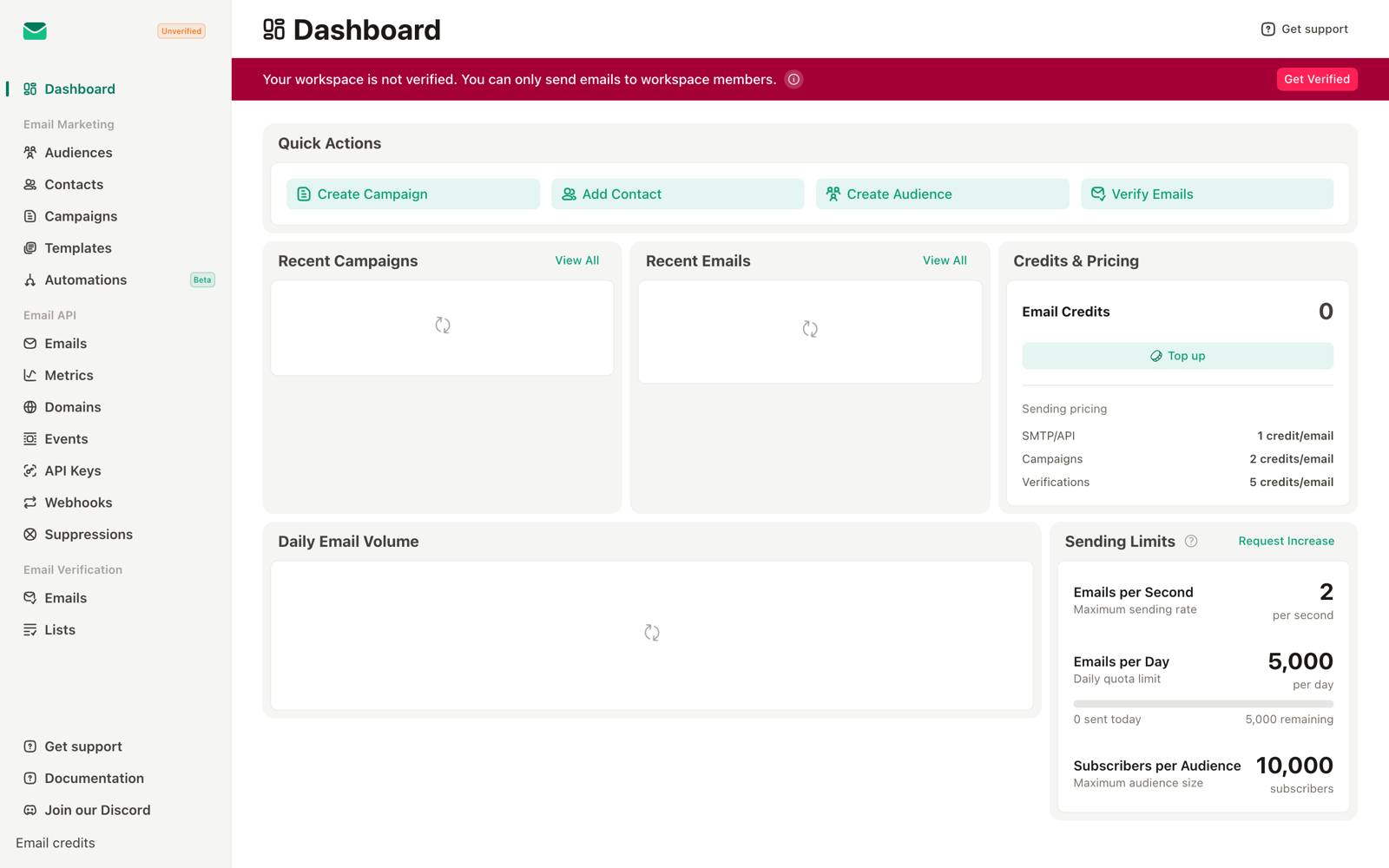
There is no free plan. The 30-day money-back guarantee applies only while the account has sent no more than 1,000 emails. That condition turns the $20 bundle into a limited paid evaluation, not a month-long production trial.
The AppSumo lifetime deal is sold out. Its final listing showed Tier 1 at $54 for 20,000 monthly credits. Existing buyers can keep using the plan they bought, but new customers should price the regular $20 bundle instead.
My Emailit Setup on Real WordPress Sites
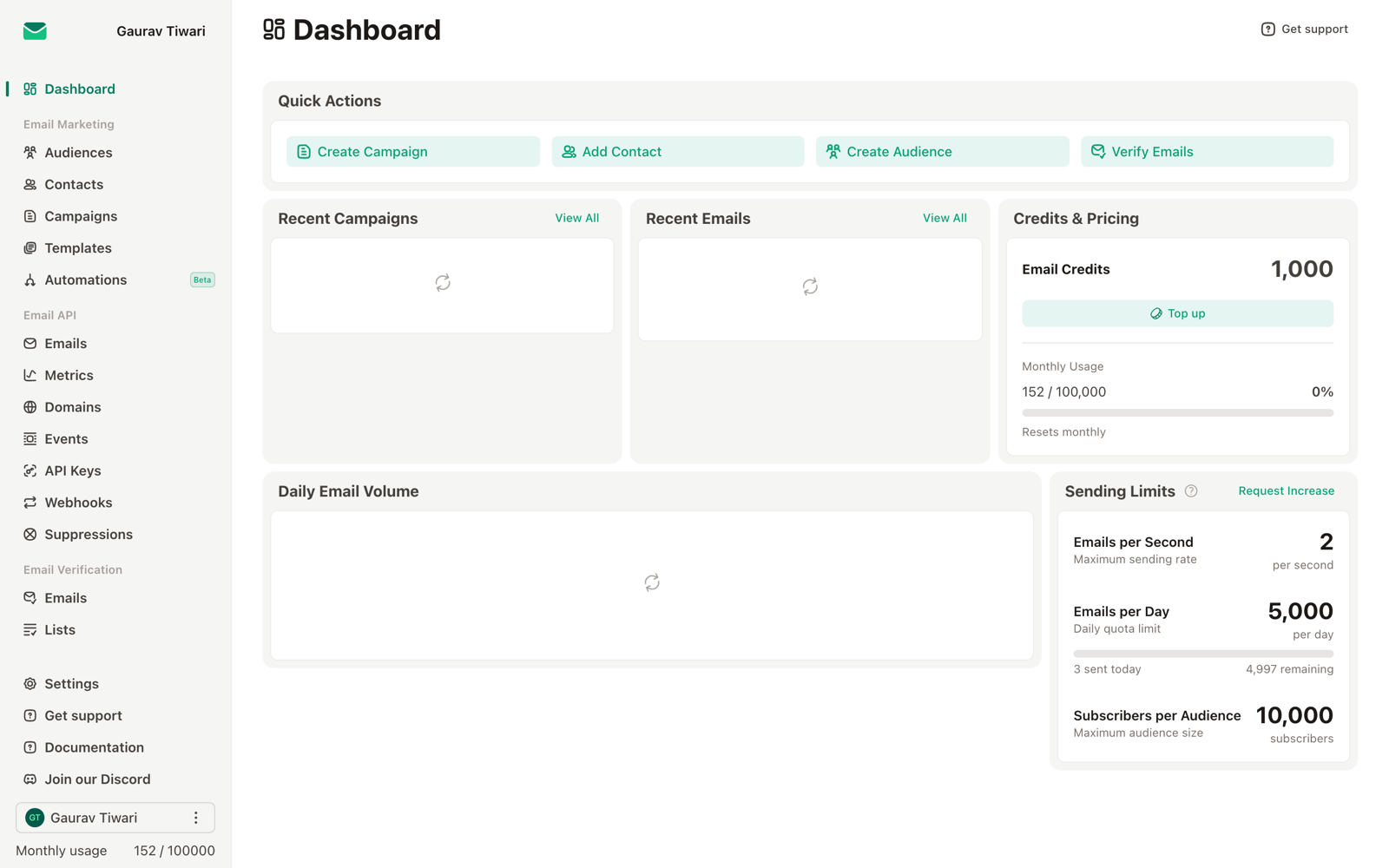
I run Emailit on my own projects and client WordPress sites. The working setup has stayed simple: authenticate the domain, create one SMTP credential, connect Fluent SMTP, and send a real test through the application that matters.
Fluent SMTP + Emailit (About 5 Minutes)
Fluent SMTP is my default WordPress mail router. WP Mail SMTP also works, but Fluent SMTP’s free version covers this job cleanly.
Choose Other SMTP, then enter smtp.emailit.com, port 587, STARTTLS, and the username and password from an Emailit SMTP credential. The plugin configuration takes about five minutes. Domain verification is separate and may take up to 24 hours because DNS propagation is outside Emailit’s control.
Core Forms Notifications
I use Core Forms for contact, quote, and lead forms. Core Forms hands its notification to WordPress, and Fluent SMTP routes it through Emailit. One client site handles roughly 400 form submissions a week on this path. The integration stays invisible to the form plugin.
I explained the product decision in why I built Core Forms. The useful part here is that any plugin using WordPress mail can benefit from the same SMTP connection.
Cloudflare DNS: DKIM, SPF, MX, and Optional DMARC
Emailit’s domain setup requires a DKIM TXT record, an SPF TXT record, and an MX record for feedback handling. DMARC is recommended but optional. If you use Cloudflare for WordPress DNS, add the records exactly as Emailit shows them and keep mail-related records unproxied.
The copy-and-paste work takes a few minutes. Verification may be nearly immediate or may take up to 24 hours. Do not treat a green SPF or DKIM check as proof that every message will reach the inbox.
PHP and Node Integrations Use the v2 API
For one client, a PHP snippet sends a delivery confirmation after WooCommerce completes an order. A separate Node dashboard sends through the same API. The current endpoint is https://api.emailit.com/v2/emails; v1 is deprecated and should not appear in new integrations.
A minimal request starts with fetch('https://api.emailit.com/v2/emails', { method: 'POST', headers, body }). The docs show language-specific examples, but the navigation still labels packaged SDKs as coming soon. I would call these API examples, not verified official SDKs.
The Three-Step Setup
The practical onboarding sequence is linear: add and verify a domain, create an SMTP credential or API key, then send a real message. Test the exact path your site uses, such as a password reset, form notification, or WooCommerce receipt.
Emailit Sending Limits
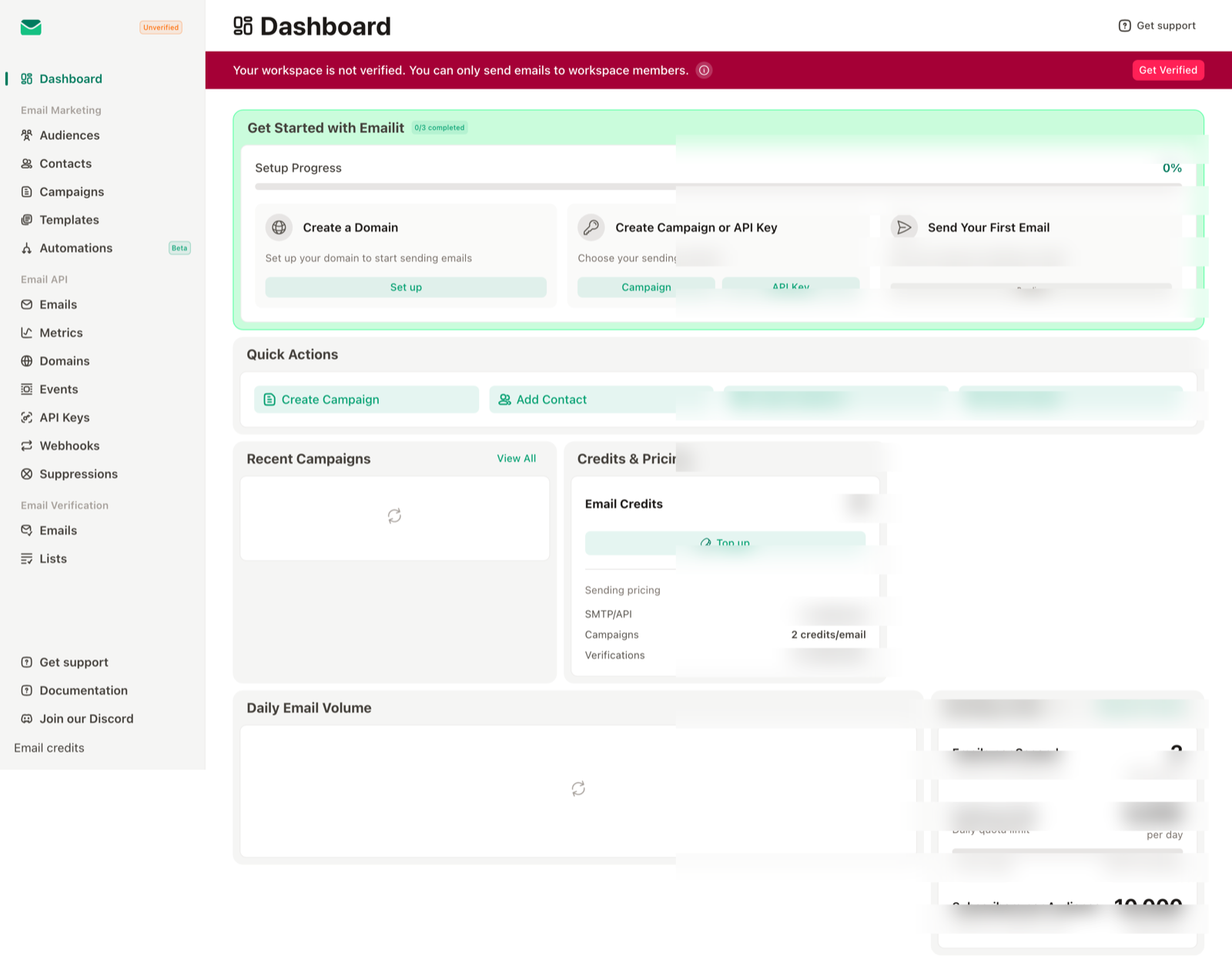
New workspaces start at 2 messages per second and 5,000 messages per day. The limit applies across SMTP and API traffic. At the default daily cap, using an entire 100,000-credit bundle for transactional mail would take at least 20 days.
- Ask for a higher limit before a launch, migration, or large campaign, not during it.
- Emailit reviews sending history, reputation, and policy compliance before approving increases.
- Keep transactional traffic predictable until the workspace has a clean record.
- Do not buy credits assuming that the balance itself grants matching burst capacity.
Emailit Sending Rules and Suspension Risk
Emailit’s low pricing comes with strict sender controls. The Acceptable Use Policy requires opt-in recipients, a working website on the sending domain’s root, and compliance with its prohibited-content rules. Cold or unsolicited lists are the wrong workload.
- Keep the complaint rate below 0.1%.
- Keep the bounce rate below 5%.
- Maintain a working site at the apex of the sending domain.
- Use permission-based lists and working unsubscribe handling for campaigns.
- Expect restrictions or immediate suspension when the thresholds or content rules are breached.
- Do not expect a refund after an Acceptable Use Policy violation or for credits already used in whole or in part.
Those thresholds explain part of the mixed public feedback. Trustpilot shows 3.1/5 from 28 reviews, with both strong praise and serious complaints about verification, suspension, and support. That is a small sample, but it is too polarized to ignore. If your acquisition practices are even slightly questionable, choose a different workflow before choosing a different provider.
What Runs Under the Hood
Emailit does not publicly document its MTA stack, IP ranges, or warm-up strategy. That is a genuine disadvantage beside Postmark and Amazon SES when a compliance or infrastructure team needs vendor evidence.
What I can confirm from usage and current documentation:
- SMTP with STARTTLS at
smtp.emailit.com:587. - Shared IP pool by default, with a dedicated IP add-on listed at $300/year.
- DKIM and SPF required, plus an MX feedback record; DMARC is recommended.
- Account and domain review before unrestricted external sending.
- Suppression handling for bounces and unsubscribes.
- REST API v2 and webhooks for common delivery and engagement events.
My observed delivery time averaged about 1.6 seconds across Gmail, Outlook, Yahoo, ProtonMail, and Apple Mail. That is a useful operational result, not a universal deliverability claim. I did not run a controlled warm-up comparison, dedicated-IP test, or statistically useful placement study.
Marketing Features: Campaigns and Automations
Emailit is transactional-first, but it can handle a small newsletter or basic sequence. It is not a replacement for a full CRM when you need lead scoring, sales pipelines, SMS, or deep branching.
Campaigns cost two credits per recipient. A broadcast to 10,000 subscribers uses 20,000 credits, which is about $4 at the $20 bundle rate. Automations cost three credits per run. Email verification costs five credits per address.
For marketing-first work, Brevo, Mailchimp, ActiveCampaign, or FluentCRM offers a more mature system. Emailit makes more sense when transactional delivery is the main job and campaigns are occasional.
What Emailit Does Well
- Pay-as-you-go value. Credits do not expire, and there is no recurring base subscription.
- WordPress compatibility. Standard SMTP works with Fluent SMTP, WP Mail SMTP, Post SMTP, and the Fluent stack.
- Current API design. v2 is straightforward, and the examples are easy to adapt in PHP or Node.
- Fast operational delivery. My observed average was about 1.6 seconds across five mailbox providers.
- Useful event coverage. Webhooks and the activity log cover delivery, opens, clicks, bounces, complaints, and unsubscribes.
- Abuse controls. Domain and account checks reduce obvious misuse of the shared pool.
What Emailit Does Not Do Well
- No true free evaluation. The $20 bundle is refundable for 30 days only while the account stays at or below 1,000 sends.
- Low starting limits. The 5,000-per-day cap can block a migration or campaign until Emailit approves an increase.
- Opaque infrastructure. The public docs do not identify the MTA, IP ranges, or warm-up model.
- No official WordPress plugin. The generic SMTP setup works, but a native integration would be easier for beginners.
- Strict enforcement with mixed public feedback. The policy is clear, but account-review and suspension disputes appear in public reviews.
- Inbound is not part of my test. v2 documents inbound email objects and the release notes say the feature exists, but I have not validated production reply routing.
Here is the pricing comparison I would use for a new decision today:
| Service | Free tier | Starting paid | 100k transactional sends | Best reason to choose it |
|---|---|---|---|---|
| Emailit | None | $20/100k credits | $20 | Non-expiring credits and WordPress SMTP value |
| Postmark | 100/month | $15/10k Basic | About $126 using Pro plus overage | Transparency, message streams, inbound processing |
| Resend | 3,000/month; 100/day | $20/50k Pro | $35 Pro | Developer experience and React Email |
| SendGrid | No ongoing free plan | $19.95/50k Essentials | $34.95 Essentials | Existing Twilio stack and mature ecosystem |
| Amazon SES | New-account allowance varies | Pay as you go | About $10 shared, or $34.95 with one standard dedicated IP, plus data | Lowest raw infrastructure cost |
| Brevo | 300/day | $9 Starter | Dynamic regional quote; Starter supports up to 100k | CRM, SMS, campaigns, and automation |
| Mailgun | 100/day | $15/10k Basic | $90 Scale | Inbound routing and developer tooling |
| Mailtrap | 4,000/month; 150/day | $15/10k Basic | $85 Business | Email testing plus production sending |
Emailit vs Postmark
Postmark is the premium alternative when infrastructure transparency, message-stream isolation, inbound processing, and polished activity tools matter more than raw cost. Its current Basic, Pro, and Platform plans start at $15, $16.50, and $18 for 10,000 emails.
At 100,000 emails, the current Pro base and overage math works out to roughly $126. Emailit’s equivalent transactional capacity is $20, but that price gap is not free money: Postmark buys you a longer track record, clearer operational documentation, and mature inbound workflows.
Choose Postmark for high-stakes authentication mail, compliance review, and reply parsing. Choose Emailit for cost-sensitive WordPress notifications after you confirm the starting limit fits.
Emailit vs Resend
Resend has the cleaner developer experience for React and Next.js teams. Its current Pro pricing includes 50,000 emails for $20 and 100,000 for $35. The $90 Scale plan also starts at 100,000, but it adds team, domain, support, and operational features rather than being the only path to that volume.
Choose Resend when React Email, official developer tooling, and a free tier matter. Choose Emailit when WordPress SMTP and non-expiring credits matter more.
Emailit vs SendGrid
SendGrid is the established Twilio-owned option. Its current Email API sheet lists Essentials at $19.95 for 50,000 emails and $34.95 for 100,000. Pro starts at $89.95 for 100,000 and includes a dedicated IP.
Choose SendGrid when it is already part of your Twilio stack or you need its mature ecosystem. Choose Emailit for a smaller WordPress workload where the subscription and extra platform depth would be waste.
Emailit vs Amazon SES
Amazon SES remains cheaper on raw sending cost: about $10 for 100,000 outbound emails, plus data charges. A dedicated IP is optional, not mandatory. One standard dedicated IP adds $24.95 a month, bringing the rough total to $34.95 plus data.
SES gives you infrastructure pieces rather than a polished small-business product. You still need to handle production access, SNS events, configuration sets, templates, monitoring, and warm-up decisions. Choose SES when you already operate AWS at scale. Choose Emailit when the saved engineering time is worth more than the $10 raw price.
Emailit vs Brevo
Brevo is a marketing platform with transactional email, campaigns, automation, CRM, SMS, and chat. The free plan includes 300 sends a day, and Starter begins at $9 for 5,000 monthly emails. The 100,000-email price is quoted dynamically by region and options, so I would not hard-code one number here.
Choose Brevo for marketing-first work. Choose Emailit for transactional-first work. My Mailchimp alternatives guide covers the broader marketing decision.
Emailit vs Mailgun
Mailgun starts at $15 for 10,000 emails, moves to $35 for 50,000 on Foundation, and lists Scale at $90 for 100,000. It offers mature inbound routes and a larger body of developer documentation.
Emailit’s v2 docs now expose inbound email objects, but I have not tested reply routing. Choose Mailgun when inbound parsing is central to the application. Choose Emailit for ordinary outbound WordPress mail.
Emailit vs Mailtrap
Mailtrap combines an excellent email testing sandbox with production sending. The Email API/SMTP free plan includes 4,000 emails with a 150-per-day cap. Basic costs $15 for 10,000, and Business costs $85 for 100,000 with a dedicated IP.
Choose Mailtrap when testing, staging, and production visibility belong in one platform. Choose Emailit when you only need production sending and want the cheaper credit model.
Who Should Use Emailit
Emailit fits buyers who value low ongoing cost and can live within a controlled sender-review process.
WordPress Sites With Broken Transactional Mail
If contact forms, password resets, or WooCommerce receipts still use PHP mail, Emailit plus Fluent SMTP is a practical upgrade. Most small sites will take a long time to exhaust 100,000 credits.
Agencies Managing Modest Client Volume
The credit model works well when ten client sites send irregularly. Keep domains, credentials, suppression data, and billing separated where the client relationship requires it.
Developers Shipping Side Projects
A dormant project does not keep generating an email subscription bill. The tradeoff is that a sudden launch may hit the 5,000-per-day starting cap, so request an increase early.
Small Newsletter Creators
A 10,000-recipient campaign costs about $4 in credits. At 15,000 recipients, it is about $6. Beehiiv and Substack include publishing and growth tools, while WordPress + FluentCRM + Emailit gives you more ownership.
Anyone Using the Fluent Stack
Fluent SMTP, Fluent Forms, and FluentCRM work cleanly with a generic SMTP provider. Emailit fits that stack without another WordPress-specific plugin.
Who Should Not Use Emailit
- Enterprise teams that require a public infrastructure map, contractual SLA, or deep compliance package. Evaluate Postmark or Amazon SES.
- Senders who need more than 5,000 emails on day one. Get a written limit increase before migrating production traffic.
- Teams relying on inbound reply parsing. Test Emailit first, or use Postmark or Mailgun where the workflow is established.
- Marketing teams that need CRM, SMS, landing pages, and visual branching. Use Brevo, ActiveCampaign, or FluentCRM.
- Anyone sending cold, purchased, or weakly consented lists. Emailit’s policy and thresholds make that an account-suspension risk.
- Developers who want React Email and a polished package ecosystem. Resend is the cleaner fit.
How the 4.3/5 Rating Is Calculated
I use an equal-weight average across six categories. The scores below total 26 points; 26 divided by 6 is 4.33, rounded to 4.3/5. The lower infrastructure score and stricter operating limits keep the pricing advantage from turning into an inflated overall rating.
| Category | Score | Reason |
|---|---|---|
| Pricing and value | 5.0 | Non-expiring credits at $20 per 100,000 transactional sends |
| Deliverability | 4.5 | Strong in my use, but not a controlled benchmark |
| WordPress integration | 4.5 | Easy through SMTP, but no native plugin |
| API and documentation | 4.5 | Clean v2 API and examples; packaged SDK status is unclear |
| Marketing features | 4.0 | Useful campaigns and automations, lighter than a full ESP |
| Infrastructure transparency | 3.5 | Core MTA, IP, and warm-up details are not public |
Emailit Review: The Verdict
Emailit earns a recommendation in 2026 for WordPress transactional email when the workload is modest, permission-based, and predictable. The $20 bundle is real value, credits do not expire, the v2 API is straightforward, and my own sends have been fast.
I would not call it the automatic best choice for every site. The 5,000-per-day starting limit changes the economics for migrations and launches. The refund ends after 1,000 sends. Public infrastructure detail is thin, and public reviews show that sender verification and suspension can become contentious.
My recommendation is simple: use Emailit for contact forms, password resets, receipts, and small application mail after authenticating the domain and testing the real workflow. Use Postmark when operational transparency and inbound processing justify the premium. Use SES when your team would rather own the plumbing. Use Brevo when marketing is the main job.
Emailit

Pros
- $20 buys 100,000 non-expiring credits without a recurring subscription.
- Average delivery was about 1.6 seconds in my multi-provider tests, although this was not a controlled benchmark.
- The current v2 REST API is clean and the documentation includes language-specific request examples.
- Works with Fluent SMTP, WP Mail SMTP, Post SMTP, FluentCRM, and any WordPress tool that accepts custom SMTP.
- Manual account review and enforced domain authentication help reduce abuse on the shared IP pool.
Cons
- New workspaces start at 2 messages per second and 5,000 emails per day until a higher limit is approved.
- No free tier. The 30-day refund applies only if the account has sent no more than 1,000 emails.
- The MTA stack, IP ranges, and warm-up strategy are not publicly documented.
- There is no official WordPress plugin, so setup uses a generic SMTP connection.
- Marketing automation is lighter than Brevo, ActiveCampaign, or FluentCRM, and I have not tested inbound routing.
Summary
Emailit is a strong low-cost option for WordPress transactional email and small developer projects. $20 buys 100,000 non-expiring credits, but a new workspace starts at 2 messages per second and 5,000 emails per day. There is no free tier, the refund is conditional, and the infrastructure is less transparent than Postmark or Amazon SES.
Price: USD 20 for 100k credits
Buy Emailit CreditsEmailit FAQ
Is Emailit safe for WordPress transactional email?
Emailit uses SMTP with STARTTLS, requires DKIM and SPF on each sending domain, and reviews new accounts before broader sending. My own WordPress sends have been reliable, but inbox placement always depends on your domain reputation, list quality, authentication, and message content.
How do I connect Emailit to WordPress?
Install Fluent SMTP or WP Mail SMTP, choose the generic Other SMTP provider, and enter smtp.emailit.com, port 587, STARTTLS, and the SMTP credentials from Emailit. The plugin setup takes about five minutes. DNS verification can take up to 24 hours to propagate.
What are Emailit’s starting sending limits?
New workspaces start at 2 messages per second and 5,000 emails per day across SMTP and API sending. Emailit can raise those limits after reviewing sending history, reputation, and policy compliance.
Does Emailit have a free trial or refund?
Emailit has no free tier. The practical entry point is the $20 bundle for 100,000 credits. Its 30-day refund guarantee applies only if you have sent no more than 1,000 emails.
Is the Emailit AppSumo deal still available?
No. The AppSumo listing is sold out. The final listing showed Tier 1 at $54 for 20,000 monthly credits. New customers should use Emailit’s regular credit bundles instead.
Is Emailit cheaper than Postmark?
Yes for the same raw sending volume. Emailit costs $20 for 100,000 transactional API or SMTP sends. Postmark starts at $15 for 10,000 emails, and its current plan and overage math puts 100,000 emails at roughly $126 on the Pro tier. Postmark justifies the premium with stronger infrastructure disclosure, polished activity tools, and mature inbound processing.
Can I use Emailit for marketing emails and newsletters?
Yes. Campaign sends cost two credits per recipient, so a 10,000-recipient campaign uses 20,000 credits, or about $4 at the $20-per-100,000-credit rate. Automations use three credits per run. Emailit is still lighter than a full CRM and marketing suite.
Does Emailit support inbound email?
Emailit’s v2 documentation includes inbound email objects and filters, and its AppSumo release notes say full inbound support was added. I have not tested inbound reply routing on my own workspace, so verify that workflow before choosing Emailit for production parsing.
What can get an Emailit account suspended?
Unsolicited sending, prohibited content, a complaint rate at or above 0.1%, a bounce rate at or above 5%, or failing Emailit’s domain and website checks can trigger restrictions or suspension. Its Acceptable Use Policy says violations can result in termination without a refund.
What happens if I run out of Emailit credits?
Sending pauses until you buy more credits. Emailit does not charge an automatic overage. Credits do not expire, and a new bundle adds to the balance already in your account.
Tell Google you want more of this.
Add Gaurav Tiwari as a preferred sourceOne tap, and this site shows up more often in your own Top Stories, AI Overviews and AI Mode. Remove it any time.
Disclaimer: This site is reader-supported. If you buy through some links, I may earn a small commission at no extra cost to you. I only recommend tools I trust and would use myself. Your support helps keep gauravtiwari.org free and focused on real-world advice. Thanks. - Gaurav Tiwari