
 by
by
A professional reputation on X isn’t shaped by one bad week. It gets built over years of posting, replying, reposting, and reacting in public. When the account starts doing real work — recruiting, selling, sourcing clients — that eight-year backlog stops being harmless and starts being something prospects read before they email you back.
Founders, consultants, recruiters, creators, and client-facing specialists all hit the same wall. Your profile was personal for six years. Then it became part of your business surface. The tone, the jokes, the takes you posted at 1 AM in 2019 — none of that was built for the new use case. Cleaning it up by hand inside X’s web interface takes hours and doesn’t finish. (For the bigger picture of how profiles like these fit into building brand authority across social media, cleanup is one piece of a larger stack.)
That’s why professionals reach for tools that can delete tweets in bulk instead of scrolling backward forever. TweetDeleter centers its workflow on bulk deletion, targeted search, archive access, and ongoing cleanup. It’s closer to a maintenance routine than a panic wipe. The platform also presents itself as an official X.com partner, which puts it in a different category than a browser extension you install once and hope works.
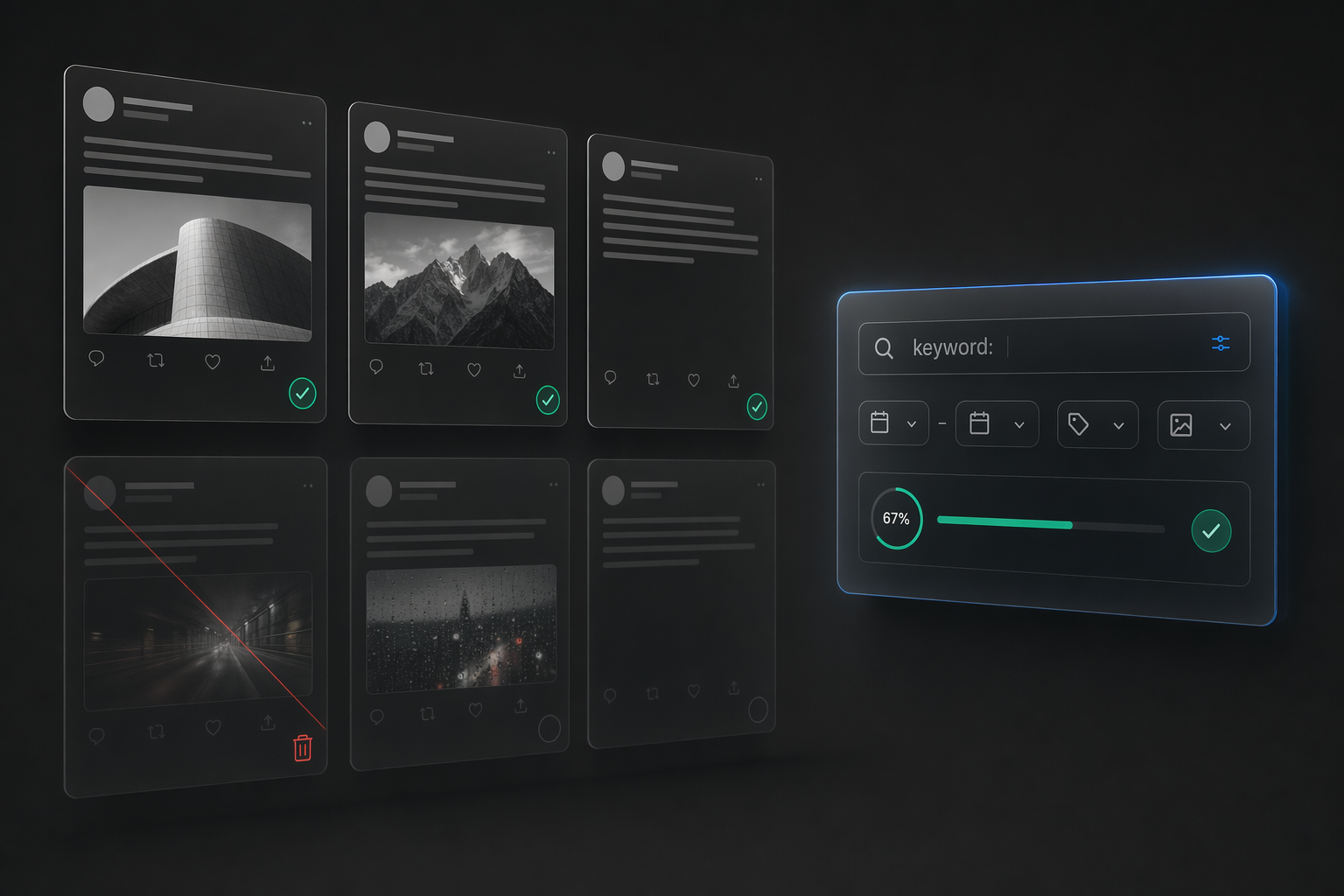
Why Reputation Hygiene on X Became a Business Task
X posts are public by default unless you protect the account. That default changes the rules for anyone whose name is attached to work — hiring, sales, media, investor intros, partnerships. The profile becomes part of the background research people do before they take a meeting or reply to a pitch.
The problem for most professionals isn’t one obviously terrible post. It’s the slow buildup of mismatched material across several years. Older jokes that don’t land anymore. Blunt replies from a phase you moved past. Low-effort commentary. Random posting bursts from conferences. Politics from 2017. Rants about airlines from 2020. Taken individually, each one is fine. Read together by someone sizing you up for a $50,000 contract, they sound like a different person than the one on your LinkedIn.
That’s where cleanup tools earn their place. The work isn’t deleting one bad post. It’s pattern-reviewing years of activity and pruning what no longer fits.
The honest test: open your account in an incognito window. Scroll back six months. Would a prospect who’d never heard of you form a clear idea of what you do and how you think — or would they bounce? If the answer is “bounce,” the cleanup isn’t optional, it’s overdue.
The Cleanup Workflow That Actually Scales
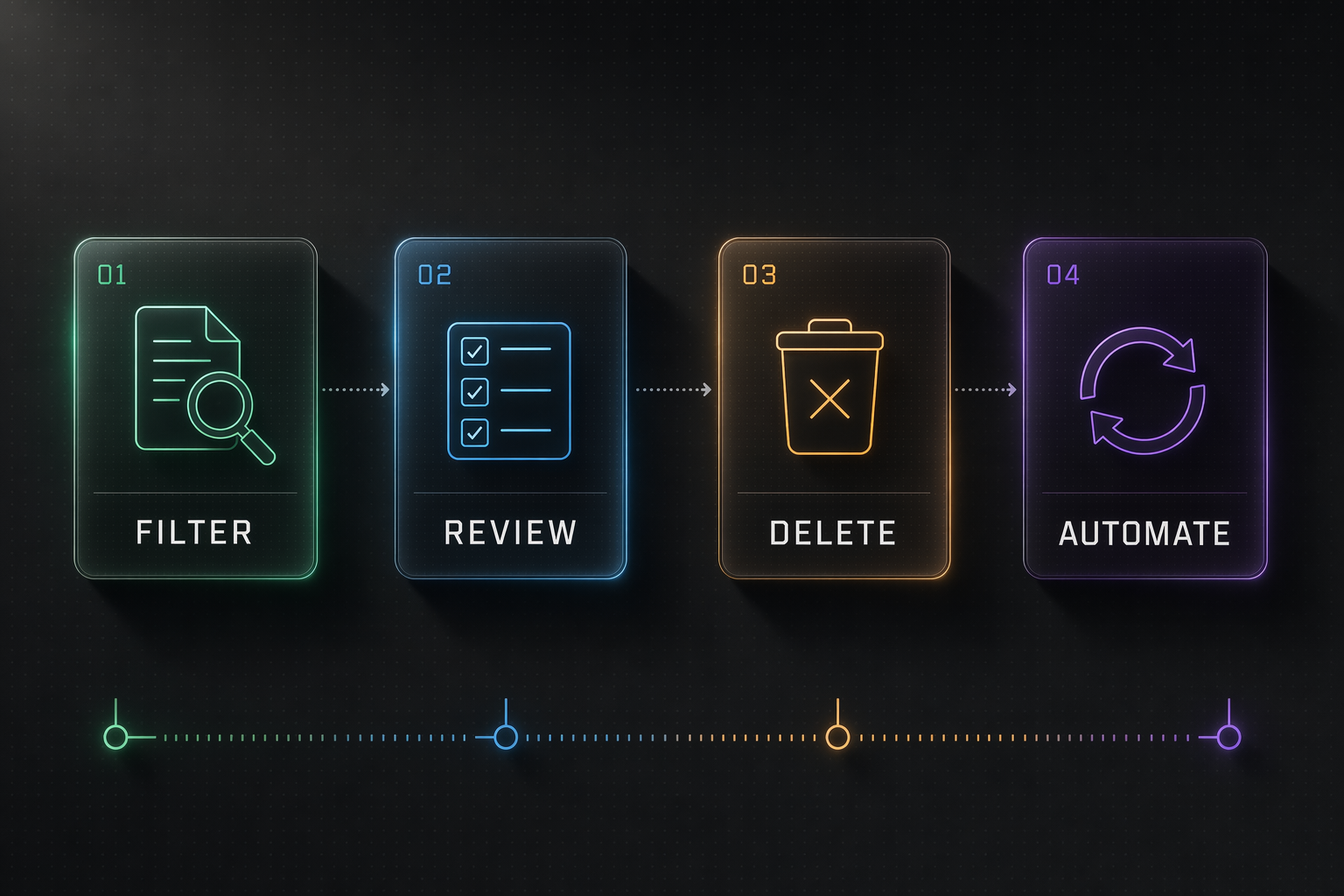
TweetDeleter works best when you’re bringing order to a long history, not fixing one recent mistake. The feature set maps cleanly to a four-step loop:
- Filter. Search tweets by keyword, date range, media type, reply vs. original, retweet vs. quote, engagement threshold.
- Review. Scan the filtered results in batches of 50-200 instead of one at a time in the X UI.
- Delete. Remove individually, by batch, or by saved filter.
- Automate. Set an ongoing rule (e.g., “auto-delete anything older than 18 months that got under 5 likes”) so the routine runs without you.
Most people skip to step 3 and burn out. The filter + review front end is what makes the cleanup finishable.
Narrow the search before cleanup stalls
The slow part of cleanup is retrieval. You remember that an old argument, joke, or off-topic phase exists somewhere. The X native interface can’t get you there fast. TweetDeleter’s filters collapse that retrieval into seconds — type a keyword, set a date range, see the matches. The cleanup feels manageable instead of infinite.
Likes: less public than they used to be, still worth pruning
In June 2024, X made Likes private by default. Your Likes tab is no longer visible to other users, and the old profile view that let anyone browse what you’d liked is gone. That took one reputation risk off the table overnight.
The residual risk hasn’t fully disappeared, though. The post author still sees exactly who liked their post on their own engagement view. If you liked something in 2018 that now looks bad, the original author (or their screenshot) can still surface it. Third-party exports and tools that cached old Likes data before the 2024 change still exist too. TweetDeleter supports reviewing and unliking posts individually, in bulk, or all at once — the cleanest way to close that residual window if the old backlog concerns you.
Maintenance beats one heroic cleanup sprint
Reputation hygiene works better as a repeat habit than a once-a-year project. TweetDeleter’s automation rules let you set standing cleanup logic — delete anything older than X months, delete posts matching specific keywords, auto-archive then remove. Set once. The account drifts back toward current standards without another full sprint from you.
Who Gets the Most Out of It
The clearest fit is a professional whose account has been around longer than their current business reason for keeping it tidy. That usually means:
- Consultants who need the profile to read like a serious operator instead of a 2016 Twitter commentator.
- Founders preparing for more visibility — fundraises, launches, podcast circuits, press cycles.
- Recruiters whose account sits one tab over from their LinkedIn in a candidate’s browser.
- Marketers and agency owners who need the timeline to support client trust instead of distracting from it.
- Anyone who changed industries or tone over time — former journalists moving into PR, engineers moving into leadership, creators moving into B2B.
If you’ve been on X since 2012 and you’re now using it for anything that touches money, the cleanup question isn’t if — it’s when.
Why Manual Cleanup Stops Working at Scale
Manual deletion inside X still works for small, recent stuff. The moment you try to reach back a few years, you hit three real walls:
- The X UI stops loading older tweets after roughly 3,200 posts. If your account is older than two or three active years, you physically can’t scroll to the oldest material.
- No search inside your own history. You can search the global timeline, but finding “that tweet about SaaS pricing from March 2020” in your own account is a scrolling exercise that ends when your patience does.
- No bulk select. Every post is a three-click deletion. 400 cleanup items = 1,200 clicks.
This is where the X archive becomes essential. TweetDeleter surfaces posts beyond the ~3,200 ceiling by ingesting your X archive download (the JSON/CSV export Twitter has offered since 2012, in its modern format since 2018). For a professional who’s been posting for a decade, that’s not a detail. It’s the difference between reviewing your real account history and reviewing only the easy 10% at the top.
The Constraints Worth Knowing About
No cleanup tool operates outside the X API. That’s a good thing to know before you start:
- Daily delete limits exist. The X API caps how many deletions can run per account per day. If you have 40,000 items to remove, that’s a multi-day process, not a single afternoon.
- Archive processing isn’t instant. Your X archive download takes 24-48 hours to arrive from Twitter. Import into TweetDeleter after.
- Deleted is deleted. X doesn’t offer an undo. Export the archive first so you have your own copy of anything you remove.
None of this weakens the product’s case. It just means reputation hygiene is a controlled process with better tooling — not a magic wipe.
Protecting the Account vs. Cleaning It Up
Some professionals consider flipping the account to protected mode instead of cleaning it. That solves visibility by removing visibility. Prospects, reporters, candidates — nobody can read the timeline at all.
For accounts that stay public for business reasons, that’s the wrong trade. X’s own help pages are explicit about what changes when you go protected: only approved followers see posts, replies to unfollowed accounts become invisible, search doesn’t surface you to non-followers. That erases the reason most professionals have the account in the first place.
Cleanup lets you stay visible and stay disciplined about what remains visible. Protection is a blunter instrument that trades discoverability for silence.
TweetDeleter vs. Alternatives
| Tool | Bulk delete | Archive import (>3.2k posts) | Like cleanup | Automation rules | Official X partner |
|---|---|---|---|---|---|
| TweetDeleter | Yes | Yes | Yes | Yes | Yes |
| TweetDelete | Yes | Limited | No | Yes | — |
| Circleboom | Yes | Yes | Yes | Yes | — |
| Manual X native | No | No | No | No | n/a |
| Browser extension (misc.) | Limited | No | Varies | No | — |
The practical shortlist for professionals narrows to TweetDeleter or Circleboom. Both clear the four-feature bar that matters. Pick based on pricing, UI preference, and whether you care that TweetDeleter explicitly markets itself as an official X partner (most buyers handling a real reputation job do).
Before You Start: A Short Checklist
Back up first. Request your X archive (Settings → Your Account → Download an archive of your data) before you delete anything. That gives you a searchable, permanent copy of everything you’re about to remove — including the handful of posts you’ll wish you’d kept six months from now.
- Define the rules first. “Delete replies older than 2 years” is different from “delete everything older than 2 years.” Write the criteria down before you scan.
- Use date filters liberally. Most reputation damage lives in a specific era. Narrow to that date range first, review carefully, then expand.
- Separate passes for posts and likes. Don’t mix them; the mental model is different for each.
- Keep a “don’t touch” list. Pinned tweet, a few signature replies you want to keep, any post someone important has quote-tweeted. Flag these before automation runs.
- Run automation at 80%, not 100%. Let the rule handle the obvious 80%. Review the remaining 20% by hand each quarter.
The Case for Ongoing Hygiene
The mental shift: treat account cleanup like inbox zero, not like spring cleaning. A 30-minute review every quarter keeps the timeline aligned with who you are now. A three-hour panic wipe once every three years leaves most of the bad stuff in place because you lose patience halfway through.
TweetDeleter appeals to professionals because it treats cleanup as ongoing hygiene rather than a one-off panic move. Bulk deletion, search filters, like cleanup, archive support, and automation all fit that mindset. For someone whose X profile has quietly become part of their working identity and social media branding, that combination is usually enough to turn cleanup from an annoying chore into a routine that actually gets done.
The timeline is going to keep growing. Decide now whether it grows into something that works for your career — or something you’ll need to clean up again, by hand, in six years.
FAQs About Cleaning Up an X Account
Can you delete tweets in bulk on X?
Not natively. The X web interface only allows one-at-a-time deletion with three clicks per post. For anything beyond a handful of recent tweets, you need a third-party tool that uses the X API to batch-delete. TweetDeleter, Circleboom, and TweetDelete all support bulk removal with filters by date, keyword, media type, reply vs. original, and engagement threshold.
Is it safe to use a tweet-deleting tool?
Yes if you pick a tool that’s an official X partner and uses OAuth authentication — so you never hand over your password. TweetDeleter is a listed X.com partner, which puts it in a different category than random browser extensions. Still, always request your X archive first (Settings → Your Account → Download an archive) so you have a permanent copy of anything you remove. Deletion on X is not reversible.
Why can’t I see tweets older than a couple years on my own profile?
Because the X web interface caps tweet retrieval at roughly 3,200 posts. If your account has more than that, the oldest material physically won’t load no matter how far you scroll. This is a platform limitation, not a bug. The fix is to import your X archive (the official data export) into a cleanup tool that can read the full history beyond the 3,200-post ceiling.
Should I protect my account instead of cleaning it?
Only if you don’t need the account for business. Protecting the account removes the timeline from public view entirely — prospects, reporters, candidates, and search engines can’t see it. For professionals who want to stay discoverable and keep the working identity the account has built, cleanup is the right trade. Protection is a blunter instrument that trades discoverability for silence.
How long does a full X account cleanup take?
Depends on account size and the X API’s daily deletion cap. A 5,000-post account with moderate pruning usually finishes in 1-3 days of background processing. A 40,000-post account can take a week or more to fully process because the API limits how many deletions run per day per account. Automation rules then keep the account clean going forward without another big session.
Do deleted tweets actually disappear from Google?
Eventually, yes, once Google recrawls and reindexes — usually 1-6 weeks. If you need a tweet removed from search results faster, use Google’s Remove Outdated Content tool after deleting on X. That surfaces the deletion to Google’s index on a timescale of days rather than weeks. Screenshots and third-party archives (like the Wayback Machine or Politwoops for public figures) are a separate removal request per site.
Can I also clean up likes and retweets?
Yes. Good tools handle all three kinds of X footprint: original posts, retweets/reposts, and likes. Since X made Likes private in June 2024, the public-profile risk from old likes dropped sharply — other users can no longer browse your Likes tab. But the post author still sees who liked their post, and third parties may have cached old like data from before the policy change. Treat likes as a separate cleanup pass if you posted heavily before mid-2024 and want the backlog closed cleanly.
Is automation worth it or should I review every tweet?
Both, combined. Run automation at 80% — a standing rule like “auto-delete posts older than 18 months with under 5 likes” handles the obvious bulk. Review the remaining 20% by hand every quarter. Pure automation deletes posts you’d have kept; pure manual review never finishes. The 80/20 split keeps the account current without turning cleanup into a second job.
Tell Google you want more of this.
Add Gaurav Tiwari as a preferred sourceOne tap, and this site shows up more often in your own Top Stories, AI Overviews and AI Mode. Remove it any time.