
Claude Code Plan Mode: When It Helps, When It Wastes Tokens
Claude Code Plan Mode is useful when the cost of a wrong edit is higher than the cost of one planning pass. It lets Claude inspect a project, trace the relevant files, and propose an approach before changing source code. That can prevent rework on a migration, unfamiliar codebase, or destructive operation.
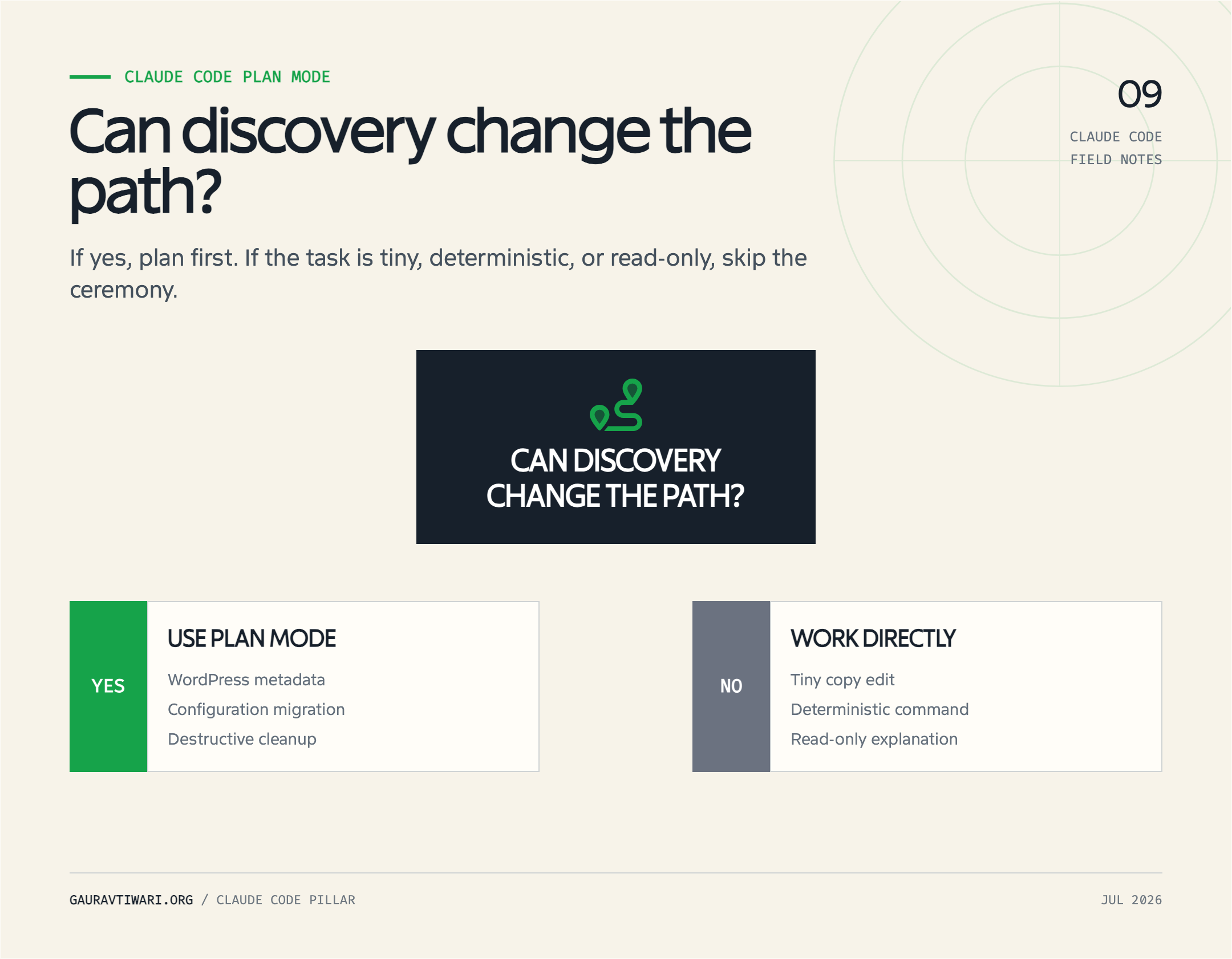
It is not a ritual for every prompt. Plan Mode always consumes time and model context before implementation begins. On a clear one-line change, that extra pass is waste. I treat it as a scope controller: turn it on when discovery and agreement can change the implementation, and leave it off when the path is already obvious.
What Is Claude Code Plan Mode?
Claude Code Plan Mode is a permission mode that favors investigation and proposal over immediate implementation. Claude can read project files, search the repository, and run read-only shell commands to understand the task. It cannot edit source files while the plan remains unapproved. Normal permission rules still apply to the tools it uses.
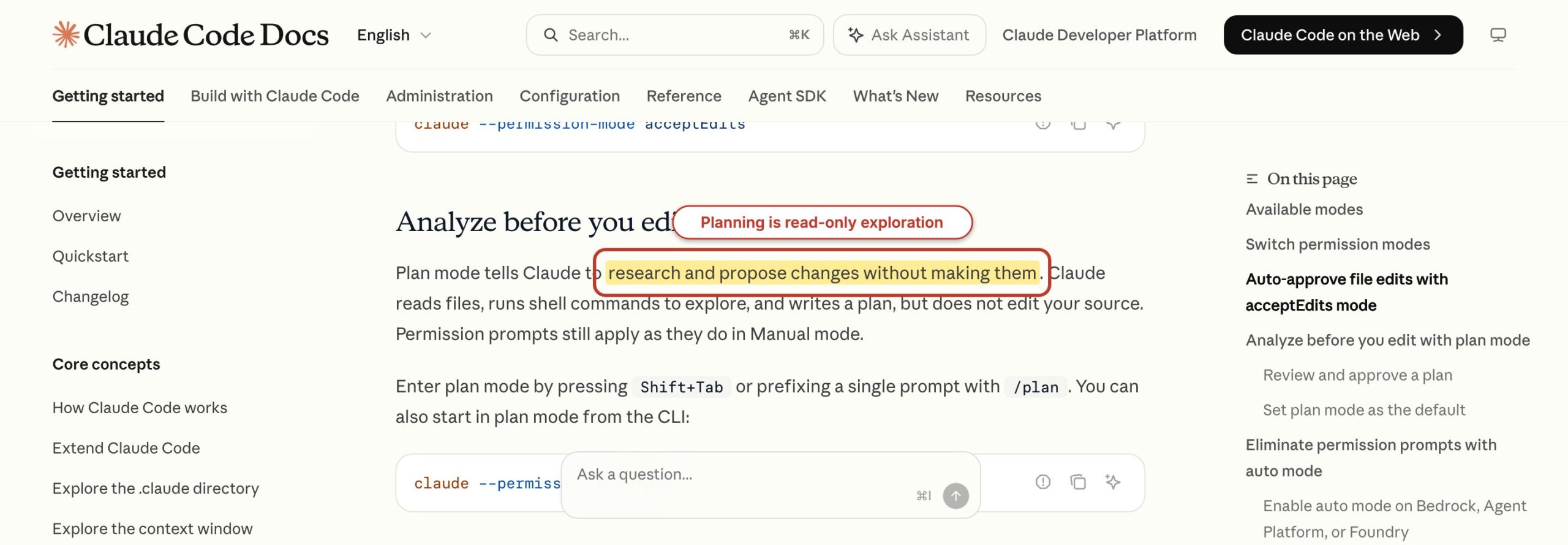
This is more capable than a text-only brainstorm. Claude can inspect the actual architecture, find call sites, read tests, check Git history with allowed read-only commands, and identify configuration that affects the change. The plan can therefore name real files and verification steps rather than guessing from your prompt.
The official permission-mode documentation distinguishes Plan Mode from Default, Accept Edits, Auto, Don’t Ask, and Bypass Permissions. Plan Mode is the right comparison here because it changes what Claude can do while investigating. It is not merely a request to “think first.”
What Plan Mode does not guarantee
Plan Mode does not guarantee a correct diagnosis, a complete file list, a cheaper session, or a good implementation. Claude can still overlook runtime behavior, misunderstand an undocumented business rule, or propose a test that the environment cannot run. The plan is a reviewable hypothesis grounded in project evidence, not proof that the change will work.
- It blocks source edits during planning. It does not make every command harmless.
- It encourages inspection. It does not force Claude to discover information that is absent from the project.
- It creates an approval point. It does not replace review of the eventual diff.
- It may reduce rework. It does not provide a fixed token discount.
I will not give you a made-up percentage for token savings. Anthropic does not document a universal savings rate, and any credible comparison depends on the task, model, repository, prompt, cache state, and amount of rework. The honest claim is conditional: Plan Mode pays when the planning pass prevents more wrong work than it costs.
How to Enter and Exit Plan Mode
You can enter Claude Code Plan Mode from an interactive session, at startup, or for one described task. The fastest interactive route is Shift+Tab. Claude Code cycles through Default, Accept Edits, and Plan Mode, and the status indicator shows the active mode. Alt+M is an alternative mode shortcut in supported terminals.
For a single task, run:
/plan trace the checkout failure and propose the smallest safe fixTo start a new session in Plan Mode, use:
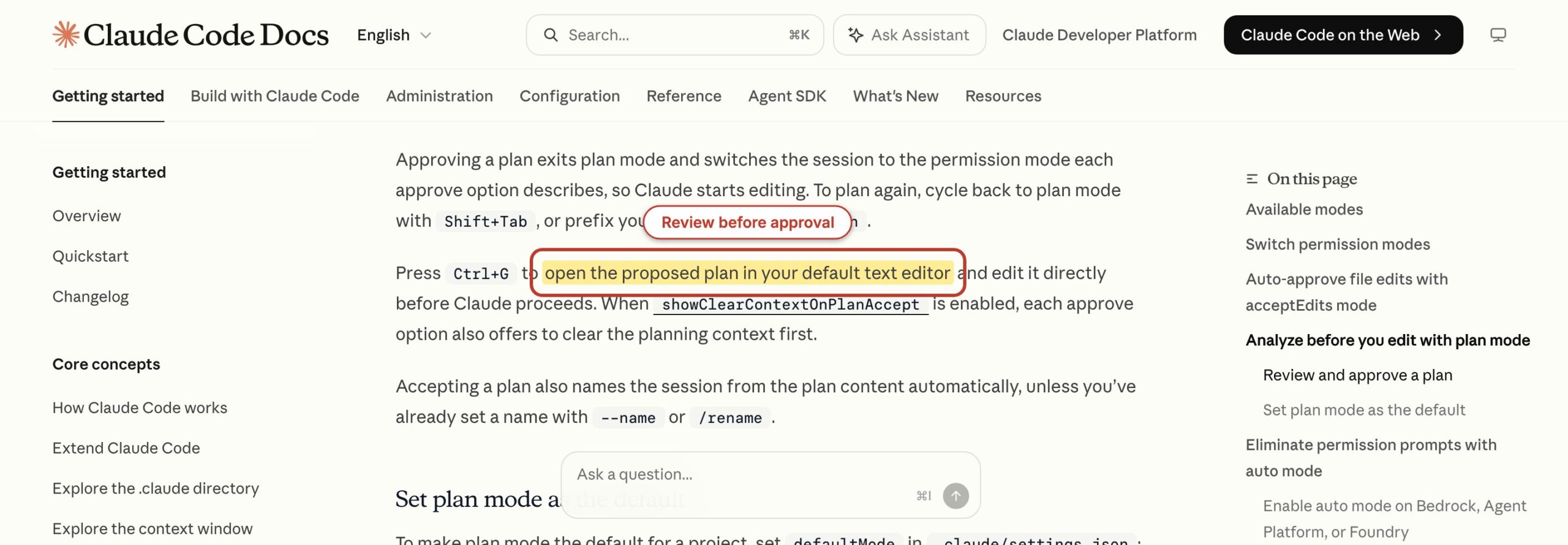
claude --permission-mode planPress Shift+Tab again if you want to leave Plan Mode without approving the proposal. When Claude presents a plan, you can keep planning with feedback or approve implementation with the permission level offered by the interface. Approval exits planning and moves the session into the selected implementation mode. Press Ctrl+G to open the proposed plan in your configured editor when a longer review is easier outside the terminal pane.
Make Plan Mode the default only for the right scope
You can set Plan Mode as the default in Claude Code settings:
{
  "permissions": {
    "defaultMode": "plan"
  }
}
Put that rule at the narrowest useful level. A project setting in .claude/settings.json can make sense for a sensitive infrastructure repository. A personal override in .claude/settings.local.json can make sense while you learn an unfamiliar codebase. Making every Claude Code session begin in Plan Mode adds an approval cycle even when you only want to fix a typo.
What Happens Under the Hood
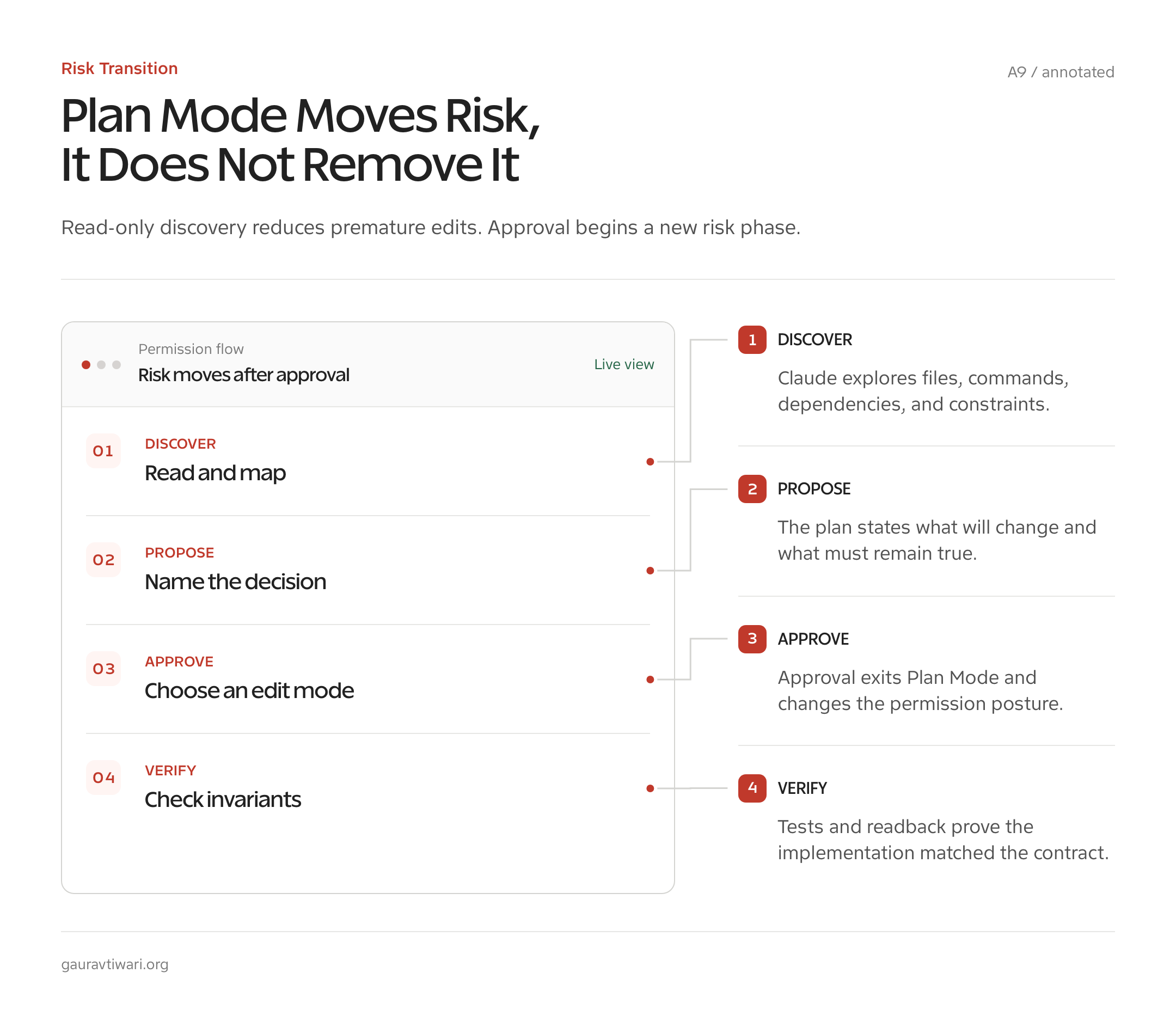
Plan Mode changes the tool boundary, not the fundamental model. Claude still receives your prompt, project instructions, prior conversation, and tool results. It explores until it believes it understands the task, writes a proposed sequence, and waits for your decision. The difference is that source modification is withheld during this phase.
Discovery builds a file and dependency map
Claude commonly starts by reading CLAUDE.md, searching symbols or phrases, opening relevant files, and checking nearby tests or configuration. A good plan identifies where behavior begins, where data changes shape, where output is produced, and which files prove the current contract. That map is the main value on an unfamiliar task.
Give Plan Mode a question worth investigating. “Plan this feature” is weak. “Trace how published post metadata moves from the REST payload through validation to Rank Math fields, then propose a backwards-compatible way to add one field” directs the search toward a boundary and a compatibility requirement.
The plan becomes an approval contract
A useful plan should name affected files, explain the order of changes, state what will remain untouched, and define validation. I read it as a contract. If Claude proposes changing a public API when the request was internal, the problem is visible before a diff exists. If it cannot name a credible test, implementation is premature.
Review the omissions as carefully as the listed steps. Ask:
- Which assumption has the weakest evidence?
- What user-visible behavior must stay unchanged?
- Which migrations, caches, hooks, permissions, or external services affect this path?
- What is the smallest test that fails before the change and passes after it?
- Which file is deliberately excluded, and why?
Approval starts a new risk phase
Once you approve, Claude can begin editing under the selected permission mode. The approved plan guides the work, but it is not an immutable execution script. New evidence may force a change. Claude should report that deviation and ask when it materially expands scope.
Keep normal safeguards after approval: inspect the diff, run focused tests, verify generated files, and review external actions. A careful plan followed by an unreviewed deployment is still a careless workflow.
Pay special attention to MCP and other external tools. Plan Mode is a strong boundary around source editing, but it should not be treated as a promise that every connected service is harmless. Tool availability depends on its definition and your permission policy. Prefer explicitly read-only operations during discovery, read the approval prompt, and keep WordPress writes, ticket changes, cloud mutations, and paid calls blocked until the implementation phase actually needs them.
Three Tasks With Plan Mode, Three Without
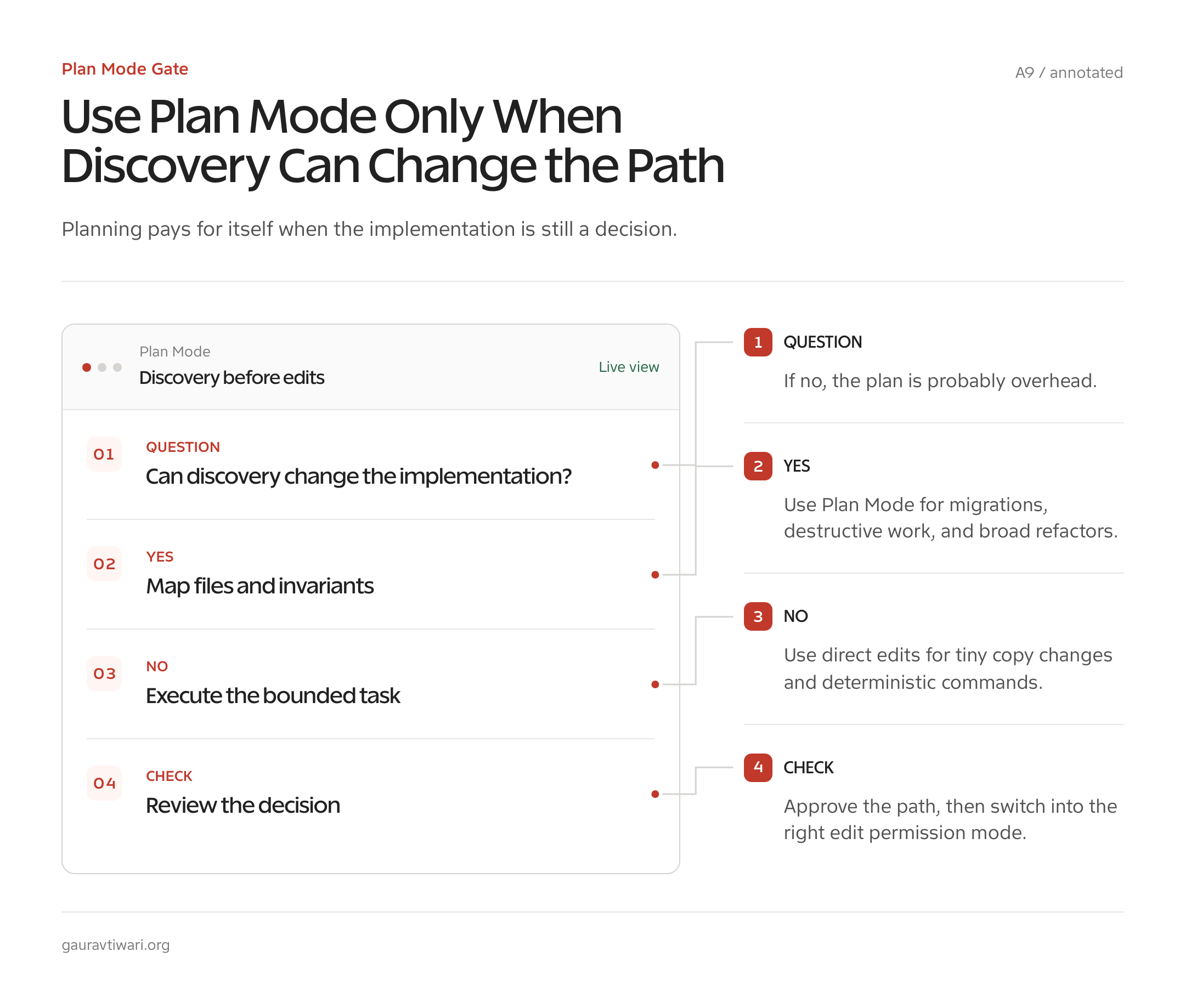
The right comparison is not whether Plan Mode sounds more disciplined. It is whether discovery can change the path. These six representative tasks show where the extra pass has a job and where it only repeats information already known.
| Task | Planning value | Recommended path | Why |
|---|---|---|---|
| Add a field across a WordPress REST route, validation layer, and Rank Math integration | High | Plan Mode | The file map, compatibility behavior, and test points are not obvious from one file |
| Migrate a shared configuration format used by several packages | High | Plan Mode | A missed consumer creates partial migration and rework |
| Remove an obsolete build step and its generated files | High | Plan Mode | Deletion is destructive and references may exist in CI, docs, and release scripts |
| Correct one misspelled label in a known template | Low | Direct edit | The file, change, and validation are already known |
| Run the documented formatter on one changed file | Low | Direct command | Planning restates a deterministic operation |
| Explain a selected function without changing it | Low | Direct question | The request is already read-only and narrow |
This table is a decision model, not a fabricated benchmark. A Plan Mode session has an additional exploration and proposal phase, so its initial token use cannot be lower than skipping that same phase. Its total use can be lower only when the direct path would have produced wrong edits, long corrections, repeated tests, or a restart.
With Plan Mode: a WordPress metadata change
A request to add one SEO field sounds small, but the value may cross schema registration, REST permissions, sanitization, storage, plugin integration, documentation, and tests. Planning can reveal whether the site uses direct post meta, a plugin API, or an MCP tool. My Rank Math MCP Server guide shows why the integration boundary matters. Editing the first matching field name would be fast and potentially wrong.
With Plan Mode: a configuration migration
A shared setting can be loaded by application code, tests, command-line tools, deployment jobs, examples, and user documentation. Plan Mode can search every consumer and propose a compatibility window. The plan should state whether old and new keys coexist, how conflicts resolve, and when the legacy key is removed. That decision is more valuable than immediately renaming a JSON property.
With Plan Mode: a destructive cleanup
Removing generated assets, database migrations, deployment scripts, or an obsolete plugin needs a dependency search before deletion. Ask Claude to identify references, ownership, restoration path, and a dry run. Planning is cheap compared with discovering after release that CI still expects the removed artifact.
Without Plan Mode: a tiny copy edit
If you know the file and exact text, ask for the change and a focused check. “In templates/account.php, change the button label from Renew plan to Renew subscription, preserve escaping, and show the diff” already contains scope, implementation, and validation. A separate plan adds ceremony without resolving uncertainty.
Without Plan Mode: a deterministic command
Do not ask Claude to plan a documented formatter, linter, or test command. Run it directly with ! or ask Claude to run it under the existing permission rule. The command’s output tells you what to do next. Planning cannot improve a deterministic operation whose input and expected result are already settled.
Without Plan Mode: a read-only explanation
If you select a function and ask Claude to explain its inputs, branches, and side effects, the task does not need source edits. Normal permissions already keep any requested tools visible. Ask the question directly. Switch to Plan Mode only if the explanation turns into a proposal that crosses files or changes behavior.
When Plan Mode Pays for Itself
Claude Code Plan Mode pays for itself when uncertainty is structural. If the task has several plausible implementations, hidden consumers, high rollback cost, or a meaningful business decision, inspection before editing can prevent an expensive wrong turn.
- Unfamiliar repositories: Claude needs to learn conventions before matching them.
- Multi-file features: data or control flow crosses several components.
- Public interfaces: APIs, schemas, commands, hooks, and URLs need compatibility decisions.
- Destructive changes: deletion, migration, credential rotation, and infrastructure work need recovery plans.
- Ambiguous requests: stakeholders agree on an outcome but not the behavior.
- Expensive validation: a wrong implementation would trigger long builds, paid services, or manual review.
- Parallel work: a stable plan can divide independent tasks without duplicating edits.
Content and publishing work can meet the same criteria. A large article update may affect search intent, verified facts, affiliate policy, Gutenberg blocks, graphics, metadata, and internal links. Planning is useful when it maps those dependencies. It is not useful when it only restates an approved outline. My content creation checklist is the kind of explicit standard a plan can apply instead of improvising quality.
Use Plan Mode to find the decision, not merely the files
The strongest plans expose a decision you did not know you needed to make. Should the old configuration remain supported? Is a post update a draft or publish action? Does a failed external request roll back local state? Should generated assets remain in Git? Once that decision is explicit, implementation becomes smaller and review becomes sharper.
When Plan Mode Wastes Tokens
Plan Mode wastes tokens when it cannot change the decision. A narrow task with a known file, known implementation, and cheap validation should move directly to execution. Forcing a plan makes Claude repeat your instructions in a more formal shape.
- One-line edits: spelling, labels, comments, and exact version bumps.
- Routine commands: documented tests, formatters, linters, and status checks.
- Read-only questions: explain a selected function, error, or configuration value.
- Already approved plans: converting the same accepted plan into another plan adds no decision.
- Fast reversible experiments: a tiny local change with an immediate focused test may teach more than speculation.
- Weak prompts: Plan Mode cannot rescue a task whose desired outcome is undefined.
Watch for plan inflation
Claude can turn a small request into a grand refactor because planning rewards completeness. Stop that early. Tell it the maximum intended scope, protected behavior, and acceptable file count. Ask for the smallest change that satisfies the requirement. A ten-step plan for a two-line fix is not diligence. It is a warning that the task boundary has drifted.
Also watch repeated replanning. One feedback round can resolve a missed constraint. Five rounds often mean the request lacks an owner decision or the repository lacks evidence. Pause and settle the open question yourself rather than paying the model to circle it.
Plan Mode, Subagents, and Big Refactors
Plan Mode becomes more valuable before parallel work because coordination mistakes multiply. A lead agent can map the change, identify independent workstreams, define file ownership, and assign validation. Without that shared contract, two agents may edit the same file, repeat the same search, or implement incompatible assumptions.
Separate exploration from implementation
For a large refactor, use one or more read-only exploration tasks to map modules, tests, and consumers. Bring those findings into the lead plan. Then assign implementation only after interfaces and ownership are settled. Research agents should return evidence and uncertainty, not quietly edit the files another agent expects to own.
Anthropic’s agent teams documentation describes separate context windows, a shared task list, direct teammate messages, and current experimental limitations. Teams are useful for independent work. They cost more tokens than one session, so do not create several agents merely to watch the same problem.
Plan refactors around invariants
A refactor should change structure while preserving agreed behavior. Write those invariants into the plan: public method signatures, serialized data, WordPress hooks, URL shapes, accessibility behavior, response timing, or supported versions. Then pair each invariant with a check. “Refactor the service” is broad. “Split transport from validation while preserving these five tests and the public method” is reviewable.
Use worktrees or separate branches for parallel implementation where appropriate. A plan can assign file boundaries, but Git isolation enforces them more reliably. Merge small validated units instead of waiting for one enormous final diff.
Alternatives to Plan Mode
You can get many planning benefits without changing the permission mode. The right alternative depends on whether you need a tool boundary, a quick explanation, independent research, or a reversible experiment.
Ask for a read-only diagnosis
In Default mode, say “Investigate and report. Do not edit files.” This works for a short trusted session when you do not need the permission system to enforce the boundary. Plan Mode is stronger because source edits are unavailable during the phase, but a direct instruction may be enough for a quick diagnostic.
Use an exploration subagent
Delegate a bounded search to a subagent and ask it to return file paths, call chains, and open questions. This protects the lead session’s context from a large search result. It is useful when discovery can run independently, but it still consumes another context window and needs a precise return contract.
Use checkpoints and a small experiment
When the change is local, reversible, and cheap to test, a tiny implementation may answer the question faster than a plan. Commit a baseline, change the smallest surface, run the focused test, and inspect the diff. Rewind or restore with Git if the result disproves the idea.
Write the decision before opening Claude
Sometimes the missing plan is a human decision, not technical discovery. Write the accepted outcome, constraints, and non-goals in an issue or project file. Then ask Claude to implement that decision directly. This is especially useful in editorial work, where no amount of model planning can choose your honest opinion for you. My guide to removing AI slop makes the same point from the writing side: fluent structure cannot replace a real stance and proof.
Use Plan Mode When It Can Change the Path
Claude Code Plan Mode is neither an automatic token saver nor empty overhead. It is an enforced pause for project inspection and agreement. Use it when the repository may reveal a different implementation, when several files or people need coordination, or when a wrong action is costly to reverse.
Skip it for obvious edits, deterministic commands, and narrow read-only questions. The rule I use is plain: if discovery can change the path, plan first. If the path is known and the check is cheap, do the work and inspect the result.
What does Claude Code Plan Mode do?
Plan Mode lets Claude inspect files, search a project, and run read-only shell commands while withholding source edits. Claude proposes a plan and waits for approval before implementation.
How do I turn on Plan Mode in Claude Code?
Press Shift+Tab in an interactive session, run /plan with a task description, or start Claude with claude –permission-mode plan. The interface shows the active mode.
How do I exit Plan Mode without approving?
Press Shift+Tab again to leave Plan Mode without approving the proposal. You can also keep planning and give feedback when the proposal needs another pass.
Does Plan Mode save tokens?
Not automatically. Planning adds model work. It saves total tokens only when it prevents enough wrong implementation, correction, repeated validation, or restarted work to repay that initial cost.
Can Claude run commands in Plan Mode?
Yes. Current Claude Code behavior allows read-only shell commands for investigation. Permission rules still apply. Plan Mode blocks source edits, not every command.
Should I use Plan Mode for a one-file edit?
Use it only when that file is unfamiliar, risky, or connected to behavior you need to trace. Skip it for an obvious one-line change with cheap focused validation.
Is Plan Mode useful with subagents?
Yes, when a lead plan defines independent workstreams, file ownership, interfaces, and validation. Several agents cost more context, so parallelize independent work rather than sending multiple agents over the same files.