
Best MCP Servers for Claude Code in 2026: 12 I Actually Use
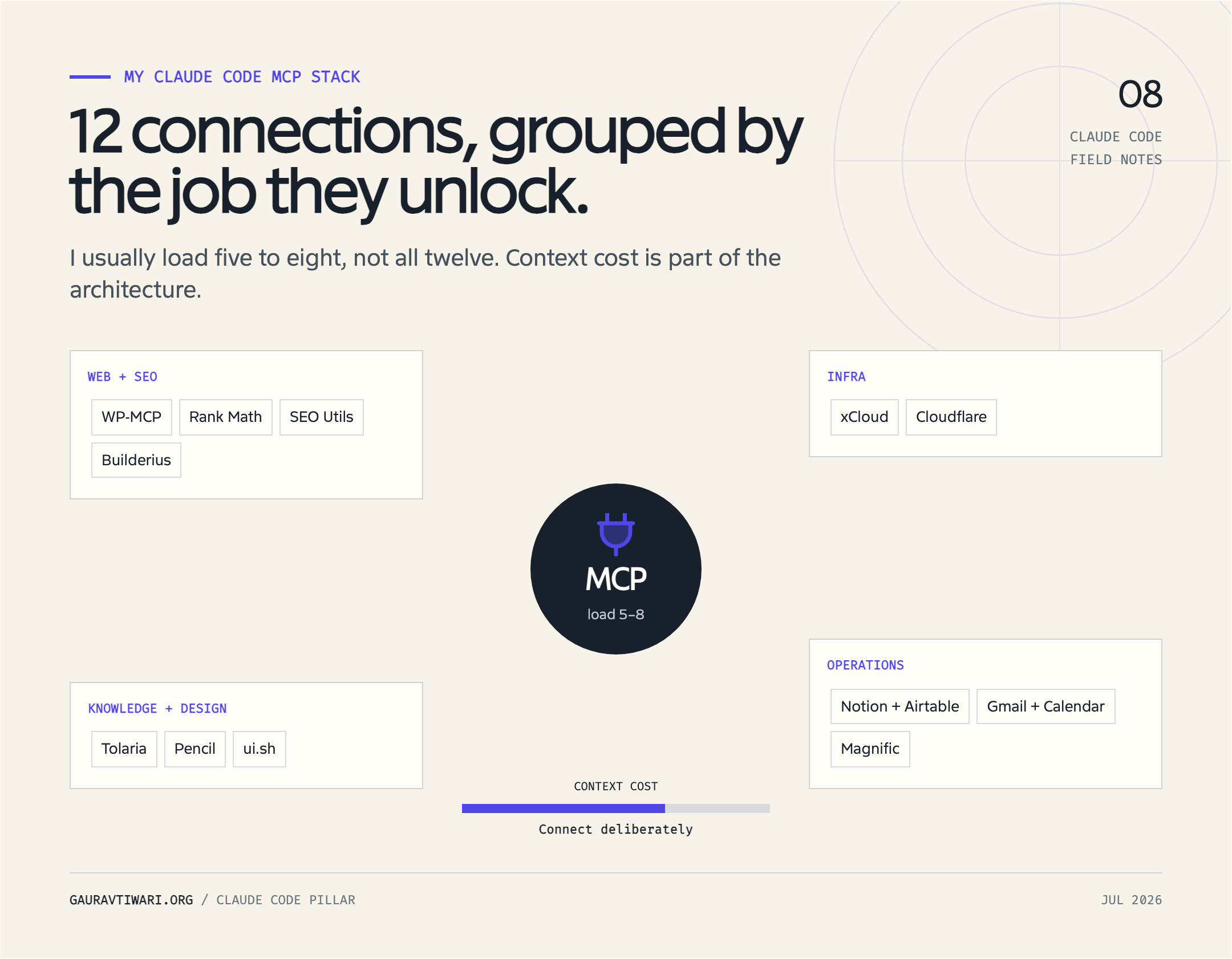
My Claude Code MCP stack has 12 working connections, but I do not load all 12 into every project. Five to eight is the sensible range for most sessions. More servers mean more tools to choose from, more permissions to review, and more ways for untrusted content to reach an agent that can act on your behalf.
There is one correction the usual “best MCP servers” list will not make: two entries in my stack, xCloud and ui.sh, now ship as agent skills rather than MCP servers. I still use them beside Claude Code MCP tools because they complete the workflow. I will label that boundary instead of turning a useful list into protocol fan fiction.
Quick verdict: Start with WP-MCP for WordPress, SEO Utils for search data, Cloudflare for infrastructure, Pencil for design files, and Notion or Airtable for editorial operations. Add the rest only when a project has a named job for them.
| # | Connection | Best for | Type | Scope I prefer | Main caution |
|---|---|---|---|---|---|
| 1 | WP-MCP | WordPress content and site operations | WordPress MCP server | Local | Use a restricted WordPress account |
| 2 | Rank Math | SEO metadata and audits | WordPress abilities through MCP | Local | Separate read checks from writes |
| 3 | SEO Utils | GSC, DataForSEO, and local SEO data | Local MCP server | Local | Queries can return large datasets |
| 4 | Builderius Sense | WordPress template building | Local/editor MCP connection | Project | Review generated structure visually |
| 5 | xCloud | Hosting and site operations | Agent Skill plus public API | Project | Not an MCP server in the current release |
| 6 | Cloudflare | Workers, DNS, D1, KV, R2, and logs | Remote HTTP MCP | Local | Grant the smallest OAuth scopes |
| 7 | Tolaria | Writing notes and vault context | Private/local MCP connection | Local | Limit the exposed vault paths |
| 8 | Pencil | Reading and editing .pen designs | Local MCP server | Project | Pencil must be running |
| 9 | ui.sh | Interface design guidance | Agent Skills | Project | Not an MCP server |
| 10 | Notion and Airtable | Editorial calendars and structured operations | Remote HTTP connectors | Local | Workspace permissions follow the connected user |
| 11 | Gmail and Google Calendar | Drafts, scheduling, and business operations | Claude connectors | User connector | Draft first; do not auto-send |
| 12 | Magnific | Image generation, editing, and upscaling | Remote custom MCP connector | Local | Generation and edits consume credits |
What MCP Is in 60 Seconds
Model Context Protocol, or MCP, is a standard way for an AI application to discover and call tools, read resources, and use reusable prompts exposed by another program. Claude Code is the host and client. The connected program is the server. The model decides when a capability may help, while Claude Code handles the protocol connection and permission flow.
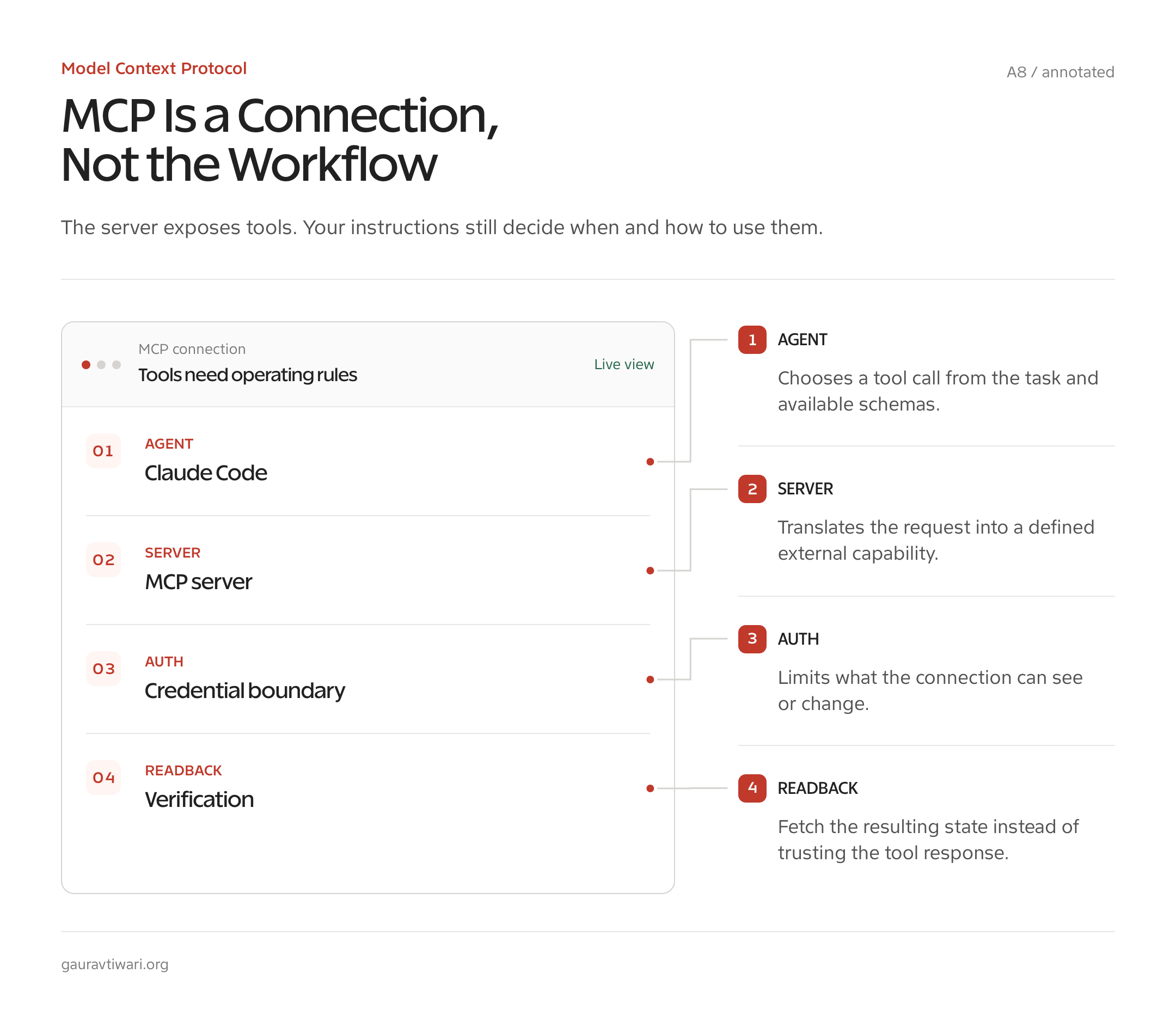
Think of MCP as a USB standard for software actions. A WordPress server can expose “get post” and “update metadata.” A Cloudflare server can expose DNS or Workers operations. The analogy is useful because one client can connect to many devices, but it breaks at trust: a USB keyboard cannot usually persuade your computer to email data. An MCP tool result can contain hostile instructions, so content and capability must both be treated as inputs.
- Tools perform actions or queries, such as reading a Search Console report or updating a post.
- Resources expose addressable context, such as a schema, document, issue, or note.
- Prompts provide reusable prompt templates with declared arguments.
- Notifications tell the client that tools, resources, or prompts changed, or push other supported events.
The current stable MCP protocol revision is 2025-11-25. Clients and servers negotiate a version during initialization. The official registry is in preview, not a safety certificate. It verifies publisher namespaces and stores metadata, while package registries and downstream catalogs handle their own scanning and curation.
How to Add an MCP Server to Claude Code
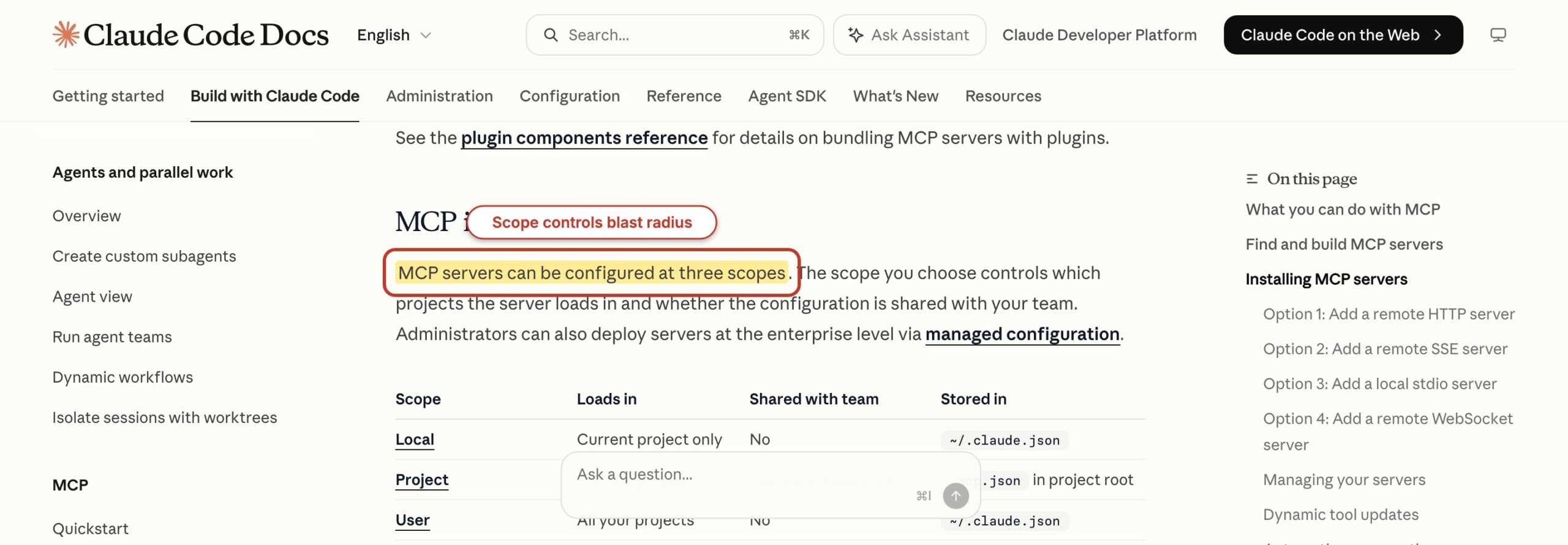
Add a Claude Code MCP server with claude mcp add, choose the transport, and choose the narrowest configuration scope. Remote HTTP is the recommended transport for cloud services. Local stdio is the right fit when Claude Code starts a process on your machine. SSE still works for older servers, but Anthropic marks it deprecated.
This is a current, syntax-valid Notion setup with no secret in the command. The options appear before the server name, which matters with the current CLI parser:
claude mcp add --transport http --scope local notion https://mcp.notion.com/mcpOpen Claude Code and run /mcp to finish OAuth in the browser. Then use claude mcp list to see configured servers, claude mcp get notion to inspect this entry, and claude mcp remove notion to remove it. Authentication and not-found errors are not retried because they need a login or configuration change.
| Scope | Loads where | Shared with team | Stored in | Use it for |
|---|---|---|---|---|
| local | Current project | No | Project entry inside ~/.claude.json | Personal credentials and experiments |
| project | Current project | Yes | .mcp.json | A reviewed team configuration without embedded secrets |
| user | Every project | No | ~/.claude.json | A small set of personal utilities needed everywhere |
Local is the default. Do not confuse it with .claude/settings.local.json; MCP local scope lives in ~/.claude.json under the current project path. Project scope writes .mcp.json and prompts each teammate to approve it before use. If the same server name exists in several scopes, Claude Code prefers local, then project, then user, followed by plugin servers and Claude connectors.
Secret rule: Do not put an API key directly in a committed .mcp.json. Use environment-variable expansion, OAuth, a system keychain, or a local scope that never enters version control. Configuration can name an environment variable without storing its secret value.
The 12 Connections, Grouped by Job
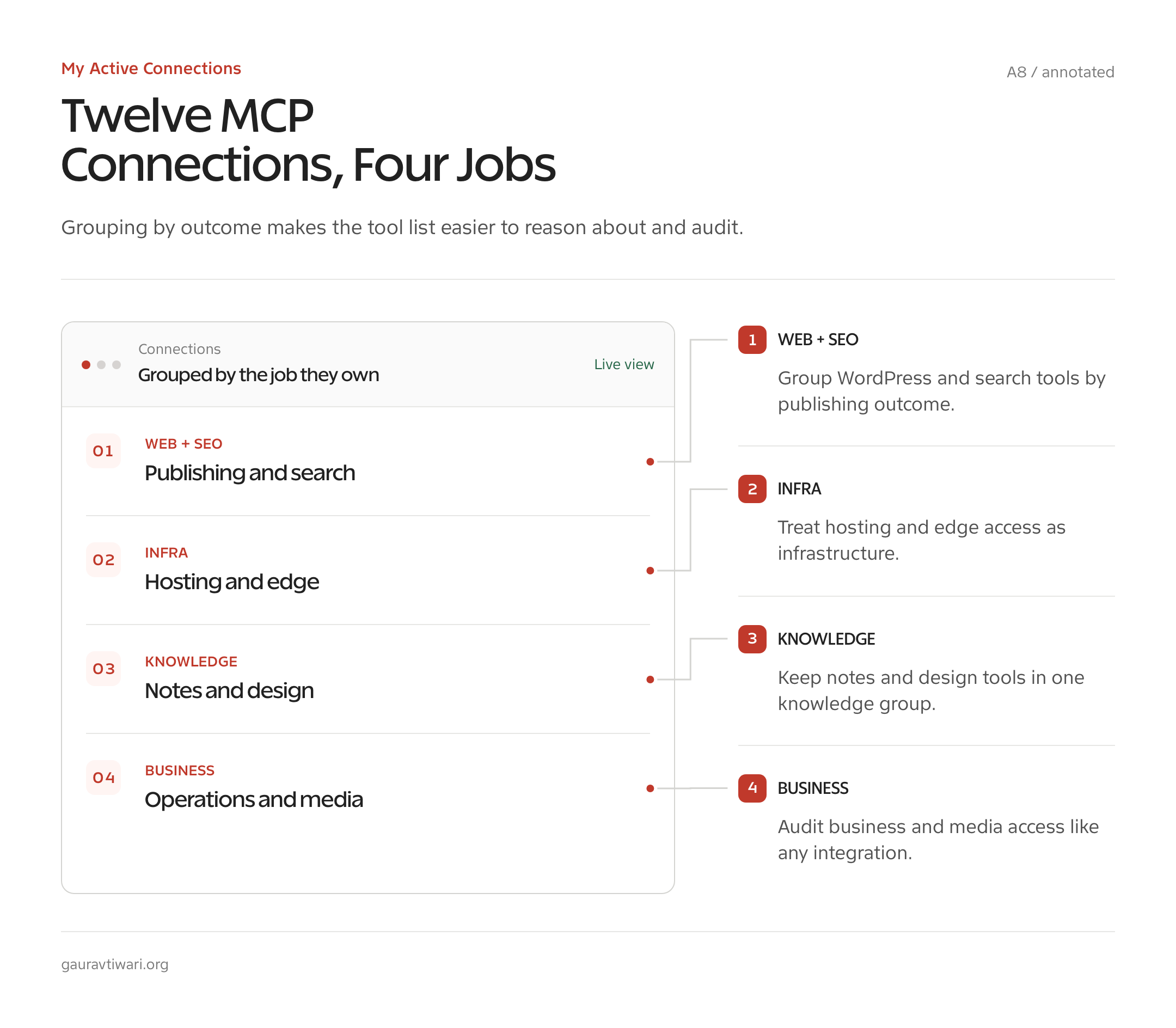
The best MCP servers for Claude Code are the ones attached to a repeated job, not the ones with the longest tool list. My stack groups around WordPress, SEO, infrastructure, design, and business operations. Two companion skills stay in the list because they replace server-shaped functionality with a cleaner current route.
1. WP-MCP for WordPress Operations
Best for: Reading and managing a WordPress site through controlled AI-facing operations. WP-MCP is the first connection I reach for when the work belongs inside WordPress rather than in a pile of copied REST responses.
I built WP-MCP because a raw WordPress REST API connection was not enough. REST gives you endpoints. It does not automatically give an agent a small, described set of operations with intent, permission boundaries, and predictable input schemas. WordPress Abilities adds that semantic layer, while MCP makes those abilities available to Claude Code.
The working flow is direct: inspect the available site actions, read the target post or metadata, propose a change, then perform the allowed operation. Use a dedicated WordPress account with only the required capabilities. My WP-MCP introduction and setup covers the plugin side without exposing credentials.
2. Rank Math for SEO Metadata and Audits
Best for: Inspecting Rank Math data, finding missing SEO fields, and applying approved metadata changes. This belongs beside WP-MCP because content and search metadata often need to move together.
My useful pattern separates reading from writing. First, collect the focus keyword, title, description, canonical URL, schema state, and any relevant content checks. Then review the proposed changes. Only after that should the agent call a write ability. One broad “optimize everything” request gives the model too much freedom over fields that affect search snippets and indexing.
The limitation is simple: an SEO score is not a ranking result. Rank Math can expose configuration and checks, but it cannot prove that a title will earn clicks or that a keyword will rank. Use the Rank Math MCP server workflow for the connection, then apply editorial judgment to the recommendation.
3. SEO Utils for GSC and DataForSEO
Best for: Querying Google Search Console data, local SEO tables, keyword metrics, SERPs, and backlink summaries without exporting CSV files. SEO Utils runs its MCP server locally, so its database stays on the machine.
This connection feeds content planning. I can query pages with high impressions and weak click-through rates, compare query clusters, or pull current DataForSEO volume and difficulty for a brief. The plan behind this article came from that kind of workflow: search demand informs the angle, while the article still has to earn its recommendations. My guide to formatting posts for AI search shows how the resulting evidence should appear in the finished page.
The official SEO Utils MCP guide lists read-only database tools and live DataForSEO actions. Watch output size. A broad Search Console query can return thousands of rows, and Claude Code warns when an MCP tool result crosses 10,000 tokens. Ask for grouped results, a date range, and a row limit.
4. Builderius Sense for WordPress Templates
Best for: Building and changing Builderius templates while the agent can see the selected element, project structure, and CSS framework. This is much better than describing a visual builder state in a prompt.
Builderius Sense connects agents through MCP to the current template. The useful workflow is conversational but bounded: select the section, state the layout goal, let the agent work inside Builderius conventions, then inspect the structure and responsive states in the editor. Context comes from the actual template rather than a screenshot alone. The same inspect-before-write discipline appears in my WordPress developer cheat sheet.
The Builderius Sense documentation describes support for Claude Code, Codex CLI, and Gemini CLI. I still review semantic nesting, dynamic data bindings, and mobile behavior. Visual access reduces guessing. It does not remove the need to inspect what will ship.
5. xCloud for Hosting Operations
Best for: Provisioning sites, checking servers, managing PHP, databases, firewalls, backups, SSL, and WordPress maintenance through xCloud’s public API. In July 2026, the official package is an Agent Skill, not an MCP server.
That distinction changes setup. Do not search for an xCloud MCP endpoint and paste an unofficial package into your config. Install the current xCloud skill, create a restricted token in the xCloud dashboard, and let the skill call the public API. The xCloud changelog documents the current agent-skill release and its supported operations.
I keep xCloud in this stack because the job still sits beside MCP work: an SEO or WordPress check may reveal an SSL, backup, log, or PHP issue. But protocol accuracy matters. xCloud is a companion integration here, and its API token should have no more access than the hosting task needs.
6. Cloudflare for Workers, Storage, DNS, and Logs
Best for: Managing Cloudflare Workers, DNS, R2, D1, KV, Zero Trust, and observability without loading thousands of separate endpoint schemas. Cloudflare’s current API MCP server uses two Code Mode tools, search() and execute().
This is a strong answer to MCP context bloat. Cloudflare reports that its Code Mode representation covers more than 2,500 API endpoints in about 1,000 tokens. Exposing every endpoint as a native tool would take far more context than a model could use. Search finds the typed API operation, then execute runs JavaScript inside an isolated Dynamic Worker sandbox.
Connect the Cloudflare API MCP server through remote HTTP and OAuth. Choose the smallest account and permissions in the authorization screen. For automation, a restricted API token can replace browser OAuth, but never use a global API key when a narrow token will do.
7. Tolaria for Notes and Vault Context
Best for: Pulling writing notes, source fragments, and structured vault context into a draft without copying whole folders into the prompt. My Tolaria connection is local and private, so I do not present a public install command that readers cannot verify.
The useful action is selective retrieval. Ask for notes matching one topic, property, tag, or path. Return titles and relevant passages, not an entire Obsidian-style vault. This keeps personal notes out of unrelated projects and prevents a broad search from consuming the context window.
Local does not mean harmless. A local server can still read every path its process can access, and tool results can still carry prompt injection from imported notes. Restrict the vault root, keep writes off until you need them, and do not expose private journals or credential files to a content workflow.
8. Pencil for .pen Design Files
Best for: Reading and editing .pen interface designs from Claude Code while seeing changes on the Pencil canvas. The MCP server runs locally and requires Pencil to be open.
I use Pencil when a design needs structure, variables, components, and later code, not just a flat image. Claude can inspect a design file, change a component, adjust spacing, or generate a new section. The canvas reflects the MCP operations, which makes visual review part of the same loop.
The Pencil AI integration guide says design operations stay local and the source repository is private. That is a tradeoff. Local files avoid a cloud hop, but you still trust a closed implementation with design-file write access. Commit .pen files before large edits so the diff can save you from a bad instruction.
9. ui.sh for Interface Guidance
Best for: Bringing repeatable interface-design judgment into Claude Code through focused skills such as design, componentize, make responsive, and canonicalize Tailwind. ui.sh is not an MCP server.
I pair ui.sh’s agent skills with design MCP tools. Pencil gives the agent access to the artifact. ui.sh gives it a method for making decisions about layout, components, responsive behavior, and class cleanup. Access and guidance are different jobs, and treating both as MCP hides the difference.
The limitation is also useful: a skill cannot inspect a live design unless the session already has that file or a connected tool. It shapes reasoning but does not create external access. Install only the skill needed for the task. Loading a library of overlapping design instructions can produce as much confusion as loading too many tool schemas.
10. Notion and Airtable for Editorial Operations
Best for: Moving briefs, calendars, status fields, and structured editorial records between Claude Code and the systems where a team already works. Both now provide official remote MCP routes.
Notion is better for documents with related project data. Airtable is better when rows, fields, filters, and automations are the center of the workflow. I use them for editorial operations rather than final article storage: create a brief, update status, attach a draft link, and keep the publish record in one place.
Notion’s official endpoint is https://mcp.notion.com/mcp, and its Claude Code guide uses OAuth through /mcp. Airtable’s official remote endpoint is https://mcp.airtable.com/mcp. Connect only the workspace or bases needed for the project, and review write actions that touch shared records.
11. Gmail and Google Calendar for Business Operations
Best for: Creating email drafts, checking scheduling constraints, and arranging work around content or client operations. In Claude Code Desktop, connectors are MCP servers with a graphical setup flow.
The safe workflow is draft-first. Let Claude prepare a reply, summarize a thread, or propose meeting times. Read the final recipients, body, attachments, and calendar before sending or creating anything. Email and calendar mistakes reach other people, so convenience does not justify silent execution.
Anthropic’s Claude Code Desktop documentation lists Google Calendar, Notion, Slack, GitHub, Linear, and other connectors. These connectors inherit the permissions of the authorized account. Use a work account with the right data boundary, not a personal account that mixes unrelated mail and calendars.
12. Magnific for Image Work
Best for: Generating, editing, resizing, and upscaling visual assets inside a content or design workflow. Magnific provides a remote custom MCP endpoint and supports Claude Code.
I use it near the end of the image pipeline, when an approved composition needs a stronger upscale, crop, relight, or format set. The server can also search existing creations, which is better than generating a duplicate because nobody checked the asset history.
The current endpoint is https://mcp.magnific.com, documented on the Magnific MCP page. It is a custom connector while directory listing remains in progress. Every generation or transformation consumes credits, including models that may be unlimited elsewhere in a paid plan. Specify the model when reproducibility matters because auto mode does not report its model choice.
The MCP Context Cost Nobody Mentions
Claude Code MCP connections consume context through tool definitions, server instructions, resource contents, and tool results, but current Claude Code reduces the old schema-loading problem with Tool Search. The default behavior can defer tool discovery until the task needs it. That helps. It does not make a 20-server user configuration free.
Open /context to see how much context connected MCP servers use. Open /mcp to inspect server status and tool counts. Disable a server when the project does not need it, and prefer project or local scope over user scope. A server connected everywhere becomes background noise everywhere.
- Connect one server per repeated job, not one per product you might use someday.
- Ask data tools for a date range, columns, aggregation, and row limit.
- Use a subagent-scoped MCP server when only one research worker needs the tools.
- Prefer a focused server or Code Mode design over thousands of individual schemas.
- Remove duplicate endpoints across local, project, user, plugin, and connector sources.
Claude Code warns when one MCP tool output exceeds 10,000 tokens, and the default maximum is 25,000 for tools without their own limit. Raising MAX_MCP_OUTPUT_TOKENS should be the last fix. Narrow the query first. A 50,000-token database dump is not better context. It is a new problem wearing the label “complete.”
MCP Security: Connect Only What You Trust
Claude Code MCP security starts with treating every server as code plus authority. A server can expose actions, read credentials from its environment, return untrusted content, and influence which tool the model chooses next. Install source, package, endpoint, permissions, and data access all need review.
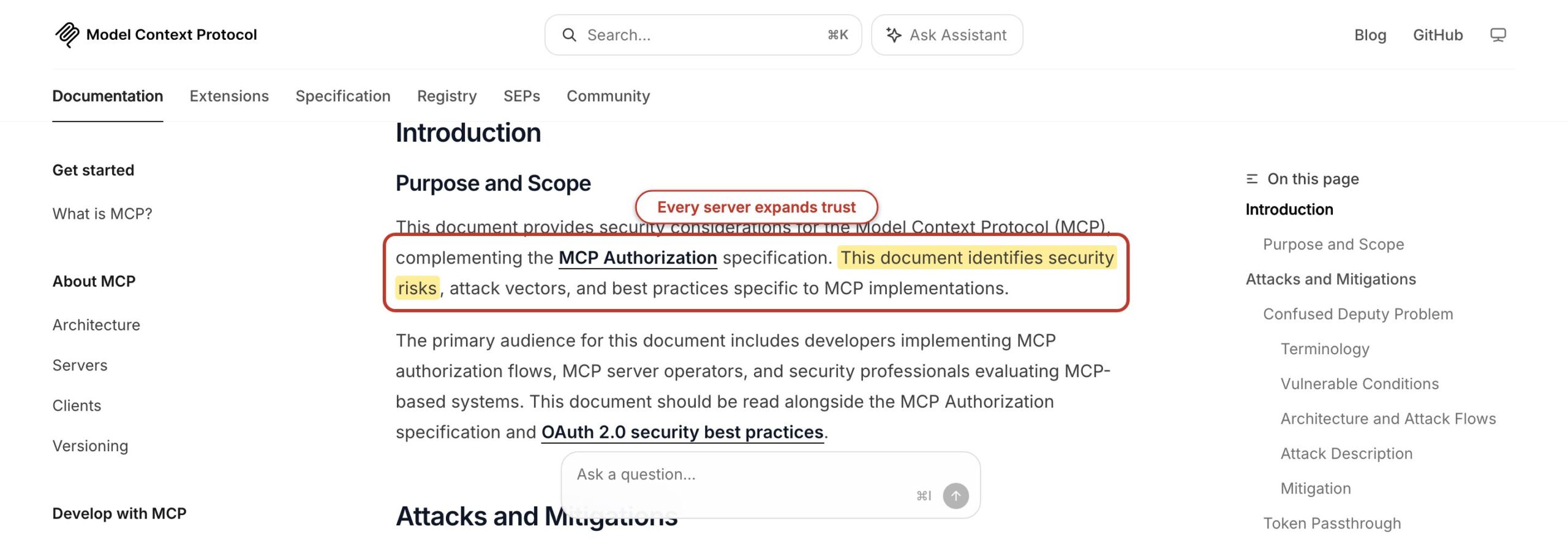
The official MCP security guidance covers prompt injection, session hijacking, confused-deputy problems, token handling, and least-privilege authorization. The protocol’s tool specification also recommends a human in the loop who can deny tool calls. That review matters most for writes, deployment, money, messages, identity, and destructive infrastructure actions.
- Prefer OAuth or short-lived tokens. Do not paste secrets into prompts, screenshots, or committed JSON.
- Grant read-only access first. Add write permissions only after the read workflow proves useful.
- Review project-scoped servers. A committed
.mcp.jsoncan cause a local process to run after approval. - Pin or inspect local packages. An
npx -ycommand downloads and runs code, so package ownership and version changes matter. - Separate content from commands. A webpage, email, issue, or note may contain instructions aimed at the agent.
- Keep external effects visible. Draft email before send, preview metadata before update, and inspect a deployment plan before execute.
The official MCP Registry helps discovery but does not certify server safety. It verifies namespaces and publishes standardized metadata. Its own documentation says code scanning is delegated to package registries and downstream catalogs. In 2026, “listed in the registry” should mean discoverable, not trusted by default.
When to Build Your Own MCP Server
Build your own MCP server when a repeated workflow needs a small, stable set of operations that no trusted server exposes. Do not build one merely to wrap every REST endpoint. A thin server with ten well-described tools often gives Claude better choices than an automatic wrapper with 500 vague operations.
WP-MCP came from that gap. WordPress already had REST endpoints, authentication, roles, and plugins. What it lacked was an agent-facing action layer tied to described abilities. The useful server does not hide WordPress. It translates approved WordPress operations into schemas an MCP client can discover and call.
Before building, write three example tasks and the smallest tools that complete them. Define read and write actions separately. Decide which WordPress role, API scope, or database user each action needs. Then test error results, pagination, idempotency, and output limits. The model will eventually send a valid-looking input you did not expect. Your server needs to reject it without improvising.
Anthropic now provides an official mcp-server-dev plugin for Claude Code, and the MCP project maintains SDKs and reference servers. Use those as scaffolding, not as a reason to skip threat modeling. If the integration is one personal script with one command, a skill or CLI wrapper may be smaller and safer.
MCP vs Skills vs Subagents
MCP gives Claude access, skills give Claude a method, and subagents give work an isolated context. Choose the missing layer. A tool problem cannot be fixed with more prompt text, and an instruction problem does not need a new network server.
| Need | Choose | Example |
|---|---|---|
| Read or change an external system | MCP server or connector | Fetch Search Console rows or update approved Rank Math fields |
| Reuse a decision process | Skill | Apply ui.sh responsive design guidance to an existing component |
| Keep noisy work away from the main conversation | Subagent | Research 20 sources and return a claim ledger |
| Repeat a role with fixed tools and permissions | Custom agent | Run a read-only SEO verifier with SEO Utils |
| Run a fixed sequence with state and retries | Workflow script | Query, draft, validate, and store a publishing status |
A mature workflow may use all three. A subagent can load an SEO skill and connect only to SEO Utils. That isolates the large result from the parent while keeping the method consistent. But start with one layer. Composition is useful after each part works alone, not before.
Frequently Asked Questions
These answers cover the setup and trust questions that should be settled before you connect a server to a working Claude Code project.
What is an MCP server?
An MCP server is a program that exposes tools, resources, or reusable prompts to an MCP client such as Claude Code. A server might connect to WordPress, a database, Cloudflare, Notion, or a local design file. The client discovers the capabilities and lets the model request them through the host’s permission and security controls.
How do I add an MCP server to Claude Code?
Use claude mcp add with a transport, scope, server name, and URL or local command. Remote HTTP is recommended for cloud services; stdio runs a local process. Run /mcp inside Claude Code to authenticate and inspect status. Use local scope for private project-specific credentials, project scope for a reviewed shared .mcp.json, and user scope sparingly.
Are MCP servers safe?
MCP servers are as safe as their code, permissions, authentication, data sources, and deployment. A listed server is not automatically trustworthy. Review the publisher and package, grant the smallest scopes, begin read-only, protect secrets, and keep a human approval step for writes, messages, deployments, payments, and destructive actions. Treat returned external content as untrusted input.
Do MCP servers work with Claude.ai?
Yes. Claude.ai supports connectors, and Claude Code can load compatible Claude.ai connectors when you authenticate with a Claude.ai subscription. They do not load when Claude Code is using an API key, authentication token, apiKeyHelper, Bedrock, or Vertex instead. Use /status to check authentication and /mcp to see which connectors are active.
What is the best MCP server for WordPress?
WP-MCP is my first choice for controlled WordPress operations because it exposes agent-facing site abilities instead of forcing the model to reason over raw REST endpoints. Pair it with Rank Math abilities when the task needs SEO metadata. Use a dedicated WordPress account with restricted capabilities, and separate read audits from approved write actions.
Do MCP servers slow Claude Code down?
They can. Tool definitions, server instructions, resource contents, connection time, and tool results consume time or context. Claude Code’s default Tool Search defers much of the tool loading, but a large global stack still adds choice and trust overhead. Use /context and /mcp, limit query results, prefer local or project scope, and disable servers a project does not need.
Start with one connection tied to one recurring job. For WordPress, install WP-MCP with a restricted account and test read operations before writes. For other projects, choose the system you keep copying data from, connect it at local scope, and watch /context after one useful task. If the server saves less work than it adds in review and context, remove it. A smaller stack is usually the one that gets used.