
Claude Code Agents: When One Claude Isn’t Enough
Claude Code agents solve one problem better than anything else: they keep noisy work out of your main context. That is my verdict after using agent-shaped workflows for weekly newsletters, deep research, and daily publishing. Parallel execution is useful, but it comes second. If you start by asking how many agents you can spawn, you are optimizing the wrong part of the system.
Most multi-agent Claude demos look impressive because several tasks move at once. Shipping is less theatrical. You need clean task boundaries, small return payloads, permission limits, and one owner who decides what becomes the final output. Claude Code agents are a good fit when those boundaries are real. A single session is still better when every step depends on the one before it.
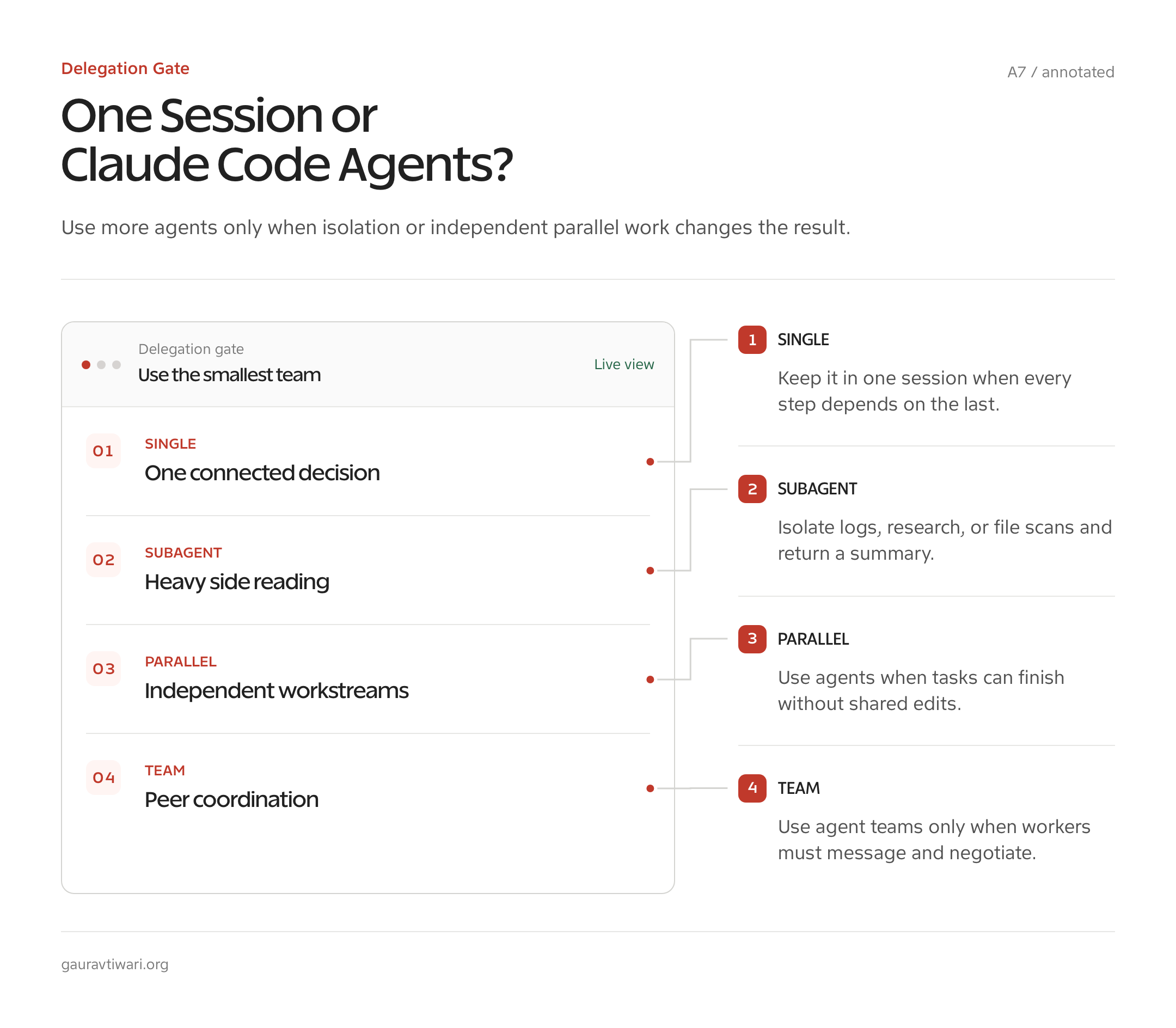
My working rule: Use a subagent to isolate context first, to run independent work in parallel second, and to enforce a reusable role third. If the task needs constant shared context, keep it in the main session.
| Production workflow | Why agents fit | What returns to the parent | Proof boundary |
|---|---|---|---|
| wp-weekly | Several sources can be read independently | Structured source notes and a synthesis-ready brief | The workflow and state handoff are in production; I am not presenting an uncaptured token benchmark |
| deep-research | Finding, refuting, and synthesizing need different instructions | Cited claims, objections, and a final evidence map | The pattern is used for research; vendor claims stay labeled as vendor claims |
| ca-daily | A deadline benefits from narrow roles and fixed outputs | Publishable pointer notes plus status | The daily pipeline is production work, not a claim that more agents always improve quality |
What Agents Mean in Claude Code
An agent in Claude Code can mean three different things: a subagent inside one session, a saved custom agent definition, or an agent team made from separate Claude Code sessions. Mixing those up causes most of the confusion. They share the word “agent,” but their context, communication, permissions, and failure modes differ.
A subagent is a delegated worker with its own context window. The parent Claude session gives it a task, it reads or changes what it needs, and it returns a result. According to Anthropic’s current subagent documentation, a normal subagent does not see the full conversation history or files already read by the parent. It starts with a delegation message, its own system prompt, applicable project instructions, and any skills explicitly preloaded into its definition.
A custom agent is the saved definition for one of those workers. You put a Markdown file in .claude/agents/ for a project or ~/.claude/agents/ for your user account. YAML frontmatter controls its name, description, tools, model, permissions, skills, MCP servers, turn limit, effort, and other supported options. The Markdown body becomes the agent’s working instructions.
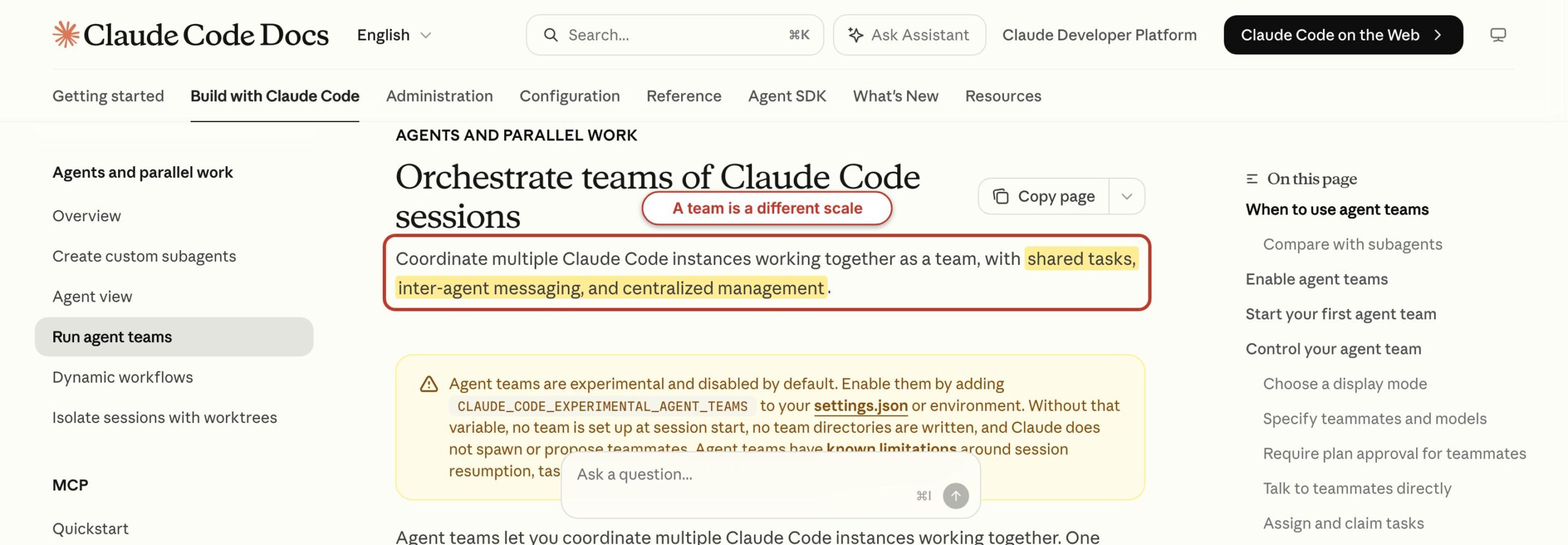
An agent team is different again. One Claude Code session becomes the lead, other sessions become teammates, and those teammates can message each other through a shared task system. Teams are still experimental in July 2026, disabled by default, and documented with known limitations around resumption, task coordination, and shutdown. Think of subagents as delegated side rooms. Think of a team as several rooms with phones between them. The analogy breaks at the filesystem: teammates can still touch the same files unless you partition ownership.
When Subagents Beat a Single Session
Subagents beat one session when a side task creates lots of disposable context or when several investigations can finish without sharing intermediate reasoning. Logs, broad code searches, source collection, and independent reviews are good candidates. The parent needs the conclusion, not 20,000 tokens of raw search output.
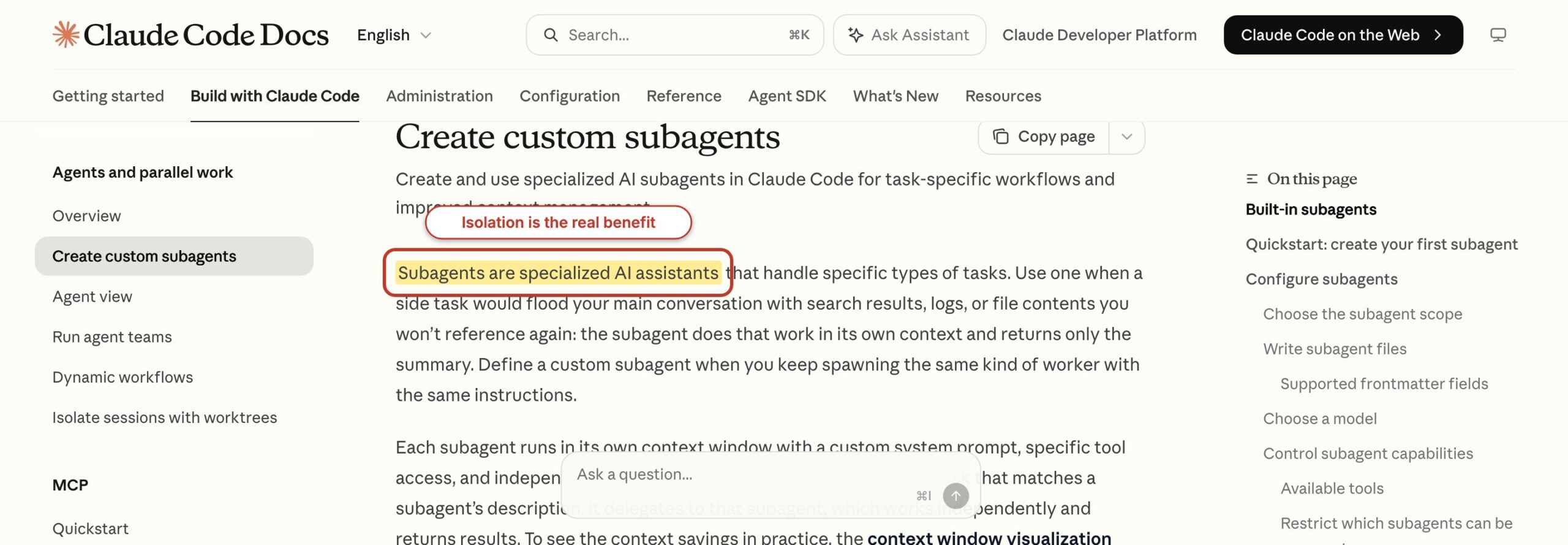
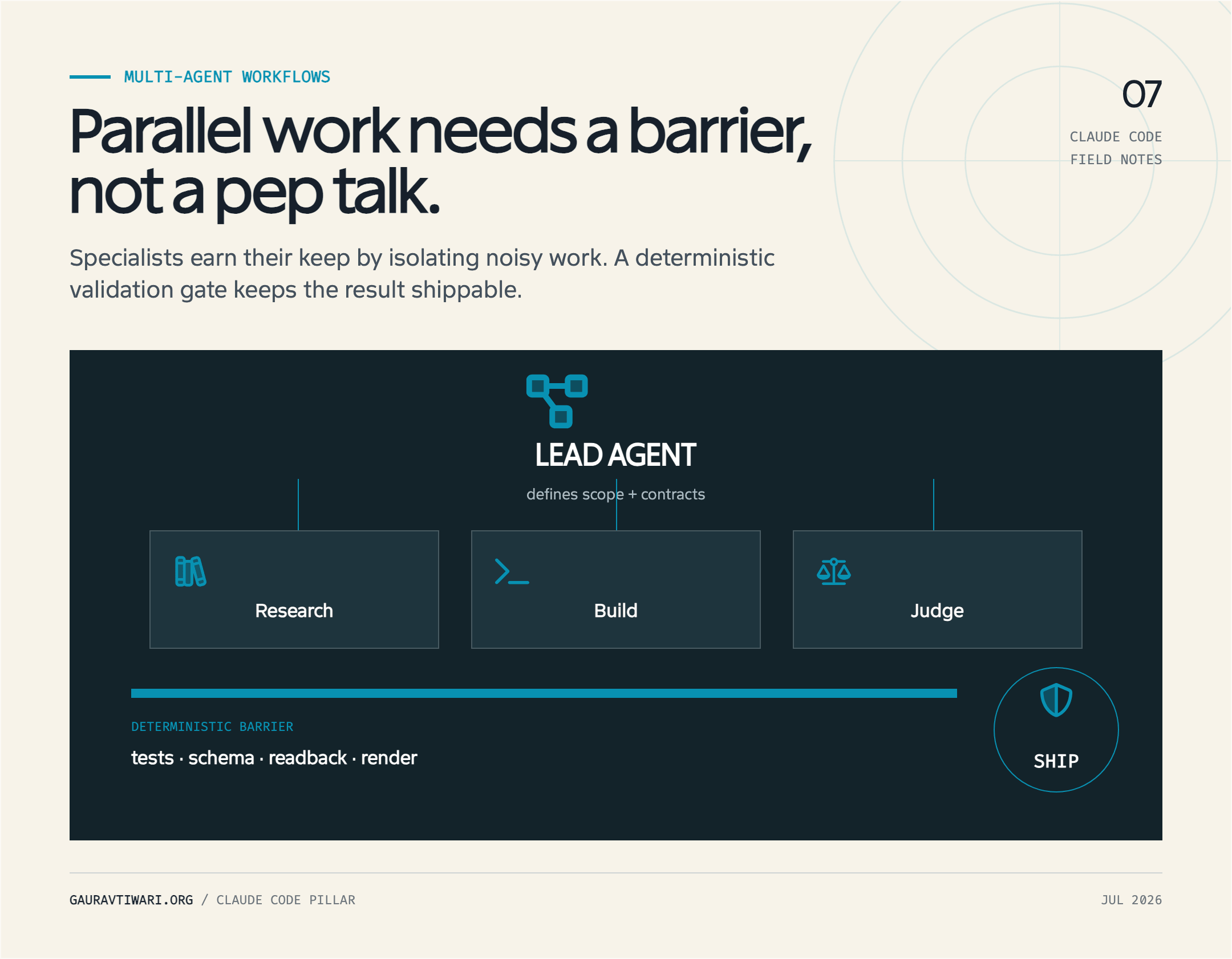
Context isolation is the first test. Suppose you ask the main session to inspect 30 source files, read a test log, compare three APIs, and then edit one controller. All that material competes with the controller decision. A subagent can inspect the log and return five failing tests with their error messages. Another can compare the APIs and return only the incompatible fields. The parent stays focused on the edit.
Independence is the second test. Authentication, database, and API investigations can often run at the same time because each has a separate question. But “design the schema, write the migration, update the model, and fix the tests” is mostly sequential. The migration depends on the schema. The model depends on both. Splitting that chain across agents creates handoff work without saving much wall time.
- Will the side task flood the parent context? If yes, isolate it.
- Can the worker finish without asking the parent for missing details? If no, keep it in the main session or write a better task packet.
- Can two workers produce useful answers without editing the same file? If yes, parallelism may help.
- Can you state the return format in one short paragraph? If no, the boundary is probably too fuzzy.
- Will a second perspective catch a costly mistake? If yes, a reviewer or adversarial verifier may earn its cost.
That final question matters for research. I use independent verification when a claim can change a recommendation, a price, or a security instruction. The finder returns a source and a claim. The verifier tries to disprove it. The synthesizer sees both. This is slower than one agent agreeing with itself, which is exactly why it is useful.
When Claude Code Agents Don’t Help
Claude Code agents don’t help when the work is tightly sequential, the task is small, or every worker needs the same growing context. In those cases, a fleet adds startup cost and coordination errors. One well-scoped session usually finishes sooner and leaves a cleaner trail.
The common failure starts with vague delegation: “review the app,” “improve the code,” or “research competitors.” Each worker interprets the assignment differently, returns a long essay, and forces the parent to reconcile incompatible assumptions. You have paid for several context windows and still have not made the decision. More motion, same uncertainty.
Another failure is parallel editing. Two agents update the same module, one changes a type the other still assumes, and the lead receives two locally reasonable patches that cannot coexist. Agent teams do not automatically place teammates in separate worktrees. Anthropic explicitly recommends partitioning file ownership when teammates work in one checkout. If the file boundary cannot be cleanly assigned, serialize the work.
Then there is cost. Every worker has a prompt, a context window, tool calls, and a return message. A three-agent research panel can be worth it for a decision that would otherwise be wrong. It is wasteful for renaming a method. My guide to reducing AI development costs covers the broader cost discipline, but the agent-specific rule is small: do not buy a second context window until you can name what the first one should not hold.
Anatomy of a Custom Claude Code Agent
A custom Claude Code agent is a Markdown file with YAML frontmatter followed by a focused system prompt. The smallest useful definition needs a name, a description that tells Claude when to delegate, a narrow tool list, and instructions that define the output. The description routes the work. The body controls how the worker performs it.
---
name: source-verifier
description: Verifies time-sensitive technical claims against primary sources. Use after research and before publication.
tools: Read, Grep, Glob, WebFetch
model: sonnet
permissionMode: plan
maxTurns: 12
---

Check each supplied claim against an official primary source.

Return a Markdown table with:
1. Claim
2. Confirmed, contradicted, or unresolved
3. Exact source URL
4. What must change in the draft

Do not edit files. Do not replace an unresolved claim with a guess.
Save that as .claude/agents/source-verifier.md. Restart Claude Code or open /agents to load a file added during the current session. You can then ask for the source-verifier by name, select it through an @ mention, or let Claude route a matching task from the description. If you want the whole session to use that definition, start with claude --agent source-verifier.
The tool list is intentionally read-only. A verifier does not need Edit, Write, or Bash just because those tools exist. Its permissionMode: plan reinforces that boundary. Claude Code permissions still apply around the agent, and a deny rule wins over an allow rule. You can also disable an agent with a rule such as Agent(source-verifier) in the permissions deny list.
Current custom agents can preload skills with skills, reference or define MCP servers with mcpServers, retain agent memory at supported scopes, and set agent-specific hooks. Use those fields only when the role needs them. Preloading six skills into a verifier that needs one checklist recreates the context problem you were trying to avoid.
Permission warning: Background subagents cannot stop for a new interactive permission. They use permissions already granted and automatically deny calls that would prompt. Run the task in the foreground if it may need approval or a clarifying answer.
Agent Teams Are Still an Experiment
Claude Code agent teams are separate sessions coordinated by a lead, and they remain experimental as of July 13, 2026. Enable them with CLAUDE_CODE_EXPERIMENTAL_AGENT_TEAMS=1, then ask Claude to create a team with named, independent roles. This is not a transparent upgrade from subagents. It changes the coordination model.
{
  "env": {
    "CLAUDE_CODE_EXPERIMENTAL_AGENT_TEAMS": "1"
  }
}
In a team, the lead creates and assigns tasks, teammates work in their own context windows, and they can message one another. You can also interact with an individual teammate. The official agent teams guide lists the current rough edges: resumption does not restore every in-process teammate, task status can lag, shutdown can be slow, and split-pane display support depends on the terminal.
Use a team when workers need sustained, direct coordination. A security reviewer and implementation agent may need to exchange findings while the lead tracks acceptance criteria. A subagent is better when the worker can return one bounded answer and disappear. The practical distinction is communication: subagents report upward; teammates can communicate sideways.
I would not turn on teams globally. Experimental coordination belongs in a project where the file boundaries, permissions, and cleanup cost are understood. Start with one lead and two teammates. Give each teammate separate files or a separate responsibility. If that cannot ship cleanly, adding four more teammates will make the failure harder to read.
Production Pipeline 1: A Weekly Newsletter
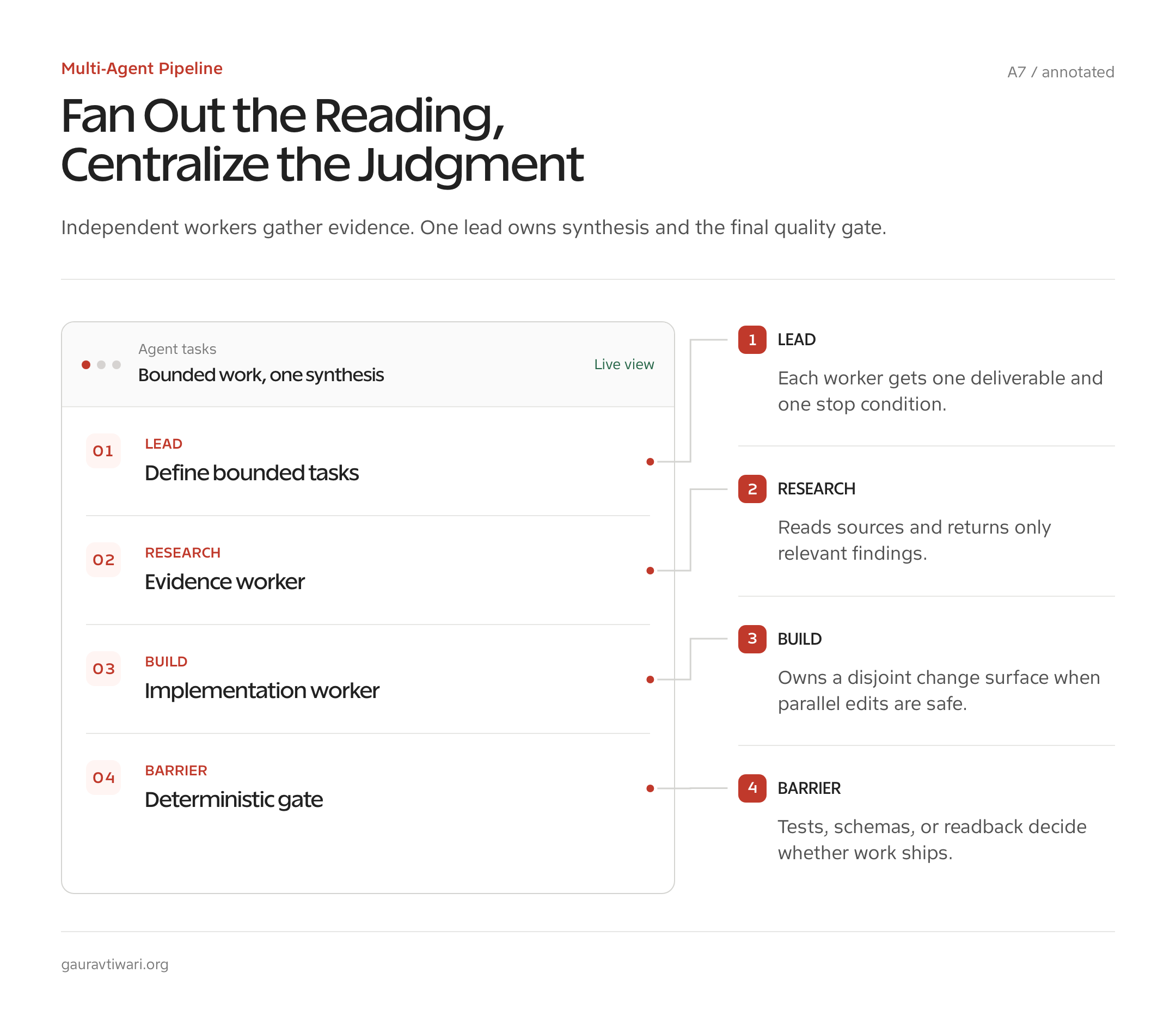
A weekly newsletter is a good multi-agent workflow because source reading fans out while editorial judgment stays centralized. My wp-weekly pipeline uses a deterministic workflow script, structured arguments, and a state.json handoff between runs. Agents do the high-volume reading. The workflow owns the order and the final contract.
The first phase gives each reader a bounded source set. A reader does not “write the newsletter.” It returns a compact record: source title, canonical URL, publication date, two factual claims, why the item matters to the audience, and any uncertainty. That shape matters more than the number of readers. The synthesizer can compare consistent records. It cannot reliably compare five free-form essays.
- Load state. Read the previous run’s included URLs, recurring sections, and unfinished follow-ups.
- Fan out reading. Assign independent source groups with the same return schema.
- Reject duplicates. Compare canonical URLs and repeated claims against
state.json. - Synthesize. Give the editor agent only the accepted source records, audience brief, and issue structure.
- Gate the draft. Check citations, unsupported adjectives, repeated angles, and missing reader payoff.
- Write state. Store what shipped and what should carry into the next issue.
The state file is memory without conversational fog. It does not ask an agent to remember what happened last Friday. It records the few facts the next run needs. That same discipline works in WordPress automation: the useful pattern is explicit state, small operations, and inspectable results. My WordPress developer cheat sheet applies the same thinking to WP-CLI, REST API calls, and hooks.
Where does this pipeline fail? A weak source record poisons synthesis, and five readers can repeat the same bad claim five times. So the fan-out phase does not grant truth by majority vote. Important claims still move through verification before the draft is accepted.
Production Pipeline 2: Research With Adversarial Verification
Adversarial research works when separate agents have opposing jobs: one finds support, one looks for failure, and one synthesizes only what survives. The point is not debate theater. It is to stop the first plausible source from becoming the final answer.
My deep-research pattern begins with finders. Each finder gets one narrow question and a source policy, such as primary documentation only. It returns a claim ledger rather than an article. Each row includes the claim, source, date, direct support, and confidence boundary. That last field prevents a source from being stretched beyond what it says.
Verifiers receive the ledger, not the finders’ full internal trail. Their job is to locate contradictory documentation, version changes, missing conditions, or evidence that the claim is merely vendor-reported. A verifier can return “unresolved.” That is a successful result. Uncertainty caught before publication is cheaper than confident cleanup afterward.
The synthesizer gets the claim and the objection side by side. It can keep, qualify, or reject the claim, but it cannot silently replace missing evidence with fluent prose. This is the same standard I use when preparing content for AI search and answer engines: a clean extractable sentence is useful only when its evidence boundary is visible.
| Role | Receives | Returns | Must not do |
|---|---|---|---|
| Finder | One question and source policy | Claim ledger with primary sources | Write the final narrative |
| Verifier | Claim ledger | Contradictions, limits, unresolved rows | Protect the finder’s conclusion |
| Synthesizer | Claims plus objections | Qualified, cited explanation | Invent a bridge where evidence is missing |
Production Pipeline 3: Publishing on a Daily Deadline
A daily publishing pipeline needs narrow agents, deterministic checkpoints, and a hard stop when evidence is weak. My ca-daily workflow uses agents for research and drafting around a fixed daily deadline. The deadline makes role drift expensive, so every stage returns a small artifact the next stage can inspect.
The workflow starts with topic selection from a controlled source set. A research worker returns the event, date, named institutions, policy or exam relevance, and primary links. A drafting worker turns that record into a pointer-note post. A final gate checks factual alignment, headings, citations, and publishing fields. The gate does not rewrite an uncertain fact into certainty to make the deadline.
This is where “agents as plumbing” beats “agents as personalities.” The daily worker does not need a dramatic persona. It needs a source rule, an output schema, and a stop condition. If the source does not support the date or number, it marks the field unresolved. The workflow can then skip, defer, or send the item for human review.
The lesson transfers to software work in 2026. Give each agent a definition of done that a script or reviewer can check. “Make it better” is not checkable. “Return valid JSON with these six fields, cite one primary source for each claim, and leave unsupported fields null” is. Agents become dependable when their boundaries become boring.
Multi-Agent Patterns That Work
The multi-agent patterns that work share one trait: coordination is explicit. Pipelines define an order, barriers define when parallel work may continue, judge panels define a scoring contract, and loop-until-dry jobs define a measurable empty state. None depends on the lead remembering an unwritten agreement.
Pipeline and barrier
A pipeline passes a structured artifact from one role to the next: research, verification, synthesis, edit. A barrier fans work out, waits for every required result, then continues once. Use a barrier for independent module reviews. Use a pipeline when later judgment depends on earlier evidence.
Judge panel
A judge panel asks independent reviewers to score the same artifact against the same rubric. It is useful for security, accessibility, or editorial gates where disagreement reveals risk. Do not average vague opinions. Require each judge to cite a file, line, rule, or source, then let the lead resolve conflicts.
Loop until dry
A loop-until-dry workflow repeats a bounded task until the queue is empty: process the next batch, record completed IDs, retry eligible failures, and stop when no items remain. This works for migrations and audits. It fails when “done” is subjective or when agents can create new work faster than they close it.
Deterministic shell around probabilistic work
This is the pattern I trust most. Let code control phase order, paths, retries, schemas, and state. Let agents handle source interpretation, classification, explanation, and judgment inside those rails. A workflow script should know which phase comes next. The model should not have to rediscover the production process on every run.
Keeping Agent Costs Sane
Keep agent costs sane by limiting context, turns, tools, and return size before changing models. Smaller models can handle narrow retrieval or classification roles, while harder synthesis may need a stronger model. Model routing helps, but task design usually saves more.
- Set a turn ceiling. Use
maxTurnswhen a role should not investigate forever. - Restrict tools. A source verifier rarely needs shell access, and a formatter rarely needs WebFetch.
- Preload only required skills. Every injected instruction occupies context before work begins.
- Return a schema, not a transcript. Summaries, claim ledgers, and patch lists are cheaper for the parent to absorb.
- Stop duplicate research. Partition source groups or questions before spawning workers.
- Use one synthesizer. Several agents rewriting the same final answer usually create reconciliation work.
Anthropic also warns that parallel sessions multiply token usage. There is no magic discount because tasks run at the same time. Wall-clock time can fall while total token use rises. Budget those two outcomes separately, especially when a background worker returns a long result that the parent must read into its own context.
Look at the return payload first. If a research agent sends 4,000 words and the parent uses four sentences, the agent did not isolate enough. Ask it to return only confirmed claims, source URLs, contradictions, and unresolved questions. Less context is not less rigor when the schema preserves the evidence.
Claude Code Agents vs Skills vs MCP
Use Claude Code agents for isolated execution, skills for reusable instructions in the current workflow, and MCP for access to an external system. They solve different layers of the problem. An agent is a worker, a skill is a playbook, and an MCP server is a connection to tools or data.
| Choose | When you need | Context behavior | Main risk |
|---|---|---|---|
| Main session | Frequent back-and-forth and shared reasoning | One growing conversation | Context fills with disposable output |
| Subagent | A bounded side task or independent review | Fresh isolated context, then a result returns | Poor delegation or oversized return |
| Custom agent | The same bounded role across runs | Isolated context plus saved role configuration | Overloaded frontmatter and broad permissions |
| Skill | A reusable method or checklist | Usually works inside the invoking context | Too much instruction loaded for a small task |
| MCP server | Tools, APIs, databases, or remote services | Tool schemas and results enter the session | Trust surface, prompt injection, and context cost |
| Agent team | Sustained coordination between independent workers | Separate sessions with shared tasks and messaging | Experimental coordination and shared-file conflicts |
These pieces can compose. A custom research agent can preload a research skill and connect to a narrow MCP server. That does not mean it should. Every extra layer needs a reason. I built WP-MCP for controlled WordPress operations because external site access is a tool problem, not a prompt problem. The Rank Math MCP server workflow follows the same boundary for SEO data and actions.
Start with the simplest shape that can ship. Keep the task in the main session if shared context matters. Add a skill when the method repeats. Add a subagent when disposable context needs isolation. Add MCP when the worker lacks access to the system that holds the facts. Use a team only when workers need to coordinate with one another for more than a single handoff.
Frequently Asked Questions
Claude Code agents become much easier to use once you separate context, role, and access. These answers cover the limits that matter before you add one to a production workflow.
What are Claude Code subagents?
Claude Code subagents are delegated workers that run in separate context windows and return results to the main conversation. They are useful for noisy research, test logs, codebase searches, and independent reviews. A normal subagent does not receive the parent’s full conversation history, so the delegation prompt must contain the task, boundaries, and required output.
How many Claude Code agents can run at once?
Claude Code can run independent subagents in the background, but the useful number depends on task independence, permissions, rate limits, and token budget. Start with two or three bounded workers. More agents increase token use and can create file conflicts or oversized return payloads. The right limit is the number of cleanly separable tasks, not the largest fleet the interface permits.
Do Claude Code subagents share context?
Normal subagents start with fresh, isolated context. They receive their system prompt, a delegation message, applicable project instructions, and any preloaded skills. They do not automatically see the parent’s conversation history or previously read files. Forked agents are the exception because they inherit parent context. Agent-team teammates also have separate contexts but can message one another.
How do I create a custom Claude Code agent?
Create a Markdown file in .claude/agents/ for one project or ~/.claude/agents/ for your user account. Add YAML frontmatter with at least a name and description, then put the agent’s instructions in the Markdown body. Add narrow tools and a model only when needed. Restart Claude Code or use /agents to load a definition created during the current session.
Do Claude Code agents cost more tokens?
Yes. Each agent has its own prompt, context, model calls, tool results, and final return. Parallel execution may reduce wall-clock time, but it usually raises total token use. Control cost with narrow tasks, limited tools, maxTurns, smaller models for routine work, and compact structured returns. Do not spawn an agent for work the main session can finish with one focused tool call.
Should I use agents or skills in Claude Code?
Use a skill when you need a reusable method, checklist, or set of instructions in the current workflow. Use an agent when the task needs isolated context, different tools, restricted permissions, or an independent perspective. They can work together: a custom agent may preload a skill, but adding both only makes sense when the role needs the playbook and the isolation.
Build one custom agent this week, not ten. Pick the side task that pollutes your main context most, give it read-only tools, define a four-field return, and run it in the foreground until the boundary holds. Once that worker returns useful results without supervision, you have something worth reusing. The fleet can wait.