
Best Budget Laptops for Working from Home in 2026
The best budget laptops for working from home aren’t the cheapest ones on the shelf. They’re the ones that survive a full day of video calls, a dozen browser tabs, and a spreadsheet that won’t close, without the fan roaring or the battery dying at 2pm. I’ve set up remote-work machines for myself and for clients on tight budgets, and the difference between a good $500 laptop and a bad one isn’t the price. It’s three or four specs nobody points you to.
Here’s the part the box never tells you. For working from home, the webcam, the RAM, and the SSD matter more than the headline processor. A laptop with a sharp 1080p camera, 16GB of RAM, and a real NVMe SSD feels fast and looks professional on a call, even with a modest CPU. A cheaper machine with a grainy 720p webcam, 8GB of soldered RAM, and a slow drive feels broken by week two, no matter what the sticker promised.
So I’ve picked six laptops that get the work-from-home essentials right at honest prices, from a $450 Acer that punches well above its weight to a MacBook Air that lasts all day on a charge. Each one names the job it does best and the reason you might skip it. If you’re shopping for a student instead, the best laptops for college students guide overlaps, and the new-laptop checklist covers the basics before you buy.
The best budget laptops for working from home at a glance
Short on time? Here’s the ranked shortlist for 2026. Every pick clears the work-from-home bar: a usable webcam, 8GB of RAM or more, an SSD, and battery that gets you through a workday. Prices move, so treat them as the range you’re shopping in.
- Acer Aspire 5 — Best overall value. A real 15.6-inch productivity laptop with an SSD and IPS screen for around $450.
- Lenovo IdeaPad Slim 5 — Best all-rounder. Ryzen 7 and 16GB of RAM for heavy multitasking without crossing $650.
- Acer Swift Go 14 — Best for video calls. A sharp 1440p webcam so you don’t look like a potato on Zoom.
- ASUS Vivobook 16 — Best big screen. A roomy 16-inch 16:10 display for spreadsheets and split-screen work.
- HP Pavilion Aero 13 — Best lightweight. Under 2.2 pounds with all-day battery for a desk you move around.
- MacBook Air 13 (M4) — Best battery and longevity. 18 hours on a charge and silent, if your budget stretches and your work runs on macOS.
What to look for in a budget work-from-home laptop
Before the picks, the four specs that decide whether a cheap laptop feels great or frustrating. Get these right and the brand barely matters.
The webcam, first. This is the one budget laptops cut to hit a price, and it’s the one your coworkers see all day. A 1080p camera is the new baseline. A 720p camera in 2026 looks dated on a call. The Acer Swift Go’s 1440p webcam is the standout here, and it’s worth the premium if you’re on video a lot.
RAM and storage. 8GB is the floor and handles email, docs, and a reasonable number of tabs. 16GB is the comfortable answer if you run many apps at once or keep 30 tabs open like I do. Storage should be an SSD, always, ideally 512GB. A laptop with a slow hard drive or tiny eMMC storage feels broken no matter how good the CPU is.
Battery and screen. Aim for a real 8 hours so the laptop survives a workday away from the outlet. For the screen, a 1920×1200 (or 1920×1080) IPS panel is the minimum that’s comfortable for a full day of reading and typing. Skip the cheap TN panels and low-res displays. Your eyes will thank you by Friday.
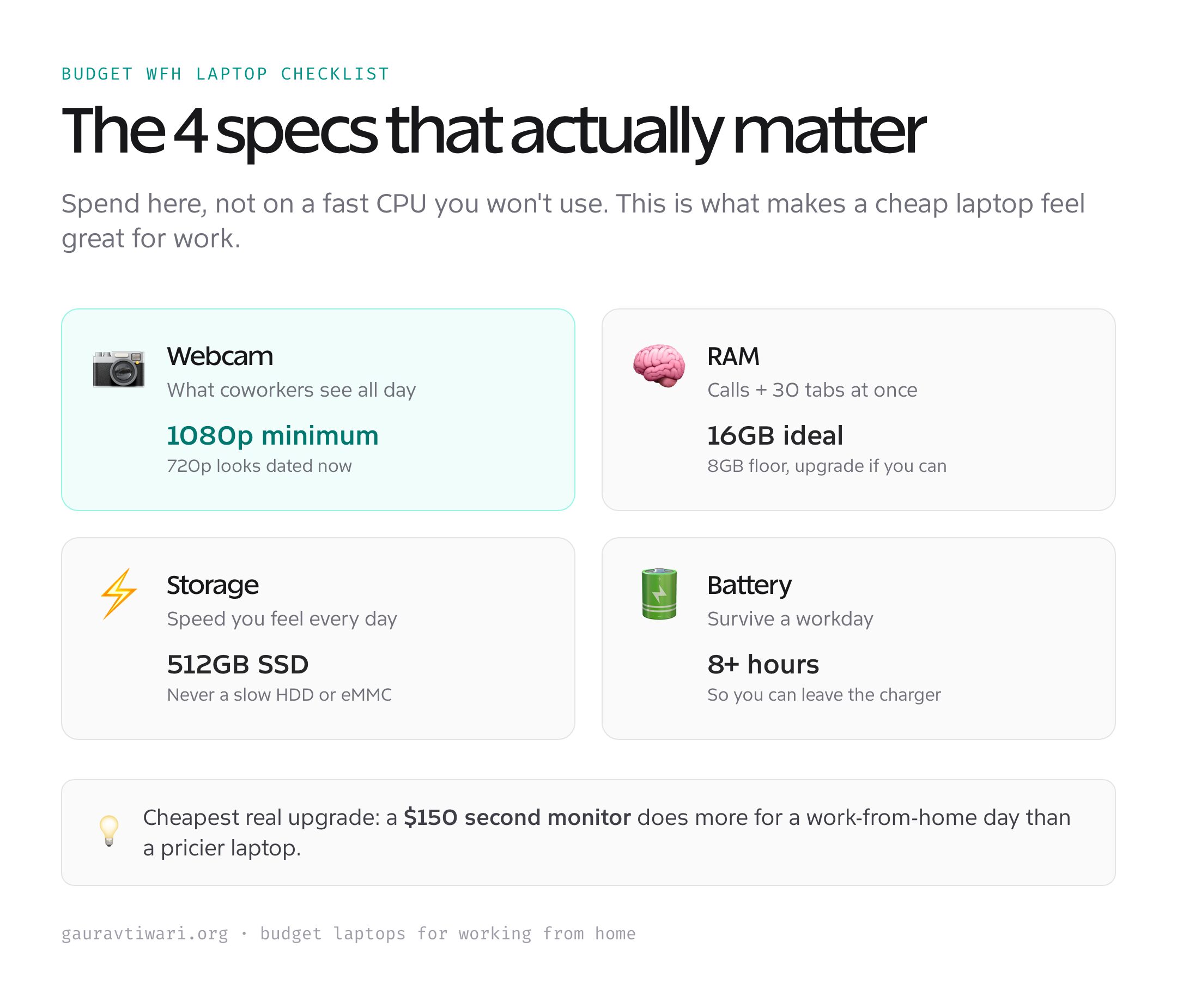
Best overall value: Acer Aspire 5
- Intel Core i5-1335U, 10 cores
- 8-16GB RAM + 512GB NVMe SSD
- 15.6-inch Full HD IPS display
- Backlit keyboard, Wi-Fi 6
The Aspire 5 is the laptop I point most budget buyers toward. For around $450 you get a 15.6-inch Full HD IPS screen, a current Intel Core i5, a proper SSD, and a backlit keyboard, which is a genuinely complete work laptop at a price where most rivals cut a corner you’ll feel. It’s not exciting. It’s just the most laptop for the money, year after year.
The compromises are honest ones. The 8GB of RAM is the floor, so spring for the 16GB config or plan to upgrade if the model allows it. The webcam is fine, not great. The chassis is plastic. None of that stops it being the best value pick for everyday work-from-home tasks. You can check the Acer Aspire 5 on Amazon for the current price.
✅ Buy if you want the most capable laptop for the least money and 1080p is enough screen. ❌ Don’t buy if you’re on video calls all day. The Acer Swift Go’s webcam is worth stepping up for.
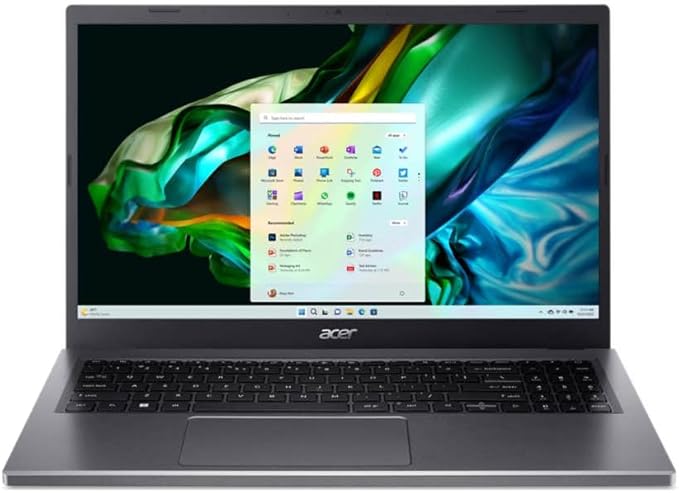
Best all-rounder: Lenovo IdeaPad Slim 5
- AMD Ryzen 7 8845HS, 8 cores
- 16GB LPDDR5X + 512GB SSD
- 16-inch WUXGA IPS display
- Excellent keyboard, fingerprint reader
If you can stretch to around $600, the IdeaPad Slim 5 is the smarter buy. The Ryzen 7 and 16GB of RAM mean you can run Teams, a browser with 30 tabs, and Excel at once without the slowdown that kills 8GB machines. The 16-inch WUXGA screen gives you real working space, and Lenovo’s keyboards are among the best in the budget class, which matters when you type all day.
This is the pick I’d make for most people doing real work from home, not just email. It costs more than the Aspire, but the extra RAM and the better keyboard pay for themselves the first time you don’t have to close apps to free up memory. Take a look at the Lenovo IdeaPad Slim 5 on Amazon.
✅ Buy if you multitask heavily and want 16GB of RAM and a great keyboard without overspending. ❌ Don’t buy if you need the lightest possible laptop. The 16-inch chassis is roomy, not featherweight. The HP Aero is the travel pick.
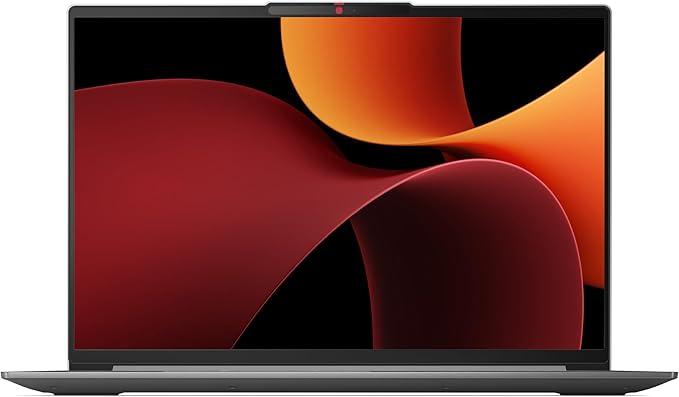
Best for video calls: Acer Swift Go 14
- Intel Core Ultra 7 155H
- 16GB LPDDR5X + 512GB SSD
- 14-inch touch display
- 1440p QHD webcam
If your day is back-to-back video calls, the Swift Go 14 is the pick, and the reason is the camera. Its 1440p webcam is genuinely better than almost anything else at this price, so you show up sharp and well-lit instead of grainy and washed out. Pair that with a Core Ultra chip, 16GB of RAM, and a bright high-resolution screen, and you’ve got a premium-feeling laptop that costs like a midrange one.
It’s the most expensive Windows pick here, but for client-facing remote work, looking professional on camera is worth real money. The thin metal build and good battery make it a pleasure to carry, too. You can see the Acer Swift Go 14 on Amazon, and if calls are central to your work, a dedicated external webcam can upgrade any laptop further.
✅ Buy if you’re on camera daily and want to look sharp without an external webcam. ❌ Don’t buy if you’re on a tight budget and rarely on video. The Aspire saves you $200 for the same core work.
Best big screen: ASUS Vivobook 16
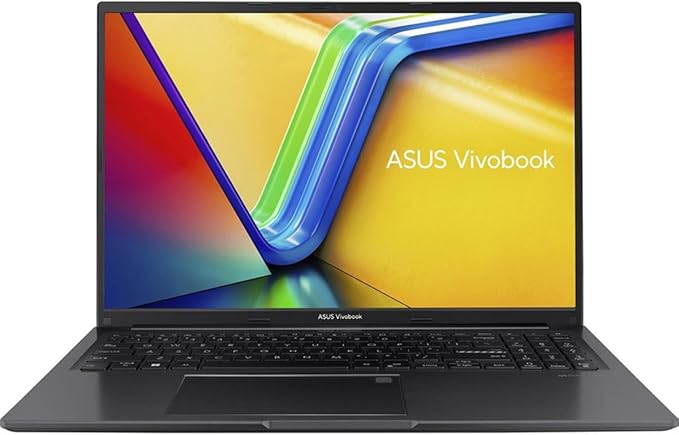
- AMD Ryzen 7 7730U
- 8-16GB RAM + 1TB SSD
- 16-inch WUXGA 16:10 display
- Fingerprint sensor, Windows 11
Some work just needs room. If you live in spreadsheets, dashboards, or two windows side by side, the Vivobook 16’s roomy 16-inch 16:10 display is the budget answer. The taller aspect ratio shows more rows of a spreadsheet and more of a document than a standard 16:9 panel, which adds up over a workday. With a Ryzen 7 and 16GB of RAM in the better configs, it handles the multitasking that a big screen invites.
It’s larger and heavier than the others, so it’s a desk laptop, not a carry-everywhere one. The build is plastic and the webcam is average. But for pure screen-per-dollar in a work machine, it’s hard to beat around $500. Check the ASUS Vivobook 16 on Amazon for the live price.
✅ Buy if you want the most screen real estate for the money and the laptop mostly stays on a desk. ❌ Don’t buy if you travel with your laptop. The 16-inch size adds bulk. The Aero is half the weight.
Best lightweight: HP Pavilion Aero 13
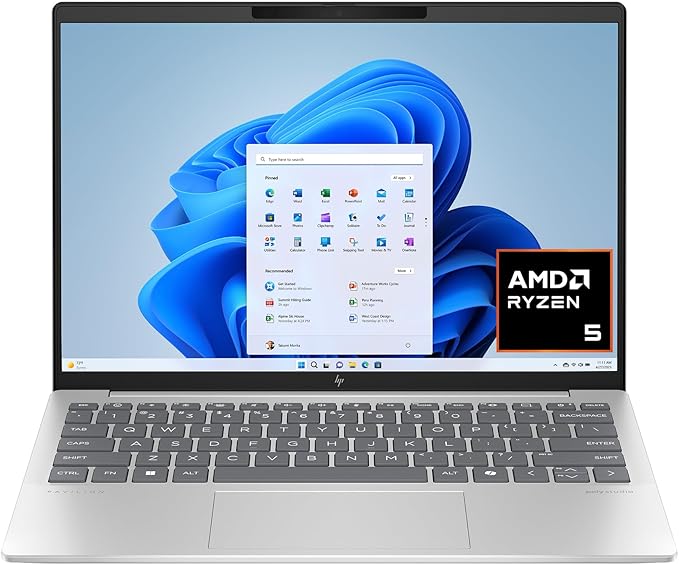
- AMD Ryzen 5/7, Radeon graphics
- 16GB RAM + 512GB SSD
- 13.3-inch 2K WUXGA display
- Under 2.2 lb magnesium chassis
If you move around, between a home desk, a kitchen table, and the occasional cafe, the Pavilion Aero 13 is the one. At under 2.2 pounds thanks to a magnesium chassis, it’s the lightest laptop here by a wide margin, and it still packs a Ryzen chip, 16GB of RAM, and a sharp 13.3-inch WUXGA screen. The battery comfortably clears a workday, so you can leave the charger at home.
The trade for that weight is a smaller screen, so it’s less ideal as your only display for spreadsheet-heavy days. Pair it with a monitor at your desk and you get the best of both. For a light, premium-feeling laptop at a budget price, it’s the pick. You can check the HP Pavilion Aero 13 on Amazon.
✅ Buy if portability is your priority and you want a featherweight laptop with all-day battery. ❌ Don’t buy if you need a big screen for spreadsheets. The Vivobook 16 gives you far more room.
Best battery and longevity: MacBook Air 13 (M4)
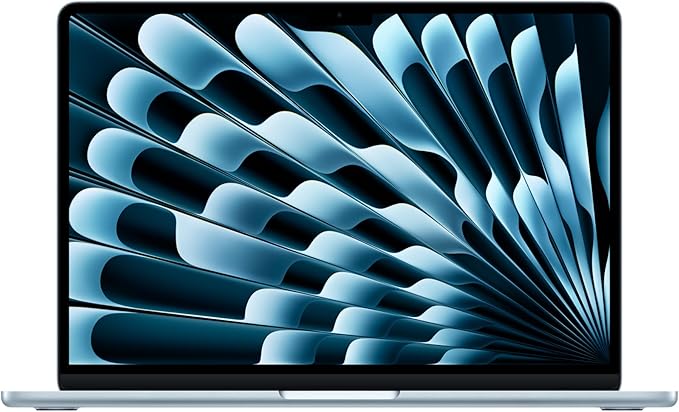
- Apple M4 chip, silent (no fan)
- 16GB unified memory + 256GB SSD
- 13.6-inch Liquid Retina display
- Up to 18 hours battery
If your budget stretches toward $850 and your work runs on macOS, the MacBook Air M4 is the longevity play. The M4 chip is fast and completely silent (no fan at all), the battery genuinely lasts up to 18 hours, and the build quality is a tier above everything else on this list. It also holds its value and gets years of software updates, which makes the higher price easier to swallow over time.
The catch is the ecosystem and the entry price. If your job needs Windows-only software, this isn’t your laptop. And the base 256GB SSD fills fast, so budget for more storage or lean on the cloud. For most general work-from-home tasks, though, nothing here feels as polished or lasts as long. You can check the MacBook Air M4 on Amazon.
✅ Buy if you want the best battery, build, and longevity, and macOS works for your job. ❌ Don’t buy if you need Windows software or you’re on a strict budget. The Aspire does the core work for half the price.
Budget work-from-home laptops compared
Here’s the whole list side by side. Read it by what your work actually demands: webcam for calls, RAM for multitasking, screen size for spreadsheets, weight for travel.
| Laptop | CPU | RAM / SSD | Screen | Best for | Price |
|---|---|---|---|---|---|
| Acer Aspire 5 | Core i5-1335U | 8-16GB / 512GB | 15.6″ FHD IPS | Value | ~$450 |
| Lenovo IdeaPad Slim 5 | Ryzen 7 8845HS | 16GB / 512GB | 16″ WUXGA | All-round | ~$600 |
| Acer Swift Go 14 | Core Ultra 7 155H | 16GB / 512GB | 14″ + 1440p cam | Video calls | ~$700 |
| ASUS Vivobook 16 | Ryzen 7 7730U | 8-16GB / 1TB | 16″ WUXGA 16:10 | Big screen | ~$500 |
| HP Pavilion Aero 13 | Ryzen 5/7 | 16GB / 512GB | 13.3″ WUXGA | Lightweight | ~$650 |
| MacBook Air 13 (M4) | Apple M4 | 16GB / 256GB | 13.6″ Retina | Battery | ~$849 |
Windows, Mac, or Chromebook for working from home?
The platform question trips up a lot of budget buyers, so here’s the short version. Windows is the safe default: it runs every work app, every VPN, and every weird piece of company software. If your employer hands you a list of required programs, a Windows laptop like the Aspire or IdeaPad is the no-risk choice.
macOS, on the MacBook Air, is the premium long-game: better battery, build, and resale, as long as your job doesn’t need Windows-only software. A Chromebook can work for genuinely light work, just email, docs, and the browser, and they’re cheap, but they stumble on desktop apps and many corporate VPNs. For most people working from home on a budget, I’d buy Windows unless you have a specific reason to go Mac.
How to get more from a budget laptop
A few cheap moves turn a budget laptop into a setup that feels far more expensive. None of these cost much, and together they fix the things budget machines get wrong.
- Add an external monitor. A $150 screen at your desk does more for productivity than a pricier laptop. Pair the laptop’s screen with a second display and you’ve doubled your workspace.
- Upgrade the RAM if you can. On laptops with a RAM slot, going from 8GB to 16GB is cheap and the single biggest speed boost you’ll feel.
- Use a USB webcam or good lighting. If your laptop camera is weak, a $40 external webcam or even a window at your back fixes how you look on calls instantly.
- Keep the SSD breathing room. A nearly-full SSD slows down. Keep 15-20% free, and offload files to cloud storage or an external drive.
Should you buy refurbished?
Often, yes. A certified refurbished business laptop, a ThinkPad or a Latitude, frequently beats a new budget consumer laptop on build quality and keyboard for the same money. The catch is the warranty and the seller. Buy refurbished only from a reputable source with a real return policy, and you can get a tier-up machine for a tier-down price. Skip the no-name marketplace listings with no warranty.
Which laptop should you buy?
For most people working from home, I’d buy the Lenovo IdeaPad Slim 5: 16GB of RAM, a great keyboard, and a big screen at around $600 covers real work without overspending. If money is tight, the Acer Aspire 5 at $450 does the core job and leaves room in the budget for a monitor.
If you’re on camera all day, pay up for the Acer Swift Go 14 and its 1440p webcam. If you travel, the HP Pavilion Aero 13 is the featherweight. And if your work runs on macOS and the budget allows, the MacBook Air M4 is the one you’ll still be happily using in five years. Buy for how you actually work, then spend the leftover on a monitor and a decent chair, because a second screen does more for a work-from-home day than almost any laptop upgrade.
Frequently asked questions
How much should a good work-from-home laptop cost?
Around $450 gets a capable Windows laptop like the Acer Aspire 5. The comfortable sweet spot is $600 to $700 (Lenovo IdeaPad Slim 5, Acer Swift Go 14) for 16GB of RAM and a better webcam. Spend more only for the MacBook Air’s battery and build.
How much RAM do I need for working from home?
8GB is the floor and handles email, docs, and light multitasking. 16GB is the comfortable answer if you run video calls plus many browser tabs and apps at once. If a laptop lets you upgrade RAM later, 8GB now is fine; if the RAM is soldered, buy 16GB up front.
What webcam quality do I need for video calls?
A 1080p webcam is the baseline in 2026. A 720p camera looks dated on calls. The Acer Swift Go 14’s 1440p webcam is the best on this list. If your laptop camera is weak, a $40 external USB webcam fixes how you look instantly.
Is a Chromebook good enough for working from home?
Only for genuinely light work: email, documents, and the browser. Chromebooks are cheap and secure but stumble on desktop apps and many corporate VPNs. If your job needs anything beyond web apps, buy a Windows laptop like the Acer Aspire 5 instead.
Windows or MacBook for remote work?
Windows runs every work app and is the safe default, especially if your employer requires specific software. The MacBook Air M4 wins on battery, build, and longevity if your job runs on macOS. Confirm your required software first, then choose.
Should I buy a refurbished laptop to save money?
Yes, if you buy from a reputable seller with a warranty and return policy. A certified refurbished business laptop like a ThinkPad often beats a new budget consumer laptop on build and keyboard for the same price. Avoid no-warranty marketplace listings.
The bottom line
The best budget laptops for working from home get the unglamorous specs right: a decent webcam, enough RAM, an SSD, and a screen you can stare at all day. The Lenovo IdeaPad Slim 5 is my overall pick, the Acer Aspire 5 is the value buy, and the Acer Swift Go 14 is the one to get if you live on camera.
Don’t overspend chasing a fast processor you won’t use. Put the money where work-from-home actually feels it, the webcam, the RAM, and a second monitor, and a $500 laptop will serve you better than a $900 one that spent its budget in the wrong place. Match the laptop to how you work, add a screen, and get on with the day.