
 by
by
WordPress themes for photographers have one job that most themes fail at: showing hundreds of high-resolution images without turning your portfolio into a loading spinner. The right theme handles modern image formats, lazy-loads intelligently, and gets out of your photographs’ way. The wrong one buries your best work under 4 seconds of JavaScript.
I’ve built and audited enough photography portfolios to know where they go wrong, and it’s almost never the camera work. It’s a heavy theme plus full-size JPEG uploads. So this list is short and opinionated: six themes for different photography workflows, plus the three configuration choices that matter more than any of them.
The shortlist, if you’re in a hurry:
- Astra: my pick for most photographers. Free, one of the lightest themes anywhere, with ready-made photography starter sites.
- Xenon: free, image-led WordPress portfolios with editable project templates.
- Blocksy: best when you sell prints or presets, thanks to first-class WooCommerce support.
- Kalium: the most polished premium portfolio look, $59 and rated 4.94/5 by 2,400+ users.
- Oshine: designer favorite with striking gallery layouts.
- Bridge: 600+ demos when you want to start from a finished design.
What a Photography Theme Must Do in 2026
Before the list, the standard it’s judged against. A photography theme earns its place by doing four things:
- Survive high-resolution images. Lean CSS and JavaScript, so the bandwidth budget goes to your photos, not the theme.
- Gallery layouts that fit how portfolios are browsed. Masonry, full-screen, and justified grids, with keyboard and touch navigation.
- Native support for WebP/AVIF and lazy loading. WordPress handles both, but heavy themes break or override them.
- Typography that doesn’t compete. Your site should feel like a gallery wall, not a brochure.
If you want the full checklist for judging any theme (update cadence, lock-in, support quality), I keep that in my guide on how to choose a WordPress theme. Everything below already passed it.
Astra: My Pick for Most Photographers
Best for: getting a fast, professional portfolio online this weekend, free.

Astra wins this list for a boring reason: it’s one of the lightest themes in WordPress, which is exactly what image-heavy sites need. Pick one of its photography starter sites, import it, swap in your images, and the layout work is done. It plays cleanly with every major gallery plugin, and the free tier genuinely covers a working portfolio.
The honest downside: Astra’s design out of the box is tasteful-generic. It will never look as distinctive as Kalium or Oshine without customization work. For most working photographers, fast and clean beats distinctive and slow… but if your portfolio is your brand, read on.
Xenon: Free Portfolio Theme for Studios
Best for: public photography portfolios and studio case studies.
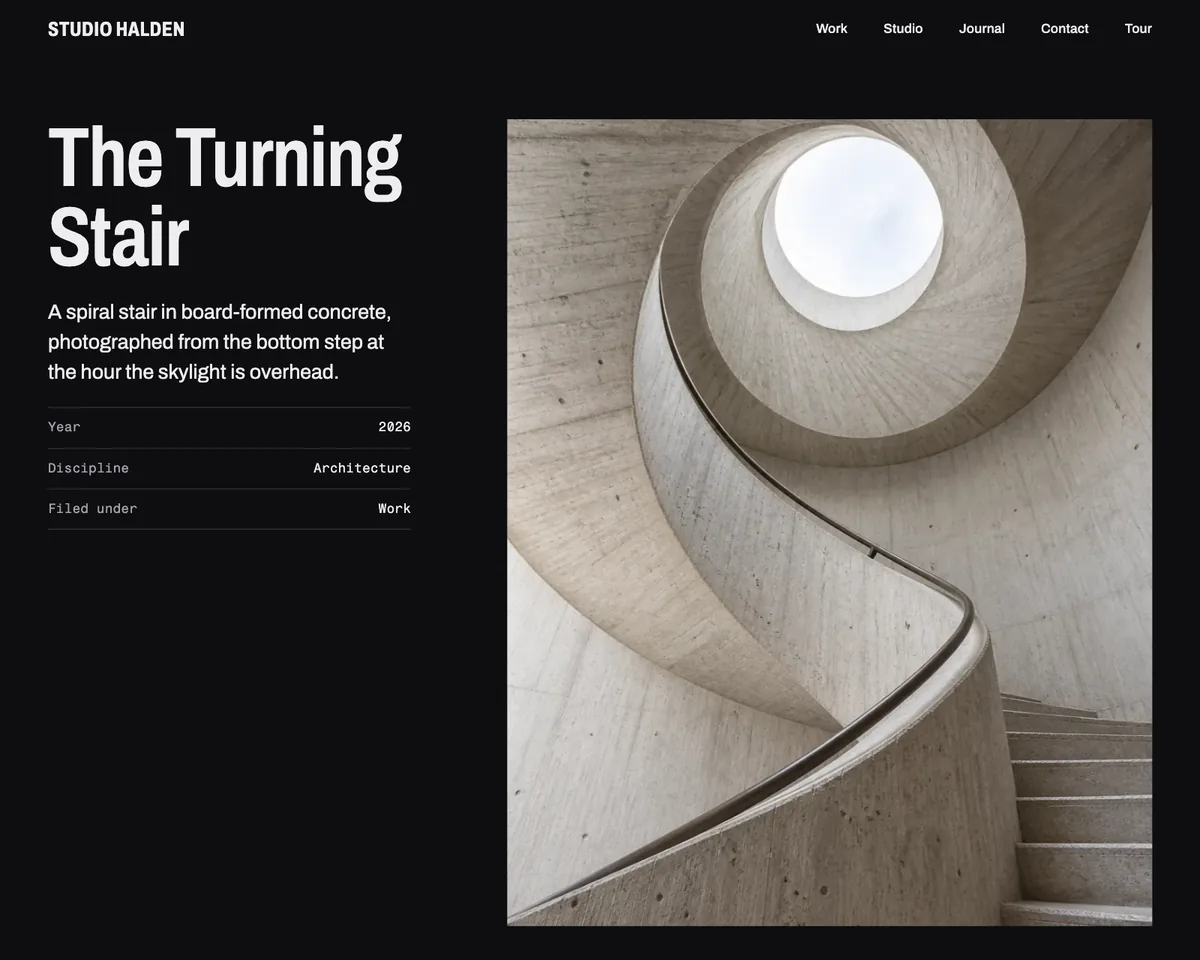
Xenon is a free block theme I develop around image-led projects. Work posts feed the portfolio grids, while the project patterns leave room for the brief, process and credits beside the photographs.
The Site Editor controls the templates and design variations. Archivo and Fragment Mono are bundled locally. The theme ships no JavaScript of its own, but galleries, commerce tools and other plugins can still add scripts.
The honest downside: it does not include private client proofing, sliders or WooCommerce templates. If your business needs image approvals or print sales, choose those tools separately.
Blocksy: Best for Selling Prints and Presets
Best for: photographers whose site is also a shop.
Blocksy pairs a lean codebase with the best WooCommerce integration in the lightweight-theme class. If you sell prints, Lightroom presets, or photography courses, its product galleries, quick-view, and header builder do retail properly while staying fast. The free tier is unusually generous, and its starter sites include portfolio designs that need surprisingly little tweaking.
Downside: the settings panel is deep enough to get lost in. Budget an evening to learn it.
Kalium: The Most Polished Portfolio Look
Best for: wedding, fashion and fine-art photographers who want gallery-grade presentation out of the box.
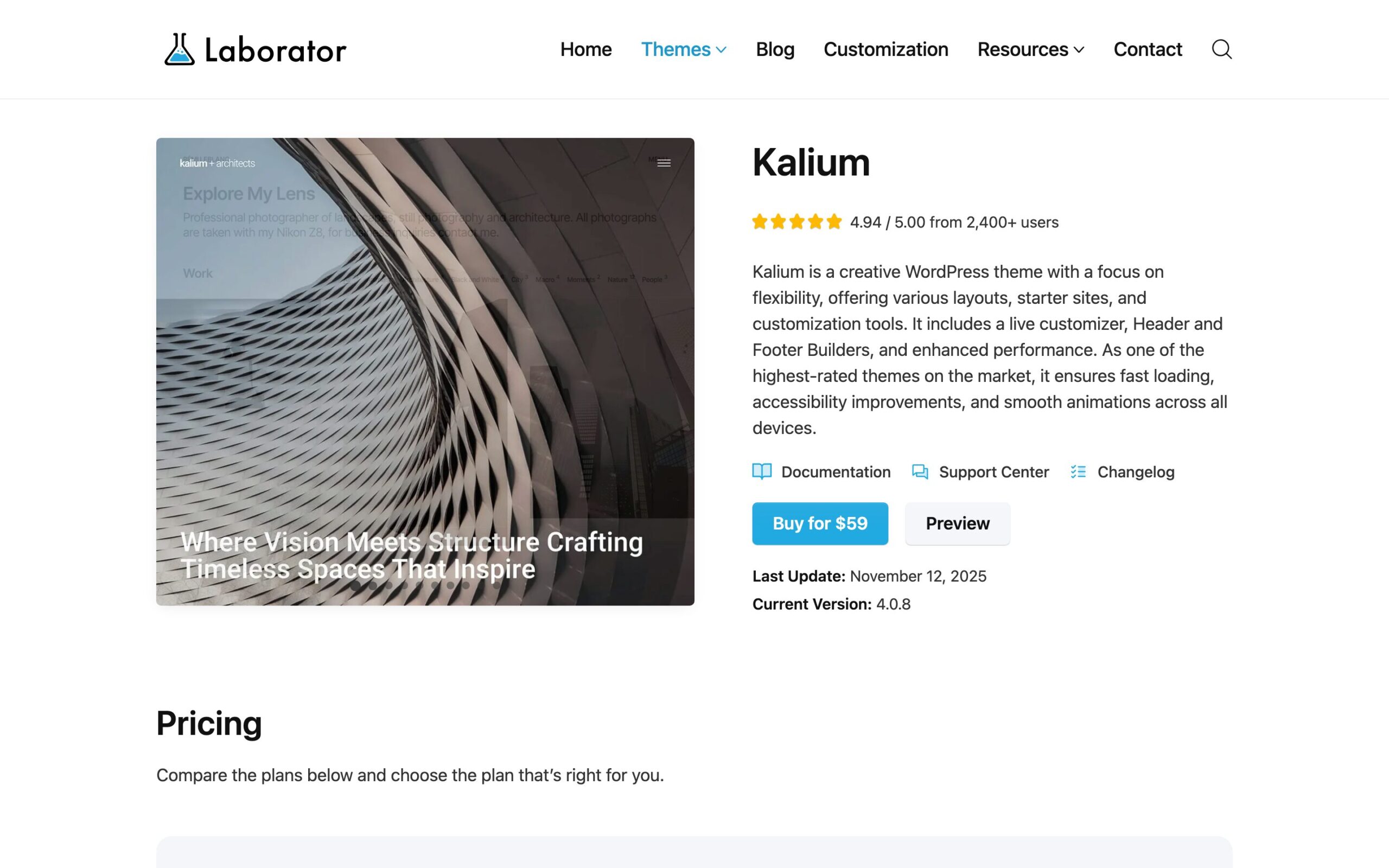
Kalium by Laborator costs $59, sits at a 4.94/5 rating from 2,400+ users, and is still actively updated (version 4 shipped with a rebuilt customizer, header and footer builders, and real performance work). Its portfolio layouts are the kind that make clients assume you paid a designer: full-bleed images, elegant hover states, smooth transitions that stay on the right side of tasteful.
Downside: it’s a creative multipurpose theme, so it carries more weight than Astra or Blocksy. With image optimization done right it still performs well, but don’t skip that step.
Oshine: The Designer Favorite
Best for: creative portfolios that want unusual gallery geometry.
Oshine by Brand Exponents has been a creative-circuit staple for a decade, with dozens of portfolio demos and some of the most interesting gallery layouts in the business: broken grids, horizontal scrolling, split-screen photography presentations. It’s sold on ThemeForest and remains one of the few builder-based themes I’d still shortlist for a photography site.
Downside: it leans on its bundled page builder, which means more JavaScript than the lean picks and some lock-in if you ever switch themes. Eyes open.
Bridge: 600+ Demos to Start From
Best for: photographers who want to pick a finished design and move in.

Bridge is the veteran multipurpose theme with 160,000+ customers and over 600 demos, including a deep bench of photography and portfolio designs with split-screen layouts, full-screen menus, and seven portfolio list styles. If decision fatigue is your enemy, browsing Bridge demos until one looks like your brand is a legitimate strategy.
Downside: those demos run on WPBakery or Elementor, and multipurpose flexibility always costs some speed. Pick Bridge for the design range, then optimize images aggressively to claw the performance back.
The Setup That Matters More Than the Theme
Here’s the part most theme roundups skip: any of the themes above can be fast or slow depending on three configuration choices. The theme sets the ceiling; these set the floor.
- Serve WebP or AVIF, automatically. ShortPixel converts your whole library and every new upload; expect 60 to 80 percent smaller files at visually identical quality. This single step does more than any theme choice.
- Let lazy loading work. WordPress lazy-loads by default. Just don’t lazy-load the hero image at the top, and don’t let a gallery plugin fight the native behavior.
- Put a CDN in front. Cloudflare’s free tier is fine; photographers serving international clients will feel the difference immediately.
Do those three and a 500-image portfolio loads in a couple of seconds on any theme on this list. Skip them and even Astra will crawl. The deeper version of this checklist lives in my guide to fixing slow WordPress sites.
One last practical pointer: if clients pick photos from your galleries (weddings, portraits), add a proofing plugin like Picu instead of emailing ZIP files around. And if you’re starting from zero, my walkthrough on building a professional photography portfolio covers hosting, domain and structure before the theme question even comes up.
My recommendation in one line: start with Astra free; move to Kalium when your brand outgrows clean-and-generic; pick Blocksy the day you start selling.
FAQs: WordPress Themes for Photographers
What is the best free WordPress theme for photographers?
Astra with one of its photography starter sites. It’s among the lightest themes available, imports a finished portfolio design in minutes, and works with every major gallery plugin. Blocksy’s free tier is the close second, especially if you’ll eventually sell prints.
Should photographers use a page builder theme?
Only with eyes open. Builder themes like Oshine and Bridge offer striking gallery designs, but they add JavaScript weight and some lock-in. If you go that route, image optimization and a CDN become mandatory rather than optional, and expect a rebuild cost if you ever leave.
How do I keep a photography website fast with hundreds of images?
Three steps: auto-convert everything to WebP or AVIF with a plugin like ShortPixel, keep native lazy loading on for everything below the fold, and serve through a CDN. Done together, a 500-image portfolio loads in about two seconds on any lean theme.
What image size should I upload to WordPress?
Export at 2048 to 2560 pixels on the long edge for portfolio display; full-resolution files belong in client galleries or downloads, not on pages. WordPress generates responsive sizes automatically, and visitors’ browsers pick the right one for their screens.
Do I need a separate gallery plugin with these themes?
Often not. Kalium, Oshine, and Bridge ship capable portfolio systems, and the block editor’s gallery block covers simple grids. Add a dedicated plugin only for client proofing (Picu), watermarking, or print sales, where specialized tools genuinely earn their keep.
Tell Google you want more of this.
Add Gaurav Tiwari as a preferred sourceOne tap, and this site shows up more often in your own Top Stories, AI Overviews and AI Mode. Remove it any time.
Disclaimer: This site is reader-supported. If you buy through some links, I may earn a small commission at no extra cost to you. I only recommend tools I trust and would use myself. Your support helps keep gauravtiwari.org free and focused on real-world advice. Thanks. - Gaurav Tiwari